Skip to: |

Newegg.com - A great place to buy computers, computer parts, electronics, software, accessories, and DVDs online. With great prices, fast shipping, and top-rated customer service - once you know, you Newegg.

If you are reading this message, Please click this link to reload this page.(Do not use your browser's "Refresh" button). Please email us if you're running the latest version of your browser and you still see this message.

Newegg.com - Computer Parts, Laptops, Electronics, HDTVs, Digital Cameras and More!

  • | Wish List
  • Help

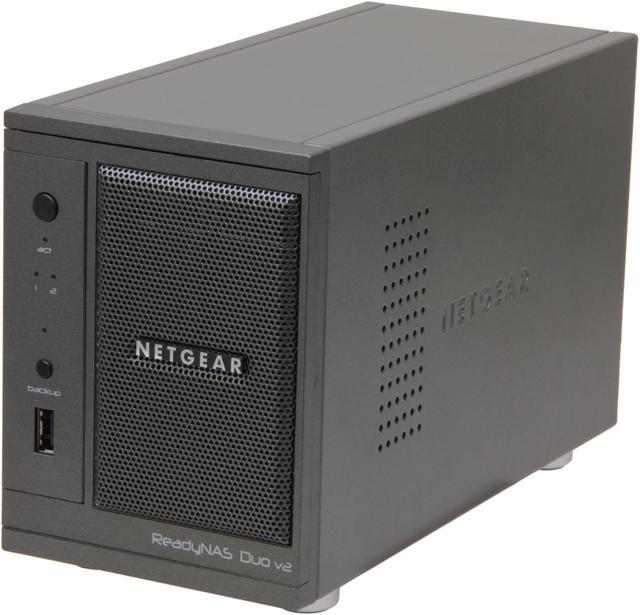
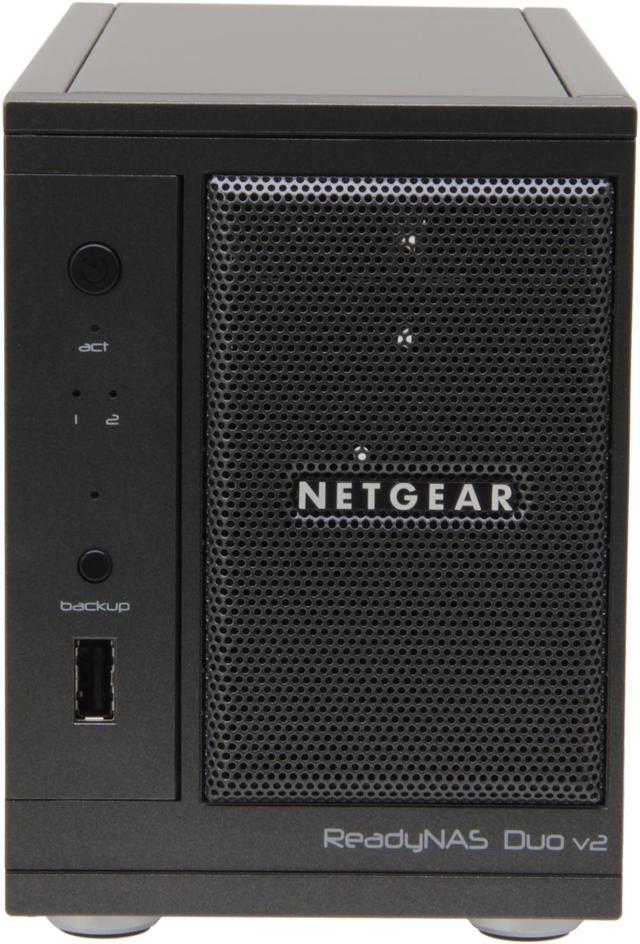
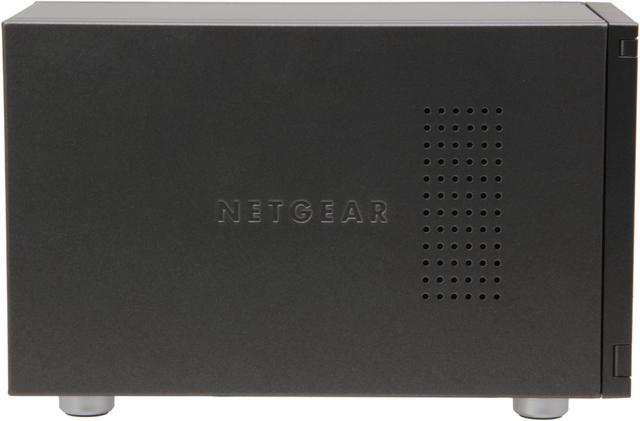
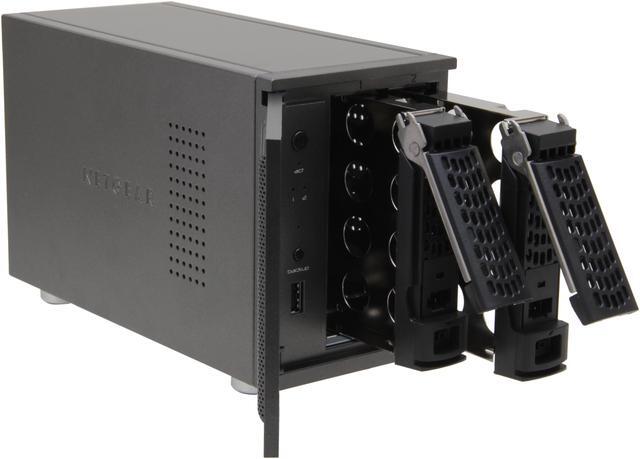
NETGEAR ReadyNAS Duo v2 2-bay (diskless) w/ 3 yr warranty (RND2000-200NAS)

  • 1.6GHZ Marvell processor
  • Diskless
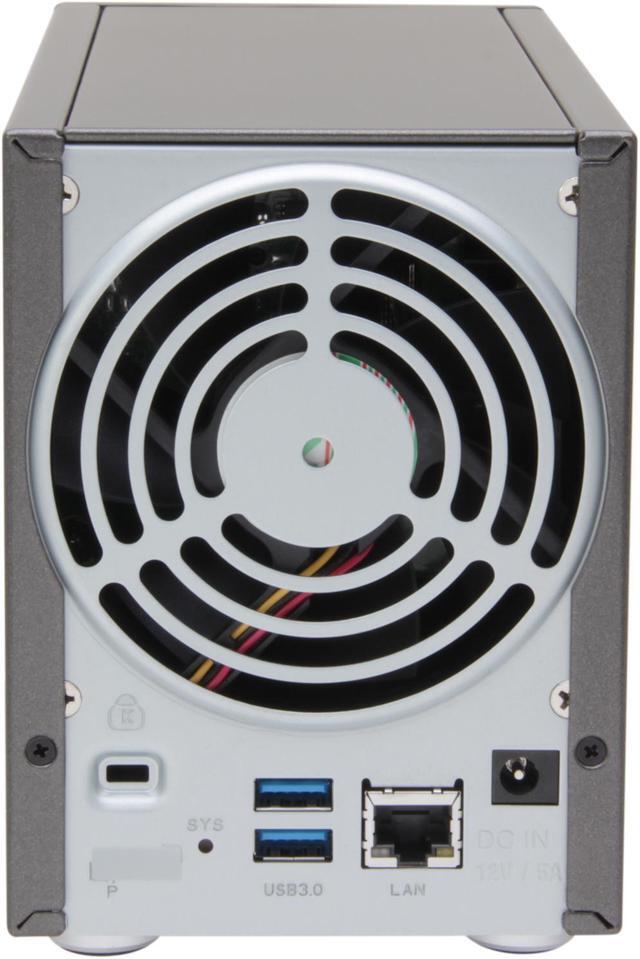
  • 2 x USB 3.0, 1x USB 2.0
  • RAID 0, 1
  • ReadyNAS Photos II application
  • 3 year warranty
  • Pin It
  • Email this page
ICON Loading...


Learn more about the Netgear Inc. RND2000-200NAS

General

Brand
NETGEAR
Model
RND2000-200NAS

Interfaces

Port RJ-45
1 x 10/100/1000M
Port USB
2 x USB3.0 + 1 x USB2.0
HDD Interface
2 x SATA (2 x Bay)

Configuration

Form Factor
Desktop
Processor
1.6 GHz Marvell
Default/ Max. Memory
256 MB PC2700 DDR-SDRAM SO-DIMM

Hard Drive Performance

Included HDD Capacity
Diskless System

Conveniences

Management
Volume Management
- Journaled file system
- User, group, and share-level quotas

System Management
- Performance options
- Device status
- Email alerts and event logs
- Command Line SSH access

Power

Power
100-240 VAC 50/60Hz

Features

Features
Directly streams music, photos and video to existing network media players without a computer

Creates a personal webpage to easily share photos with friends and family

Diskless unit, preconfigured with version software, just add hard drive to start

To get the new updated firmware "RAIDiator arm 5.3.5", please visit the link below:
http://www.readynas.com/?cat=41
Usage
High read/write performance with RAID

Dimensions / Weight

Dimensions
8.7" x 5.6" x 3.98"
Weight
4.56 lbs.

Environment

Humidity
20-80% Humidity (non-condensing)

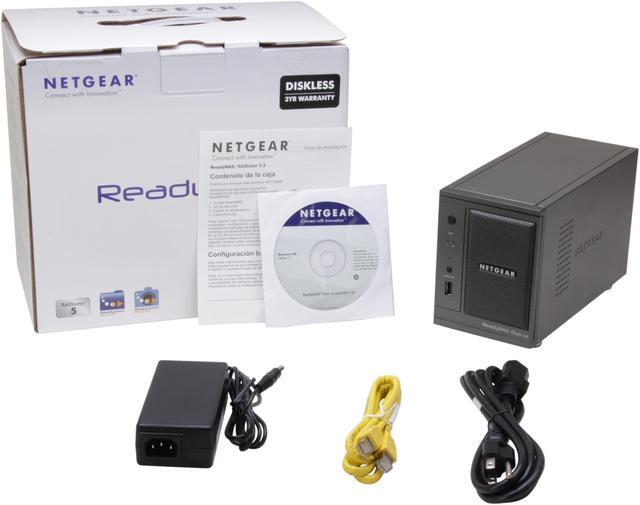
Package Contents

Package Contents
ReadyNAS Duo
2 hard disk trays
Quick Installation Guide
Warranty card
Power adapter
Power cable
Ethernet cable
ReadyNAS Installation CD
ReadyNAS Discovery Utility
CDP (continuous data protection) backup software for Windows and Mac clients

Quick Info

Warranty

  • Limited Warranty period (parts): 3 years
  • Limited Warranty period (labor): 3 years


Customer Reviews of the Netgear Inc. RND2000-200NAS

Do you own this product? Write a Review

Filter Results

Go
  • averageuser
  • 5/1/2013 12:27:06 PM
  • Tech Level: Somewhat High
  • Ownership: 1 month to 1 year
  • Verified Owner

5 out of 5 eggsFunctional

Pros: As my first NAS, I had experienced network storage at work and school, but never at home. I was very surprised to find that this little box got the job done on many account. Now I have my itunes/etc backed up (and mirrored) using 2x2TB drives without ever having to do much more than point my applications to the IP. As a home device, it was a hesitant purchase (prices have fallen in recent months on this type of product), but after ~6 months, it's still kicking 24/7. Add a battery backup if you have any risk of brown-outs though.

Cons: None so far after ~6 months

Other Thoughts: If you don't know anything about RAID, if your controller fails, you may lose access to your data. As a rule, from my experience: "if you don't have it backed up 3 times, it's not all that important". Every few months or so, you may want to do an additional backup of any backup you have. With the trend of digital photography, it's tough to know that your memories and keepsakes are truly safe from being lost.

0 out of 1 people found this review helpful. Did you? Yes No

  • shanethegeek
  • 4/6/2013 9:50:45 AM
  • Tech Level: High
  • Ownership: 1 month to 1 year
  • Verified Owner

4 out of 5 eggsGreat backup drive

Pros: Netgear Raidar utility makes for easy installation and configuration.
The dashboard is really easy to use and gives most users all the security and server options theyll ever need.
I am personally using only SMB with no encryption.
3 eggs given.

Cons: You need to use preformatted (unallocated) hard drives or the unit will not boot or allow setup to continue.
The unit is not smart enough to ask if you would like to format and use the drive in the system. Lets say this was a slight aggravation, due to putting already formatted drives in the system I had to go through various reset steps to finally get back to factory defaults and proceed with setup. This ended up costing me an entire hour of my day.

So I am subtracting an egg.

Other Thoughts: I finally ran a backup of my workstation to the NAS. I got a total of 40-50 Megabytes per second or around 400kbps. Which is equivalent to 40% of a 1gbps connection. I say not to shabby for a super affordable RAID capable NAS and 1 egg for exceeding my expectations of a sub $200 NAS

1 out of 1 people found this review helpful. Did you? Yes No

  • N/A
  • 3/29/2013 11:25:19 AM
  • Tech Level: Somewhat High
  • Ownership: 1 month to 1 year
  • Verified Owner

2 out of 5 eggsReally bad ReadyNAS Remote performance

Pros: Fast across local LAN. Easy setup

Cons: I used to have a Netgear Stora from which I was able to log into remotely by going to mystora.com and stream music and videos. I was also able to use the HipServ app on my Android device and stream my music as whole albums. With the ReadyNAS duo I installed ReadyNAS remote which is pretty cool because when running it adds folders to the network connections as if you are at home. The problem is that downloading is extremely slow across a fast broadband connection. Forget streaming, it is constantly jittery and takes forever to start and never smooths out.

Netgear support has been completely useless so far. The first thing they told me to do was reflash the firmware. I knew that would do nothing but I did it anyway and told them the result was the same. They closed the ticket and sent me a satisfaction survey. Great!

1 out of 2 people found this review helpful. Did you? Yes No

  • ejtt7ciia
  • 3/16/2013 8:39:12 AM
  • Tech Level: Somewhat High
  • Ownership: 1 week to 1 month
  • Verified Owner

5 out of 5 eggsGreat for the price

Pros: Much faster that Duo v1 (agetting 30-60 MB/s reads, 40-90 MB/s writes, depending on the data.
USB 3.0
Same ReadyNAS sturdy contruction as always
Active Directory integration

Cons: One glitch when setting it up . . . it would not boot until I had put an unformatted hard drive in it.
More limited selection of add-ons than SPARC- or x86-based ReadyNAS units.

Other Thoughts: As a user of the ReadyNAS Duo v1 (I have several of them), I was skeptical to purchase a v2 of this model, especially with the negative reviews. But, for the price, I thought I would give it a try. I needed something faster, but economical, and I was already used to the reliability and sturdy construction of the models I had.
Yes, there is a smaller selection of add-ons compared to SPARC/x86 variants of ReadyNAS, but so far I've not needed any.

I am pleased that v2 can use Active Directory, whereas v1 did not have that option.

Overall I am very pleased and would recommend this unit.

1 out of 1 people found this review helpful. Did you? Yes No

  • Spazmoose
  • 3/16/2013 7:46:48 AM
  • Tech Level: High
  • Ownership: 1 month to 1 year
  • Verified Owner

4 out of 5 eggsDecent, not for the inexperienced

Pros: Works well for a home NAS device. The LAN setup is relatively simple.

Cons: While the LAN setup was simple, getting it to work for WAN usage is cumbersome. The Android app for this seemed incredibly difficult to set up (I ended up having to use FTP instead of CIFS), and setting up remote access was incredibly confusing, especially for some of my family.

Other Thoughts: If you don't have experience with modifying firewall settings, or configuring applications, I would steer clear.

1 out of 1 people found this review helpful. Did you? Yes No

  • trinozone
  • 3/13/2013 7:25:37 AM
  • Tech Level: Average
  • Ownership: 1 month to 1 year

5 out of 5 eggsEXCELLENT

Pros: does everything i need holds and plays my music dvd and blu ray to my tv all thru my blu ray player i love this thing everything in one location

Cons: none. great device

Other Thoughts: be sure to get the WD red 3tb for plenty of storage remember this is a 2 bay only so in this case more is better

1 out of 1 people found this review helpful. Did you? Yes No

  • N/A
  • 3/9/2013 12:54:54 PM
  • Tech Level: Somewhat High
  • Ownership: 1 month to 1 year

3 out of 5 eggsOK unit

Pros: small, well built, very quiet, low power consumption

Cons: slow-ish, photos 2 not ready for prime time

Other Thoughts: I really wanted photos 2 to work (v1.0.6). It has many bugs. It is very slow to convert pictures (looks like I can get a 7-10meg picture to upload in 2 seconds, but it takes about 45 seconds to process), although, this looks faster than some of the synology photostation reviews. I'm chalking this up to the ARM processor - someone with a x86 please post your experiences. The mail out invitation function to view your album works - occasionally. The site times out from time to time during extended uploads. This seems to corrupt the folder permission structure. You don't lose anything, but you have to make a new folder and move all the pictures over. It seems it messes up the permissions a lot, and invited guests can't connect. Some people have no problem, others can't connect thru the strange photos.readynas site. Hitting refresh in the browser a bunch of times seems to help some people connect to your NAS. It is helpful not to have to setup a dynamic dns and route thru your router - but it'd be better if it actually worked 100% of the time. There is a public viewing option - yet it works no better than the "private" viewing function. I'm not sure what even makes a difference between the 2 settings...

NAS functions are OK. Like one reviewer said, it would be nice to have a local file manager so you don't have to manipulate via your computer. Remember, NAS is not backup! You can load a second drive and backup shares from your first drive to the second drive via schedule. This is nearly backup - unless the NAS fails, then you can't read the 1st or 2nd disc due to the netgear file system (although there are some reports of methods to mount the drives externally, it's not a simple undertaking).

Overall, I'd say it's a good unit. I'd like the photo software to be fixed sooner rather than later, and it is a bit slow, but it is also at the bottom of the price range. I just wonder if I pay 2x for an x86 version, will it perform any better?

Manufacturer Response:

Hello Anonymous,

We would like to thank you for taking the time out to write this review on the RND2000. If you have any questions, suggestions, or concerns, please feel free to contact us directly at newegg@netgear.com

Regards,
NETGEAR Team

1 out of 1 people found this review helpful. Did you? Yes No

  • Ken
  • 3/8/2013 7:15:15 AM
  • Tech Level: Somewhat High
  • Ownership: 1 week to 1 month
  • Verified Owner

5 out of 5 eggs

Pros: Hardware is all metal and very solid! There is a pretty quiet variable speed fan in the back that cools both the electronics and the 2 HDs. I was very surprised by how small this device is -- barely larger than 2 external HDs.
I had no trouble getting this NAS working and find it is VERY fast -- As I am using this NAS as a replacement for a NAS made from an external USB HD plugged into my TP Link router I find the speed improvement to be AWESOME! Operations that took 120 seconds on my old NAS, now take 17 seconds on the NetGear ReadyNAS Duo V2 -- almost a magnitude (x10)!

Cons: Normal price may be a little high for home use, but very reasonable for small office use. This is not an easy replacement for external USB hard drives, but if you have a reasonable understanding of networking and NAS/RAID technology, the ReadyNAS Duo V2 is a great option!

Other Thoughts: The 6 page, 2 language "Installation Guide" is only a starting point, but there is plenty of information on the CD and on line.

1 out of 1 people found this review helpful. Did you? Yes No

  • EvilGerman
  • 3/5/2013 8:56:10 PM
  • Tech Level: High
  • Ownership: 1 day to 1 week
  • Verified Owner

2 out of 5 eggsunexpectedly slow

Pros: solid feature set. I like the looks. Less than half the cost of other NASes with the same processor and hardware.

Cons: When I got the unit, I took an unused ED green 1.5 TB drive and added it. Installed the latest version of the radiator software. Unit shows "disk corrupt". Use search engine to find I have to factory reset or delete partitions on another machine. Try factory reset - still disk corrupt. Open up another machine, connect harddrive to it. Standard MBR disk with windows partitions. Delete partitions. Reassemble desktop machine. Another factory reset. Wait.

Then, to setup it sends you to a web browser. Scary bad certificate warning. Ignore, enter password. Loading dashboard, spinning wheel. Wait 5 minutes. Spinning wheel. Is it supposed to be doing this? Try chrome. Same result. Wait some more. Try safari on ipad. Get past the spinning wheel. Go though setup wizard. Wants my e-mail server. Don't have this info right now. Can't skip, don't get to see rest of setup wizard.

Copy some large files to NAS for testing. 35 mb/s, tolerable. Read them back to SSD. Below 20 mb/s. Disappointing. Client is core i7 with intel NIC. This thing pushes > 100 mb/s to a real file server. Expectation for NAS was less, but not five times less.

Other Thoughts: For the price, I'd be willing to overlook the initial difficulties and the inconsistent UI. However the raw speed is simply not there.

Manufacturer Response:

Hello EG,

We want to thank you for taking the time out to write this review. We can’t apologize enough for the setup issues and confusion; it sounds like you were doing the right things and the experience did not go how we would like it to be for our customers.

If you’re still experiencing these speed issues or have other questions or feedback, we want to hear from you. You can get in touch with us at newegg@netgear.com – make sure to include any additional details about your setup or specific throughput measurements that you came up with so our engineers can help more efficiently.

Regards,
NETGEAR Team

1 out of 1 people found this review helpful. Did you? Yes No

  • gb
  • 2/28/2013 2:02:08 PM
  • Tech Level: High
  • Ownership: 1 month to 1 year
  • Verified Owner

4 out of 5 eggsNot bad if you have some IT know how...

Pros: - Plays nice with both Windows and Mac
- Decent web interface (with SSL)
- Plex (PMS) add-on is available for this finally (google it!)
- Supports a lot of protocols (SMB, AFP, HTTP[s], NFS, DLNA, Rsync, FTP, SNMP, etc.)
- Does decent backup scheduling utilizing rsync
- Overall has been working strong since Oct-2012
- Even when bogged down (e.g. CPU >98%) SMB still works with no hiccups
- Email Alerts (with TLS)
- Supports Active Directory Authentication (haven't used it but a nice feature nonetheless)
- x-raid2 (google it!)
- SSH (as an add-on, 'top' is your best friend...) [don't use unless you don't care about voiding your warranty]

Maybe its just me but I've had relatively few issues with this nas...

Cons: - The processor is ARM [Marvell Kirkwood 6282 I believe] (not intel, which limits what add-ons you can use)

- No IP/MAC filtering, just user/group/AD authentication

Other Thoughts: DO's:

- use the Raidar utility, it will tell you things when the web interface doesn't work

- get a backup power supply (UPS) for this NAS but check the Netgear compatibility list before you buy and yes it uses a USB slot...

- do RAID1 (mirrored drives), it cuts your overall size in half but it will save you one day...

- read the manual before you start off, it'll save you from "wasting hours googling"...

DON'TS:

- don't assume you can move your hdd from windows to this without formatting (Windows is NTFS, this is not)

- don't get mad when it takes time for your +2TB of backup to migrate, instead upgrade your network... (it's called gigabit, google it!)

- don't buy this one thinking you'll be able to install the intel add-ons (not gonna happen)

- [Advanced] don't apt-get distro-upgrade in the linux SSH, it won't boot next time :( and it can void your warranty but it is recoverable with an OS-reinstall off the boot menu (see the manual)

4 out of 5 people found this review helpful. Did you? Yes No

ICON Loading...

Protect Your Investment!

    • (more options) read warranty details
Are you an E-Blast Insider? Subscribe Newegg e-Blast

Buzz

Works, BUT read cons!

2 out of 5 eggs
USB ports WILL NOT recognize external drives over 2 terabytes! This is a confirmed issue for this firmware.. Don't ...
— Delweine 12/6/2011

Works Great!!

4 out of 5 eggs
This thing was a major pain to set up. Darn near returned the thing to our super buddies at NewEgg. If you have one, then ...
— KTritan 1/25/2012


PayPal
Shop without retyping payment details. Secure shopping made faster.
Check out with PayPal.

Financing


LOADING... LOADING...
Shop by Region: United States | Canada | China
Follow us:   RSS Feeds Youtube
VeriSign Reliability Seal1This site protected by Trustwave's Trusted Commerce program Inc500
Policy & Agreement | Privacy Policy  © 2000-2013 Newegg Inc.  All rights reserved.
If the Adobe Reader does not appear when you click on a link for a PDF file, you can download Adobe Reader from the Adobe web site. nassau