Skip to: |

Newegg.com - A great place to buy computers, computer parts, electronics, software, accessories, and DVDs online. With great prices, fast shipping, and top-rated customer service - once you know, you Newegg.

If you are reading this message, Please click this link to reload this page.(Do not use your browser's "Refresh" button). Please email us if you're running the latest version of your browser and you still see this message.

Newegg.com - Computer Parts, Laptops, Electronics, HDTVs, Digital Cameras and More!

  • | Wish List
  • Help
Search all
Search

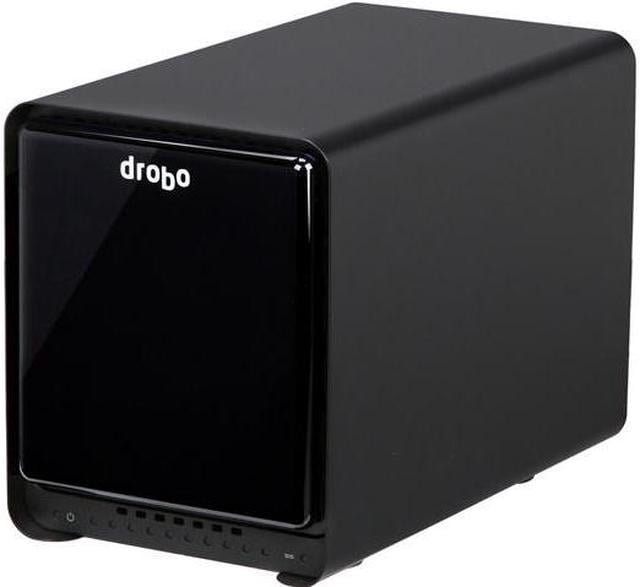
Drobo Drobo 5N (DRDS4A21) Diskless System Storage Array

  • 5-Bay
  • Usage Backup & stream media through personal cloud
  • Diskless System
  • 1 x 10/100/1000M
  • Pin It
  • Email this page
ICON Loading...


Learn more about the Drobo Drobo 5N (DRDS4A21)

General

Brand
Drobo
Model
Drobo 5N (DRDS4A21)

Interfaces

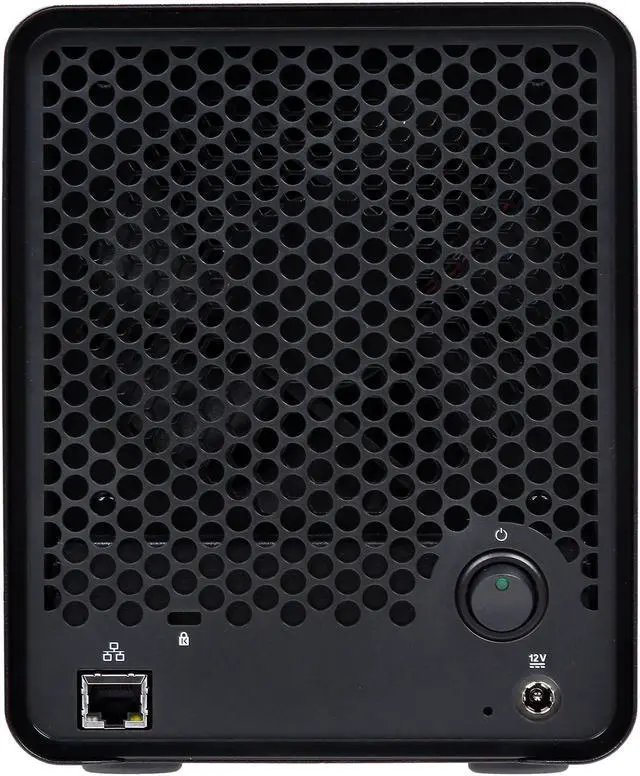
Port RJ-45
1 x 10/100/1000M
HDD Interface
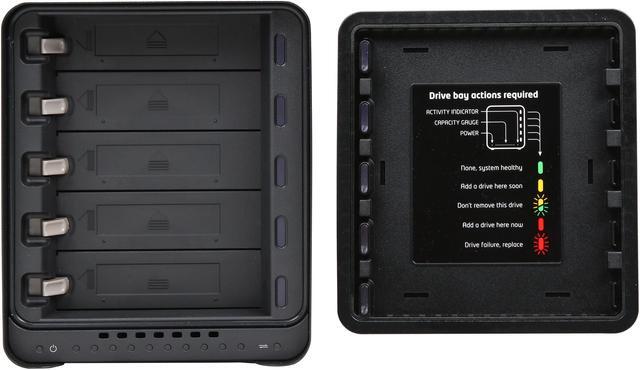
5 x SATA (5 x Bay)
Port Others
1 x Kensington Lock Port

Configuration

Form Factor
5-Bay
Operating System
Mac OS X 10.7.x Lion
Mac OS X 10.8.x Mountain Lion
Windows 7 SP1 32 and 64 bit
Windows 8 32 and 64 bit

Hard Drive Performance

Included HDD Capacity
Diskless System

Conveniences

Management
Drive bay indicator lights, capacity gauge, status lights
Drobo Dashboard version 2.4 or later

Power

Power
External Power Supply
AC Input: 100 - 240VAC-2A, 50 - 60Hz
DC Output: 12V, 12.5A, 150W max

Features

Features
Hardware Features:
Carrier-less Drive Bays
Power Fail Protection

Additional Software Features:
Data-Aware Tiering
OS X Time Machine Support
Drive Spin Down
Dim Lights

BeyondRAID Features:
Thin Provisioning
Instant Expansion
Mixed Drive Size Utilization
Automatic Protection Levels
Dual Disk Redundancy
Virtual Hot Spare
Data Aware
Drive Re-ordering

Network Protocols:
Common Internet File System (CIFS) / Server Message Block (SMB)
Apple Filing Protocol (AFP)
Usage
Backup & stream media through personal cloud

Dimensions / Weight

Dimensions
10.3" X 7.3" X 5.9"
Weight
8.5 lbs.

Package Contents

Package Contents
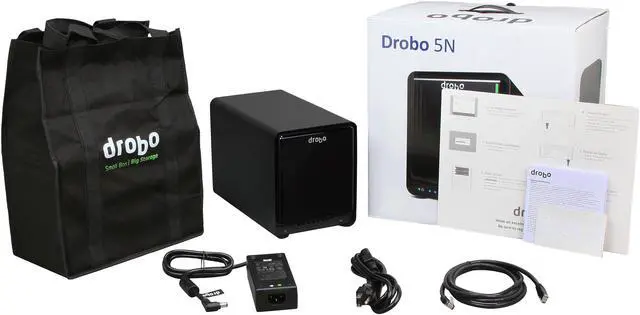
Drobo 5N
6 ft (1.8 m) Ethernet cable
6 ft (1.8 m) power cord with power supply
Quick Start Card

Quick Info

Warranty

  • Limited Warranty period (parts): 1 year
  • Limited Warranty period (labor): 1 year


Customer Reviews of the Drobo Drobo 5N (DRDS4A21)

Do you own this product? Write a Review

Filter Results

Go
  • N/A
  • 6/7/2013 1:06:50 PM
  • Tech Level: High
  • Ownership: 1 day to 1 week
  • Verified Owner

5 out of 5 eggsRaided Terabytes FTW

Pros: I picked up five 4TB Seagate drives a week or so back when they were on sale and just plugged them into this beast last night. I now have ~15TB of raided space.

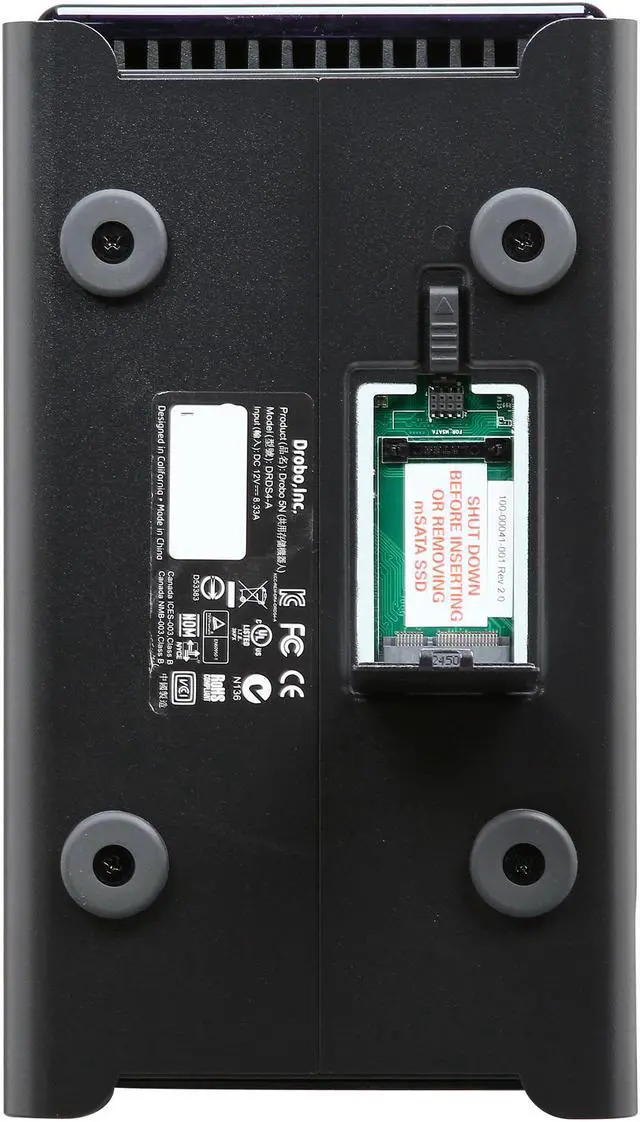
I also took a jump and ordered one of the newer Intel 524 Lincoln Crest mSATA drives (90GB) for the accelerator and while it wasn't one of the recommended ones on Drobo's page, it worked with out issues.

Cons: None but I will report back with any negative information

Did you find this review helpful? Yes No

  • Jeffiekins
  • 6/5/2013 7:12:51 PM
  • Tech Level: High
  • Ownership: 1 month to 1 year

4 out of 5 eggsWarning, Will Robinson!

Pros: Does all the things they claim it does -- as long as it works right.

Cons: The biggest problem is that, when it's working normally, it tends to lull people into a false sense of security. YOU STILL NEED TO MAKE BACKUPS.

Yes, your data will be fine if a drive fails, and probably even if two fail, but YOU WILL LOSE DATA IF THE DROBO FAILS.

I heard from one user who had a drive controller failure in the Drobo, and ended up with unusable data on all disks. She put all the (perfectly good) disks into another Drobo, but there was no usable data on them. Without a good backup, she was completely out of luck.

Yes, the most common failure is the hard drive, but it's not like the Drobo cannot fail; that's why they only give you a 2-year warranty. Word to the wise.

Other Thoughts: Please do not ask me the best way to backup 5 Tb; I have no idea. Another Drobo? 40 BD-XL (quad-layer blu ray) disks? 1,000 DVDs?

Did you find this review helpful? Yes No

  • Caribou
  • 6/5/2013 10:39:39 AM
  • Tech Level: High
  • Ownership: 1 month to 1 year

5 out of 5 eggsVery good so far!

Pros: Fast enough to saturate my gigabit ethernet (reading several large files simultaneously, admittedly best-case probably). Quieter than my computer fans. Easy setup. Everything worked as advertised. Adding additional drives to the array was painless.

Cons: Operations involving zillions of TINY files are slow. However, this is more an issue with network file access than any hardware limitation.

Other Thoughts: Prior generation Drobos had a bad rap for speed, but the new generation's quad-core processors seem to be a great improvement.

Another reviewer complained that the 5N doesn't support features that it wasn't advertised as supporting. That's not a negative; that's reading comprehension.

Did you find this review helpful? Yes No

  • scottjl
  • 6/5/2013 10:33:48 AM
  • Tech Level: High
  • Ownership: more than 1 year

3 out of 5 eggsWorks, expensive, horrible support

Pros: Well crafted
System works well, multi-platform
Works with a variety of drives, not vendor locked
Fast throughput
Drobo's been around a long time

Cons: Expensive (even on sale)
HORRIBLE SUPPORT (see below)
Slow rebuild times (due to software raid)
Desktop software is slow and clunky, needs a web admin interface

Other Thoughts: I've had one of these units (previously named FS) for several years. When the unit is working it is generally flawless. I have had some false-positives on failed drives, but when I checked the drive it was working fine.

Dealing with Data Robotics support was a miserable experience. I had problems with one of their updates and contacted support. And endless run-around of level 1 "engineers" who couldn't do more than tell me to reboot my computers and the Drobo over and over. They didn't even read previous case notes. The issue was fixed in an update released a months later. I'm wary of upgrading now, if it isn't broken, don't fix it.

These are rock-solid units when they run correctly. I just hope I never have to deal with Data Robotics again.

Also, if you want to run the "applets", just be aware they aren't very good and have no support. Don't buy it for the hackability, there are better options for that.

Did you find this review helpful? Yes No

  • N/A
  • 5/8/2013 7:42:54 PM
  • Tech Level: Somewhat High
  • Ownership: 1 day to 1 week
  • Verified Owner

4 out of 5 eggsgood but

Pros: It works well i like it

Cons: na

0 out of 7 people found this review helpful. Did you? Yes No

  • crazymike
  • 4/11/2013 9:05:56 AM
  • Tech Level: Average
  • Ownership: 1 day to 1 week
  • Verified Owner

5 out of 5 eggsNice

Pros: Appearance, Ability to use drives of different speed and capacity, Convenient, Better protection against loss of data vs use of a single drive.

This DROBO may not be ideal for all users but it does exactly what I wanted. The ability to take a variety of spare drives (some which were too small for my needs) and combine them into one large drive that will not lose data if one of the drives eventually dies. It is also really nice that all my PC's can access the drive which is something new for me.

Cons: A common complaint is the rattling of the plastic that separates the drives. This is less of an issue for drives that run smooth. My last DROBO had that problem with an out of balance drive but runs smooth now that it was removed. There was mild rattling with this model but it was barely noticeable. The fan in the back makes a decent amount of noise if it is on high but it only seems to hit that RPM during startup/initialization. I have been transferring HD videos for more than 10 hours straight and the fan speed is still on low which barely makes any noise.

Other Thoughts: Setup was more of a challenge than expected but I am very happy with this product. Quick formatting all the previously used drives before use in this DROBO will prevent many of the issues I experienced. I couldn't figure out if I had done something wrong but the DROBO was accessible via Drobo dashboard for two computers but the OS could not find it. Resetting the DROBO solved that problem.

While transferring 704GB of HD videos (~18 hours) I used two PC's to play different videos simultaneously. Playback for both 720P videos was smooth with no visible problems. I tried the same test with two 1080P videos and playback was still smooth. I was thinking of upgrading with the SSD caching feature but I'm not running Drobo apps and I am pleased with the unit as is.

The only other con is it makes my 2nd gen DROBO seem like a piece of junk by comparison.

2 out of 3 people found this review helpful. Did you? Yes No

  • coldwash
  • 3/29/2013 11:10:50 AM
  • Tech Level: High
  • Ownership: less than 1 day

2 out of 5 eggshardware checks all the boxes, firmware/software unfinished

Pros: ssd caching, 5 disks at a 4 disk price range, extended support options are good if you're willing to pay. Theorhetical ease of use, and ease of disk configuration options (if everything worked right and fast)

Cons: firmware and software are unfinished at best. The device is almost unusable with the lack of supported protocols. No ISCSI!? this is the "N" or network based device in this class, which would directly imply iscsi. When i called them they said it doesn't support it because its a network device and not a direct connect.. HUH!? Normally the lack of decent software on drobo devices is well supplemented by the community using drobo apps, unfortunately they did not see fit to get drobo apps working on this model, without it its pretty much worthless. Also no dlna server support, this is pretty much expected from this class of device, but may not be needed for most small business uses so it would be trivial to some. The list would go on and on, but these are some of the major issues.

Other Thoughts: Could be a great device if they finished the software and firmware, and supported drobo apps.

4 out of 12 people found this review helpful. Did you? Yes No

  • N/A
  • 3/23/2013 3:36:20 PM
  • Tech Level: High
  • Ownership: 1 week to 1 month
  • Verified Owner

5 out of 5 eggsWorks great

Pros: I have been wanting to try out a drobo for a long time. Newegg had 10% off so I finally pulled the trigger. So far I'm glad I did. Installing the disks was pretty easy. I wanted to do a speed test so I shoved 5 Crucial M4 drives in it and I was getting about 100Mb/s read/write. Then I stuck a mishmash all the loose HDDs I had lying around (500GB-1.5TB) and copied all my files onto this thing. I wanted to see what happened if I stuck a bad drive in there so I put in a drive I knew was failing. It worked for about a day, then the drive light on it went red. I stuck a good drive back in and 4 hours later everything seemed happy again.

Cons: No Active Directory support, only has username/password support for shares. No NFS or iSCSI support for VMware, only CIFS.

4 out of 6 people found this review helpful. Did you? Yes No

  • George
  • 3/22/2013 11:10:52 AM
  • Tech Level: High
  • Ownership: 1 week to 1 month
  • Verified Owner

4 out of 5 eggsGreat

Pros: So far i have three drives(2TB+2TB+1.5TB) in my drobo. Firmware is up to-date. I am able to stream to multiple devices at the same time(2tvs 2iPads 1phone).Date transfer speeds are great.

Cons: I am still unable to register my drobo using the software or he website. FAIL.....

Did you find this review helpful? Yes No

  • N/A
  • 3/20/2013 4:42:50 PM
  • Tech Level: High
  • Ownership: 1 month to 1 year

5 out of 5 eggsWorks great

Pros: I have 6 Apple TVs, plus many tablet devices using and AirVideo connected to two different iTunes Library running on two older Mac Mini's connected to the Drobo...which houses ~3,000 movies at high quality...over a Cisco 10/100MB switch...and there's NEVER any latency.

I've spent many $1,000s on LaCie, and other brands, only to be disappointed in the speed and data loss. I had a drive failure on the Drobo, which the drive was under warranty, and once put back in,hot swapped, all my data was back in about a day.

Not sure what anyone's gripe is...perhaps they need newer better network equipment.

Cons: None yet

1 out of 2 people found this review helpful. Did you? Yes No

ICON Loading...

Protect Your Investment!

    • (more options) read warranty details
    • (more options) read drive saver details
Are you an E-Blast Insider? Subscribe Newegg e-Blast

Buzz

ouch

1 out of 5 eggs
Other than looks, this unit doesn't do anything right. I bought some suggested hard drives, and it wouldn't use ...
— Justin 2/28/2013

Works great

5 out of 5 eggs
I have been wanting to try out a drobo for a long time. Newegg had 10% off so I finally pulled the trigger. So far ...
— 3/23/2013


PayPal
Shop without retyping payment details. Secure shopping made faster.
Check out with PayPal.

Financing


LOADING... LOADING...
Shop by Region: United States | Canada | China
VeriSign Click for the BBB Business Review of this Computers - Supplies & Parts in Whittier CAThis site protected by Trustwave's Trusted Commerce program Inc500
Policy & Agreement | Privacy Policy  © 2000-2013 Newegg Inc.  All rights reserved.
If the Adobe Reader does not appear when you click on a link for a PDF file, you can download Adobe Reader from the Adobe web site. nassau