-
Deactivated Item
-
-

-
Manufacturer Warranty
Beyond any applicable Newegg return policy, this item is warranted independently by the product's Manufacturer. Below is a summary provided for convenience only and may not be accurate or current.
Use this link for full details.
Manufacturer Contact Info
Return Policies
This item is covered by Newegg.com's Standard Return Policy.
- Return for refund within: 30 days
- Return for replacement within: 30 days
- Restocking Fee: Yes
|
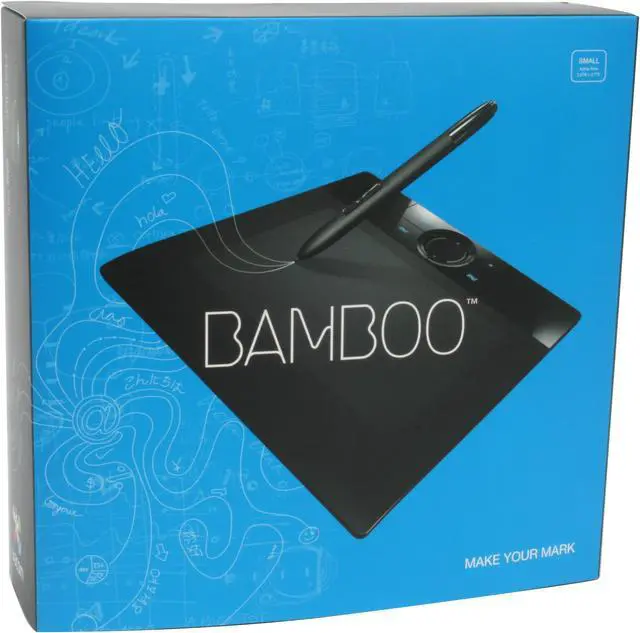
Wacom has made its reputation by making digital tablets so you don't have to use a mouse to draw, which can be rather cumbersome. Now comes an inexpensive pad compatible with so many modern requirements.
If you use hand-writing recognition software, this is for you. If you're a sales outlet that records customers' signatures, this is for you. If you're an artist, you'll appreciate the 512 levels of pressure sensitivity. The stylus requires no batteries, and the pad itself runs off a powered USB port, which also makes it easy to transfer to whatever computer you happen to be working on. The 2450 lines per inch resolution provide enough image clarity for just about any application. If you're mobile, you'll appreciate the small size and portability.
I can't tell you what you need, and you wouldn't believe me if I tried. But I own a Wacom tablet myself, and I like them. If this one meets your needs, this is the place to get it.
-
- 5
-

- 80%
- 4
-

- 16%
- 3
-

- 2%
- 2
-
- 0%
- 1
-

- 2%
| Product Rating: |
   
|
| Total Reviews: |
127 |
Practically the perfect pad!
- Pros: Inexpensive, high quality, thin, light weight and easy to use, works great with Photoshop, no unnecessary features, great for the family or even the part time pro on a budget.
- Cons: none
- Other Thoughts: I used to own an Intuos-3 tablet which I paid $300 for and it was a great tablet. But it also came with a lot of features I never used. I'm VERY impressed with the Bamboo. It has all the quality of the Intuos without the fluff. The Babmoo doesn't have a tilt sensor, doesn't have 1024 levels of pressure, doesn't have fifteen million programmable buttons. But who needs that stuff? And on top of that the Intuos was a larger, heavier, less wieldy tablet. The Bamboo is more comfortable to hold or balance on your leg for extended periods of time. Wacom is marketing this tablet toward non-professionals but let me tell you there is NOTHING stopping a professional from producing high quality graphics with this tablet. I'm working on a commercial box art right now. So don't let the marketing fool you. If you're a pro and have the money (and the desk space) go with the high-end, but if you're a part timer on a budget (me) this is your tablet.
Old people read this first
- Pros: This product works as advertised, intalls quickly and I had no problems on the technical side
- Cons: I am not sure if this probem is with all tablets but I have to have the tablet in front of me, that means moving the keyboard out of the way. Otherwise it does not track correctly.
- Other Thoughts: Here is the biggest problem and one that I did not even consider. I am close to 60 years old and my hands shake a lot. Because of this the table is useless. In order to use a pen device you must have a very steady hand. I had not even thought of this problem. I may fool around with it some more to see if I can use with my photoshop but for now its no go. A mouse may not be the best tool for editing in photoshop but for us who shake a lot its the only device that I currently know of that does the job. I am not going to return it to Newegg because its not their problem. I will put it up for sale on Craigs list. I wish I could use it I like the concept.
| Model | MTE450 |
| Interface | USB |
| Active Area | 5" x 7" |
| Pressure Levels | 512 |
-
- 5
-

- 80%
- 4
-

- 16%
- 3
-

- 2%
- 2
-
- 0%
- 1
-

- 2%
| Product Rating: |
   
|
| Total Reviews: |
127 |
Amazing
- Pros: Absolutely awesome tablet!
- Cons: none.
Wait.. Before you buy!
- Pros: first of all its Wacom, a great brand indeed! second, its pretty cheap I payed $78 for this and now its 70. Its pretty thin, not heavy at all, and super portable. Pretty great for a first time tablet, works fine and dandy even when you just plug it in, but its safer to install the plugins from the CD you get, just saying. *Read Other thoughts*
- Cons: Pretty small active area that takes adjusting to, nothing big. Pen is "sketchy" to say the least. LOL. Pen holder is small, and kinda feels cheap. Oh! Smudges, cant even begin to describe it. Its pretty bad. If you have oily hands or something, you'll most likely leave a mark. & If you're like me, with your keyboard and monitor in front of you, you might have to move the keyboard to make room for this, so small desks; BEWARE!
- Other Thoughts: I'm uber mad at the fact that, I bought this for around > $80, and now its $70?? what the heck? Hold on, it gets better! 2-3 months later, Wacom releases a newer tablet, costs about $100 and has finger-touch & Pen capabilities, oh em gee-dude! i'm thinking about selling this to my friend so i can get the new one. hehe
Wait till you have enough for that $100 bamboo touch and pen, you'll thank me later! Seriously!
Great for me
- Pros: User-friendly, easy setup, price, quality.
Great for the hobbist or someone looking for an entry-level tablet. Wacom makes awesome stuff and for this price you can't beat the quality. As always Newegg shipped very fast.
- Cons: size and average pressure sensitivity, but that was expected so not really a con to me.
- Other Thoughts: Not really for professional use, this thing is great for me as a hobbist, and it functions very well, I just feel that at a higher level the size and average sensitivity wouldn't be enough.
| Model |
| Brand |
WACOM |
| Model |
MTE450 |
| SPEC |
| Interface |
USB |
| Tablet Dimensions |
7.88"w x 0.3"h x 7.36"d |
| Active Area |
5.8" x 3.7" |
| Pressure Levels |
512 |
| Resolution |
2540 lpi |
| System Requirements |
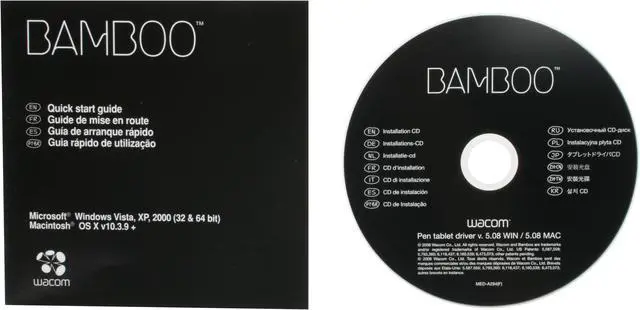
PC or Macintosh computer running Windows 2000, XP, or Vista (32 or 64-bit) or a Macintosh running Mac OS X 10.3.9+, Intel or PowerPC Processor. Also requires color display, powered USB port and CD/DVD drive. |
| Features |
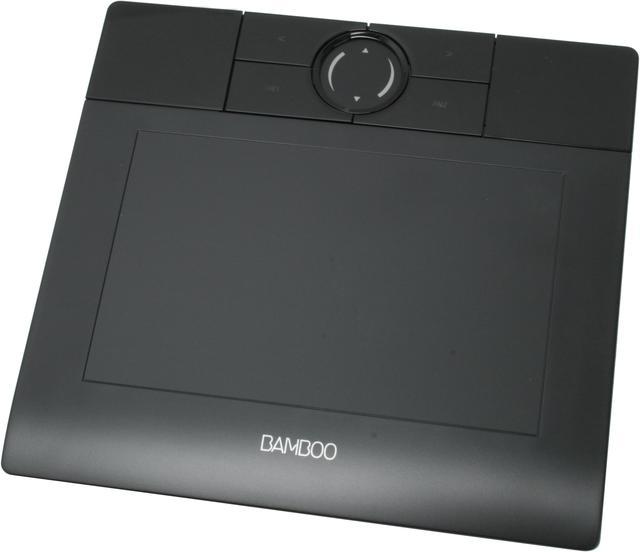
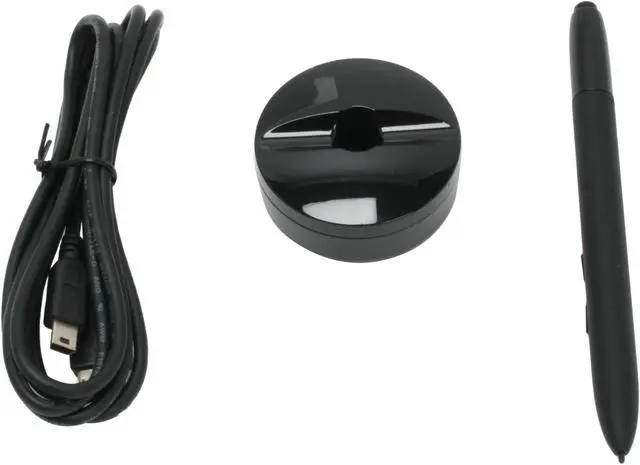
Works with new handwriting recognition, inking and pen features in Windows Vista (all editions but Home Basic) and Apple operating systems (OS X). Supports widescreen displays and has a textured work surface for a natural pen-on-paper feel. High resolution and report rate for outstanding accuracy. Precise control with an active area of 21 square inches and 512 levels of pressure sensitivity on the pen. Quick access to user-defined shortcuts with four Express Keys. Easy scrolling and zooming with finger-sensitive Touch Ring. Patented, battery-free pen with customizable buttons for comfort and reliability. Detachable USB cable unplugs from your computer and your tablet for easy storage and transport. Ergonomic design provides a comfortable supplement to mouse and keyboard input. |
Introduction
Wacom has made its reputation by making digital tablets so you don't have to use a mouse to draw, which can be rather cumbersome. Now comes an inexpensive pad compatible with so many modern requirements.
If you use hand-writing recognition software, this is for you. If you're a sales outlet that records customers' signatures, this is for you. If you're an artist, you'll appreciate the 512 levels of pressure sensitivity. The stylus requires no batteries, and the pad itself runs off a powered USB port, which also makes it easy to transfer to whatever computer you happen to be working on. The 2450 lines per inch resolution provide enough image clarity for just about any application. If you're mobile, you'll appreciate the small size and portability.
I can't tell you what you need, and you wouldn't believe me if I tried. But I own a Wacom tablet myself, and I like them. If this one meets your needs, this is the place to get it.
Highlights
 |
Personalized Input With the Wacom Bamboo MTE450, create expressive content, personalize your emails with your signature, and sketch and draw with ease! Take advantage of integrated touch ring and 4 user-defined express keys to navigate more freely.
|
 |
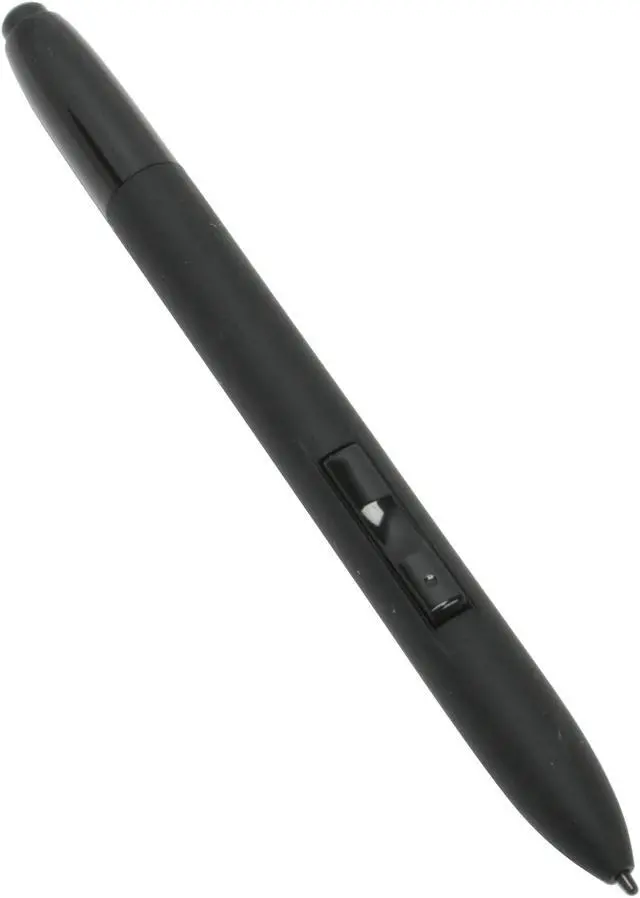
Wacom Pen Technology Wacom's patented, battery-free pen delivers 512 levels of pressure sensitivity for natural and precise control. The pen’s two programmable buttons are right at your fingertips for the ultimate ease of use while the ergonomic design prevents injuries to your wrist.

|
Quick Specs
| Brand | WACOM |
| Active Area | 5" x 7" |
| Interface | USB |
| Pressure Levels | 512 |
| Resolution | 2540 lpi |
|