If you are visually impaired and are having difficulty navigating this site, please call our Customer Support line via our toll free number (800) 390-1119.

Newegg.com - A great place to buy computers, computer parts, electronics, software, accessories, and DVDs online. With great prices, fast shipping, and top-rated customer service - once you know, you Newegg.

If you are reading this message, Please click this link to reload this page.(Do not use your browser's "Refresh" button). Please email us if you're running the latest version of your browser and you still see this message.

Newegg.com - Computers, Computer Parts and Electronics

My Account

MyNeweggReviewsHelp & Info  
topNavRowBottom  
Browse WebSite Computer Hardware Electronics PCs & Laptops Cell Phones Digital Cameras Networking Gaming Software Home & Garden Specials
Home
Home. > 
Computer Hardware0_. > 
Monitors1_. > 
LCD Monitors2_. > 
SAMSUNG3_. > 
Item#:N82E16824001236
SAMSUNG

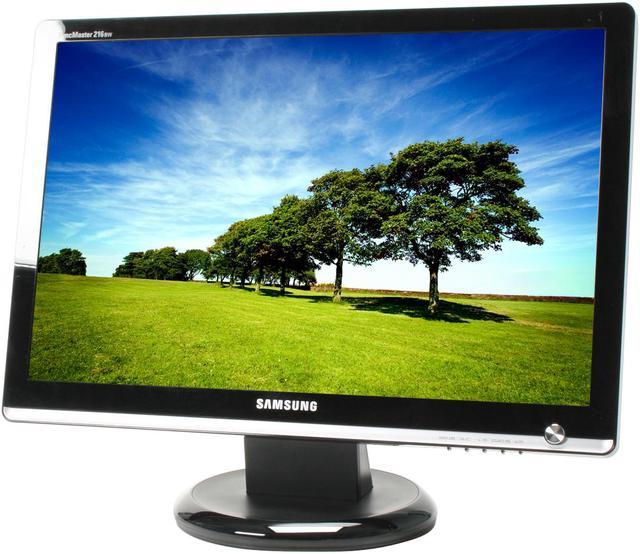
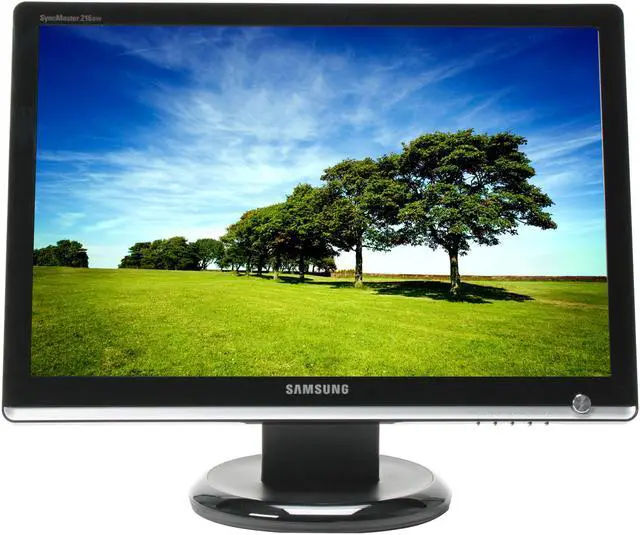
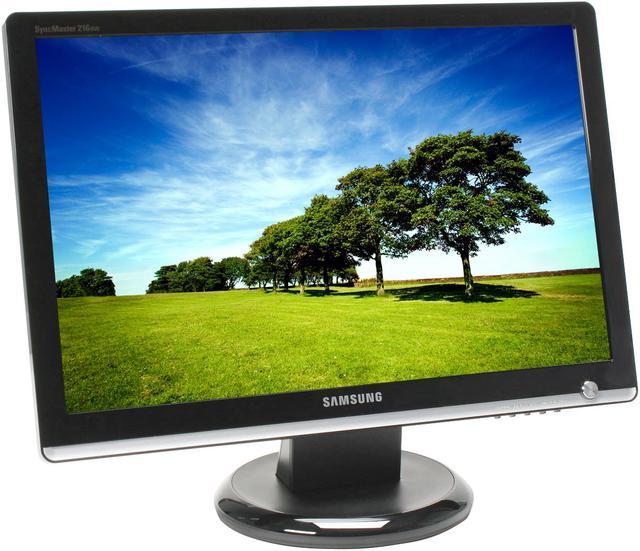
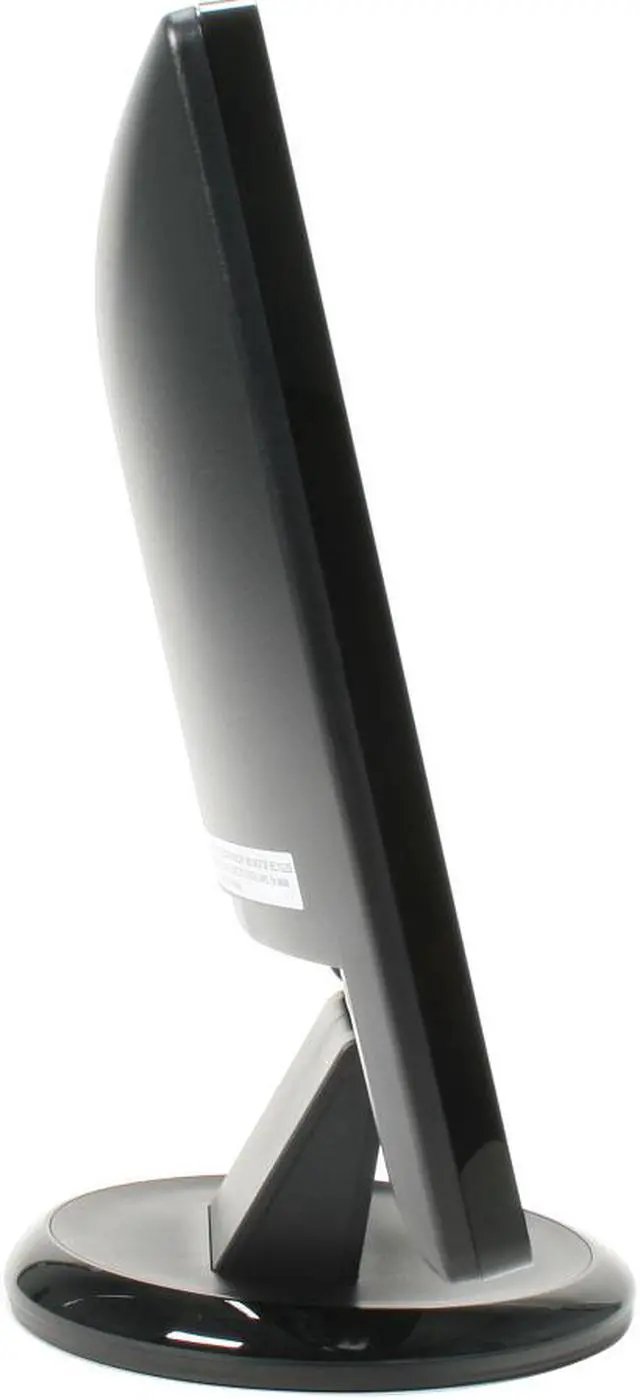
SAMSUNG 216BW Black-Silver 21.6" 5ms Widescreen LCD Monitor 300 cd/m2 DC 3000:1(1000:1) - Retail

newegg
Deactivated Item What's this?
Print This Page
Manufacturer InfoReturn Policies

Manufacturer Warranty

Beyond any applicable Newegg return policy, this item is warranted independently by the product's Manufacturer. Below is a summary provided for convenience only and may not be accurate or current. Use this link for full details.

  • Manufacturer Limited Warranty period (parts): 3 years
  • Manufacturer Limited Warranty period (labor): 3 years

Manufacturer Contact Info

Return Policies

This item is covered by Newegg.com's Monitor Replacement Only Return Policy.

  • Return for refund within: non-refundable
  • Return for replacement within: 30 days
  • There must be a minimum of 8 dead pixels to declare an LCD display defective and eligible for return.
OverviewCustomer ReviewSpecificationsProduct Tour
Look, your computer, no matter how wonderful, is no use without the right monitor. This Samsung 216BW 21.6" widescreen LCD display could just be it. A 1680-1050 resolution, 1000:1 contrasts and 16.7 million colors will show you every detail in startling color and clarity. Samsung's MagicColor and MagicBright technology gild the lily, giving you a viewing experience like no other.

The 170°(H)and 160°(V) degree viewing angles will keep the shadow off the screen so groups can work together without complicated and uncomfortable seating arrangements. The 5ms response time will keep your timing perfect during high demand games. In other words, it's an unbeatable deal!

Review Summary (read more reviews)

5
newegg
78%
4
newegg
12%
3
newegg
3%
2
newegg
4%
1
newegg
3%
Product Rating:
Total Reviews: 227

Very good for a TN panel, but has some limitations

white Reviewed By: Jordan on 10/6/2007
Rating + 4
Tech Level Tech Level: high - Ownership: 1 week to 1 month
This user purchased this item from Newegg
Pros: Good contrast & black level, *if* you're careful to sit directly in front of the monitor.

Backlight bleed unnoticeable on anything but fully black screen.

Setting "Color Tone" to "Warm" makes images and movies look more natural. Very dark scenes are still look a bit washed-out.

Decent scaling of non-native resolutions.

Very lower power consumption for its size, especially at reduced brightness. A benefit of TN panels rarely discussed is that they use less power, compared to MVA, PVA, or IPS.

Some measurements from a Kill-a-Watt meter:

bright. wattage
0% : 18 W
7% : 22 W ("Text" default)
25% : 29 W
33% : 31 W
50% : 34 W
100%: 41 W

100% is painfully bright. I run mine at 0%(!) most of the time, plenty for text work, browsing etc, in a dimly-lit room. For movies, 5-10% looks best.

Under bright overhead lights in an office, some might want to go as high as 50%. Extra brightness headroom does allow for tube aging.

Price is hard to beat!
Cons: Vertical viewing angle should be within 30deg of dead-center for best results (typical TN); sitting too close can be a problem.

No support for 1:1 pixel mapping, and no way to force 4:3 aspect. Resolutions like 1024x768, 800x600, or 640x480 will be "stretched" to fill the screen; can be bad if you like older games, or need to run other legacy app. needing a particular res.

Dynamic-Contrast mode is mostly useless. It should adjust brightness based on picture content, but is too slow to react to changes, and also forces brightness to 100% (no manual adjustment).

In other MagicBright modes, any change (even brt/contrast) will shift to Custom mode, overwriting any previous Custom parameters. Best to just leave it on Custom.

Mine sometimes emits a soft hum from its backlight inverter. Thumping or squeezing the case can make this go away for a while. Most people wouldn't be bothered, as it probably can't be heard over the noise of a typical PC, fan, AC, etc. but SPCR folks m
Other Thoughts: Switching from a 22" Mitsubish 2040u CRT, I lost ~ 1/2" of screen height, but gained ~ 3" of width. Sharpness, linearity, geometry are near perfect, contrast only slightly worse (CRT was ~ 2000:1).

Decided on 216BW vs. 226BW because of improved contrast ratio.

I run this via DVI from a Linux machine, using a Matrox G550 card. Analog is nearly as good, but DVI gives a slightly better black level.

Here are some X.org modes that work well for me:

# Native @ 59Hz; 112 MHz dotclock limit via DVI on G550

ModeLine "1680x1050" 112 1680 1696 1704 1800 1050 1051 1053 1059 +hsync -vsync

# some lower-res 16:10 modes for old games (MAME, etc)
# 372 lines is the lowest non-Doublescan vertical resolution a 216BW
# will upscale to full-screen in DVI

ModeLine "768x480" 30.21 768 784 896 960 480 490 492 525 -hsync -vsync
ModeLine "640x400" 25.17 640 656 752 800 400 412 414 449 -hsync +vsync
ModeLine "592x372" 22.20 592 608 696 744 372 376 378 415 -hsync +vsync
38 out of 39 people found this review helpful. Did you? Yes No

Definitely not for pro graphics

white Reviewed By: on 6/21/2007
Rating + 2
Tech Level Tech Level: high - Ownership: less than 1 day
This user purchased this item from Newegg
Pros: It's stylish, and looks very nice on my desk.

Cheap.
Cons: The natural black it is *very* bright due to the backlight.

The backlight is uneven, getting worse near the top and middle.

The bottom left is bluer than the top right.

The display angle is a complete lie. Closer to a laptop range. It's okay horizontally, but pretty bad in the vertical.

The monitor needs immediate calibration, and even after it still looks washed and inaccurate. It was impossible to complete the calibration procedure because the backlight causes the black to glow too much.

The color profile on the CD is for the 223BW, and doesn't work very well.

Stand is not adjustable, except for a slight pivot. No ability for rotation, or height adjustment.
Other Thoughts: I have it next to my $900 Apple 23" Cinema HD display, and it doesn't even compare. The image on the Samsung is incredibly blue. I thought i would save money (this is only $250!) and go for cheaper monitor, but I can see where those extra dollars go.

Completely unsuitable for any kind of photo or publishing work, but might serve as a normal desktop monitor fine. I am very disappointed in Samsung with this: my previous Samsung monitors (a pair of 214T) were much higher quality.
17 out of 60 people found this review helpful. Did you? Yes No

Quick Specs (view all30)

Model216BW
Cabinet Color2-Tone
Screen Size21.6"
WidescreenYes
Recommended Resolution1680 x 1050

Review Summary (read all 227 Reviews)

5
newegg
78%
4
newegg
12%
3
newegg
3%
2
newegg
4%
1
newegg
3%
Product Rating:
Total Reviews: 227

Absolutely Great

white Reviewed By: wiestika on 8/18/2008
Rating + 5
Tech Level Tech Level: high - Ownership: 1 week to 1 month
This user purchased this item from Newegg
Pros: This LCD is beautiful. I had an HDMI Hanns G that was nice, but this thing is just better. Displays colors very nicely. Brightness is great and easy to adjust. Samsung has some nice quick options. Price is great for the quality.
Cons: Slight backlight bleeding, but not noticeable unless you are looking from certain angles. Huge CON is that I don't have two of these. They are worth it. Unless you want to pay quite a bit more.
Other Thoughts: I would definitely recommend this. 22" LCDs seem to be the best size to me. Not too big to fit on most desks and definitely not tooo small! Go ahead, grab one of these beauties. And get it from Newegg. As usual they had it to me two days after order was placed!
Did you find this review helpful? Yes No

Love it

white Reviewed By: Bomberboysk on 8/12/2008
Rating + 5
Tech Level Tech Level: high - Ownership: 1 month to 1 year
This user purchased this item from Newegg
Pros: No dead pixels, great refresh rate, bright, sharp image quality. In all, i love it.
Cons: The stand its on could use some refinement such as height adjustment, but other than that- no cons.
Other Thoughts: I have used many lcd monitors, and this is by far my favorite one.
Did you find this review helpful? Yes No

20 vs. 21.6

white Reviewed By: Hdd on 8/9/2008
Rating + 4
Tech Level Tech Level: somewhat high - Ownership: 1 week to 1 month
This user purchased this item from Newegg
Pros: No dead Pixels. Good color reproduction. Bright enough to give you a headache, and adjustable enough to suit your taste. Most computer products are overpriced anyway, so this monitor falls within the average price range.
Cons: Viewing angle is good but not great. As with most most monitors, adjustments are an annoyance. Why can't these companies put some knobs on the side of the panel that turn with a detented click or something? Sometimes retro is just plain better.
Other Thoughts: I dual boot XP and Vista. I found it interesting that this monitor looked near perfect with XP out of the box. Albeit too bright. In Vista however, it took some tweaking, as it has that bluish look I've heard of. Removing the color profile helped, but I've adjusted the brightness for XP, and just left all else alone. Minor caveats really, I wouldn't be afraid to recommend this monitor to customers, but I think the 20 inch version is a better monitor out of the box.
0 out of 1 people found this review helpful. Did you? Yes No
Model
Brand SAMSUNG
Model 216BW
Cabinet Color Black-Silver
Display
Screen Size 21.6"
Widescreen Yes
Maximum Resolution 1680 x 1050
Recommended Resolution 1680 x 1050
Viewing Angle 170°(H) / 160°(V)
Pixel Pitch 0.276mm
Display Colors 16.7 Million
Brightness 300 cd/m2
Contrast Ratio DC 3000:1(1000:1)
Response Time 5ms
Display Type WSXGA+
Connectivity
Input Video Compatibility Analog RGB, Digital
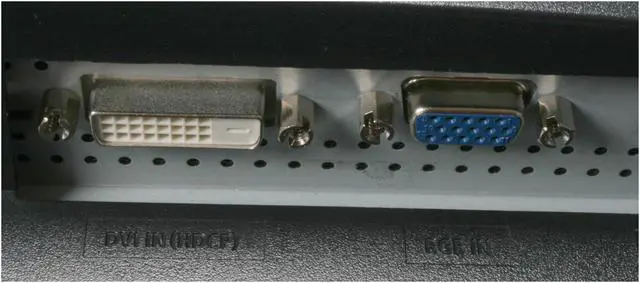
Connectors D-Sub, DVI-D
D-Sub 1
DVI 1
HDMI No
Power
Power Consumption 50W
Convenience
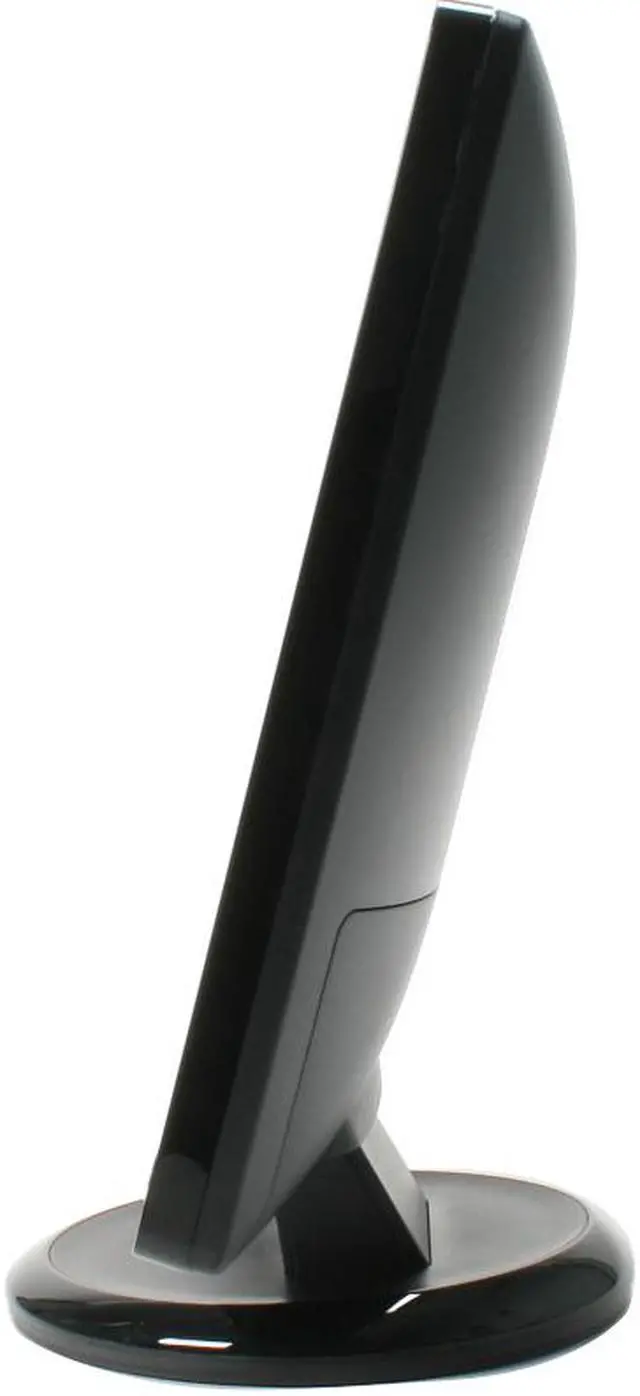
Stand Adjustments Swivel & Tilt
Built in TV Tuner No
Built in Speakers No
HDCP Support Yes
Features Plug & Play: DDC 2B
MagicBright3
High Glossy Black
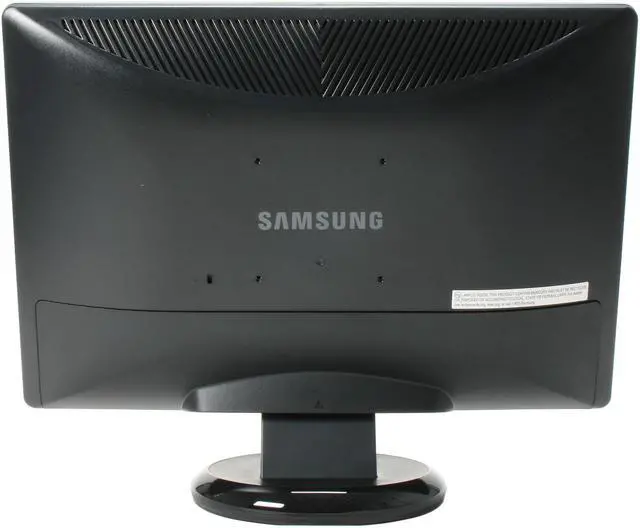
VESA 100mm
Windows Vista Certified for Windows Vista
Packaging
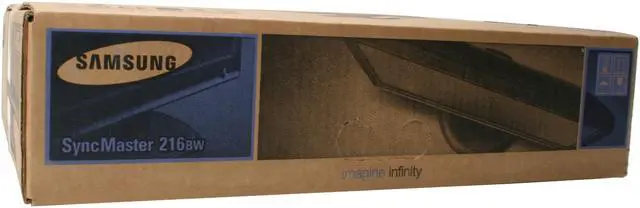
Package Contents 216BW LCD Monitor
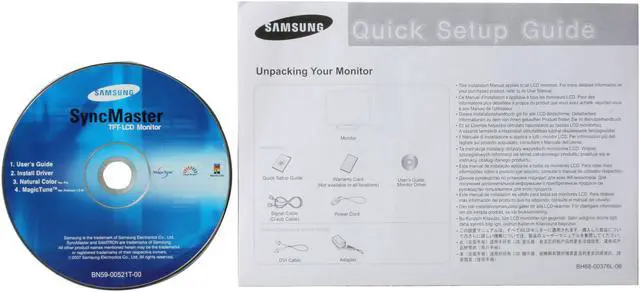
User Manual
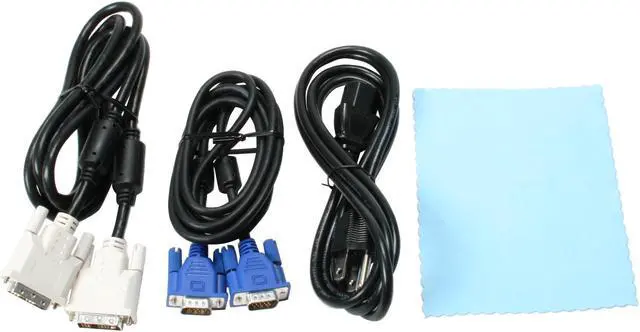
VGA Cable
DVI Cable
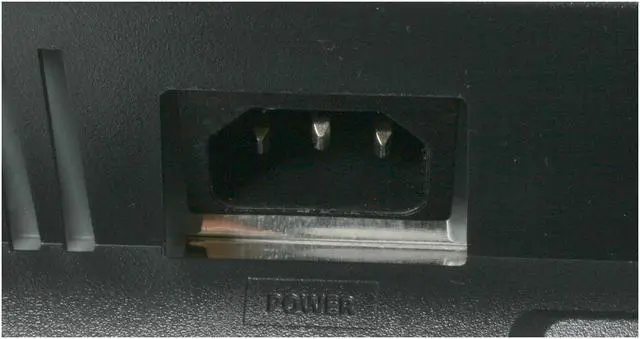
Power Cable
Support Disk
Dimensions
Dimensions 20.2" x 16.6" x 8.6"
Weight 10.8 lbs.
Manufacturer Warranty
Parts 3 years limited
Labor 3 years limited

Introduction

Look, your computer, no matter how wonderful, is no use without the right monitor. This Samsung 216BW 21.6" widescreen LCD display could just be it. A 1680-1050 resolution, 1000:1 contrasts and 16.7 million colors will show you every detail in startling color and clarity. Samsung's MagicColor and MagicBright technology gild the lily, giving you a viewing experience like no other.

The 170°(H)and 160°(V) degree viewing angles will keep the shadow off the screen so groups can work together without complicated and uncomfortable seating arrangements. The 5ms response time will keep your timing perfect during high demand games. In other words, it's an unbeatable deal!

Highlights

newegg 21.6" Widescreen and Fast Response Time
Featuring a maximum 1680x1050 resolution widescreen (16:10) display, the 21.6" SAMSUNG 216BW offers a more natural viewing experience with a super-fast 5ms response time, helping to reduce blurring and significantly increases productivity by allowing multiple windows to be displayed simultaneously.
newegg High Contrast Ratio and Brightness
The SAMSUNG 216BW's impressive 1000:1 contrast ratio and 300cd/m2 brightness ensure accurate color reproduction and sharp images even when displaying darker scenes and images for even more breathtaking games and full-motion video!
newegg SAMSUNG MagicBright 3
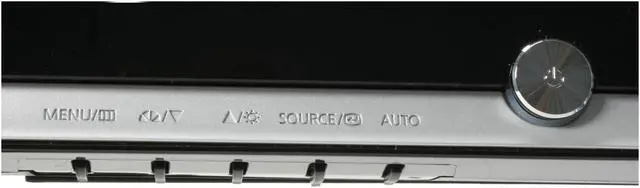
The powerful MagicBright 3 provides an optimized viewing environment based on the images being displayed with 7 viewing modes: Text, Internet, Game, Sport, Movie, Dynamic Contrast and Customized. With the pre-configured Brightness, Gamma and Contrast in each mode, viewing modes can be selected simply for the best experience.
newegg DVI with HDCP Support
The SAMSUNG 216BW features a DVI interface with HDCP support to unlock ultra-high resolution and superb-quality protected content.
newegg Windows Vista Certified
The SAMSUNG 216BW display has passed the Windows Hardware Quality Labs testing for guaranteed compatibility with Windows Vista Premium standards. Maximize your Windows Vista view with the impressive SAMSUNG 216BW display!
newegg Mounting Versatility
The SAMSUNG 216BW is designed to fit any environment whether on your desk, on the wall or to any position with the arm mount.

Photo Gallery

SAMSUNG 216BW Black-Silver 21.6" 5ms Widescreen LCD Monitor - Retail
SAMSUNG 216BW Black-Silver 21.6" 5ms Widescreen LCD Monitor - Retail SAMSUNG 216BW Black-Silver 21.6" 5ms Widescreen LCD Monitor - Retail SAMSUNG 216BW Black-Silver 21.6" 5ms Widescreen LCD Monitor - Retail SAMSUNG 216BW Black-Silver 21.6" 5ms Widescreen LCD Monitor - Retail SAMSUNG 216BW Black-Silver 21.6" 5ms Widescreen LCD Monitor - Retail

Quick Specs

Screen Size21.6"
Recommended Resolution1680 x 1050
Response Time5ms
Brightness300 cd/m2
Contrast Ratio1000:1
Display Colors16.7 Million
Viewing Angle170°(H) / 160°(V)
Pixel Pitch0.276mm
D-Sub1
DVI1
Stand AdjustmentsSwivel & Tilt
Home
Home. > 
Computer Hardware0_. > 
Monitors1_. > 
LCD Monitors2_. > 
SAMSUNG3_. > 
Item#:N82E16824001236
NeweggBusiness
For Business Needs
EggXpert.com
Newegg Community
|NeweggMall.com
Shop Multiple Retailers
Shop by Region: United States | Canada | China
VeriSignReseller RatingsReliability Seal1This site protected by Trustwave's Trusted Commerce programInc500
Policy & Agreement | Privacy Policy | NeweggBusiness | Newegg Canada  © 2000-2009 Newegg Inc.  All rights reserved.
If the Adobe Reader does not appear when you click on a link for a PDF file, you can download Adobe Reader from the Adobe web site. nassau