If you are visually impaired and are having difficulty navigating this site, please call our Customer Support line via our toll free number (800) 390-1119.

Newegg.com - A great place to buy computers, computer parts, electronics, software, accessories, and DVDs online. With great prices, fast shipping, and top-rated customer service - once you know, you Newegg.

If you are reading this message, Please click this link to reload this page.(Do not use your browser's "Refresh" button). Please email us if you're running the latest version of your browser and you still see this message.

Newegg.com - Computers, Computer Parts and Electronics

My Account

MyNeweggReviewsHelp & Info  
topNavRowBottom  
Browse WebSite Computer Hardware Electronics PCs & Laptops Cell Phones Digital Cameras Networking Gaming Software Home & Garden Specials
Home
Home. > 
Computer Hardware0_. > 
Monitors1_. > 
LCD Monitors2_. > 
SAMSUNG3_. > 
Item#:N82E16824001259
SAMSUNG

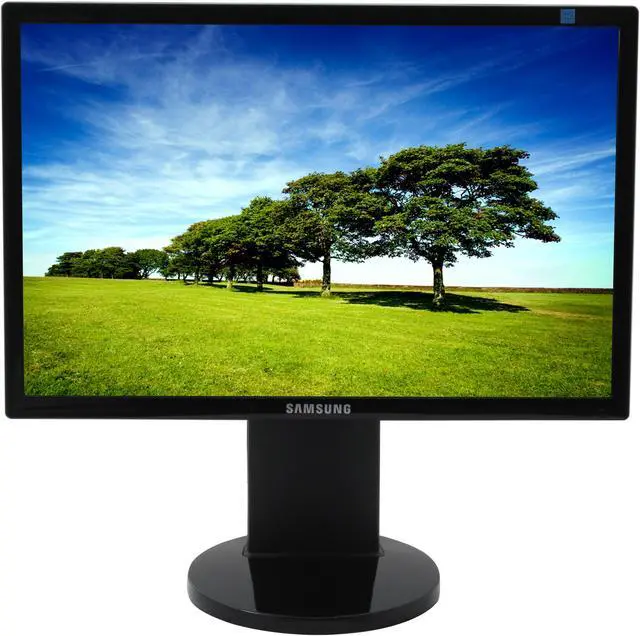
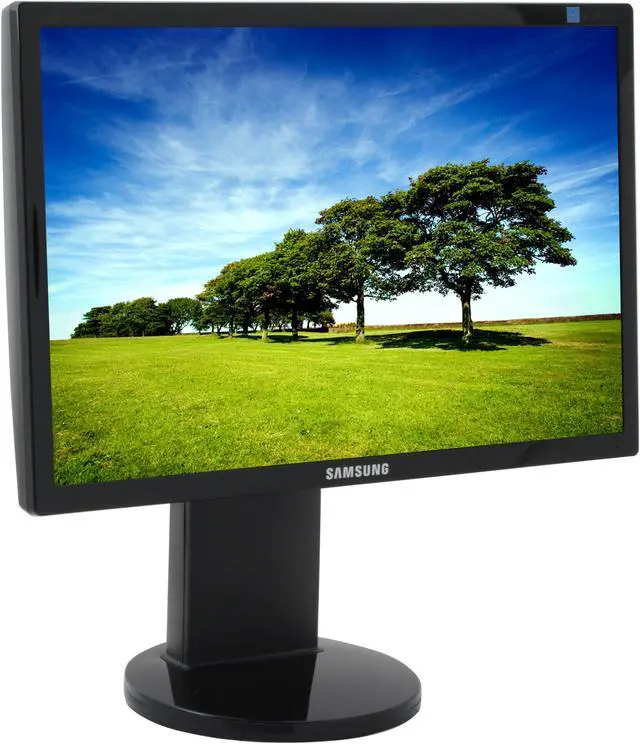
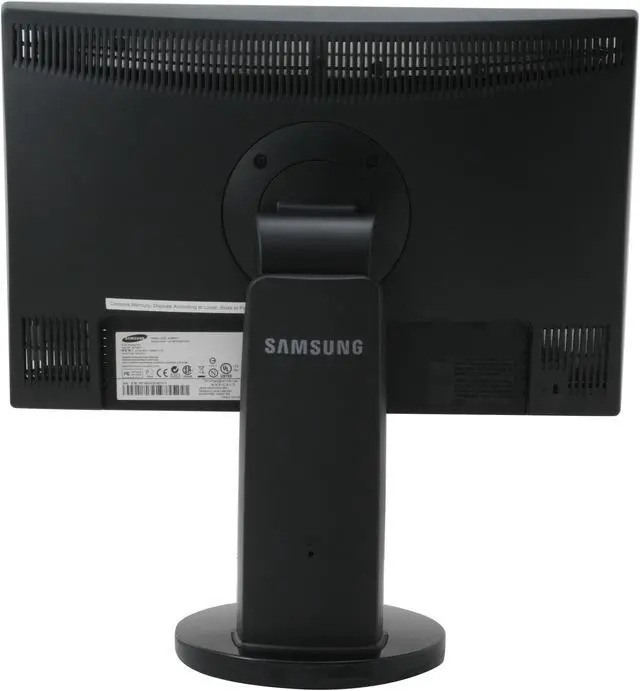
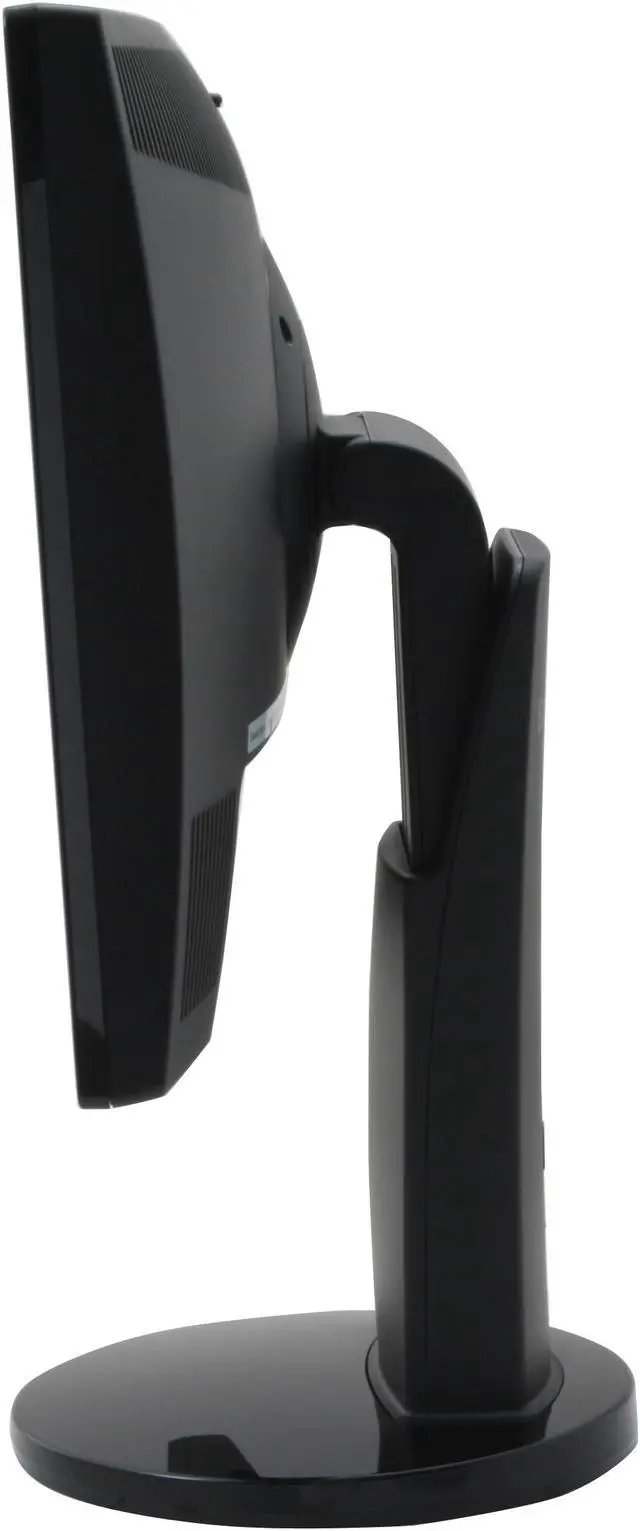
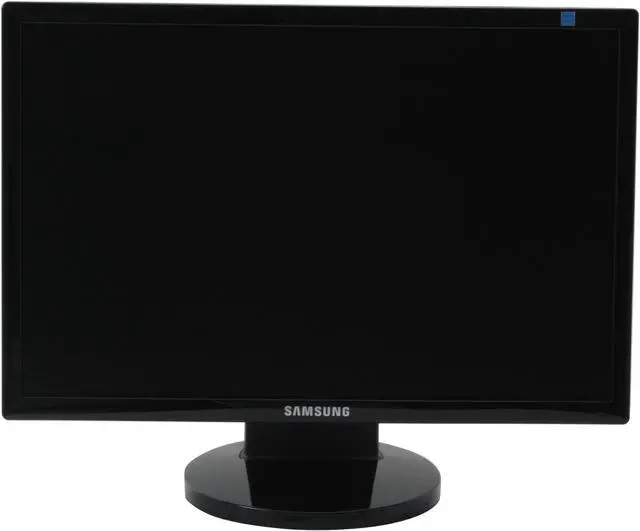
SAMSUNG 943BWX High Gloss Piano Black 19" 5ms DVI Widescreen LCD Monitor with Height/Pivot Adjustments 300 cd/m2 DC 8000:1 - Retail

newegg
Deactivated Item What's this?
Print This Page

Similar Items

Not the product you're looking for? We can make some suggestions to help you decide on a product that fits your needs.
view similar products

Manufacturer InfoReturn Policies

Manufacturer Warranty

Beyond any applicable Newegg return policy, this item is warranted independently by the product's Manufacturer. Below is a summary provided for convenience only and may not be accurate or current. Use this link for full details.

  • Manufacturer Limited Warranty period (parts): 3 years
  • Manufacturer Limited Warranty period (labor): 3 years

Manufacturer Contact Info

Return Policies

This item is covered by Newegg.com's Monitor Replacement Only Return Policy.

  • Return for refund within: non-refundable
  • Return for replacement within: 30 days
  • There must be a minimum of 8 dead pixels to declare an LCD display defective and eligible for return.
OverviewCustomer ReviewSpecificationsProduct Tour
The Samsung 943BWX 19" Digital/Analog LCD Widescreen Monitor offers razor-sharp image clarity and innovative features like Samsung's MagicBright3, which creates an optimal viewing environment for whatever you’re watching. With 1440 x 900 resolution and a dynamic 8000:1 contrast ratio, you'll be amazed by the clear images this wide-spectrum monitor offers.

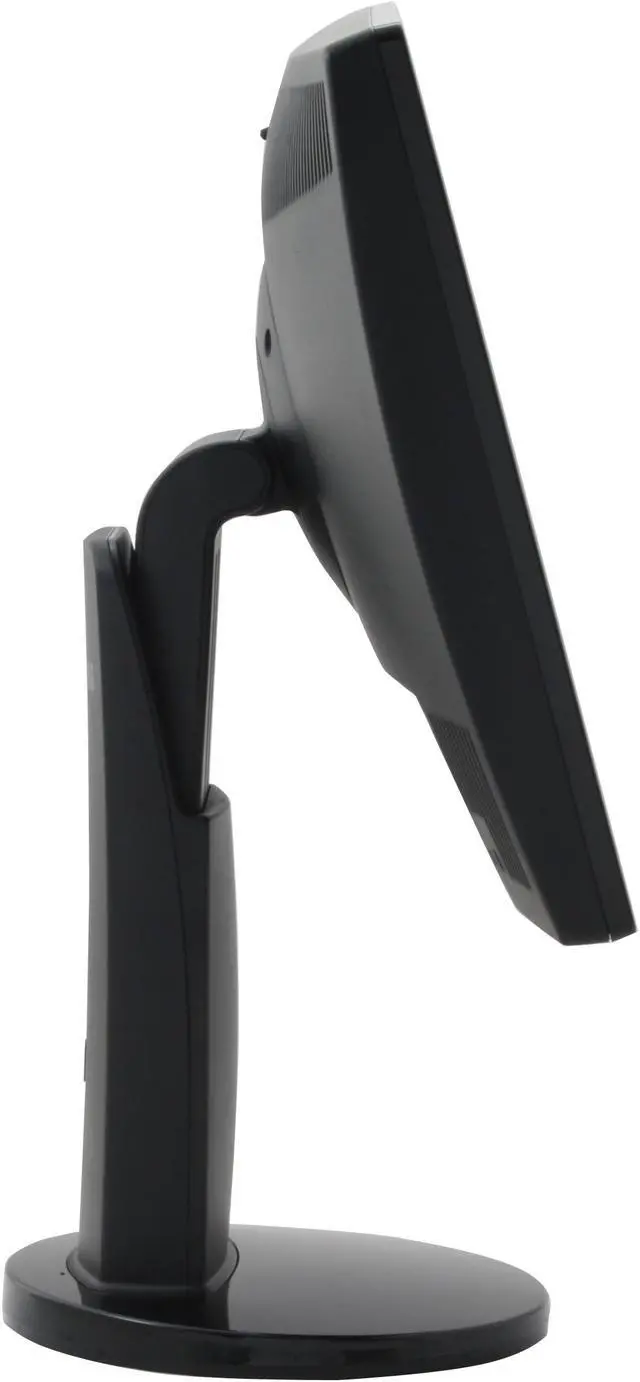
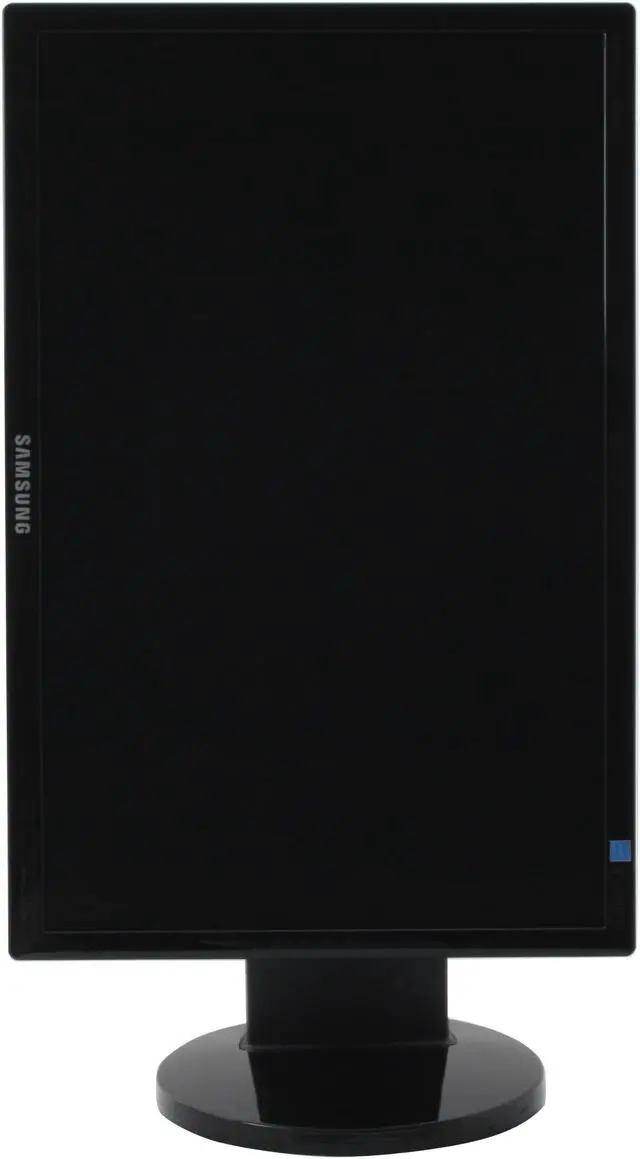
Thanks to the 170º/160º viewing angle and 4-way adjustable stand, you can place the monitor anywhere and know you'll have a perfect view. When you pivot the monitor face, the widescreen display automatically shifts to the new orientation, so you can see your portrait or landscape-oriented documents full-screen, without scrolling.

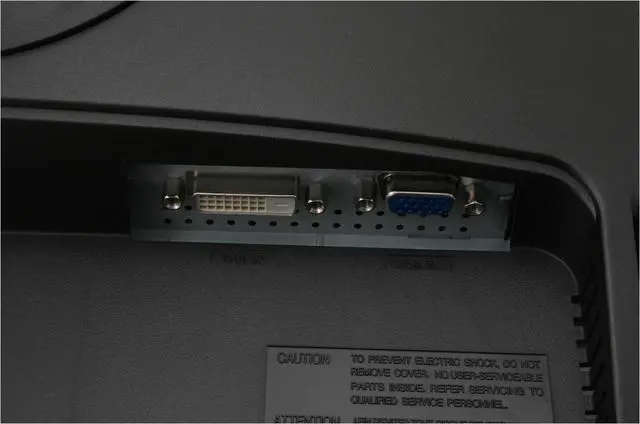
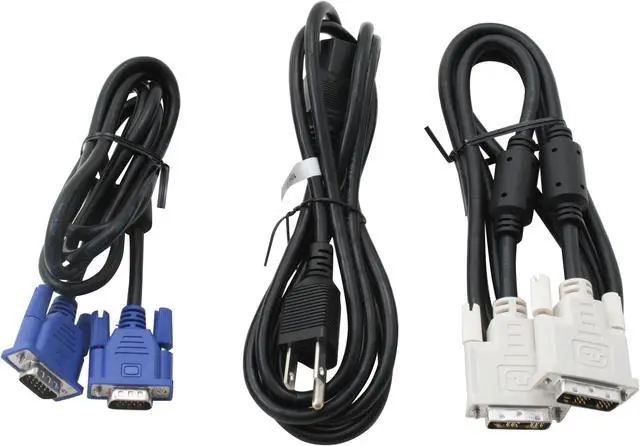
The 943BWX features an advanced dual interface that is capable of handling both a standard D-Sub 15-pin and a fast DVI connection for your high-resolution demands. The impressive 5ms response time virtually eliminates the "blur" of slower monitors. Whether you're rendering video or graphics, enjoying your photos and movies, or gaming, you’ll love the stunning color and clarity of the 943BWX.

Review Summary (read more reviews)

5
newegg
74%
4
newegg
10%
3
newegg
3%
2
0%
1
newegg
13%
Product Rating:
Total Reviews: 31

Not for Text Work

white Reviewed By: Hae-Yu on 4/11/2008
Rating + 3
Tech Level Tech Level: high - Ownership: 1 day to 1 week
Pros: -The monitors are bright! Gamers shouldn't have problems in the darkest game.
-Has a matte (not glossy) screen.
-Calibrated colors are great, but defaults are washed out.
-Attractive stand with a slim, glossy bezel and a good range of movement - height, tilt, and pivot (portrait to landscape).
-Decent left-right viewing angles
-Crisp text and good contrast
Cons: -Unsuitable for extensive typing,reading or research.
-Too bright! Even after significant calibration, my wife was unable to spend any length of time in text-based work without headaches. She loves my Viewsonic VP930b's, so the problem is with the Samsungs.
-1440x900 res. Landscape is too wide, portrait is too narrow for text-based work or reading. Optimal text rows are @10-12 words long but this resolution makes flexible-width web pages too wide. Most fixed-width websites are optimized for 1024 so landscape has too much whitespace and portrait mode is too narrow at 900 wide. Tiling windows side-by-side in landscape presents too-narrow windows (720 ea). Too much time spent tweaking windows.
-Top-bottom viewing angles render portrait mode unusable. Unless looking dead-on (can't overemphasize dead-on), portrait mode is useless - text/ graphics.
-Magic Rotate conflicted with nVidia's 7xxx drivers on XP. I had to uninstall and use nVidia's rotate. Auto-rotate never worked.
Other Thoughts: -The res isn't a Samsung issue, but a 1440x900 issue. 16:10 works at higher resolutions on bigger monitors, but 19" is too small. Other applications may be better served by this format. Movies, sound apps like Audacity/ Wavelab, and apps with an expandable work area and fixed end panes (Lightroom, Expression Design) will also benefit.
-I never tested response time, but the colors and horizontal aspect may satisfy gamers.
12 out of 18 people found this review helpful. Did you? Yes No

AMAZING!

white Reviewed By: bartoron on 7/2/2008
Rating + 5
Tech Level Tech Level: somewhat high - Ownership: less than 1 day
This user purchased this item from Newegg
Pros: This monitor is by far the best monitor I have ever used. The colors are bright and vibrant, the screen is actually a lot bigger than I expected (which is a good thing), and the image quality when using the DVI input is astonishing. I ordered it on Monday evening, and with free UPS 3 day shipping it arrived on Wednesday morning (less than 2 days with free shipping! :D).

I used to have a 17" 4:3 aspect ratio Samsung LCD monitor, and this one blows it away. For size comparison, this monitor is about an inch shorter but about 3 inches longer. I was concerned that this monitor might not have enough vertical "real-estate," but it turns out that it still has more than enough.
Cons: It has one very small blue dead pixel. Fortunately, it's only visable when looking at dark colors, so the majority of the time you can't even see it.
Other Thoughts: If you're looking for a high-quality LCD monitor that will make you the coolest nerd on the block, then get this monitor. You won't regret it.
5 out of 5 people found this review helpful. Did you? Yes No

Quick Specs (view all30)

Model943BWX
Cabinet ColorBlack
Screen Size19"
WidescreenYes
Recommended Resolution1440 x 900

Review Summary (read all 31 Reviews)

5
newegg
74%
4
newegg
10%
3
newegg
3%
2
0%
1
newegg
13%
Product Rating:
Total Reviews: 31

Power supply problems

white Reviewed By: ET on 3/11/2009
Rating + 1
Tech Level Tech Level: high - Ownership: 1 month to 1 year
This user purchased this item from Newegg
Pros: widescreen, high resolution, digital
Cons: Monitor quit working after 8 months.
Other Thoughts: We own five Samsung monitors and two identical to this one. We've had good luck with the other monitors. This one quit working - the manufacturer says ship it back for repairs within 18 days. I would prefer more like 5 days, but whatever.
Did you find this review helpful? Yes No

Photoshoppin'

white Reviewed By: Hooliator on 12/15/2008
Rating + 4
Tech Level Tech Level: somewhat high - Ownership: 1 day to 1 week
Pros: Nicely bright, good contrast, rotates. Adjustable brightness, and pretty much adjustable everything else.
Cons: Angle of view not the best for graphic arts, swivels past 0 and 90 degrees so it's easy to get it a little crooked. Others have noted that it's too bright for text work, but that can be easily adjusted with the on-screen controls.
Other Thoughts: I bought this for doing photoshop. It swivels so I can get a nearly a full screen on a vertical 35mm photo. However it seems to have not been designed with that in mind. When viewing in the vertical position and looking straight on the picture seems to be a bit darker that it does when the in the horizontal position. I have to view it from the right hand side (maybe about 15 degree angle) to get it to look the same as in the horizontal position.

The software that comes with it is slow loading. Each program adds 20 to 30 seconds to my boot up time. The software is immensely useful though. But for graphics I would avoid the Natural Color program. Get a calibrator instead.

Overall I really like this monitor. It has a few quirks, but it has been a big improvement in my digital work flow.
Did you find this review helpful? Yes No

dead pixels on 3 out of 4

white Reviewed By: brad on 10/16/2008
Rating + 1
Tech Level Tech Level: high - Ownership: 1 week to 1 month
This user purchased this item from Newegg
Pros: newegg is great, processed a RMA for a single dead pixel on 2 screens. Nothing nice to say about the screens.
Cons: 3 out of 4 of these we received had dead pixels (well, brightly lit pixels). 2 had them in the _middle_ of the main workspace. The 3rd one we kept because it was in the corner ... after all, its not newegg's fault, they shouldn't have to incur the extra cost.

Heard rumors that samsung is using other manufacturer's LCD panels because it can't keep its own production up with demand.
Other Thoughts: Went with samsung because we needed quality and got burned. Never had a dead pixel on one of the 14 NEC displays we have. 3 out of 4 is unacceptable.
Did you find this review helpful? Yes No
Model
Brand SAMSUNG
Model 943BWX
Cabinet Color High Gloss Piano Black
Display
Screen Size 19"
Widescreen Yes
Recommended Resolution 1440 x 900
Viewing Angle 170°(H) / 160°(V)
Brightness 300 cd/m2
Contrast Ratio DC 8000:1(1000:1)
Response Time 5ms
Display Type WXGA+
Connectivity
Input Video Compatibility Analog RGB, Digital
Connectors D-Sub, DVI-D
D-Sub 1
DVI 1
HDMI No
Power
Power Consumption 34 W
Convenience
Stand Adjustments Height, Pivot, Swivel, Tilt
Built in TV Tuner No
Built in Speakers No
HDCP Support Yes
Features Plug & Play DDC 2B,
MagicBright3, off timer, image size, color effect, customized key, MagicWizard & MagicTune with AssetManagement, Windows Vista Premium, MagicRotation S/W (Pivot), safe mode (DownScaling in UXGA)
Windows Vista Certified for Windows Vista
Packaging
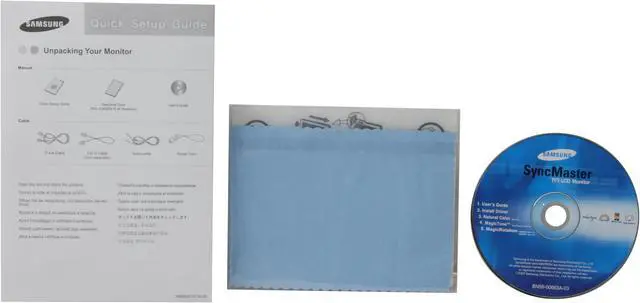
Package Contents 943BWX LCD Monitor
User Manual
VGA Cable
DVI Cable
Power Cable
Support Disk
Dimensions
Dimensions 17.28" x 14.07" x 7.48"
Weight 11.02 lbs.
Manufacturer Warranty
Parts 3 years limited
Labor 3 years limited

Introduction

The Samsung 943BWX 19" Digital/Analog LCD Widescreen Monitor offers razor-sharp image clarity and innovative features like Samsung's MagicBright3, which creates an optimal viewing environment for whatever you’re watching. With 1440 x 900 resolution and a dynamic 8000:1 contrast ratio, you'll be amazed by the clear images this wide-spectrum monitor offers.

Thanks to the 170º/160º viewing angle and 4-way adjustable stand, you can place the monitor anywhere and know you'll have a perfect view. When you pivot the monitor face, the widescreen display automatically shifts to the new orientation, so you can see your portrait or landscape-oriented documents full-screen, without scrolling.

The 943BWX features an advanced dual interface that is capable of handling both a standard D-Sub 15-pin and a fast DVI connection for your high-resolution demands. The impressive 5ms response time virtually eliminates the "blur" of slower monitors. Whether you're rendering video or graphics, enjoying your photos and movies, or gaming, you’ll love the stunning color and clarity of the 943BWX.

Highlights

newegg Ultra-High Dynamic Contrast Ratio
The Samsung 943BWX's impressive 8000:1 dynamic contrast ratio and 300cd/m2 brightness ensure accurate color reproduction and sharp images even when displaying darker scenes and images for even more breathtaking games and full-motion video!
newegg Fast Response Time
Featuring a super-fast 5ms response time, the Samsung 943BWX ensures seamless color switching for enhanced motion video and gaming performance.
newegg 4-way Ergonomic Stand
The Samsung 943BWX provides height, pivot, tilt and swivel adjustments for extreme viewing comfort and flexibility.
newegg Stylish Slim-Bezel Design
The Samsung 943BWX's 19" screen is wrapped in an ultra-thin bezel that lets you see more without taking up valuable desktop real estate and is ideal for side-by-side multi-monitor configurations.
newegg Dual Inputs for Digital and Analog
With DVI-D and D-Sub connectors, the Samsung 943BWX supports both digital and analog VGA inputs for increased compatibility with computers and other video source devices.
newegg Windows Vista Certified
The Samsung 943BWX display has passed the Windows Hardware Quality Labs testing for guaranteed compatibility with Microsoft Windows Vista standards. Maximize your Windows Vista view with the impressive Samsung 943BWX display!

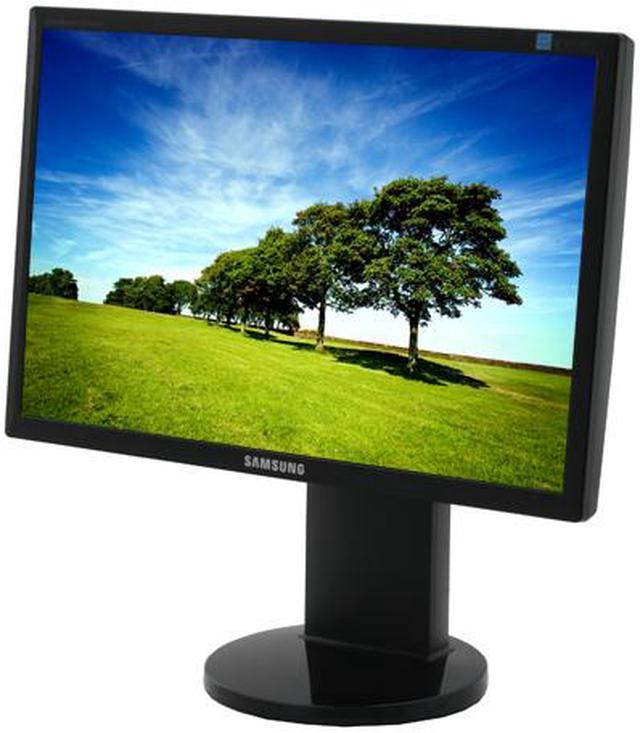
Photo Gallery

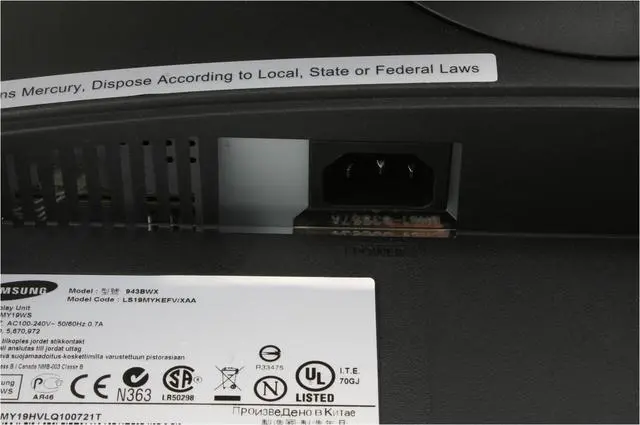
SAMSUNG 943BWX High Gloss Piano Black 19" 5ms Widescreen LCD Monitor with Height & Pivot Adjustments - Retail
SAMSUNG 943BWX High Gloss Piano Black 19" 5ms Widescreen LCD Monitor with Height & Pivot Adjustments - Retail SAMSUNG 943BWX High Gloss Piano Black 19" 5ms Widescreen LCD Monitor with Height & Pivot Adjustments - Retail SAMSUNG 943BWX High Gloss Piano Black 19" 5ms Widescreen LCD Monitor with Height & Pivot Adjustments - Retail SAMSUNG 943BWX High Gloss Piano Black 19" 5ms Widescreen LCD Monitor with Height & Pivot Adjustments - Retail SAMSUNG 943BWX High Gloss Piano Black 19" 5ms Widescreen LCD Monitor with Height & Pivot Adjustments - Retail

Quick Specs

Brightness300 cd/m2
Contrast Ratio1000:1
Response Time5ms
Screen Size19"
ConnectorsD-Sub, DVI-D
Stand AdjustmentsHeight, Pivot, Swivel, Tilt
Recommended Resolution1440 x 900
Viewing Angle170°(H) / 160°(V)
Cabinet ColorBlack
Home
Home. > 
Computer Hardware0_. > 
Monitors1_. > 
LCD Monitors2_. > 
SAMSUNG3_. > 
Item#:N82E16824001259
NeweggBusiness
For Business Needs
EggXpert.com
Newegg Community
|NeweggMall.com
Shop Multiple Retailers
Shop by Region: United States | Canada | China
VeriSignReseller RatingsReliability Seal1This site protected by Trustwave's Trusted Commerce programInc500
Policy & Agreement | Privacy Policy | NeweggBusiness | Newegg Canada  © 2000-2009 Newegg Inc.  All rights reserved.
If the Adobe Reader does not appear when you click on a link for a PDF file, you can download Adobe Reader from the Adobe web site. nassau