If you are visually impaired and are having difficulty navigating this site, please call our Customer Support line via our toll free number (800) 390-1119.

Newegg.com - A great place to buy computers, computer parts, electronics, software, accessories, and DVDs online. With great prices, fast shipping, and top-rated customer service - once you know, you Newegg.

If you are reading this message, Please click this link to reload this page.(Do not use your browser's "Refresh" button). Please email us if you're running the latest version of your browser and you still see this message.

Newegg.com - Computers, Computer Parts and Electronics

My Account

MyNeweggReviewsHelp & Info  
topNavRowBottom  
Browse WebSite Computer Hardware Electronics PCs & Laptops Cell Phones Digital Cameras Networking Gaming Software Home & Garden Specials
Home
Home. > 
Computer Hardware0_. > 
Networking Products1_. > 
Modems2_. > 
D-Link3_. > 
Item#:N82E16825112003
D-Link

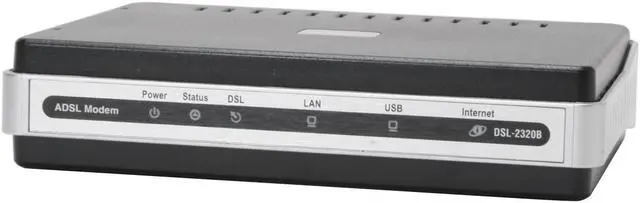
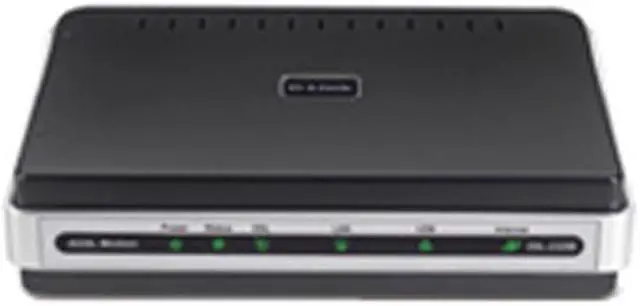
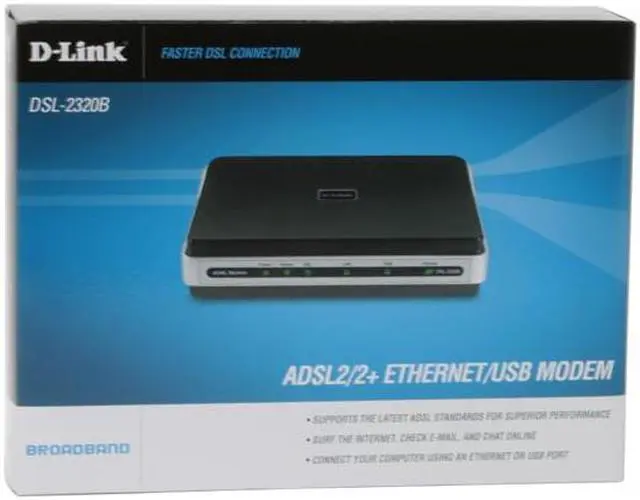
D-Link DSL-2320B 24Mbps Downstream, 3.5Mbps Upstream ADSL Port (RJ-11) 10/100 Ethernet Port (RJ-45) USB 1.1 Port ADSL2/2+ Ethernet/USB Modem - Retail

newegg
D-Link DSL-2320B ADSL2/2+ Ethernet/USB Modem - Retail
Image Viewer

D-Link DSL-2320B ADSL2/2+ Ethernet/USB Modem - Retail D-Link DSL-2320B ADSL2/2+ Ethernet/USB Modem - Retail D-Link DSL-2320B ADSL2/2+ Ethernet/USB Modem - Retail D-Link DSL-2320B ADSL2/2+ Ethernet/USB Modem - Retail D-Link DSL-2320B ADSL2/2+ Ethernet/USB Modem - Retail D-Link DSL-2320B ADSL2/2+ Ethernet/USB Modem - Retail

$49.99

Add item to Cart
Add item to Wish List
Email This Page
Print This Page
Price Alert


Extended Warranty Available

expand for details

Special Offers

NPA

No interest for up to 12 months. Plus, New Preferred Account Customers: Save $20 off $100.
Subject to credit approval. Details


BML

No Payments for up to 6 months.  Minimum purchase required.
Subject to credit approval. Details

Similar Items

Not the product you're looking for? We can make some suggestions to help you decide on a product that fits your needs.
view similar products

Combos & EssentialsManufacturer InfoReturn Policies

Manufacturer Warranty

Beyond any applicable Newegg return policy, this item is warranted independently by the product's Manufacturer. Below is a summary provided for convenience only and may not be accurate or current. Use this link for full details.

  • Manufacturer Limited Warranty period (parts): 1 year
  • Manufacturer Limited Warranty period (labor): 1 year

Manufacturer Contact Info

Return Policies

This item is covered by Newegg.com's Standard Return Policy.

  • Return for refund within: 30 days
  • Return for replacement within: 30 days
  • Restocking Fee: Yes
Customer ReviewSpecifications

Review Summary (read all 36 Reviews, write a review)

5
newegg
45%
4
newegg
33%
3
newegg
8%
2
0%
1
newegg
14%
Product Rating:
Total Reviews: 36

Works good with Verizon

white Reviewed By: BertRiley on 11/9/2009
Rating + 4
Tech Level Tech Level: somewhat high - Ownership: 1 week to 1 month
This user purchased this item from Newegg
Pros: Easy integration, set up as bridge and works well with Apple Airport Extreme. Compact. It's better than the Westell 2200 that recently died one me.
Cons: Gets kind of warm, Not good stacked on D-Link switch.
I gave 4/5 because the set up wass not straightforward but the hardware is good so far.
Other Thoughts: I got this to replace the Westell 2200 Verizon gave me. Verizon won't support any issues with a D-Link (or Airport) so I had to figure it all out myself - their customer support was so bad I almost switched to comcast immediately after.
Overall, it's a nice DSL modem. As for the "running warm" I put a heat sink I pulled from an old pentium II chip between the switch and the modem, it fits perfectly and keeps both units cooler.
Did you find this review helpful? Yes No

I love this modem

white Reviewed By: on 10/28/2009
Rating + 5
Tech Level Tech Level: high - Ownership: 1 day to 1 week
Pros: Compact size, works perfectly with AT&T DSL, fast, very easy to set up. Much faster and better than my old modem.
Cons: None so far.
Other Thoughts: I bought this modem to replace the aging SpeedStream 5100 I got from AT&T 5yrs ago. I am using a wireless N Trendnet TEW-672GR router so this was what I did for the setup: (1) Connected the PC to this modem, opened IE then go to 192.168.1.1 to set up the modem; (2) In the 1st screen of the Wizard, I unchecked DSL-Auto Connect to use the settings on the existing router instead; (3) Next screen, I made sure DSL-Auto Connect was not enabled (not checked) and VPI was set to 0, VCI to 35 for AT&T. If your DSL is from some other company, you'll need to Google the correct numbers for your ISP but I think the modem will auto detect them. (4) Next screen, select Bridging; (5) Next screen, I made sure Enable Bridge Service was checked; (6) Click Next until I got to the Save/Reboot button, I saved the settings and rebooted the modem; (7) Connected the PC back to the router and the WAN port on the router to the modem. That's all I needed to do and I could connect to the Web in less than 5 mins.
Did you find this review helpful? Yes No

Best modem I could find

white Reviewed By: lurch0258 on 7/17/2009
Rating + 4
Tech Level Tech Level: somewhat high - Ownership: 1 day to 1 week
This user purchased this item from Newegg
Pros: It works well, it's always connected, not as expensive as other modems I've seen.
The power switch is convenient so I don't have to unplug it should I want to turn it off.
Has the option for either USB or Ethernet connection.
Cons: Gets warm, but not as hot as my old speedstream 4100.
Although speedtest.net proves otherwise, it seems to not be as fast as it should be loading websites (downloading files is fine though)
Confusing/Difficult setup!
Other Thoughts: If you are using this modem for just one computer, then setup is a breeze. Just do the auto-connect and everything will work fine.
But if you use a router, then you have to set up the modem manually in bridge mode (this requires VPI, VCI, etc.). Connect the modem to your router and type in your username and password for your internet connection on your router's setup page. Your internet connection should now work. It did for me. (I only wish I figured it out 4 hours earlier when I began the setup)
1 out of 1 people found this review helpful. Did you? Yes No
Model
Brand D-Link
Model DSL-2320B
Spec
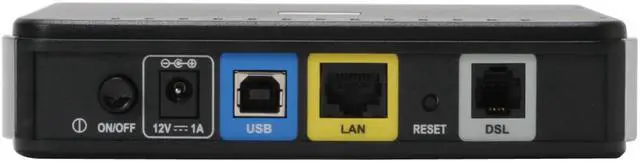
Interface ADSL Port (RJ-11)
10/100 Ethernet Port (RJ-45)
USB 1.1 Port
Standards ADSL Standards:
Multi-mode
Full-rate ANSI T1.413 Issue 2
ITU-T G.992.1 (G.dmt) Annex A/C/I
ITU-T G.992.2 (G.lite) Annex A/C
ITU-T G.994.1 (G.hs)

ADSL2 Standards:
ITU-T G.992.3 (G.dmt.bis) Annex A/J/K/L/M
ITU-T G.992.4 (G.lite.bis) Annex A

ADSL2+ Standards:
ITU-T G.992.5 Annex A/L/M

Compliance:
TR-067 Interop Performance
Max Transmission Rate 24Mbps Downstream, 3.5Mbps Upstream
Features
Features Supports The Latest ADSL Standards for Superior Performance
Surf The Internet, Check E-mail, and Chat Online
Connect Your Computer Using Ethernet or USB
Packaging
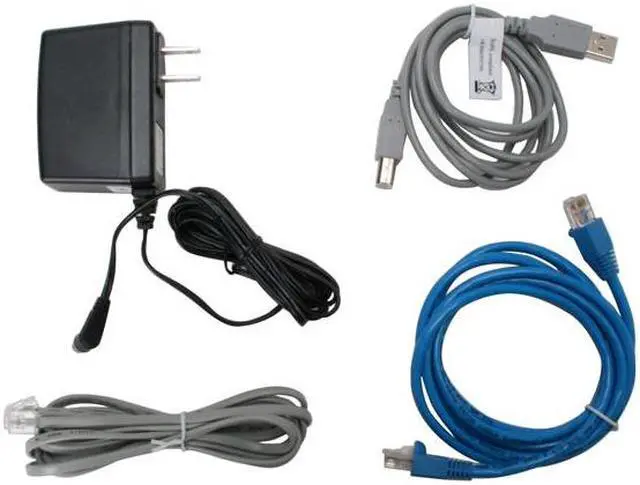
Package Contents DSL-2320B
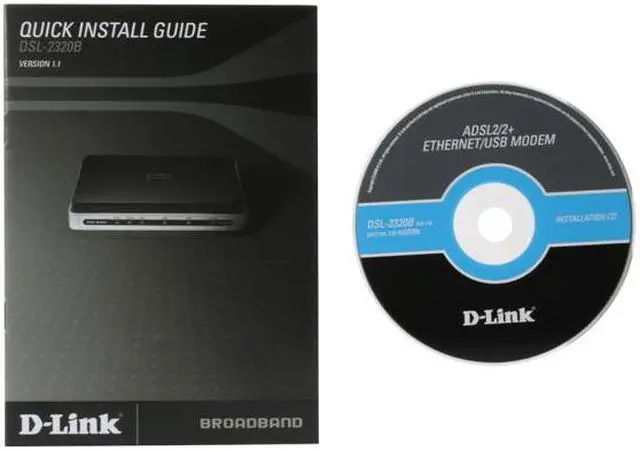
Quick Start Guide
Power Cord
Power Adapter
RJ45 Cable
RJ11 Cable
USB Cable

Manufacturer Warranty
Parts 1 year limited
Labor 1 year limited
Home
Home. > 
Computer Hardware0_. > 
Networking Products1_. > 
Modems2_. > 
D-Link3_. > 
Item#:N82E16825112003
NeweggBusiness
For Business Needs
EggXpert.com
Newegg Community
|NeweggMall.com
Shop Multiple Retailers
Shop by Region: United States | Canada | China
VeriSignReseller RatingsReliability Seal1This site protected by Trustwave's Trusted Commerce programInc500
Policy & Agreement | Privacy Policy | NeweggBusiness | Newegg Canada  © 2000-2009 Newegg Inc.  All rights reserved.
If the Adobe Reader does not appear when you click on a link for a PDF file, you can download Adobe Reader from the Adobe web site. nassau