Skip to: |

Newegg.com - A great place to buy computers, computer parts, electronics, software, accessories, and DVDs online. With great prices, fast shipping, and top-rated customer service - once you know, you Newegg.

If you are reading this message, Please click this link to reload this page.(Do not use your browser's "Refresh" button). Please email us if you're running the latest version of your browser and you still see this message.

Newegg.com - Computer Parts, Laptops, Electronics, HDTVs, Digital Cameras and More!

  • | Wish List
  • Help
Home
Home > 
Computer Hardware > 
Input Devices > 
Mice > 
Apple > 
Item#: N82E16826101010

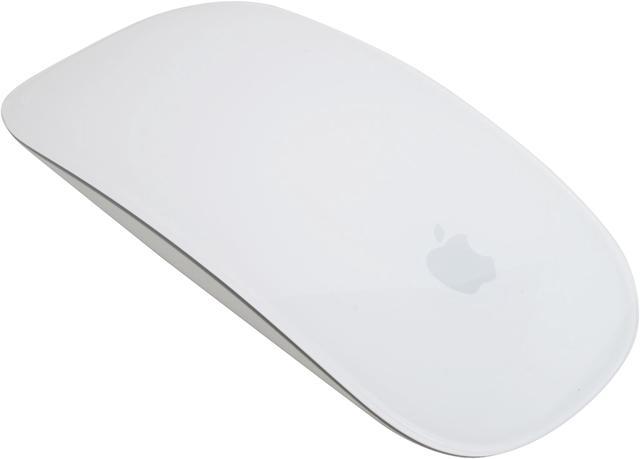
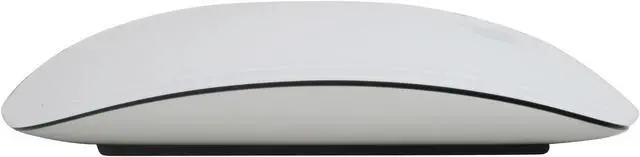
Apple MB829LL/A White Bluetooth Laser Multi-Touch Magic Mouse

  • Bluetooth Wireless
  • Laser
  • Pin It
  • Email this page
ICON Loading...

It began with iPhone. Then came iPod touch. Then MacBook Pro. Intuitive, smart, dynamic. Multi-Touch technology introduced a remarkably better way to interact with your portable devices — all using gestures. Now Apple has reached another milestone by bringing gestures to the desktop with a mouse that’s unlike anything ever before. It's called Magic Mouse, the world's first Multi-Touch mouse. And while it comes standard with every new iMac, you can also add it to any Mac with Bluetooth wireless technology for a Multi-Touch makeover.

  • newegg Seamless Multi-Touch Surface The Multi-Touch area covers the top surface of Magic Mouse, and the mouse itself is the button. Scroll in any direction with one finger, swipe through web pages and photos with two, and click and double-click anywhere. Inside Magic Mouse is a chip that tells it exactly what you want to do. Which means Magic Mouse won’t confuse a scroll with a swipe. It even knows when you’re just resting your hand on it.
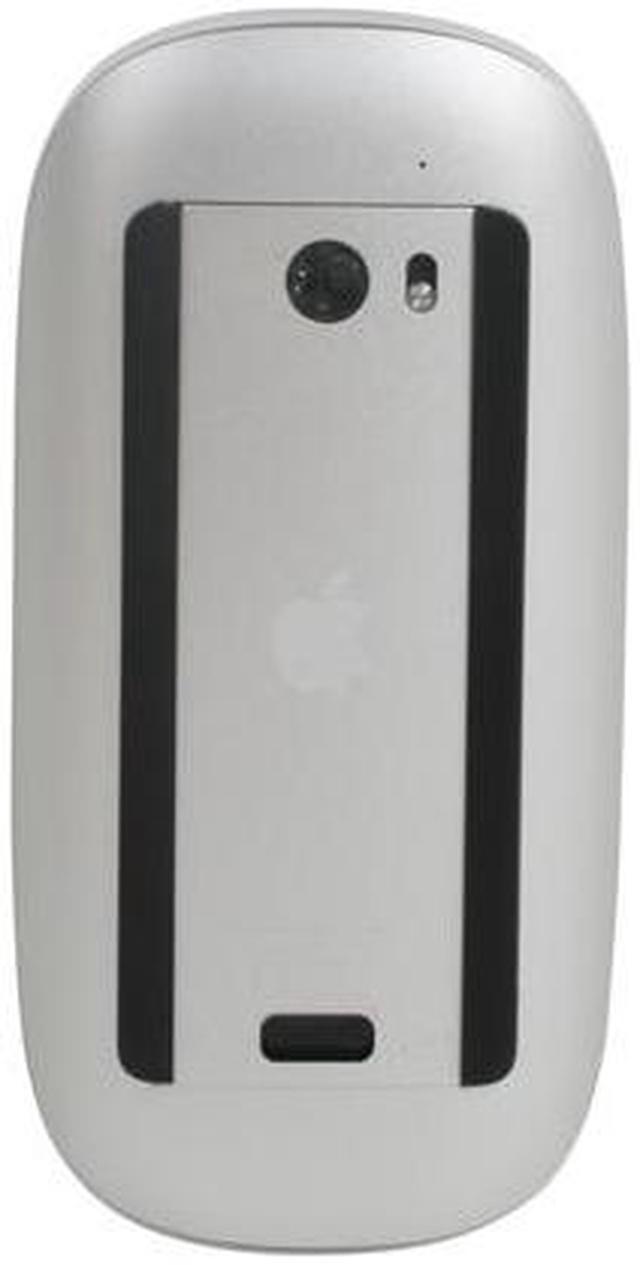
  • newegg Laser-Tracking Engine Magic Mouse uses powerful laser tracking that’s far more sensitive and responsive on more surfaces than traditional optical tracking. That means it tracks with precision on nearly every surface — whether it’s a table at your favorite cafe or the desk in your home office — without the need for a mousepad.
  • newegg Wireless Magic Mouse connects to your Mac via Bluetooth wireless technology, so there’s no wire or separate adapter to worry about. Pair Magic Mouse with your Mac and enjoy a reliable and secure connection up to 33 feet away. When you combine Magic Mouse with the Apple Wireless Keyboard, you create a workspace free of annoying cables.

Learn more about Magic Mouse

Model

Brand
Apple
Name
Magic Mouse
Model
MB829LL/A
Type
Bluetooth Wireless

Wireless

Power Supply
2 x AA Batteries
Distance
33 ft.

Spec

Interface
Bluetooth
Tracking Method
Laser
Scrolling Capability
Touch Scroll
Color
White

OS / System Requirement

Operating System Supported
Mac OS X v10.5.8 or later with Wireless Mouse Software Update 1.0* or Mac OS X v10.6.1 or later with Wireless Mouse Software Update 1.0
System Requirement
Bluetooth-enabled Macintosh computer

Features

Features
The magic is in the Multi-Touch.
The new Magic Mouse redefines what a mouse should do. In addition to its smooth, seamless top-shell design that acts as one button or two, Magic Mouse features a Multi-Touch surface with gesture support. Scroll vertically, horizontally, and diagonally — a full 360 degrees — simply by touching anywhere on the top surface. With a greater surface area for scrolling, you can get around a long timeline in iMovie, through a lengthy web page in Safari, or around a set of images in iPhoto more efficiently. You can also swipe through pages in Safari or photos in iPhoto with two fingers. It’s the most advanced Apple mouse ever made.

One or two. Left or right.
The seamless, one-button design of Magic Mouse makes it simple to use right out of the box. But if you want the functionality of a two-button mouse, that’s easy, too. Just change the configuration in System Preferences. And the ambidextrous construction means Magic Mouse is great for lefties or righties.

Laser tracking engine.

Bluetooth technology.

Packaging

Package Contents
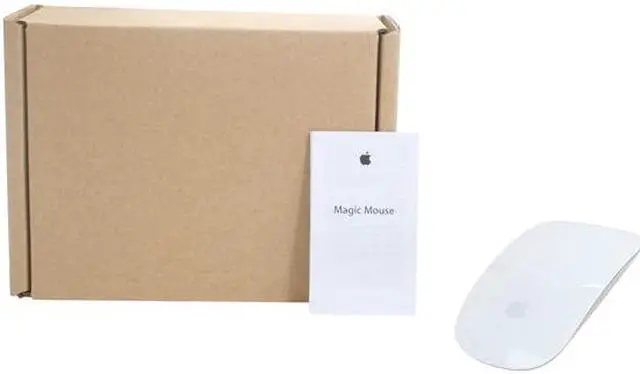
Magic Mouse
Two AA batteries
Printed documentation

Manufacturer Warranty

Parts
1 year limited
Labor
1 year limited

Quick Info

Warranty

  • Limited Warranty period (parts): 1 year
  • Limited Warranty period (labor): 1 year


Customer Reviews of Magic Mouse

Do you own this product? Write a Review

Filter Results

Go
  • Drew Hoo
  • 3/27/2013 8:04:29 AM
  • Tech Level: Somewhat High
  • Ownership: 1 month to 1 year
  • Verified Owner

5 out of 5 eggsMagical

Pros: Feels amazing. Touch sensor is *very* accurate and covers 3/4 of the mouse surface. Gesture identification is on point. The clicking sound is very satsifying, similar to a mechanical keyboard. It glides well across any surface. My MBP recognizes the bluetooth connection quickly and reliably. I haven't had to replace or charge the battery yet after one month of use.

Cons: It will not track on my 1/4" thick glass desktop. Not a big deal for me, though. If you like to 'palm' your mouse, this may not be the mouse for you.

Other Thoughts: It is ideal for design software, since the distinct "click" makes click-and-drag a more reliable gesture than it is with the gaming mouse I also use. This is not a gaming mouse, at least not for FPS. I move it around with my thumb, pinky, and ring fingers, and click with pointer/middle finger. I only rest my palm on it lightly, if at all.

Did you find this review helpful? Yes No

  • Joey Black
  • 3/16/2013 2:26:52 AM
  • Tech Level: High
  • Ownership: 1 week to 1 month
  • Verified Owner

5 out of 5 eggsExcellent

Pros: Works very well for my MacBook Pro. Glides beautifully able to do a multitude of things that I weren't comfortable doing with my trackpad. All in all I am very pleased with this purchase. Will not hesitate to recommend this product to any consumer.

Cons: Not really a con, runs on AA bats. I turn my mouse off, when I am not using it.

Other Thoughts: Product is awesome.

Did you find this review helpful? Yes No

  • AJ
  • 3/10/2013 10:27:13 AM
  • Tech Level: Somewhat High
  • Ownership: 1 month to 1 year
  • Verified Owner

4 out of 5 eggsPricy but a Nice Mouse

Pros: No wires. Bluetooth so no USB transmitter taking up a USB port. I'm using it with a Mac based system so I can't speak to its operation with Windows. No issues with pairing. My Mac recognized it right away. Smooth scrolling with adequate customization features for personalizing use.

Cons: Small, low profile footprint makes it ergonomically uncomfortable for extended or heavy usage times. You need a mousepad with a wrist rest but you should be using one of those anyway. A bit pricy but we are talking about Apple here.

Other Thoughts: As with the Apple Wireless Keyboard, if you bought this along with a new Mac or Mac Mini, make sure you turn it on BEFORE you turn on the Mac for the initial setup. When you follow that sequence, Setup Assistant takes you to a different branch and pairs the mouse right away so you can provide the inputs needed to finish the initial setup. Doing otherwise will put you into a do-loop where Setup Assistant is asking for inputs you can't give.

Did you find this review helpful? Yes No

  • N/A
  • 2/8/2013 5:23:27 PM
  • Tech Level: High
  • Ownership: 1 day to 1 week
  • Verified Owner

4 out of 5 eggsGood deal

Pros: Good example of industrial design, bluetooth wireless, laser engine, slim and lightweight

Cons: not ergonomically designed to fit your hand snugly. no carrying solution, overpriced for its list price

Other Thoughts: Got this mice on sale for $39.99, a fair price point for Apple's overpriced accessories. Shipping was fast and well packed, the beautiful plastic case was well protected in 2 cardboard boxes wrapped with bubble wrap and foam. This is my first purchase on Newegg and I'm very satisfied.
BTW, this mice works just fine with my MBP, also my Nexus 7!

Did you find this review helpful? Yes No

  • Kasim
  • 1/16/2013 5:26:16 PM
  • Tech Level: High
  • Ownership: 1 week to 1 month
  • Verified Owner

4 out of 5 eggsIt Works Just Like Advertised

Pros: It works just as advertised. If you know how to go through a very easy set up (on a macbook for me) it is really easy to understand and use.

Cons: This mouse is an apple product. Because of the apple logo obviously there is a necessity to OVERPRICE IT! minus one egg! Other than that, due to the gridlock apple inspires with almost all of its hardware and software, it is a little more of a hassle to set up on a PC; However, I am a gamer and this mouse is for my brother not me. So at the end of the day, everyone is happy.

Other Thoughts: I am a very avid PC gamer and I have also built my own rig. I bought all of my PC parts (not on this account) on newegg too and will continue buying! But back to the mouse, it is nothing special compared to my Razer Naga Molten Edition or the Razer Ourobros I intend on buying but for a mac user like my brother, it works great. I recommend this mouse for a Apple connoisseur or a Mac Cult member. They will like it a lot!

Did you find this review helpful? Yes No

  • creativeboulder
  • 11/19/2012 2:05:18 PM
  • Tech Level: High
  • Ownership: 1 day to 1 week
  • Verified Owner

4 out of 5 eggsWonderful Mouse

Pros: Slick design, easy to use, easy to setup, nice addition to Macbook Pro

Cons: None at the moment

Other Thoughts: I've been a PC/Linux user for many many years and recently switched my Business over to Apple/OSX. Going from various Logitech mice to the Apple Magic Mouse is more than easy. All in all a very happy customer.

Did you find this review helpful? Yes No

  • N/A
  • 11/14/2012 9:40:35 AM
  • Tech Level: Somewhat High
  • Ownership: 1 week to 1 month
  • Verified Owner

5 out of 5 eggsPerfect

Pros: Doesnt fatigue my hand, works flawlessly, unlike the usb mouse I had, it doesnt cause my macbook pro to glitch. No button openings for dirt to hide.

Cons: At first it doesn't glide very well on ANY surface, but after a week or so the "bars" wear down and it glides nicely. Wish it would allow for gestures and moving the arrow by gliding on surface instad of moving the mouse.

Did you find this review helpful? Yes No

  • LarsFromMars
  • 9/24/2012 1:03:57 PM
  • Tech Level: Somewhat High
  • Ownership: 1 week to 1 month
  • Verified Owner

4 out of 5 eggsWonderful Toy

Pros: Great Apply product and does what a magic mouse should intuitively do.

Cons: Price @ $70 is a bit steep (minus 1 egg).

Did you find this review helpful? Yes No

  • gtools
  • 6/6/2012 7:04:29 PM
  • Tech Level: Somewhat High
  • Ownership: 1 month to 1 year
  • Verified Owner

5 out of 5 eggsgreat mouse

Pros: Great mouse for younger kids, my 4 year old son has problem with most mouse that he's ever used, but he loves the one he tried in Apple store. Works well in Windows XP machine, with slide-scroll works perfectly. Battery life is great.

Cons: only the primary left/right clicks, no additional buttons for "Forward/Back", but not really a con, since it's for my son to use

Other Thoughts: great mouse even if you're not using Mac OSX

Did you find this review helpful? Yes No

  • Ropo
  • 5/16/2012 7:56:22 PM
  • Tech Level: Somewhat High
  • Ownership: 1 week to 1 month

2 out of 5 eggsall aesthetics, poor ergonomics

Pros: • aesthetically pleasing
• wireless
• nice click feel
• light weight

Cons: • clunky feel in the hand with hard edges
• poor ergonomics (built for robotically rigid hands/wrists)
• swipe gestures more hindrance than help
• limited customization in preferences
• expensive
• battery life not great

Other Thoughts: I HATE this mouse!!! I swear, Apple has never designed a good mouse. It's all about the style... possibly with a few nice ideas thrown in that are never executed well.

My hand and wrist naturally rests angled. This mouse will only be comfortable and work properly if your arm and wrist naturally rest flat. Otherwise, like me, you'll constantly hit the right click by accident. I often side scroll when I don't want to and had to turn that feature off completely. Unfortunately, the system prefs for this mouse are very limited. You can't turn off side scroll and keep vertical scroll. It's all or nothing. Using this mouse in Indesign, Photoshop or Illustrator drove me mad! The cursor and page view constantly bounced around when I didn't want it to.

I now use a Logitech m510 mouse and am MUCH happier! It gets better battery life, works beautifully, costs less and cradles the human hand.

2 out of 3 people found this review helpful. Did you? Yes No

ICON Loading...

Protect Your Investment!

    • (more options) read warranty details
Are you an E-Blast Insider? Subscribe Newegg e-Blast

Buzz

I love it!

5 out of 5 eggs
No moving parts to speak of, so maintenance is nice. I didn't like the roller ball on the other Mac mouse.

The ...
— Cheryl 10/4/2010

iMouse

5 out of 5 eggs
For the 3 years that I had my mac, this mouse it was just excellent. My iMac was 20" which made it seem odd as to why ...
— NewBloodIV 4/7/2011


PayPal
Shop without retyping payment details. Secure shopping made faster.
Check out with PayPal.

Financing


Home
Home > 
Computer Hardware > 
Input Devices > 
Mice > 
Apple > 
Item#: N82E16826101010
LOADING... LOADING...
Shop by Region: United States | Canada | China
Follow us:   RSS Feeds Youtube
VeriSign Reliability Seal1This site protected by Trustwave's Trusted Commerce program Inc500
Policy & Agreement | Privacy Policy  © 2000-2013 Newegg Inc.  All rights reserved.
If the Adobe Reader does not appear when you click on a link for a PDF file, you can download Adobe Reader from the Adobe web site. nassau