Skip to: |

Newegg.com - A great place to buy computers, computer parts, electronics, software, accessories, and DVDs online. With great prices, fast shipping, and top-rated customer service - once you know, you Newegg.

If you are reading this message, Please click this link to reload this page.(Do not use your browser's "Refresh" button). Please email us if you're running the latest version of your browser and you still see this message.

Newegg.com - Computer Parts, Laptops, Electronics, HDTVs, Digital Cameras and More!

  • | Wish List
  • Help
Home
Home > 
Computer Hardware > 
Input Devices > 
Mice > 
Logitech > 
Item#: N82E16826104382

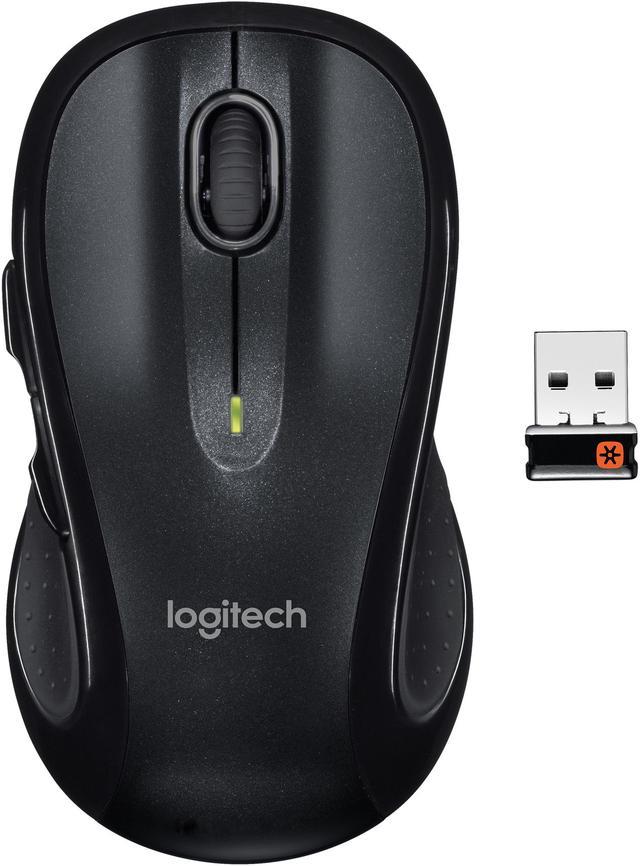
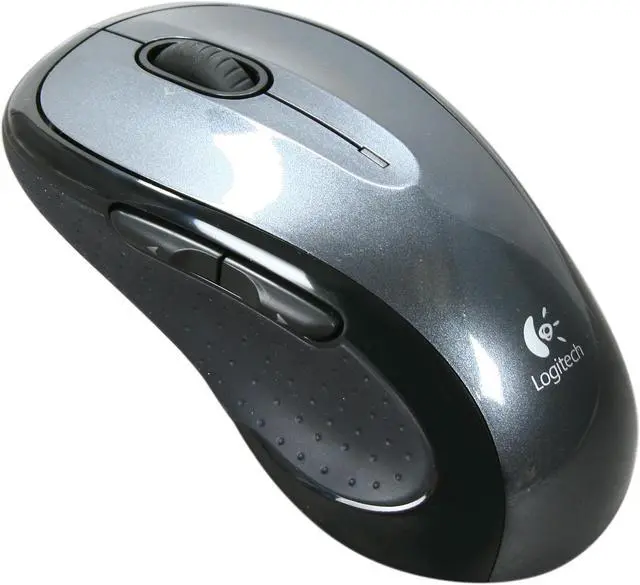
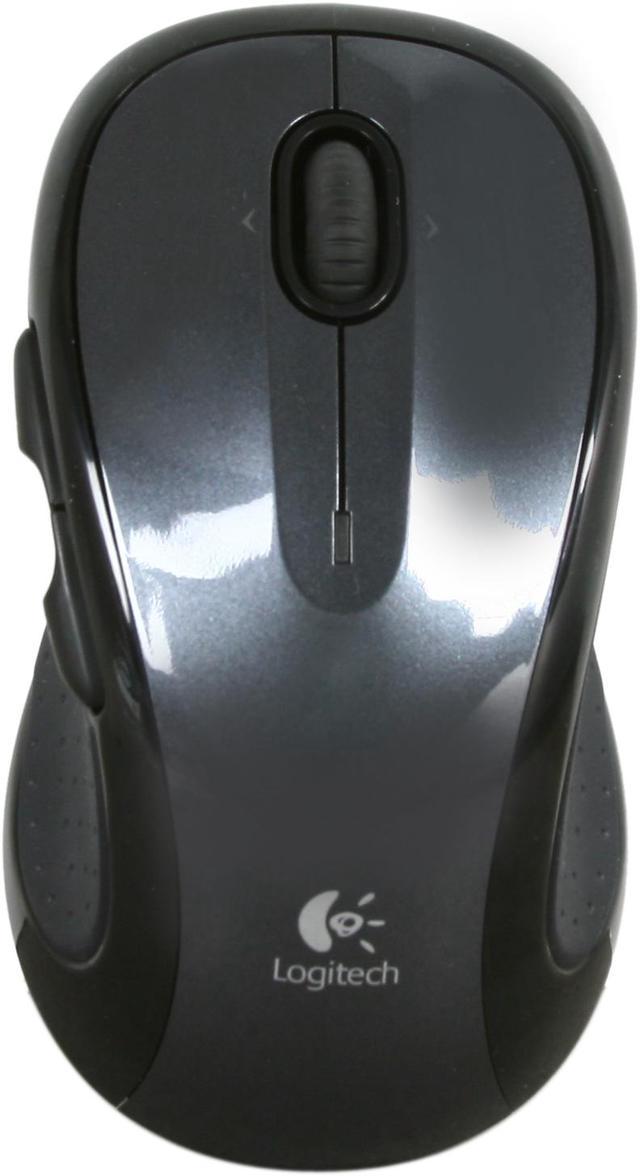
Logitech M510 Black 5 Buttons Tilt Wheel USB RF Wireless Laser Mouse

  • 5 Buttons 1 x Wheel
  • USB RF Wireless
  • Right Hand
  • Pin It
  • Email this page
ICON Loading...

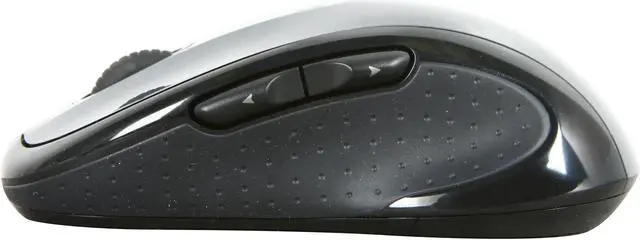
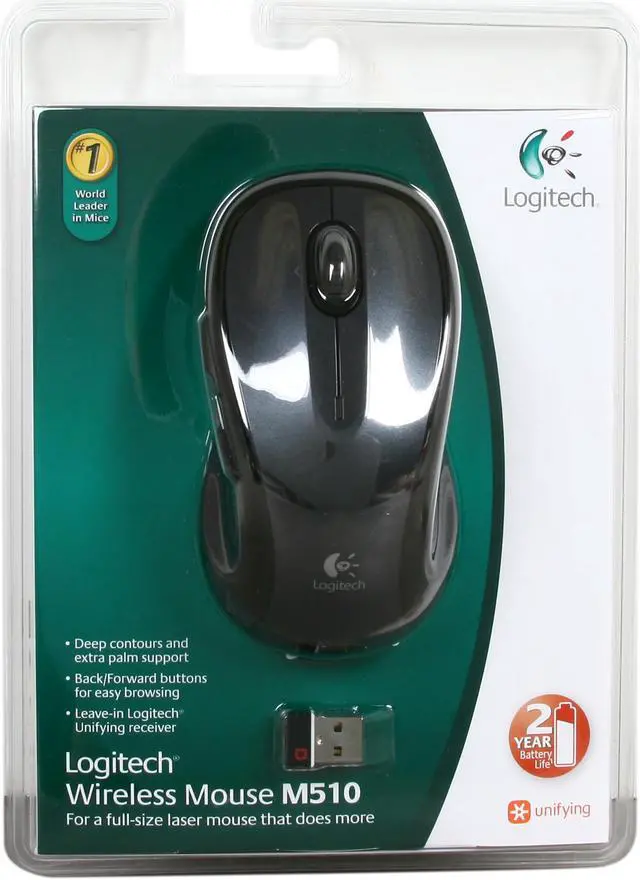
Logitech’s wireless M510 mouse gives you the comfort of a contoured, soft rubber grip body, and fast, precise mousing. This full-size, wireless laser mouse comes equipped with two back/forward buttons located on the left side of the mouse, making you move quickly through documents or browse your favorite Web sites a breeze.

Just plug the tiny receiver into your USB port and forget about it; it’s small enough to stay plugged in, even when you put your laptop in its case! Add the Logitech M510 mouse to your mobile computer and get more done today!


  • newegg Contoured Design The Logitech M510 features soft rubber side grips and a comfortable contoured shape to provide natural grip and exceptional experience even during long hours of use.
  • newegg High-Performance Laser Engine Featuring an advanced laser engine, the Logitech M510 provides extreme accuracy and flawless tracking on nearly any surface.
  • newegg Back/Forward Buttons The Logitech M510 comes with two extra back/forward buttons to help you browse sites or file through documents more conveniently.
  • newegg 2.4GHz Wireless Technology The Logitech M510 is armed with advanced 2.4GHz wireless technology to deliver reliable wireless connection with no delays or dropouts even in the busiest wireless environments.
  • newegg Logitech Unifying Receiver The tiny-sized Logitech Unifying wireless receiver is small enough to leave in your notebook, so there's no need to unplug it when you move around. Plus, you can easily add up to five other compatible Logitech keyboards and mice to the single receiver, eliminating the hassle of multiple USB receivers.

Learn more about the Logitech M510

Model

Brand
Logitech
Model
M510
Type
RF Wireless

Wireless

Power Supply
2 x AA Batteries

Spec

Interface
USB
Hand Orientation
Right Hand
Tracking Method
Laser
Buttons
5
Scrolling Capability
Tilt Wheel
Color
Black

OS / System Requirement

System Requirement
Windows XP, Windows Vista or Windows 7 / Mac OS X 10.4 or later
USB port

Features

Features
Programmable controls

Contoured design

Two-year battery life

Logitech Unifying receiver

Packaging

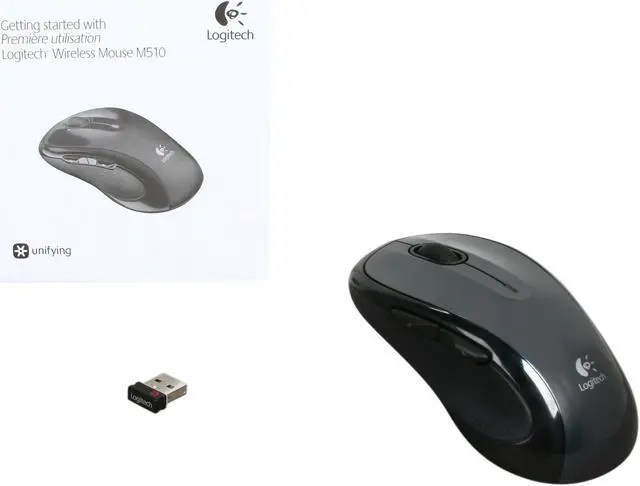
Package Contents
Mouse
Logitech Unifying receiver
2 AA batteries (pre-installed)
User documentation

Manufacturer Warranty

Parts
3 years limited
Labor
3 years limited

Quick Info

Warranty

  • Limited Warranty period (parts): 3 years
  • Limited Warranty period (labor): 3 years


Customer Reviews of the Logitech M510

Do you own this product? Write a Review

Filter Results

Go
  • N/A
  • 5/16/2013 7:37:17 PM
  • Tech Level: Average
  • Ownership: 1 day to 1 week
  • Verified Owner

5 out of 5 eggs

Pros: -Good response to clicking
-No issues between mouse and receiver

Cons: -Default sensitivity way too high, but this is easily fixed
-Receiver hangs out of the USB port a little too much for my liking (aesthetic issue, not function)

Other Thoughts: I had an old wired Logitech mouse that I still liked but it was getting worn down. I mean paint coming off where I place my fingers worn. Made the jump to wireless and glad I did, no more occasional tugging the mouse cord for extra slack. Logitech claims the batteries will last ~2 years so we'll see how that goes.

Did you find this review helpful? Yes No

  • N/A
  • 5/16/2013 5:56:11 AM
  • Tech Level: Somewhat High
  • Ownership: 1 month to 1 year

4 out of 5 eggsGood mouse, weak side-button build quality

Pros: Side-scrolling Tilt Wheel

Comfortable Ergonomic design

Cons: The Forward button (on the left side of the mouse) is attached with very thin tabs of plastic (much thinner than the ones used for the "Back" button.)

This means that heavy use of this button (i.e. using it as a Push-to-Talk key) will inevitably lead to it first getting loose and then breaking inside the mouse, which I can say from experience does not happen with the "back" button, though that is not nearly as comfortable or ideal to use for PTT.

Even if one doesn't intend to use it for anything other than webpage navigation (which is it's advertised function), the fact that the strength of both buttons is unequal is something that consumers should be warned about, as it's inexcusable given the actual internal space available inside the mouse.

Did you find this review helpful? Yes No

  • Dr. Dan Computers
  • 5/2/2013 9:05:28 PM
  • Tech Level: High
  • Ownership: 1 day to 1 week
  • Verified Owner

5 out of 5 eggsawesome!

Pros: As always, Logitech makes another winner here!

Cons: none

Did you find this review helpful? Yes No

  • N/A
  • 5/1/2013 7:18:50 PM
  • Tech Level: High
  • Ownership: 1 month to 1 year
  • Verified Owner

2 out of 5 eggsNice while new, doesn't last

Pros: The setup is super easy. The battery life is great. Great for Internet surfing and general use. No cords are wonderful!

Cons: The mouse is particular to where the radio receiver is located. Initially it worked great, but I had to relocate furniture and now there is often some hesitancy.
I use this for moderate mouse-intensive gaming, and the buttons gradually developed more lag until sometimes it wouldn't register the initial "click." Then the feet wore off. Completely off. It seems the glue used to mount them turns gummy over time, and the very worn pads eventually fall off.
This mouse is almost new and is almost completely useless without the pads.
Also it is a larger mouse, good for people with larger hands (one reason I chose it), but the symmetrical shape is a bit irritating over time.
It made me want to NOT by another Logitec mouse ever again. But, I found a refurbished G700 at an acceptable price and like it - the pads seem several times more durable, the ergonomics are much better, and the extra features are actually quite usable.

Other Thoughts: This is a good mouse for general, light use, and for portable use (for those of us who can't stand the cramped wireless micro-mice). The unified receiver actually works well, but is sensitive to location.

Did you find this review helpful? Yes No

  • SJ
  • 4/22/2013 1:00:13 PM
  • Tech Level: High
  • Ownership: more than 1 year

5 out of 5 eggs2 Years Later and Still A BEAUT!

Pros: - Easy to sync
- Extremely Accurate
- Long range (I use it sometimes about 20ft. away through walls)
- Very ergonomic... I can use it for hours with no strain
- Fantastic battery life
- Looks good

Cons: - For some reason my right scrolling doesn't work anymore. Logitech has good customer support, so perhaps they'll replace the mouse

Other Thoughts: If you use a computer all day, DO NOT cheap out on a peripheral like a mouse. Think of how many hundreds or thousands of hours you'll be using this mouse.

This is a fantastic mouse and I highly recommend it. Extremely accurate for daily use, and I use it for first person shooter games.

Did you find this review helpful? Yes No

  • LordJair
  • 4/20/2013 8:38:21 PM
  • Tech Level: High
  • Ownership: 1 month to 1 year

5 out of 5 eggsPossibly the perfect wireless mouse

Pros: Feels/fits great. "Clicky" scroll wheel. Left/Right mouse horizontal scrolling. Buttons 4 & 5. And the fact that the there is a gap to rest your thumb between buttons 4 & 5 to differentiate the two is probably what rounds this out as one of the most well-rounded mice.

I have the Logitech M-BZ105A wired mouse and love it. I use it for my desktop. It has the same functionality but wired. I was actually tempted to trade the two out. I was buying a mouse for my couch-top (yeah...couch + laptop) and found the M510 on sale at a B&M store. When I got it home and started using it...wow. Everything about it was great. I like it MORE, overall, than the M-BZ105A because of the space between #4 & #5. Alas, I play games on my desktop, and didn't want to worry about potential lag with wireless. Granted, I did *NOT* test it for lag. So it may be great. But the wireless mouse works out better for the couch. So far, the battery life is staying true, but it's only been about a month.

Cons: Doesn't filter out cat hair from the couch. :) Yeah, that's a faux-con.

Other Thoughts: If you hate the free-fly scroll wheels, thank you. And this is the mouse for you...unless you don't like all the options.

Did you find this review helpful? Yes No

  • N/A
  • 3/28/2013 10:06:52 PM
  • Tech Level: Average
  • Ownership: 1 month to 1 year
  • Verified Owner

5 out of 5 eggsLaser Mouse

Pros: I should have got the warranty this is a great mouse but as you know sometimes things happen and I broke it so I had to run to out and get another mouse

Cons: none

Other Thoughts: Get the warranty

Did you find this review helpful? Yes No

  • DJ
  • 3/14/2013 4:36:09 AM
  • Tech Level: High
  • Ownership: more than 1 year
  • Verified Owner

5 out of 5 eggsGoog Mouse

Pros: This is the second mouse of its kind I have bought. No it is not the fanciest, but it is one of the best miceI have had, and I have gone through a lot. There are too many buttons which keeps it simple, yet there are enough to say it has nice additional functions. Also, the battery life for these mice are amazing.

I love the unifying reciever.

Cons: None

1 out of 1 people found this review helpful. Did you? Yes No

  • BD
  • 3/9/2013 8:10:00 AM
  • Tech Level: High
  • Ownership: more than 1 year

5 out of 5 eggsGoes Anywhere

Pros: This mouse flawlessly works with: WinXP/Vista/7/8, OSX 10.6/7/8, and all flavors of Linux I have tested it with, including my Samsung Chromebook.

Works very well on a variety of surface types.

Battery life is good, even if you leave it turned on for extended periods of time.

Cons: I hate dealing with batteries.

Other Thoughts: I'm a small biz IT consultant in San Francisco. As such, I don't have vehicle, and must carefully choose those tools which make it into my backpack. After a bit of research and use testing, this was the model I chose. There may be better wireless mice out there, but this one is certainly worth consideration.

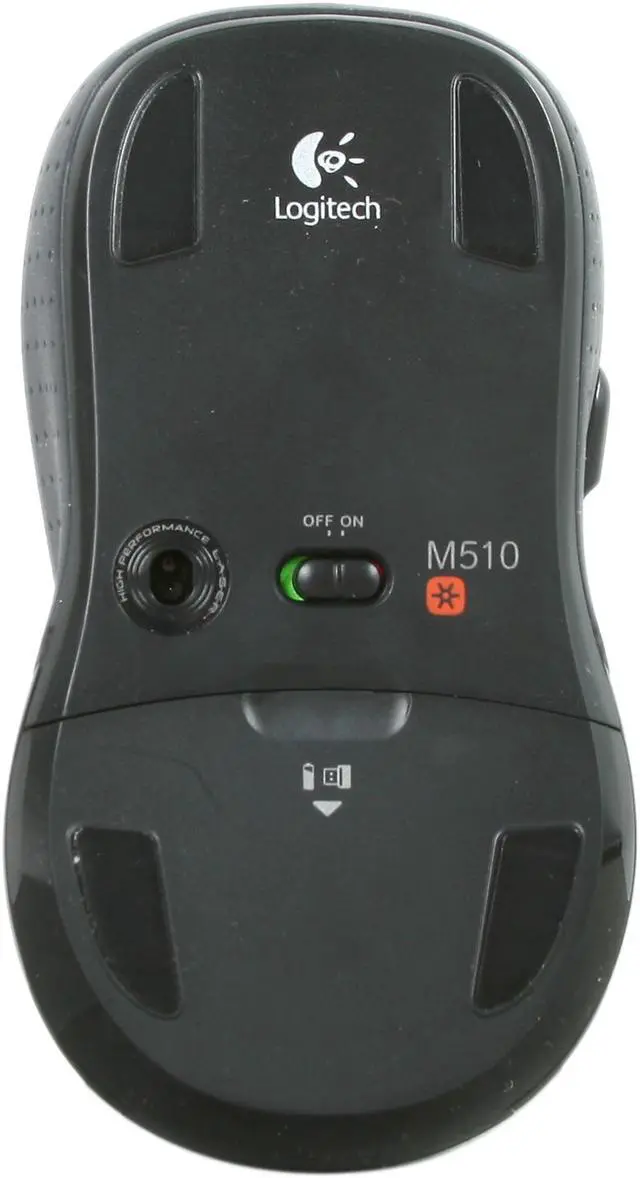
The slot for the RF adapter under the battery cover is a must have. No matter which wireless mouse you purchase, make sure it has a space to secure the RF adapter.

2 out of 2 people found this review helpful. Did you? Yes No

  • N/A
  • 2/27/2013 4:06:18 PM
  • Tech Level: High
  • Ownership: 1 day to 1 week
  • Verified Owner

5 out of 5 eggsTad on the small side but accurate and no lag

Pros: Unified receiver tech works great. Running in tandem with a K800 wireless keyboard. Both very responsive and hold a charge

Cons: just a tad small for a larger guy, but usable

Did you find this review helpful? Yes No

ICON Loading...

Protect Your Investment!

    • (more options) read warranty details
Are you an E-Blast Insider? Subscribe Newegg e-Blast

Buzz

Superb mouse.

5 out of 5 eggs
All the mouse buttons are solid, and click fluidly and sturdily. I like the mouse wheels that click, instead of free spin, ...
— Matt 2/6/2012

Works great

5 out of 5 eggs
Full-sized mouse
On/off switch
Tiny receiver
Pretty sturdy
Works on many surfaces
— Sam 9/19/2010


PayPal
Shop without retyping payment details. Secure shopping made faster.
Check out with PayPal.

Financing


Home
Home > 
Computer Hardware > 
Input Devices > 
Mice > 
Logitech > 
Item#: N82E16826104382
LOADING... LOADING...
Shop by Region: United States | Canada | China
Follow us:   RSS Feeds Youtube
VeriSign Reliability Seal1This site protected by Trustwave's Trusted Commerce program Inc500
Policy & Agreement | Privacy Policy  © 2000-2013 Newegg Inc.  All rights reserved.
If the Adobe Reader does not appear when you click on a link for a PDF file, you can download Adobe Reader from the Adobe web site. nassau