If you are visually impaired and are having difficulty navigating this site, please call our Customer Support line via our toll free number (800) 390-1119.
Newegg.com - A great place to buy computers, computer parts, electronics, software, accessories, and DVDs online. With great prices, fast shipping, and top-rated customer service - once you know, you Newegg.
If you are reading this message, Please click this link to reload this page.(Do not use your browser's "Refresh" button). Please email us if you're running the latest version of your browser and you still see this message.
Beyond any applicable Newegg return policy, this item is warranted independently by the product's Manufacturer. Below is a summary provided for convenience only and may not be accurate or current.
Use this link for full details.
Manufacturer Limited Warranty period (parts): 1 year
Manufacturer Limited Warranty period (labor): 1 year
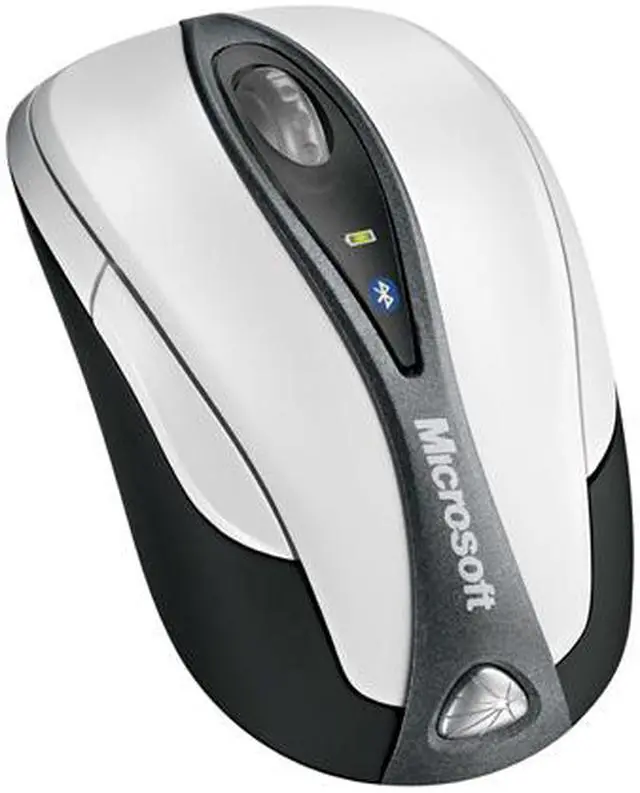
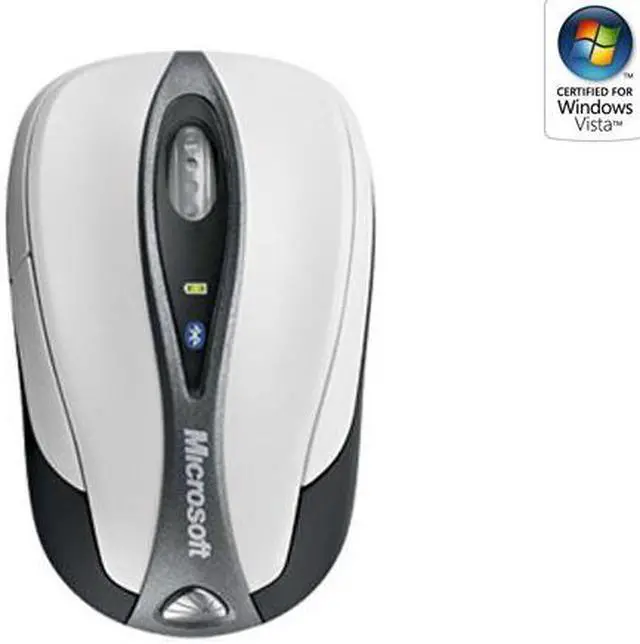
Break away from your laptop finger pad and experience wireless freedom with the Microsoft Bluetooth Notebook Mouse 5000. This comfortable mouse is compact for easy portability and eliminates the drag found in wired mice, reducing strain and increasing productivity. You’ll experience more accurate clicks with high-definition tracking. The mouse makes your movements smooth and effortless due to the laser technology, which provides better tracking than LED optical mice.
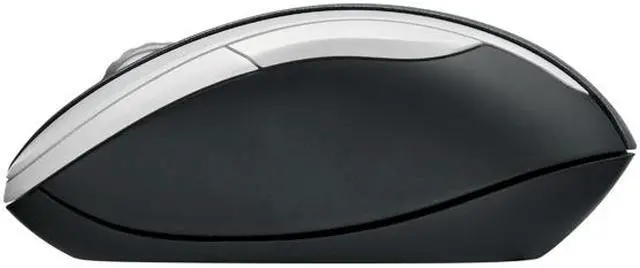
You’ll also enjoy the ergonomic design of the Microsoft Bluetooth Notebook Mouse 5000 that will reduce hand strain over hours of use. The side thumb button allow you to navigate backwards through Web pages and files with ease. As an added bonus, the mouse is ambidextrous, so you can use it with either hand.
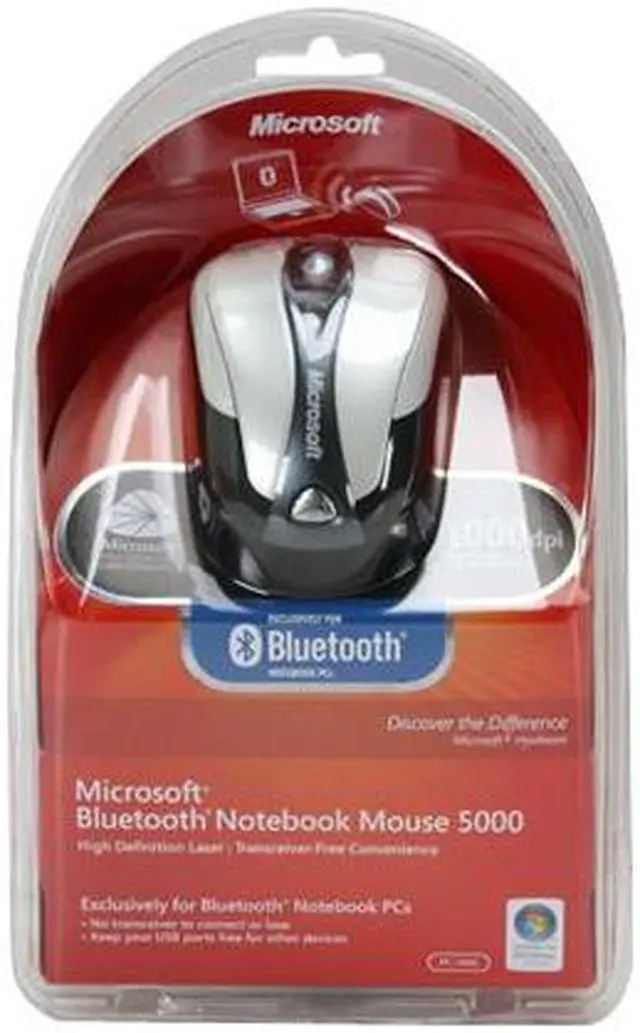
There’s no need for a wireless receiver to take up a USB port. The Microsoft Bluetooth Notebook Mouse 5000 is Bluetooth-ready for a transceiver-free wireless connection. Experience the Microsoft difference and own it today!
Pros: I've had this mouse for about 6 months now, use it every day, and love it. Even though it is a "travel" mouse, it feels good in your hand, and is not uncomfortable to use for long periods of time. I have used this in XP, Vista and Mac OS and is very easily configurable. The mouse tracks very nicely.
Cons: Browser "Back" button does not work in Mac OS--no software available. Takes up to 10 seconds to connect after going to sleep but I'm guessing that's characteristic of Bluetooth and not necessarily this mouse. A little expensive.
Other Thoughts: Funny that half the people using this mouse are Mac users. Microsoft's website lists a "Wireless Notebook Mouse for Mac" (or something similar)...don't be fooled, this is it. I have had numerous Microsoft mice and love them all, Microsoft has it down in that area.
Scroll wheel has a light click, took a while to get used to it but I like it now.
Every once in a while the power button will jam a little and not go all the way to the "on" position, so if you can't get it to connect check that first.
It seems like I notice different tracking styles when switching between Windows and Mac OS. Not sure how to explain, just feels different, but that doesn't have anything to do with this mouse anyway.
Why is the Bluetooth mouse selection still terrible? Bluetooth was practically made for mice, what better way to get rid of wires and dongles!
3 out of 3 people found this review helpful.
Did you?
Thanks for the valuable feedback you provided!
This mose
Reviewed By: Jerm on 3/24/2009
Tech Level: high - Ownership: 1 week to 1 month
This user purchased this item from Newegg
Pros: It connected within seconds to my laptop and did so for the entire time I owned it (lost mine somehow at school and just ordered my second) crisp movement, excellent battery stamina. Overall, a beautiful piece of hardware that I would suggest every bluetooth capable laptop owner should have
Cons: The only gripe I have is the small size of the mouse. I have big hands and the mouse only filled about half of it, compared to my desktop mouse (an asus republic of gamers usb mouse)
2 out of 2 people found this review helpful.
Did you?
Pros: Instead of saying "it fits my hands", or "it's smaller than a regular mouse", here's the actual measurements: L 3.75" W 2.25" H 1.5". And yes, while it's smaller than a regular mouse, it fits just fine, and is easily accustomed to. Easy hookup to BT in a Sony VAIO FW series laptop. Solid click on the scroll wheel, and cursor moves smooth on old viynl card table, and jeans.
Cons: Packaging can be a bit brutal to open, but nothing a chainsaw won't take care of.
Other Thoughts: Came with Energizer batts, and a pretty cool travel pouch. While the on/off and BT activation buttons are small they're readliy accessed without using a pen, etc. It actually feels about the same weight as my MS wired laser mouse, and has a "you could accidently drop it with no problems" feel to it too--not that there's any hurry to test that. Naturally, battery time depends on usage. Installed easily on Win 7 Pro x64, as W7 already has any needed drivers. The wheel and buttons feel like there in about the same place as a standard mouse--just the rear end seems shorter. You'll probably still need to use the "touch pad" to direct your built-in BT to your BT mouse, but that only takes a second. It's auto after that.
1 out of 1 people found this review helpful.
Did you?
Thanks for the valuable feedback you provided!
Excellent mouse!
Reviewed By: CalcProgrammer1 on 1/10/2010
Tech Level: high - Ownership: 1 week to 1 month
Pros: This is probably the best travel mouse I've ever used. It is tiny but has a great shape that has a solid feel. Bluetooth connectivity is awesome, no more tying up the USB ports with clunky receivers. Also, Bluetooth gives you the best wireless range of any wireless mouse I've ever seen, my other Microsoft travel mouse (Optical Notebook Mouse 4000) doesn't even have the wireless power to go from the right side of my laptop (a 17" HP) to the left side if I plug the receiver in there when the battery is slightly worn down. With Bluetooth, I can be in the next room and it still works. I also like the buttons, they feel solid and have a nice, tactile click, but they are very quiet. The scroll wheel also has a solid click to its rotation.
I also like that it comes with a carrying pouch, my other mouse didn't come with one, keeps it from getting scratched or worn out in your backpack or laptop bag.
Cons: Takes 2 AAA batteries, my MS Optical Notebook Mouse 4000 only takes one AA and I have a lot more rechargeable AA's than AAA's, but I definitely will buy some for this mouse.
Also, if you plan to use it with more than one PC (or even operating system) you have to remove and re-add the device each time. It only reconnects automatically to the last PC/operating system that you paired it with. The automatic reconnection is very fast though if you just resume from standby or turn on your PC with the mouse already paired.
The only other con is that the power switch on mine is sometimes hard to move, you have to pull it at a certain angle to get it to flip the switch, I think it has to do with the location of the plastic switch lever and the actual switch.
Other Thoughts: I didn't buy from NewEgg, but I saw this mouse in many stores including here and it seems to be the most common Bluetooth mouse out there. There's a good reason for that, it's a great mouse, one of the best mice I've ever used.
Did you find this review helpful?
Thanks for the valuable feedback you provided!
You pick your own transceiver!
Reviewed By: cszeto on 1/5/2010
Tech Level: high - Ownership: more than 1 year
Pros: - You can pick your own transceiver, if you don't have built-in/integrated Bluetooth - Good ergonomics and response - Smaller, but still very functional size
Cons: - Shorter, but acceptable battery life when compared to the non-Bluetooth Microsoft Notebook wireless mouses - Not rechargeable battery friendly - Slower pairing when compared to the newer Bluetooth models from Microsoft
Other Thoughts: Definitely one of the better models across the Microsoft Notebook wireless mouses. The battery indicator is weak at best as the low/no-battery indicator only shows up very briefly with rechargeable batteries before running dead in its tracks, so if you did not happen to notice during the brief warning period, you will be left with a dead pointer during your use. Add that to the "invisible" laser and you may be scratching your head at times. The models with the visible laser offer much better battery/functioning indication. The tactile scroll wheel is excellent in providing control. Another huge advantage with Bluetooth is that you no longer run the risk of damaging and/or losing your transceiver, it can be easily replaced in most cases with another Bluetooth transceiver.
Did you find this review helpful?
Thanks for the valuable feedback you provided!
Model
Brand
Microsoft
Model
69R-00001
Type
Bluetooth Wireless
Wireless
Operating Time
3+ Months Battery Life
Spec
Hand Orientation
Both Hands
Tracking Method
Laser
Buttons
4
Scrolling Capability
1 x Wheel
Color
Black/White
Windows Vista
Certified for Windows Vista
OS / System Requirement
Operating System Supported
Windows 7 / Windows Vista / Windows XP with Service Pack 2 (SP2) Mac OS X v.10.2.6–10.4.X
System Requirement
USB Port
Features
Features
Transceiver Free Convenience Enjoy reliable, transceiver-free wireless connection to your Bluetooth PC (requires computer enabled with Bluetooth Technology).
High Definition Laser Technology Microsoft High Definition Laser Mouse products are more precise, more responsive, and deliver smoother tracking.
Battery Life Indicator You won't get caught with a dead battery—the Battery Status LED Indicator glows red when the battery is running low.
Ergonomic Design Point and click in comfort—ergonomic design helps you work longer without discomfort.
Back Button Use the Back button to easily navigate between folders and Web pages, or press the wheel for auto-scroll.
Scroll Wheel Save time and effort with the scroll wheel—navigate documents and Web pages without using the on-screen scroll bar.
Comfort for Either Hand Use your mouse with your left or right hand—ambidextrous design makes it comfortable either way.
On/Off Button Turn your mouse device off to extend battery life even longer.
4 Buttons Use the Back button to easily navigate folders or Web pages, and press the scroll wheel for AutoScroll.
Designed for Notebook PCs Compact and comfortable, our handy notebook and laptop products are designed for convenience and mobility.
Manufacturer Warranty
Parts
1 year limited
Labor
1 year limited
Introduction
Break away from your laptop finger pad and experience wireless freedom with the Microsoft Bluetooth Notebook Mouse 5000. This comfortable mouse is compact for easy portability and eliminates the drag found in wired mice, reducing strain and increasing productivity. You’ll experience more accurate clicks with high-definition tracking. The mouse makes your movements smooth and effortless due to the laser technology, which provides better tracking than LED optical mice.
You’ll also enjoy the ergonomic design of the Microsoft Bluetooth Notebook Mouse 5000 that will reduce hand strain over hours of use. The side thumb button allow you to navigate backwards through Web pages and files with ease. As an added bonus, the mouse is ambidextrous, so you can use it with either hand.
There’s no need for a wireless receiver to take up a USB port. The Microsoft Bluetooth Notebook Mouse 5000 is Bluetooth-ready for a transceiver-free wireless connection. Experience the Microsoft difference and own it today!
Highlights
Transceiver Free Convenience The Microsoft Bluetooth Notebook Mouse 5000 features broad compatibility with any Bluetooth-enabled notebook computer and provides a superior operating range for the ultimate wireless freedom.
High Definition Laser Technology The laser technology enables the Microsoft Bluetooth Notebook Mouse 5000 to work precisely on almost any surface.
4 Buttons Use the Back button to easily navigate folders or Web pages, and press the scroll wheel for AutoScroll.
3 Months Battery Life & On/Off Button The Microsoft Bluetooth Notebook Mouse 5000 can work with less interruption with 3 months, and the On/Off button turns your mouse device off to extend battery life even longer.