Skip to: |

Newegg.com - A great place to buy computers, computer parts, electronics, software, accessories, and DVDs online. With great prices, fast shipping, and top-rated customer service - once you know, you Newegg.

If you are reading this message, Please click this link to reload this page.(Do not use your browser's "Refresh" button). Please email us if you're running the latest version of your browser and you still see this message.

Newegg.com - Computer Parts, Laptops, Electronics, HDTVs, Digital Cameras and More!

  • | Wish List
  • Help
Home
Home > 
Computer Hardware > 
Input Devices > 
Mice > 
Kensington > 
Item#: N82E16826125154

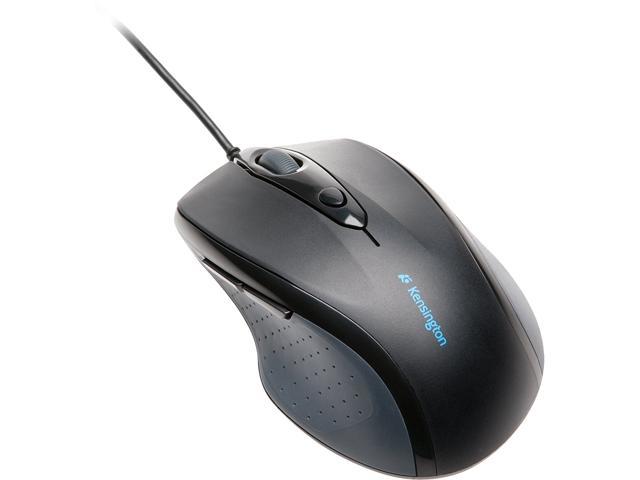
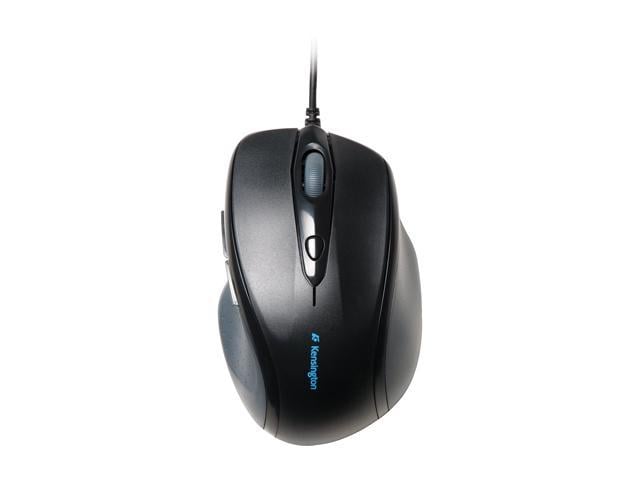
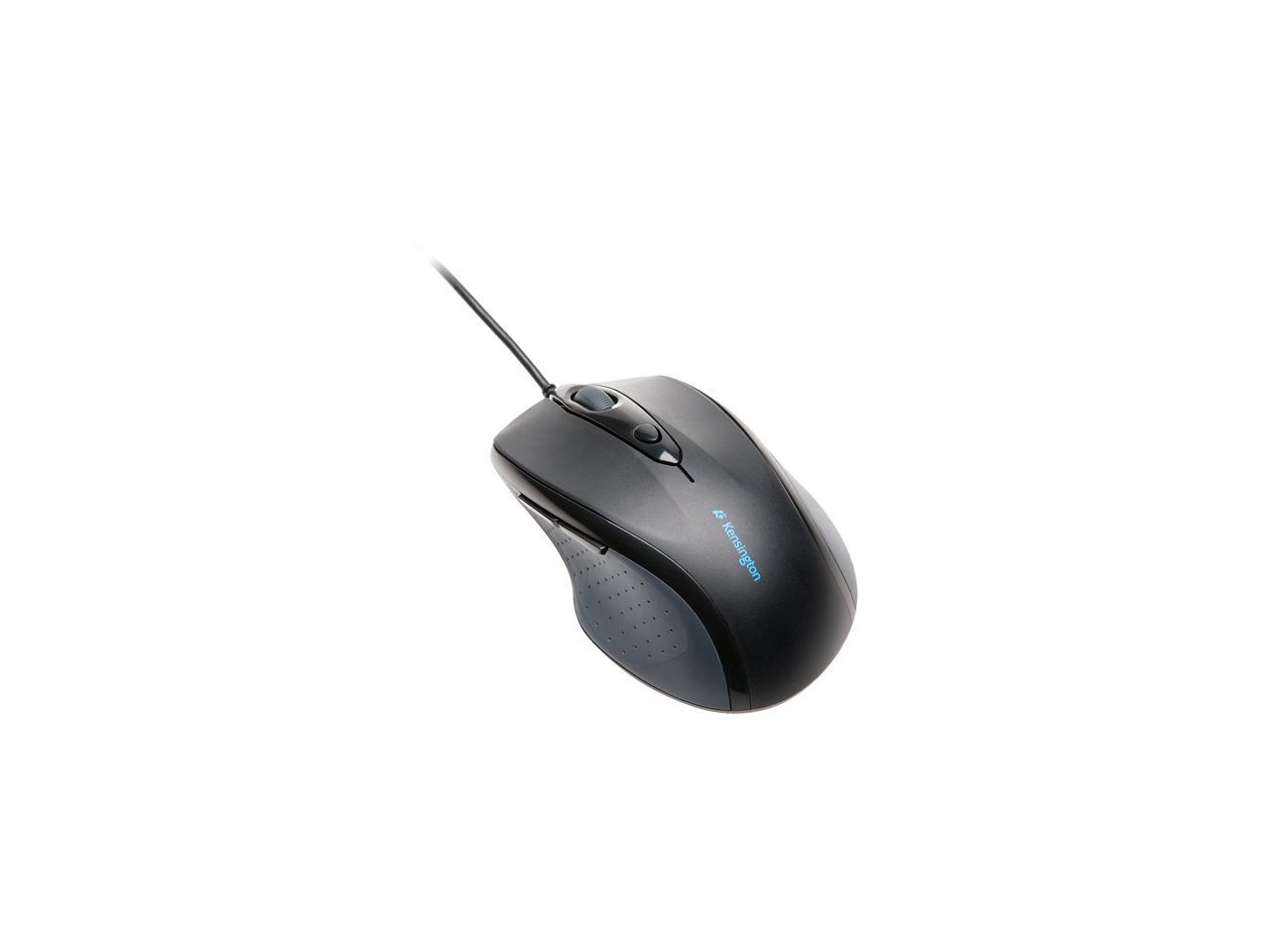
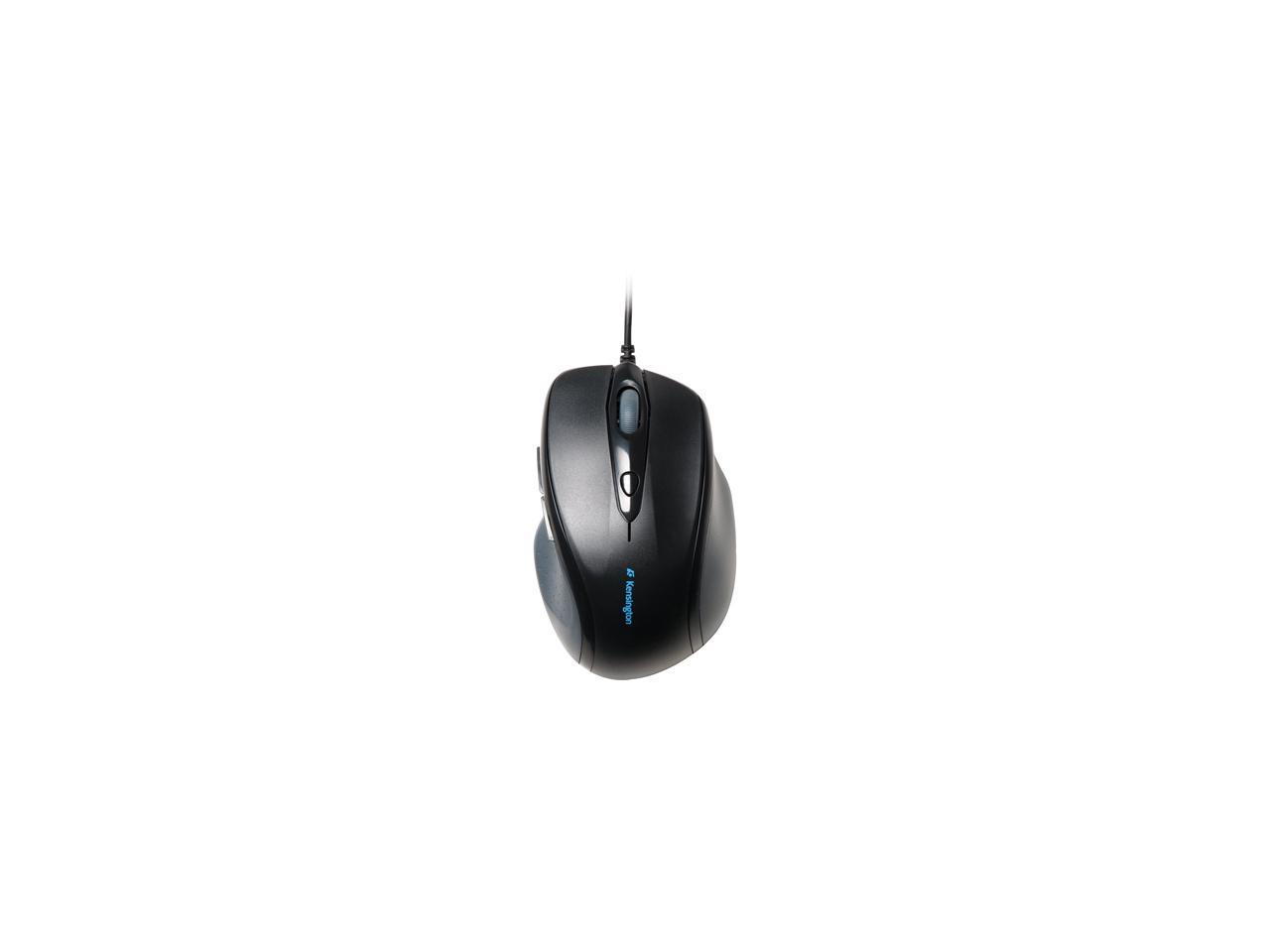
Kensington K72369US USB or PS/2 Wired Pro Fit Full Sized Mouse

  • USB or PS/2 Wired
  • Pin It
  • Email this page
ICON Loading...

Learn more about the Kensington K72369US

Model

Brand
Kensington
Model
K72369US
Type
Wired

Spec

Interface
USB or PS/2

Manufacturer Warranty

Parts
2 years limited
Labor
2 years limited

Quick Info

Warranty

  • Limited Warranty period (parts): 2 years
  • Limited Warranty period (labor): 2 years


Customer Reviews of the Kensington K72369US

Do you own this product? Write a Review

Filter Results

Go
  • hh_cc
  • 4/11/2013 12:28:09 PM
  • Tech Level: High
  • Ownership: 1 month to 1 year
  • Verified Owner

4 out of 5 eggsGargantuan

Pros: side buttons, right price

Cons: I do not like wasting one button to configure the dpi. I would prefer a BrowserSearch button instead. The button back fromo the wheel could be placed in the bottom.

Other Thoughts: I bought this product because I wanted to have the same mice in my laptop and in my desktop. Obviously, the desktop does not need wireless. In fact, a wired mouse has no interference with the wireless ones. I need the back and forward buttons in the side. The wheel feels somewhat cheap, but I already knew that from my wireless mouse (which is also a Kensington).

Full size is a euphemism for HUGE. In retrospective, I should have read the reviews here at newegg. Or, I should have lifted my laptop mouse and check the label. To get an idea how large this mouse is, put it next to full size keyboard. It will cover the numeric pad with space for another row of keys.

Did you find this review helpful? Yes No

  • Jinx
  • 2/7/2013 1:12:58 PM
  • Tech Level: Average
  • Ownership: 1 week to 1 month

5 out of 5 eggsKensington Pro Fit Full Sized

Pros: It's large. Something I always wanted and complained about so I went to the store to pick up a DeathAdder. Feeling mice through their little plastic outlines isn't perfect but the DeathAdder felt small and this one fit better than any mouse except the $100 G700. For reference I have the smallest hands that can still palm a basketball. The price was astounding and the quality seems to be quite good aside from the lightness (which kind of has a cheaper feel to it), but honestly I'm not sure weight is a con. The buttons are more upright than some other mice which feel like your hand is falling forward, but at the same time it's really nice to use my fingertips for a change instead of either of the two knuckles.

Cons: It's a be careful what you wish for kind of thing. It is quite unique to have something so large. For everyday use it's phenomenal. I'll reach over from my bed and use it and it's quite awkward comparatively if you're not stationed there. The DPI settings are nonapparent and I often wonder which one I am currently in after switching it around a bit. It's also light. I don't know if that is a con, but just another unique feature. I play fps games so it might just be the discomfort after playing on other styles for so long, but it handles everything quite well. The pinky bulge is comfortable for everything except when I'm in game, and it's probably just the alien nature to me, but I guess sometimes I really squeeze my mouse for precision (but then again I always had to on smaller mice).

Other Thoughts: Very impressed with a product from a company I'm never purchased from, in a no frill design. Honestly that box with the no-nonsense here is the mouse outside of the box so you can get a feel for it. It's odd to see wired mice more expensive than their wireless counterparts. I'm still curious about the G400/500 and might almost think that this is a slight bit too tall for me and gaming, but it would be minute changes. The only mouse that fit me better was the G700, but at an $80 price difference and a lack of a wire (I'm still a skeptical stooge about wireless and weight) I found my mouse that is the best mouse I've owned since the ball mouse I ran into the ground over a decade. Still think I'll keep small mice around for RTSs but this will be going heads up against a Sensei shortly to see what just feels better game-wise. Regular use though this is a hard product to beat so give it a shot (provided you have large hands).

Did you find this review helpful? Yes No

  • N/A
  • 1/11/2013 8:04:41 AM
  • Tech Level: Somewhat High
  • Ownership: 1 month to 1 year
  • Verified Owner

1 out of 5 eggsmeh

Pros: comfortable
nice buttons

Cons: scroll wheel stopped working. was just scrolling down a page it made a bad grinding noise then stopped working.

Did you find this review helpful? Yes No

  • David
  • 12/20/2012 6:55:30 PM
  • Tech Level: Somewhat High
  • Ownership: 1 day to 1 week

3 out of 5 eggsNot bigger than your average mouse

Pros: -All buttons and wheel feel sturdy, emit re-assuring clicks.
-Nice matte grip for thumb.
-Overall build quality feels pretty nice, though it's a bit on the light side.
-Comes with a USB to PS/2 adapter

Cons: -The biggest con is that it is not much bigger than your average mouse. See "other thoughts" for more info.
-Red light from the optic shines through cracks between the buttons. Doesn't have any adverse effect, but makes the mouse look cheap
-No mousewheel tilt

Other Thoughts: My old Kensington mouse, which I've had for a few years, finally started giving out so it was time to replace it. I wanted to get the biggest mouse I could without spending too much, so I settled on this Kensington because it was marketed as "full-sized" and because I had good luck with my old Kensington mouse. After a day of use, I found that while it's a good mouse, I'm pretty disappointed on how small it is. For reference, I wear a XXL glove size, and this mouse just doesn't feel very full-sized. So if you're a big-handed fellow like me hoping that you found the answer to your big-hand/small-mouse woes with this thing, look elsewhere. This one won't deliver.

Did you find this review helpful? Yes No

  • Sir WaffleTime
  • 12/6/2012 7:26:53 PM
  • Tech Level: High
  • Ownership: 1 day to 1 week
  • Verified Owner

5 out of 5 eggsAwesome Mouse!

Pros: - 3 Extra Buttons on this mouse
- Fits perfect for a right-handed mouse user
- Thumb Grip on left side of mouse
- Comes with PS/2 Converter

Cons: None so far

Other Thoughts: First time using a Kensington Product. Nothing wrong so far. Defiantly a satisfied customer

Did you find this review helpful? Yes No

  • Lover of this mouse
  • 11/24/2012 10:01:48 PM
  • Tech Level: Somewhat High
  • Ownership: 1 month to 1 year

5 out of 5 eggsBrilliant

Pros: Can I give it 10 eggs? This thing is AWESOME. The cord is long, but not too long, and the mouse is super comfortable for my bigger hands, but I don't see how it would be bad for a person with smaller hands, either.

Cons: The button in the middle that changes the sensitivity is a little annoying at first, but it's still very useful.

Did you find this review helpful? Yes No

  • BIG HANDS
  • 8/16/2012 4:25:33 PM
  • Tech Level: Somewhat High
  • Ownership: less than 1 day
  • Verified Owner

5 out of 5 eggsBIG HANDS from bigfoot country

Pros: unplug the old muse, plug this one in and it works with the driver already in windows.

button placement is convenient and out of the way.

it is slightly larger than the mouse it replaces.

Cons: nothing big enough to write about

Other Thoughts: ok, i will write something about it.

i'll just say that if you made a mouse bigger than this i would buy it.
this one is closer to being comfortable to my hand, and i definitely prefer it to the size of items commonly on the market.

it would be nice if there were large items like keyboards and mice available.
this is a step in the right direction, and i hope that there is a trend towards larger equipment for people that have large hands.
the keyboard i have is 17.75 inches [about 45 cm according to google conversions] across, and if it were the same proportions and 24 inches [about 61 cm] it would be about the right size.

this mouse is about 5 inches long, and if it were 9 inches long it would be about a perfect fit.

i do understand that the size difference has an economic factor for there not being equipment for larger hands easily available, but a guy can dream.

Did you find this review helpful? Yes No

  • N/A
  • 6/7/2012 12:13:12 PM
  • Tech Level: Somewhat High
  • Ownership: 1 month to 1 year
  • Verified Owner

5 out of 5 eggsgreat mouse

Pros: feels great little uncomfortable for my small hands as its pretty large, a bit larger than my mx518 i use at home, but it is plenty comfortable still
dps settings work great they help when im selecting small areas of stuff when im working or going though folders quickly

Cons: pretty big

Did you find this review helpful? Yes No

  • Ben
  • 3/20/2012 2:38:40 PM
  • Tech Level: High
  • Ownership: 1 day to 1 week
  • Verified Owner

4 out of 5 eggsA Good Buy, But Mind the Sensitivity Setting

Pros: - Physically, it's about the same size as a MS Intellimouse Exp. 3.0, the mouse it replaced (because the left mouse button failed after 1-2 years).
- Supports PS/2. You may as well use the PS/2 port since it's not good for anything else, and conserves USB ports for other devices. But you can use USB instead if you want.
- Has a 4th and 5th button, which you can use with your thumb.
- A changeable sensitivity/pointer speed setting, which can be changed on the fly. Most mice don't have this.
- 600, 1,200, 1,800, or 2,400 dpi! This is the changeable pointer speed setting, according to the product manual which Kensington doesn't have on their web site, although it's included in the package/box.

Cons: - While I'm right handed, this mouse would be no good if you are left handed.
- As mentioned in another review, there's nothing on the mouse that says what the current sensitivity setting is, aside from pressing the button and cycling through each one.
- I would have preferred the sensitivity setting be on the bottom of the mouse, or in a place where it's not easy to press it accidentally. While it's not likely you will press it by accident, the chance is there. This is why I subtracted 1 from the product rating.

Other Thoughts: Here's one very interesting thing I noticed about this mouse. This mouse will work with MS Intellipoint 7.1 (later versions don't support PS/2), so you can set the 4th and 5th buttons to do whatever you want. Just tell the software that you have an Intellimouse Explorer 3.0 connected. This is on Windows 7 64-bit. This trick will probably work on XP-32 or XP-64, but I haven't tested that. I'm also not sure if this trick would work with USB.

I'm also hoping this mouse will last much longer than the Intellimouse Exp. 3.0. Though if not, at least it was cheaper. Also from using it, it seems to be every bit as good if not better.

1 out of 1 people found this review helpful. Did you? Yes No

  • JSON
  • 11/22/2011 11:54:27 AM
  • Tech Level: Somewhat High
  • Ownership: 1 month to 1 year
  • Verified Owner

4 out of 5 eggsGood mouse for your $$

Pros: Good size mouse for those of us with larger hands. The forward and backwards buttons are very useful... not enough mice in this price range offer buttons 4 and 5. The tracking is very smooth, and there's a handy button on the top of the mouse for adjusting senstivity on the fly.

Cons: I wish there was some sort of indicator for what sensitivity the mouse is set at. The only way to know is to click through the settings and move the mouse around.

If this mouse were wireless, it would be nearly perfect. However, that's just too much to ask for at this price range.

Other Thoughts: I bought 2 of them for our office and I prefer this mouse over the other mice we have.

Did you find this review helpful? Yes No

ICON Loading...

Protect Your Investment!

    • (more options) read warranty details
Are you an E-Blast Insider? Subscribe Newegg e-Blast

Buzz

A Good Buy, But Mind the Sensitivity Setting

4 out of 5 eggs
- Physically, it's about the same size as a MS Intellimouse Exp. 3.0, the mouse it replaced (because the left mouse ...
— Ben 3/20/2012

Gargantuan

4 out of 5 eggs
side buttons, right price
— hh_cc 4/11/2013


PayPal
Shop without retyping payment details. Secure shopping made faster.
Check out with PayPal.

Financing


Home
Home > 
Computer Hardware > 
Input Devices > 
Mice > 
Kensington > 
Item#: N82E16826125154
LOADING... LOADING...
Shop by Region: United States | Canada | China
Follow us:   RSS Feeds Youtube
VeriSign Reliability Seal1This site protected by Trustwave's Trusted Commerce program Inc500
Policy & Agreement | Privacy Policy  © 2000-2013 Newegg Inc.  All rights reserved.
If the Adobe Reader does not appear when you click on a link for a PDF file, you can download Adobe Reader from the Adobe web site. nassau