If you are visually impaired and are having difficulty navigating this site, please call our Customer Support line via our toll free number (800) 390-1119.

Newegg.com - A great place to buy computers, computer parts, electronics, software, accessories, and DVDs online. With great prices, fast shipping, and top-rated customer service - once you know, you Newegg.

If you are reading this message, Please click this link to reload this page.(Do not use your browser's "Refresh" button). Please email us if you're running the latest version of your browser and you still see this message.

Newegg.com - Computers, Computer Parts and Electronics

My Account

MyNeweggReviewsHelp & Info  
topNavRowBottom  
Browse WebSite Computer Hardware Electronics PCs & Laptops Cell Phones Digital Cameras Networking Gaming Software Home & Garden Specials
Home
Home. > 
Computer Hardware0_. > 
Input Devices1_. > 
Mouse2_. > 
RAZER3_. > 
Item#:N82E16826153048
RAZER  RAZER News Room

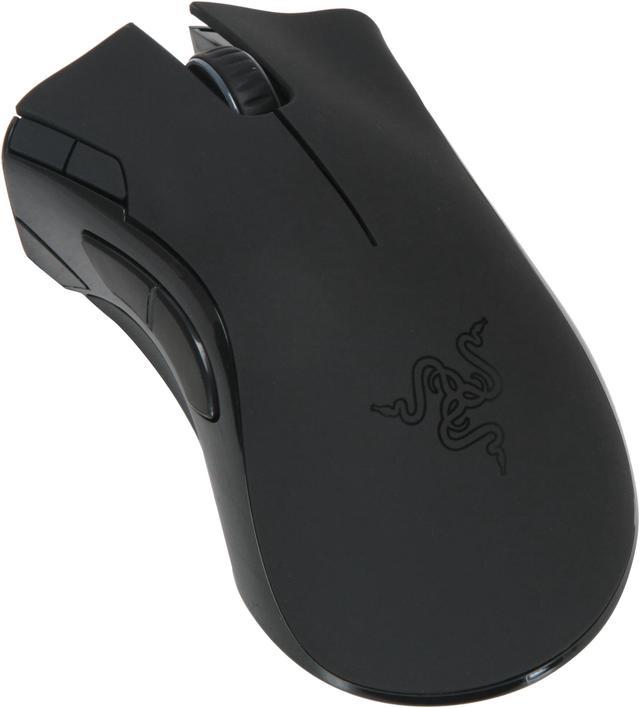
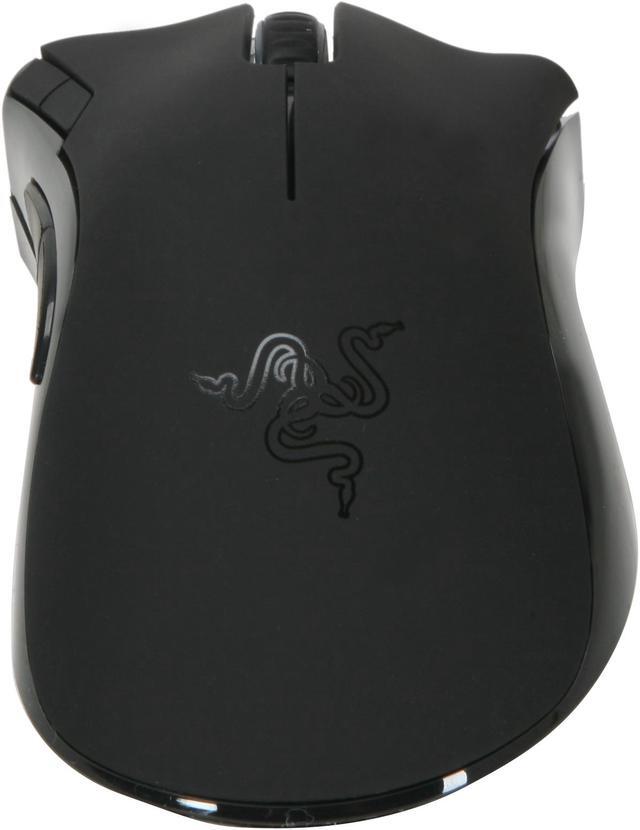
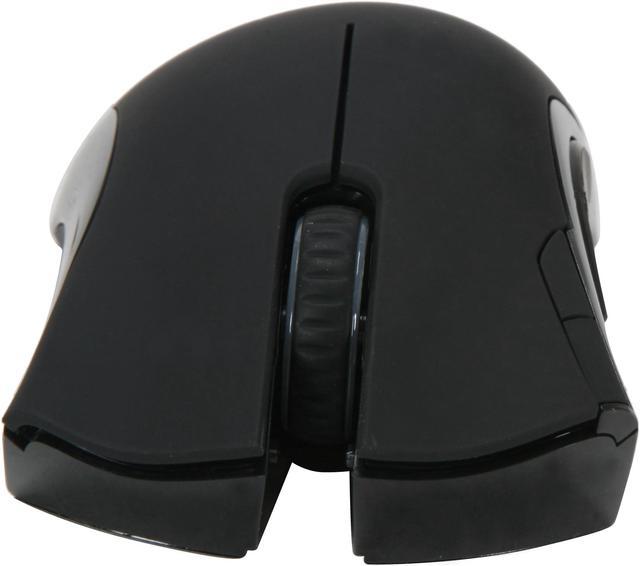
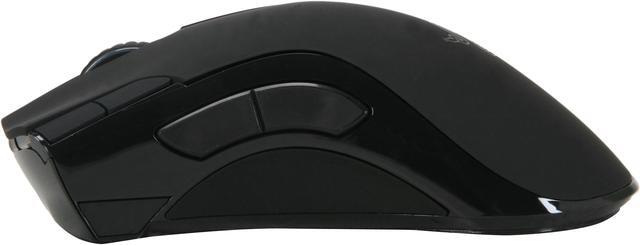
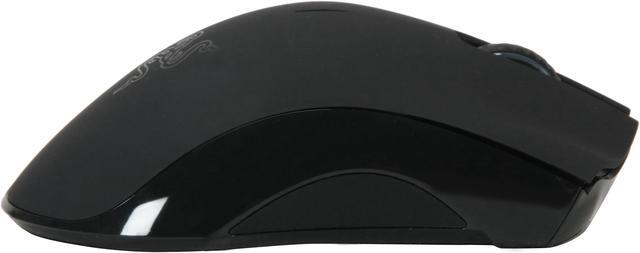
RAZER Mamba Black 7 Buttons USB Laser Gaming Mouse - Dual Mode Wired/Wireless Functionality - Retail

newegg
RAZER Mamba Black Laser Gaming Mouse - Dual Mode Wired/Wireless Functionality - Retail
Image Viewer

RAZER Mamba Black Laser Gaming Mouse - Dual Mode Wired/Wireless Functionality - Retail RAZER Mamba Black Laser Gaming Mouse - Dual Mode Wired/Wireless Functionality - Retail RAZER Mamba Black Laser Gaming Mouse - Dual Mode Wired/Wireless Functionality - Retail RAZER Mamba Black Laser Gaming Mouse - Dual Mode Wired/Wireless Functionality - Retail
360 View

$129.99

Free Shipping*
Add item to Cart
Add item to Wish List
Email This Page
Print This Page
Price Alert


Extended Warranty Available

expand for details

* Free shipping not available to AK, HI and PR.

Special Offers

NPA

No interest for up to 12 months. Plus, New Preferred Account Customers: Save $20 off $100.
Subject to credit approval. Details


BML

No Payments for up to 6 months.  Minimum purchase required.
Subject to credit approval. Details

Similar Items

Not the product you're looking for? We can make some suggestions to help you decide on a product that fits your needs.
view similar products

Combos & EssentialsManufacturer InfoReturn Policies

Return Policies

This item is covered by Newegg.com's Standard Return Policy.

  • Return for refund within: 30 days
  • Return for replacement within: 30 days
  • Restocking Fee: Yes
OverviewCustomer ReviewSpecificationsProduct Tour
Nothing gives you more freedom than a wireless mouse, and it's hard to beat the frenzy of wired play. The Razer Mamba brings you the best of both worlds, with the ability to switch between wireless gaming nirvana, and the powerhouse rush of wired play.

Featuring 2.4 GHz gaming grade wireless technology, the Mamba communicates on a large number of 2.4 GHz channels to avoid those with a lot of interference. This maximizes the resistance to wireless static, minimizing it to almost non-existent. The 1 ms polling rate allows the mouse to respond to your movements almost instantaneously. By connecting the Razer Mamba via its USB cable, it converts into a wired mouse – free you from battery life worries as the battery is charged while you play.

With the world’s fastest 5600DPI Razer Precision 3.5G Laser sensor, move with lightning speed and precision to easily escape from becoming prey. The Razer Mamba also includes a host of features like an on-the-fly sensitivity switch, battery life & DPI stage indicator, and Razer Synapse on-board memory that lets you store and bring your gaming profiles, macro strings and commands wherever you go.

Review Summary (read more reviews, write a review)

5
newegg
53%
4
newegg
17%
3
newegg
9%
2
newegg
12%
1
newegg
9%
Product Rating:
Total Reviews: 117

AWESOME mouse

white Reviewed By: N/A on 4/18/2009
Rating + 4
Tech Level Tech Level: high - Ownership: 1 day to 1 week
This user purchased this item from Newegg
Pros: Unbelievably good tracking. Doesn't seem like a wireless mouse. At least I cant hardly tell the difference between wired/wireless. Yes, its that good. Tested it right off the bat w/ FEAR 2, and i couldnt tell that it was wireless, theres literally NO lag. I'm VERY impressed razer pulled this off.
Docking station is cool. Mouse shuts off after a minute to save the battery. Move it and it comes back on. Good weight to it, perfect and fits my hand well. I dont have big hands either. Very similar to the deathadder, almost identical. Overall, a very good mouse, well worth the money spent. Kudos to razer for a very good product.
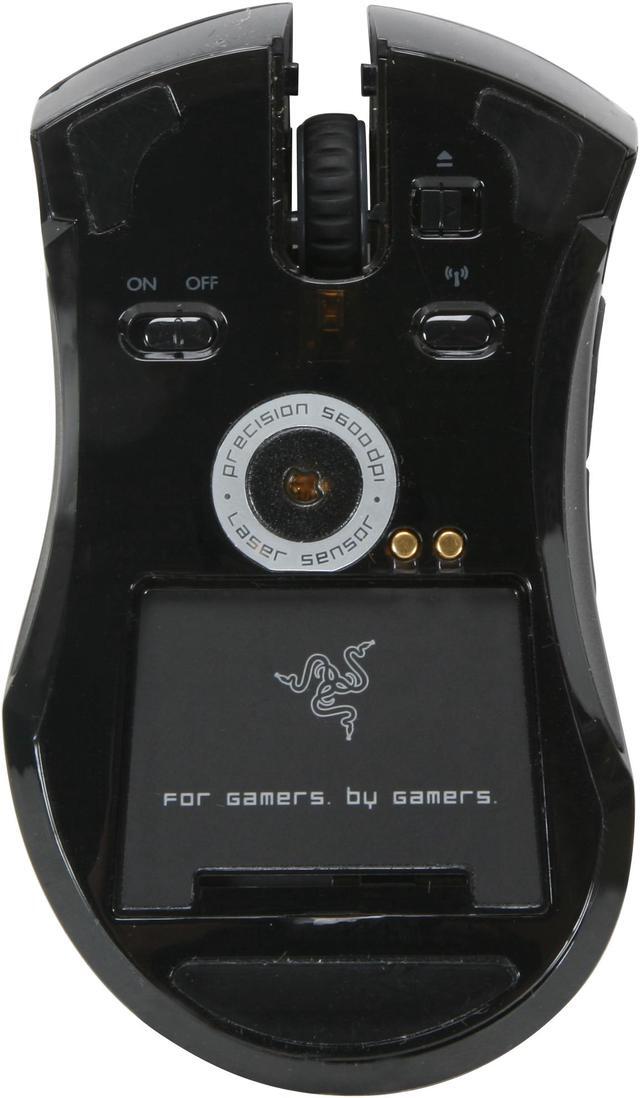
Cons: There's a silver lining under the mouse where it says 'precision laser sensor 5600DPI'. THAT ALONE is what is causing people to complain about the jittery cursor. It was the same problem/jitter with the lachesis untill i took it off, and no more jitter. Email razer support and they will send you a teflon replacement ring FOR AROUND THE SENSOR and walaa problem solved.
BUT, this is something that SHOULDNT have been overlooked by razer. They should have not bothered with the silver ring around the sensor and just placed the teflon ring there and they would have saved a lot of complaints about mouse/jitters since this the the MAIN reason its getting so many complaints and bad ratings.

Software is limited. No more scroll speed, or advanced settings like double click speed etc like in the previous razer mouse software. Software has taken a step back in features. Hopefully they will include the former features in future releases.
4 eggs, not 5 because of the silver ring jitter is
Other Thoughts: READ THE MANUAL that comes with it FIRST before you do anything with the mouse. Make sure to do the firmware update AFTER you install the drivers. VERY IMPORTANT as this solves some issues.
The doc isnt very clear on their website in how to update the firmware. Plug ANOTHER mouse into the system and update the firmware on the mouse FIRST (WIRED MODE) then the docking station SECOND, because the mamba will be unusable until the firmware is updated and you have to use the other mouse to navigate. Its a snap, and just takes a few minutes.
Dont be fooled by the 'pull tab' plastic piece like i was where the battery goes. Its made to make battery removal easier, but i misread it and almost made it so i cant remove my battery lol. Luckily its EXTREMELY hard to remove.
Dont let the jitter complaints discourage you about buying the mouse. Email razer customer support for a teflon replacement. Yes, it jitters some, but very fixable though, the end user SHOULDNT have to do the fixing.
29 out of 30 people found this review helpful. Did you? Yes No

Great Bling; So-So Functionality

white Reviewed By: Noir on 5/7/2009
Rating + 3
Tech Level Tech Level: somewhat high - Ownership: 1 month to 1 year
Pros: Great presentation, nice look, moves well. Good documentation. My hand is medium-small and I use a claw hand grip, which this mouse accommodates well. Palming makes the scroll wheel and forward/back buttons hard to use. Good wireless reception - can use it from the couch watching anime on the monitor. Best functionality for me in wired mode but requires that you plug directly into computer. Like the braided cord and matching blue lights on the base and mouse. Basically bought this for the bling factor and to match my blue-lighted new rig and keyboard. For that reason, and because of my research, I was not that upset with all the hassles I knew as coming. Since I play mostly RPG type games, the Mamba hasn't added much to my gaming experience but it is nice to have more options to branch out if I would like.
Cons: Time-consuming to set up - requires driver download, firmware upgrade (for stand and mouse), sensor ring surgery, and lots of tweaking. Bring your lunch.
Took about 2 weeks to make it functional. Compared to the MX Revolution, tracking not as good and is often histrionic even at 1200 dpi. The Revolution warned about low batteries with clear display and screen message. Not so with the Mamba - mouse blinks a few times then goes dead until you find 3-5 hours to recharge. The Mamba uses the same indicator for dpi and wireless battery usage, so tend to not see it, and the dpi indicator bar method is not intuitive. After 7 unused minutes in wireless mode, mouse sleeps which is an annoying time lag. Miss the zoom wheel from my other mouse and the Mamba is on the light side for me even with the battery in - prefer a heavier mouse. Battery never charges passed 70%, even after being in wired mode for days.
Other Thoughts: This mouse is an acquired taste - kind of like having a hot girlfriend that PMS's once a week. Razer's brand seem long on design, short on functionality and utility based on my experience and many reports of problems with their products. Not sure why they are so popular. Tech support is responsive but not attentive and not that helpful besides sending the new sensor ring. Be aware that unplugging the cable requires you to slide the "cable button" under the mouse to the right - almost ripped the cord out. Also, understand when to shut the mouse off, when to have it on, and when to have it wired. For example, writing profiles to the mouse is faster in wired mode. Personally, I think the Mamba is overpriced, especially for causal gamers. Do a LOT of research and comparison so you are well aware what you are getting into when you buy this mouse and to be sure that you will really use the bells and whistles it offers.
14 out of 20 people found this review helpful. Did you? Yes No

Quick Specs (view all30)

ModelRZ01-00120100-R3U1
InterfaceUSB
Hand OrientationRight
Tracking MethodLaser
Buttons7

Review Summary (read all 117 Reviews, write a review)

5
newegg
53%
4
newegg
17%
3
newegg
9%
2
newegg
12%
1
newegg
9%
Product Rating:
Total Reviews: 117

Awesome

white Reviewed By: Core2Lord on 11/18/2009
Rating + 4
Tech Level Tech Level: high - Ownership: 1 week to 1 month
Pros: No lag. Wireless, i hate wired mouses but i also started to hate the lag. You cant till with this. The looks are epic and its confortable. Just plug it in when the batt get low as your loading that next level for no down-time :)
Cons: $
Did you find this review helpful? Yes No

Pretty Great

white Reviewed By: Wartoad on 11/17/2009
Rating + 4
Tech Level Tech Level: high - Ownership: 1 month to 1 year
Pros: Fast, smooth, sleek, perfect weight. Just great- feels perfect in your hand.
Cons: Battery dies awful fast- I constantly have to plug the wire in. Razer software is very comprehensive but a little slow.
Other Thoughts: If you can afford it and want the best mouse around, this is it, bar none. I have owned most every Razer mouse (gave up the Lachesis for this) and a few Logitechs and this has it all, assuming you like the design.

The packaging is ridiculous, but I guess Razer wanted to show off. Mine's in the trash-
Did you find this review helpful? Yes No

white Reviewed By: Hamltnblue on 10/29/2009
Rating + 1
Tech Level Tech Level: high - Ownership: 1 month to 1 year
Pros: Fast response,
Cons: Thumb button design makes it difficult to puch forward button.
Very poor driver support (4 delays for windows 7 with no firm date)
No windows 7 firmware support.
Other Thoughts: The mouse works with bugs in winodws 7 and is on par with a 50 dollar mouse. Eventual drivers might fix but not the support expected for a high end product.
2 out of 2 people found this review helpful. Did you? Yes No
Model
Brand RAZER
Model Mamba
Spec
Interface USB
Hand Orientation Right
Tracking Method Laser
Buttons 7
Color Black
OS / System Requirement
Operating System Supported Windows 2000 / XP / X64 / MCE 2005 / Vista / Vista64
System Requirement 1 USB Port; CD-ROM Drive
Features
Features Gaming Grade Wireless Technology
Dual Mode Wired/Wireless Functionality
Razer Synapse On-board Memory
Seven independently programmable Hyperesponse buttons
5600DPI Razer Precision 3.5G Laser sensor
1000Hz Ultrapolling / 1ms response rate
Up to 200 inches per second*/ 50g acceleration

Introduction

Nothing gives you more freedom than a wireless mouse, and it's hard to beat the frenzy of wired play. The Razer Mamba brings you the best of both worlds, with the ability to switch between wireless gaming nirvana, and the powerhouse rush of wired play.

Featuring 2.4 GHz gaming grade wireless technology, the Mamba communicates on a large number of 2.4 GHz channels to avoid those with a lot of interference. This maximizes the resistance to wireless static, minimizing it to almost non-existent. The 1 ms polling rate allows the mouse to respond to your movements almost instantaneously. By connecting the Razer Mamba via its USB cable, it converts into a wired mouse – free you from battery life worries as the battery is charged while you play.

With the world’s fastest 5600DPI Razer Precision 3.5G Laser sensor, move with lightning speed and precision to easily escape from becoming prey. The Razer Mamba also includes a host of features like an on-the-fly sensitivity switch, battery life & DPI stage indicator, and Razer Synapse on-board memory that lets you store and bring your gaming profiles, macro strings and commands wherever you go.

Highlights

newegg Gaming-grade Wireless Technology
Razer’s gaming grade wireless technology delivers a dependable wireless connectivity free of lag and interference, so you can reap the benefits of wired play while enjoy true wireless freedom.
newegg Dual Mode Wired/Wireless Functionality
With the Razer Mamba’s dual mode wired/wireless functionality, seamlessly switch between wireless and wired play simply by plugging in or unplugging the USB cable.
newegg Razer Synapse Onboard Memory
With upgraded Razer Synapse onboard memory, store more profiles and longer macro strings on the Razer Mamba without the need for software.
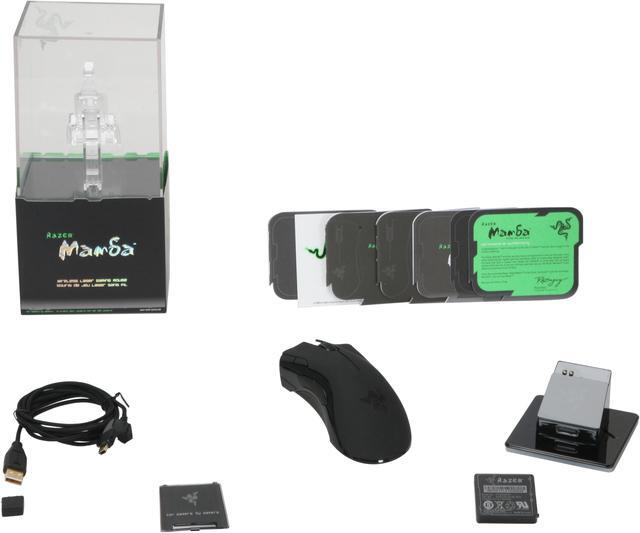
newegg Stylish Charging Dock/Wireless Receiver
The Razer Mamba recharges in the wired mode and also comes with a stylish charging dock which doubles as the wireless receiver.


Quick Specs

BrandRAZER
Tracking MethodLaser
Buttons7
InterfaceUSB
System Requirement1 USB Port; CD-ROM Drive
Hand OrientationRight
ColorBlack
Home
Home. > 
Computer Hardware0_. > 
Input Devices1_. > 
Mouse2_. > 
RAZER3_. > 
Item#:N82E16826153048
NeweggBusiness
For Business Needs
EggXpert.com
Newegg Community
|NeweggMall.com
Shop Multiple Retailers
Shop by Region: United States | Canada | China
VeriSignReseller RatingsReliability Seal1This site protected by Trustwave's Trusted Commerce programInc500
Policy & Agreement | Privacy Policy | NeweggBusiness | Newegg Canada  © 2000-2009 Newegg Inc.  All rights reserved.
If the Adobe Reader does not appear when you click on a link for a PDF file, you can download Adobe Reader from the Adobe web site. nassau