Skip to: |

Newegg.com - A great place to buy computers, computer parts, electronics, software, accessories, and DVDs online. With great prices, fast shipping, and top-rated customer service - once you know, you Newegg.

If you are reading this message, Please click this link to reload this page.(Do not use your browser's "Refresh" button). Please email us if you're running the latest version of your browser and you still see this message.

Newegg.com - Computer Parts, Laptops, Electronics, HDTVs, Digital Cameras and More!

  • | Wish List
  • Help
Printers / Scanners & Supplies
Search
Home
Home > 
Computer Hardware > 
Printers / Scanners & Supplies > 
Laser Printers > 
Canon USA > 
Item#: N82E16828102728

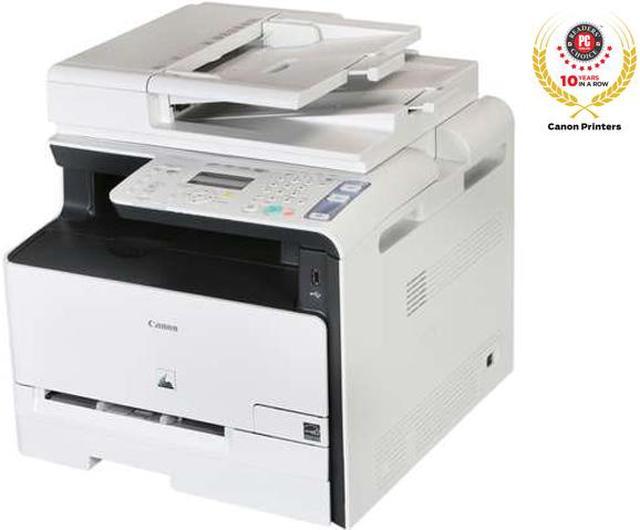
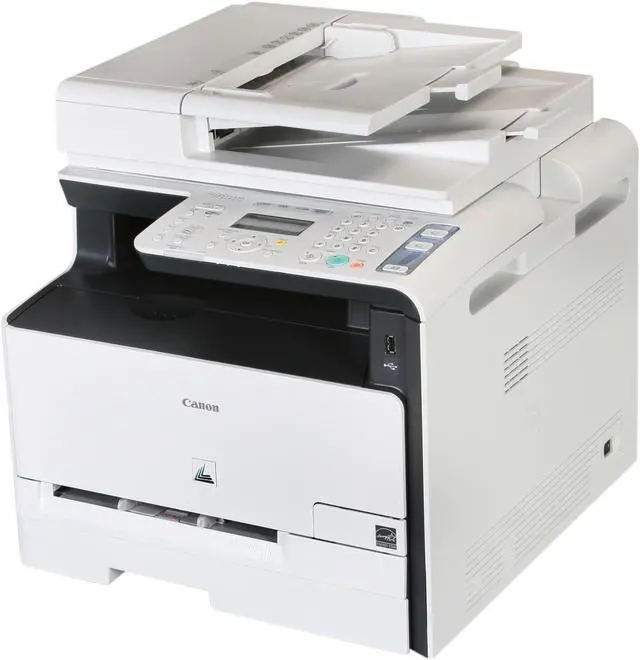
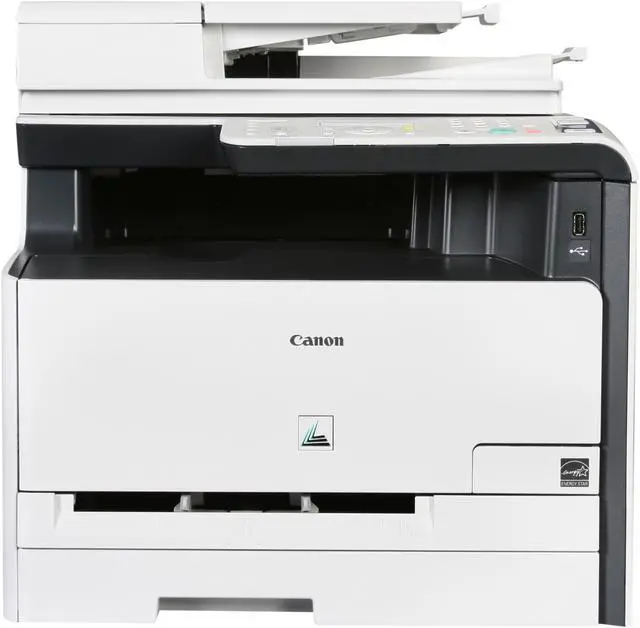
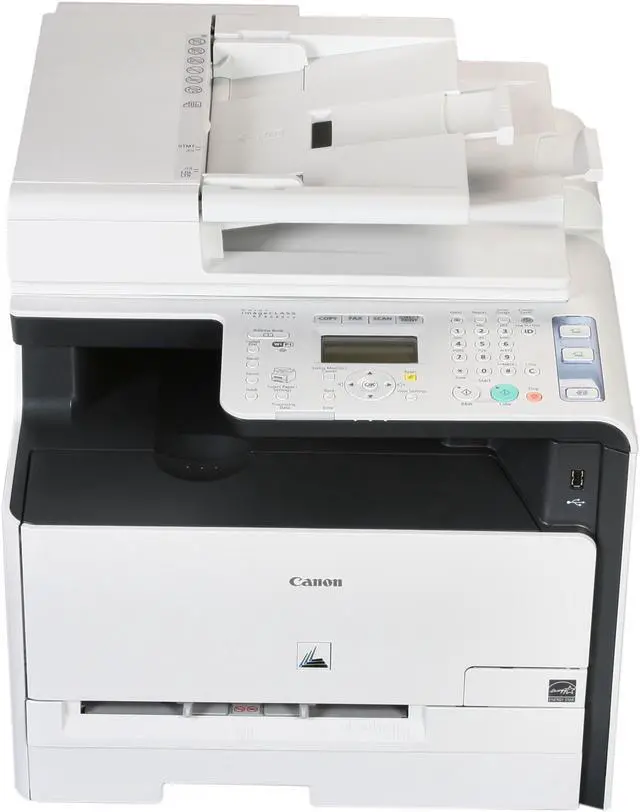
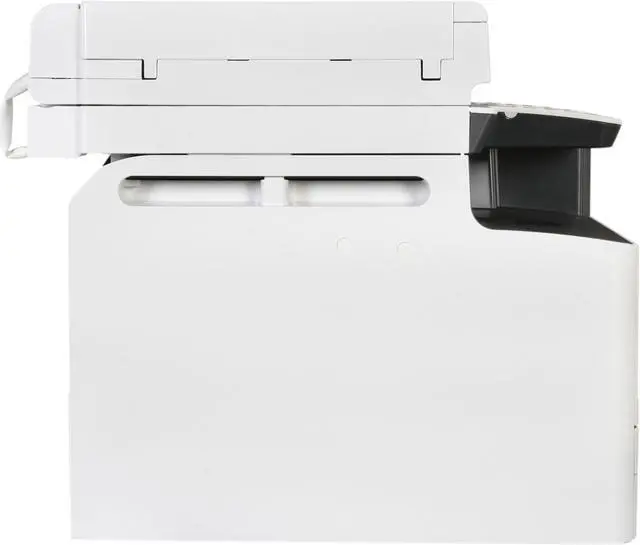
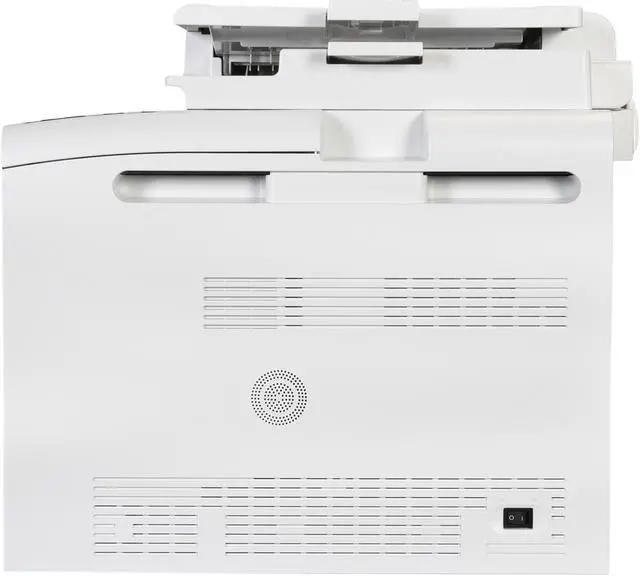
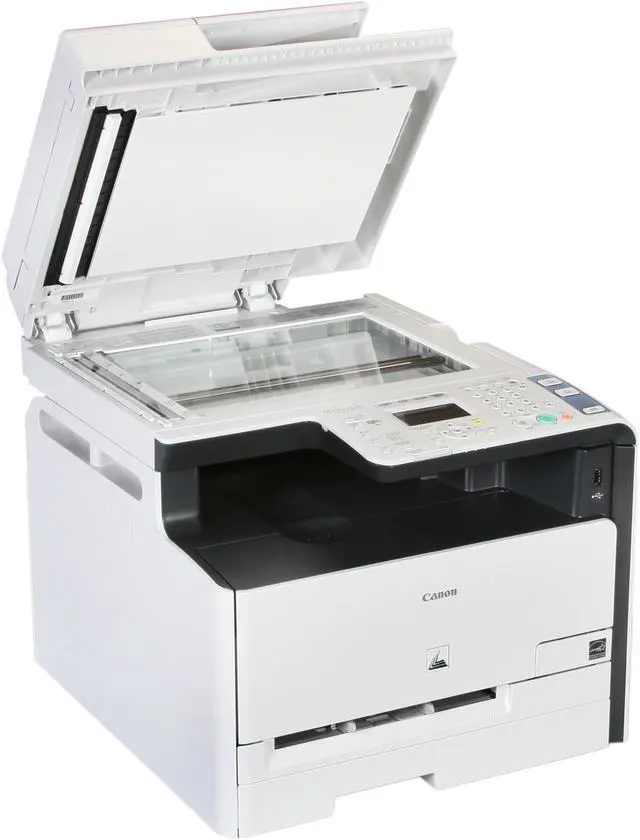
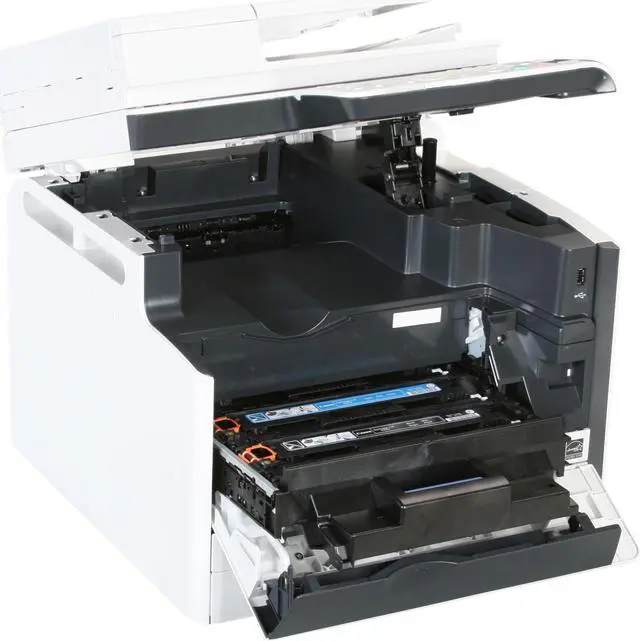
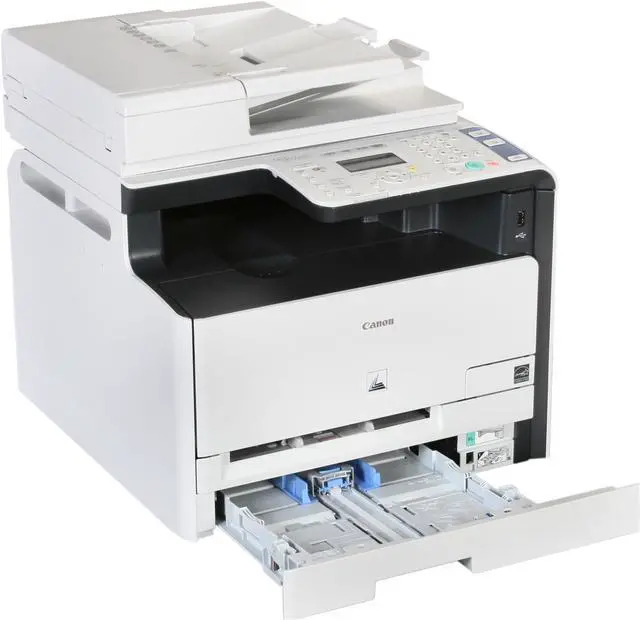
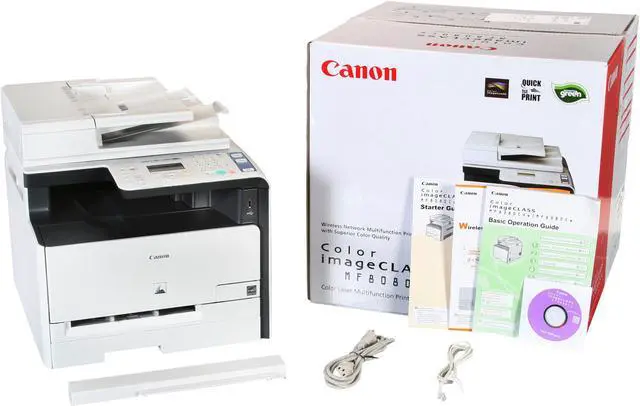
Canon Color imageCLASS MF8080Cw MFC / All-In-One Up to 12 ppm 2400 x 600 dpi Color Print Quality Color Wireless Laser Printer

  • Up to 12 ppm
  • 600 x 600 dpi Black Print Quality
  • Ethernet 10/100BaseTX (RJ-45)
  • 128MB (Shared) Memory, std.
  • Pin It
  • Email this page
ICON Loading...

Designed for ease-of-use in your home or small office, the Canon color imageCLASS MF8080Cw gives you access to sophisticated features and high-performance technology in one compact and affordable solution. The MF8080Cw allows you to print and copy at up to 8 ppm in color, and at up to 12 ppm in black & white, and lets you scan in color up to 9600 dpi quality (interpolated). Its WiFi capability enables you to access all functions wirelessly, with encryption mode and easy setup support methods. Also, you can share printing, PC faxing and scanning directly from a PC with the built-in Ethernet port for networking.

The MF8080Cw is easy to use with the user-friendly front panel. One Touch Button support gives you instant access to key functions such as Secure Print, Easy Scanning and Paper Save Copying (2-in-1 combination), helping you save time and increase office efficiency. The smart paper handling of the MF8080Cw includes a 150-sheet cassette, 1-sheet multipurpose tray, and a 50-sheet document feeder for your convenience. Connect your USB removable media to the USB port located conveniently in the front of the machine to print or scan your letter, statement, or legal-sized documents.

  • newegg Smart, Compact Design with User Friendly Control Panel Designed for ease of use in your small office environment, the MF8080Cw provides access to the control panel, supplies and paper sources right from the front of the unit. It features One Touch Button support that gives you instant access to key functions and is featured directly on the control panel. The 5-line LCD with graphic display provides outstanding usability while guided user animation within the display simplifies once complex tasks with illustrated on-screen instructions.
  • newegg Wireless Capabilities By going wireless, you’ll have the freedom to conveniently send print jobs to your device from any location in your home or small office. The MF8080Cw has a Wi-Fi Protected Setup (WPS) option for a one-touch connection to simplify the task of connecting your device to a wireless network. Furthermore, you’ll reduce wiring clutter and help prevent security breaches with WEP and WPA-PSK.
  • newegg Fast Printing Why waste time waiting for your print to arrive? The MF8080Cw delivers fast and accurate printing. With Canon’s QFP technology, your first print will arrive in approximately 22 seconds in black & white and 28 seconds in color. Documents are ready in a short time, at print speeds up to 8 pages-per-minute (ppm) in color and 12 ppm in black and white.
  • newegg Intuitive Scanning Enjoy stress-free scanning with simple installation and easy operation. Customize your scanning needs in advance to transmit a scanned image directly into a network folder, a bundled document management and OCR software program, or as an email attachment. You can even scan in Canon’s business-friendly high compression PDF mode, which reduces file size without compromising image quality.
  • newegg Superior Color Imaging The Superior Color Imaging Technology featured in the MF8080Cw captures fine details with remarkable tone-on-tone clarity, helping images stay true to the original. Canon Pure Black Technology ensures the richest blacks by utilizing only the black toner instead of traditional methods of combining toner colors.
  • newegg Enhanced Features For added flexibility and user-convenience, the Color imageCLASS MF8080Cw is equipped with unique features, such as: ID Card Copy, Auto Fax Forwarding, and Department ID Management which enables you to set limits on who can use the machine and how much they can print, copy or scan. The MF8080Cw uses approximately 3 watts of energy during Energy Saving Mode and meets Energy Star guidelines, saving you money on energy costs.

Learn more about the Canon USA MF8080Cw

General

Brand
Canon
Series
Color imageCLASS
Model
MF8080Cw
Part#
5119B001
Recommended Use
MFC / All-In-One
Dimensions
17.0" x 19.2" x 16.9"
Weight
Approx. 52.0 lbs. (w/o cartridge)
Approx. 57.4 lbs. (w/ cartridge)

Printing

Output Type
Color
Laser Technology
Laser
Black Print Speed
Up to 12 ppm
Color Print Speed
Up to 8 ppm
Black Print Quality
600 x 600 dpi
Color Print Quality
2400 x 600 dpi
Print Languages, std.
Canon UFR II LT (Host-based)

Copying

Copy Speed, Black
Up to 12 cpm
Copy Speed, Color
Up to 8 cpm
Copy Quality, Black
600 x 600 dpi
Max. Document Enlargement
400%
Max. Document Reduction
25%

Scanning

Scan Element
CIS
Scan Color Depth
24bit
Scan Resolution, Optical
600 x 600 dpi
Scan Resolution, Enhanced
9600 x 9600 dpi
Scan Maximum Document Size
Platen: Up to Letter
ADF: 5.5" x 5" to Legal

Fax SPEC

Fax Memory
Up to 512 pages
Fax Resolutions
Up to 406 x 391 dpi (ultra fine)
Modem Speed
33.6kbps
Fax Features
Remote RX, Dual Access, Distinctive Ring Pattern Detection, Error Correction Mode, Auto Redial, Fax Activity Reports
PC Fax (sending only)
Fax Forwarding
Memory Backup (5 minutes)

Media Handling

Output Capacity, std.
125 sheets (facedown)

Ports

USB Ports
Yes
Network Ports
Ethernet 10/100BaseTX (RJ-45)
Other Ports
IEEE 802.11 b/g/n
Connectivity Technology
Wireless

Hardware SPEC

Memory, std.
128MB (Shared)
Cartridges Compatible
Cartridge 116 (Yields: 1,500 CMY/2,300 Black pages*)

Maximum Monthly Duty Cycle: 30,000 pages

*Yield is based on ISO/IEC Standard
Power Consumption
Max: 900W
Energy Saver: 3W (wired) / 4W (wireless)
Standby: 15W

Compatibility

Windows Compatible
Windows 7, Windows Server 2008 (R1/R2), Windows Vista, Windows Server 2003, Windows XP/2000
Macintosh Compatible
Mac OS X 10.4.9 and up (print only)

Features

Features
Linux Compatibility (print only)

Print and copy at up to 8 ppm in color, and at up to 12 ppm in black & white

Quick First Print provides first print time of approximately 22 seconds in black & white and 28 seconds in color

WiFi Capabilities: Print, Scan and PC Fax at up to 802.11n speed

Scan in color up to 9600 dpi quality (interpolated) with up to 600 dpi optical resolution
Scan to USB for documents on the go

150-sheet cassette plus 1-sheet multipurpose tray

Up to 50-sheet4 ADF (Automatic Document Feeder)

33.6 Kbps Super G3 fax

Remote device management through embedded web server

USB 2.0 Hi-Speed for optimal performance

Efficient energy-saving mode; approximately 2.1W (wired), 2.5W (wireless) of energy used

User-friendly 5-line LCD for easy navigation

Password-protected Department ID Management helps to control device usage

Single Cartridge System for cost-efficient supplies replenishment

Packaging

Package Contents
MF8080Cw
Setup Instructions
Power Cord
Registration Card
Starter Cartridges 116
Manuals
User Software CD-ROM
Warranty Card
Software Included
Canon Drivers, MF Toolbox, Document Management & OCR Software

Quick Info

Warranty

  • Limited Warranty period (parts): 1 year
  • Limited Warranty period (labor): 1 year


Customer Reviews of the Canon USA MF8080Cw

Do you own this product? Write a Review

Filter Results

Go
  • N/A
  • 5/17/2013 6:42:57 AM
  • Tech Level: High
  • Ownership: 1 month to 1 year
  • Verified Owner

5 out of 5 eggsGreat Alternative to Inkjets

Pros: It is a great printer that effortlessly networks both PC and Mac. For home office use I think I got a great deal. The toner is relatively affordable with several third party suppliers. At $170 with a starter kit of toner it easily beats out ninety nine percent of the cheap ink jets. I got more copies out of the starter toner than I expected, just shy of 900 prints, mostly legal sized docs.

Cons: I wish the paper hopper was deep enough to hold a full ream of paper.

Other Thoughts: This is not a full on office printer. Don't expect it to print out 500 pages without heating up. It will put out two copies of a thirty page contract without any fuss. It also faxes without much fuss either just be weary of finger prints on the pass through scanner part. Not the greatest color printer. Don't expect full on glossy prints from your vacation. However, adding a touch of color to a resume, instructions or flyer it is great. The USB navigation can be a bit clunky if your memory card is poorly organized.

1 out of 1 people found this review helpful. Did you? Yes No

  • N/A
  • 5/11/2013 12:38:40 PM
  • Tech Level: High
  • Ownership: 1 month to 1 year
  • Verified Owner

5 out of 5 eggsVery good

Pros: Print quality = very high. Wifi no problems.

Cons: It is BIG.

Other Thoughts: In the 400-500 price range it's a tough sell. I bought at a big discount from Newegg (around 250 bucks!!) If you get a good price like I did (<$300) it's a steal

1 out of 1 people found this review helpful. Did you? Yes No

  • Vigilante
  • 5/6/2013 7:02:38 PM
  • Tech Level: High
  • Ownership: 1 day to 1 week
  • Verified Owner

2 out of 5 eggsPrice was very good!

Pros: Fast scans, excellent color print quality, low price.

Cons: Won't automatically remote scan. When set up to "remote scan", you can't print. That's another trip to the machine.

Other Thoughts: I bought this to replace a Brother MFC-7440n, because I wanted to print color occasionally. After all the scanning and printing hassles, I re-installed the Brother as my primary MFC. The Canon will be relegated to the other room as a specialty, color printer.

1 out of 1 people found this review helpful. Did you? Yes No

  • N/A
  • 5/4/2013 6:47:51 PM
  • Tech Level: Somewhat High
  • Ownership: 1 month to 1 year
  • Verified Owner

4 out of 5 eggsBest printer price value I ever had.

Pros: Price and scan speed super fast. High quality prints even though I am used to inkjet prints.

Cons: Sometimes stops during printing to align and you have to set the machine for remote scan when using acrobat, but the plus is you can scan from the unit and send images to the computer by working with the Canon alone. The paper tray only holds the equivalent of a very small printer. Having said all this, the low price makes me ignore any negatives and I just bought my 4th unit in 2 months, three for home and office use and one I am donating to my congregation.

1 out of 1 people found this review helpful. Did you? Yes No

  • Stan
  • 4/30/2013 4:32:54 PM
  • Tech Level: Average
  • Ownership: 1 month to 1 year
  • Verified Owner

2 out of 5 eggsSlooooow

Pros: Cheap

Cons: Slow. Really slow. Pain in the rear slow. Wish you spent a little more and got a faster one slow.

Other Thoughts: Would not buy this again. Nuff said.

0 out of 2 people found this review helpful. Did you? Yes No

  • urdandy
  • 4/30/2013 9:25:12 AM
  • Tech Level: Average
  • Ownership: 1 week to 1 month
  • Verified Owner

4 out of 5 eggsNot bad printer

Pros: 1. Great print quality. pretty good!
2. Fast scan
3. Color copy quality. nice!

Cons: 1. Slow printing speed (color)
2. Remote scan method. If you want to scan something on your PC, you must select "remote scan" on the machine.
3. remote Scan quality. It is not good.

Other Thoughts: I don't use it as a fax machine. So, I don't test its performance as a fax machine.

Somebody feels that it is difficult to connect WIFI, but I don't agree with them. It is too easy for me.^^
Overall, this MFC is not bad. I'm satisfied with it.

1 out of 1 people found this review helpful. Did you? Yes No

  • L-Dogg
  • 4/27/2013 7:33:54 AM
  • Tech Level: Somewhat High
  • Ownership: 1 week to 1 month
  • Verified Owner

5 out of 5 eggsLove it so far...

Pros: -Prints look great
-Warm up/wake up time is reasonable
-Setup was pretty easy (see "other thoughts")
-Couldn't beat the price for a color multifuntion laser when I got it as a Shell Shocker

Cons: -Starter toner (is only about 1/3-1/2 what retail cartridges would be filled with but hey... honestly, what printer doesn't come with starter toner/ink these days"
-Its a beast... almost belongs in a garage not your home office :D. Hopefully that somehow will translate into built quality and durability.

Other Thoughts: I have really only used the printing function so far but have been very happy with it.

Setup was a breeze on two Windows 8 x64 boxes and one Ubuntu 12.04LTS linux box. I downloaded the drivers directly from their site and had no problems with Tool Box running in Win8 but I believe its not available in linux.

Some people on other sites have complained about the speed of this unit but if you look at the actual specs it seems to be pretty on point. Funny how you can't expect 30ppm from a 12ppm printer...

Did you find this review helpful? Yes No

  • N/A
  • 2/11/2013 5:10:58 PM
  • Tech Level: High
  • Ownership: 1 month to 1 year
  • Verified Owner

1 out of 5 eggsNot impressive

Pros: Nothing else than other printers

Cons: Slow
Fax does not work all the time
Scan limited to 300dpi, can't change it
Downloaded driver for windows 8 from canon website but still the control center does not open.
Takes almost 1 minute to resume from standby
Hopefully nothing else

3 out of 7 people found this review helpful. Did you? Yes No

  • BBU
  • 11/27/2012 10:38:33 AM
  • Tech Level: High
  • Ownership: 1 month to 1 year
  • Verified Owner

5 out of 5 eggsGreat Printer

Pros: I have an older Imageclass that I have been very happy with but it is not color. Print is clear and readable. Color images are nice and crisp. Aftermarket toner is priced pretty reasonably. This is a good deal and Canon has great support. Documentation is very good.

Cons: Have to cycle power to turn wifi on or off (not a big deal). A little menu intensive. Holds only a half ream of paper and has weird extension tfor the feed tray to print legal size.

Other Thoughts: I am very happy with the unit after a month. I would think of it as a solid home/office piece of equipment. Priced the way it is, you will strugle to get better features in a laser for your money. For the money it gets 5 eggs. If you want a much better unit, Canon sells those in too.

4 out of 5 people found this review helpful. Did you? Yes No

  • John Strange
  • 2/7/2012 9:00:05 PM
  • Tech Level: Somewhat High
  • Ownership: 1 week to 1 month
  • Verified Owner

3 out of 5 eggsRMA

Pros: Not many I was able to find.

Cons: You have to manually press the eco button, then the scan button, then arrow down to network and then OK if you want to scan via wifi. What kind of wireless printer is that?

Other Thoughts: I ordered this around xmas time. My pc went down so I ordered a new laptop. By the time I set everything up and printed 31 days had passed. Part of the text was cut off on the right side, every other paper got jammed, and the scan issue. I called Newegg and was stuck STORE CREDIT! 31 days and it was ordered with xmas money I received and did not work. I feel like newegg jacked me and I am not just upset about the printer but now I am stuck with store credit. I only buy from the cheapest at the time, so if they are not the cheapest when I get my "gift card" I will take the loss mean while I pay interest on my CC for an item I no longer have. I will think SERIOUSLY about ordering from newegg ever again!!

5 out of 40 people found this review helpful. Did you? Yes No

ICON Loading...

Protect Your Investment!

    • (more options) read warranty details
Are you an E-Blast Insider? Subscribe Newegg e-Blast

Buzz

Great features for the price

3 out of 5 eggs
The Wi-Fi works great and was easy to set up. The USB port on the front is handy. You can scan directly to a USB flash drive ...
— Coreylg 11/3/2011

Great Alternative to Inkjets

5 out of 5 eggs
It is a great printer that effortlessly networks both PC and Mac. For home office use I think I got a great deal. The toner ...
— 5/17/2013


PayPal
Shop without retyping payment details. Secure shopping made faster.
Check out with PayPal.

Financing


Home
Home > 
Computer Hardware > 
Printers / Scanners & Supplies > 
Laser Printers > 
Canon USA > 
Item#: N82E16828102728
LOADING... LOADING...
Shop by Region: United States | Canada | China
Follow us:   RSS Feeds Youtube
VeriSign Reliability Seal1This site protected by Trustwave's Trusted Commerce program Inc500
Policy & Agreement | Privacy Policy  © 2000-2013 Newegg Inc.  All rights reserved.
If the Adobe Reader does not appear when you click on a link for a PDF file, you can download Adobe Reader from the Adobe web site. nassau