Skip to: |

Newegg.com - A great place to buy computers, computer parts, electronics, software, accessories, and DVDs online. With great prices, fast shipping, and top-rated customer service - once you know, you Newegg.

If you are reading this message, Please click this link to reload this page.(Do not use your browser's "Refresh" button). Please email us if you're running the latest version of your browser and you still see this message.

Newegg.com - Computer Parts, Laptops, Electronics, HDTVs, Digital Cameras and More!

  • | Wish List
  • Help
Home
Home > 
Computer Hardware > 
Printers / Scanners & Supplies > 
Inkjet Printers > 
Brother > 
Item#: N82E16828113519

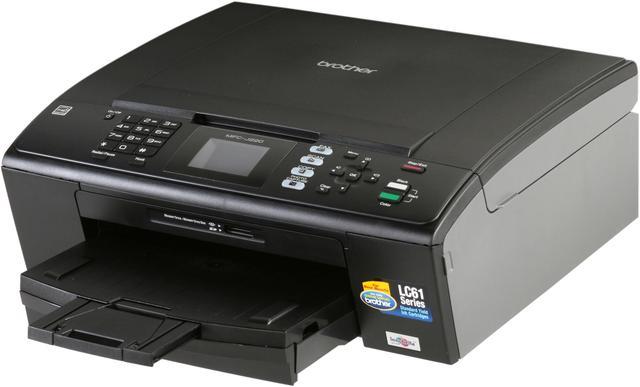
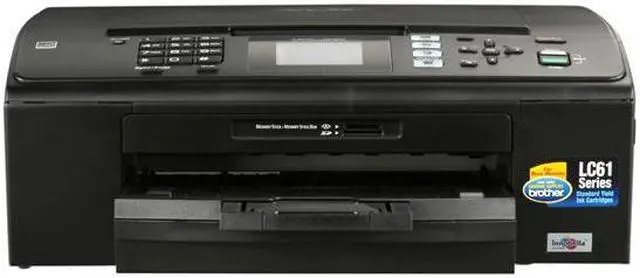
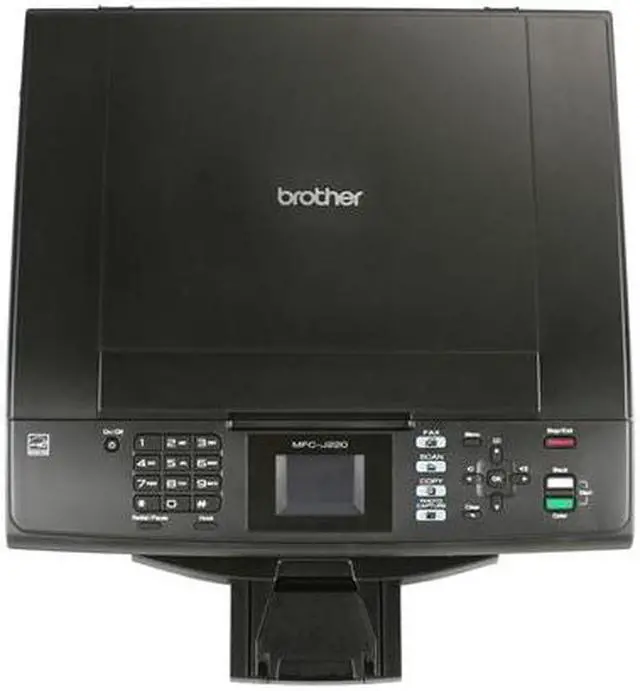
Brother MFC series MFC-J220 Up to 33 ppm Black Print Speed 6000 x 1200 dpi Color Print Quality InkJet MFC / All-In-One Color Printer

  • Up to 33 ppm Black Print Speed
  • Up to 27 ppm Color Print Speed
  • 1200 x 2400 dpi Scan Resolution, Optical
  • Color Fax
  • Pin It
  • Email this page
ICON Loading...

Learn more about the Brother MFC-J220

Model

Brand
Brother
Series
MFC series
Model
MFC-J220
Recommended Use
MFC / All-In-One

Printer SPEC

Print Technology
InkJet
Output Type
Color
Color Technologies
4-Cartridge Ink System
Black Print Speed
Up to 33 ppm
Color Print Speed
Up to 27 ppm
Black Print Quality
6000 x 1200 dpi
Color Print Quality
6000 x 1200 dpi
Max. Duty Cycle
Up to 2500 pages

Copier SPEC

Copy speed, Black
Up to 22 cpm
Copy speed, Color
Up to 20 cpm
Copy Reduction / Enlargement
25% - 400%

Scanner SPEC

Scan Resolution, Optical
1200 x 2400 dpi
Scan Resolution, Enhanced
19200 x 19200 dpi
Scan Technology
36bit

Fax SPEC

Color Fax
Yes
Fax Transmission Speed (seconds per page)
Approx. 6 Sec. Per Page
Fax Memory
Up to 170 Page Fax Memory

Paper Handling / Media

Input Capacity, std.
Up to 100-Sheet
Output Capacity, std.
50-Sheets
Media Type
Innobella Glossy 8.5" x 11" Photo Paper (BP71GLTR); Innobella Glossy 4" x 6" Photo Paper (BP71GP20), Brother Inkjet Plain Paper (BP60PL), Brother Matte Inkjet Paper (BP60ML), and 3M 3410 Transparency Film
Media sizes supported
Letter, Legal, Executive, Envelope (C5 Envelope, Com-10, DL Envelope, Monarch, JE4 Envelope), A4, Photo 4"x6", 5"x7", 5"x8", 8"x10"
Borderless Photo Sizes
8.5" x 11"

Hardware SPEC

Noise Level (Approx.)
50dB or Less
Modem Speed
14.4kbps
Cartridges Compatible
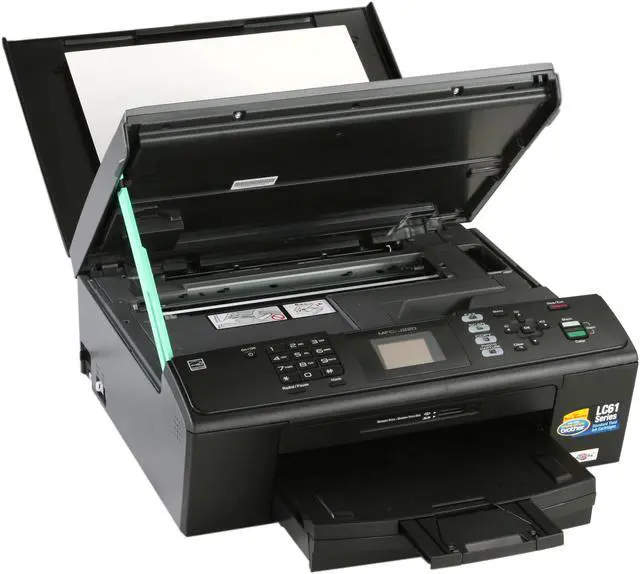
Cartridges LC61 Series: Innobella LC61-BK, LC61-C, LC61-M, LC61-Y
Power Requirements
AC 100-120V 50/60Hz
Power Consumption
4/6/29 W (Sleep/Ready/Copying)

Ports

USB Ports
Yes
Digital Media Memory Card Compatibility
SD, SDHC, MemoryStick, MemoryStick Pro and MemoryStick Duo

Compatibility

Emulations
GDI
Other
Printer Driver Compatibility: Windows / Mac OS
Mobile Device Compatibility: No

Features

Features
Convenient Built-in Fax. No PC required to send and receive documents.

1.9" Color LCD Display. For viewing images and easy menu navigation.

Direct Photo Printing on Demand. Print photos on demand directly from your media cards.

Fast Color Printing. With speeds up to 33ppm black and 27ppm color.

Versatile Scanning Capabilities. Easy to use scanning software and ability to scan directly to your media cards.

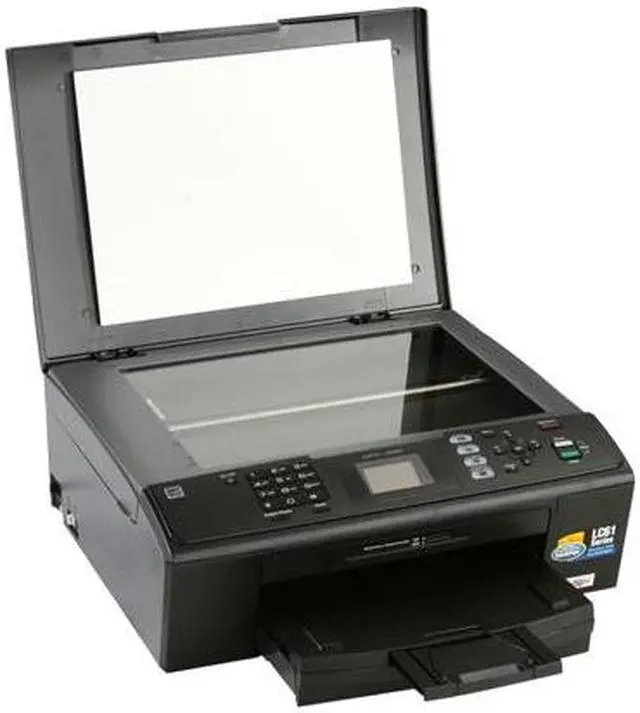
Flatbed Copying and Scanning. Flatbed copier allows you to copy bound, thick or odd shaped documents

Professional Printing Resolutions. With droplet sizes as small as 1.5 picoliters and high resolutions up to 6000 x 1200dpi.

4-Cartridge Ink System. Only change the cartridge that needs to be replaced.


Printer Feature:
Maximum Printing Size: 8.5" x 14" (Legal)
Borderless Printing: Yes

Fax Feature:
Out-of-Paper Reception: Yes
Telephone Handset: N/A
Message Center: N/A
External TAD Interface: Yes
Caller ID Ready: Yes
Call Waiting/ Caller ID/ Distinctive Ring Ready: No/Yes/Yes
Distinctive Ring Detection Ready: Yes
Broadcasting (# of locations): Yes (90 locations)
Auto Fax Reduction (for fax receiving): Yes
Fax Forwarding: Yes (B&W Only)
Automatic Redial: Yes
Dual Access: Yes (B&W Only)
Fax/Telephone Switch: Yes
Fax Gray Scale: Mono 64 Color 256
Fax Coding Method: Mono: MH/MR/MMR/, Color: JPEG
PC Fax Capability (send/receive): Yes (send only)

Copy Feature:
Design Style: Flatbed
Stand-alone Copying: No PC Required
N in 1 Function: 2 in 1 / 4 in 1
Poster Function: Yes
Document Glass Size: Letter 8.5" x 11.7"

Scan Feature:
Scanner Driver Compatibility: Windows/Mac OS
Mobile device scanning app: No
Formats (Export): TIFF, JPEG, BMP, MAX, HTM, PCX, DCX, PNG, FPX ,PDF
"Scan To" Feature: E-mail, Image, OCR, File and Media Cards
Scan to Card or USB Flash Drive: Color - PDF/JPEG, Black & White - TIFF/PDF

Physical SPEC

Dimensions
18.3" x 8.9" x 18.1"
Weight
19.4 lbs.

Hardware SPEC

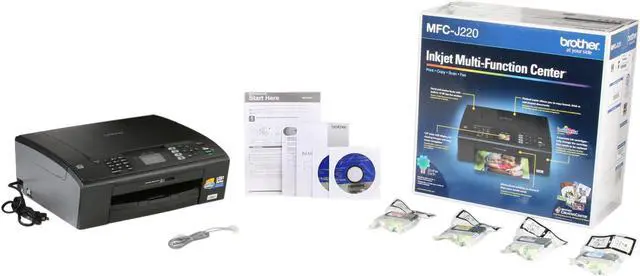
Package Contents
Cartridges LC61 Series
CD-ROM - Assembly for Windows and Mac
User's Manual
Quick Setup Guide
Telephone Line Cord
Software Included
Scansoft PaperPort v11 SE with OCR for Windows and Presto PageManager for Mac

Manufacturer Warranty

Parts
1 year limited
Labor
1 year limited

Quick Info

Warranty

  • Limited Warranty period (parts): 1 year
  • Limited Warranty period (labor): 1 year


Customer Reviews of the Brother MFC-J220

Do you own this product? Write a Review

Filter Results

Go
  • Jem
  • 4/29/2013 7:16:50 PM
  • Tech Level: Somewhat High
  • Ownership: 1 month to 1 year
  • Verified Owner

5 out of 5 eggsWorks.

Pros: Good quality on normal, great quality on high. Does everything I need reasonably quickly. Easy setup

Cons: Uses a fair amount of ink, scan times can be high when using HQ. No wifi, but I knew that.

Other Thoughts: Bought this mainly for wedding invitations and a couple document scans. It has done very well with these tasks. I'm sure for more money I could have gotten them done quicker, but I am completely satisfied for what I paid.

Did you find this review helpful? Yes No

  • Jmcslob
  • 4/27/2013 4:15:47 AM
  • Tech Level: Somewhat High
  • Ownership: 1 day to 1 week
  • Verified Owner

5 out of 5 eggsSuper Happy

Pros: It's a Brother.
Prints fantastic, great color, Good black and white.
Small for a MFC but large for a Home Printer.
Quality...It's built with the Idea that you are buying a printer and not INK...

Prints fast..
Not all that loud...
Good looking..

Cons: Doesn't print the Best Photo's
Software for print projects is online.

Other Thoughts: I think Brother Printer are the best printers for home use...
This is my 3rd Brother printer ...The 1st never died it simply got to be useless due to technology improvements...The 2nd Brother Printer I had dies after 4 years of heavy heavy use...I then tried 5 other brands of Printers only to find that with other brands you are not buying a Printer....You are in fact buying INK and more ink and more ink etc....etc...

With Brother I have the option to buy ink for basic printing and I have the option to buy Brother Innobella Ink and high quality photo paper for Photos that are fairly good...

I believe this is sent Factory Direct and not from a warehouse....

I hope Brother stays around forever...Best Printers on EARTH!!!

Did you find this review helpful? Yes No

  • N/A
  • 3/8/2013 4:43:19 AM
  • Tech Level: Somewhat High
  • Ownership: 1 week to 1 month
  • Verified Owner

4 out of 5 eggsNice small footprint

Pros: Small footprint. Easy setup. Windows 7 found it immediately and installed the drivers automatically.

Cons: Scanner bed is only 8.5 x 11.

Other Thoughts: The print quality as it comes new right out of the boxis a little light. Then again I haven't played with the settings so I really don't know how much that can be adjusted.

I use it more for its scanning capabilities than anything else as I have a color laser printer.

1 out of 1 people found this review helpful. Did you? Yes No

  • Old and Slow
  • 3/5/2013 11:54:13 AM
  • Tech Level: Somewhat High
  • Ownership: 1 week to 1 month

5 out of 5 eggsThe last me me should have been 5 eggs

Pros: Needed to add this review to correct the egg rating, It should have been 5 Golden eggs.

Cons: None

Other Thoughts: Super all-in-one machine.

Did you find this review helpful? Yes No

  • Old and Slow
  • 3/5/2013 11:49:18 AM
  • Tech Level: Somewhat High
  • Ownership: 1 week to 1 month

1 out of 5 eggsExcellent all the way.

Pros: I have three printers, this is the best of the lot.

Cons: None yet.

Other Thoughts: I'm trying two different printers for ink usage. One I ordered off brand ink that didn't prove out. Waiting for return label for two cartridges. For this Brother I ordered extras (brand name) with the printer.

0 out of 1 people found this review helpful. Did you? Yes No

  • Dominus
  • 9/9/2012 7:09:47 PM
  • Tech Level: High
  • Ownership: more than 1 year
  • Verified Owner

5 out of 5 eggsGood Solid Printer

Pros: Prints much faster than my other one. Easy Setup

Cons: Changing print quality to fast normal doesn't put enough ink on the paper. I can barely read it.

0 out of 3 people found this review helpful. Did you? Yes No

  • Robert K
  • 8/14/2012 8:54:25 PM
  • Tech Level: Somewhat High
  • Ownership: 1 month to 1 year

2 out of 5 eggsDo not purchase

Pros: 1. Prints
2. Ink wasn't all one cartridge (Seen as a con by some people)
3. High quality
4. Scans

Cons: 1. Had to remove from startup
2. Installs a program or two compared to others having 0 programs installed and working on plugin
3. Bulky, heavy, prone to jamming if the paper is slightly bent or disfigured
4. Hard to unjam
5. Somewhat pricy
6. Random "Cleanings" known for all Brother products, that gradually waste ink supplies
7. Cannot print in grayscale without putting in color ink
8. Menu is hard to operate
9. Made a mess when I smashed it with a sledge hammer

Other Thoughts: If you are offered this printer I would accept for the most part, but buying it would not be worth the money in my opinion. I did not buy from newegg but I'm assured it is the same product (The name even matches).

Also the warranty doesn't cover destruction on purpose with sledgehammer after a screaming contest with it... Not cool.

3 out of 15 people found this review helpful. Did you? Yes No

  • JiGsy
  • 5/22/2012 12:18:29 PM
  • Tech Level: High
  • Ownership: 1 day to 1 week
  • Verified Owner

4 out of 5 eggsNot Bad...

Pros: Came with all 4 std. (LC61), vacuum packed, ink cartridges. It's very Linux friendly. Rpm and Debian drivers for the scanner, printer, and fax, are on Brother's website; mine is working fine with Ubuntu. Mine prints photos fine, directly from an SD card (there's also an MS/MS Duo slot.).

Cons: A USB cable is not included. Color printouts/photos are quite obviously not pigment-ink quality ($), but plenty reasonable. Unit must be manually switched into Fax or Scan mode, in order to print from PC.

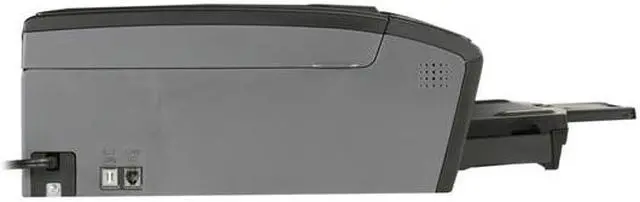
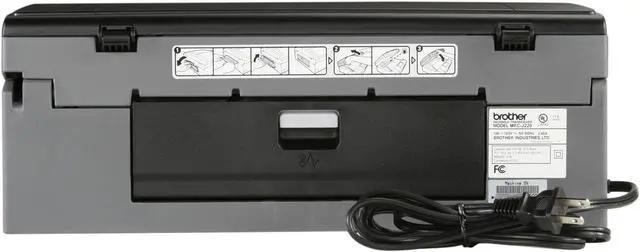
Other Thoughts: The USB port is hidden inside the machine, but has a wire cutout leading to the back. This unit is not Ethernet compatible; the pictured cable is a telephone cable, for faxing.

6 out of 7 people found this review helpful. Did you? Yes No

  • Engineer
  • 11/10/2011 8:58:34 AM
  • Tech Level: Somewhat High
  • Ownership: less than 1 day
  • Verified Owner

1 out of 5 eggsWaste of Time

Pros: Nothing so far

Cons: Cables and parts were missing. Could not set up and use.

Other Thoughts: It should be simple. Take it out of the box plug it in. Set it up and done. Instead I spent an hour on the phone with India

1 out of 11 people found this review helpful. Did you? Yes No

  • john
  • 8/22/2011 8:29:47 PM
  • Tech Level: Somewhat High
  • Ownership: 1 week to 1 month
  • Verified Owner

4 out of 5 eggsBROTHER

Pros: works great easy to use

Cons: none

0 out of 4 people found this review helpful. Did you? Yes No

ICON Loading...

Protect Your Investment!

    • (more options) read warranty details
Are you an E-Blast Insider? Subscribe Newegg e-Blast

Buzz

Great all around one solution printer

5 out of 5 eggs
I was looking for a simple low cost reliable single solution for general office work which included some photo printing, ...
— Vinny 2/19/2011

unobtrusive

5 out of 5 eggs
It powers down and gets out of the way when I'm not using it. Easy to use. Scanner works in Linux, too.
— otto 5/26/2011


PayPal
Shop without retyping payment details. Secure shopping made faster.
Check out with PayPal.

Financing


Home
Home > 
Computer Hardware > 
Printers / Scanners & Supplies > 
Inkjet Printers > 
Brother > 
Item#: N82E16828113519
LOADING... LOADING...
Shop by Region: United States | Canada | China
Follow us:   RSS Feeds Youtube
VeriSign Reliability Seal1This site protected by Trustwave's Trusted Commerce program Inc500
Policy & Agreement | Privacy Policy  © 2000-2013 Newegg Inc.  All rights reserved.
If the Adobe Reader does not appear when you click on a link for a PDF file, you can download Adobe Reader from the Adobe web site. nassau