Newegg.com - A great place to buy computers, computer parts, electronics, software, accessories, and DVDs online. With great prices, fast shipping, and top-rated customer service - once you know, you Newegg.
If you are reading this message, Please click this link to reload this page.(Do not use your browser's "Refresh" button). Please email us if you're running the latest version of your browser and you still see this message.
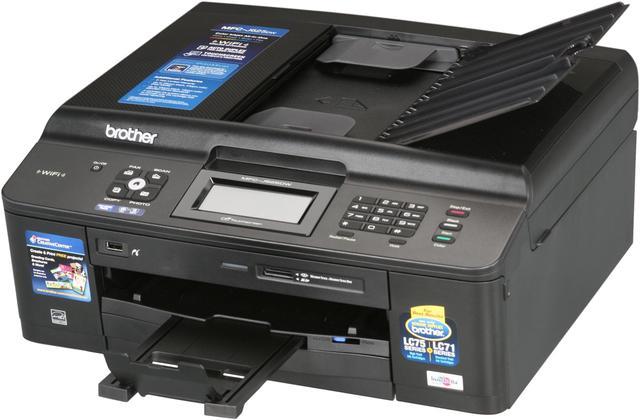
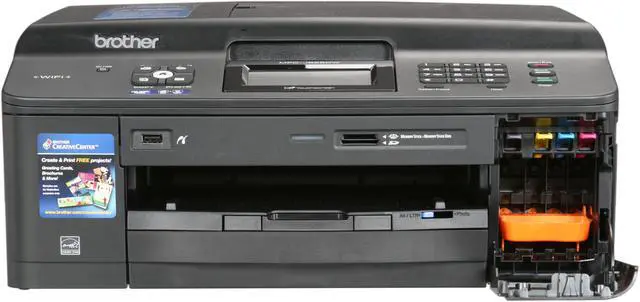
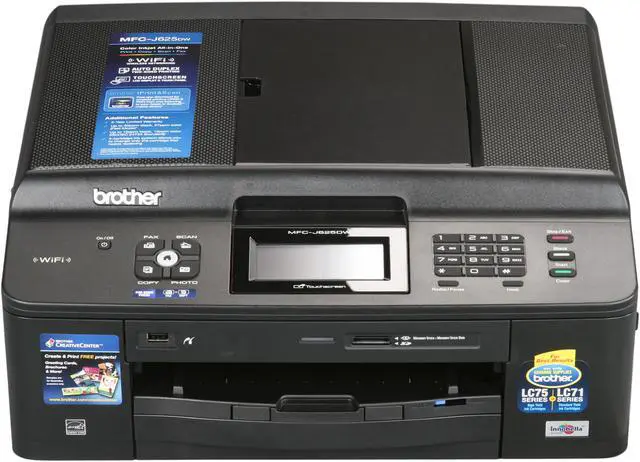
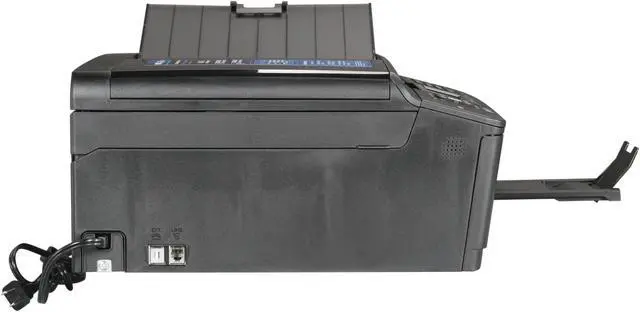
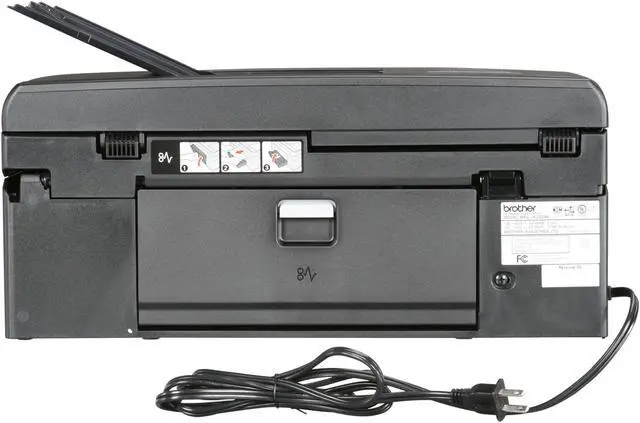
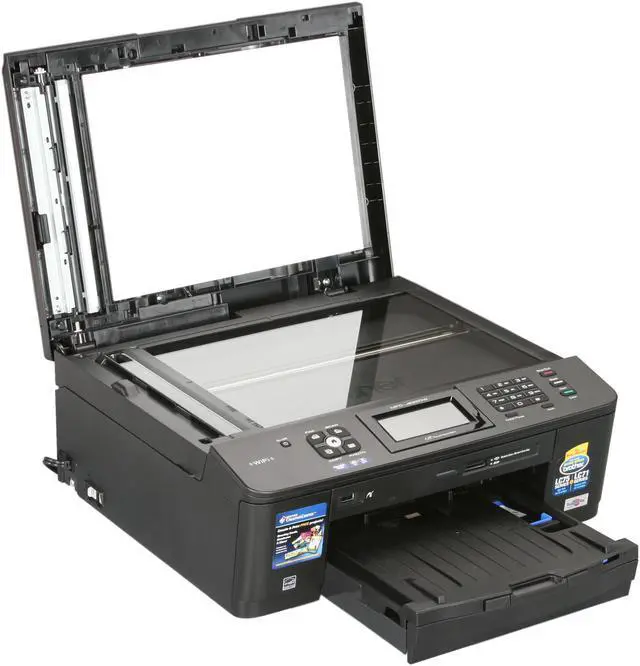
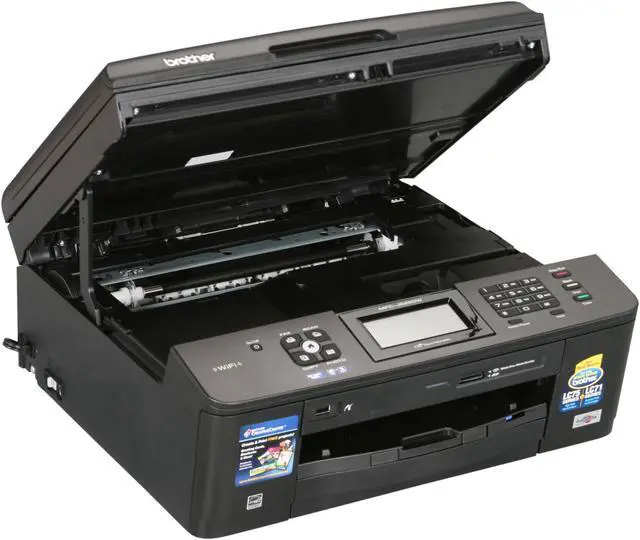
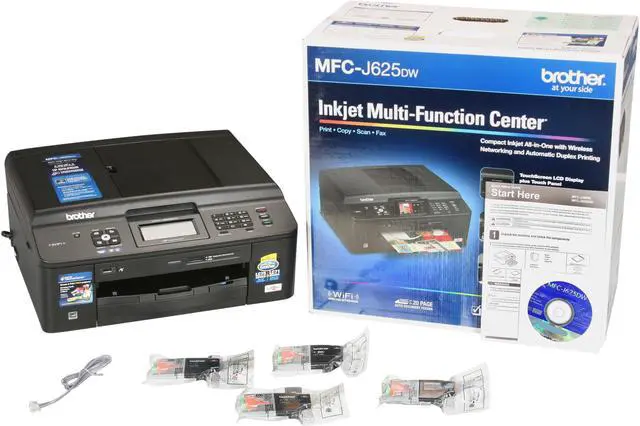
Brother MFC series MFC-J625DW Up to 35 ppm Black Print Speed 6000 x 1200 dpi Color Print Quality Wireless (802.11 b/g/n) InkJet MFC / All-In-One Color Printer
Flexible Networking Built-in wireless 802.11b/g/n and Ethernet network interfaces allow you to share this printer with multiple users on your network. Eliminate extra cables and conveniently place your printer with wireless networking.
1.9" TouchScreen plus Touch Panel Color LCD Display Edit and enhance images conveniently. And the LCD display features easy help menus enabling you to master how to use it quickly and offering interactive navigation.
Easily Print Two-sided Documents The MFC-J625dw produces professional-looking two-sided documents, brochures and booklets using the automatic duplex printing feature. This feature can help reduce your paper use and save money.
Unattended Fax, Copy or Scan and Photo Bypass Tray The MFC-J625dw allows for unattended fax, copy and scan of up to 20± page documents using the automatic document feeder. And the bypass tray holds up to 20 sheets of 4" x 6" glossy photo paper.
Fast Color Printing on Demand The MFC-J625dw features fast mode printing with speeds up to 35ppm black and 27ppm color while up to 12 ppm black and 10 ppm color (ISO/IEC 24734).
Brother iPrint&Scan Free app can be downloaded for wireless printing (JPEG & PDF) from your Apple, Android or Windows Phone 7 (JPEG only and scanning not available) mobile device.
Learn more about the Brother MFC-J625DW
Quick Info
WarrantyBeyond any applicable Newegg return policy, this item is warranted independently by the product's Manufacturer or a Third party. Below is a summary provided for convenience only and may not be accurate or current.
Read full details.
Pros: Touch screen interface, Wireless installation, unit size, paper capacity, Automatic Duplexing! Fax and voice line options are customizable to your application in the event you have MagicJack or similar. Ink refill options are numerous and cost effective ranging from continuous ink refill systems to inexpensive refilled cartridges. This printer is well worth the purchase. Touch screen interface allowed quick, efficient wireless installation on home network. KNOW your SSID broadcast and encryption password and you need nothing else - USB cable is unnecessary as mentioned in other reviews. I installed this printer, wireless, in under 10 minutes on 3 separate computers using the drivers downloaded from the site (most current) on USB stick. Fast job response on my network from receive to print
Cons: Refilling the ink cartridges is not straightforward. The attempted monopoly on inkjets continue as these cartridges are equipped with a chip that "records" when ink runs out. Despite the fact, many of the refillable and continuous fill kits provide the workaround.
Other Thoughts: Previously owned an HP OfficeJet 4500g all-in-one. I would have never bought it had I known about this printer.
Did you find this review helpful?
Thanks for the valuable feedback you provided!
Bratas
5/23/2013 8:33:16 AM
Tech Level: 5/5
Ownership: 2/5
Verified Owner
Rating: 5/5Works great with Ubuntu 13.04
Pros: I got this primarily so I could do scanning and eliminate all paper from the house. This also gives me the capability to print things in color if needed. I have so far scanned about 2000 pages without a single jam, which can't be said for HP. All printer drivers for linux is located at welcome.solutions.brother.com/bsc/public_s/id/linux/en/index.html
Cons: The installation of the drivers and debian files were a bit painful. You have to save the deb and install them from command line in a certain order.
Other Thoughts: Some helpful installation instructions that worked for me. The lpr has to be installed before cupswrapper. Then install the other drivers, I did PCFax second...again lpr before cups. Finally the scanner itself, which requires brscan4. Again this has to be installed from terminal with sudo dpkg -i --force-all (file location). Once this is complete you have to get the deb file for normal user operation so download the brother-udev-rule-type1-1.0.0-1.all.deb a link is provided for download at welcome.solutions.brother.com/bsc/public_s/id/linux/en/instruction_scn1c.html#u13.04. What Brother has failed to update is "/lib/udev/rules.d/40-libsane.rules" file even for 13.04 has to be updated. So use gedit in terminal to open the file and add the # Brother scanners ATTRS{idVendor}=="04f9", ENV{libsane_matched}="yes" where they tell you on the website. i wasn't able to get their scan-key-tool to work...didn't spend that much time on it either tho. Instead I got Gscan2pdf from Unbuntu software center. I would like to see how the scan-key-tool works so will work on that further this weekend.
Regardless overall this thing is Rock solid and well worth every penny. Good Job Brother for a solid product and providing the Linux support we need!!!
Did you find this review helpful?
Thanks for the valuable feedback you provided!
N/A
4/27/2013 2:23:45 PM
Tech Level: 4/5
Ownership: 2/5
Verified Owner
Rating: 5/5Good Stuff
Pros: Well built, nice looking, easy to use and set up. Fortuately I had a spare USB printer cable. When setting up the wifi mode you can do it either manually or automatically but for the auto mode you need to be hard wired from your computer to the printer. Once I had that in place it was a snap. I have been faxing and WiFi printing ever since. It's a lot of machine for the mone
Cons: Supprisingly, none. I suppose you could get better print quality and more resolution for scanning by spending more money but I just needed something that worked well and was easy to use.
Other Thoughts: I wanted a new printer that wasn't going to scalp me on ink cartridge prices.
Did you find this review helpful?
Thanks for the valuable feedback you provided!
kelemvor
4/25/2013 11:41:37 AM
Tech Level: 5/5
Ownership: 4/5
Verified Owner
Rating: 5/5does all the expected jobs
Pros: it does all the expected jobs in this price (i got it with discount). print and scan wirelessly from my nb and phone. buy a CIS and it will be a budget all-in-one printer
Cons: with this price, none so far...
Other Thoughts: very fast software. wireless setup is not straightforward
Did you find this review helpful?
Thanks for the valuable feedback you provided!
N/A
1/29/2013 7:54:48 PM
Tech Level: 4/5
Ownership: 4/5
Verified Owner
Rating: 5/5Great earbuds!
Pros: Works great. No complaints so far and I've used them everyday for over a year now.
Cons: None I can think of....
Other Thoughts: Got them for $12, so it was a great deal!
0 out of 10 people found this review helpful.
Did you?
Thanks for the valuable feedback you provided!
Migrain1
1/10/2013 12:24:16 AM
Tech Level: 5/5
Ownership: 4/5
Verified Owner
Rating: 5/5Love it
Pros: Easy setup and it just works. No issues at all with it. Brother makes a good solid printer. Love how it wakes from sleep t print wirelessly from anywhere in range.
Cons: None..
Did you find this review helpful?
Thanks for the valuable feedback you provided!
WS_TIMMY
12/19/2012 9:53:18 AM
Tech Level: 5/5
Ownership: 3/5
Verified Owner
Rating: 5/5Grate
Pros: works grate. wifi was ez to setup, wifi setup is all on screen. .(no need to plug in to computer) it finds your network you put password in and its DONE!! downloaded new software off brothers site and install on laptops and desktop. and works grate.
Cons: ummm none.
Other Thoughts: thanks newegg for the grate price and fast shiping
2 out of 2 people found this review helpful.
Did you?
Thanks for the valuable feedback you provided!
Defenestrative1
12/9/2012 4:19:29 PM
Tech Level: 4/5
Ownership: 4/5
Verified Owner
Rating: 5/5I love this printer!
Pros: The deal I got on this thing from Newegg! I like that duplex prints. The ink is inexpensive. Prints pictures very well (with the proper settings of course). Large capacity inks are available.
Cons: It is a little bit of a pain to connect, but with a little IT knowledge you will be fine. It just wasn't as automated as I like it to be when the network goes down and comes back up. The inital set up with it plugged into my laptop was easy.
Other Thoughts: Newegg's shipping was great. They never let me down.
Did you find this review helpful?
Thanks for the valuable feedback you provided!
N/A
12/1/2012 3:10:39 PM
Tech Level: 5/5
Ownership: 1/5
Rating: 1/5
Pros: Good price, Good specs for ink utilization and print speed
Cons: Despite featuring a Mac logo on the box, this machine won't even print, let alone copy scan or fax on my iMac.
CDROM will not install on Mac OS X Mountain Lion (10.8).
CUPS software from the Brother site downloaded and claimed to install successfully, but then showed a "software not available for this machine" popup.
Same with an attempt at a firmware upgrade. Successful install (it said), with a "software not available" popup immediately following.
The Brother support site is setup more like a fortress to keep customers out than a site offering "Welcome. Sorry you're having a problem."
3 out of 6 people found this review helpful.
Did you?
Thanks for the valuable feedback you provided!
Cosmic Charlie
11/28/2012 3:39:44 PM
Tech Level: 5/5
Ownership: 3/5
Verified Owner
Rating: 5/5Great Printer
Pros: Setup over wireless is simple and painless. Supports multiple devices. Can scan directly to wirelessly connected device. Supports duplex printing.
Cons: Haven't come across any cons yet.
Other Thoughts: Got this for 50% off (80$ free shipping). This is my first printer in many years and the first wireless printer. Not having to have the printer near a computer is awesome.
Did you find this review helpful?
Thanks for the valuable feedback you provided!
Through the Newegg EggXpert Review Program, Newegg invites its best reviewers, known as EggXperts, to post opinions about new and pre-release products to help their fellow customers make informed buying decisions.Click here for more details.