Skip to: |

Newegg.com - A great place to buy computers, computer parts, electronics, software, accessories, and DVDs online. With great prices, fast shipping, and top-rated customer service - once you know, you Newegg.

If you are reading this message, Please click this link to reload this page.(Do not use your browser's "Refresh" button). Please email us if you're running the latest version of your browser and you still see this message.

Newegg.com - Computer Parts, Laptops, Electronics, HDTVs, Digital Cameras and More!

  • | Wish List
  • Help
Home
Home > 
Computer Hardware > 
Printers / Scanners & Supplies > 
Laser Printers > 
XEROX > 
Item#: N82E16828118585

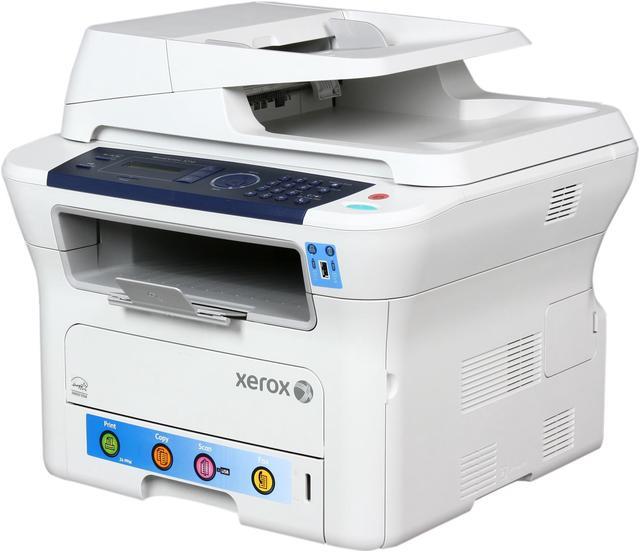
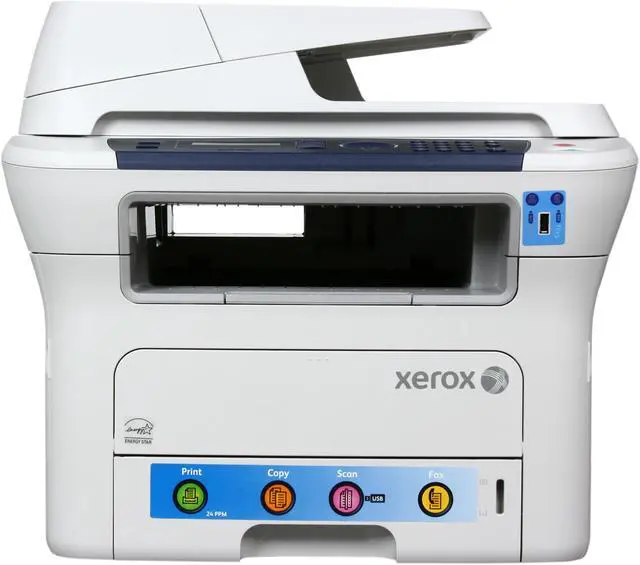
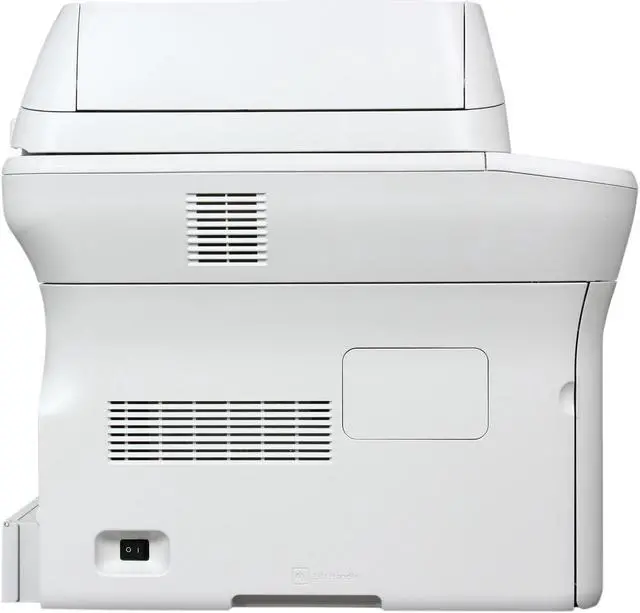
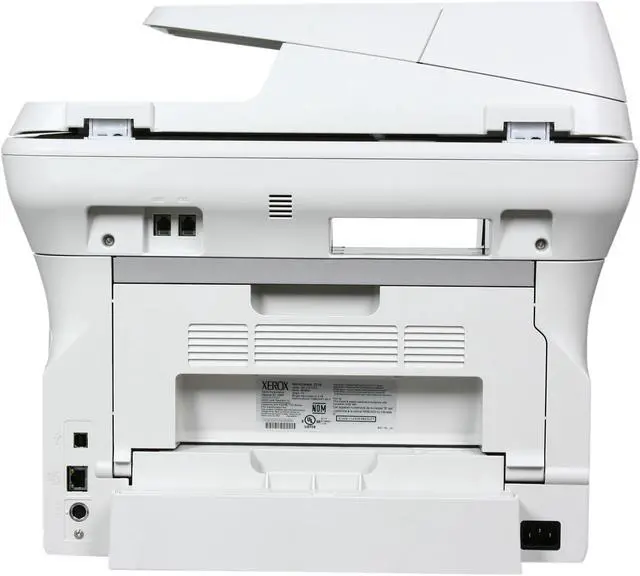
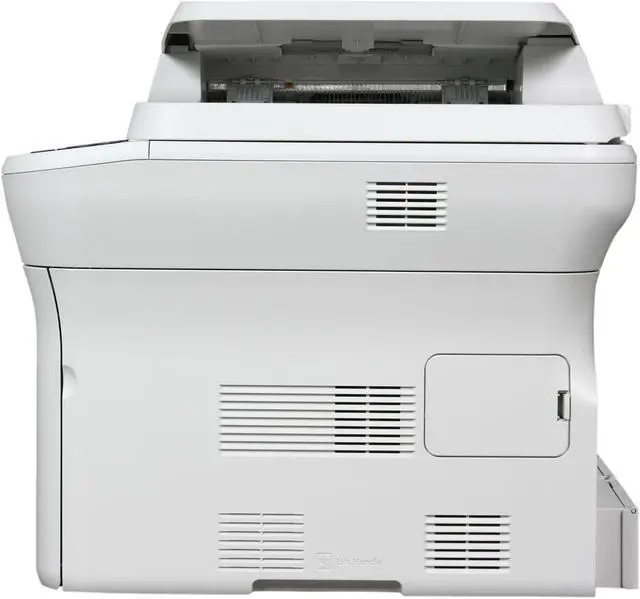
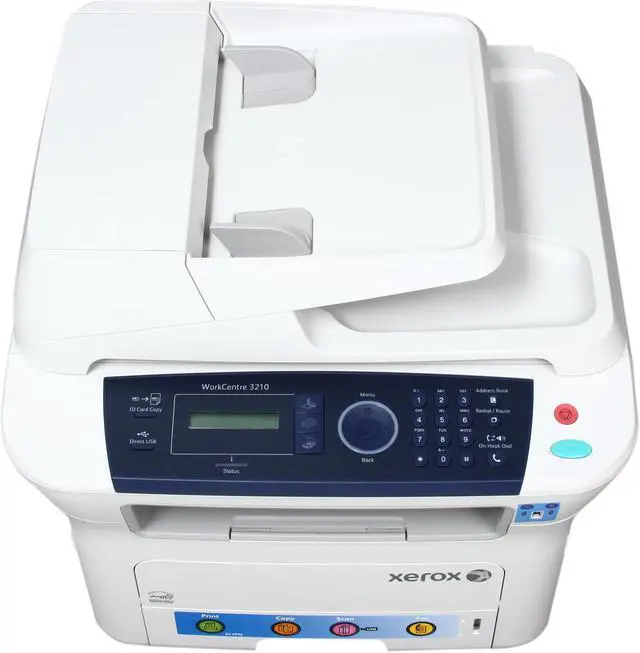
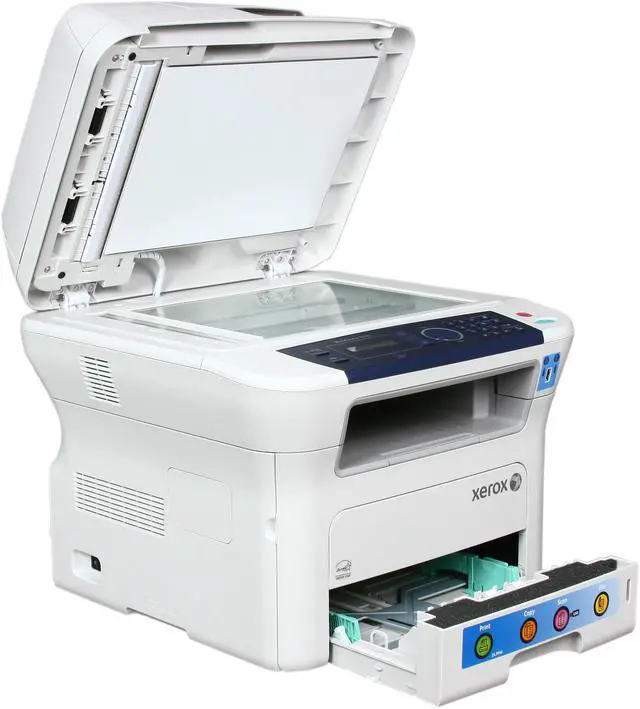
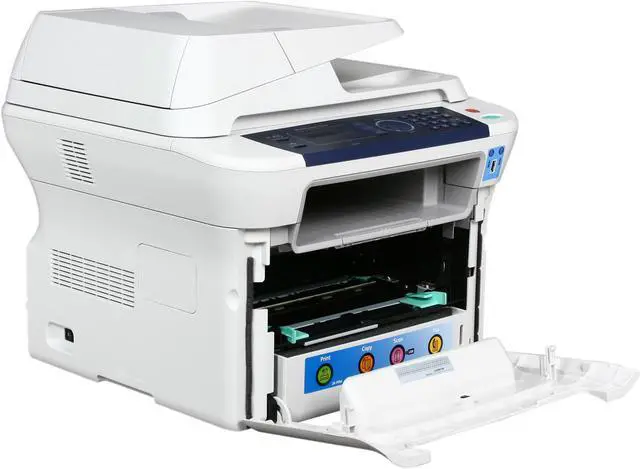
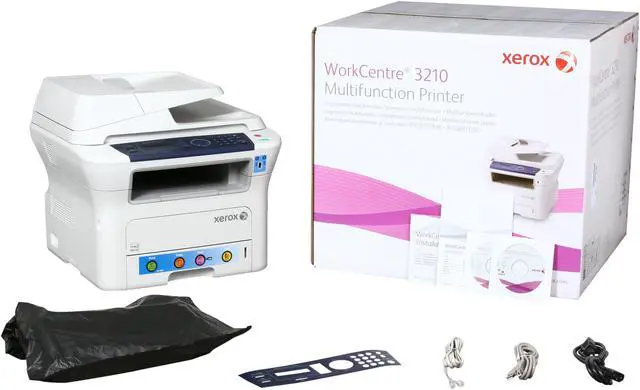
XEROX WorkCentre 3210/N MFC / All-In-One Up to 24 ppm Monochrome Laser Printer

  • Up to 24 ppm
  • Network
  • 1200 x 1200 dpi
  • Pin It
  • Email this page
ICON Loading...


Learn more about the XEROX 3210/N

General

Brand
XEROX
Series
WorkCentre
Model
3210/N
Recommended Use
MFC / All-In-One

Printing

Output Type
Monochrome
Laser Technology
Laser
Black Print Speed
Up to 24 ppm
Black Print Quality
1200 x 1200 enhanced image quality
Time To First Page (seconds)
9.5 sec.
Print Languages, std.
PCL 5e emulation, PCL 6 emulation
Max. Duty Cycle
Up to 30,000 pages monthly

Copying

Copy Speed, Black
Up to 24 cpm
Copy Quality, Black
1200 x 1200 dpi
Max. Document Enlargement
400%
Max. Document Reduction
25%

Scanning

Scan Resolution, Enhanced
4800 x 4800 dpi

Fax SPEC

Fax Resolutions
Fine (200 x 200 dpi), Normal (100 x 200 dpi), Superfine (300 x 300 dpi)

Media Handling

Input Capacity, std.
250 sheets
Input Capacity, max.
500 sheets
Output Capacity, std.
150 sheets
Media Type
Bond, Card stock, Envelopes, Labels, Letterhead, Plain paper, Recycled paper, Transparencies
Media sizes supported
10 Commercial, A4, A5, B5 JIS, C5 Envelope, C6 Envelope, Custom sizes, DL Envelope, Executive, ISO-B5, Legal, Letter, Monarch, Oficio, US Folio; Custom sizes: 3 x 5 in. to 8.5 x 14 in. (76 x 127 mm to 216 x 356 mm)

Ports

USB Ports
Yes
Network Ports
Ethernet 10/100BaseTX (RJ-45)

Hardware SPEC

Processor(MHz)
360
Memory, std.
128 MB
Memory, max.
384 MB
Power Consumption
Operating : 450 W
Standby : 60 W
Power save: 12 W

Compatibility

Windows Compatible
Windows 2000 or higher, Windows Vista
Macintosh Compatible
Mac OS X version 10.3-10.5

Features

Features
Print features: Booklet printing, Fit-to-page, N-up, Overlays, Poster printing, Print from USB memory drive, Scaling, Watermarks

Copy features: 2in1 Copying, Collation, ID Card Copy, N-up, Poster mode, Reduce / Enlarge

Fax features: Auto reduction, Junk fax barrier, Memory fax, Secure fax: receive

Fax send features: Auto fax transmission reduction, Automatic memory resend, Broadcast, Delay fax, Fax from platen, PC Fax Send (Windows only), Transmission options (Report/Header)

Receive features: Fax rerouting, Junk fax prevention, Secure receive

Scan destinations: Network scan to PC, Scan to TWAIN application, Scan to USB memory drive, WIA

Scan file formats: JPEG, PDF, TIFF, multipage PDF, multipage TIFF

Manufacturer Warranty

Parts
1 year limited
Labor
1 year limited

Quick Info

Warranty

  • Limited Warranty period (parts): 1 year
  • Limited Warranty period (labor): 1 year


Customer Reviews of the XEROX 3210/N

Do you own this product? Write a Review

Filter Results

Go
  • Monkeyboy2
  • 5/3/2013 8:14:36 AM
  • Tech Level: Somewhat High
  • Ownership: 1 month to 1 year

1 out of 5 eggsCrappiest Fax Machine Ever!!

Pros: n/a

Cons: Since our Business Office Obtained these i have never had a fax gone through successfully the 1st time. The feed always jams on the last page and destroys the document because the roller has a kung fu grip. Totally Useless. Pretty sure the purchasing office got a kickback.

Other Thoughts: Had to sign up just to give my review of this subpar product.

Did you find this review helpful? Yes No

  • Sapar
  • 4/1/2013 3:33:13 PM
  • Tech Level: Average
  • Ownership: 1 day to 1 week
  • Verified Owner

5 out of 5 eggsXerox 3210

Pros: Very nice printer. Looks great.
It's fast and the print quality is very good for black and white. No color prints .... (a good thing for the life and replacement cost of the cartridge).
The scanner is very good as well.
Way better than "BROTHER"
Not sure how the fax is...

Cons: none.....so far

Did you find this review helpful? Yes No

  • tlars
  • 1/13/2013 9:03:52 AM
  • Tech Level: High
  • Ownership: more than 1 year

1 out of 5 eggsNot going to buy

Pros: Prints well and hasn't ever jammed.

Cons: I have a Xerox multi-function Laser at work. The software to support printing, and especially scanning is grotesque. Plus, every time someone powers down their computer, the scanner software disconnects from the printer and we have uninstall, reboot, and reinstall. This is ghastly, and I'll be replacing this Xerox with another brand. Xerox telephone support has been accessible, though they' completely failed to solve any problems in 3 different calls. The last call, the Xerox support rep listened to my description of the software disabling, and then told me that since this is a software issue, I'd have to provide a credit card so he could bill me for trouble-shooting a software problem. "It's YOUR software that has the problem!" I retorted. He said it didn't matter, they charge hourly to troubleshoot all software problems. I suggest you stay away from Xerox. I'm going to continue shopping and buy a Brother printer for my home today.

Other Thoughts: Don't buy Xerox.

Did you find this review helpful? Yes No

  • brody181
  • 12/18/2012 7:16:07 AM
  • Tech Level: High
  • Ownership: 1 month to 1 year
  • Verified Owner

2 out of 5 eggsDissapointed

Pros: Nice quality and is multifunctional.

Cons: After running it for about 2 weeks, we noticed faxes stopped coming through and the line was busy. Power cycling it fixed it .. now, when we receive multiple fax pages, some of the pages are cut off and it drops entire pages sometimes. Called into Xerox and they told me this is a "Depot Printer" ... which basically means you have to take it somewhere to get fixed.

Other Thoughts: Will be the last Xerox I buy. Tech told me it's not uncommon to power cycle their fax machines weekly. That's a cop-out excuse. I have fax machines that have been running for more than 6 months without any issues. Would not buy!

Did you find this review helpful? Yes No

  • N/A
  • 10/20/2012 1:36:26 PM
  • Tech Level: Somewhat High
  • Ownership: 1 month to 1 year
  • Verified Owner

5 out of 5 eggsfollow-up review

Pros: Finally have a opportunity to report about long term performance & reliability. Both units have gone thru a combined 6 toner replacement modules and while cost per page are decent I've just completed testing with bottles of refill toner and reset chips just so i could get cost per page down even lower. Good news is refilling your spent toner modules work remarkably well and my cost per toner module is now roughly $19. Each module can be refilled multiple times and if you purchase both bottles of toner and reset chips in quantities your cost per page should be like mine. Single sheet input try ocassionally creases paper during print but it's only noticeable when I duples using the single sheet try....next time I definitely go with a 3220 model

Cons: Windows 7 drivers difficult to source and i suspect when Windows 8 comes out Xerox will be tardy with their driver updates if they come out with them at all. Genuine Xerox toner modules are overpriced, do NOT give the advertised 4k sheets even with 5% coverage per page...shame on you Ursula!

Other Thoughts: Both the 3210 and 3220 have come down in price dramatically since my purchase months ago. On the Xerox web site you can get the 3210 presently for $99 however you MUST purchase said printer with 2 toner modules priced at retail...shame on you again Ursula

Did you find this review helpful? Yes No

  • N/A
  • 2/16/2012 10:37:23 AM
  • Tech Level: Average
  • Ownership: 1 week to 1 month
  • Verified Owner

1 out of 5 eggsBuy something else

Pros: none

Cons: doesn't print graphics, just get blank paper
duplex is not automatic, you must insert output back into paper tray
fax answers the phone, so no one can call in to me
Xerox support isn't knowledgable about this multi-function printer

Other Thoughts: I wish I never purchased this machine

0 out of 5 people found this review helpful. Did you? Yes No

  • SWong
  • 1/31/2012 3:20:48 PM
  • Tech Level: Somewhat High
  • Ownership: less than 1 day
  • Verified Owner

5 out of 5 eggsDecent price at $229)$5 shipping...ugh!)

Pros: Trusty old Xerox Workcentre PE120i giving me paper handling issues so when I saw this Workcentre 3210 on sale for $229 I purchased two of them. Delivered by Newegg in less than 24 hours from Secaucus...install/setup uneventful and all things considered if I get a few years of use out of this it will have been a bargain. Could have saved $40 more from another site however I nevered heard of this other vendor hence purchased from Newegg. BTW, the Rosewill 3210 toner sold on Newegg is NOT compatible for use on this Xerox WorkCentre 3210...it will work however on a Xerox Phaser 3210...totally different animal.

Cons: Hey Newegg...how about stocking and selling non OEM toner cartridges? The Xerox OEM toner cartridges are just way too expensive hence ordered non OEM high capacity toner cartridges from another vendor @ $55/unit with free shipping. How about price matching ?...others are doing it so why not Newegg?

Other Thoughts: Newegg Secaucus warehouse works perfectly for me....don't pen up a warehouse in New York state otherwise I'll have to end up paying NYC local taxes

1 out of 3 people found this review helpful. Did you? Yes No

  • N/A
  • 1/14/2012 9:58:39 AM
  • Tech Level: High
  • Ownership: 1 month to 1 year
  • Verified Owner

5 out of 5 eggsGreat

Pros: Placed this on my network, serves the whole house, cannot complain. I do believe newegg sell replacement toner (by rosewill) cheap

Cons: na

1 out of 1 people found this review helpful. Did you? Yes No

  • Cheryl
  • 11/20/2011 8:02:57 AM
  • Tech Level: High
  • Ownership: 1 month to 1 year
  • Verified Owner

5 out of 5 eggsBeats my Brother or HP purchases

Pros: Great price at newegg, much more solidly built than Brother, does not overheat like HP. Scan function is excellent, too

Cons: paper tray is a little tight and you have to wiggle it a bit to open and close. Otherwise, the unit is top notch.

Other Thoughts: I also like that it has a USB port conveniently on the front for scanning to a dongle

2 out of 2 people found this review helpful. Did you? Yes No

  • Aly
  • 10/9/2011 2:26:40 PM
  • Tech Level: High
  • Ownership: 1 day to 1 week
  • Verified Owner

5 out of 5 eggsNice.

Pros: Very nice small office machine. Decent speed, but a tad slow on single page prints prior to a warm-up. Scans without issue, and will likely replace a dedicated in-office fax machine, but the faxing functionality hasn't been tested yet.

Cons: Bottom paper tray is a bit clunky.

1 out of 1 people found this review helpful. Did you? Yes No

ICON Loading...

Protect Your Investment!

    • (more options) read warranty details
Are you an E-Blast Insider? Subscribe Newegg e-Blast

Buzz

5 out of 5 eggs
does everything I need in my small business, relatively inexpensive
— Jon 2/4/2010

Beats my Brother or HP purchases

5 out of 5 eggs
Great price at newegg, much more solidly built than Brother, does not overheat like HP. Scan function is excellent, too
— Cheryl 11/20/2011


PayPal
Shop without retyping payment details. Secure shopping made faster.
Check out with PayPal.

Financing


Home
Home > 
Computer Hardware > 
Printers / Scanners & Supplies > 
Laser Printers > 
XEROX > 
Item#: N82E16828118585
LOADING... LOADING...
Shop by Region: United States | Canada | China
Follow us:   RSS Feeds Youtube
VeriSign Reliability Seal1This site protected by Trustwave's Trusted Commerce program Inc500
Policy & Agreement | Privacy Policy  © 2000-2013 Newegg Inc.  All rights reserved.
If the Adobe Reader does not appear when you click on a link for a PDF file, you can download Adobe Reader from the Adobe web site. nassau