Skip to: |

Newegg.com - A great place to buy computers, computer parts, electronics, software, accessories, and DVDs online. With great prices, fast shipping, and top-rated customer service - once you know, you Newegg.

If you are reading this message, Please click this link to reload this page.(Do not use your browser's "Refresh" button). Please email us if you're running the latest version of your browser and you still see this message.

Newegg.com - Computer Parts, Laptops, Electronics, HDTVs, Digital Cameras and More!

  • | Wish List
  • Help

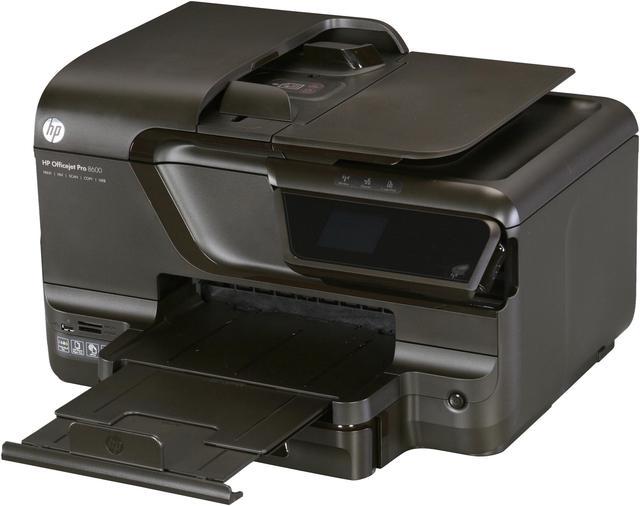
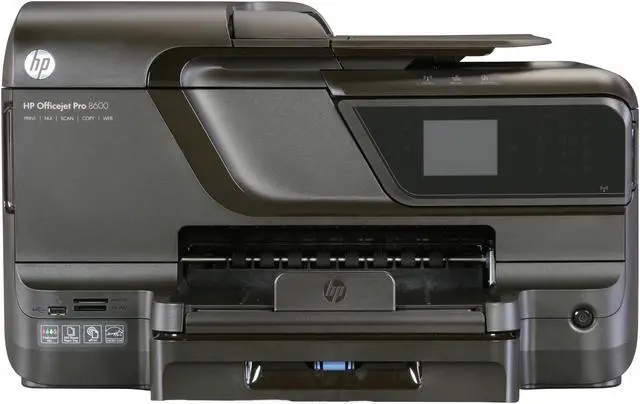
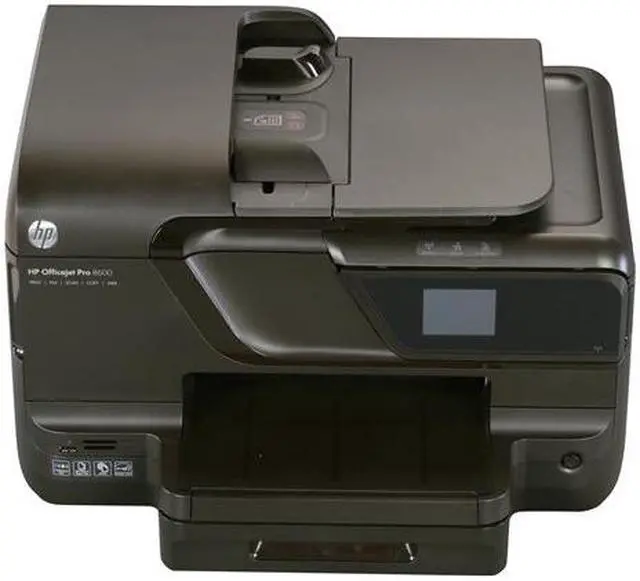
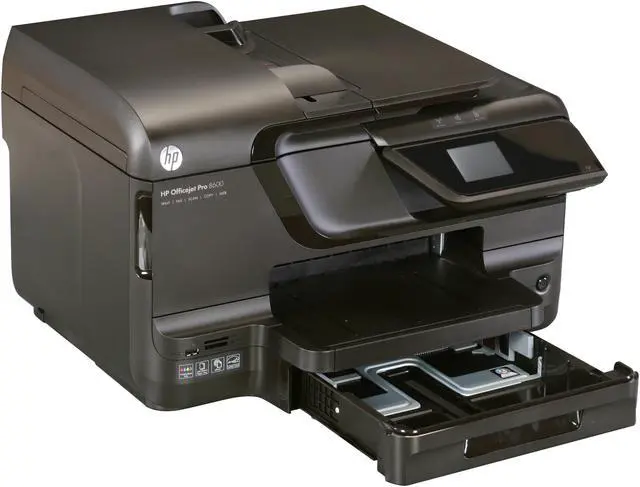
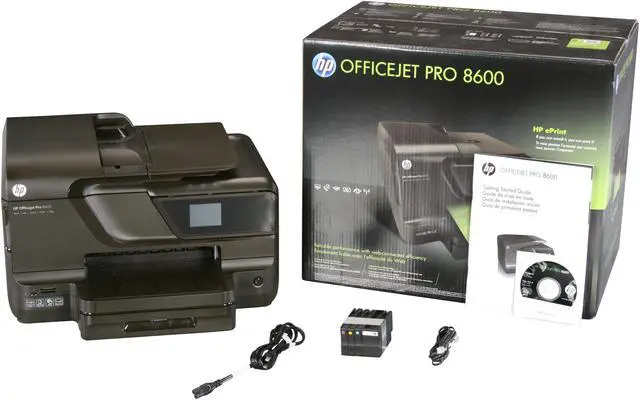
HP Officejet Pro 8600 CM749A Up to 18 ppm Black Print Speed 4800 x 1200 dpi Color Print Quality Thermal Inkjet e-All-in-One Color Printer

  • Up to 18 ppm Black Print Speed
  • Up to 13 ppm Color Print Speed
  • Up to 25000 pages
  • Pin It
  • Email this page
ICON Loading...

  • newegg Professional color, economical price Get great-looking color for a cost per page of up to 50% lower than with lasers, and get better value with frequent printing. HP Officejet Pro 8600 CM749A prints at ISO speeds up to 18 ppm black and 13 colors when using HP’s affordable individual inks, with a 25,000-page monthly duty cycle. It resists fading, water and highlighter-pen smears when using HP Officejet inks.
  • newegg Efficient Web connectivity and on-the-go printing Print from virtually anywhere, and from a variety of mobile devices, using HP ePrint. Use the intuitive touchscreen to access business apps, plus print and store files. Stay connected by sharing on a wired or wireless network. View or print photos from a USB drive and memory cards.
  • newegg Easy copying and scanning Get flawless copies with the CopySmart feature, print a one-sided copy of a two-sided ID card, and decrease intervention with the 250-sheet paper tray. HP Officejet Pro 8600 CM749A sends quick faxes and scan documents to a PC or e-mail, greatly improving your workflow. Plus, it allows you to create borderless, double-sided flyers and brochures, plus prints impressive business photos.
  • newegg Energy and resource saver Reduce energy use by up to 50% compared with laser printers with this ENERGY STAR qualified printer and preset on/off times. The printer uses up to 70% less in supplies and packaging by weight, compared with laser printers. It automatically prints two-sided with the automatic document feeder, and cuts your paper use in half. Plus, recycling your cartridges is free and easy.

Learn more about the Hewlett-Packard CM749A

Model

Brand
HP
Series
Officejet Pro 8600
Model
CM749A
Recommended Use
e-All-in-One

Printer SPEC

Print Technology
Thermal Inkjet
Output Type
Color
Black Print Speed
Up to 18 ppm
Color Print Speed
Up to 13 ppm
Black Print Quality
1200 x 600 dpi
Color Print Quality
4800 x 1200 dpi
Print Languages, std.
HP PCL 3 GUI, HP PCL 3 Enhanced
Duplex printing
Yes
Max. Duty Cycle
Up to 25000 pages

Copier SPEC

Copy Quality, Black
1200 x 600 dpi
Copy Quality, Color
1200 x 600 dpi
Max. Number of Copies
99

Scanner SPEC

Scan Resolution, Enhanced
Up to 4800 dpi
Scan Technology
24bit CIS
Scan Maximum Document Size
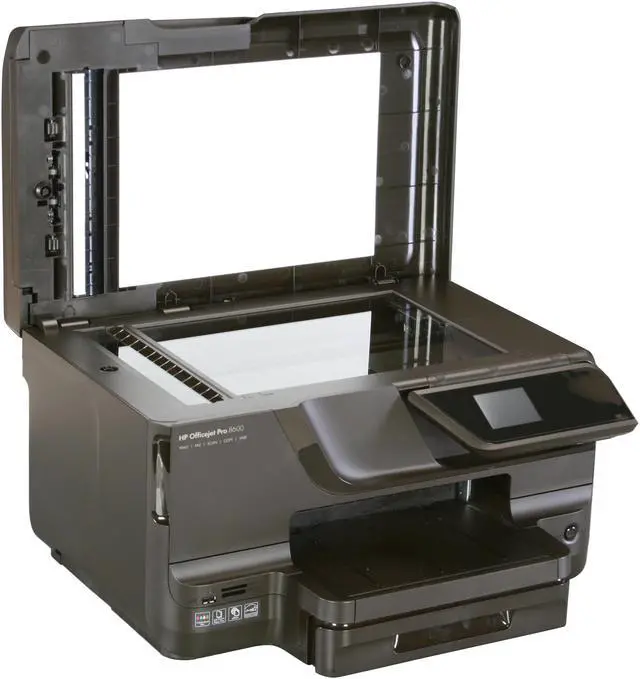
8.5" x 11.7"

Fax SPEC

Fax Transmission Speed (seconds per page)
4 sec per page
Fax Memory
Up to 100 pages

Paper Handling / Media

Input Capacity, std.
Up to 250 sheets letter/legal, Up to 80 cards, Up to 100 sheets 4 x 6 photos, Up to 100 sheets photo paper, Up to 30 envelopes, Up to 100 sheets label
Output Capacity, std.
Up to 150 sheets letter/legal, Up to 60 cards, Up to 25 envelopes, Up to 60 sheets label
Media sizes supported
Tray 1: Letter, legal, statement, executive, 3 x 5 in, 4 x 6 in, 5 x 7 in, 5 x 8 in, 4 x 10 in, 4 x 11 in, 4 x 12 in, 8 x 10 in, envelopes (No. 10, Monarch, DL)

Hardware SPEC

Noise Level (Approx.)
Acoustic Power Emissions: 6.4 B(A); Acoustic Pressure Emissions: 57 dB(A)
Processor (MHz)
360
Memory, std.
128 MB
Power Requirements
100 to 240 VAC (+/- 10%), 50/60 Hz (+/- 3 Hz)
Power Consumption
28 watts, 0.22 watts (manual-off), 1.95 watts (sleep), 5.81 watts (standby)

Ports

USB Ports
Yes
Network Ports
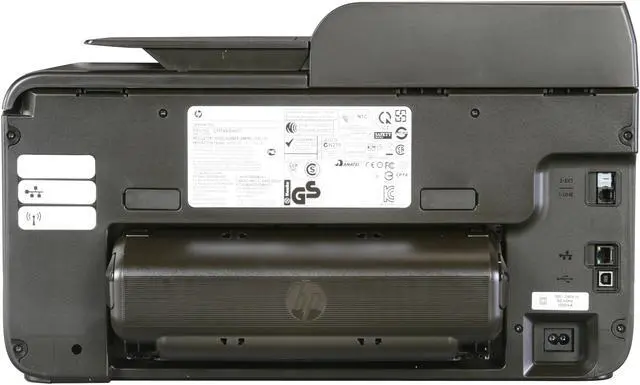
Ethernet
Other Ports
Wireless 802.11n
2 RJ-11 modem ports

Compatibility

Windows Compatible
Windows 7, Windows Vista, Windows XP (SP3) or higher (32-bit only)
Macintosh Compatible
Mac OS X v 10.5, v 10.6 or v 10.7

Features

Features
Professional color for up to 50% lower cost per page than lasers

Efficient Web connectivity—even print on the go

Standout versatility with copy and scan solutions

Exceptional energy and resource savings

Physical SPEC

Dimensions
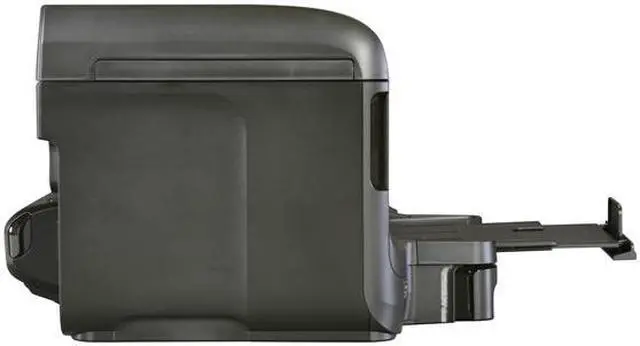
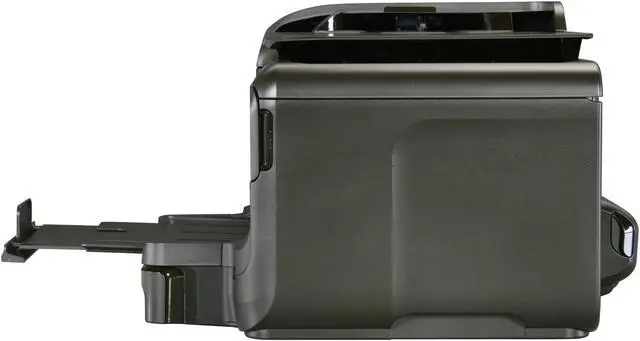
19.4 x 16.3 x 11.8 in
Weight
26.4 Ibs

Hardware SPEC

Package Contents
HP Officejet Pro 8600 e-All-in-One Printer
Automatic two-sided printing accessory
HP 950 Setup Black Officejet Ink Cartridge (~ 1,000 pages)
HP 951 Setup Cyan Officejet Ink Cartridge
HP 951 Setup Magenta Officejet Ink Cartridge
HP 951 Setup Yellow Officejet Ink Cartridge: composite yield (~ 700 pages)
Power cord
Phone cord
setup poster
Getting Started Guide
CD-ROMs (for software, Windows and Mac printer drivers, and User's Guide)

Quick Info

Warranty

  • Limited Warranty period (parts): 1 year
  • Limited Warranty period (labor): 1 year


Customer Reviews of the Hewlett-Packard CM749A

Do you own this product? Write a Review

Filter Results

Go
  • Alneenyo
  • 4/18/2013 8:58:10 PM
  • Tech Level: High
  • Ownership: 1 week to 1 month
  • Verified Owner

5 out of 5 eggsGreat combo unit

Pros: Easy install, compatible with Win 7 64 bit, clear scans, easy wireless setup, etc. Plays well with over 12 decices on my network...

Cons: The touch screen doesn't correlate with where I touch; and you can't calibrate it...

Other Thoughts: Other than the touch screen, (and it may just be mine and not all), I am very happy with it. The included software and the ability to print to it from just about any where on the planet are awesome - including my phone. They have come a long way with network capabilities with printers and such!!!

Did you find this review helpful? Yes No

  • N/A
  • 2/15/2013 10:43:50 AM
  • Tech Level: Somewhat High
  • Ownership: 1 month to 1 year

1 out of 5 eggsDead after a couple months

Pros: Prints in Color and B&W. Scans in Duplex.

It installs easily

Cons: Lemon-y, plastic, bloated and overly-huge printer for the job. It takes up way to much space for something that doesn't print or scan legal-formatted documents!

Software-as ususal- comes with 8 or so applications that your PC doesn't need, and adds 2 startup items to your PC. Everytime I install an HP printer, they treat it like it's a server.

HP "Starter" Ink cartridges now only include barely enough ink to facilitate test pages and configuration. The 149.99 pricetag does not include the inevitable $80 worth of ink you must purchase if you want to use the darn thing. I wouldn't sell a car with wheels that will only get you home, and then to the service station.

Printer died with a solid green ON button. No startup, no moving, no noises. It just up-and-died one day.

BONUS: All of the ink was restricted from access when it was off! I had to go office-space on it to get the $80 worth of ink (That I can only use in a comparable(Probably similar results) model.

I'll be continuing to consult almost anything non-HP. This was an exception because I thought it was a deal, but it turns out, I got more

Other Thoughts: HP's product quality has decreased, and their attention to 'engineered obsolesce' has skyrocketed at the same time.

Their inks hold less

Their printers cost-per-page only goes up

The warrantied support for a model like this makes it not worth it to deal with the warranty service.

2 out of 3 people found this review helpful. Did you? Yes No

  • Larry W.
  • 2/1/2013 2:42:40 PM
  • Tech Level: Somewhat High
  • Ownership: 1 week to 1 month

3 out of 5 eggsGood printer...but!

Pros: Wireless printing from various platforms, i.e. Windows, OS X, Linux. Good quality and easy to use and set up. The document feeder for Fax, Scan and Copy is capable of handling many sheets at one time, negating the requirement to load multiple sheets individually. The ink lasts much longer than in less expensive models so seems to be a good value.

Cons: The optional paper tray was a waste of money and you have to go ONLINE to select which tray you wish to use. All of your other settings are there, also. Had I known this in advance I wouldn't have purchased it. I don't feel that any part of HP needs to know what I'm doing with my printer or any other piece of equipment.

Other Thoughts: I've generally had excellent service from the several HP printers I've owned now for 20 years but not so good luck with their computers.

2 out of 3 people found this review helpful. Did you? Yes No

  • Gunite
  • 1/19/2013 5:28:10 AM
  • Tech Level: Somewhat High
  • Ownership: 1 month to 1 year

5 out of 5 eggsLove this printer!!!

Pros: Ink use is phenomenal and the picture quality is great!!!

Cons: Oh she's stout!! She sports a rather large bottom!! Be prepared to make some space for her, she likes a lot of it.

Other Thoughts: This is by far the best printer I've ever owned. I have printed countless items now and I'm still on the setup cartridges. Do yourself a favor and just get the color tri pack and the XL black only if it's for home use. you'll save a lot of money and you won't watch it get thrown away because the color XL's dried up from not getting used fast enough. Didn't get this from the Egg but from the place that sells Staples as well, same price btw. get the second tray for it too, it'll hold a ream of paper or you can keep envelopes or photo paper in the top tray and regular paper in the bottom .

1 out of 1 people found this review helpful. Did you? Yes No

  • dee2too
  • 11/7/2012 8:14:34 PM
  • Tech Level: Somewhat High
  • Ownership: 1 week to 1 month
  • Verified Owner

5 out of 5 eggsA happy camper

Pros: Status screen, duplex printing, flatbed scanner. Setup details come up on the screen.

Cons: Non specific.

Other Thoughts: I think the image printing could be a little better. I could have given it 4.75 eggs for that (joke), but it is an office printer. With the separate print heads, there is a bit of moving weight to it, so it needs a solid base, nothing too shaky. It is big, note the size.

Did you find this review helpful? Yes No

  • N/A
  • 10/20/2012 2:58:26 PM
  • Tech Level: High
  • Ownership: more than 1 year

1 out of 5 eggsLooks good I thought!

Pros: Works nice picture... but oh yes ... but the economy is a lie. Far from economical. Very far can you pay more than the cost of the printer to resupply the consumables?

Cons: Paying for the outrageous cost of what I thought was less expensive ink. No real re inking solution BAD ALL BAD. Cleans and cleans oh nooo off the ink oh so expensive ink cleaning the heads. The heads and ink have and dead on date so you will have to buy and pay more even if you put this on the shelf and do not use it due to its expense. No more HP or inkjet that does not have a ciss for me.

Other Thoughts: Buy a laser and be happy wealthy and wiser. My cost per page is less than the cost of paper with my Brother Laser So much less than inkjet. Look at Neweggs selection of Laser rethink the use of color. Don't be a fool for the ink what does this ink cost $3,000 or $4,000 a gallon? Something like that. No joke.

3 out of 12 people found this review helpful. Did you? Yes No

  • N/A
  • 3/30/2012 7:59:38 PM
  • Tech Level: Average
  • Ownership: 1 week to 1 month
  • Verified Owner

5 out of 5 eggsSo far I Love it.

Pros: I love the email eprint feature, it works as advertised so my kids at college can send things to print, I don't have to open emails then print. Print quality for me is AOK. It works with the iPad if wirelessly installed. The text scan OCR works fantastic. I love the paper tray is enclosed, no more little hands grabbing for one sheet but moving them all so that it wont print.

Cons: My Windows 7 would not do the Add Printer to get it going. I had to use the included CD on all my computers to install. I also had issues with the fax being able to use the internet/fax line I had installed for the last fax machine. Used the adapters and everything so finally just put it on the home line and it works fine just no automatic answering. Thats ok we don't use it that much.

Other Thoughts: Waited for the 149 price and I think it is well worth it. Oh! and it was here so very quick, New Egg rocks.

1 out of 1 people found this review helpful. Did you? Yes No

  • Pilgram
  • 3/3/2012 11:47:06 AM
  • Tech Level: High
  • Ownership: 1 day to 1 week

1 out of 5 eggsExtremely disappointing

Pros: Easy setup, nice feature set. Easy to use.

Cons: I returned this product due to quality issues. This the OfficeJet Pro 8600 with the simplex document feeder.
Original document feeder does not consistently feed pristine documents straight through printer for light copying. While doing light copying the auto-document feeder jammed several times. Tolerable but not among all of the other issues.

During its 6 days of operation, it generated an internal paper feed error relative to the flimsy duplexer at the back of the unit. However, it never even fed a sheet of paper before generating the error.

After removing the duplexer and re-attaching it, I had verfied that no paper was stuck in it or touched, I pressed the OK button only to spiral into a circular series of additional errors about a continued paper jam and also the system not being able to recoignize the ink jet cartridges. I've had about three cycles of this issue. The only way to resolve it is to power cycle with the power button although at least one of these instan

1 out of 1 people found this review helpful. Did you? Yes No

  • DasVegan
  • 2/23/2012 7:19:42 PM
  • Tech Level: Somewhat High
  • Ownership: 1 week to 1 month
  • Verified Owner

4 out of 5 eggsGreat printer.

Pros: Easy setup, wireless printing works great for Window, Apple, and Android devices. Wish it had Linux support.

Nice design. Touchscreen clear and very responsive.

Cons: Noisier than I anticipated.

0 out of 1 people found this review helpful. Did you? Yes No

  • Sparxxx
  • 2/23/2012 1:29:56 PM
  • Tech Level: High
  • Ownership: 1 week to 1 month
  • Verified Owner

5 out of 5 eggsLove It

Pros: Wireless! Great Prints! Long lasting cartridges! What more do we need?

Cons: Missed the sale price by 2 days :)

Other Thoughts: Love this printer! Does so much for the price of this beast.

Did you find this review helpful? Yes No

ICON Loading...

Protect Your Investment!

    • (more options) read warranty details
Are you an E-Blast Insider? Subscribe Newegg e-Blast

Buzz

Wow!

5 out of 5 eggs
Bought this on sale from a local retailer for $149.99, and I am very satisfied! This thing basically set it self ...
— Chiron 12/3/2011

I like it

5 out of 5 eggs
Auto double side printing, no more flipping the paper over to print on the other side.

Can have a second paper storage ...
— imfrodo 1/17/2012


More Resources

PayPal
Shop without retyping payment details. Secure shopping made faster.
Check out with PayPal.

Financing


LOADING... LOADING...
Shop by Region: United States | Canada | China
Follow us:   RSS Feeds Youtube
VeriSign Reliability Seal1This site protected by Trustwave's Trusted Commerce program Inc500
Policy & Agreement | Privacy Policy  © 2000-2013 Newegg Inc.  All rights reserved.
If the Adobe Reader does not appear when you click on a link for a PDF file, you can download Adobe Reader from the Adobe web site. nassau