Skip to: |

Newegg.com - A great place to buy computers, computer parts, electronics, software, accessories, and DVDs online. With great prices, fast shipping, and top-rated customer service - once you know, you Newegg.

If you are reading this message, Please click this link to reload this page.(Do not use your browser's "Refresh" button). Please email us if you're running the latest version of your browser and you still see this message.

Newegg.com - Computer Parts, Laptops, Electronics, HDTVs, Digital Cameras and More!

  • | Wish List
  • Help
Search all
Search

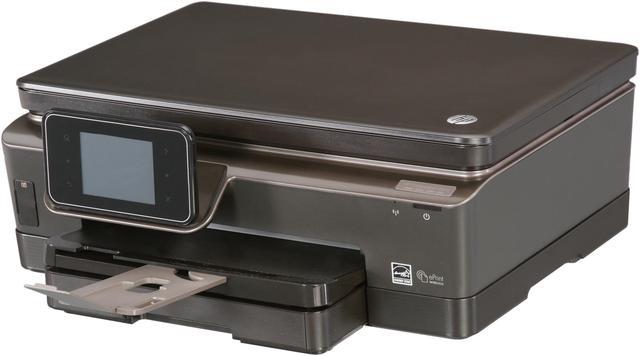
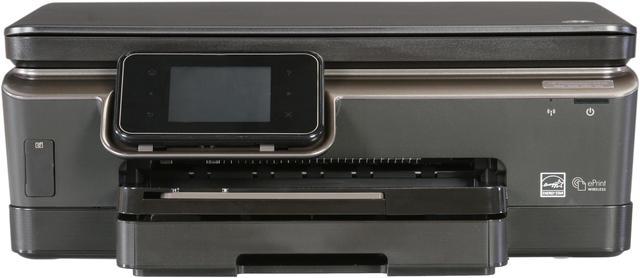
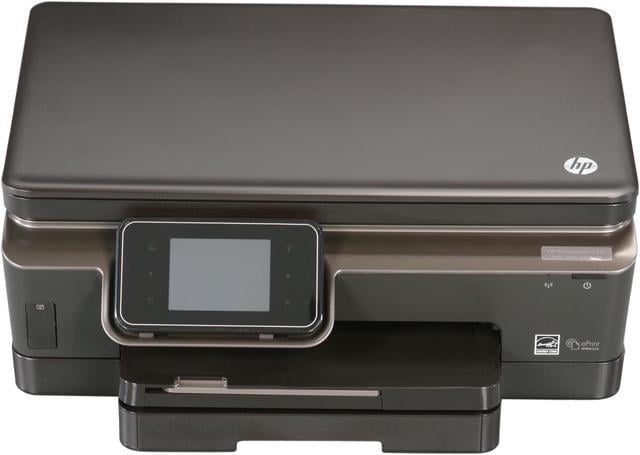
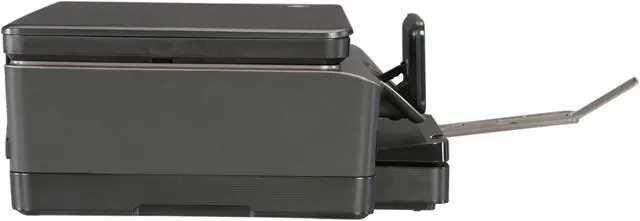
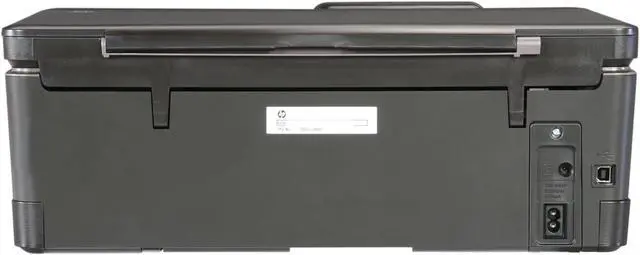
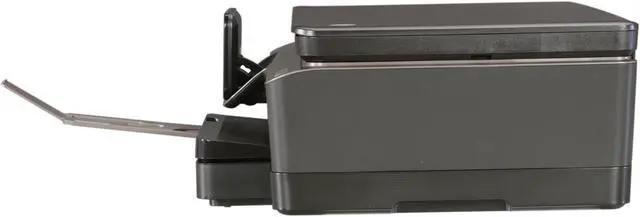
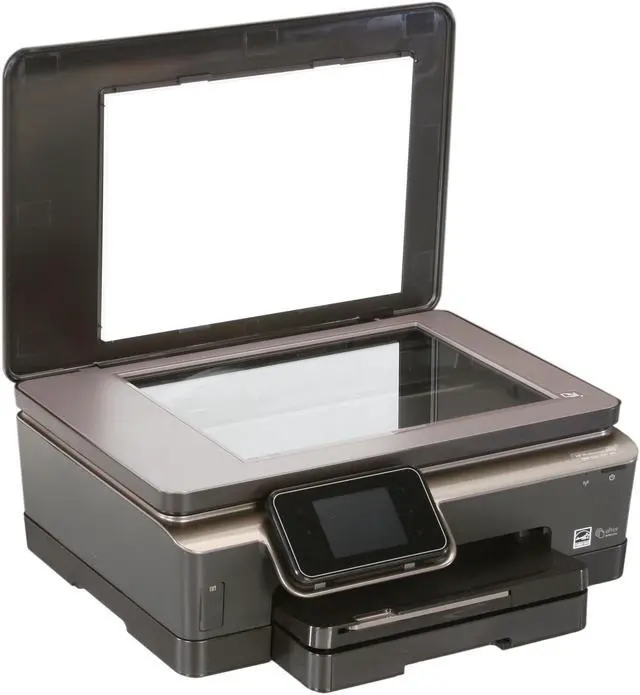
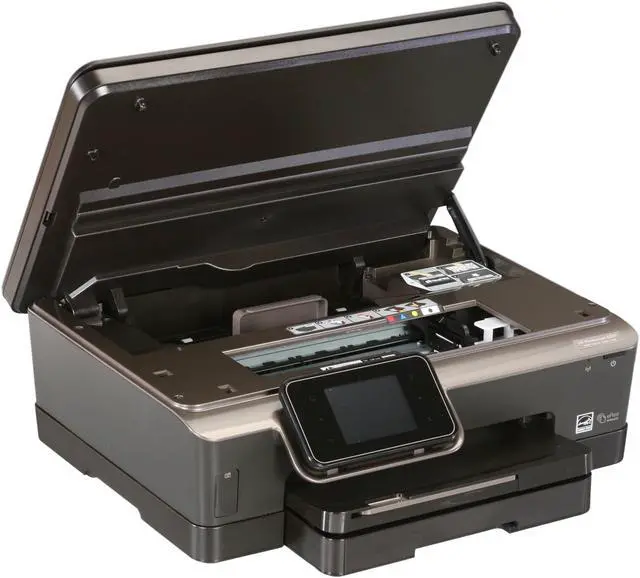
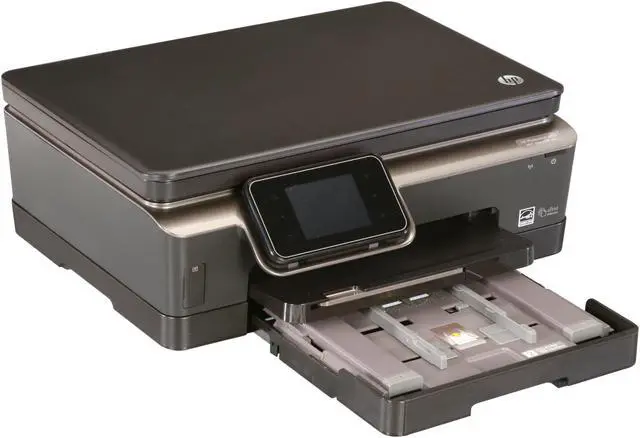
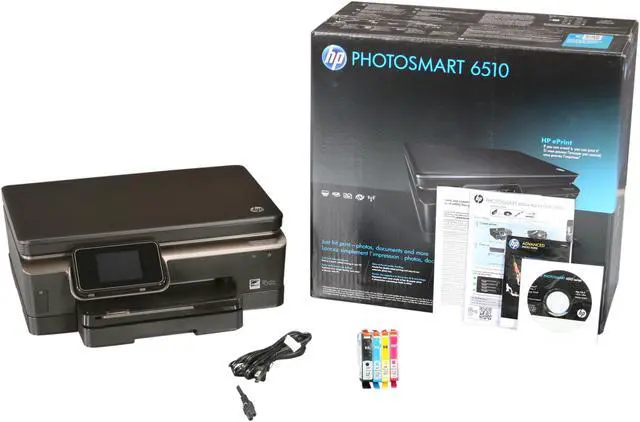
HP Photosmart 6510 CQ761A Up to 22 ppm Black Print Speed 4800 x 1200 dpi Color Print Quality Wireless Thermal Inkjet e-All-In-One Color Printer

  • Up to 22 ppm Black Print Speed
  • Up to 22 ppm Color Print Speed
  • Up to 1200 dpi Scan Resolution, Optical
ICON Loading...


Learn more about the Hewlett-Packard CQ761A

Model

Brand
HP
Series
Photosmart 6510
Model
CQ761A
Recommended Use
e-All-In-One

Printer SPEC

Print Technology
Thermal Inkjet
Output Type
Color
Black Print Speed
Up to 22 ppm
Color Print Speed
Up to 22 ppm
Black Print Quality
1200 x 600 dpi
Color Print Quality
4800 x 1200 dpi
Print Languages, std.
HP PCL 3 GUI, PML
Duplex printing
Yes
Max. Duty Cycle
Up to 1000 pages

Copier SPEC

Copy speed, Black
Up to 21 cpm
Copy speed, Color
Up to 20 cpm
Copy Quality, Black
Up to 600 dpi
Copy Quality, Color
Up to 600 dpi
Max. Number of Copies
50
Copy Reduction / Enlargement
25% - 400%

Scanner SPEC

Scan Resolution, Optical
Up to 1200 dpi
Scan Resolution, Enhanced
19200 x 19200 dpi
Scan Technology
24bit CIS
Scan Maximum Document Size
8.5" x 11.7"

Paper Handling / Media

Input Capacity, std.
Up to 80 sheets legal, Up to 40 sheets transparencies, Up to 40 sheets labels, Up to 20 sheets photo paper, Up to 60 cards, Up to 5 envelopes
Output Capacity, std.
Up to 50 sheets legal, Up to 10 sheets labels, Up to 25 sheets transparencies, Up to 25 cards, Up to 5 envelopes, Up to 10 sheets photo paper
Media Type
Paper (brochure, inkjet, plain), photo paper, envelopes, labels, cards (greeting), transparencies
Media sizes supported
Letter, legal, 4 x 6 in, 5 x 7 in, 8 x 10 in, No. 10 envelopes
Borderless Photo Sizes
8.5" x 11"

Hardware SPEC

Noise Level (Approx.)
Acoustic Power Emissions: 6.3 B(A) (printing at 10 ppm)
Acoustic Power Emissions (Active, Copy or Scan): 5.9 B(A) (copying at 2 ppm)
Acoustic Pressure Emissions: 50 dB(A) (printing at 7.5 ppm)
Memory, std.
64 MB
Power Requirements
100 to 240 VAC (+/- 10%), 50/60 Hz (+/- 3 Hz)
Power Consumption
13 watts maximum, 9 watts active, 0.30 watts manual-off, 5.1 watts standby, 2.7 watts sleep, 0.30 watts auto-off

Ports

USB Ports
Yes
Other Ports
WiFi 802.11b/g/n
Connectivity Technology
Wireless
Digital Media Memory Card Compatibility
Memory Stick Duo, Secure Digital/MultimediaCard

Compatibility

Windows Compatible
Windows 7, Windows Vista, Windows XP (SP2) or higher (32-bit only)
Macintosh Compatible
Mac OS X v 10.5, v 10.6, v 10.7

Features

Features
Outstanding photo printing without the hassles

Versatile, Web-connected performance you can count on

Easy wireless printing—even print through e-mail

Outstanding paper savings, easy energy savings

Physical SPEC

Dimensions
17.17 x 15 x 6.34 in
Weight
12.35 lbs

Hardware SPEC

Package Contents
HP Photosmart 6510 e-All-in-One (B211a)
HP 564 Black Ink Cartridge
HP 564 Cyan Ink Cartridge
HP 564 Magenta Ink Cartridge
HP 564 Yellow Ink Cartridge
Software CD
Reference Guide
Power cord
Reusable Tote
Software Included
HP Photo Creations software, available for download at:
http://www.hp.com/go/printing-software

Quick Info

Warranty

  • Limited Warranty period (parts): 1 year
  • Limited Warranty period (labor): 1 year


Customer Reviews of the Hewlett-Packard CQ761A

Do you own this product? Write a Review

Filter Results

Go
  • bronder
  • 11/12/2012 4:20:14 PM
  • Tech Level: High
  • Ownership: 1 month to 1 year

1 out of 5 eggsLooks great on paper

Pros: Easy setup, easy network management.

Cons: Drops from the network and has to be reset. The print heads need to be cleaned a lot (wasting ink in the process). I get very little printing from even the XL cartridges and the cost of an entire set of Xl's about is about the cost of this poorly made printer on sale at any big box store.

Other Thoughts: I've owned many HP printers over the years and even though this one reads nicely from the tech specs it is not a very good performer in real life. I've had networking issues to poor print head performance with it and can't wait to get rid of it. HP has slipped drastically over the years and this series of printers is more proof.

Did you find this review helpful? Yes No

  • N/A
  • 10/17/2012 5:52:11 AM
  • Tech Level: High
  • Ownership: 1 month to 1 year

1 out of 5 eggsBroken after 9 months of very light use

Pros: Was a good unit during it's short life

Cons: After 9 months of VERY light use (only 100 pages printed over the 9 months), the print head failed which is not a user replaceable part, it needs to be repaired by the factory.

There are a lot of users who have experienced the same problem.

Also you can't even scan with the unit if the printer functionality fails.

HP's quality has gone extremely downhill over the past several years, i would avoid buying any HP printers.

Other Thoughts: I've been fighting with HP for almost a week. They're apparently refusing to honor the warranty beyond 1yr from the manufactured date even though i've provided a copy of my invoice with the sale date.

Also the cost of replacement ink will run you almost the same as the entire unit costs.

Did you find this review helpful? Yes No

  • N/A
  • 9/19/2012 5:41:44 AM
  • Tech Level: Somewhat High
  • Ownership: 1 week to 1 month

1 out of 5 eggshorrendous

Pros: None.

Cons: Never worked, and neither did the "meticulously inspected" reconditioned unit that HP sent to replace it under warranty. The first, brand-new unit only showed Arabic language (I think) on the screen, and it could not be reset (this I learned in the course of a 3-hour effort, including a 1-hour chat with HP support). The replacement unit would only print blue ink. In the course of trying to fix that (including several calls, totalling 5 hours, to HP support), the paper tray decided it didn't want to go back into the unit. Final call to HP: "Take this junk. I want my money back." Their answer, "You'll hear from us in 48 hours."

Other Thoughts: I feel sorry for HP employees. It's sad to see yet another iconic American company failing. It's also insulting to listen to a "telephone hold" message that repeats endlessly, each time saying that the reconditioned units that it sends out to people who have defective products have been "meticulously inspected", and that "We value your time." That last one really gets you after you've been holding for 30 minutes and have to give up your place in line because you have other things you must do.

Did you find this review helpful? Yes No

  • Anglave
  • 8/23/2012 10:12:46 AM
  • Tech Level: High
  • Ownership: 1 day to 1 week
  • Verified Owner

5 out of 5 eggs

Pros: Setup was easy. If a bit long.
Wireless Setup worked well, allowing me to relocate the printer and reclaim some desk space.

Individual color cartridges for easy replacement.

Cons: Instructions were minimal, essentially consisting of "Plug it in. Turn it on. Ta-Da!"

Other Thoughts: I've not tried scanning or copying yet (I bought and installed this along with a new PC for a client). Printing was easy and works well.

Instructions were minimal. Luckily it's fairly easy to figure out.

Setup took the printer quite a while (several minutes). But the process was simple enough, and it works well.

Wireless configuration wizard did its job. The wireless connection is a huge bonus for this client.

1 out of 1 people found this review helpful. Did you? Yes No

  • N/A
  • 8/18/2012 12:19:53 PM
  • Tech Level: Somewhat High
  • Ownership: 1 week to 1 month
  • Verified Owner

5 out of 5 eggsgreat product

Pros: wireless, easy to set up, sd card port, slot for printing photos and envelopes, internal paper holder, installation cd actually works, came with free xl ink cartridges

Cons: none

Other Thoughts: great printer, i would definitely reccomend

Did you find this review helpful? Yes No

  • jeep4wheel
  • 8/4/2012 7:34:43 AM
  • Tech Level: High
  • Ownership: 1 day to 1 week
  • Verified Owner

5 out of 5 eggsVery Good Printer

Pros: Easy setup. Nice having a network printer at home with all the laptops. Worth the money. Prints great,scans great. does photos great. Nice touch screen

Cons: None

Did you find this review helpful? Yes No

  • RecycledHero
  • 6/8/2012 8:10:04 AM
  • Tech Level: High
  • Ownership: 1 day to 1 week
  • Verified Owner

5 out of 5 eggsExcellent Printer

Pros: This printer is the best personal printer I've ever owned and this is coming from a man who's owned a gambit of other big name printers. Right out of the box it was a snap to set up and get going.

-Easy to follow set up guide / installation CD
-Wireless
-Easy to use touch screen
-Not as loud as traditional printers
-Great quality normal/photo prints

Cons: No con's with this printer which shocks me because i was expecting something to rear its ugly head but honestly nothing has.

Other Thoughts: -While not really a con you do have to go through a bit of a wait to set up the printer and link it to your computer but thats nothing worthy of losing an egg for.

- Do not touch recently printed photo's after they have been printed. The photo's are very wet and will smear if the ink has not completely dried.

2 out of 2 people found this review helpful. Did you? Yes No

  • dmdem
  • 6/7/2012 12:50:00 PM
  • Tech Level: Somewhat High
  • Ownership: 1 day to 1 week

2 out of 5 eggsWon't print from 4x6 photo tray !

Pros: Nice features in theory. Easy setup and connection to wireless or USB (tried both). Local touch screen easy to navigate. Average color printing.

Cons: MAJOR - will not print 4x6 from the 4x6 photo paper tray from the computer (Win 7) - prints the 4x6 onto the letter tray instead. At least four other customers on HP site complained of same problem since Jan 2012, and still no fix from HP. Other problems - I did an download update from HP site, and it locked up computer and killed the Win boot. Hand to do Win repair and disconnect and remove printer from computer to boot. Noisy, lots of grunting and bells from local touch screen. Returned to store (BB) for refund.

Other Thoughts: Check out HP customer site before you buy. Can't believe the good reviews here and at BB. I wonder how many reviewers actually tried printing 4x6 from the photo tray from computer.

0 out of 3 people found this review helpful. Did you? Yes No

  • maine-doug
  • 4/2/2012 1:55:51 PM
  • Tech Level: Average
  • Ownership: 1 week to 1 month
  • Verified Owner

5 out of 5 eggsPacked with features

Pros: This is an awesome machine that has tons of features. I got it for $90 but even at 150 it is still a great buy. Sharp vivid photos even on regular paper and very fast monochrome printing. It also prints on both sides to save paper.

Very fast wireless set up so both my computers can print with it.

Cartridges are reasonable and colors can be bought separately to save dough

Very fast service from Newegg and as I said a terrific buy when I got it.

Cons: Noisy.

2 out of 2 people found this review helpful. Did you? Yes No

  • he11kat
  • 2/26/2012 7:55:31 AM
  • Tech Level: Average
  • Ownership: less than 1 day
  • Verified Owner

5 out of 5 eggsHP 6510 Printer Scanner Copier

Pros: Wireless options if you need it. Comes with a carrying tote bag for portability.

Cons: It is a little noisier compared to the last HP printer,scanner & copier I bought several years ago.

Other Thoughts: For the price I paid with (free shipping) and speedy processing, I cannot complain. It also has touch screen options. I'm quite pleased with how simple it was to hook up and the easy step by step instruction right on the screen of the printer.

2 out of 2 people found this review helpful. Did you? Yes No

ICON Loading...
Are you an E-Blast Insider? Subscribe Newegg e-Blast

Buzz

Great upgrade from old Canon printer

4 out of 5 eggs
1. Really great print quality, especially black. Looks dang near laser print quality even at normal quality settings on basic ...
— 1ceTr0n 11/21/2011

Excellent Printer

5 out of 5 eggs
This printer is the best personal printer I've ever owned and this is coming from a man who's owned a gambit of other ...
— RecycledHero 6/8/2012


PayPal
Shop without retyping payment details. Secure shopping made faster.
Check out with PayPal.

Financing


LOADING... LOADING...
Shop by Region: United States | Canada | China
VeriSign Click for the BBB Business Review of this Computers - Supplies & Parts in Whittier CAThis site protected by Trustwave's Trusted Commerce program Inc500
Policy & Agreement | Privacy Policy  © 2000-2013 Newegg Inc.  All rights reserved.
If the Adobe Reader does not appear when you click on a link for a PDF file, you can download Adobe Reader from the Adobe web site. nassau