Special Offers
-
No interest for up to 12 months. Plus, New Preferred Account Customers: Save $20 off $100.
Subject to credit approval. Details
-
No Payments for up to 6 months. Minimum purchase required.
Subject to credit approval. Details
Similar Items
Not the product you're looking for? We can make some suggestions to help you decide on a product that fits your needs.
view similar products
-
Manufacturer Contact Info
Return Policies
This item is covered by Newegg.com's Standard Return Policy.
- Return for refund within: 30 days
- Return for replacement within: 30 days
- Restocking Fee: Yes
|
-
- 5
-

- 47%
- 4
-

- 24%
- 3
-

- 6%
- 2
-

- 15%
- 1
-

- 8%
| Product Rating: |
   
|
| Total Reviews: |
72 |
NOT 7.1 DIGITAL (7.1 analog / 2.0 DIGITAL)
- Pros: 7.1 analog....maybe?
- Cons: This product claims to be a 7.1 channel surround sound card with a digital coaxial input and output. However, this card can only digitally put out 2 channels, wow stereo, my motherboard sound can do that too. I am sure it will run 7.1 channels through its headphone jack outputs, but I am also sure that analog sound isn't as good as digital. Don't waste you time and money on this product.
- Other Thoughts: After waiting on hold for 10 minutes with Diamond their representative informed me that the description does not claim to do 7.1 channels through the digital coaxial, thus any sane person who sees 7.1 and digital near each other, be aware. I made the mistake of trusting Diamond for the last time, this company hasn't made a product that I have purchased and had it work as the description claims.
Works great with Win 7 PRO 64
- Pros: 7.1 Cheap!
- Cons: Difficult to find right driver for 64 bit environment.
- Other Thoughts: For 64 bit Windows use driver version 8 1738. I used a program called drivermax to find me the right driver because after upgrading from 32 bit Vista Ultimate to W7 Pro 64 none of the sound worked properly; I had 4 speakers not working now with this driver everything is perfrect. Forget the crapware diamond is giving you and don't bother with audacity or Xear 32 bit just get the 8 1738 driver and your set!
Sort of works with Windows 7
- Pros: Once I was able to get it going, the sound out of this thing is great. Purchased for Windows 7, and was able to get it working using C-Media drivers (http://www.cmedia.com.tw/).
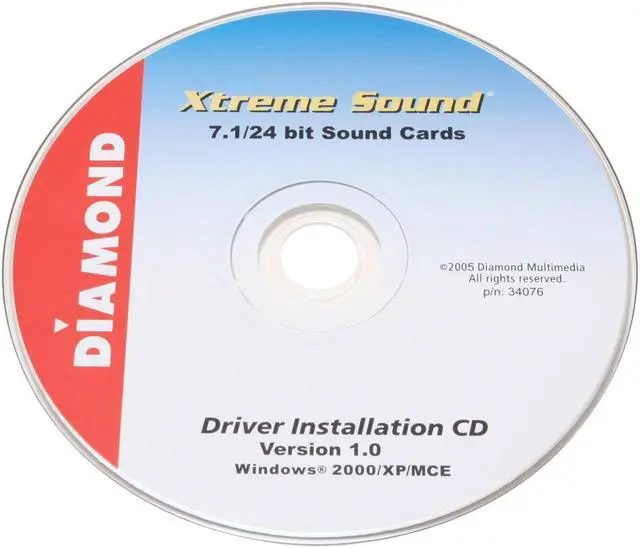
- Cons: Installation disk isn't compatible with Windows 7, Windows Vista 64bit SP2 or SP3. Would be nice if they were to update drivers to include windows 7, or at the very least vista sp2 and sp3. Diamond has updated drivers for all of their video cards, why not for the audio card?
- Other Thoughts: When attempting to get this to work on Windows 7, it was a bit of a pain. I was able to do it by downloading the windows Vista 64 bit driver from diamondmm.com, then running the setup for it in compatibility mode for Vista (not vista SP2 or 3). Once the driver was installed it still didn't work, but then Windows bailed me out by identifying it as a "C-Media PCI Audio Device" and downloading the CMI8768 driver from Cmedia, after which the card worked perfectly. Kudos to Cmedia for making Diamond's card compatible with Windows 7! The downside is that I'm still not able to find a way to get the features of this thing (notably the equalizer) to work. Since nothing on the original installation disk will work with Windows7 I am kind of stuck with what I can find online and for free -but that is really my fault for not checking compatibility for my OS before purchase. I initially set this at 2 eggs, but it really does sound great considering I am using drivers from a different company.
| Model |
| Brand |
DIAMOND |
| Series |
XtremeSound |
| Model |
XS71 |
| Audio core |
| Channels |
7.1 |
| Sample Rate |
96KHz |
| Digital Audio |
24-bit |
| Hardware Decode |
Dolby EX and DTS |
| Ports |
| Line In |
Yes |
| Line Out |
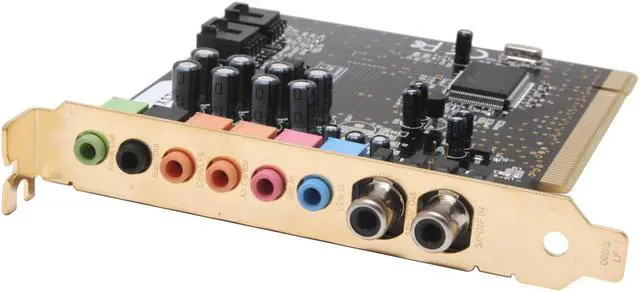
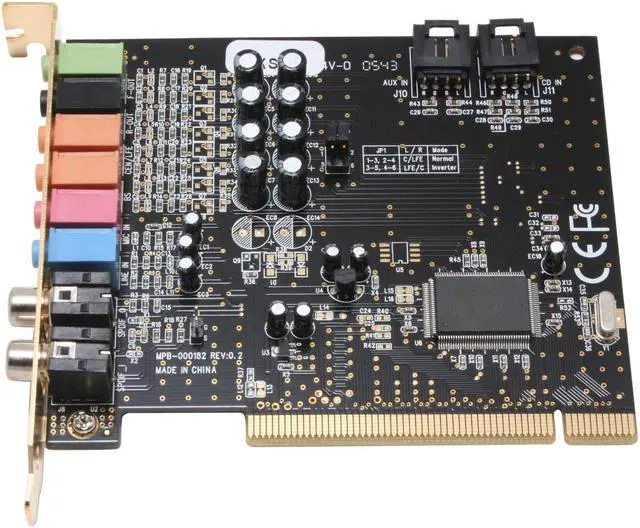
Front/Rear/Center/Subwoofer/Rear Center |
| SPDIF In |
Coaxial |
| SPDIF Out |
Coaxial |
| MIC In |
Yes |
| Spec |
| Interface |
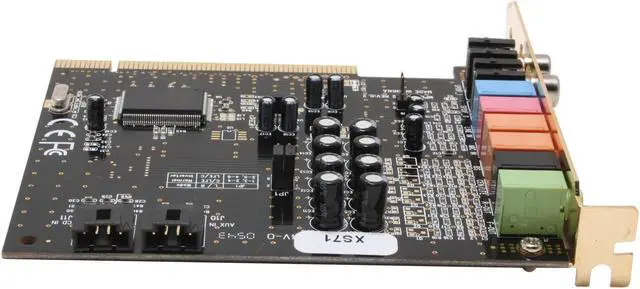
PCI |
| Operating Systems Supported |
Windows 2000, Windows XP, Windows XP Media Center |
| System Requirements |
• 850 MHZ CPU • Available PCI slot • 128 MB RAM • 20 MB Hard disk space • CD-ROM drive * • Amplified Speakers, Amplifier w/Speakers, Headphones • Windows 2000, Windows XP, Windows XP Media Center |
| Features |
| Features |
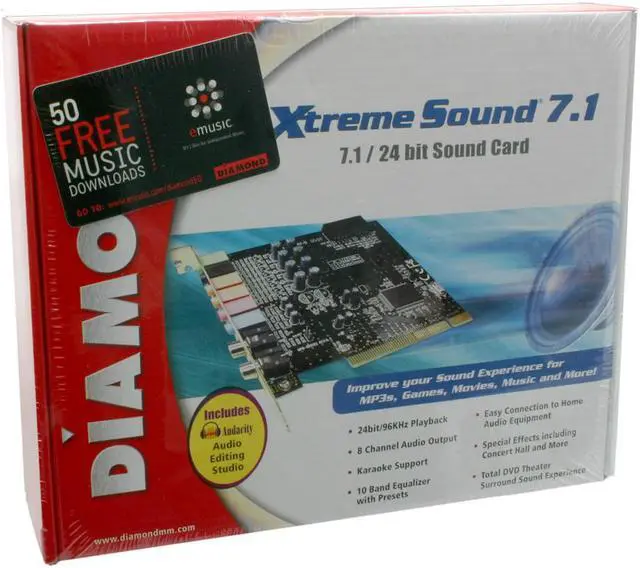
Diamond Xtreme Sound allows the user to experience high level, theater quality sound while watching videos, listening to music, and playing games all in true 7.1 channel surround sound. This is an essential upgrade for anyone interested in increasing their computer audio experience while freeing up valuable computer system resources. • 24bit/96KHz Playback • 8 Channel Audio Output • Karaoke Support • 10 Band Equalizer with Presets • Easy Connection to Home Audio Equipment • Special Effects Including Concert Hall and More • Total DVD Theater Surround Sound Experience • Dolby EX and DTS formats 6.1/7.1 channel DVD playback • 96K/24bit playback; 48K/16bit recording • 7.1 virtual speaker shifter providing surround sound for CDs, and MP3s • EAX 2.0 and A3D sound support • PCI 2.2 Interface with bus mastering and burst modes |
| Packaging |
| Package Contents |
Driver Disk XS71 XtremeSound Sound Card |
|
|