Skip to: |

Newegg.com - A great place to buy computers, computer parts, electronics, software, accessories, and DVDs online. With great prices, fast shipping, and top-rated customer service - once you know, you Newegg.

If you are reading this message, Please click this link to reload this page.(Do not use your browser's "Refresh" button). Please email us if you're running the latest version of your browser and you still see this message.

Newegg.com - Computer Parts, Laptops, Electronics, HDTVs, Digital Cameras and More!

  • | Wish List
  • Help
Home
Home > 
Computer Hardware > 
Input Devices > 
Sound Cards > 
ASUS > 
Item#: N82E16829132006

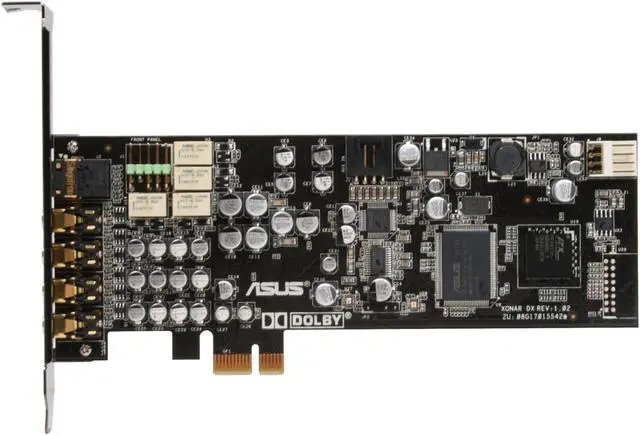
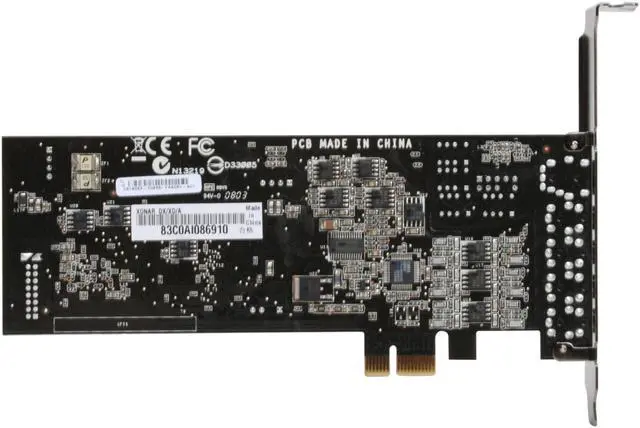
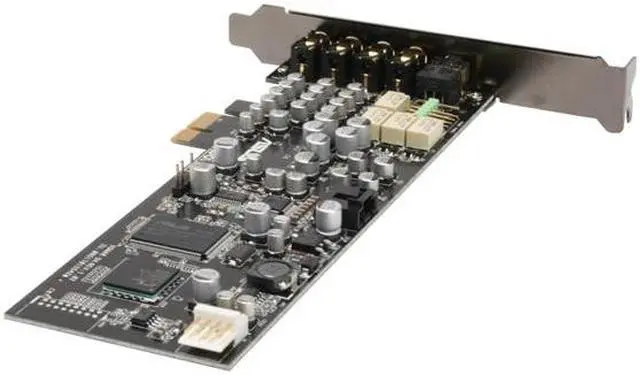
ASUS Xonar DX 7.1 Channels PCI Express x1 Interface Sound Card

  • 7.1 Channels
  • PCI Express x1 Interface
  • Pin It
  • Email this page
ICON Loading...

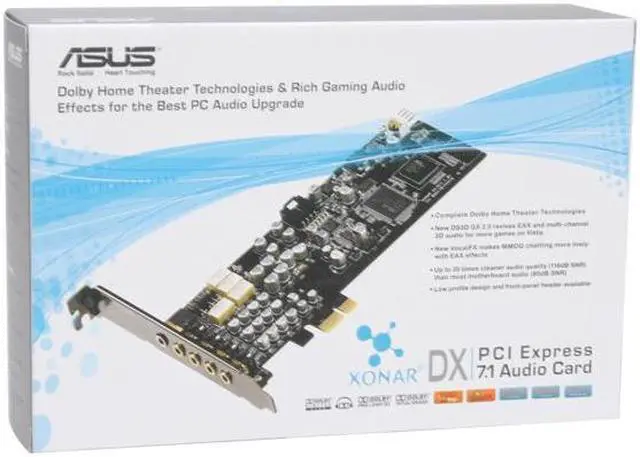
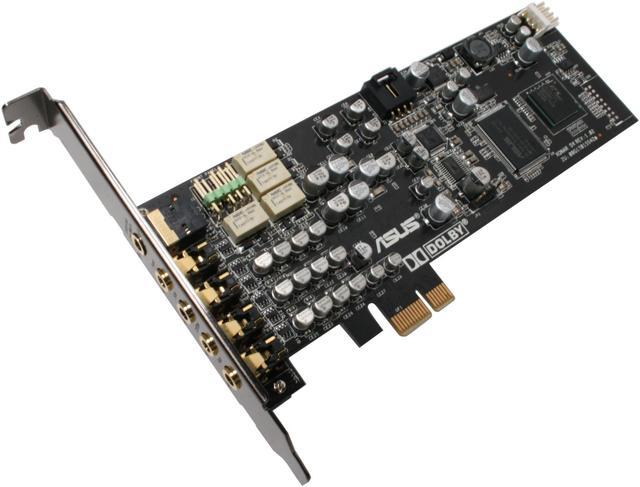
The ASUS Xonar DX is a PCI-E sound card with a 116 dB Signal-to-Noise Ratio (SNR), which provides audio that is 35 times cleaner than onboard audio. With the support of Dolby technologies and GX2.5, the Xonar DX provides rich audio effects in games and theater quality audio in movies.

Dolby is globally recognized for their innovations in audio for cinemas, home theaters, PCs, and games. With Dolby technologies, your PC is upgraded to surround sound and transformed into an immersive digital entertainment center. These include Dolby Digital Live (Real-time 5.1 Dolby Digital surround sound encoding), Dolby Pro-Logic IIx (Converts stereo or 5.1 sounds to a seamless 7.1 surround sound field), Dolby Headphone (Delivers a realistic and spacious 2-to-5.1 surround or 3D positional sound field over any set of stereo headphones), and Dolby Virtual Speaker which simulates a highly realistic 5.1 speaker surround sound listening environment from as few as 2 speakers.

ASUS designed GX2.5 to simulate EAX game effects and makes them available on Windows Vista/7 PCs. GX2.5 will automatically emulate the latest EAX technologies without additional software.

  • newegg High Signal-to-Noise Ratio (SNR) A high SNR rating means less unwanted noise. Therefore the audio is cleaner which translates to better sound quality. The Xonar DX achieves a 116 dB SNR rating for clear audio in games, movies, and music.
  • newegg Dolby Technologies A rich Dolby feature set is supported in order to enhance PC audio with surround sound. A surround sound experience can be achieved with as little as two speakers or even headphones.
  • newegg GX2.5 GX2.5 automatically emulates the latest EAX technology – up to EAX5.0, to offer advanced environmental audio effects. While enhancing the feeling of actually being in the game, GX2.5 also improves on directional audio information.
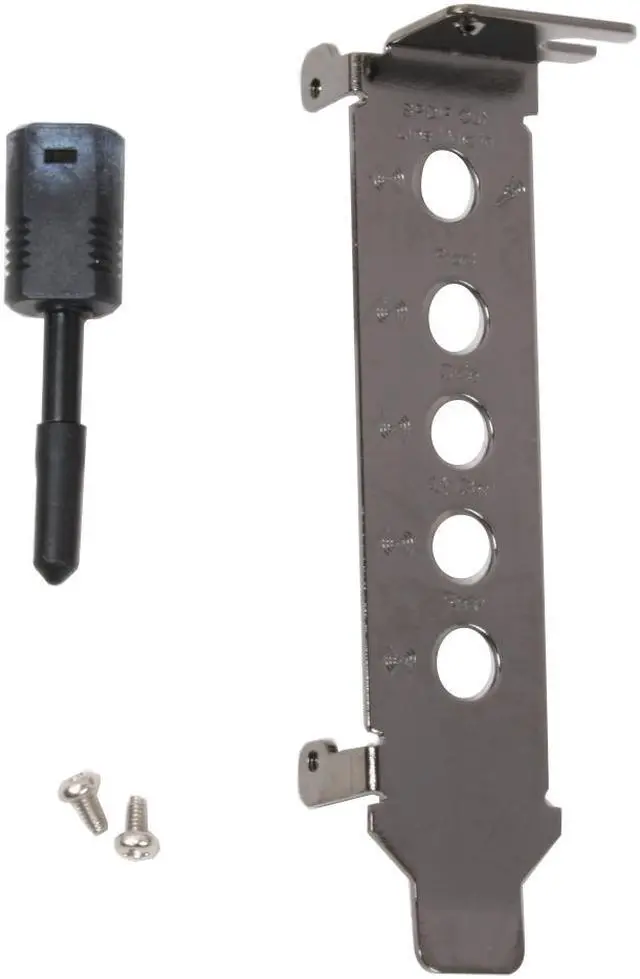
  • newegg Low Profile The Xonar DX is bundled with a low profile bracket for compatibility with HTPC cases.
  • newegg VocalFX VocalFX is an innovative voice processing technology to let your voice get into the realistic game landscape (VoiceEX) or to emulate the background scenes in online chat (ChatEX). It also allows you to change your voice pitch to disguise who you are (Magic Voice).

Learn more about the ASUS Xonar DX

Model

Brand
ASUS
Model
Xonar DX

Audio core

Audio Chipset
ASUS AV100
Channels
7.1
SNR
116dB
Hardware Decode
Dolby Digital

Ports

Line Out
Front/Rear/Center/Subwoofer/Rear Center

Spec

Interface
PCI Express x1

Packaging

Package Contents
Xonar DX Sound Card
User Manual
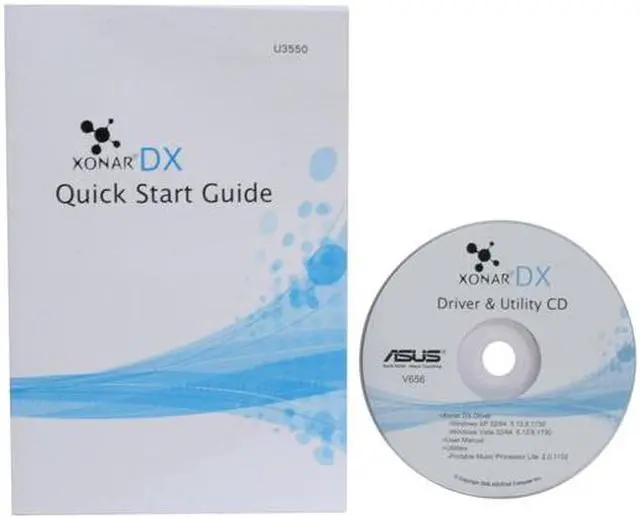
Driver Disk

Manufacturer Warranty

Parts
3 years limited
Labor
3 years limited

Quick Info

Warranty

  • Limited Warranty period (parts): 3 years
  • Limited Warranty period (labor): 3 years


Customer Reviews of the ASUS Xonar DX

Do you own this product? Write a Review

Filter Results

Go
  • Tool_of_Society
  • 5/17/2013 11:35:56 AM
  • Tech Level: High
  • Ownership: more than 1 year
  • Verified Owner

4 out of 5 eggsBoom

Pros: Excellent signal to noise
Excellent sound quality
Solid output selection
Software adjustability

Cons: Power plug can be finicky

Other Thoughts: I use my computer to play games, listen to music (FLAC lossless only), and watch movies. My xonar outputs to a vintage 70s pioneer receiver that has been cleaned up internally. The A channel goes to a pair of floor standing three way speakers. The B channel outputs to an adjustable active line level converter to RCA. The RCA output is fed into a vintage 98 PPI powerclass 2150 amplifier which powers a single JL 12w6v2 in a sealed 1.5 cu ft enclosure. The amplifier is fed power by a 650 watt Antec PSU I recapped and modified for 12 volt output (12.2v output under load).

Why did I tell you this? Because I wanted you to know how serious I take audio. With the integrated audio my system sounds okay. The extension on the low end is pretty bad. With the xonar I get sound below 20hz with cone movement down to almost 5 HZ. On the high end I get sparkling clear sound. When listening to properly recorded symphony music I can close my eyes and it honestly feels like I'm there in the crowd. This card absolutely blows away my old soundblaster 5.1 card.

The sound card has given me no issues with compatibility. I'm not a fan of EAX and such though (sounds artificial even with a soundblaster card) but the features performed like they should.

The built in software is solid giving you a good deal of control over the card's output.

An excellent buy and if you have some extra money you might consider getting the more costly asus card for the upgradable op amps and the improved shielding. If you don't have high end equipment then this xonar will cover you fine.

Did you find this review helpful? Yes No

  • lucho
  • 5/7/2013 6:46:54 PM
  • Tech Level: Average
  • Ownership: 1 month to 1 year
  • Verified Owner

4 out of 5 eggs

Pros: perfect sound

Cons: error on power supply

Other Thoughts: very happy no more creative sound cards for my

Did you find this review helpful? Yes No

  • N/A
  • 5/3/2013 6:56:43 AM
  • Tech Level: High
  • Ownership: 1 day to 1 week
  • Verified Owner

1 out of 5 eggsBad experience from the start

Pros: Of the two times I actually got it to work, sounded great and was a vast improvement over my onboard sound.

Cons: 1. Driver installation was terrible, even with 3rd party Uni Xonar drivers, didn't work. Installer would take 10 minutes, then say the card wasn't found in the system.
2. Got card to install by moving it between the open PCI-e slots. Sound worked briefly, then upon reboot, "driver not digitally signed"
3. Put computer into test mode (I was willing to make this change permanently), and driver signing issue went away, and sound worked again. However, front panel audio never worked with either the HD-Audio connector, or the AC97 conntector. This was the deal breaker.
4. When machine not in test mode, computer won't get to login screen, just shortly after the animated windows logo loads, then black screen, locks up.

Other Thoughts: This card was disappointing from the start. I've built my fair share of machines over the years, and installed many sound cards too. By far, this was the worst experience I have had doing so. Tried many reasonable solutions, and found that ultimately... many other people have the same issues.

**Yes, I connected the 4 pin power cable
**Yes, I used updated drivers from ASUS
**Yes, I tried 3rd party, and all older versions before calling it quits.

Specs:
ASRock Fatal1ty 990FX Professional AM3+ AMD 990FX
G.SKILL Ripjaws Z Series 16GB (4 x 4GB) 240-Pin DDR3 SDRAM DDR3 1600 (PC3 12800)
EVGA SuperClocked 01G-P3-1363-KR GeForce GTX 460 (Fermi) 1GB
Corsair 750W PSU

Did you find this review helpful? Yes No

  • Bayson
  • 5/2/2013 7:32:25 PM
  • Tech Level: Somewhat High
  • Ownership: 1 week to 1 month

3 out of 5 eggsAlmost awesome

Pros: Provides great sound
Had no issues with drivers on Win7 64bit Ultimate

Cons: Needs additional power which isn't a bad thing. However the connection is horrible

Other Thoughts: As stated in the cons, my only complaint with this sound card is that the cable you need to plug in for more power is loose. It locks in, but it wiggles around and does not fully connect. When you do get it to connect and supply it with power, it is only a matter or time until it works the barely touching connection lose. I've resorted to putting tape to help secure this. Rather sad really. I've never had a card from any other maker have this problem.

Did you find this review helpful? Yes No

  • Agault
  • 5/1/2013 3:36:19 PM
  • Tech Level: Somewhat High
  • Ownership: 1 day to 1 week
  • Verified Owner

1 out of 5 eggsGreat if you can get it to work

Pros: Great sound if you can get it to work

Cons: Absolutely will not install in the pc I bought it for. Relays click like crazy in any slot i put it in. Especially if I try to access the recording controls in windows. Installs perfectly but x's out the volume control in the tray and trouble shooter says not enabled even tho it is in Device Manager. Works fine in another Win 7 pc.

Other Thoughts: Very frustrating, thought it might be a bad card at first but works flawlessly in another pc with the same os.

Did you find this review helpful? Yes No

  • Jesse
  • 4/27/2013 7:56:01 PM
  • Tech Level: Somewhat High
  • Ownership: 1 day to 1 week
  • Verified Owner

5 out of 5 eggs

Pros: Huge upgrade from on-board sound! If you don't have a sound card and are considering getting one then this card is perfect. This thing is definitely worth more than the $90 I paid for.

Cons: None

Other Thoughts: The card needs to be connected to the power supply through one of it's 4-pin connectors or it won't work.

0 out of 1 people found this review helpful. Did you? Yes No

  • Jason L.
  • 3/25/2013 7:15:28 AM
  • Tech Level: High
  • Ownership: 1 week to 1 month
  • Verified Owner

5 out of 5 eggsGreat upgrade from onboard

Pros: The DX has a much more detailed and clearer sound than my onboard Realtek ALC892. The bass is also punchier and tighter. No more audio noises or static when using the 3.5mm front panel jack on my case. The DX provides better audio positioning in games than my onboard did.
It's a great all around card for under $100

Cons: Not really a con,but the card requires a 4 pin floppy connector,which Asus is nice enough to include a 4 pin to molex adapter in case your PSU doesn't have one.

No dedicated optical port like some of the newer cards have,not a problem for me but maybe a problem for some.

Other Thoughts: Third party driver software may provide better results for those with compatibility issues,just Google "Brainbit Xonar drivers".
I tried the other more popular,more famous brand of sound card as a comparison test,specifically the fancy one with the name that comes after the letter "Y".
Their cards may be better for just gaming,but not as good for music or as an all around card. However, the software was a pain to download from the site and even more of a pain to uninstall from my system when switching back to my Xonar DX.
The other card's sound EQ settings were just as good, the extra effects were just okay,and at times sounded to digitized or unrealistic with music. All of this is just my experience and how it sounds to me,it may sound very different to you.
At under $100 you really can't go wrong with the Asus Xonar DX.

0 out of 1 people found this review helpful. Did you? Yes No

  • i remember halloween
  • 3/11/2013 2:10:26 PM
  • Tech Level: Average
  • Ownership: 1 month to 1 year
  • Verified Owner

5 out of 5 eggs

Pros: I'm no audiophile, but installation was easy and my computer sounds great with this card hooked up to some Bose speakers.

Cons: none

Other Thoughts: This card requires an additional power source beyond the mobo slot. I easily just ran the 4 pin from an aux port on my power supply.

1 out of 1 people found this review helpful. Did you? Yes No

  • Kipador
  • 3/10/2013 10:30:50 AM
  • Tech Level: Somewhat High
  • Ownership: 1 month to 1 year
  • Verified Owner

5 out of 5 eggsSounds great!

Pros: Much better than my on-board Realtek HD audio. I couldn't believe the difference when I first heard it. I am really happy with it.

Cons: Doesn't fit all the way into the PCI-e x1 port on the mobo. Think the bracket is to blame but whatever it still works. the drivers work but sometimes crash or the program locks up. No big deal though just have to restart the app.

Other Thoughts: It should last me for years to come. Just BECAREFULL with the power adapter on the sound card. Take your time plugging it in or unplugging it. It's not the strongest power adapter. Also make sure you get the latest Asus Xonar DX Audio Center from the Asus website. That's if you want to use that app.

1 out of 1 people found this review helpful. Did you? Yes No

  • I love Rock and Roll
  • 3/6/2013 8:50:45 PM
  • Tech Level: High
  • Ownership: less than 1 day

5 out of 5 eggsWorth it!

Pros: DETAILED audio output. After testing with albums that I have been listening to for 20+ years, I am hearing things I have never heard before. Many of my albums seem like "richly woven tapestries" to me now that I can hear the detail in them. Hearing the pluck of a pick against a bass string is just amazing. It's phenomenal how much depth is brought out by this card.

As for gaming, I played Project Reality and the directionality of sound is much improved. The clarity of rifles and explosions inspires teeth gritting intensity.

Cons: The manual didn't say to disable onboard audio before installing the drivers. I probably would not have overlooked that part if I had a second cup of coffee in me, but it was only a small hiccup on the way to rock and roll heaven.

Other Thoughts: I'll never say "My headphones don't get loud enough" ever again. The red zone in the control panel is no joke.

3 out of 3 people found this review helpful. Did you? Yes No

ICON Loading...

Protect Your Investment!

    • (more options) read warranty details
Are you an E-Blast Insider? Subscribe Newegg e-Blast

Buzz

Worth a purchase, just don't be afraid of MSCONFIG

4 out of 5 eggs
Once issues are worked out, sounds great. Audio Center is easy to use to get everything balanced. Audio is very good, you'll ...
— 2/24/2010

Best in its Class

5 out of 5 eggs
I was reluctant to purchase the DX, even after all the research I did on it. However it turned out to be the best choice. ...
— Krosor 12/28/2009


PayPal
Shop without retyping payment details. Secure shopping made faster.
Check out with PayPal.

Financing


Home
Home > 
Computer Hardware > 
Input Devices > 
Sound Cards > 
ASUS > 
Item#: N82E16829132006
LOADING... LOADING...
Shop by Region: United States | Canada | China
Follow us:   RSS Feeds Youtube
VeriSign Reliability Seal1This site protected by Trustwave's Trusted Commerce program Inc500
Policy & Agreement | Privacy Policy  © 2000-2013 Newegg Inc.  All rights reserved.
If the Adobe Reader does not appear when you click on a link for a PDF file, you can download Adobe Reader from the Adobe web site. nassau