Skip to: |

Newegg.com - A great place to buy computers, computer parts, electronics, software, accessories, and DVDs online. With great prices, fast shipping, and top-rated customer service - once you know, you Newegg.

If you are reading this message, Please click this link to reload this page.(Do not use your browser's "Refresh" button). Please email us if you're running the latest version of your browser and you still see this message.

Newegg.com - Computer Parts, Laptops, Electronics, HDTVs, Digital Cameras and More!

  • | Wish List
  • Help
Search all
Search
Home
Home > 
Software > 
Mac Software > 
Parallels > 
Item#: N82E16832714031

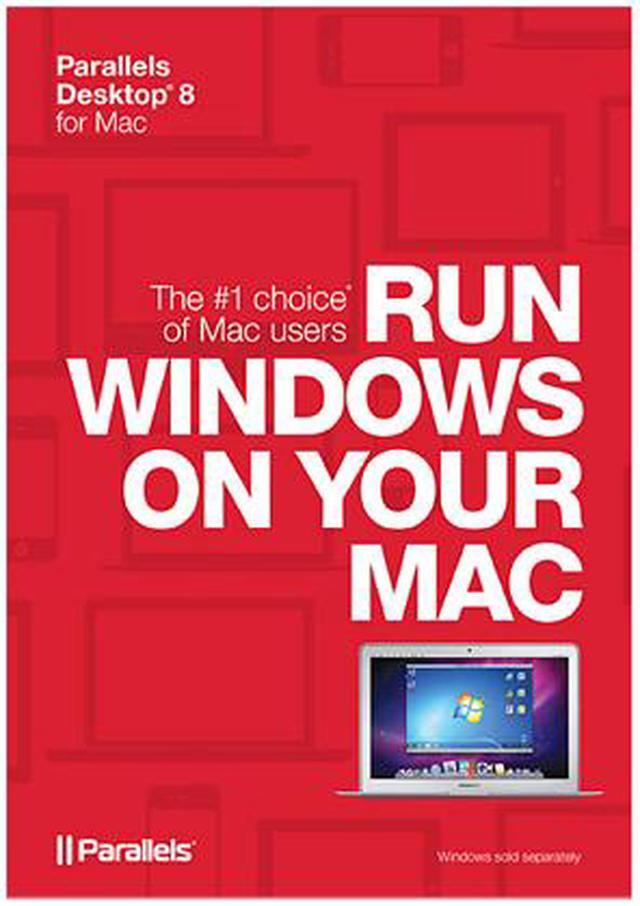
Parallels Desktop 8 for Mac

  • Mac OS X Mountain Lion support
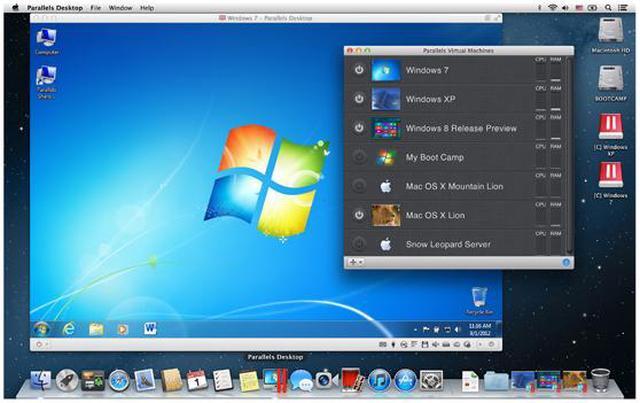
  • Run Windows, Google Chrome and Linux simultaneously
  • Versatile for home, home office and school
  • A must-have in the Mac-based business
  • Pin It
  • Email this page
ICON Loading...


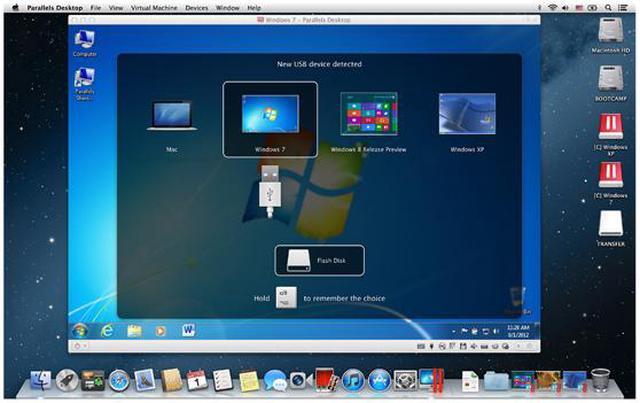
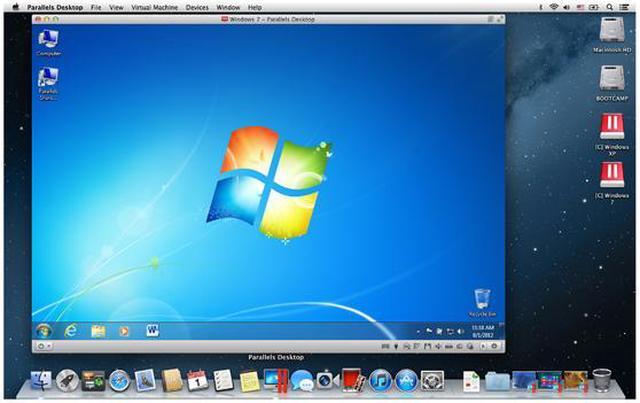
With Parallels Desktop for Mac, you can seamlessly run both Windows and Mac OS X applications side-by-side without rebooting. Drag and drop files between Windows and Mac applications and launch Windows applications from your Mac dock. Powerful performance lets you run Windows productivity applications, even graphics intensive ones, with ease.

Whether you use an iMac, MacBook Pro or MacBook Air, Parallels is easy to set up. Simply download the software from Parallels website, enter your key and you’re up and running. Then you can enjoy any of the Windows programs you need – even Microsoft Office 2010, the gold standard of productivity software – right on your Mac.


  • newegg Life Simplified Run Windows programs like they were made for your Mac. Setting up Parallels Desktop for Mac is simple and easy. Enjoy the best of both worlds - Windows and Mac OS X - on one seamless desktop.
  • newegg Powerful Performance and Personalization Experience as much or as little Windows as you want. Multiple view modes make it possible for you to customize the level of integration between Mac and Windows without compromising performance.

Learn more about Desktop 8 for Mac

Model

Brand
Parallels
Model
PDFM8L-BX1-EN

Spec

Name
Desktop 8 for Mac
Operating Systems Supported
Mac OS
System Requirements
Hardware Requirements

- A Mac computer with an Intel Core 2 Duo, Core i3, Core i5, Core i7, or Xeon processor (Core Solo and Core Duo processors are no longer supported)
- Minimum 2 GB of memory (4 GB of memory is recommended to run Windows 7 in a virtual machine or if your host OS is Lion)
- About 700 MB of disk space on the boot volume (Macintosh HD) for Parallels Desktop installation
- About 15 GB of disk space for each virtual machine

Software Requirements

- Mac OS X Mountain Lion 10.8
- Mac OS X Lion 10.7.4 or later
- Mac OS X Snow Leopard 10.6.8 or later

Note: Mac OS X Leopard v10.5.x is not supported in this version of Parallels Desktop.

To get information about your Mac OS X version, type of processor, and amount of memory, choose About This Mac from the Apple menu.

Note: Internet connection is required for product activation, updates, and select features.
Packaging
Retail

Features

Features
Great for home or school
Parallels Desktop 8 for Mac enables one Mac to handle all your computing needs. Run Windows and Mac OS X side-by-side; even use parental controls to manage access to Windows applications. In school? Run the PC programs your school requires and the Mac applications you love.

A Mac-based business must-have
An office full of Macs can still run the business-critical Windows applications that you, your clients, and your partners need. Billing, bookkeeping and time tracking systems exist happily on your Mac. On the go? Parallels Mobile for your iPad and iPhone lets you remotely use your Mac and Windows applications from anywhere. Available in the App Store.

Made with Mac lovers in mind
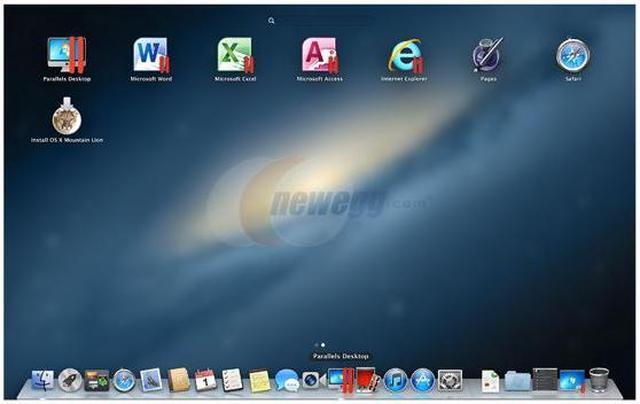
If you love Mac, you'll love Parallels Desktop 8. Run Mac OS X and Windows without rebooting. Experience Windows applications with the same elegant look and feel as Mac applications with features like Mac OS X Mountain Lion Launchpad, full screen support, gestures, and Mission Control support.

Features:
- Use Mac OS X Mountain Lion features like Launchpad, Mission Control, and gestures, and you'll think your Windows applications were made for Mac.
- Purchase, download, and install Windows right from the Parallels Wizard.
- The Presentation Wizard allows you to easily show presentations on any external monitor or projector.
- Switch from Safari to the same page in Internet Explorer with a single click.
- Support for MacBook Pro Retina displays.
- Run Mac OS X Mountain Lion as a guest operating system.
- Protect your computer with complimentary Mac and Windows security software trial subscriptions from Norton and Kaspersky.

Benefits:
- Have the Mac you want and the Windows programs you need.
- Windows programs can be launched right from the Mac Dock.
- You can copy-and-paste and drag-and-drop files and data between Windows and Mac applications.
- Use all your Windows-based programs on your Mac, even graphically intense apps.

Quick Info


Customer Reviews of Desktop 8 for Mac

Do you own this product? Write a Review

Filter Results

Go
  • N/A
  • 1/27/2013 4:35:46 PM
  • Tech Level: Average
  • Ownership: 1 month to 1 year

5 out of 5 eggsQuality of Integration is Fascinating

Pros: I bought this product to run a program for school and it works flawlessly. I highly recommend this product. It's like having two computers in one. Coherence mode is really well done. Windows programs, folders, and files minimize right into the OSX dock and work with all the OSX gestures. It is retina display ready and looks dazzling. Try the trial out. The product is so good it sells itself.

Cons: None

Did you find this review helpful? Yes No

  • N/A
  • 12/23/2012 10:55:46 AM
  • Tech Level: High
  • Ownership: 1 month to 1 year

5 out of 5 eggsParallels 8 is Great for Office 2010

Pros: I recently upgraded from Parallels 7 to Parallels 8. The upgrade was painless and MS Office 2010 is the main reason I run Parallels at all. It now loads even quicker and looks and acts even more like a native Mac application.

Cons: None noted

Did you find this review helpful? Yes No

  • Carlos
  • 12/23/2012 9:00:02 AM
  • Tech Level: Somewhat High
  • Ownership: 1 month to 1 year

5 out of 5 eggsGreat Performance and Stability

Pros: Performance
Ease to add OS
Competitive Pricing

Cons: None

Other Thoughts: I was a longtime user of VMWare Fusion and recently switched due to lack of upgrade pricing from VMWare for a Mountain Lion compatible version. Well not just pricing I also read many reviews that showed Parallels' latest version had all the same features and out performed VMWare Fusion. I love the performance and the great features... oh and how easy it is to setup.

Did you find this review helpful? Yes No

  • John
  • 12/22/2012 11:25:59 AM
  • Tech Level: Somewhat High
  • Ownership: more than 1 year

5 out of 5 eggsParallels Desktop 8 for Mac

Pros: I am using the Final release of Parallels 8 on my MacBook Pro with 8GB memory. I have been using Parallels since Snow Leopard (10.6) on an Intel iMac and Parallels continues to work flawlessly in Mountain Lion (10.8). The guest OS's installed are Win XP Pro 32b, Win 7 Pro 64b, Win 8 Pro 64b, Ubuntu 12.10 Linux, Zorin Linux, Pinguy Linux, Mint 64b Linux, and Mandriva Linux, all with no issues. I have run Win XP, Win 7, Win 8, and Ubuntu all at the same time with no technical issues.

Cons: If you're a gamer, the Windows applications may run a little slow. For everything else, including videos, you won't notice the difference.

Other Thoughts: This is the best way I know of to have a single platform (Mac) running multiple operating systems (Windows, Linux) for teaching purposes. If you're switching from Windows to a Mac, load your Windows OS under Parallels and you'll never miss a beat. All your Mac files will be accessible in Windows, and all your personal Windows files can be moved to the Mac. Also, consider using NeoOffice on the Mac as an alternative to MS Office.

Did you find this review helpful? Yes No

  • LP
  • 12/22/2012 9:02:35 AM
  • Tech Level: Average
  • Ownership: 1 month to 1 year

5 out of 5 eggsExcellent!

Pros: Great product. Gives you the best of both worlds, Mac & PC.

Cons: None so far.

Did you find this review helpful? Yes No

  • omegawon
  • 11/4/2012 5:25:51 AM
  • Tech Level: Somewhat High
  • Ownership: 1 month to 1 year
  • Verified Owner

4 out of 5 eggsAwesome.

Pros: Provides you with everything you need to make your Mac interoperable with any other OS you may want. I love the fact they provide Google's Chrome OS, Linux, and Windows 8 Release Preview with the package for free. Really a great program.

Cons: Parallels should work out a deal with Windows to have a stand-alone product key for W7, and the W8 RP should be upgradeable to W8 Pro.

Other Thoughts: Overall a good value.

0 out of 1 people found this review helpful. Did you? Yes No

ICON Loading...
Are you an E-Blast Insider? Subscribe Newegg e-Blast

Buzz

Quality of Integration is Fascinating

5 out of 5 eggs
I bought this product to run a program for school and it works flawlessly. I highly recommend this product. It's like ...
— 1/27/2013

Parallels 8 is Great for Office 2010

5 out of 5 eggs
I recently upgraded from Parallels 7 to Parallels 8. The upgrade was painless and MS Office 2010 is the main reason I run ...
— 12/23/2012


PayPal
Shop without retyping payment details. Secure shopping made faster.
Check out with PayPal.

Financing


Home
Home > 
Software > 
Mac Software > 
Parallels > 
Item#: N82E16832714031
LOADING... LOADING...
Shop by Region: United States | Canada | China
VeriSign Click for the BBB Business Review of this Computers - Supplies & Parts in Whittier CAThis site protected by Trustwave's Trusted Commerce program Inc500
Policy & Agreement | Privacy Policy  © 2000-2013 Newegg Inc.  All rights reserved.
If the Adobe Reader does not appear when you click on a link for a PDF file, you can download Adobe Reader from the Adobe web site. nassau