If you are visually impaired and are having difficulty navigating this site, please call our Customer Support line via our toll free number (800) 390-1119.
Newegg.com - A great place to buy computers, computer parts, electronics, software, accessories, and DVDs online. With great prices, fast shipping, and top-rated customer service - once you know, you Newegg.
If you are reading this message, Please click this link to reload this page.(Do not use your browser's "Refresh" button). Please email us if you're running the latest version of your browser and you still see this message.
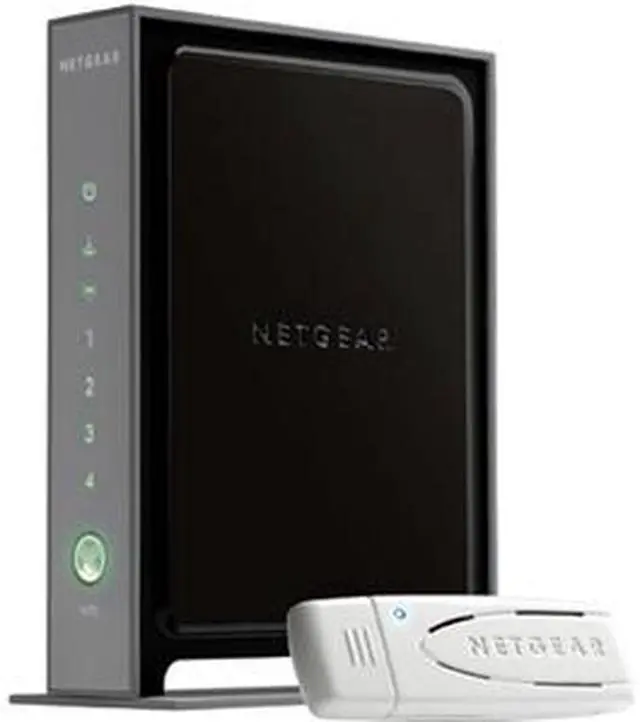
NETGEAR WNB2100-100NAS IEEE 802.11b/g, IEEE 802.11n Draft 2.0 Wireless Router And USB Adapter Kit - Retail
Image Viewer
Original Price: $109.99
You Save: $10.00
$99.99
Free Shipping*
* Free Shipping is not available to AK, HI and PR.
Special Offers
No interest for up to 12 months. Minimum purchase required. Subject to credit approval. Details
No Payments for up to 6 months. Minimum purchase required. Subject to credit approval. Details
Similar Items
Not the product you're looking for? We can make some suggestions to help you decide on a product that fits your needs. view similar products
Manufacturer Warranty
Beyond any applicable Newegg return policy, this item is warranted independently by the product's Manufacturer. Below is a summary provided for convenience only and may not be accurate or current.
Use this link for full details.
Manufacturer Limited Warranty period (parts): 0 day
Manufacturer Limited Warranty period (labor): Lifetime
Tech Level: somewhat high - Ownership: 1 week to 1 month
This user purchased this item from Newegg
Pros: compact, no crazy light show, easy installation, good browser interface, could make a good bookend after waranty expires
Cons: Inconsistent wireless behavior, wireless would go down for extended periods of time and then come back (wired network through the router was not impacted by the frequent outages).
Other Thoughts: While the box says WNB2100 the router itself has WNR2000 on the back. Not sure if this identity crisis was to blame but all attempts at firmware updates failed from 2 different computers running XP and Vista. Replaced with a NetGear WNR3500 which works flawlessly supporting multiple wireless devices (firmware updates work too). I don't know if the WNR200 was defective or not up to the job (I suspect the former) but I returned it for another WNR3500.
Did you find this review helpful?
Thanks for the valuable feedback you provided!
Doesn't work well with Vista 64 bit
Reviewed By: chiefbiglou@aol.com on 12/23/2009
Tech Level: average - Ownership: 1 week to 1 month
This user purchased this item from Newegg
Pros: When I hooked up my laptop to this combo it worked great running XP (I had to go to the web and down load the software).
Cons: On the other hand when I tried to install the soft ware on my desktop I had issues running Vista 64 bit. I also went to the web site and down loaded, but that didn't work either. After a couple of tries I got it to work, but not without lots of coffee.
Other Thoughts: After getting this working it worked great. I also had an issue with my VOIP and had to rewire my entire net work to make everything work.
Did you find this review helpful?
Thanks for the valuable feedback you provided!
FRUSTRATION to SUCCESS
Reviewed By: JeepRob on 12/15/2009
Tech Level: somewhat high - Ownership: 1 week to 1 month
This user purchased this item from Newegg
Pros: It's working now. Steady internet speed test around 17mb/second.
Cons: Could not get router/usb adapter to connect to the internet in the beginning. Signal strength varied greatly. But it almost always connected to router. just couldn't surf the web. The router was blocking the gate to the internet. Why, I don't know. It was unpredictable.
Other Thoughts: The fix for me was: I first used the install disc on my older desktop ( Window XP ). It gave me a specific SSID. After hours of frustration I decided to run my install disc from my laptop ( Window XP ) . The installation gave me a different SSID from the first. Why , I don't know. But this time all worked like a charm. : ) My internet connection is steady and reliable now. And I'm happy. I get better signal strength and a faster connection with N, than I did with G. My signal strength still varies but I don't notice it effecting my internet speed.
Did you find this review helpful?
Thanks for the valuable feedback you provided!
Model
Brand
NETGEAR
Model
WNB2100-100NAS
Spec
Standards
IEEE 802.11b/g, IEEE 802.11n Draft 2.0
Security
Denial-of-service (DoS) attack prevention Intrusion detection and prevention (IDS) Wi-Fi Protected Access (WPA2-PSK, WPA-PSK) Wired Equivalent Privacy (WEP) 64-bit, 128-bit encryption Wireless Access Control to identify authorized wireless network devices Exposed Host (DMZ) for secure gaming Wi-Fi Protected Setup (WPS), pushbutton and PIN Double firewall: Network Address Translation (NAT) to hide PCs and files from outside users Stateful packet inspection (SPI) firewall to deny outside requests for personal information
WPA/WPA2
WPA2
Wireless Data Rates
Up to 300Mbps
Antenna
Internal Antenna
Wireless Adapter included
Yes
Features
Features
New Wireless-N router with matching USB adapter delivers superior performance and range Easy setup with Smart Wizard Installation CD Push āNā Connect using Wi-Fi Protected Setup (WPS) allows you to add computers to the network quickly and securely Automatically checks for and upgrades to the latest firmware for optimal performance Internal antennas deliver maximum performance and range