Skip to: |

Newegg.com - A great place to buy computers, computer parts, electronics, software, accessories, and DVDs online. With great prices, fast shipping, and top-rated customer service - once you know, you Newegg.

If you are reading this message, Please click this link to reload this page.(Do not use your browser's "Refresh" button). Please email us if you're running the latest version of your browser and you still see this message.

Newegg.com - Computer Parts, Laptops, Electronics, HDTVs, Digital Cameras and More!

  • | Wish List
  • Help
Home
Home > 
Computer Hardware > 
Networking > 
Powerline Networking > 
Netgear Inc. > 
Item#: N82E16833122423

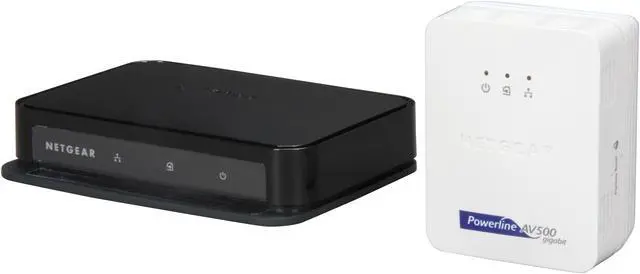
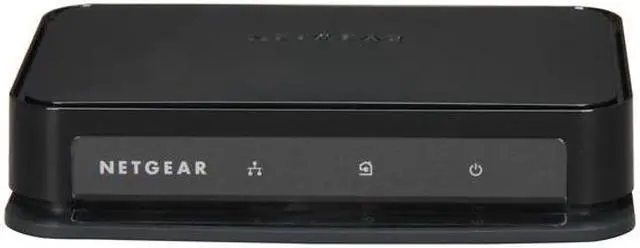
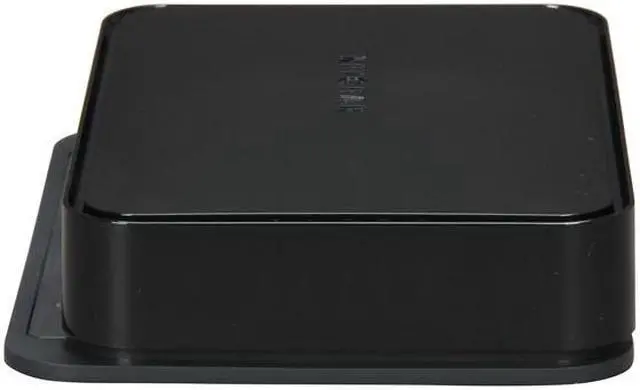
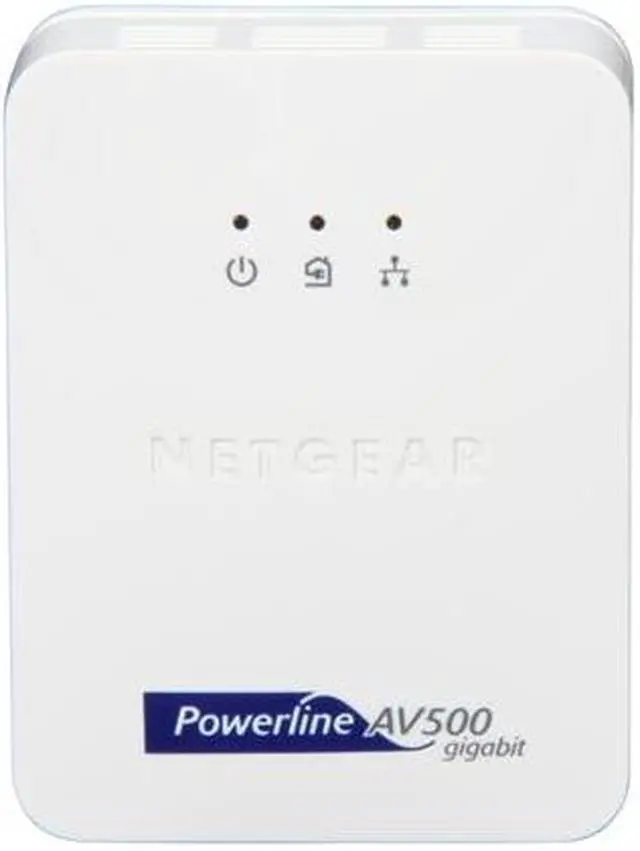
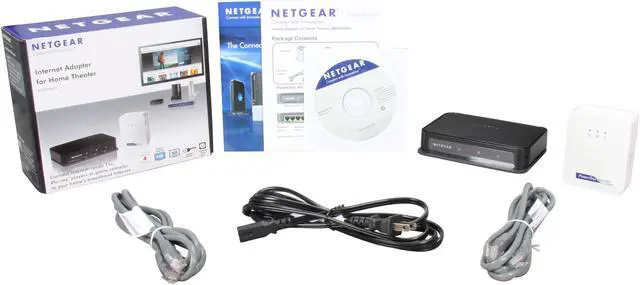
NETGEAR XAVB5004-100NAS Universal Internet Adapter For Home Entertainment - 3D Up to 500Mbps

  • HomePlug AV, IEEE 802.3
  • Ethernet port
  • Up to 500Mbps Window 8 compatible
  • Pin It
  • Email this page
ICON Loading...


Learn more about the Netgear Inc. XAVB5004-100NAS

Model

Brand
NETGEAR
Model
XAVB5004-100NAS

Spec

Standards
HomePlug AV, IEEE 802.3
Ports
Ethernet port
Powerline Speeds
Up to 500Mbps
Connection Type
RJ45
Connection Speeds
10/100/1000M
Kit Type
Two different Wired
System Requirement
Microsoft Windows 7, Vista,XP or Mac OS X (To enable encryption (via software))
Dimensions
XAV5004: 5.40" x 4.01" x 1.10"
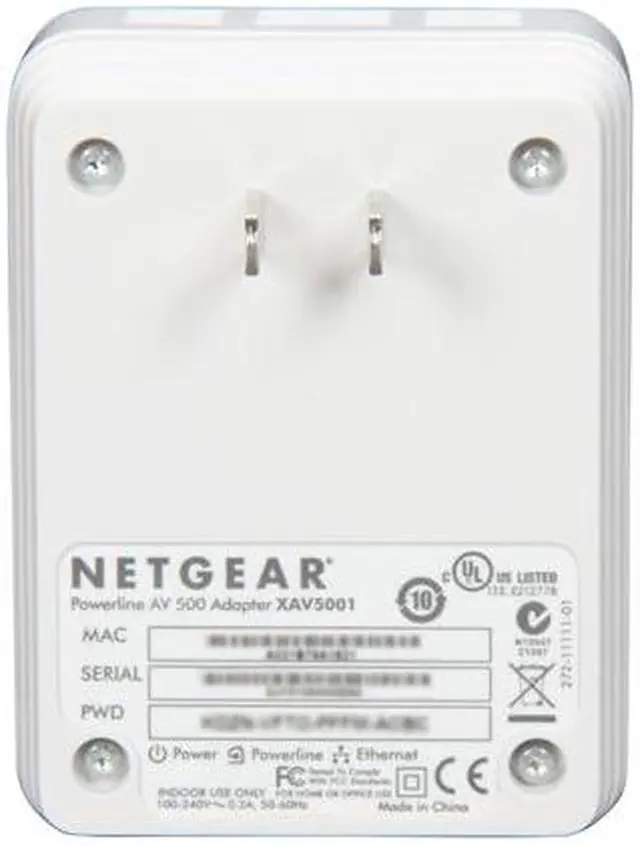
XAV5001: 3.3"8 x 2.63" x 1.57"
Weight
XAV5004: 0.48 lbs.
XAV5001: 0.28lbs.

Features

Features
Typical Coverage: Up to 5000 square foot home.

Network Ports:
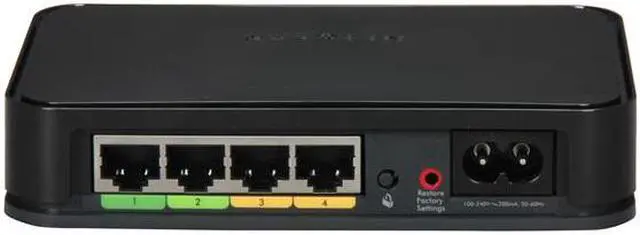
XAV5004: Four (4) 10/100/1000 Mbps ports.
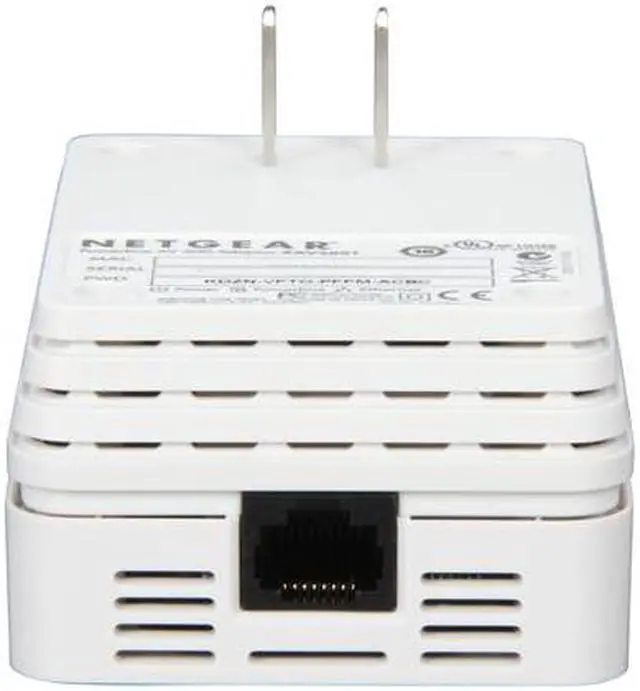
XAV5001: One (1) 10/100/1000 Mbps port.

Connect Internet-ready TVs, Blu-ray players or game consoles to your home's broadband Internet.

3DHD - reliably stream multiple HD videos in full 1080p, perfect for 3D.

Window 8 compatible

Packaging

Package Contents
One (1) 4-port Powerline AV 500 Adapter (XAV5004).
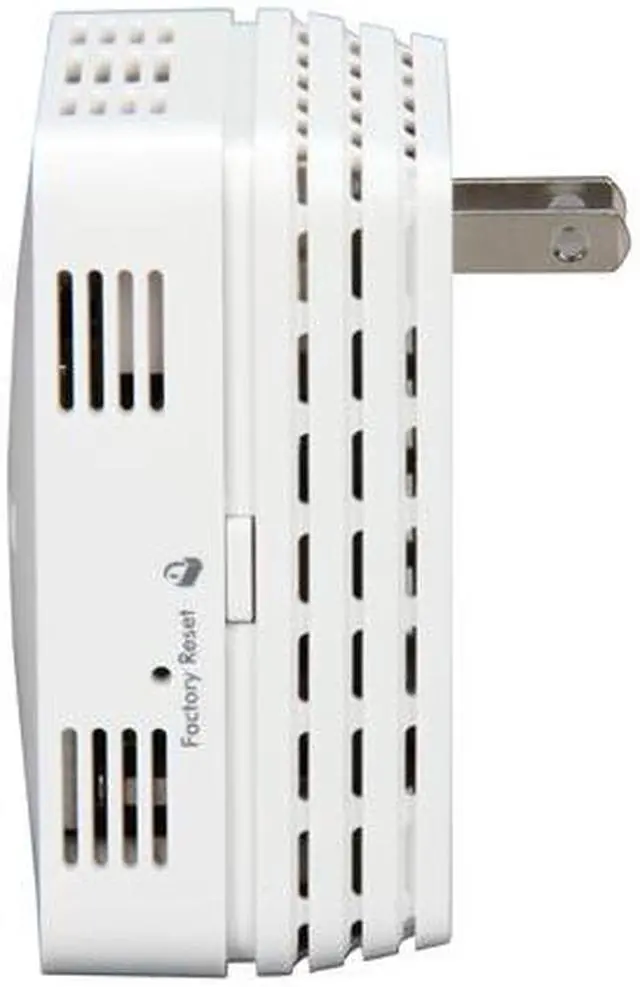
One (1) Powerline AV 500 Adapter (XAV5001).
One (1) 2 m (6.5 ft) AC power cord, localized to country of sale.
Two (2) 2 m (6.5 ft) RJ45 Ethernet cables.

Quick Info

Warranty

  • Limited Warranty period (parts): 1 year
  • Limited Warranty period (labor): 1 year


Customer Reviews of the Netgear Inc. XAVB5004-100NAS

Do you own this product? Write a Review

Filter Results

Go
  • Kaoscapt
  • 4/13/2013 9:22:11 AM
  • Tech Level: Somewhat High
  • Ownership: 1 week to 1 month
  • Verified Owner

4 out of 5 eggsWorks surprisingly well.

Pros: Very simple setup. Works pretty darn good considering what it's actually doing. Used this to replace an 802.11N connection in bedroom that was lacking signal strength. Despite distance from modem and being on separate electrical circuits still managing almost 100MB throughput which is a nice improvement. This in a single family home constructed about 10 years ago.

Cons: Did not come with the setup software - needed to download it from Netgear website. I'm sorry, they should have sprung for a disc instead of making me search for it. Others here have reported that these run 'hot' - and yeah they get warm to the touch, but you won't be frying eggs on them. If I were worried about the heat issue I wouldn't have put the switch on my teenager's desk.

Other Thoughts: Yes these are rated up to 500MB and yeah, I didn't get 500MB and yeah I'm okay with that. Let's face it, unless you have FiOS, are paying for the absolute top speed your cable company can offer (here, that's 60MB) or have your own personal T1 line you're never going to max these things out if you plan on using it for internet access alone. Since I don't (at this time anyway) plan to stream HD video halfway across the house it just isn't an issue for me.

Did you find this review helpful? Yes No

  • Paul
  • 2/11/2013 8:16:08 AM
  • Tech Level: Somewhat High
  • Ownership: 1 day to 1 week
  • Verified Owner

5 out of 5 eggsWorked like a charm

Pros: Easy setup. Small and Compact.

Cons: Can't think of any.

Other Thoughts: I plugged this unit in. And it worked. I do recommend plugging it directly into the wall and not through an AC outlet strp as this will degrade signal.

Once plugged in and streamed Netflix like a charm.

Did you find this review helpful? Yes No

  • N/A
  • 1/31/2013 7:25:21 AM
  • Tech Level: Somewhat High
  • Ownership: 1 month to 1 year
  • Verified Owner

1 out of 5 eggs

Pros: Connects easily.
Nice design

Cons: Unit will not stay connected
Netgear tech support only nows how to setup netgear equipment
Requires netgear router to work properly
Difficult to setup if not familiar with networking

Other Thoughts: If you are thinking of purchasing this unit, make sure your router is Netgear otherwise it will constantly loose connection and tech support will not help you with other manufactures router settings

0 out of 1 people found this review helpful. Did you? Yes No

  • N/A
  • 1/5/2013 5:39:51 AM
  • Tech Level: High
  • Ownership: less than 1 day
  • Verified Owner

3 out of 5 eggsPretty Cool...but!

Pros: Setup was fast, very easy to handle.

Speed so far is better than previous Wireless-n bridge, for a room separated from the router by a few walls.

Cons: MAJOR - Power Save Mode - You would think that this would be a great thing. The issue is that if there is no network activity on the 4-port 5004 side, it will go into a power save mode. That also means that is loses connection with the main unit and cannot recover. Unplug and replug power is the only way to fix it. Yes it recovers immediately, but having to do that is silly.

MAJOR/MINOR - You won't get 500Mbs, ever. Mine units are pretty close and I get 180Mbs. Not bad...but as others have said, I don't know why you would spend the extra $$$ for this 500....when a 200Mbs unit will do the same thing. (Maybe a firmware update in the future? I think they call it 500Mbs, because on paper the new technology "could" do it...in theory.

MINOR - A dedicated power plug is needed for best results. Makes sense if you think about it, on both ends only have these items plugged in (noise prevention)

MINOR - Cannot use surge protector. This kinda scares me as I live in a stormy part of the U.S. But hey, as you see above...I'm force to unplug it now and then anyway! ;-) No surge protector because that filters out the frequency that is used.

Did you find this review helpful? Yes No

  • THOR
  • 12/2/2012 6:02:17 PM
  • Tech Level: Average
  • Ownership: 1 week to 1 month
  • Verified Owner

2 out of 5 eggsNETGEAR XAVB5004-100NAS 500Meg/sec

Pros: Both adapters look really good especially the XAVB5004 with its shiny black finish. Set up was easy and it was pretty much plug and play out of the box but that's pretty much where the Pros end.

Cons: I bought the 500Meg/sec because it is advertised as being designed for HD streaming and playing. I currently have a wd tv live plus with a wireless usb adapter but because I have a "G" wireless network due to my verizon FIOS set up, transmission sometimes is choppy and grainy and every now and then the picture cuts off momentarily so I figured nothing beats a wired connection but I didn't want to run 25 ft cat 5 cable wire from the router in my studio to where the wt live box is next to the tv in the family room. My single family home is relatively brand new since it was built in 2006 so old wiring is not a problem. As I said before, the adapters work right out of the box but I wanted to measure the speed I was getting so I used the "LAN test free software app available from CNET and got 50 to 60Meg/sec. Not bad I thought but not definitely even close to the 500Meg/sec. Next I used the software utility that came with the unit and it said my transfers where on average 230Megs/sec so my hopes where up. However when I did the true test which was to transfer a data file from my PC to the wd tv live box (which has a USB 3 hard drive attached to it) I time it to be a meager 6.5Megs/sec which matched really close what windows 7 was telling me. I mean I certainly didn't expect 500Meg/sec but that vs 6.5Meg/sec ... is really lame. Moreover when I tested the speed of my wireless "g" connection against the Netgear units I measured 2.5Meg/sec vs 6.5Meg/sec so while it's faster it's not one would expect at all. By the way the quality of the link was bright green which supposedly indicates a strong network connection and speeds > 80Megs/sec but this was obviously not true.

Other Thoughts: For the data transfer speeds I got, had I known this was going to be the case I would have bought the 200Meg/sec unit which was selling for $50 instead of the $130 I paid for it. Seriously this is false advertising and right out dishonest.

2 out of 4 people found this review helpful. Did you? Yes No

  • ramosl
  • 11/27/2012 2:19:23 PM
  • Tech Level: High
  • Ownership: 1 month to 1 year
  • Verified Owner

4 out of 5 eggsGood - but I'm picky

Pros: Easy as can be... plug one end in - plug the other end in connect your cables... tada - internet over powerlines...

4 ports is better than 1.

Cons: its always left on, when its left on, after x amount of time (I have not been able to narrow it down) it doesnt see the connection anymore (the devices it's connected to are turned off anyway)and I must disconnect and reconnect from the wall. Once I do that it finds it instantly so I really don't mind. But I will have to look into this at some point.

The speed... its not the best... its good... it plays most hi-def files - but I had issues with a large MKV file that was 15GB - so I was able to hit the limit.

Other Thoughts: You really can't beat this tech - it just works and it is a major lifesaver compared to running lines all over your house.

1 out of 1 people found this review helpful. Did you? Yes No

  • Azzitude
  • 11/22/2012 9:37:42 PM
  • Tech Level: High
  • Ownership: more than 1 year

5 out of 5 eggsCopper or Aluminum?

Pros: Copper wiring and load balancing FTW

Cons: Aluminum wiring sucks and is a Fire hazard in your home if it loads up too much

Other Thoughts: Food for Thought:

Some older homes actually have Copper wiring ....some newer homes may have Aluminum wiring in them .

With that said you will always get better performance on copper and also less heat in the wires .....


if you cant get these to perform on your wiring then I would suggest maybe calling an electrician and getting a n electrical survey on your wiring done ... they can also load balance the Main Box and save you some electricity.

the survey is more for your home than your PLN but they should be able to pinpoint some problems and/or interference in your electrical system

Did you find this review helpful? Yes No

  • Sir Robin
  • 10/14/2012 3:43:56 PM
  • Tech Level: Average
  • Ownership: 1 day to 1 week

5 out of 5 eggsSo unexpected

Pros: Amazing, surprising, simple, fast and reliable. We just moved into a larger 2300 ft2 house and my wireless router was struggling. These units are so good, I am buying a second set to add to the powerline network.

Cons: None. I'll update this and reduce eggs if the units fry themselves in the next 6 months.

Other Thoughts: My daughter has complained for years with wireless G then N, with 2 different routers, 3 different adapters, 3 different computers and 2 different houses. Connection was never reliable or fast enough for her gaming or streaming video wirelessly. I love my Netgear 3700 router, but even it had trouble keeping up. She is now ecstatic with the powerline, gave me a big kiss.

1 out of 1 people found this review helpful. Did you? Yes No

  • N/A
  • 9/16/2012 2:32:27 PM
  • Tech Level: High
  • Ownership: 1 month to 1 year
  • Verified Owner

1 out of 5 eggsDon't Buy this Item

Pros: None

Cons: Worked for about a month and then died, sad product.

0 out of 1 people found this review helpful. Did you? Yes No

  • Mike
  • 8/9/2012 8:19:09 PM
  • Tech Level: Somewhat High
  • Ownership: less than 1 day
  • Verified Owner

2 out of 5 eggs1/40th advertised performance

Pros: Turns powerline into low-speed network?

Cons: Tried all over my 1995 townhome, including two outlets with only about 12 feet of wire separating them (I know because I wired them) and even tried the top and bottom outlets of the very same receptacle. Received about 12mbps in both directions in all placements of the units. Verified these were the weak link; swapped them out for good old cat-5 (changed nothing else about my tests) and got in the 70mbps range. 12mbps is not satisfactory for my application...sending back.

Other Thoughts: This is the 2nd netgear product I've purchased in an attempt to get a high-speed link between the same 2 rooms. The other was the 802.11n-based wireless bridge WNHD3004 (which I tried at multiple homes with as little as 5ft line-of-sight); neither product has come anywhere close to their lofty claimed bandwidths or met my personal, significantly lower requirements.

0 out of 1 people found this review helpful. Did you? Yes No

ICON Loading...

Protect Your Investment!

    • (more options) read warranty details
Are you an E-Blast Insider? Subscribe Newegg e-Blast

Buzz

Does the job!

4 out of 5 eggs
Works like a charm. Plugged it in and voila... instantly connected LAN across the whole house.

No issues running ...
— Onyx369 11/21/2011

amazing buy

5 out of 5 eggs
I was blown away at the quality and consistency of the throughput on this device. tested streaming in HD and after initial ...
— jacob 12/12/2011


PayPal
Shop without retyping payment details. Secure shopping made faster.
Check out with PayPal.

Financing


Home
Home > 
Computer Hardware > 
Networking > 
Powerline Networking > 
Netgear Inc. > 
Item#: N82E16833122423
LOADING... LOADING...
Shop by Region: United States | Canada | China
Follow us:   RSS Feeds Youtube
VeriSign Reliability Seal1This site protected by Trustwave's Trusted Commerce program Inc500
Policy & Agreement | Privacy Policy  © 2000-2013 Newegg Inc.  All rights reserved.
If the Adobe Reader does not appear when you click on a link for a PDF file, you can download Adobe Reader from the Adobe web site. nassau