Skip to: |

Newegg.com - A great place to buy computers, computer parts, electronics, software, accessories, and DVDs online. With great prices, fast shipping, and top-rated customer service - once you know, you Newegg.

If you are reading this message, Please click this link to reload this page.(Do not use your browser's "Refresh" button). Please email us if you're running the latest version of your browser and you still see this message.

Newegg.com - Computer Parts, Laptops, Electronics, HDTVs, Digital Cameras and More!

  • | Wish List
  • Help
Wireless Networking
Search
Home
Home > 
Computer Hardware > 
Networking > 
Wireless Networking > 
Wireless Routers > 
Netgear Inc. > 
Item#: N82E16833122435

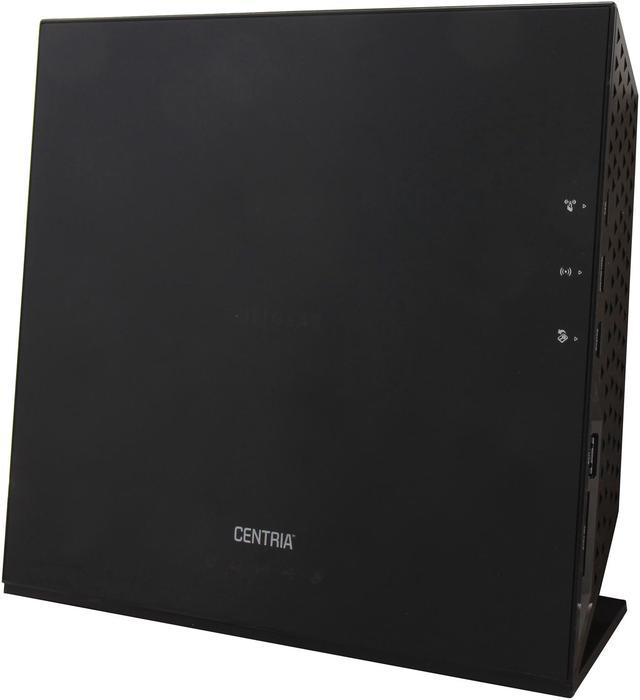
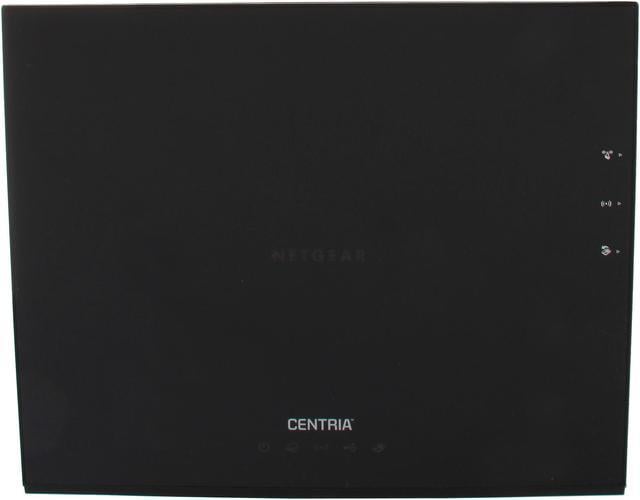
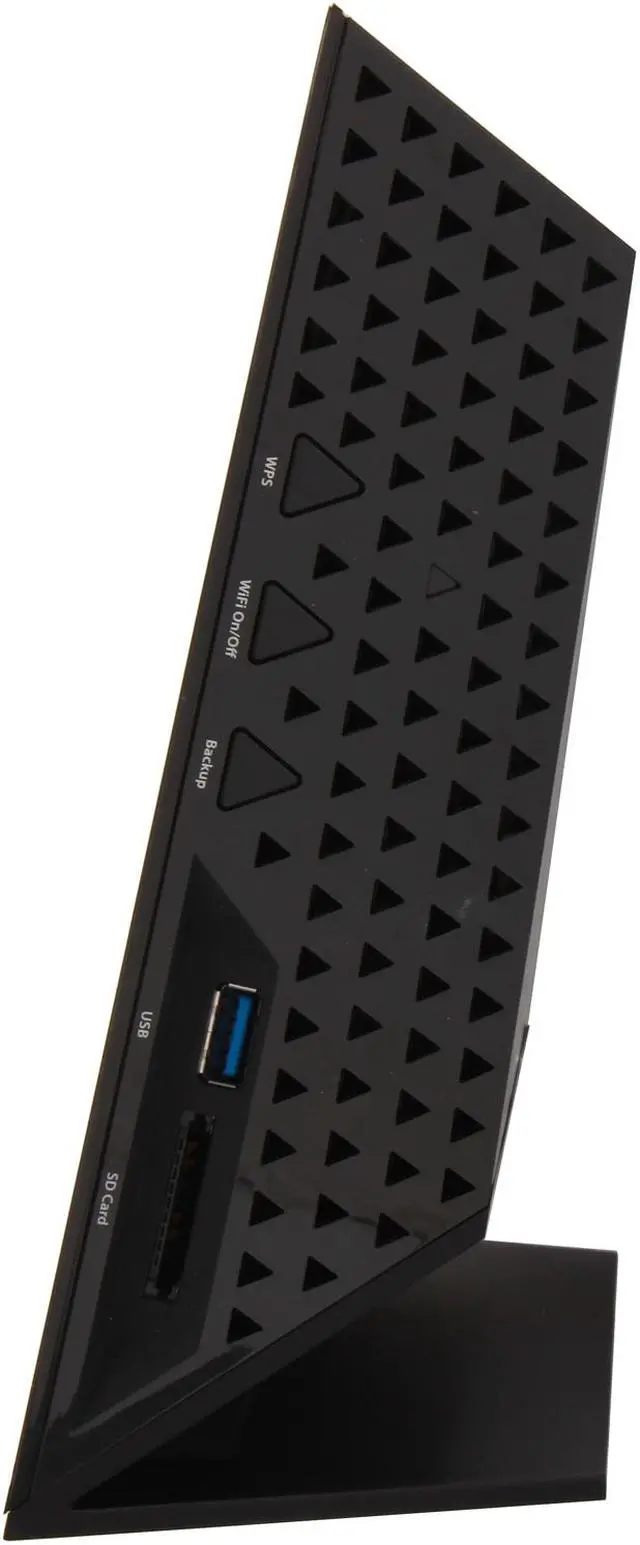
NETGEAR WNDR4500 N900 Wireless Dual Band Gigabit Open Source Router - IEEE 802.11 a/b/g/n

  • N900 450Mbps + 450Mbps
  • Gigabit wired
  • DLNA Ready
  • ReadyShare USB Storage Access
  • Simultaneous Dual Band
  • NETGEAR Genie w/ Airprint
  • Advanced QoS
  • Open Source
  • Window 8 compatible
  • Pin It
  • Email this page
ICON Loading...
 
Netgear Logo


Blazing Speed – Ultimate Range

The NETGEAR N900 Wireless Dual Band Gigabit Router provides the ultimate performance and range for demanding applications such as: streaming 3DHD video, multiplayer gaming, and wireless access to a USB connected hard drive and USB connected printer. Get up to 450 +450 Mbps speed with simultaneous dual band technology, which runs both 2.4 and 5 GHz bands at the same time to avoid interference, thus ensuring top speeds and ultimate range.

The NETGEAR Difference – WNDR4500

  • Ultimate Speed – Now up to 900 Mbps
  •  

  • Ultimate Range – Improved 2.4 & 5GHz range
  •  

  • Faster USB Storage Speed
Applications
3D & HD video streaming & multiplayer gaming


Wirelessly share, stream, & backup media to USB hard drives


Wirelessly print from computer to a connected USB printer

WNDR4500

Network Speed

Faster WiFi Speed Faster Wi–Fi Speed – New N900 dual-band WiFi delivers 450 + 450Mbps for combined wireless speeds up to 900Mbps†


Gigabit Wired Gigabit Wired – Gigabit Ethernet LAN ports are ideal for HD gaming & video and ultra, high-speed wired networking


Wireless Range

Ultimate Range Ultimate Range – Powerful WiFi amplifiers deliver improved wireless range for larger homes


Reliable Connections

Simultaneous Dual Band Simultaneous Dual Band – Wireless access on both 2.4- and 5-GHz bands concurrently, reduces WiFi interference & doubles total available bandwidth


Ease of Use

NETGEAR Genie NETGEAR Genie – Easy-to-use dashboard to monitor, control & repair home networks


CD-Less Installation CD-Less Installation – Easy setup for iPads, PC, MAC computers, smartphones & tablets without a cd


Push N Connect Push ‘N’ Connect – Secure push button WiFi connections using WiFi Protected Setup (WPS)


Wifi and Power On/Off Wifi & Power On/Off – Convenient power savings to power down the entire router and/or just WiFi


Sharing

DLNA Media Server DLNA Media Server – Find and play media stored on an attached USB storage device on DLNA TVs, game consoles and media players


ReadySHARE USB ReadySHARE USB – Wirelessly access and share USB hard drives


ReadySHARE printer ReadySHARE printer – Wirelessly access and share a USB printer


WNDR4500_box

Security

Live Parental Controls Live Parental Controls – Centralized and easy-to-use website filtering for all devices connected to the Internet via the router


Guest Network Access Guest Network Access – Separate and secure WiFi access for guests using your home network


Choose the Wireless Router that fits your needs

 
Model # WNDR3400 WNDR3700 WNDR3800 WNDR4000 WNDR4500 R6200 R6300
  N600 WiFi Dual Band Router N600 WiFi Dual Band Gigabit Router N600 WiFi Dual Band Gigabit Router – Premium Edition N750 WiFi Dual Band Gigabit Router N900 WiFi Dual Band Gigabit Router R6200 WiFi Dual Band Router R6300 WiFi Dual Band Router
Performance              
Combined WiFi Speed N600 N600 N600 N750 N900 1200 1750
WiFi Range good good good better best ultimate ultimate
WiFi Transmit Power To Maximize Range Good Better Better Best Best Ultimate Ultimate
No. of USB Ports 1 1 1 1 2 1 2
Ethernet Ports – 4 LAN + 1 WAN 10/100 Ethernet Gigabit Ethernet Gigabit Ethernet Gigabit Ethernet Gigabit Ethernet Gigabit Ethernet Gigabit Ethernet
USB Storage Access Speed Better Best Best Best Best Ultimate Ultimate
Features              
Live Parental Control yes yes yes yes yes yes yes
Broadband Usage Meter yes yes yes yes yes yes yes
Guest Networks yes yes yes yes yes yes yes
DLNA Media Streaming   yes yes yes yes yes yes
Easy Install With Smartphones/Tablet     yes yes yes yes yes
Premium Features              
Genie – Dashboard Control yes yes yes yes yes yes yes
ReadySHARE Printer     yes   yes yes yes
Dedicated Video Mode     yes        
ReadySHARE Cloud     yes        
ClearChannel Selector     yes        
Time Machine Compatible     yes        
TIVO Extended Storage     yes        


NETGEAR Genie

Easy-to-use dashboard to monitor, control & repair home networks

Genie_Dashboard

NetworkMap

† Maximum wireless signal rate derived from IEEE standard 802.11 specifications. Actual data throughput and wireless coverage will vary. Network conditions and environmental factors, including volume of network traffic, building materials and construction, and network overhead, lower actual data throughput rate and wireless coverage. NETGEAR makes no express or implied representations or warranties about this product's compatibility with any future standards.

Learn more about the Netgear Inc. WNDR4500-100NAS

Model

Brand
NETGEAR
Model
WNDR4500-100NAS

Spec

Standards
IEEE 802.11a/b/g/n
Security
WiFi Protected Access (WPA/WPA2-PSK)
WPS
Double firewall protection (SPI and NAT firewall)
Denial-of-service (DoS) attack prevention
WPA/WPA2
WPA2
Ports
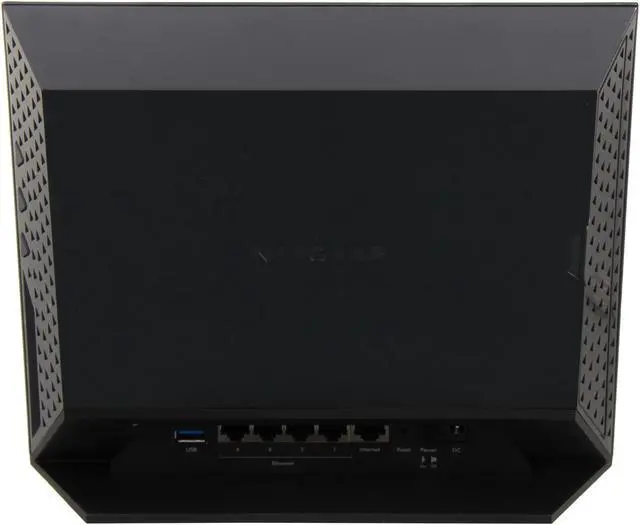
1 x 10/100/1000M WAN; 4 x 10/100/1000M LAN
Buttons
Power On/Off, Reset, WPS
Wireless Data Rates
Up to 450+450Mbps
Frequency Band
2.4GHz/5GHz
Antenna
Internal Antenna
Interface
2 x USB
Wireless Adapter included
No
System Requirements
OS: Microsoft Windows 7, Vista, XP, 2000, Mac OS, UNIX, or Linux

Browsers: Microsoft Internet Explorer 5.0, Firefox 2.0, Safari 1.4, or Google Chrome 11.0 browsers or higher

Use laptop with 3x3 450 Mbps adapter like Centrino 6300/5300 for maximum performance
Dimensions
10.15" x 6.79" x 3.18"
Weight
1.5 lbs.

Features

Features
N900 wireless provides up to 450 + 450 Mbps speed and with simultaneous dual band technology avoids interference ensuring top WiFi speeds.

Performance:
WiFi Boost with high powered radio amplifiers
Memory: 128 MB Flash and 128 MB RAM
Advanced Quality of Service (QoS)
IPv6 Support (Internet Protocol Version 6)

Applications:
3D & HD video streaming & multiplayer gaming
Wirelessly share, stream, & backup media to USB hard drives
Wirelessly print from computer to a connected USB printer

Window 8 compatible

Packaging

Package Contents
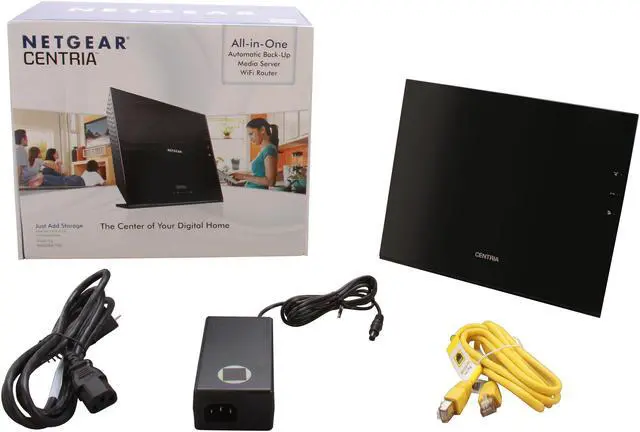
N900 Wireless Dual Band Gigabit Router (WNDR4500)
Ethernet cable
Power adapter, localized to country of sale

Manufacturer Warranty

Parts
1 year limited
Labor
1 year limited

Quick Info

Warranty

  • Limited Warranty period (parts): 1 year
  • Limited Warranty period (labor): 1 year


Customer Reviews of the Netgear Inc. WNDR4500-100NAS

Do you own this product? Write a Review

Filter Results

Go
  • powpow2pavement
  • 5/23/2013 7:55:53 AM
  • Tech Level: High
  • Ownership: more than 1 year

2 out of 5 eggsFunctions for One Year, Then It's Unreliable

Pros: If you don't mind buying a new one every 18 months, then the pros are that it works well until it dies. Not much of a "pro" in my opinion; lack of reliability trumps any real pros.

Cons: About one month after warranty expired, the router began losing wireless connections. Resolution was either to connect via Ethernet and reset, or unplug and leave alone overnight (not simply reboot, yes leave unplugged overnight). This happened for 6 months and then it would not boot properly and was sent on a trash can vacation.

Other Thoughts: I would rather pay more and not have to be inconvenienced with the lack of reliablity. Considering you will need to replace this about every 18 months, buy something less expensive, or pay more for something that will last longer.

Manufacturer Response:

Hello Powpow,

We are sorry to hear that you are no longer using the WNDR4500.

In the future, if you have any problems with one of our products, there are a couple of things you can do. First would be to contact our support team at support.netgear.com.

There is also a support page available for all of our products:
http://support.netgear.com/product/WNDR4500

Our forums are also another great place to go:
forum1.netgear.com

Thank you for choosing NETGEAR and sorry things didn't work out. We hope to earn your business again in the future.

Regards,

NETGEAR Team

Did you find this review helpful? Yes No

  • N/A
  • 5/7/2013 6:01:08 AM
  • Tech Level: Somewhat High
  • Ownership: 1 day to 1 week

4 out of 5 eggsGood but annoying support, good router

Pros: Lots of great options in the UI. Easy to use interface. Straightforward setup.

Cons: Support is good, but bound by their scripts.

Other Thoughts: I bought one of these at Best Buy. When I got home, the power light was flashing, but I didn't think too much of it. I called support to help me setup my connection to my existing FiOS Modem/Router as a second router with a different subnet.

After spending an hour on the phone, getting disconnected, and dealing with 3 different support reps (who were all professional and helpful) I had the support rep tell me to take it back to the store because the firmware was corrupted and you couldn't make any kind of connection to the router, even to update the firmware.

So when I got the second one, everything was easy. I was able to set up the second subnet myself after some quick googling. I connected it to my downstairs repeater/range extender (also Netgear).

So all in all, it took a lot of work, but the network is up and running with the speeds I'm paying for as if you were connected directly to the ISP modem router.

I'd say my rating is for the router itself. -1 egg for having to go back to the store to get a working one. The one I returned wasn't repackaged or seemed like it had been opened before, it was just a defective unit that was not tested appropriately.

With the working router everything is good.

1 out of 1 people found this review helpful. Did you? Yes No

  • N/A
  • 5/6/2013 12:25:09 AM
  • Tech Level: Somewhat High
  • Ownership: more than 1 year
  • Verified Owner

5 out of 5 eggsover 1 year update r

Pros: fast, stable long wifi range, with newest firmware works better then the first day.

Cons: isn't a sexy girl willing to do anything :)

Other Thoughts: when i first purchased this router it was unusable and i had to use my old router witch was horrible but at least worked. thankfully a newer firmware fix its issues. ( 3 months latter ) since then its been in use working with no issues steaming 7 wireless HD cameras. 2 servers. 2 ipads. 2 iphones. 4 laptops. 3 computers.no issues and very fast.
since then i upgraded to the new wireless standard AC router.
i install this routers in my friends home and what a home it is 7 thousand square feet. she also has wireless ip cameras and a few tablets and computers. she having no issues and is very happy. it does not cover every where but close and best router she had to date.

note; the router i updated to was also unusable at first the asus AC router but with newer firmware has also shined to glory. Always be prepared when buying the newest and greatest technology

1 out of 1 people found this review helpful. Did you? Yes No

  • matt
  • 5/3/2013 12:41:34 PM
  • Tech Level: Somewhat High
  • Ownership: 1 day to 1 week
  • Verified Owner

1 out of 5 eggskeeps dropping signal

Pros: looks good...is fast and easy to set up...vertical storage

Cons: keeps dropping signal
it's like it goes to sleep and wont start itself up again.

Other Thoughts: bought this to replace 5+ year old netgear router. wanted n and dual band if I was going to upgrade, this looked like just the ticket. unit set up easily and was updated and used within an hour of receiving the box. I put it through its paces...letting the kids stream their own movies one on a wii and the other on a ruko. flawless...I was beaming with pride in my choice. next day the wife has to turn in a paper online and asked me "where's the internet?" I went to the router and had to restart it. She turned it in and shopped online for stuff for a few hours and then closed her laptop to go to work. 20 min later kids got home and wanted to watch a movie...no router signal. went back to router and reset it. it works well when routing, but the second no data is moving it goes to sleep. checked online for solution...found none, went back over all the settings to make sure I didn't miss anything...found nothing...in fact it still had connection to the internet through lan cable, but wouldn't broadcast wireless signal...very strange...and all the while all status' in login page read normal even though the wireless signal wasn't broadcasting. I am currently back to my old router and am debating another upgrade to a different brand. we'll see...but as usual another pleasant purchase from newegg.com. customer service is always awesome...keep up the good work! And don't worry...I won't blame you for the dud. and I will be buying my next one from you! thanks

Manufacturer Response:

Hi Matt,

Thank you for your detailed review. We apologize that your router is not functioning properly and would like to offer our assistance.

Contact our support team at support.netgear.com if you haven't already. Be sure to write down the case numbers they give you!

If for some reason they unable to assist, you can contact us directly at newegg@netgear.com-- provide any case numbers you saved and also add a copy paste of your review.

We hope to get this issue resolved soon and thank you for being a loyal NETGEAR customer.

NETGEAR Team

1 out of 1 people found this review helpful. Did you? Yes No

  • N/A
  • 4/9/2013 3:59:28 AM
  • Tech Level: Somewhat High
  • Ownership: 1 month to 1 year

5 out of 5 eggsNo Problems

Pros: As the last review stated I have simply had no problems with this router. It is my first "N" router. Upgraded from the WRT54G that I had since 2004! and was still working. Just time for an upgrade as I moved into the smartphone and tablet world. All devices connected with no problem. Wireless speed to the laptops is 4 to 5 times what is was with "G".

Cons: None really. Hope it is as reliable as the old Linksys was.

1 out of 1 people found this review helpful. Did you? Yes No

  • N/A
  • 4/3/2013 9:48:49 AM
  • Tech Level: Somewhat High
  • Ownership: 1 month to 1 year
  • Verified Owner

5 out of 5 eggsNo problems

Pros: Does everything it is suppose to do. Have not had any problems with it. I'm running Stream to for TV and 3 other compute's, phone and hasn't missed a lick yet.

Cons: None

1 out of 1 people found this review helpful. Did you? Yes No

  • N/A
  • 3/24/2013 8:32:47 PM
  • Tech Level: High
  • Ownership: 1 day to 1 week
  • Verified Owner

5 out of 5 eggsGreat Router

Pros: Easy set- works out of the box- easy to modify to your network needs
$50 off and 30% off coupon finally got my attention.

Cons: None

Other Thoughts: Replaced 4 older pieces of equipment- wired router - two access points and a gig network hub. Sorry I waited so long to update my set up. Throughput seems better as well.

1 out of 1 people found this review helpful. Did you? Yes No

  • N/A
  • 3/16/2013 12:22:20 PM
  • Tech Level: Somewhat High
  • Ownership: more than 1 year

1 out of 5 eggsFrequently Loses Connect to Internet

Pros: Fast speed and Easy setup

Cons: Constantly loses connection to internet

Other Thoughts: I bought this to replace a Netgear WNDR3700 for its wider bandwidth. For the year that I owned it, I suspected that it had a problem maintaining a steady connection, but it wasn't until recently that my wife required a rock solid internet connection to conduct some work with an online vendor that convinced me to research and experiment a bit.
At first, I wondered if this was just a wireless issue, so I temporarily connected her with a cable. The results were the same - constant losses of internet connectivity daily.
I dug around online and learned that the WNDR4500 is widely criticism for unexpectedly losing continuity as a router. To see if I could narrow my problem down a bit, I reinstalled the WNDR3700 that I'd originally replaced with the WNDR4500. I was disappointed at the speed that was lost, particularly within the home network, and the WNDR3700 also seemed to have a problem maintaining a steady internet connection.
Was it my ISP or my router? I decided to bite the bullet and purchased a ASUS RT-N66U. It's been running for a little over a week now, and my wife has not lost her connection once. With either the WNDR4500 or the WNDR3700, she would have to reconnect multiple times daily (up to 20 times daily, depending on usage). Never did a day go by without losing online connectivity multiple times.
My experience with these Netgear routers is mixed but mostly disappointing. Both were maintained with current firmware updates. Both were pretty easy to set up and had decent range. The WNDR4500 was lightening fast, and throughput to our networked backup hard drive was great for backups and file sharing. Unfortunately, we just could not live with the constantly dropped connections. Now, we have over $300 tied up in two fancy paper weight and another $170 in a ASUS router that finally works.

1 out of 1 people found this review helpful. Did you? Yes No

  • Zack W.
  • 3/13/2013 11:59:05 PM
  • Tech Level: Somewhat High
  • Ownership: 1 week to 1 month

1 out of 5 eggsDon't bother, it's garbage

Pros: Wireless speeds are fast.
2 USB ports for sharing printers or external hard drives.
Looks nice..?

Cons: Lan ports to wireless is apparently broken. If I have the 2.4 band set to 450mbps, I cannot transfer anything any faster than about 10mbps to or from any hard wired machine to a wireless device. If I set the 2.4 to 54mbps, I get full speed, but I did NOT buy this router to get G speeds on my N connections.

I don't even have any G devices in the house anymore, but even setting to N only mode I can't get faster than a 54mbps setting if I still want to use any hardwired devices.

Oh, and don't forget the CONSTANT dropouts on wireless. I cannot stay connected via VNC to my laptop for more than 5 minutes without the connection dropping. I am so glad I got this thing super cheap instead of paying full retail price or I'd be extremely ticked off.

Other Thoughts: There is a test build of DD-WRT available for this router, which is MUCH better than the garbage Netgear firmware, however it still cannot overcome this wired>wireless connection issue so it must be a hardware problem.

Going to stick with my WNDR3300 until these hacks get a fully workable firmware out for this router. At least the 3300 on DD-WRT is rock solid, I just really wish it had gigalan ports, which is the main reason I grabbed this 4500.

1 out of 1 people found this review helpful. Did you? Yes No

  • scootnfast
  • 3/12/2013 4:30:34 PM
  • Tech Level: Somewhat High
  • Ownership: 1 day to 1 week

1 out of 5 eggsDone with Netgear

Pros: None

Cons: failed

Other Thoughts: Bought this to replace my failing 4 month old R6200 Net gear AC router. Hooked it up and lasted a whole 10 minutes and died. Checked power supply with multimeter. The router was simply dead. Powered on, network activity lights came to life, then simply went out. Returned and bought Asus RT-N66U instead and couldn't be happier now. I even like it more than the high end AC router... Actually better than any Net gear router I have ever owned.

1 out of 1 people found this review helpful. Did you? Yes No

Compare Offers from All Sellers

Seller Name & Rating Offer Details  
ICON Loading...
Are you an E-Blast Insider? Subscribe Newegg e-Blast

Buzz

Give it a try.

5 out of 5 eggs
Updated configuration interface. 3 spatial streams on both 2.4ghz and 5ghz bands. Connections are substantially more stable ...
— 9/21/2011

Nice Produt

5 out of 5 eggs
Stable connection to Internet. Support for IPv6. Great handling of VoIP while transferring files from one PC to another. ...
— 9/14/2011


PayPal
Shop without retyping payment details. Secure shopping made faster.
Check out with PayPal.

Financing


Home
Home > 
Computer Hardware > 
Networking > 
Wireless Networking > 
Wireless Routers > 
Netgear Inc. > 
Item#: N82E16833122435
LOADING... LOADING...
Shop by Region: United States | Canada | China
Follow us:   RSS Feeds Youtube
VeriSign Reliability Seal1This site protected by Trustwave's Trusted Commerce program Inc500
Policy & Agreement | Privacy Policy  © 2000-2013 Newegg Inc.  All rights reserved.
If the Adobe Reader does not appear when you click on a link for a PDF file, you can download Adobe Reader from the Adobe web site. nassau