-
Currently Unavailable
-
-

-
Manufacturer Warranty
Beyond any applicable Newegg return policy, this item is warranted independently by the product's Manufacturer. Below is a summary provided for convenience only and may not be accurate or current.
Use this link for full details.
- Manufacturer Limited Warranty period (parts): 1 year
- Manufacturer Limited Warranty period (labor): 1 year
Manufacturer Contact Info
Return Policies
This item is covered by Newegg.com's Standard Return Policy.
- Return for refund within: 30 days
- Return for replacement within: 30 days
- Restocking Fee: Yes
|
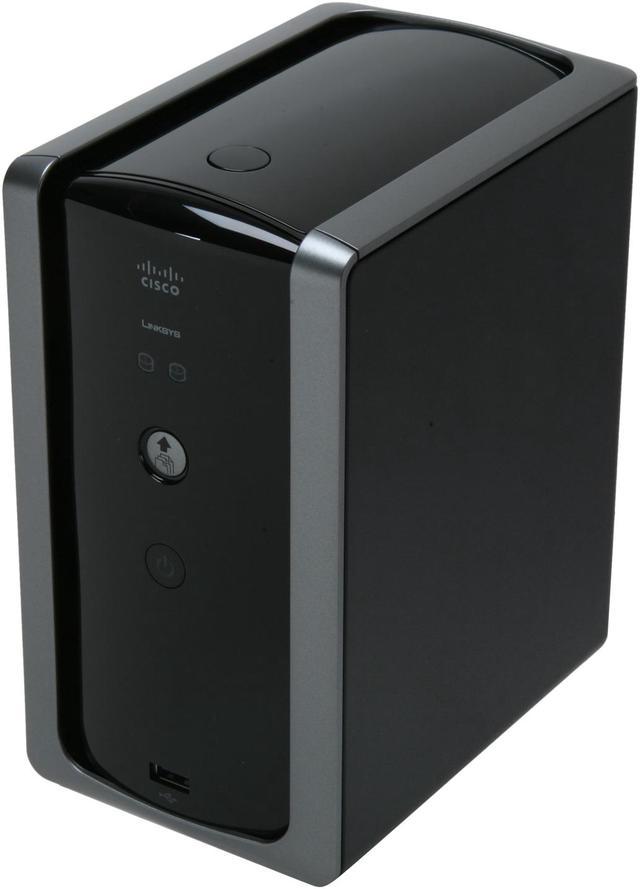
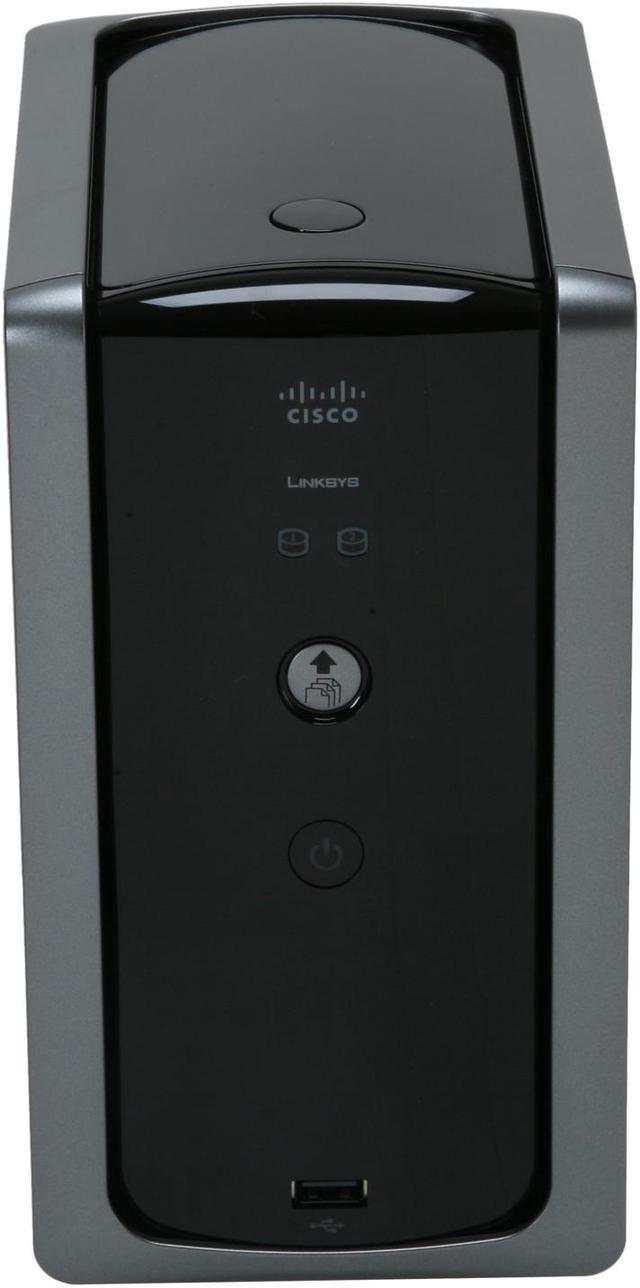
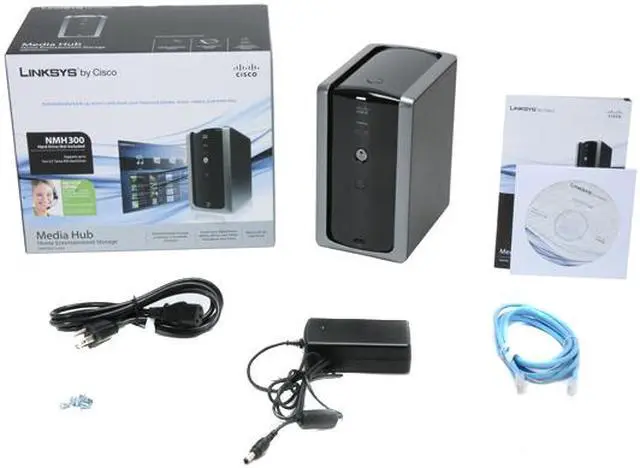
Anyone who's looking to simplify managing or sharing his extensive digital media libraries will love the Linksys NMH300 Media Hub home entertainment storage.
With the NMH300, you can enjoy all of your media through an easy-to-use interface that is not only accessible in the home, but throughout the world via a web browser. But if you don't want to deal with network lag, you can install two SATA HDDs for local storage. You can also attach USB 2.0 devices such as cameras, camcorders or flash drives.
It doesn't matter how much of a couch potato you are, you'll have trouble making time to see all of that!
-
- 5
-

- 50%
- 4
-

- 25%
- 3
-
- 0%
- 2
-
- 0%
- 1
-

- 25%
| Product Rating: |
   
|
| Total Reviews: |
8 |
EXACTLY as advertised!
- Pros: I use this to store digital pictures, movies, and music in a RAID 1 configuration. In addition to use as fault protected storage, I use this NAS to stream all of this content to my XBOX 360. It works flawlessly.
- Cons: Remote access costs extra. (This is made very clear by Linksys, so no surprises here.)
- Other Thoughts: The NMH300 does exactly what it says it will do. People who are giving this NAS bad reviews because it isn't wireless, or won't play certain types of files are missing the point, and need to read about the product before purchasing it.
Good Nas for the Price
- Pros: This is pretty inexpensive to have a low-cost solution to store your data. It provides 2 bays to either mirror the drives or JBOD. It has a fairly good web interface to sort through your data. Installation of the drives and setup was simple.
- Cons: The hard drives run very hot. It has a quite fan to circulate air inside the device, it almost too hot to touch them. Even when the device is off for long period of time the drives are pretty warm.
After upgrading the firmware to 3.18.4, there’s no way to set the time. The older firmware allowed you change the time, but after the upgrade it only allows you to change the time zone. It’s showing the “right” time, but if you select your time zone, it’s off by several hours. Linksys online web support was no help.
- Other Thoughts: I got 2 – 1 TB drives and the device for less $350. The media center feature on this device is okay, but I mainly using for a NAS device.
-
- 5
-

- 50%
- 4
-

- 25%
- 3
-
- 0%
- 2
-
- 0%
- 1
-

- 25%
| Product Rating: |
   
|
| Total Reviews: |
8 |
Nice NAS
- Pros: Quiet, easy to set up, two bays that are easily swappable, easily recognized by other computers on the network and even recognized by networked MVIX player that is not DLNA certified. You cannot use this as a stand-alone player. You must have a computer to use this so the media player in the linksys software is not necessary at all and actually should be avoided since it has very little codec support and/or features. With a regular media player like VLC, this NAS/media server is very handy. Since I had a 1.5 TB drive to begin with, i got another 1.5 TB combo w/ this linksys and with the combo discount of $59, you can't beat it.
- Cons: the automatic formatting of the HDD is a no-go for me.
I don't think it allows you to just plug in any SATA HDD to copy or do whatever. It has to format the HDD for first time use with the server.
- Other Thoughts: overall a nice and easy affordable NAS solution for the home media server
Good Nas for the Price
- Pros: This is pretty inexpensive to have a low-cost solution to store your data. It provides 2 bays to either mirror the drives or JBOD. It has a fairly good web interface to sort through your data. Installation of the drives and setup was simple.
- Cons: The hard drives run very hot. It has a quite fan to circulate air inside the device, it almost too hot to touch them. Even when the device is off for long period of time the drives are pretty warm.
After upgrading the firmware to 3.18.4, there’s no way to set the time. The older firmware allowed you change the time, but after the upgrade it only allows you to change the time zone. It’s showing the “right” time, but if you select your time zone, it’s off by several hours. Linksys online web support was no help.
- Other Thoughts: I got 2 – 1 TB drives and the device for less $350. The media center feature on this device is okay, but I mainly using for a NAS device.
EXACTLY as advertised!
- Pros: I use this to store digital pictures, movies, and music in a RAID 1 configuration. In addition to use as fault protected storage, I use this NAS to stream all of this content to my XBOX 360. It works flawlessly.
- Cons: Remote access costs extra. (This is made very clear by Linksys, so no surprises here.)
- Other Thoughts: The NMH300 does exactly what it says it will do. People who are giving this NAS bad reviews because it isn't wireless, or won't play certain types of files are missing the point, and need to read about the product before purchasing it.
| Model |
| Brand |
LINKSYS |
| Model |
NMH300 |
| Spec |
| Supported Formats |
Audio: M4A, M4B, MP4, MP3, 3GP, WAV, OGG, FLAC, AAC, MP2, AC3, MPA, MP1, AIF, ASF Photo: PNG, TIF, TIFF, BMP, GIF, JPEG Video: MP1, MPG, SPTS, MP4, AVI, VOB, DivX, 3GP, VDR, MPE, DVR-MS, Xvid, M1V, M4V, MOV, MPV Playlists: M3U, M3U8, PLS, WPL |
| Network Interface |
Ethernet (10/100/1000) |
| Ports |
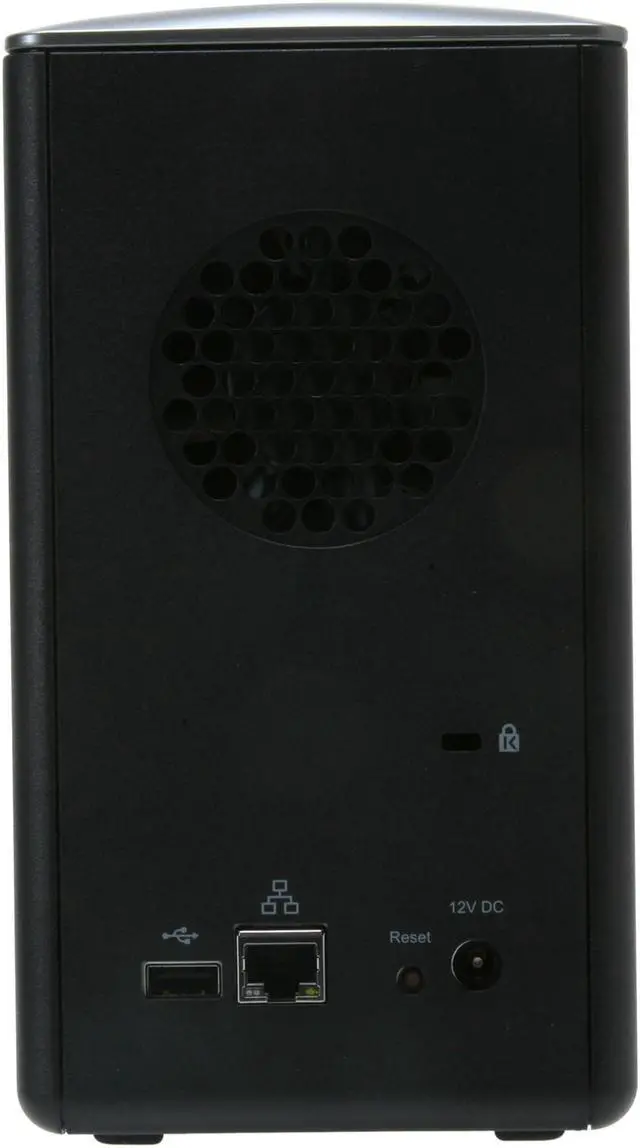
One Power, One Gigabit Ethernet (10/100/1000), Two USB 2.0 |
| Power |
External 12V/5A |
| Dimensions |
7.8" x 4.37" x 6.61" |
| Weight |
3.11 lbs. |
| Features |
| Features |
Provides two bays with SATA interface, easy installation and removal: Hard disk not included Supports RAID1/JBOD configurations Share storage with PCs connected to the network through SMB/CIF protocol Provides PC backup with NTI Shadow software: Automatic scheduled backup available On-demand backup via GUI or Backup button Continuous backup option available Provides user easy way to import media content with Linksys Media Importer DLNA 1.5 certified. Also streams content to Xbox 360 or UPnP DMA devices Supports three simultaneous HD streams Automated "crawl" for UPnP servers to index and aggregate all digital media in the home Supports iTunes server Provides user-friendly, browser-based Media Browser to view JPEG pictures, play MP3 and WMA music, and manage system configuration Provides remote access using DDNS in combination with Linksys relaying service to cover up to 100% of all Internet users |
| Manufacturer Warranty |
| Parts |
1 year limited |
| Labor |
1 year limited |
Introduction
Anyone who's looking to simplify managing or sharing his extensive digital media libraries will love the Linksys NMH300 Media Hub home entertainment storage.
With the NMH300, you can enjoy all of your media through an easy-to-use interface that is not only accessible in the home, but throughout the world via a web browser. But if you don't want to deal with network lag, you can install two SATA HDDs for local storage. You can also attach USB 2.0 devices such as cameras, camcorders or flash drives.
It doesn't matter how much of a couch potato you are, you'll have trouble making time to see all of that!
Highlights
 |
Centralized Access To Your Digital Multimedia The Linksys NMH300 Media Hub automatically searches and organizes your digital video, photos, and music on your home network, so all your media files are accessible and orderly, in one place.
|
 |
Expandability The Linksys NMH300 Media Hub features two SATA drive bays so you can add the amount of storage you want. With built-in USB host function, easily add USB hard drives or connect USB flash drives to access your portable files.
|
 |
Web Access With the Linksys NMH300 Media Hub's Remote Access capability, you can access all your digital media and upload or download files from a remote location.
|
 |
Easy Graphical User Interface The Linksys NMH300 Media Hub features a browser-based, graphical user interface, making browsing and organizing your media a snap, whether you're at home or on the road.
|
 |
Multi-stream Capability With the Linksys NMH300 Media Hub, stream CD-quality audio to your stereo or up to three high-definition videos to different devices at once.
|
 |
Versatile Server Functions The Linksys NMH300 Media Hub offers robust protocol support to serve as an iTunes server, UPnP AV media server and FTP server.
|
|