Skip to: |

Newegg.com - A great place to buy computers, computer parts, electronics, software, accessories, and DVDs online. With great prices, fast shipping, and top-rated customer service - once you know, you Newegg.

If you are reading this message, Please click this link to reload this page.(Do not use your browser's "Refresh" button). Please email us if you're running the latest version of your browser and you still see this message.

Newegg.com - Computer Parts, Laptops, Electronics, HDTVs, Digital Cameras and More!

  • | Wish List
  • Help

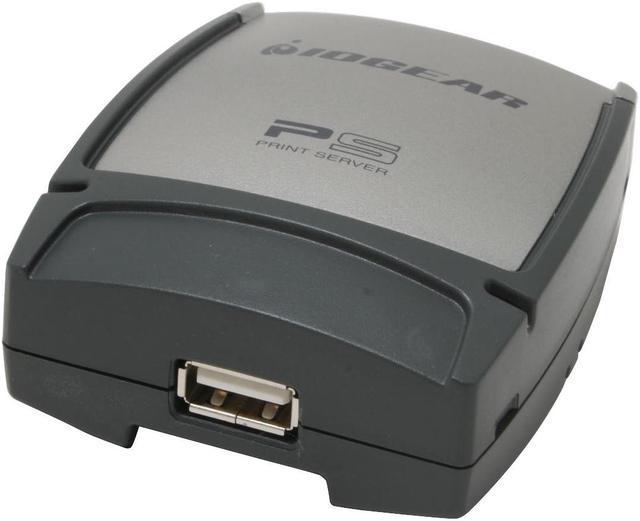
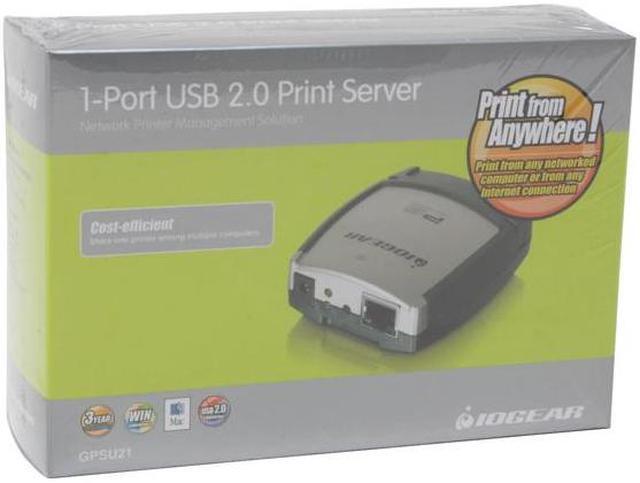
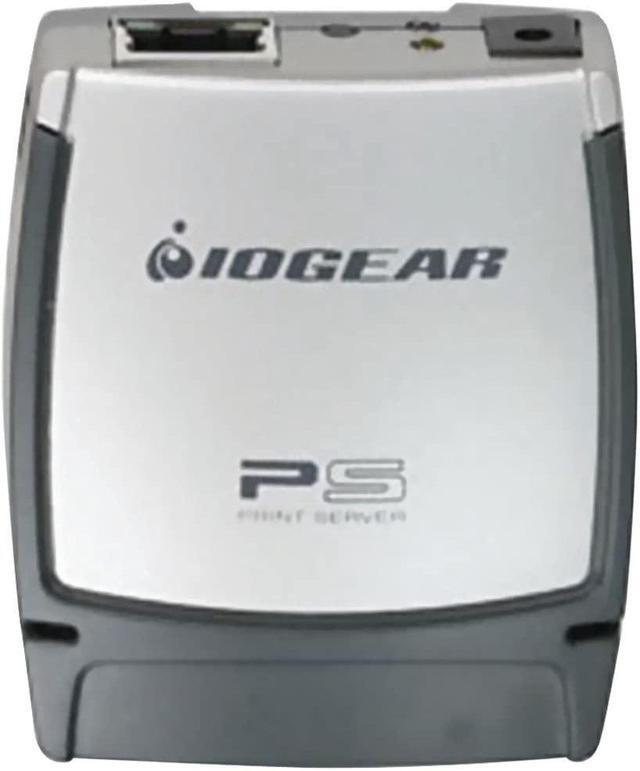
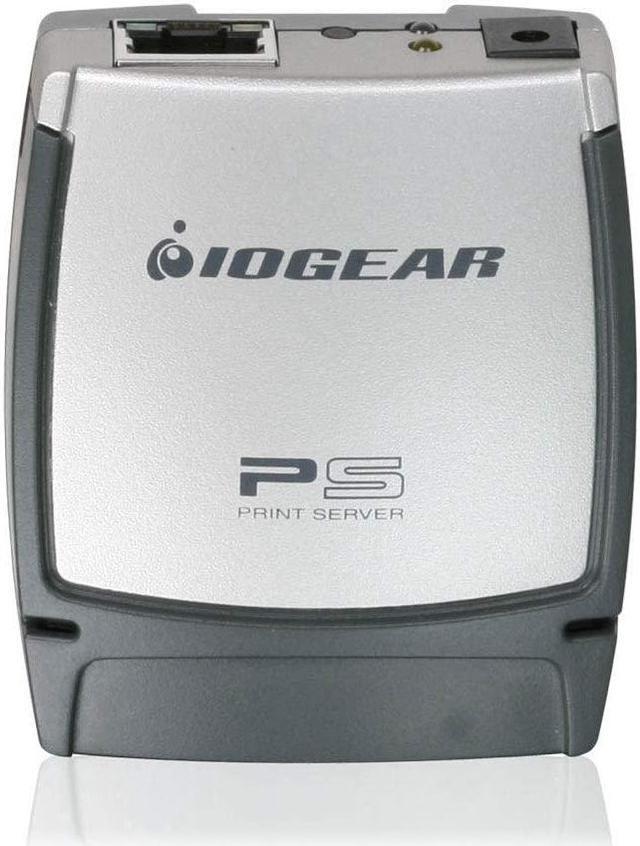
IOGEAR GPSU21 1-Port Print Server RJ45 USB 2.0

  • RJ45
  • USB 2.0
  • 10/100Mbps
  • Pin It
  • Email this page
ICON Loading...

Intended for the home office, this dedicated print server allows you to hook up one USB 1.1/2.0 printer and operate at 10/100 Mbps on your network. It even allows you to print across the Internet! As the manufacturer points out, why put up with a fax when you can get the original?

Versatile, this server works with multiple operating systems and with multiple network protocols. Because it is dedicated to just one printer, it has a very small "footprint", always a plus in any office.

So, if you only have one printer and more than one computer, don't buy more printers, share the printer on your net and save money and space.

  • newegg USB 2.0 Port With the IOGEAR GPSU21's USB 2.0 port, share a USB multi-Functional printer with everyone on your network and enjoy fast data transfer speeds.
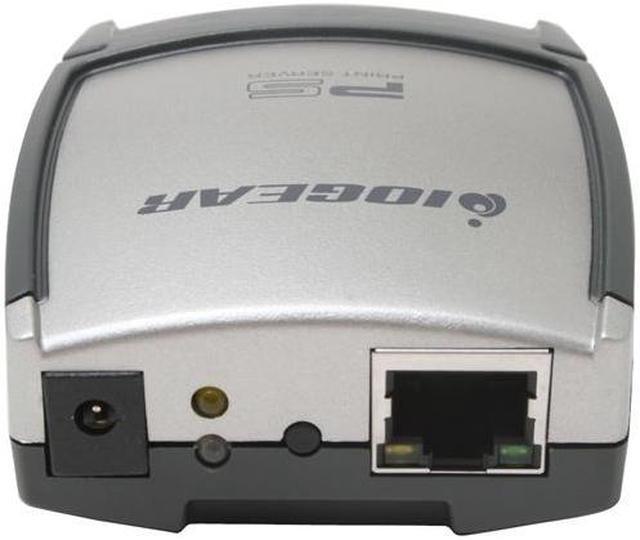
  • newegg Built-in Web Management With the built-in web management feature, configure, monitor and reset the print server via a web browser.

Learn more about the IOGEAR GPSU21

Model

Brand
IOGEAR
Model
GPSU21

Spec

Network Connection
RJ45
Network Speed
10/100Mbps
Printer Connection
USB 2.0
Protocols
IPX, TCP/IP, NETBUEI, APPLETALK, lpr, smb (Over IP)
Device Management
Web, Telnet, PSAdmin, SNMP
Operating Systems Supported
Windows 98SE/ME/2000/XP/2003
Mac OS 9.22 or later
Unix/Linux
Dimensions
2.5" x 2.4" x 1.0"
Weight
0.12 lbs.

Features

Features
Easily connect your USB printer to a network
Allows multiple computers to share one USB printer on the network
Print from any computer on your network or from across the Internet
Supports DHCP Client and multiple network protocols
10Base-T / 100Base-T auto-sensing
Supports Telnet and Web Management software

Touch below link for the compatible list :
http://www.iogear.com/files/pdf/GPSU21_Printer_Compatiblity_List_4-20-09.pdf

Packaging

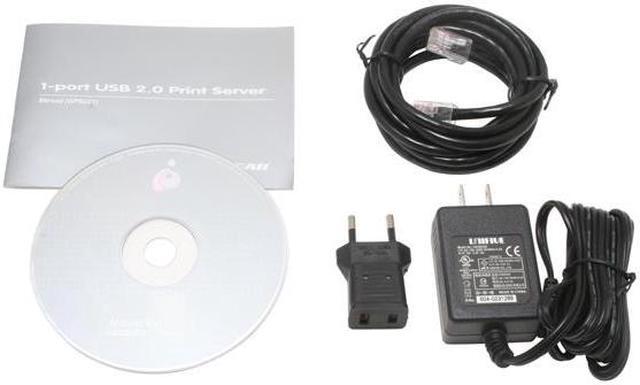
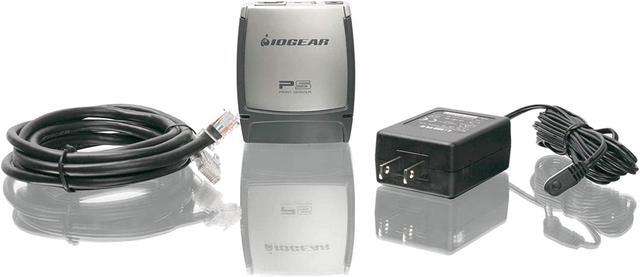
Package Contents
GPSU21
Manual
Resource Disk
RJ45 Cable
Power Adapter
Other Accessories

Quick Info


Customer Reviews of the IOGEAR GPSU21

Do you own this product? Write a Review

Filter Results

Go
  • N/A
  • 5/14/2013 8:17:11 AM
  • Tech Level: High
  • Ownership: 1 month to 1 year
  • Verified Owner

5 out of 5 eggsNice Print Server

Pros: It's small. Setup was straight-forward. I installed it at a customer site supporting 5 users. It's connected to an HP LaserJet 2200 series printer. Collectively, they print about 1,500 pages a day. So far, there were no reported propblems.

Cons: None

Other Thoughts: People who have limited or no knowledge of setting up network devices should educate themselves first before tackling such tasks. Writing negative reviews and blaming the product rather than their limited know-how is ridiculous. Unless, of course the unit is DOA. Am I the luckiest person to have received the best working unit and all the rest received defective ones! I don't think so.

Plug the print server (PS) to a good surge protector or a UPS. Connect the PS to your router and wait for a couple of minutes for it to obtain an IP address. Use a free IP scanner utility or from your router table, read which IP address was issued to the PS; then using that IP, connect and configure the PS using your favorite browser. I usually set the up the PS with a static IP so it is easier to reconnect in the future. After the PS is configured, connect your printer to the PS.

Did you find this review helpful? Yes No

  • Dino
  • 5/8/2013 7:47:49 PM
  • Tech Level: High
  • Ownership: 1 month to 1 year
  • Verified Owner

1 out of 5 eggs

Pros: None

Cons: Almost impossible to set up

Other Thoughts: I'm willing to work with hardware that isn't well documented and is somewhat finicky, but this is just a piece of garbage. There is no documentation regarding the default setup parameters, so unless one is willing to ping 255 potential addresses (assuming the default is on the 192.168.1.x subnet), the ONLY way to get to the device is via the IOGear installation utility which uses some layer below TCP to hunt for the device's MAC address. And simply put.... the setup utility is a piece of junk. It was completely unable to find the device on my network, even after removing all but the device and a single PC.

Don't waste your time and money on this. Get a different one.

Manufacturer Response:

Thank you for choosing IOGEAR and we apologize for the inconvenience. To better service you and understand your set up, please feel to contact our customer support at 1-866-946-4327 or email us: support@iogear.com. Your network must be DHCP enabled. The GPSU21 pulls an address automatically through DHCP and then you can use the wizard to configure this devise. Once again, thank you for choosing IOGEAR.

0 out of 1 people found this review helpful. Did you? Yes No

  • Joeteck
  • 2/13/2013 10:38:39 PM
  • Tech Level: High
  • Ownership: less than 1 day
  • Verified Owner

1 out of 5 eggsLow cost junk

Pros: none

Cons: Does not work with the HP Laserjet 1000

Other Thoughts: USB print server means just that, USB! The print server sees the printer. I even used the Universal Print Driver to no success.

Manufacturer : Hewlett-Packard
Model : hp LaserJet 1000
Command Set : ZJS
Status : Waiting for job

I still have no idea why I bought it... I should have stuck with HP print servers... IOgear is better at KVM's...

Manufacturer Response:

Thank you for choosing IOGEAR and we apologize for the inconvenience. To better service you and understand your set up, please feel to contact our customer support at 1-866-946-4327 or email us: support@iogear.com. Once again, thank you for choosing IOGEAR.

1 out of 2 people found this review helpful. Did you? Yes No

  • N/A
  • 2/13/2013 5:18:14 AM
  • Tech Level: High
  • Ownership: less than 1 day
  • Verified Owner

4 out of 5 eggsWorks GREAT, but...

Pros: Works fine as a print server.

Cons: This is a case where maybe you should NOT RTM.

I followed the directions carefully, and could NOT make it work reliably. After it installed its "Network Print Monitor" driver, I would try to print a test page and end up with about 1/3rd of a page then blinking lights on the printer. Logging into the print server it said the print job "timed out". No matter what I tried I could not make it work. I ended up with crashed print spooler service, half printed pages, etc.

I gave up, and installed it the way I normally do with networked printers at work-and that is first, forget the included software-uninstall it. Second, assign the iogear a static IP address. Third, goto add printers, and create a standard TCP/IP port, and use the static IP address assigned to the iogear. Lastly, select your printer from the list, and voila, done.

One catch that made me scratch my head for a moment-out of 3 computers I have, 2 of them would say the printer was "offline" after a reboot. The difference was my printer was installed on those 2 prior to obtaining the iogear. The third computer never had it installed, and therefor never gave me the "offline" status on a reboot. Solution: Right click the printer icon and click on "use printer online".

:Disclaimer: My printer is NOT on the list of supported models (but the model immediately preceding mine was, so I rolled the dice), and it works fine, BUT...ink levels are not reported. Not a big deal as the printer has an ink idiot light on the front of it.

Did you find this review helpful? Yes No

  • N/A
  • 2/1/2013 1:22:21 PM
  • Tech Level: High
  • Ownership: 1 day to 1 week
  • Verified Owner

1 out of 5 eggsDO NOT BUY

Pros: when it works, it works fine

Cons: I purchased 5 of these. Configuration is a bit tricky as I explain below but that is not the issue. All of them have to be power cycled at least once per day or they drop off the network. Once cycled they run well for a while. Not sure if it is overheating or bad firmware. Unless you want to babysit them constantly, look elsewhere.

Other Thoughts: Configuration:
Run the setup wizard only far enough to get the DHCP IP address of the print server then cancel as the settings won't stick right with the wizard.
Use your web browser to go to the address found by the wizard and set up a static IP and any other configurations.
Save the settings.

Manufacturer Response:

Thank you for choosing IOGEAR and we apologize for the inconvenience. The problem you are describing may be related to your network. This is our hottest selling print server and we do not get reports of the problem you are having. To better service you and understand your set up, please feel to contact our customer support at 1-866-946-4327 or email us: support@iogear.com. Once again, thank you for choosing IOGEAR.

0 out of 1 people found this review helpful. Did you? Yes No

  • skeptical
  • 1/15/2013 11:14:19 AM
  • Tech Level: High
  • Ownership: more than 1 year
  • Verified Owner

2 out of 5 eggsbatting 500

Pros: The one I purchased previously worked fine, so I bought a second.

Cons: The second one did not work out of the box. So, 1 for 2. IOGEAR tech was prompt, but the response "send it back" was so quick it leaves you wondering what the overall failure rate out of the box for these is. C'est la vie.

Manufacturer Response:

Thank you for choosing IOGEAR and we apologize for the inconvenience. The wizard helps step you through the setup. There is very limited troubleshooting with this devise. If you were able to configure one GPSU21 and not the other it is possible the devise may be defective. You can try resetting the print server back to factory defaults to see if that helps. This can be done by first disconnecting the network cable and any devices connected to the print server. Then hold in the reset button for ten seconds. While still holding the reset button unplug the power from the print server, continue holding the reset button for another ten seconds. While continuing to hold the rest button plug the power back into the print server and hold the reset button for another ten seconds. At this point you can now release the reset button and unplug the power from the print server again. Allow the print server to sit for another ten seconds, then plug the power back into the print server. The print server should now be set back to factory defaults. The GPSU21 has a very low failure rate. To better service you and understand your set up, please feel to contact our customer support at 1-866-946-4327 or email us: support@iogear.com. Once again, thank you for choosing IOGEAR.

Did you find this review helpful? Yes No

  • ChazInFlorida
  • 12/19/2012 10:00:50 AM
  • Tech Level: High
  • Ownership: more than 1 year
  • Verified Owner

5 out of 5 eggsGood Little Print Server!

Pros: I own three of these. Easy to setup if you follow directions. Small, compact design. I Velcro mine to the underside of my desk top so it is out of the way.

Cons: Not really a con for me, but if you are a plug-and-play-heck-with-the-instructions type, you will go insane trying to make this work.

Other Thoughts: I usually configure mine manually, it is faster. Don't try it unless you have expert network skills.

Did you find this review helpful? Yes No

  • jabberok
  • 11/21/2012 7:48:19 AM
  • Tech Level: High
  • Ownership: less than 1 day

5 out of 5 eggs

Pros: 1. Easy network install. Device came pre-configured as DHCP client.
2. Easy to install on Win 7, XP and Linux as network/internet printer.
3. Works fine with Brother HL-2040.
4. Does have web interface.

Cons: 1. Is not listed as Win 7 compatible - some sources in internet turned this to "Win7 incompatible".
2. There are no description how to setup under Win7 and Linux.
3. There is no description on web interface.
4. My printer is not listed as compatible, but is printing fine.

Did you find this review helpful? Yes No

  • Chaosfactor333
  • 10/28/2012 5:12:39 PM
  • Tech Level: High
  • Ownership: 1 day to 1 week
  • Verified Owner

1 out of 5 eggsI just doesn't work

Pros: N/A

Cons: It just never saw my print which is a HP LJ 1320, and I've used these before on HP printers like the one I own in the past.

Other Thoughts: Don't waste your money. If you have an HP printer spend a little more and get the HP print server, or get a printer with network functionality built in.

Manufacturer Response:

Thank you for choosing IOGEAR and we apologize for the inconvenience. The LJ1320 was listed on the compatibility list so it has been tested with the GPSU21. To better service you and understand your set up, please feel to contact our customer support at 1-866-946-4327 or email us: support@iogear.com. Once again, thank you for choosing IOGEAR.

0 out of 1 people found this review helpful. Did you? Yes No

  • FishNfoo
  • 9/23/2012 8:45:24 AM
  • Tech Level: Somewhat High
  • Ownership: 1 day to 1 week

5 out of 5 eggsWorks Good

Pros: Works Well, fairly easy to install

Cons: XP install was a little tricky. But who uses XP anymore...

Other Thoughts: After reading some of the reviews I was somewhat skeptical. However, I must state that this is a pretty good product for the money. Installed on two laptops (Vista and Windows 7) within minutes. Also put on a XP machine as well (lol XP). Now I can get rid of the the machine that was only running to serve print jobs.

1 out of 1 people found this review helpful. Did you? Yes No

ICON Loading...
Are you an E-Blast Insider? Subscribe Newegg e-Blast

Buzz

Works likes a charm

5 out of 5 eggs
I've worked with PC's and networks for over 15 years. I was skeptical about a device like this actually working ...
— 1/10/2007

Great biscuit sized server

5 out of 5 eggs
This neat little biscuit sized Server is a great solution for multiple PCs networked at home. We are using it on both Windows ...
— Noridlo 12/22/2006


PayPal
Shop without retyping payment details. Secure shopping made faster.
Check out with PayPal.

Financing


LOADING... LOADING...
Shop by Region: United States | Canada | China
Follow us:   RSS Feeds Youtube
VeriSign Reliability Seal1This site protected by Trustwave's Trusted Commerce program Inc500
Policy & Agreement | Privacy Policy  © 2000-2013 Newegg Inc.  All rights reserved.
If the Adobe Reader does not appear when you click on a link for a PDF file, you can download Adobe Reader from the Adobe web site. nassau