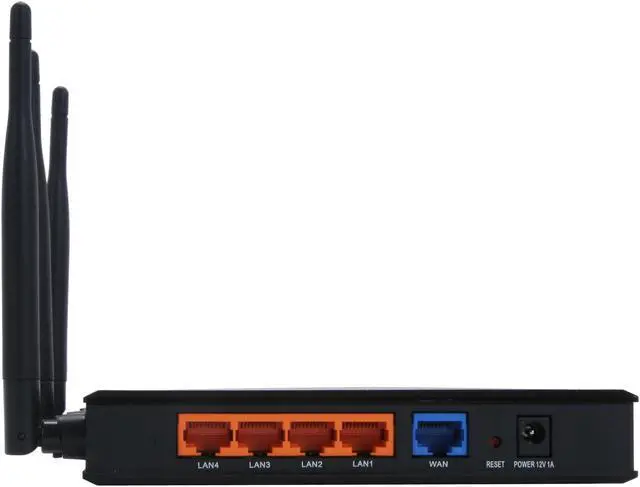
This TrendNet Wireless N Router makes it easy to network all the computers in your home or office! Once plugged into your modem, the router offers wireless 802.11b/g/n connectivity for your notebooks, gaming system, and other compatible devices within 500 feet. The 4-port Gigabit Ethernet switch built into the router offers fast wired connections for your printer and desktop computers.
Configuration is painless with the built-in web interface. The included Virtual Server utility makes it easy to configure any connected computer as a web server or FTP server, so the users you specify can have remote access to network content over the Internet. With Quality of Service (QoS) prioritization, you get extra bandwidth when you need it for your streaming media, gaming session, or large downloads.
Your network stays safe from hackers with WPA-PSK (TKIP or AES) or WEP encryption; MAC, IP, or Protocol filtering; and an SPI/NAT firewall, which also allows you to limit Internet access. Manage and monitor usage with smart features like Traffic Log support, Traffic Control, which allows you to define available bandwidth for each computer; and Remote Management, which lets you make adjustments over the Internet. When it comes to reliability, security, and convenience, the TrendNet Wireless N router brings it all home!
This TrendNet Wireless N Router makes it easy to network all the computers in your home or office! Once plugged into your modem, the router offers wireless 802.11b/g/n connectivity for your notebooks, gaming system, and other compatible devices within 500 feet. The 4-port Gigabit Ethernet switch built into the router offers fast wired connections for your printer and desktop computers.
Configuration is painless with the built-in web interface. The included Virtual Server utility makes it easy to configure any connected computer as a web server or FTP server, so the users you specify can have remote access to network content over the Internet. With Quality of Service (QoS) prioritization, you get extra bandwidth when you need it for your streaming media, gaming session, or large downloads.
Your network stays safe from hackers with WPA-PSK (TKIP or AES) or WEP encryption; MAC, IP, or Protocol filtering; and an SPI/NAT firewall, which also allows you to limit Internet access. Manage and monitor usage with smart features like Traffic Log support, Traffic Control, which allows you to define available bandwidth for each computer; and Remote Management, which lets you make adjustments over the Internet. When it comes to reliability, security, and convenience, the TrendNet Wireless N router brings it all home!
 Wi-Fi CertifiedCompliant with draft 802.11n, the TRENDnet TEW-633GR delivers real-world performance of up to 14X the speed and 6X the coverage of an 802.11g wireless connection while remaining compatible with 802.11g and 802.11b devices.
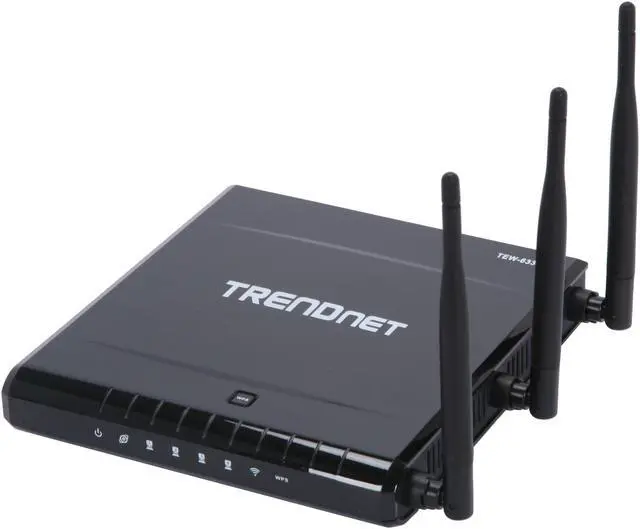
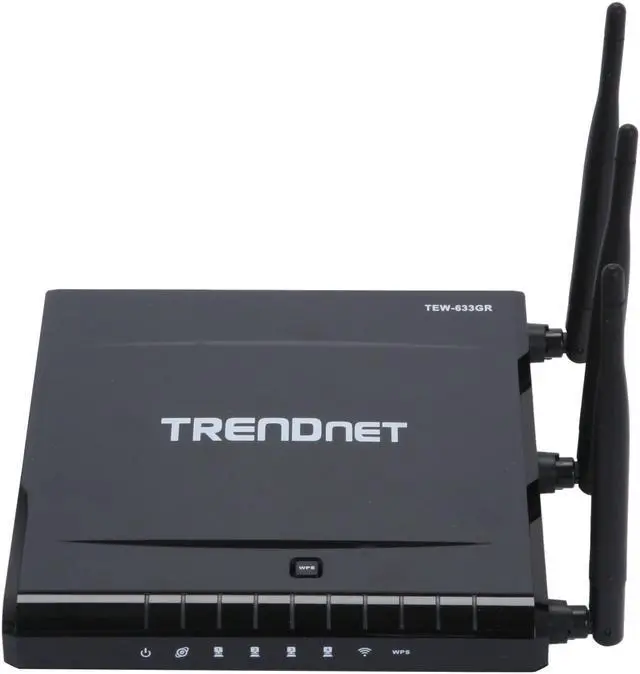
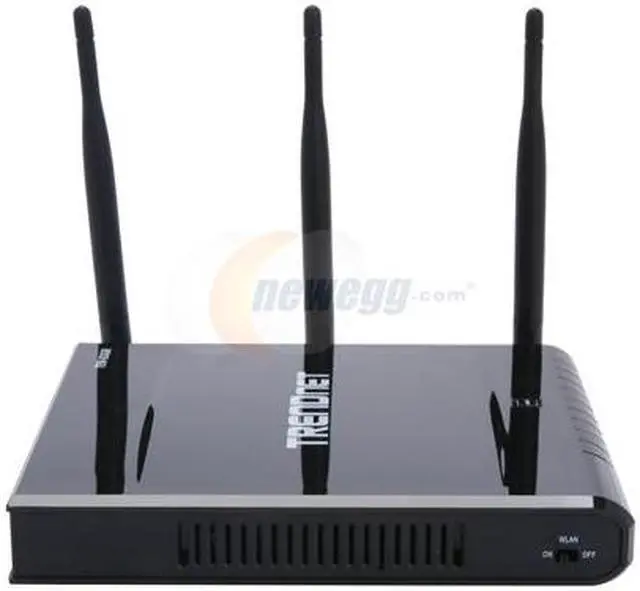
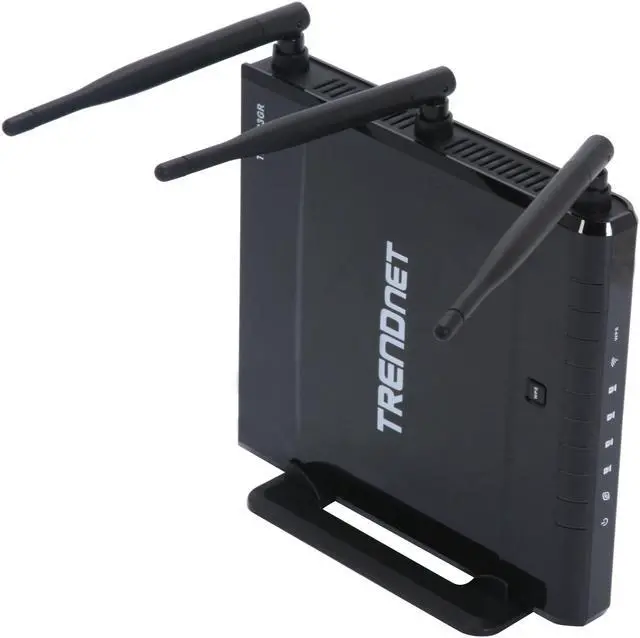
 3 External AntennasThe TRENDnet TEW-633GR features 3 external antennas to create a robust signal and reduce dead spots for high speed performance and extended coverage.
 Wireless SecurityThe TRENDnet TEW-633GR supports 64/128-bit WEP, WPA/WPA2 and WPA-PSK/WPA2-PSK standards for use of the supreme encryption available regardless of client device to prevent potential attacks from the Internet.
 Dynamic DNSWith the Dynamic Domain Name Service (DNS), access the Internet with dynamic IP addresses to use network applications such as Web or FTP servers that normally require static IP addresses (Subscription with Dynamic DNS providers is required).
 UPnP supportThe TRENDnet TEW-633GR supports UPnP (Universal Plug and Play) protocol for automatic detection on the network and great compatibility among networking equipment, software and peripherals, making it easier-than-ever to communicate and share resources with other UPnP-enabled devices.

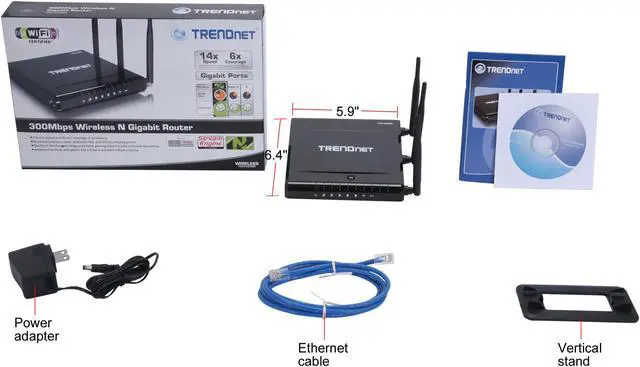



 Wi-Fi CertifiedCompliant with draft 802.11n, the TRENDnet TEW-633GR delivers real-world performance of up to 14X the speed and 6X the coverage of an 802.11g wireless connection while remaining compatible with 802.11g and 802.11b devices.
 3 External AntennasThe TRENDnet TEW-633GR features 3 external antennas to create a robust signal and reduce dead spots for high speed performance and extended coverage.
 Wireless SecurityThe TRENDnet TEW-633GR supports 64/128-bit WEP, WPA/WPA2 and WPA-PSK/WPA2-PSK standards for use of the supreme encryption available regardless of client device to prevent potential attacks from the Internet.
 Dynamic DNSWith the Dynamic Domain Name Service (DNS), access the Internet with dynamic IP addresses to use network applications such as Web or FTP servers that normally require static IP addresses (Subscription with Dynamic DNS providers is required).
 UPnP supportThe TRENDnet TEW-633GR supports UPnP (Universal Plug and Play) protocol for automatic detection on the network and great compatibility among networking equipment, software and peripherals, making it easier-than-ever to communicate and share resources with other UPnP-enabled devices.