Skip to: |

Newegg.com - A great place to buy computers, computer parts, electronics, software, accessories, and DVDs online. With great prices, fast shipping, and top-rated customer service - once you know, you Newegg.

If you are reading this message, Please click this link to reload this page.(Do not use your browser's "Refresh" button). Please email us if you're running the latest version of your browser and you still see this message.

Newegg.com - Computer Parts, Laptops, Electronics, HDTVs, Digital Cameras and More!

  • | Wish List
  • Help

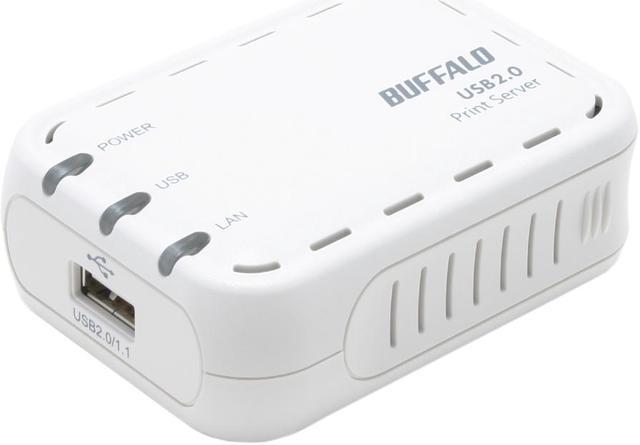
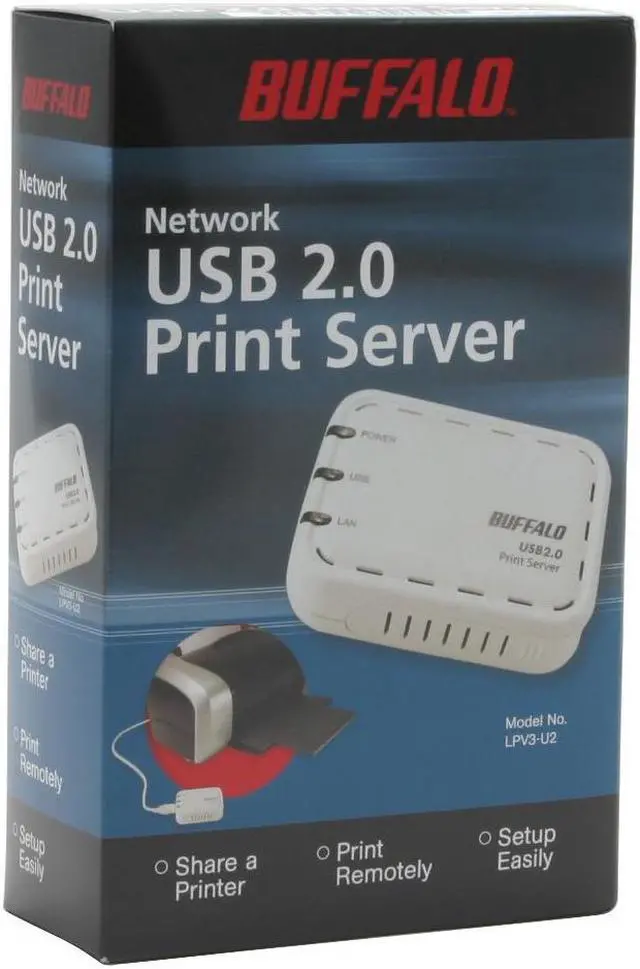
BUFFALO Network USB 2.0 Print Server - LPV3-U2

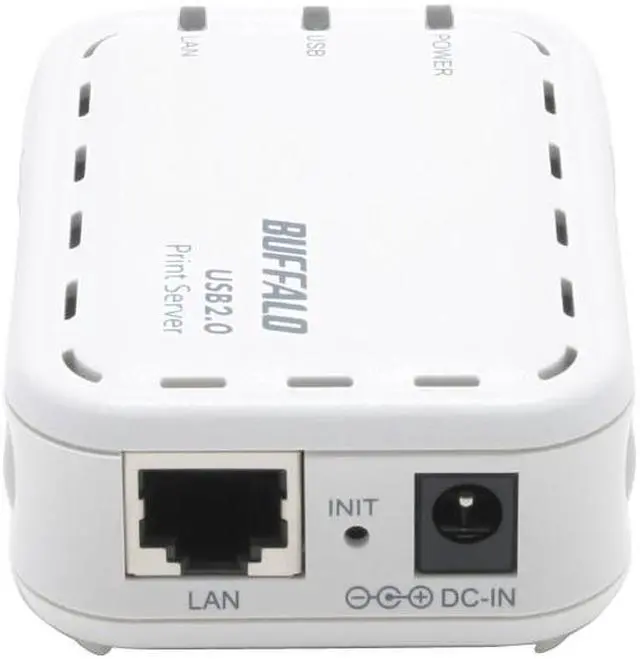
  • RJ45
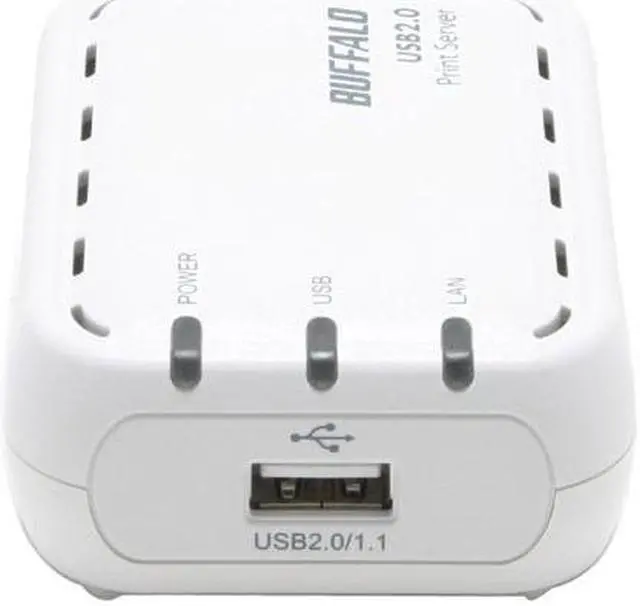
  • USB 2.0 and 1.1 type A
  • Supports TCP/IP, NetBEUI, Rendezvous, IPP
  • Pin It
  • Email this page
ICON Loading...


Learn more about the Buffalo Technology LPV3-U2

Model

Brand
BUFFALO
Model
LPV3-U2

Spec

Network Connection
RJ45
Network Speed
10/100Mbps
Printer Connection
USB 2.0 and 1.1 type A
Protocols
TCP/IP, NetBEUI, IPP (Internet Printing Protocol), Rendezvous.
Dimensions
3.7" x 1.1" x 2.6"
Weight
3.2 oz.
Temperature
0° ~ 40° C
Humidity
20-80% Humidity (non-condensing)

Features

Features
Access Method: CSMA/CD

Share USB Printer with Everyone on a Network.

Simple and Quick Installation.

Print Out Files and Pictures Remotely.

Manage Through Web Browser or Using Software Tool.

Works with Most Operating Systems, Web Browser Configuration.

Easy Setting with Utility Software or WEB Setting.

Auto-Negotiation and LAN Port.

Packaging

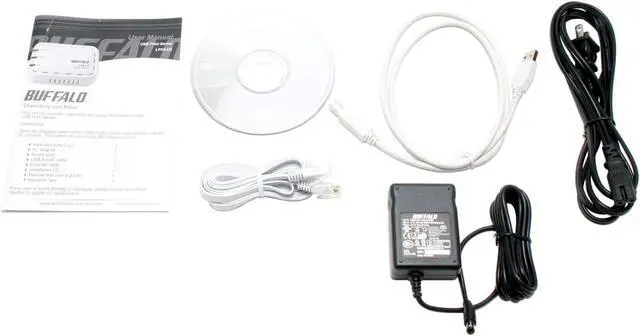
Package Contents
LPV3-U2
Resource Disk
Power Adapter
User Manual
RJ45 Cable
USB Cable
Power Cord

Manufacturer Warranty

Parts
2 years limited
Labor
2 years limited

Quick Info

Warranty

  • Limited Warranty period (parts): 2 years
  • Limited Warranty period (labor): 2 years


Customer Reviews of the Buffalo Technology LPV3-U2

Do you own this product? Write a Review

Filter Results

Go
  • Chapelhillkid
  • 5/12/2013 7:26:18 PM
  • Tech Level: High
  • Ownership: less than 1 day
  • Verified Owner

5 out of 5 eggsPrinter Server Rox

Pros: Works with HP LaserJet 3050. If ur new to routing, just follow posting on 7-10-2010 at 2:39:30 PM. Just find the router on your network. Since I use DD-WRT on my router (linksys blue box WRT-54G), it showed up in the router software as 192.168.1.114. Plugged that IP address on my web brower (Google Chrome) and I knew it was running. Follow the 7-29-2012 posting to get to run as a printer. It rox!
Running Win 7 64 bit. Login is root/

Cons: none

Did you find this review helpful? Yes No

  • Bill
  • 4/28/2013 5:50:27 PM
  • Tech Level: Somewhat High
  • Ownership: 1 day to 1 week
  • Verified Owner

5 out of 5 eggsworks

Pros: Well it works with my old HP Deskjet 932C printer, the printer works great because of the large print cartages

Cons: Took me all 2 hrs to get it to work but in the end I got it

Did you find this review helpful? Yes No

  • Moscatod
  • 4/10/2013 6:07:44 AM
  • Tech Level: High
  • Ownership: 1 week to 1 month
  • Verified Owner

4 out of 5 eggs

Pros: Works as described

Cons: Clunky interface, had to change settings several times to make it work, need fair amount of networking knowledge to set it up.

Did you find this review helpful? Yes No

  • gomobo75
  • 3/21/2013 3:11:15 PM
  • Tech Level: High
  • Ownership: less than 1 day
  • Verified Owner

5 out of 5 eggsGreat print server!

Pros: Great device. Some networking skill may things easier for the average user.

Cons: web interface "test print" did not produce a test print

Other Thoughts: Setup using IPP with a ZEBRA 500 to print shipping labels from overseas, works perfect. Windows users remember to install "Internet Printing Client" for IPP (not available on Windows Starter edition), then forward por 631 after setting a static IP on the device.

Did you find this review helpful? Yes No

  • Tone P
  • 9/24/2012 2:08:36 PM
  • Tech Level: Average
  • Ownership: 1 day to 1 week
  • Verified Owner

5 out of 5 eggsWorks great! Easy setup (if you ignore the instructions)

Pros: USB 2.0 interface, small! I set it up in under 60 seconds.

This will work most standard usb printers and any OS made within the last decade.

I'm using it with a Samsung ML-1740 laser.

Cons: Doesn't make me breakfast.

Other Thoughts: Like those who came before me and gave it a good review, know what your doing BEFORE you start.

DO NOT USE THE ENCLOSED SETUP CD!! IT WILL ONLY MAKE YOU CRY!!

I used the instructions provided in the previous review and it seriously took less than 60 seconds to set up. Easy.

Did you find this review helpful? Yes No

  • Larry77571
  • 4/13/2012 11:52:14 AM
  • Tech Level: High
  • Ownership: more than 1 year

4 out of 5 eggsIts been up for a few years

Pros: It's simple. It has a web interface and it works.

Cons: It's best if you just skip the CD.

Other Thoughts: Check your router to see what address was assigned to the PS.
Type in the ip address in your browser.
Log in to it with the user name "root" and no password.
Give it a name. Assign it an IP address or leave it DHCP.
Be sure to name it the same WORK GROUP.
Add your printer as a LOCAL connection.
Create an IP port with the IP address you log in with and assign that port to the printer.
Test print.
I have it working with Windows 7 64 bit, Windows Vista 32 bit and XP.
I have used it with a Brother laser printer and an HP laser printer. No issues over the years.

2 out of 2 people found this review helpful. Did you? Yes No

  • Hopscotch
  • 3/18/2012 2:43:53 PM
  • Tech Level: Somewhat High
  • Ownership: 1 month to 1 year
  • Verified Owner

5 out of 5 eggsNo problems here

Pros: Works right out of the box. I don't even know if any software came with it because I never bothered to look. It was easy to set up the first time and I just changed routers and went from a 192.168 to a 10.0 and it was still easy to set up.

Read the comments here. Be sure to log into the device with the username 'root' and do the config.

Cons: None.

Other Thoughts: Disregard the negative reviews. One does need to know something about networks or at least know how to use the internet to look up something about networks.

1 out of 1 people found this review helpful. Did you? Yes No

  • Frustrated in WI
  • 2/6/2012 3:47:42 PM
  • Tech Level: Average
  • Ownership: 1 month to 1 year
  • Verified Owner

1 out of 5 eggsWASTE OF TIME!

Pros: Compact, affordable

Cons: Poor software and documentation, confusing to set up, doesn't stay set up.

Other Thoughts: You can read the other reviews for more details. Those who got it to work will praise it, those did not will curse it. I got it to work after about two hours of trying basically the same thing. Next time I needed to print, it was back to square one. After numerous more attempts, I gave up. I will probably try another brand, then give up on print servers entirely if that fails. This one is not a pop-in-the-CD-and-follow-the-instructions-for-dummies sort of device. For the more technically advanced, with the right printer model, I'm sure it's fine. I use Win7 X64, which is not officially supported (by any print server, as far as I can tell)

0 out of 1 people found this review helpful. Did you? Yes No

  • David Sosa
  • 9/14/2011 9:33:53 PM
  • Tech Level: High
  • Ownership: 1 month to 1 year
  • Verified Owner

5 out of 5 eggsWorks Great

Pros: Hooked it up about 32 days ago and it's been sharing a Dymo label printer ever since without any intervention.

Cons: The only useful information I got from this unit via SNMP was the uptime. Also present is alot of ethernet port statistics, and number of print jobs processed. I was hoping to at least get the USB port status via SNMP, but it's not a huge deal.

Other Thoughts: I never use the setup wizard, always setup a direct LPD or port 9100 connection.

Did you find this review helpful? Yes No

  • ckg
  • 7/22/2011 9:12:58 AM
  • Tech Level: High
  • Ownership: more than 1 year

4 out of 5 eggsSolution for win7 users

Pros: Works. easy setup.

Cons: supplied software needs to be upgraded for win7

Other Thoughts: Workaround for win 7 machines - configure tcp/ip to a fixed IP address.
Then in Win7, create new tcp/ip port and connect

Did you find this review helpful? Yes No

ICON Loading...

Protect Your Investment!

    • (more options) read warranty details
Are you an E-Blast Insider? Subscribe Newegg e-Blast

Buzz

Quick and easy... it just works

5 out of 5 eggs
Easy setup (given some understanding of how IP addresses are assigned in your network, the knowledge that the default ...
— chris 4/14/2011

Kinda good, but very limited

3 out of 5 eggs
Works well for small print jobs. Was easy to get working. Documentation is adequate, though not very detailed.
— Chucky 7/17/2007


PayPal
Shop without retyping payment details. Secure shopping made faster.
Check out with PayPal.

Financing


LOADING... LOADING...
Shop by Region: United States | Canada | China
Follow us:   RSS Feeds Youtube
VeriSign Reliability Seal1This site protected by Trustwave's Trusted Commerce program Inc500
Policy & Agreement | Privacy Policy  © 2000-2013 Newegg Inc.  All rights reserved.
If the Adobe Reader does not appear when you click on a link for a PDF file, you can download Adobe Reader from the Adobe web site. nassau