Skip to: |

Newegg.com - A great place to buy computers, computer parts, electronics, software, accessories, and DVDs online. With great prices, fast shipping, and top-rated customer service - once you know, you Newegg.

If you are reading this message, Please click this link to reload this page.(Do not use your browser's "Refresh" button). Please email us if you're running the latest version of your browser and you still see this message.

Newegg.com - Computer Parts, Laptops, Electronics, HDTVs, Digital Cameras and More!

  • | Wish List
  • Help
Home
Home > 
Computer Hardware > 
Networking > 
Wireless Networking > 
Wireless AP > 
ENGENIUS TECHNOLOGIES > 
Item#: N82E16833168083

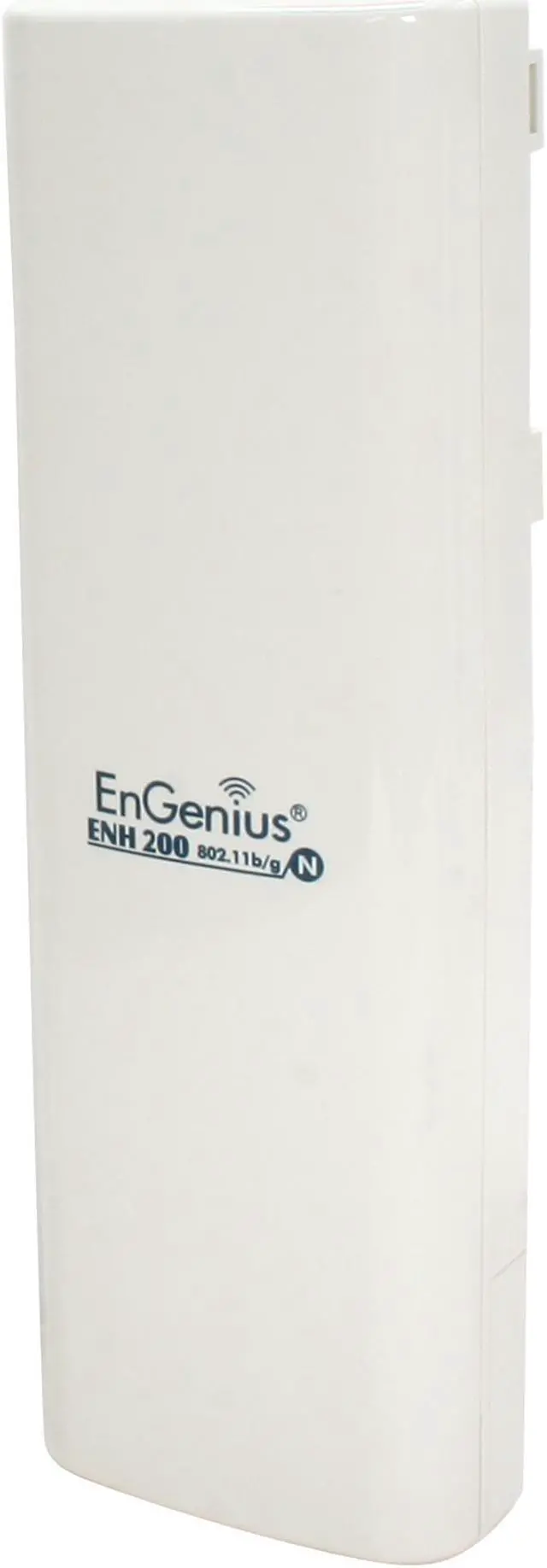
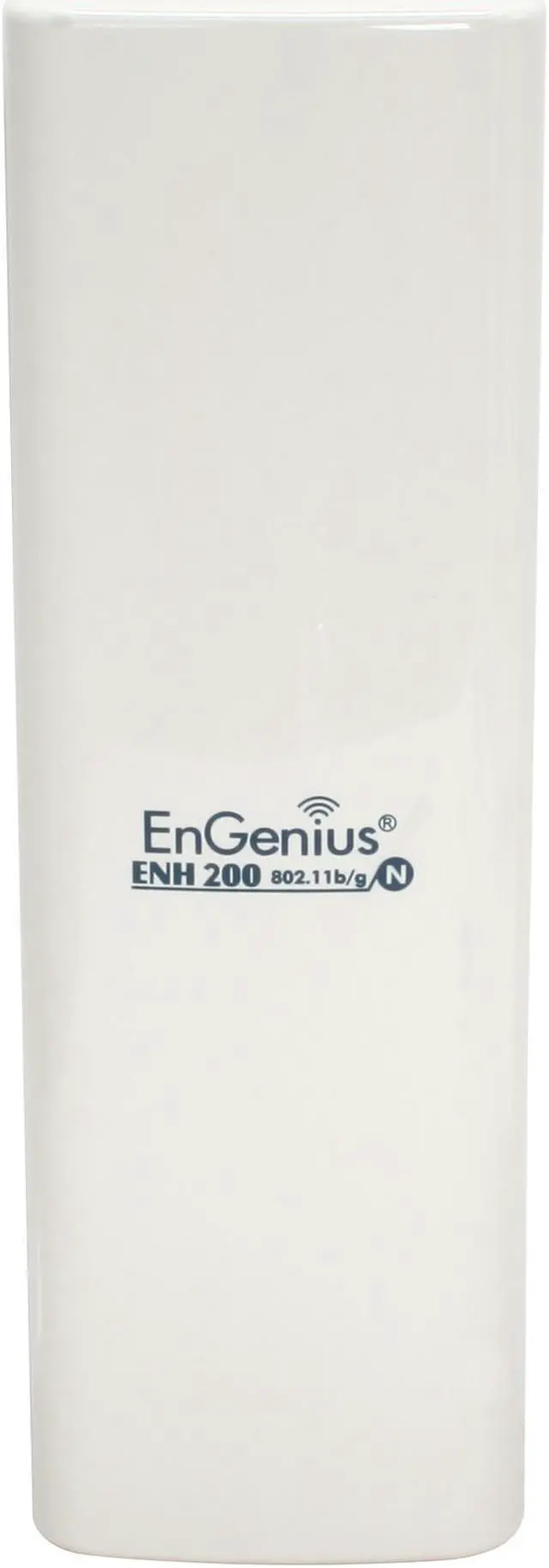
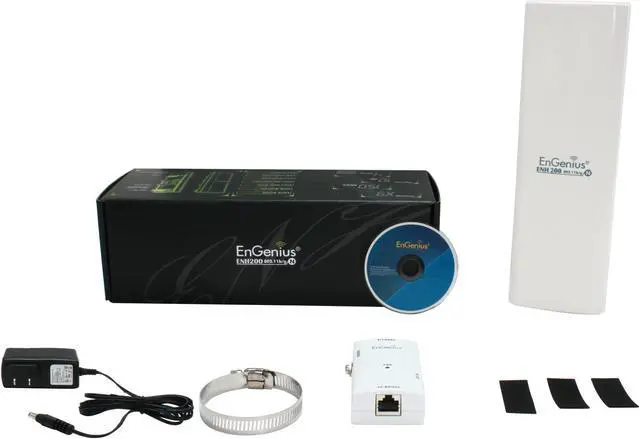
EnGenius ENH200 Wireless Client Bridge/Access Point Long Range 802.11 b/g/n up to 150 Mbps / 500mW High Power for Long Range

  • IEEE 802.11b/g/n
  • Ethernet Port
  • 2.412GHz - 2.472GHz
  • Pin It
  • Email this page
ICON Loading...

ENH200 is a long-range outdoor wireless Client Bridge/ Access Point that operates on 2.4GHz frequency spectrum and provides high wireless data rate up to 150Mbps. The ENH200 features high transmitted output power, built-in dual polarization directional antenna. The high power can extend wireless range coverage. The dual polarity antenna allows installer to choose the best orientation to maximize performance and stability.

Supporting highly secure WPA/WPA2 encryption and MAC address filter ensure an uncompromised network security. Furthermore the MAC address filter allows administrator select exactly which client stations can access the network.

EnGenius ENH200 is a perfect solution for integrator and installer to establish building-to-building wireless network connection; for IP security camera installer deploying camera at the outdoor environment.  

  • newegg Wireless-N EnGenius ENH200 is fully interoperable with IEEE 802.11b/IEEE 802.11g/IEEE 802.11n-compliant devices. High-speed data rates up to 150 Mbps make the ENH200 ideally suited for handling heavy data payloads such outdoor security camera, video streaming, etc. High-output power up to 26 dBm delivers superior range and coverage.
  • newegg High Wireless Security The ENH200 supports WPA2/WPA/ WEP/ IEEE 802.1x encryption, as well as MAC address filtering to ensure secure network connections.
  • newegg Multiple SSIDs Four SSIDs let clients access different networks through a single Access Point, and assign different policies and functions for each SSID.
  • newegg QoS (WMM) Capability QoS (WMM) support enhances performance and user experiences.
  • newegg More Features RSSI indicator makes it easy to select the best signal for Access Point connections. Multi-function operation (CB/AP/WDS/APRouter) modes provide flexible deployment. The AP-Router mode with PPPoE/PPTP, DHCP server function support in special network deployment in which the CPE also serves as Internet gateway. Plus, Power-over-Ethernet capabilities allow for flexible installation locations and cost savings.

Learn more about the ENGENIUS TECHNOLOGIES ENH200

Model

Brand
EnGenius
Model
ENH200

Spec

Standards
IEEE 802.11b/g/n
Wireless Data Rates
Up to 150Mbps
Security
WEP Encryption-64/128/152 bit
WPA/WPA2 Personal (WPA-PSK using TKIP or AES)
WPA/WPA2 Enterprise (WPA-EAP using TKIP)
802.1x Authenticator
Hide SSID in beacons
MAC address filtering, up to 50 field
Wireless STA (Client) connected list
QoS
WMM (Wi-Fi Multimedia)
WPA/WPA2
WPA2
Frequency Band
2.412GHz - 2.472GHz
Antenna
Internal Antenna x 2
Modulation
IEEE 802.11b: DBQSK, DQPSK, CCK
IEEE 802.11g: BQSK, QPSK, 16-QAM, 64-QAM
IEEE 802.11n: BQSK, QPSK, 16-QAM, 64-QAM
Interface
Ethernet Port
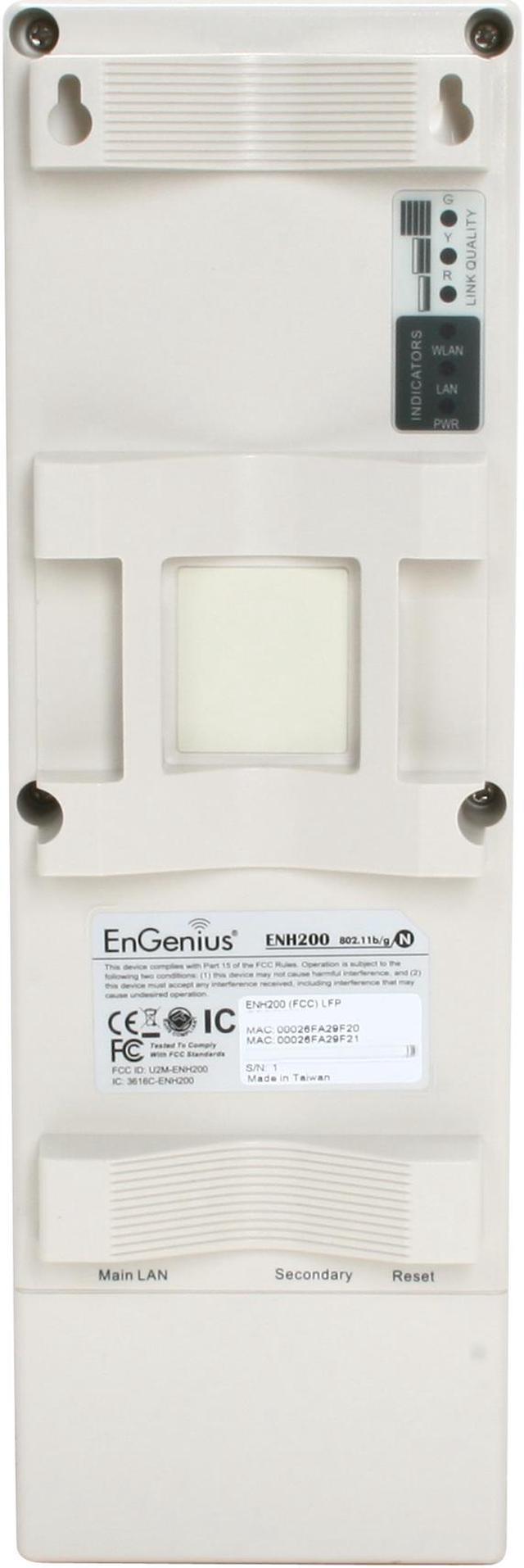
LEDs
Power (Status)
LAN1/LAN2 (10/100Mbps)
WLAN (Wireless is up)
3 x Link Quality (Client Bridge mode)
Ports
2 x 10/100M
Power Adapter
24VAC / 0.6A
Dimensions
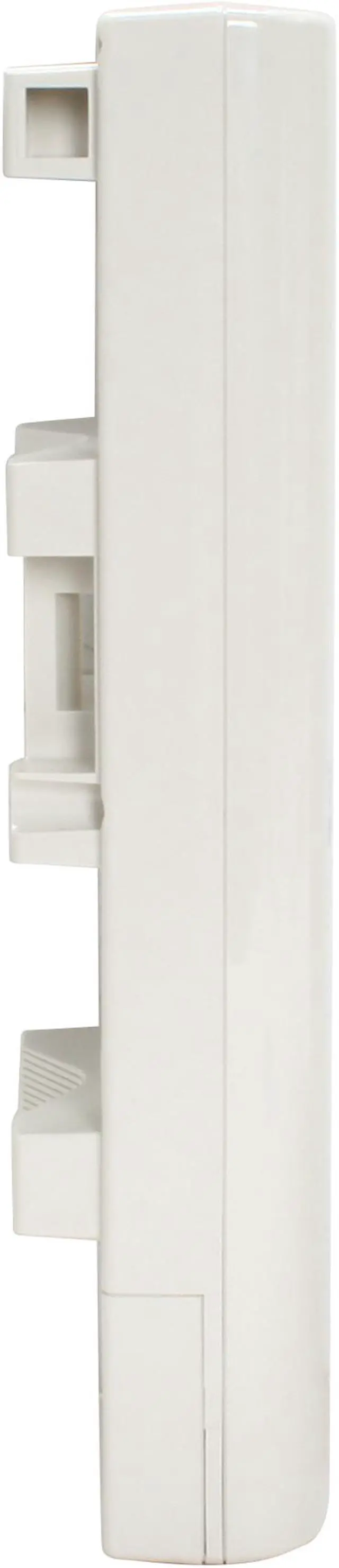
10.24" x 3.31" x 2.17"
Weight
0.9 Ibs.

Features

Features
RSSI indicator makes it easy to select the best signal for Access Point connections
Power-over-Ethernet capabilities allow for flexible installation locations and cost savings
Four SSIDs let clients access different networks through a single Access Point, and assign different policies and functions for each SSID
Multi-function operation (CB/AP/WDS/APRouter) modes provide flexible deployment
The AP-Router mode with PPPoE/PPTP, DHCP server function support in special network deployment in which the CPE also serves as Internet gateway
QoS (WMM) support enhances performance and user experiences

Quick Info

Warranty

  • Limited Warranty period (parts): 1 year
  • Limited Warranty period (labor): 1 year


Customer Reviews of the ENGENIUS TECHNOLOGIES ENH200

Do you own this product? Write a Review

Filter Results

Go
  • Fred
  • 5/19/2013 1:23:35 PM
  • Tech Level: Somewhat High
  • Ownership: 1 month to 1 year
  • Verified Owner

1 out of 5 eggsWorst item I've ever encountered

Pros: None

Cons: Unit was had intermittent connection problems starting about one week after installation and continued until it failed after only 4 months in services. A friend of mine brought out a spare (new) 2611P it lasted less than 2 weeks. Appears to me EnGenuis has a quality issue.

Did you find this review helpful? Yes No

  • w0by
  • 4/14/2013 11:23:23 AM
  • Tech Level: Somewhat High
  • Ownership: more than 1 year

5 out of 5 eggsGreat product!

Pros: I've had this thing outdoors on the roof of my house for my wireless cameras. I live in Chicago so we have days that are -20 to 104F and tons of humidity. It's been on for 3 years straight now! This thing rocks. I can also go about 10 houses down and still pick up my wireless network. It's great! I love being able to go to my brothers house and be able to connect to my wireless network easily to do things.

Cons: Nothing really. Sometimes if I have a friend over their computer/phone won't pick up the wireless at all, but if I restart it it works fine. This happens maybe once every 6 months though. I'm not sure if it's the AP or just their stuff anyways.

Other Thoughts: Great product for long-range wireless. I can pick up my wireless from 10 houses down.

Did you find this review helpful? Yes No

  • WiFi Geek
  • 3/10/2013 1:34:05 PM
  • Tech Level: Somewhat High
  • Ownership: 1 month to 1 year
  • Verified Owner

2 out of 5 eggsNo brain activity at 37 days

Pros: 1)Price at NewEgg
2)Strength of signal: ~-59 dBm @ 500ft aimed and direct line of sight from penthouse balcony to beach.
3)GUI and easy to setup
4)POE
5)Helpful and knowledgeable tech support

Cons: 1)Died 37 days after set up. POE light is out but all the LEDs are flashing incoherently on the AP. No WiFi signal. Unable to reset by any of the 3 methods. Unable to access GUI by any method. I have taken the unit down and tried many different ways of resetting and accessing the GUI
2)Unnecessary extra step to save setting changes. Tech support explained this is to allow the user to make many changes and just reboot once.
3)Tech Support is only available 40 hours a week, Pacific Time Zone admin hours.

Other Thoughts: 1)This is on me. I threw away the box after 30 days not realizing that NewEgg had a 60 days exchange/refund policy. I guess from now on I will review the policy when I unpack an item and put a post-it on the box with the exchange/refund expiration.
2)I got the AP for $59.99. I will see if EnGenius policies make it worth while to get the item repaired or replaced. I will update and revise the egg count.
3)I live alone and have 16 WiFi devices connected to my network

Manufacturer Response:

Dear WiFi Geek,

We appreciate your time in posting your comments and feedback. We are sorry to hear about your experience.

We understand that you are having problems with the PoE injector. All Engenius accessories that come with our devices have a 90-day warranty from the date of purchase.

Please allow us to assist you. You may reach us through our number at 1-888-735-7888 or e-mail us at support@engeniustech.com. Our support team would be glad to be of service to you.

Thank you for your patience and we look forward to hearing from you.

Sincerely,

Mike
Engenius Customer Support Team

Did you find this review helpful? Yes No

  • TechExpert2007
  • 1/23/2013 3:31:59 PM
  • Tech Level: High
  • Ownership: more than 1 year
  • Verified Owner

5 out of 5 eggsLong Range Indeed

Pros: Perfect AP for outdoor connects from building to building or for networking equipment to wired network. I own three of these and use one for security cam system, has been up and fast since day one.

Cons: Nada

Did you find this review helpful? Yes No

  • srp365
  • 1/6/2013 7:14:32 PM
  • Tech Level: High
  • Ownership: 1 month to 1 year
  • Verified Owner

5 out of 5 eggsBest value in Business Class WiFi

Pros: Extremely flexible configuration. Worked flawlessly out of the box and love the choice of GUI or CLI.

Cons: Doesn't configure itself. Also horrible at making me a grilled cheese.

Other Thoughts: I've been using Engenius for a few years and haven't really been disappointed. Used 4 of these for client access in a 10 acre parking lot, and get max throughput anywhere on the lot.

These aren't consumer level devices and I definitely wouldn't recommend trying to replace your cheapo wifi router with this. That being said, it's the best value in Business/Enterprise class WiFi.

Did you find this review helpful? Yes No

  • Morgan
  • 10/4/2012 10:29:44 PM
  • Tech Level: High
  • Ownership: 1 week to 1 month
  • Verified Owner

4 out of 5 eggsWorks Great / Slow GUI

Pros: Good speeds and excellent range. Allows a lot of control over advanced wireless settings.

Cons: Painfully slow web interface. This is true of every Engenius device I've ever used. They work fine but you have to be patient when setting them up.

Did you find this review helpful? Yes No

  • N/A
  • 9/29/2012 6:20:52 PM
  • Tech Level: High
  • Ownership: 1 month to 1 year
  • Verified Owner

5 out of 5 eggsGreat long-range solution!

Pros: Long operating range, fast enough, solid construction

Cons: Clumsy, slow web interface

Other Thoughts: I bought 2 of these to connect the two buildings on the property about 1000 feet away with light tree interference. They work perfectly! The slightly tricky part was configuring the router connected to the bridge side. It took me a while to figure out that it had to be on a different subnet than the access point's router. As for not being able to use DHCP- I did not run into that problem. The bridge is connected to a Linksys router that is configured to assign 201-300 in the last section of digits to its clients. The router connected to the AP assigns clients to 001- 200. I haven't had to do so much as a router restart since setting everything up. Also, don't be afraid to call tech support, I called, and they were great.

2 out of 2 people found this review helpful. Did you? Yes No

  • Bill
  • 8/3/2012 3:49:53 PM
  • Tech Level: High
  • Ownership: 1 week to 1 month
  • Verified Owner

5 out of 5 eggsVery Good Access Point

Pros: I am using this as an Access Point. Installed on a pole outside with 150' of CAT-5 cable to it and the cottage using the Access Point is over two hundred feet from it. Full speed with three to four bars of signal strength on my laptop. The set up was easy and I have bought two more for installation at relatives houses.

Cons: None so far.

Other Thoughts: I am very glad that I got this unit. I now have reliable access where I didn't before.

Did you find this review helpful? Yes No

  • N/A
  • 6/29/2012 10:18:02 AM
  • Tech Level: Somewhat High
  • Ownership: more than 1 year
  • Verified Owner

5 out of 5 eggsEnGenius for Sure!

Pros: ~Relaible~lots of configuration options
~Opensource firmware
~Fast
~Relatively easy to set up

Cons: Doesn't smile at me when I walk by

Other Thoughts: I have two businesses on one property, and used to have to different internet accounts for each. I installed this thing, and now I have internet coming into only one building, then this device sends it to the other building on a different level. (so the two businesses aren't on the same network) Setup works Great! I've had it for over a year, and no hiccups or downtime yet!

Did you find this review helpful? Yes No

  • rhgoff
  • 5/11/2012 8:36:21 PM
  • Tech Level: Average
  • Ownership: 1 month to 1 year
  • Verified Owner

4 out of 5 eggsWireless Bridge

Pros: Lots of set up options. Connects really well in WDS Bridge mode.

Cons: Client bridge mode had a few issues. And the other day I had it dropping connections in and out. I think that has to do with power issues though.

Their tech support is way under staffed. Expect to wait an hour.

Other Thoughts: As with any AP you should always use the same brand when bridging. My WDS bridge with 2 200's works great and I'm a big fan of engenius's features. I will buy more.

Did you find this review helpful? Yes No

Compare Offers from All Sellers

Seller Name & Rating Offer Details  
ICON Loading...
Are you an E-Blast Insider? Subscribe Newegg e-Blast

Buzz

2000 ft connection

5 out of 5 eggs
I wanted to connect my parents house to my families house so we could share pictures, printers, game together etc. We live ...
— Mike L 5/4/2011

Great long-range solution!

5 out of 5 eggs
Long operating range, fast enough, solid construction
— 9/29/2012


PayPal
Shop without retyping payment details. Secure shopping made faster.
Check out with PayPal.

Financing


Home
Home > 
Computer Hardware > 
Networking > 
Wireless Networking > 
Wireless AP > 
ENGENIUS TECHNOLOGIES > 
Item#: N82E16833168083
LOADING... LOADING...
Shop by Region: United States | Canada | China
Follow us:   RSS Feeds Youtube
VeriSign Reliability Seal1This site protected by Trustwave's Trusted Commerce program Inc500
Policy & Agreement | Privacy Policy  © 2000-2013 Newegg Inc.  All rights reserved.
If the Adobe Reader does not appear when you click on a link for a PDF file, you can download Adobe Reader from the Adobe web site. nassau