Skip to: |

Newegg.com - A great place to buy computers, computer parts, electronics, software, accessories, and DVDs online. With great prices, fast shipping, and top-rated customer service - once you know, you Newegg.

If you are reading this message, Please click this link to reload this page.(Do not use your browser's "Refresh" button). Please email us if you're running the latest version of your browser and you still see this message.

Newegg.com - Computer Parts, Laptops, Electronics, HDTVs, Digital Cameras and More!

  • | Wish List
  • Help
Home
Home > 
Computer Hardware > 
Networking > 
Powerline Networking > 
ZyXEL > 
Item#: N82E16833181158

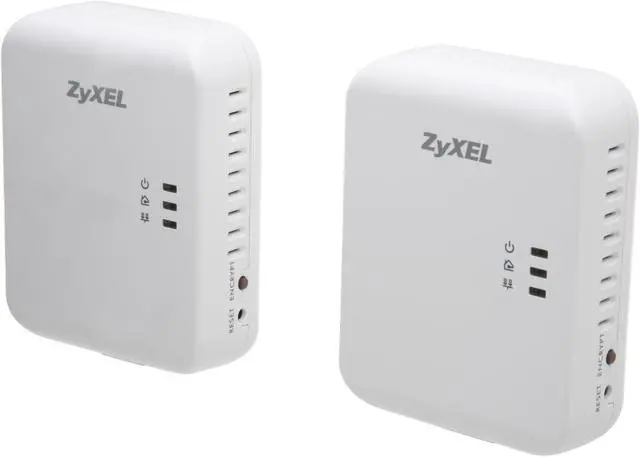
ZyXEL PLA4205KIT Powerline Kit Gigabit Ethernet Adapter Up to 500Mbps

  • Homeplug AV, IEEE 1901
  • Ethernet port
  • Up to 500Mbps
  • Pin It
  • Email this page
ICON Loading...

Plug and Play Network Access throughout the Home

The PLA4205 starter kit streamlines network setup by turning your house's existing electrical wiring into a high-speed network. With one PLA4205 plugged into an electrical outlet, use an Ethernet cable to connect it to your existing broadband modem. From there, the second PLA4205 unit will easily and instantly convert any electrical outlet in your home into an Ethernet port for your PC, game consoles, or any other device requiring Ethernet connectivity. With advanced HomePlug AV technology and data rates of up to 500Mbps*, the PLA4205 provides stable, high-speed Ethernet connectivity throughout your home without the mess or hassle of running complicated wiring.
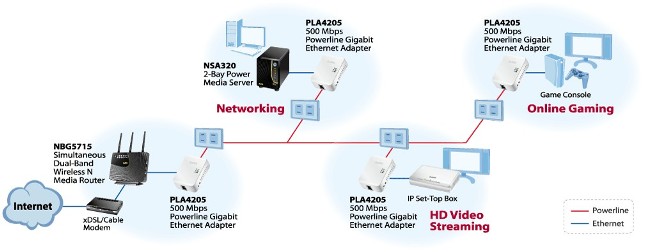
diagram pla4205 kit

Power Up Your Home Network with Blazing Speed!

  • Plug-and-play for easy installation
  • Data transfer rates of up to 500 Mbps* for video streaming and gaming
  • QoS enhances media streaming quality
  • Power-saving mode reduces energy waste

diagram pla4205 Speed

Blazingly Fast Speed

Powered by the latest IEEE 1901 technology and a Gigabit Ethernet port, ZyXEL's 500 Mbps Powerline Gigabit Ethernet Adapter can provide a stable high-performance network for you to enjoy multiple HD streams, multiplayer gaming and Web surfing simultaneously.


diagram pla4205 Lag Free

Enjoy Stable HD Videos and Gaming

With a pair of plug-and-play PLA4205 installed, you can easily extend your home network through any electrical outlet for Internet access by HDTVs, Blu-ray™ players, DVRs, PCs and game consoles.


QoS Enhances Media Streaming Quality

Advanced Quality of Service (QoS) features improve the quality of multimedia streaming applications such as Triple Play services, HD video streaming, high-speed Internet access and VoIP.


diagram pla4205 Streaming
diagram pla4205 Green: power-saving

Power-saving Mode

When there is no Ethernet link, the PLA4205 will enter a power-saving mode, reducing energy consumption by approximately 80% when compared to adapters without this function.


Powerline Comparison Chart (PLA4205KIT)

pla401v3 pla407 pla4205 pla4215 pla4225 pla401v pla407kit pla4205kit PLA4215KIT pla4225kit

* The theoretical maximum channel data transfer rate is derived from IEEE 1901 specifications. Actual data transfer rate will vary from network environment including: distance, network traffic, noise on electrical wires, quality of electrical installation and other adverse conditions.

Wireless N Access Point - WAP3205

Wireless N 450 Mbps Concurrent Dual-Band Gigabit Router - NBG5715

wap3205
  • 802.11n with data transfer rate of up to 300 Mbps
  • Backward compatibility with the 802.11b/g standard
  • Easy to extend the wireless network coverage
nbg5715
  • Compliant with 802.11n, wireless speeds of up to 450 Mbps over concurrent dual bands
  • Simultaneously video streaming smoothly and data access with extreme speeds
  • Beam forming technology widely extends the effective wireless coverage

High Performance 2-bay Network Attached Storage & Media Server - NSA320

AeroBeam WiHD Home Theater Kit - WHD6215

nsa320
  • Superior performance for simultaneous file transfers and multiple HD streams
  • Faster data backup with NTFS support
  • Intuitive user interface integrated with media player
whd6215
  • Interference free 60 GHz technology
  • Transmit 1080p video and 7.1ch audio without lag or loss of quality
  • 4 HDMI input ports for multiple devices

Learn more about the ZyXEL PLA4205KIT

Model

Brand
ZyXEL
Model
PLA4205KIT

Spec

Standards
Homeplug AV, IEEE 1901
Encryption
128-bit AES Encryption
Ports
Ethernet port
LEDs
Power on/off
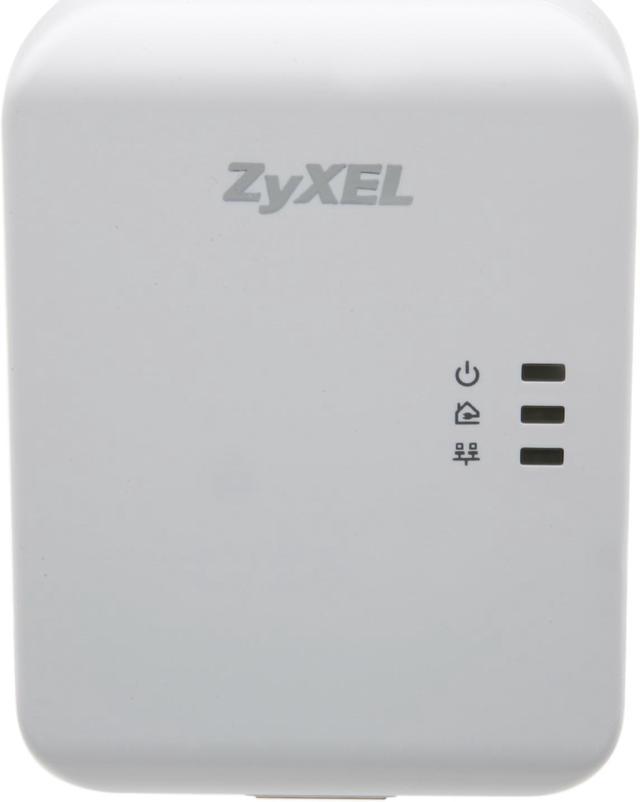
Powerline link/quality: Green: Best, Amber: Better, Red: Good
Ethernet link/activity
Certifications
Safety:CE-LVD, UL/cUL
EMC: CE, FCC
Powerline Speeds
Up to 500Mbps
Connection Type
RJ45
Connection Speeds
10/100/1000M
Kit Type
Double
Frequency Band
2 MHz ~ 67.5 MHz
Power Supply
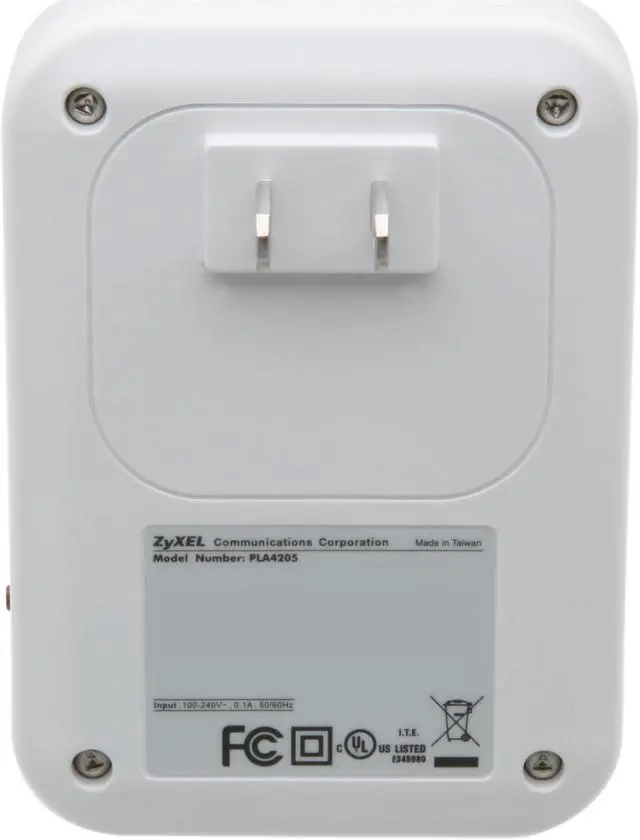
100-240 V AC, 50/60 Hz

Power consumption:
Full operation: 5 Watt max.
Power-saving mode: 1 Watt max.
Dimensions
2.79" x 2.56" x 3.74" Each
Weight
0.29 lbs. Each
Temperature
0°C ~ 40°C
Humidity
20% ~ 90% Non-condensing

Features

Features
Ethernet interface: 1 x 10/100/1000 Mbp RJ-45 connector with auto MDI/MDIX support

Access Methods: CSMA/CA channel-access schemes

Range: Max. range up to 300 meters over power line

Power Saving Mode: If link is inactive for a period (default setting: 60 seconds)

Quality of Service (QoS):
ToS
Support up to 4-level type QoS
Support up to 8-level VLAN priority field

Dynamic Neighbor Network Support: IGMP

Buttons:
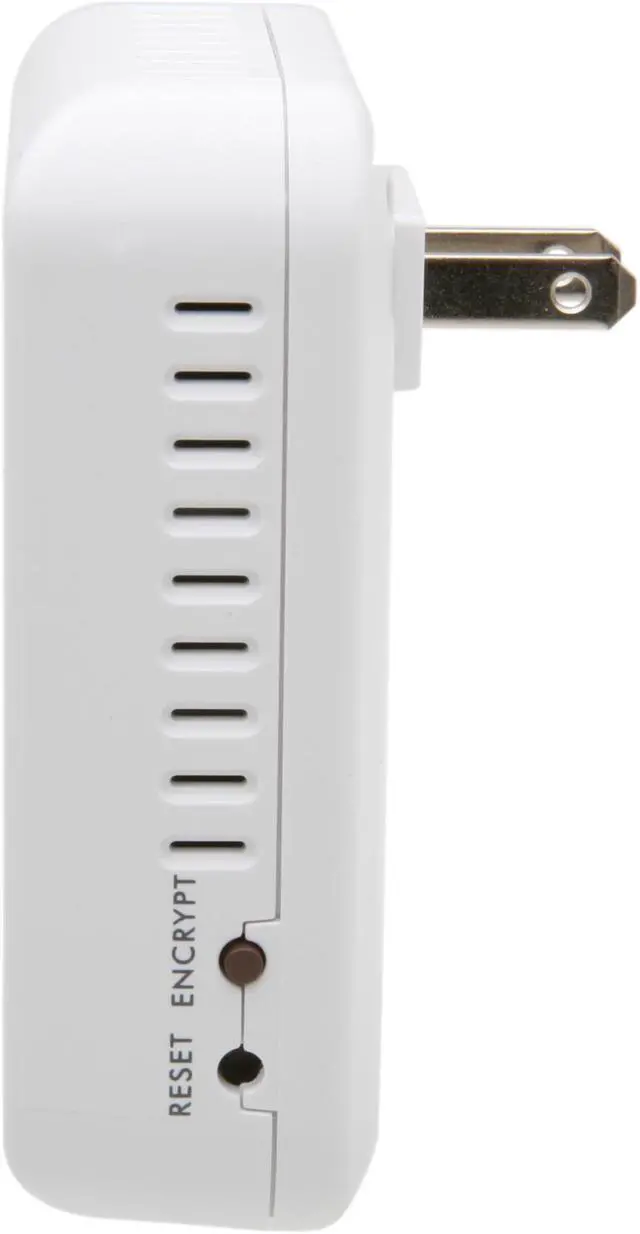
Encrypt button
Reset button

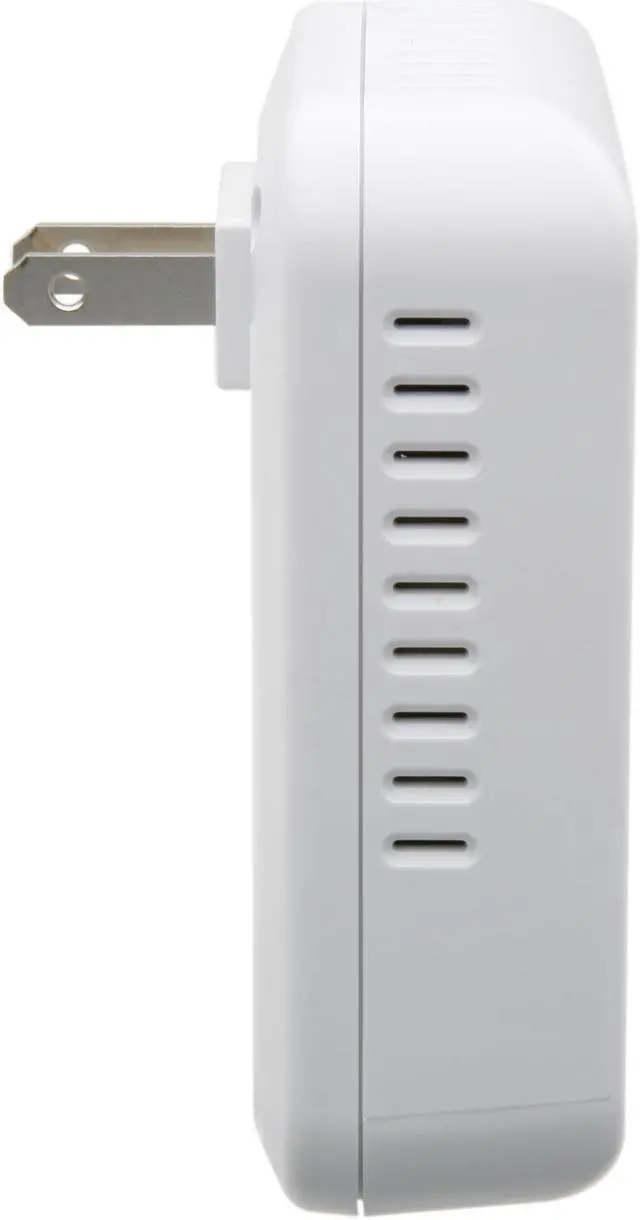
Power Plug type: Two pins for US 120 V(US type)

Plug-and-play for easy installation.

Packaging

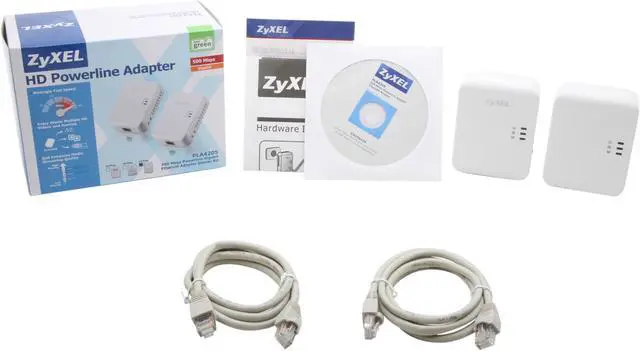
Package Contents
2 x Powerline Ethernet Adapter
Ethernet cable
Quick start guide
Support CD
Warranty card

Quick Info

Warranty

  • Limited Warranty period (parts): 2 years
  • Limited Warranty period (labor): 2 years


Customer Reviews of the ZyXEL PLA4205KIT

Do you own this product? Write a Review

Filter Results

Go
  • mike
  • 4/16/2013 5:37:14 PM
  • Tech Level: High
  • Ownership: 1 month to 1 year
  • Verified Owner

5 out of 5 eggsAwesome

Pros: These things are just amazing. I bought these with the EnGenius ECB350 to set up a bridge for my FIOS system. I have 3 in my house. One is connected to my FIOS router downstairs, one is in my detached garage 70 feet away (for the ECB350) and the other is in an upstairs bedroom (Panasonic DVR streaming; Netflix, etc.) about 40 feet away. It all works amazingly well together. I can pull 35+ Mbps wireless and about 50 Mbps with a direct connection into the Ethernet ports. I did have to try a few outlet combinations. For example, my garage has two different circuits and one only allowed ~15 Mbps, but the other is pulling >34 Mbps into my ECB350. I highly recommend these units.

Cons: None.

Did you find this review helpful? Yes No

  • N/A
  • 3/2/2013 3:43:36 AM
  • Tech Level: High
  • Ownership: 1 week to 1 month
  • Verified Owner

4 out of 5 eggsWorks, but words of warning

Pros: Connects easily. Speed can fluctuate, is usable, but is no where near theorectical limits (I saw 30-110Mbps based on location of the devices, and even at the same outlet it changed up and down over time). Plug and play. I did not experience any house outlet power phase issues that prevented usage which was common on older models in some wiring situations.

Cons: Performance was not great. Max was 110Mbps and worst was in the 25-40Mbps range. They asl fluctuated from momenet to moment sometimes as much as 40Mbps and would stay there until later in the day. Major brodcast storm issues on my main switch when using more than one remote unit; one host unit network connected and three remote units (I bought 2 x this kit and used them together which is allowed, but I would not recommend it after testing; see other thoughts).

Other Thoughts: Unfortunately, when I hooked three remote units to one main hub attached to my main switch on a cable router, the brodcast storms from the three units that were introduced on the cable router liternally brought bandwidth at times on the gigabit switch to its knees; our vonage phone box, also on the same switch, would have very interrupted calls with drop outs for 2-6 seconds every so many seconds (unusable). Turn off the one main unit and connection was restored and normal. I have 40Mbps line, granted it's cable, but this behavior was consistent to the powerline adapter being on and not cable bandwidth issues. Validated multiple times; good and bad. Bandwidth of the units is operation not as good as expected. Never got above 110Mbps (not horrible compared to others, but still expected a little more). Powerline adapters still have issues. My wiring is only 6 years old, and "probably" not the issue.

1 out of 1 people found this review helpful. Did you? Yes No

  • Eric
  • 2/21/2013 8:14:35 AM
  • Tech Level: Somewhat High
  • Ownership: 1 week to 1 month
  • Verified Owner

5 out of 5 eggsWorks flawlessly

Pros: Small, Works immediately, great speeds (almost the exact same speeds as when fully wired), super simple to set up

Cons: Not much to say here. I guess it would be nice if the unit has a pass-through to allow another device to use the outlet but not a big deal

Other Thoughts: I was skeptical purchasing this. In typical Newegg fashion it arrived on my doorstep the next day. After running a couple speed tests with my wired connection (running 100' Cat5 cable) I pulled the plug and plugged these in. I immediately had connection, no buttons to push, nothing to set up. Ran another couple speed tests and my results were almost identical. I was amazed. I've been running these for a few weeks now and haven't had a single issue or dropped connection. My living room looks much cleaner without the bulky cable lying around.
Of note, my house was built in 1965 and I have no issue running these through my electrical system.

Did you find this review helpful? Yes No

  • gonefortheday
  • 2/20/2013 6:31:43 AM
  • Tech Level: Somewhat High
  • Ownership: 1 day to 1 week
  • Verified Owner

2 out of 5 eggsTook a chance

Pros: Fit any elect plug
Plug N play

Cons: Doesn't meet stated performance

Other Thoughts: Read the reviews of different brands. ZyXEL looked better. Did note some users had problems. Took the chance as needed to set up WMC video streaming from HDHR to computer in area of house can't E wire. Was using N wifi which was marginal. Installed powerline units which autoconnected to each other. One unit showing red indicator other green. Switched units (had bought two pairs) thinking one bad but same result. Tried other plugs with same slow result - speed test gave 5 Mbps DL / 3 UL. My 1/2 speed wifi N adapter gave me 21 Mbps DL. Disappoint to say the least. Will try another day or two My old Belkin wifi G router is giving me the same as the powerlines (5.2 / 3.2). If no improvement will return and try another way. Will update if something miraculous happens. Wish I could run wire like rest of house.

Did you find this review helpful? Yes No

  • Paul C.
  • 2/13/2013 8:18:57 AM
  • Tech Level: Somewhat High
  • Ownership: 1 month to 1 year
  • Verified Owner

5 out of 5 eggsWorks Well

Pros: These work well bringing WiFi to my detached garage where I use it for four IPcams via a fast ethernet switch. What pleases me further is that this should not work since the garage is on it`s own 100amp service separate from the house`s 200amp service.
Both services come out of the same 400amp meter pan but that is all they have in common. Had it not worked I would have sent them back, but it works fine.

Cons: None so far

1 out of 2 people found this review helpful. Did you? Yes No

  • N/A
  • 2/4/2013 5:53:01 AM
  • Tech Level: High
  • Ownership: 1 month to 1 year
  • Verified Owner

5 out of 5 eggsWorks Well

Pros: * Fast Connection
* Easy Setup
* Great answer to WiFi
* Easy to use software

Cons: * Issue with power arcing.

Other Thoughts: I live in a newly renovated house and to send a decent signle from the 2nd floor to our offices on the 3rd would be bad. This was a great answer to using WiFi and the speeds are perfect, I see no change from being directly plugged into my router.

My only downside is that my breaker blows with them in it due to one of the 4 i own (setting up with 4 is very easy as well) is arcing and popping a breaker, 2 or 3 of these are on the same breaker. This is a wiring issue with my house though and an issue with only one of 4 that I have worked around.

Great product and I am very happy that I purchased it!

Did you find this review helpful? Yes No

  • droopie
  • 1/28/2013 11:31:28 AM
  • Tech Level: High
  • Ownership: 1 week to 1 month
  • Verified Owner

5 out of 5 eggslove them so much, i purchased more!

Pros: great! these are great! faster than wifi. i was getting around 1.2mbps on 2 ddrt routers (1 for the bedroom, 1 for the media center) and now im getting 5mpbs so i purchased the 4 port switch kit of these. they work great and easy! got the single port kit for the other rooms for a total of 4 adapters and they are all working great across separate switch box too.

Cons: had like 150kbps speeds at first, so i contacted support. they never replied to my email about this issue. TERRIBLE SUPPORT!!! i figured out i had my main pc has dual ethernet ports so the connections was bridged. have to unbridge the connections and was getting 5mbps.

Other Thoughts: support sucks. no reply for weeks now. but the products are great.

Did you find this review helpful? Yes No

  • dzilla
  • 1/23/2013 8:33:02 AM
  • Tech Level: High
  • Ownership: 1 day to 1 week
  • Verified Owner

2 out of 5 eggsFast speed but extremely unreliable

Pros: - Link speed
- Plug and play (no real setup required)

Cons: - Unreliable
- Needs a reset once or twice a day

Other Thoughts: This kit would have been great if I didn't need to reset them once or twice a day. I used to have a pair of old Netgear 200Mbps powerline adapters in the exact same set of power outlets and they NEVER needed a reset in the two years I had them. These ZyXel adapters need a reset every day. I need to return them and get Netgear or Trendnet.

Did you find this review helpful? Yes No

  • N/A
  • 1/14/2013 6:31:21 AM
  • Tech Level: High
  • Ownership: 1 week to 1 month
  • Verified Owner

5 out of 5 eggsI was skeptical at first but it's really GREAT!

Pros: I was really skeptical about the whole Powerline way of doing networking connections but after hooking this up I don't think I will ever use a wireless-N connection to my new desktop. I mean wireless is great and the new Gigabit Wireless routers are great to have but for a steady connection on a desktop workstation this is just better. I'm getting a more constant connection at my desk that's clear across the house.

Cons: None for me but I don't know how this would work on a home with multiple breaker panels or circuits so just keep that in mind when reading my review.

Other Thoughts: This is practically the easiest network connection setup I've ever tried being new to a product. I mean you literally don't have to think when hooking this up straight out of the box!

Did you find this review helpful? Yes No

  • JeffH
  • 1/8/2013 12:40:59 PM
  • Tech Level: Average
  • Ownership: 1 month to 1 year
  • Verified Owner

5 out of 5 eggsGreat Device

Pros: We connected it to our wireless router. We plugged in the adapter in my sons room. Pressed the "sync" buttons on each end and presto ... network connection. We have my sons Xbox360 running across it and it's been as solid as any wirelss connection ... almost as solid as a wired connection.

Cons: More speed is always better. And it would unbelievable when this technology becomes as solid as a wired connection. Just the state of the technology at the moment ... not a dig on this device. We love this thing.

Other Thoughts: If you need a better-than-wireless connection, get this thing. It works. Its solid. We've been running the xbox across it for 5-6 weeks and have had nothing but success. We're getting ready to add a switch/hub on the end for additional connection to his PC. We'll see how that works out.

Did you find this review helpful? Yes No

ICON Loading...

Protect Your Investment!

    • (more options) read warranty details
Are you an E-Blast Insider? Subscribe Newegg e-Blast

Buzz

Can be Better than 802.11N, but not 500Mbps

4 out of 5 eggs
I've got HTPCs (plural) and the 802.11N network in my house just couldn't keep up, especially when there ...
— MichaelD 3/28/2012

500Mbps is somewhat misleading

3 out of 5 eggs
Provides solid 100Mbps connection in reasonable environment. Good wireless replacement where signals are weak or spectrum ...
— 3/9/2012


PayPal
Shop without retyping payment details. Secure shopping made faster.
Check out with PayPal.

Financing


Home
Home > 
Computer Hardware > 
Networking > 
Powerline Networking > 
ZyXEL > 
Item#: N82E16833181158
LOADING... LOADING...
Shop by Region: United States | Canada | China
Follow us:   RSS Feeds Youtube
VeriSign Reliability Seal1This site protected by Trustwave's Trusted Commerce program Inc500
Policy & Agreement | Privacy Policy  © 2000-2013 Newegg Inc.  All rights reserved.
If the Adobe Reader does not appear when you click on a link for a PDF file, you can download Adobe Reader from the Adobe web site. nassau