- Google Voice Officially Supported Device
- Easy to Set-Up Using OBiTALK
- Free Domestic and Super Low-Cost International Calling
- Works with Up to Two (2) VoIP Services
Free Calling with Your Home Phone
Use your existing home phone and your broadband router to make and receive calls over the Internet for free (or at a very low-cost).
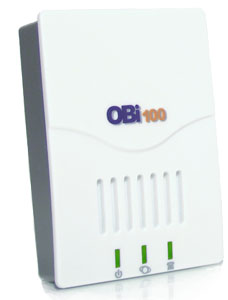
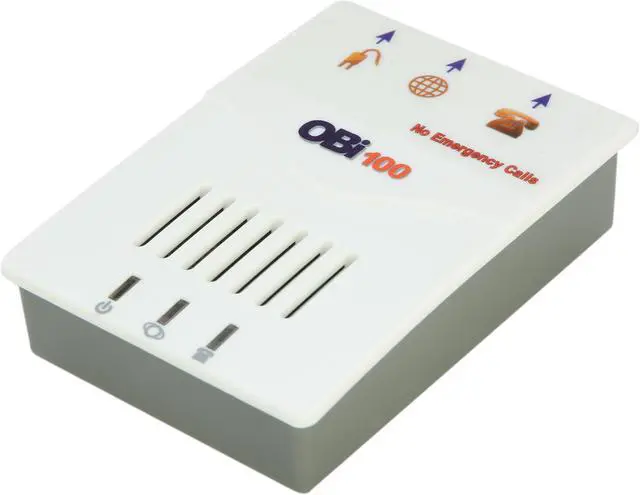
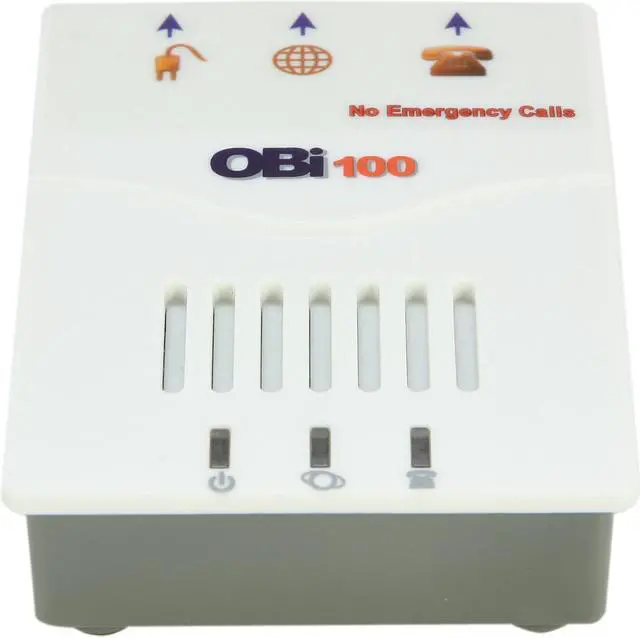
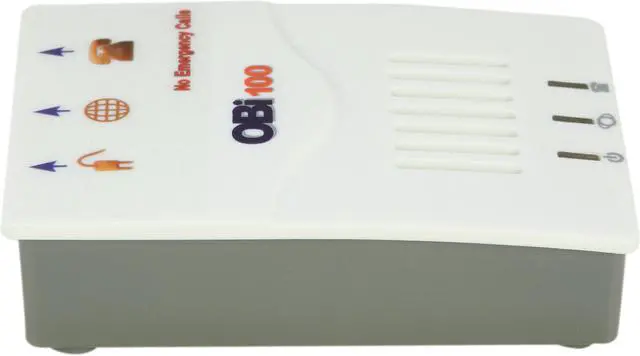
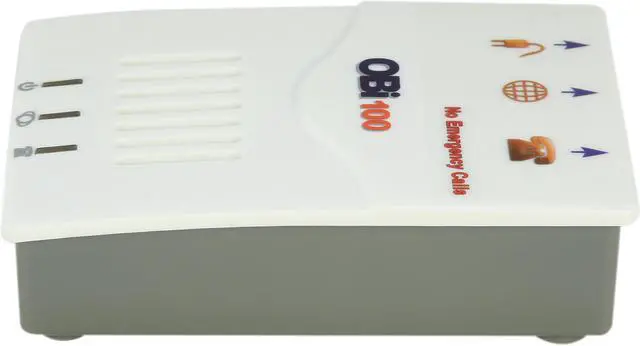
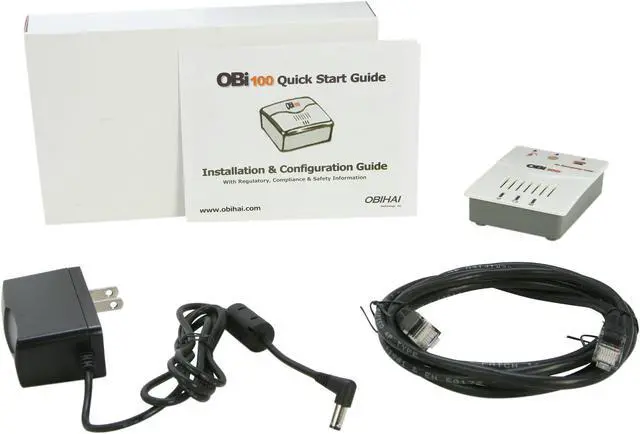
Obihai OBi100 VoIP Telephone Adapter with Google Voice & SIP
Use your existing corded or cordless phone(s) and your broadband Internet to make and receive calls over the Internet for FREE (or at a very low-cost).
Via the OBi100's on-board phone connection, you have the power make and receive phone calls using VoIP services for FREE or at a fraction of the cost a traditional phone company would charge. The OBi100 supports up to two (2) VoIP services like Google Voice, RingTo, Anveo, Phonepower, OneSuite or a multitude of other SIP Internet phone services as well as calls to other OBi endpoints via Obihai's free OBiTALK network
Why You Will Love the OBi
- Save Money
Use free and low-cost VoIP services from OBiTALK Approved Service Providers to lower your phone bills... Maybe to nothing!
- Pay Only for the Device - It's Not Locked to a Service!
Easily add VoIP services, to make & receive phone calls to and from regular numbers. In addition, OBi to OBi calls are free.
- Computer Not Required
All you need is your existing home phone and broadband router.
- Fantastic Voice Clarity
Talk with your family and friends anywhere in the world, from the comfort of your home telephone.
How Does the OBi Work?
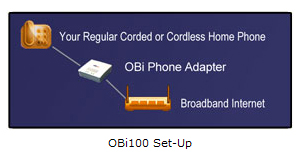
The OBi allows you to make and receive phone calls using your high-speed Internet, your regular home phone, and low-cost residential and business "VoIP" Internet phone service providers like like Google Voice, RingTo, Anveo, Phonepower or OneSuite. No computer is needed. You can also call for free from one OBi to another OBi anywhere in the world. In this case, a traditional phone service is never needed to make the connections. Talking becomes truly free.
Google Voice and the OBi

With a Google Voice account and a companion OBi device you can make and receive VoIP calls on a regular telephone.
Simple Set-Up
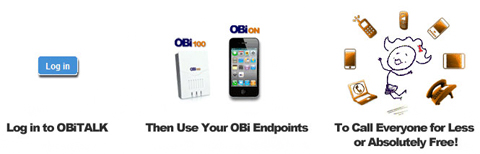
- Login to the OBiTALK website
- Add your OBi device and select Google Voice as your service.
- You'll then confirm your account with Google.
Within minutes, you will be making and receiving calls from the comfort and convenience of your home phone.
OBi Devices Make a Great Companion for Google Voice
- Place and Receive Calls with Your Google Voice Number on Regular Phones
- Call Internationally at Low Rates to Over 150 Destinations
- Premium Features Included for Free Like Voicemail, Call Waiting, Telemarketer Blocking, Caller ID
Amazing and Useful Features
Enjoy all the benefits of Google Voice on your OBi device, including features like:
- Personalized Voicemail Greetings
- Call Blocking
- SMS to email
- Voicemail Transcription
Incredibly Low Calling Rates
OBi users can also take advantage of Google Voice's low calling rates. Today, calling the U.S. is free from the U.S. & Canada and 1¢ per minute from everywhere else. International calling rates are also really low, with per minute rates starting at 1¢ to China, India, Mexico, Brazil and 150 other destinations – with no connection charge.*
Also, since Google Voice does not support 911 calling, for a small fee, the OBi device may be set-up with a dedicated E911 VoIP service.
*Rates subject to change by Google.
Benefits
- Free or Ultra-Low Cost Phone Service – reduce your phone bills next to nothing
- Unlocked - Use with Any VoIP Service Provider of Your Choice with a "Bring Your Own Device" Plan
- Get the Lowest Cost International Calls with Service Providers of Your Choice
- Premium Features - Voice Mail, Caller ID, Call Forwarding, Call Waiting, 3-Way Calling
- Free OBi to OBi Calls Anywhere in the World
- No Computer Required to Make/Receive Calls
- OBi Callback - Make Calls at Receiving Rate
- Fantastic Call Quality
- Use free OBiON iPhone™ & Android™ Apps from Your Smart Phone
Easy Set-Up
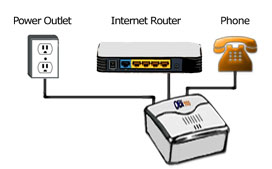
- Connect the OBi Device to Your Internet Router
- Connect Your Home Phone to the OBi
- Sign-on to OBiTALK website
- Set-Up a Voice Service from a List of Partner Providers or Add Any SIP VoIP Service to Your OBi Device
Additional Benefits
- 1-Year Limited Hardware Warranty
- Expert Technical Support via
- Email
- OBiTALK Community Forum
- Free Software Updates & Enhancements
Features
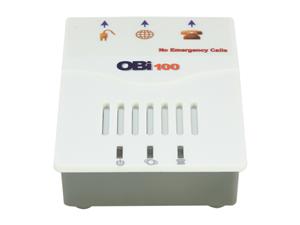
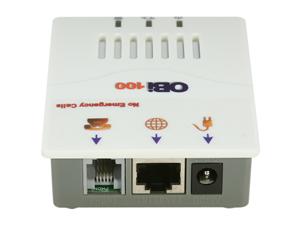 OBi Device Telephony Features:
- Message Waiting Indication - Visual and Tone Based
- Speed Dialing of 99 OBi Endpoints or Numbers
- Three-Party Conference Calling with Local Mixing
- Hook Flash Event Signaling
- Caller ID - Number
- Caller ID - Name
- Call Waiting
- Call Forward - Unconditional
- Call Forward on Busy
- Call Forward on No Answer
- Do Not Disturb
- Call Return
- Call Recording (From Device Web UI)
- Call History (Last 200 Calls from Device Web UI)
- Aggregation and Bridging of Two (2) SIP and One (1) OBiTALK Services
- Automatic Attendant (AA) for Simplified Call Routing
- Call Back Service - Connect to AA to Make a New Call or Ring the Attached Phone
OBiTALK Web Portal Integration:
- Configuration and Management of OBi Endpoints
- Addition & Configuration of VoIP Service Providers - Including 7-Digit Dialing
- Download OBiON Apps for Smart Phones, Internet Tablet Devices & PCs
- Creating & Joining Circles of Trust So You Can Share Your OBi's Services with Friends & Family
- Setting Up Your OBi Endpoint Speed Dial Directory
Which OBi Should I Get?
Obihai has four telephone adapters, currently - The OBi100, OBi110, OBi200 and OBi202. See the chart below for an overview of the product features. In essence, these products work with your phone in the same manner except for one key feature. The OBi110 has a physical port for an analog line service. This port, labeled LINE on the OBi110, can be thought of as a gateway to a traditional phone service. The service can be from a land line carrier. It can also be from a VoIP service, when the phone port of the service provider's device is plugged into the LINE port of the OBi110.

OBi VoIP Adapter Selection Matrix
|

|
|
|

|
|
Model#
|
OBi100
|
OBi200
|
OBi202
|
OBi110
|
| OBiTALK Web Portal Set-up & OBi-to-OBi Calling |
Yes |
| Phone Port(s)
|
1 |
1 |
2 |
1 |
| Line Port VoIP Gateway
|
0 |
0 |
0 |
1 |
| VoIP Services Supported
|
2 |
4 |
4 |
2 |
| 2-Port Internet Router with Voice Packet Prioritization |
No |
No |
Yes |
No |
| USB 2.0 Port for OBiWiFi and OBiBT and OBiLINE |
No |
Yes |
Yes |
No |
| T.38 Fax
|
No |
Yes |
Yes |
No |
| Power Adapter
|
100-240 Volt Switching Power Adapter |
| Warranty
|
1-Year Limited Hardware |
The OBi200, OBi202, OBi100 & OBi110 All Have:
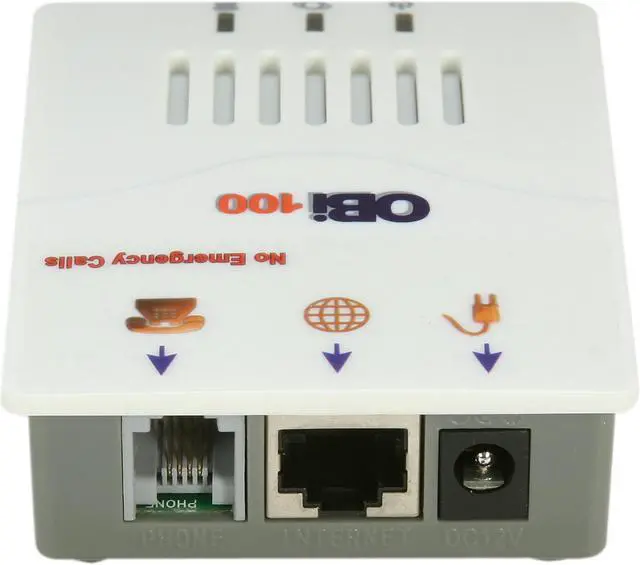
- Phone Port(s): For connection to an analog cordless or corded phone(s) - The OBi202 has two phone ports.
- The OBi Phone Port(s) Can Power All the Phones in Your Home
- One Ethernet Port: For connection to an Internet router
- The OBi202 has a second Ethernet port to connect to a PC or an Ethernet switch.
- Support for Commercial VoIP services (OBi200 and OBi202 can support up to 4 VoIP Services)
- Support for SIP
- Support for OBiTALK free OBi-to-OBi Calling
- Message Waiting Indication - Visual and Tone Based
- Speed Dialing of 99 OBi Endpoints or Numbers
- Three Way Conference Calling with Local Mixing
- Hook Flash Event Signaling
- Caller ID - Name & Number
- Call Waiting
- Call Forward - Unconditional
- Call Forward on Busy
- Call Forward on No Answer
- Call Transfer
- Anonymous Call
- Block Anonymous Call
- Do Not Disturb
- Call Return
- Repeat Dialing
- OBiTALK Managed VoIP Network for OBi Endpoint Devices & Applications
- High Quality Voice Encoding Using G.711, G.726, G.729 Algorithms (iLBC in OBi200, OBi202)
iPhone, iPad and iPod touch are trademarks of Apple Computer, Inc.
Android, Gmail and Google Voice are trademarks of Google, Inc.
Note: Some listed features are not available from every service provider.







 - Free calls to US and Canada
 - Free calling when you port your number
 - Starting at $3.33 per month with 911
 - Starting at $2.92 per month with 911



 OBi Device Telephony Features:




