Skip to: |

Newegg.com - A great place to buy computers, computer parts, electronics, software, accessories, and DVDs online. With great prices, fast shipping, and top-rated customer service - once you know, you Newegg.

If you are reading this message, Please click this link to reload this page.(Do not use your browser's "Refresh" button). Please email us if you're running the latest version of your browser and you still see this message.

Newegg.com - Computer Parts, Laptops, Electronics, HDTVs, Digital Cameras and More!

  • | Wish List
  • Help
Search all
Search
Home
Home > 
Computer Hardware > 
Networking > 
Wireless Networking > 
Wireless Adapters > 
TP-LINK > 
Item#: N82E16833704141

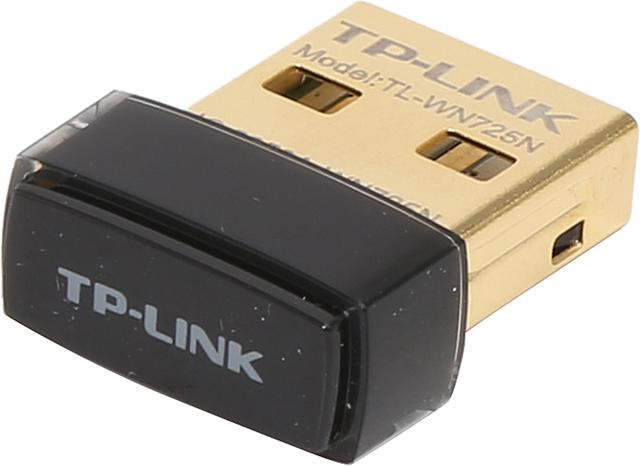
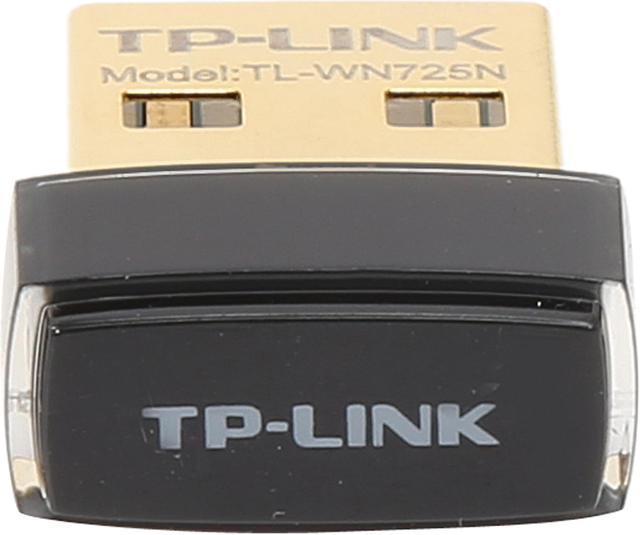
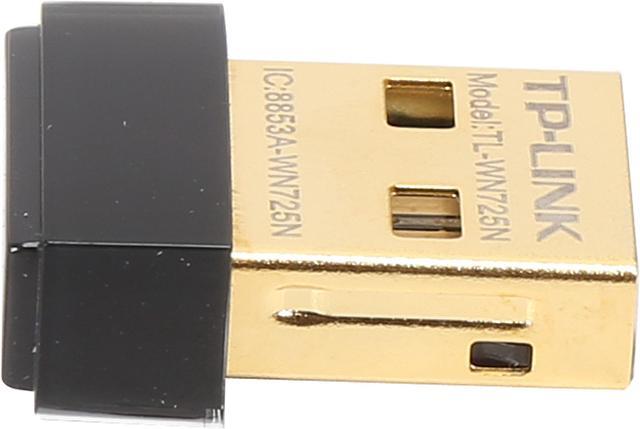
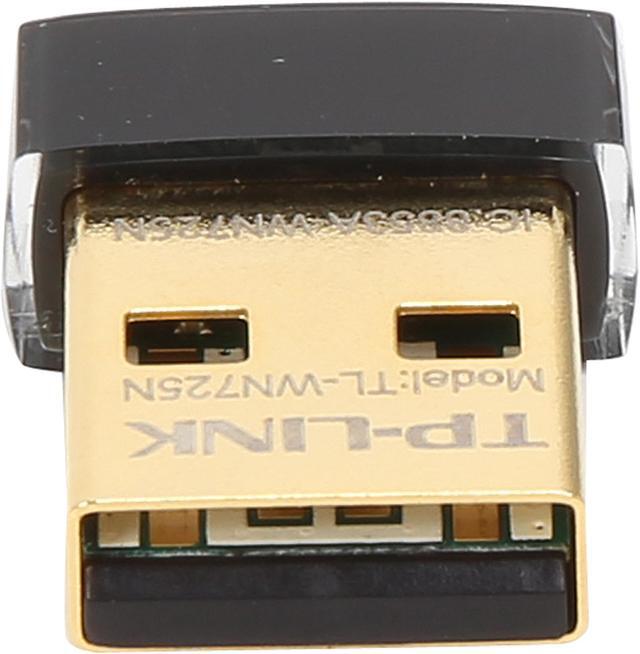
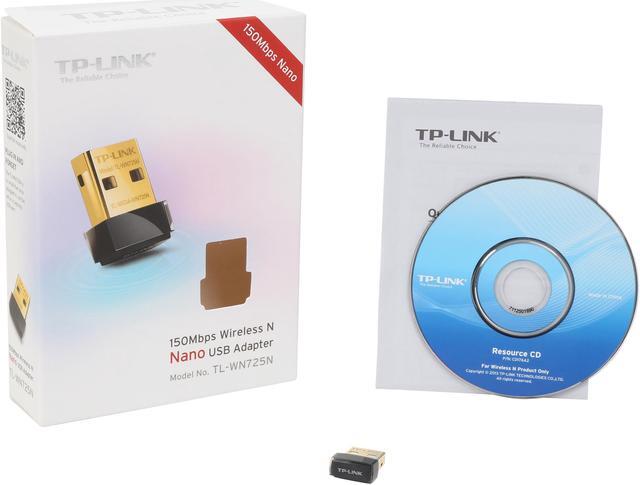
TP-LINK TL-WN725N Nano Wireless N150 Adapter, 150Mbps, IEEE 802.11b/g/n, WEP, WPA/WPA2

  • USB Wireless Nano Adapter
  • Up to 150Mbps Wireless Data Rates
  • Supports Wi-Fi Multimedia Standard
  • Soft AP for Internet Sharing
  • Supports Sony PSP X-Link
  • Advanced Security-WPA / WPA2
  • Pin It
  • Email this page
ICON Loading...

  • newegg Miniature Design – Plug in and forget With its miniature size and sleek design, users can connect the nano adapter to any USB port and leave it there. There’s no need to worry about blocking adjacent USB interfaces or that the adapter may fall out when moving a connected laptop from A to B, with the tiny device flush against the USB port.
  • newegg 150Mbps Wireless N Speed - Stable Wireless Signals The TL-WN725N complies with wireless 802.11 b/g/n standards, with transmission data rates of up to 150Mbps enabling fast wireless connections for lag-free online gaming and video streaming.
  • newegg WPA / WPA2 Encryptions - Advanced Security When speaking about wireless security, WEP encryptions are no longer the strongest and safest protections against intrusions. The TL-WN725N provides WPA/WPA2 encryptions created by the WI-FI Alliance, promoting interoperability and security for WLAN, which effectively and efficiently protects users’ wireless networks.
  • newegg Bundled CD for Easy Operation The TL-WN725N comes with a 14-language utility located on its bundled CD that helps users complete the software installation and wireless network settings, including security configurations and wireless connections, quickly and easily, even for novice users new to wireless networking.

Learn more about the TP-LINK TL-WN725N

Model

Brand
TP-LINK
Model
TL-WN725N

Spec

Standards
IEEE 802.11b/g/n
Wireless Data Rates
Up to 150Mbps
Security
64/128 WEP, WPA/WPA2, WPA-PSK/WPA2-PSK (TKIP/AES), supports IEEE 802.1X
WPA/WPA2
WPA2
Interface
USB 2.0
Frequency Band
2.4GHz - 2.4835GHz
Modulation
DBPSK, DQPSK, CCK, OFDM, 16-QAM, 64-QAM
LEDs
Status
Antenna
Internal Antenna
System Requirements
OS: Windows 7(32/64bits), Windows Vista(32/64bits), Windows XP(32/64bits)
Dimensions
0.73" x 0.59" x 0.28"
Weight
0.07 oz.
Temperature
0°C - 40°C (32°F - 104°F)
Humidity
10% - 90%, Non-Condensing

Feature

Features
Wireless Modes: Ad-Hoc / Infrastructure mode

Wireless N speed up to 150Mbps

14-language utility and auto run CD

Supports WMM (Wi-Fi Multimedia) Standard for better streaming of real-time data such as Video, Music, Video Chat

Supports software-based WPS

Supports Soft AP function for Wireless Internet Sharing

Supports Sony PSP X-Link for lag-free online gaming for Windows XP.

Packaging

Package Contents
150Mbps wireless N Nano USB adapter TL-WN725N
Resource CD
Quick Installation Guide

Manufacturer Warranty

Parts
2 years limited
Labor
2 years limited

Quick Info

Warranty

  • Limited Warranty period (parts): 2 years
  • Limited Warranty period (labor): 2 years


Customer Reviews of the TP-LINK TL-WN725N

Do you own this product? Write a Review

Filter Results

Go
  • itpro
  • 5/28/2013 6:42:29 PM
  • Tech Level: High
  • Ownership: 1 week to 1 month

1 out of 5 eggsAvoid

Pros: No pros

Cons: I do computer support in my spare time, my regular job is IT administration.
I ordered 5 of these adapters and I regret it. The wireless utility pops up even if it's told not to, both on win xp and win 7. After the connection runs it will go on and off randomly, the desktop is 3 feet away from the router (rock solid dd-wrt) with raspberry pi, roku and other laptops and desktops attached. I spend more than 3000 dollars per year in IT hardware and TPLINK will not be one of my suppliers, I am sure they have fine products but this nano wifi adapter isnot one of them. The nano format is not an issue, i have purchased and installed many nano adapters from another company and NEVER had issues, I just can't find those adapters on the market anymore.

Manufacturer Response:

Dear customer,
We apologize for the inconvenience caused by the adapter.
For the Utility issue, we just released new driver and utility for it in March.
Could you please give us another chance?
The new driver can be downloaded here:
http://www.tp-link.com/en/support/download/?model=TL-WN725N

And the adapter can work with Windows built-in utility. You could just install the driver.
If you need further info, please feel free to drop me an email @ howard.he@tp-link.com

Best Regards!

TP-LINK Support Team
support@tp-link.com
(866) 225-8139
http://www.tp-link.com/us/support
http://www.facebook.com/TPLINK

1 out of 1 people found this review helpful. Did you? Yes No

  • N/A
  • 5/13/2013 8:12:42 AM
  • Tech Level: High
  • Ownership: 1 day to 1 week

5 out of 5 eggsGreat! No complaints here...

Pros: Bought this for my Thinkpad T410 as I think there is something wrong with the internal wireless adapter. At some hotels, the wireless connection drops and resets every couple of minutes. I bought it, got it up and running in 5 minutes, and since then no problems whatsoever. Tested connection speeds at speedtest and results are the same with my internal adapter. I've never been disappointed with TP-Link products, and this is no exception. Cool blue status led is a nice touch.

Cons: None so far. Could easily be lost I guess since it is so small, but that would be my own fault.

1 out of 1 people found this review helpful. Did you? Yes No

  • timthetech
  • 5/3/2013 4:02:38 PM
  • Tech Level: High
  • Ownership: less than 1 day
  • Verified Owner

1 out of 5 eggsDead on Arrival

Pros: Cheacp

Cons: Dead on Arrival. Returning.

Manufacturer Response:

Dear customer,
We are sorry to hear the adapter is DOA.
If you wish, TP-LINK USA would like to replace you a new one without any cost.
Please feel free to contact me:
howard.he@tp-link.com

Best Regards!
TP-LINK Support Team
support@tp-link.com
(866) 225-8139
http://www.tp-link.com/us/support
http://www.facebook.com/TPLINK

1 out of 1 people found this review helpful. Did you? Yes No

  • N/A
  • 3/18/2013 1:08:53 PM
  • Tech Level: High
  • Ownership: 1 day to 1 week
  • Verified Owner

3 out of 5 eggsOK, but very limited range

Pros: Small

Cons: Range is quite short.

Other Thoughts: Works fine in same room as router. Got no receptionl 60 feet away.

Manufacturer Response:

Hello customer,

We appreciate you checking out the TP-Link adapter. It's good to see that the device is up and functional and the issue seems that the distance 60ft is too far for this connection. This is mostly due to walls in the house that block the signal between the Computer and the Router. A good test would be to take two different Wireless Adapters 60ft away and see if you get the same results. This may help determine that the lenght is too far or the walls are too thick.

Checking that both the Router and the Adapters TX(Transmission) level is set to the max will help increase the signal strenght - usually by default these are already set to max.

Best Regards!

TP-LINK Support Team
support@tp-link.com
(866) 225-8139
http://www.tp-link.com/us/support
http://www.facebook.com/TPLINK

Did you find this review helpful? Yes No

  • N/A
  • 3/17/2013 12:41:27 PM
  • Tech Level: High
  • Ownership: 1 month to 1 year
  • Verified Owner

5 out of 5 eggsReview for my TP-Link Wifi Adapter

Pros: Works perfectly for my needs. I have it for my laptop because the onboard died. The small size makes it unnoticeable, which was the reason I bought it. I still get full bars from my wifi router, with my laptop on the 3rd floor and the router on the 2nd floor about 30-40 feet away.

Cons: None

1 out of 1 people found this review helpful. Did you? Yes No

  • That One Dude
  • 2/8/2013 7:22:07 PM
  • Tech Level: Somewhat High
  • Ownership: 1 week to 1 month

4 out of 5 eggsExcellent if you want nano! Linux compatible

Pros: The nano size rocks. Since my laptop's wireless adapter died and Lenovo blacklists 'unauthorized network devices' and doesn't allow you do swap in a cheap, non-Lenovo-marked up adapter, this was a good fit. I was using a bulky dongle for years, and I'm disappointed I didn't bother getting this sooner.

Linux compatible. See "other thoughts" regarding this. Not quite plug-and-play for me, but close.

Price is extremely reasonable.

Cons: Maybe a bit slow? I've been using old, aging 'g' gear for years, so I'm not sure I can fairly comment on the speed. I transferred a large file from my desktop and got 2.7 MB/s (21.7 Mbps) speeds. Quite a bit lower than the advertized speed, but to be fair, I'm using a very old 2wire modem/router with only g speeds. I was using NFS as the transfer protocol, so I'm not sure what kind of overhead there is compared to other protocols.

Other Thoughts: Using Linux Mint 14, the adapter was able to detect networks out of the box, but would never connect. It would simply keep asking for the network key in a loop. Fixed that by blacklisting the driver in /etc/modprobe.d/blacklist, then downloading and installing the driver from the Realtek website. I found the experience pretty painless. This unit may work fine with the default driver on other distros.

Can't really comment on range, since my router is in the same room my laptop generally stays in. Think I took it downstairs once; seemed fine. I would not, however expect impressive range from it. For that, I'd opt for the wn722n (especially if you're on a desktop).

Very happy with the unit, for my purposes. Speed isn't a huge issue for me, and I'd rather have the plug and forget feature with a bit less range than a big bulky dongle on my laptop--those days are over.

1 out of 1 people found this review helpful. Did you? Yes No

  • N/A
  • 11/30/2012 3:40:43 PM
  • Tech Level: Somewhat High
  • Ownership: 1 month to 1 year
  • Verified Owner

4 out of 5 eggsSmall but works

Pros: Size - can't be beat. I purchased to leave installed in an older ThinkPad to replace the mini-PCI 802.b module.

Low Cost

Cons: None as of yet.

Other Thoughts: The sensitivity is not as good as a full antenna in the laptop case, but it still gets much higher throughput than the "b" card that is attached.

1 out of 1 people found this review helpful. Did you? Yes No

  • Herbicider
  • 11/30/2012 9:27:15 AM
  • Tech Level: Somewhat High
  • Ownership: 1 week to 1 month
  • Verified Owner

4 out of 5 eggsSo far, so... not bad, dont try it on a desktop!

Pros: Small and cheap, 150Mbps

Cons: Dont try it on a desktop, it is too small that the singal will be your nightmare. I tried it on my laptop it works great. But once switch to my desktop, the signal was interfered by the rig serverly.

Other Thoughts: it's a great idea to use it on a laptop, but not on a desktop.

3 out of 3 people found this review helpful. Did you? Yes No

  • rmj16
  • 11/21/2012 5:30:29 AM
  • Tech Level: Average
  • Ownership: 1 week to 1 month
  • Verified Owner

5 out of 5 eggsGood wireless adapter

Pros: Rock solid stable! Installed with no issues. No disconnects encountered. Connect at 78Mbps. Web browsing experience is smooth. Its nano format does not get in the way. Just set it and forget it!

Cons: None

2 out of 2 people found this review helpful. Did you? Yes No

  • kipani
  • 11/19/2012 11:07:08 PM
  • Tech Level: Somewhat High
  • Ownership: 1 week to 1 month

4 out of 5 eggsSmall Signal but works great!

Pros: It's very small. I purchased this for my 4 year olds computer, so he could play his kidzui flash games and minecraft with me.

Cons: The signal is a bit weak.

Other Thoughts: Can't really complain, it does what I need it to, and who the heck is he to complain? haha

1 out of 1 people found this review helpful. Did you? Yes No

Compare Offers from All Sellers

Seller Name & Rating Offer Details  
ICON Loading...
Are you an E-Blast Insider? Subscribe Newegg e-Blast

Buzz

So far, so... not bad, dont try it on a desktop!

4 out of 5 eggs
Small and cheap, 150Mbps
— Herbicider 11/30/2012

Good wireless adapter

5 out of 5 eggs
Rock solid stable! Installed with no issues. No disconnects encountered. Connect at 78Mbps. Web browsing experience ...
— rmj16 11/21/2012


PayPal
Shop without retyping payment details. Secure shopping made faster.
Check out with PayPal.

Financing


Home
Home > 
Computer Hardware > 
Networking > 
Wireless Networking > 
Wireless Adapters > 
TP-LINK > 
Item#: N82E16833704141
LOADING... LOADING...
Shop by Region: United States | Canada | China
VeriSign Click for the BBB Business Review of this Computers - Supplies & Parts in Whittier CAThis site protected by Trustwave's Trusted Commerce program Inc500
Policy & Agreement | Privacy Policy  © 2000-2013 Newegg Inc.  All rights reserved.
If the Adobe Reader does not appear when you click on a link for a PDF file, you can download Adobe Reader from the Adobe web site. nassau