Skip to: |

Newegg.com - A great place to buy computers, computer parts, electronics, software, accessories, and DVDs online. With great prices, fast shipping, and top-rated customer service - once you know, you Newegg.

If you are reading this message, Please click this link to reload this page.(Do not use your browser's "Refresh" button). Please email us if you're running the latest version of your browser and you still see this message.

Newegg.com - Computer Parts, Laptops, Electronics, HDTVs, Digital Cameras and More!

  • | Wish List
  • Help
Networking
Search
Home
Home > 
Computer Hardware > 
Networking > 
Powerline Networking > 
TP-LINK > 
Item#: N82E16833704165

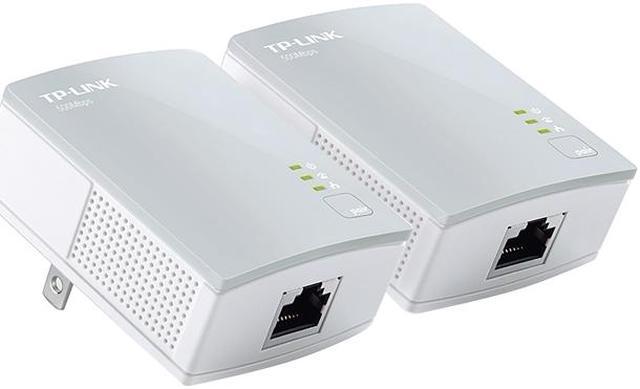
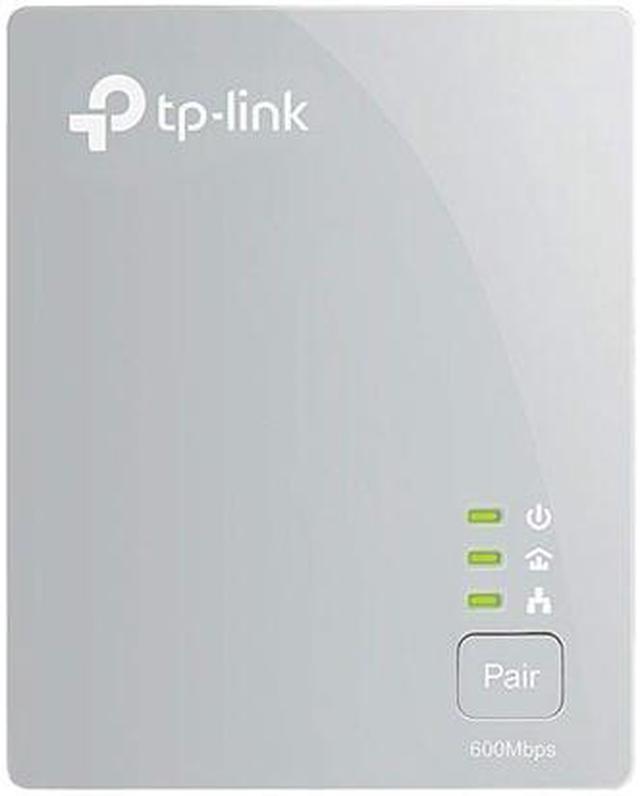
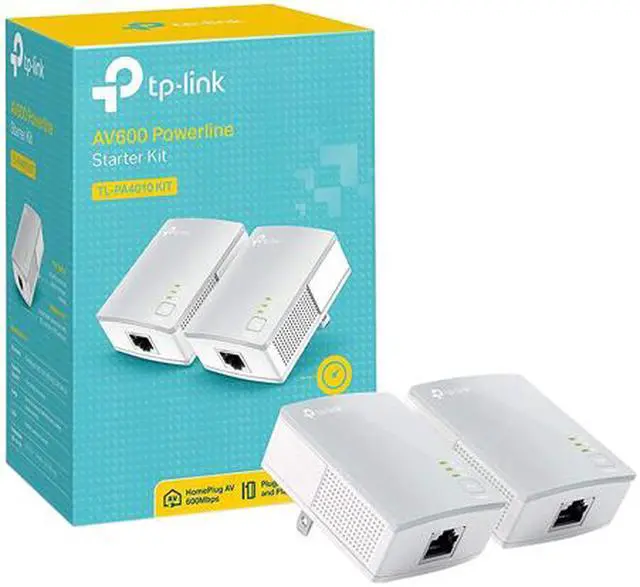
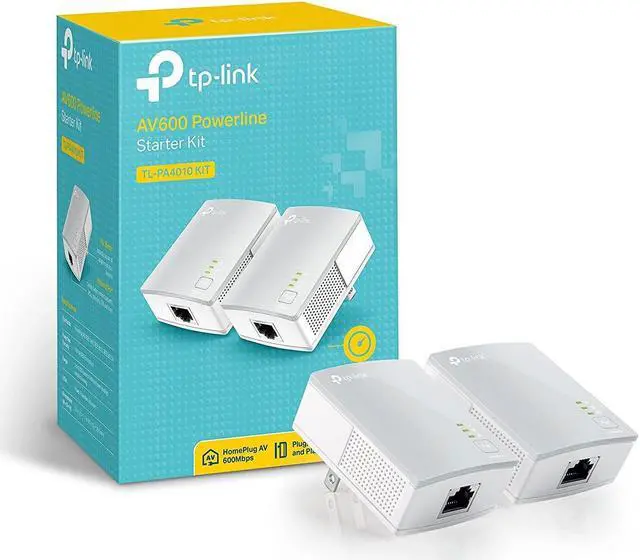
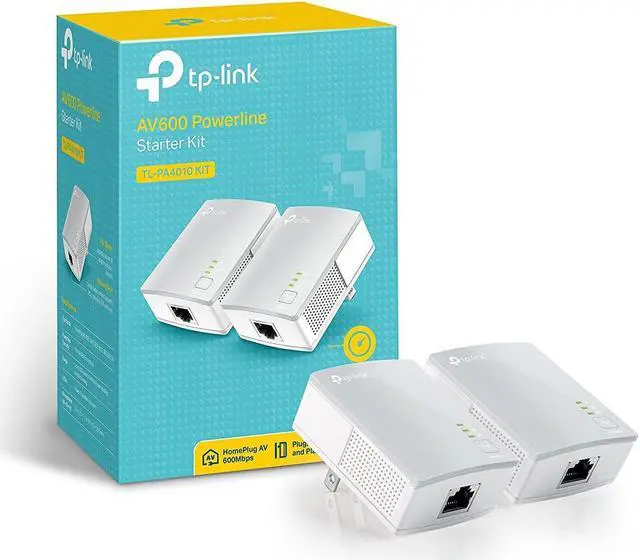
TP-LINK TL-PA4010KIT High-speed AV 500Mbps Nano Powerline Adapter Starter Kit

  • IEEE802.3/3u, HomePlug AV
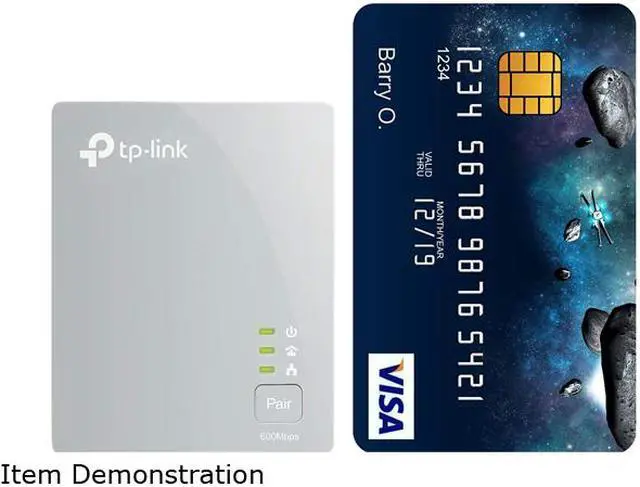
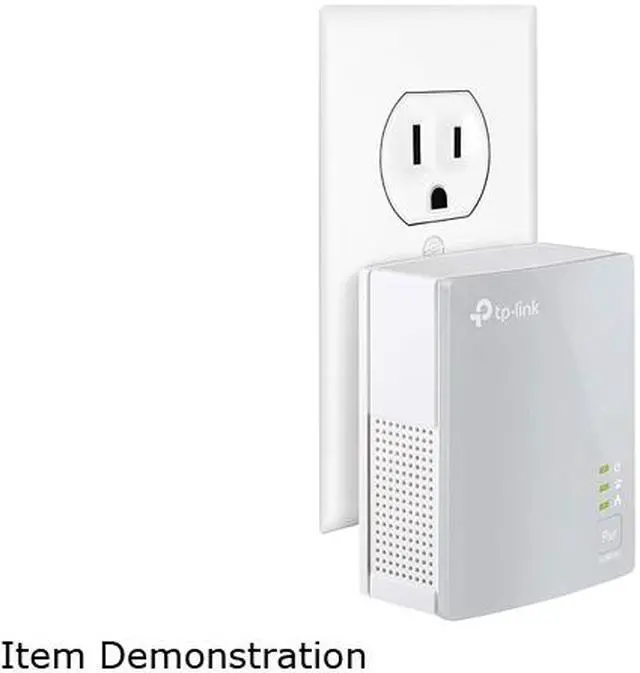
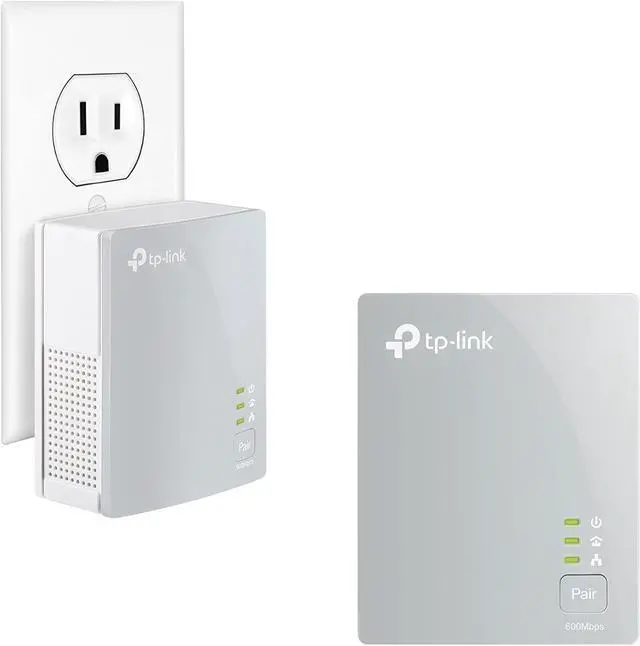
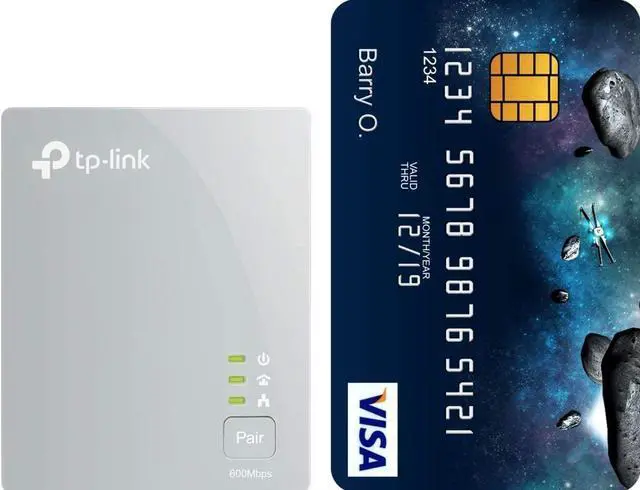
  • Elegant white shell, Nano size
  • Up to 900 feet range over electrical circuit
  • Built-in QoS
  • Up to 500Mbps
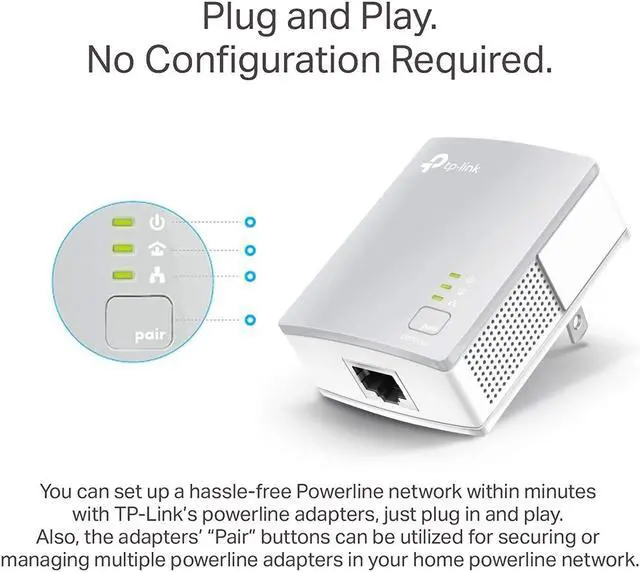
  • Plug and Play
  • Pin It
  • Email this page
ICON Loading...


Learn more about the TP-LINK TL-PA4010KIT

Model

Brand
TP-LINK
Model
TL-PA4010KIT

Spec

Standards
HomePlug AV, IEEE802.3/3u
Encryption
128-bit AES Encryption
Ports
Ethernet port
LEDs
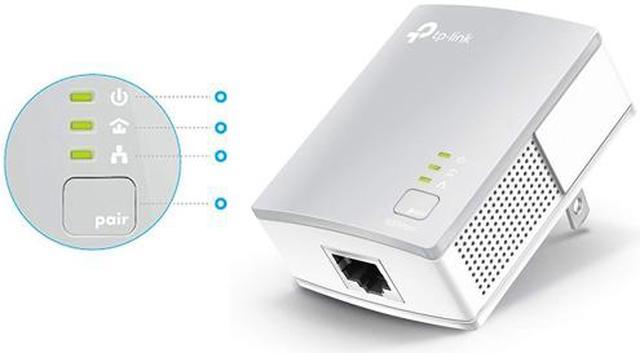
PWR, PLC, ETH
Certifications
CE, FCC, RoHS
Powerline Speeds
Up to 500Mbps
Connection Type
RJ45
Connection Speeds
10/100M
Kit Type
Double
System Requirement
OS: Windows 8/7/Vista/XP/2000, Mac, Linux
Dimensions
2.6" x 2.0" x 1.1"
Temperature
0°C ~ 40°C
Humidity
10% ~ 90% Non-condensing

Features

Features
Plug Type: EU, UK, US

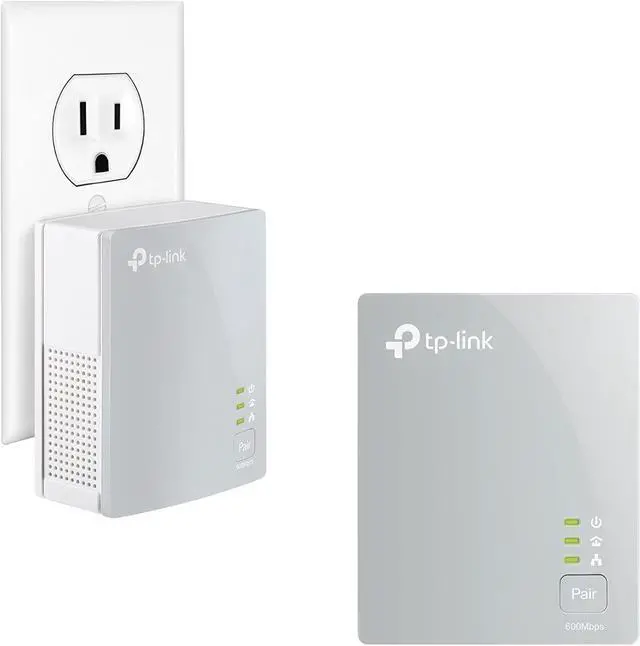
Button: Pair Button

Power Consumption: < 2.0 W

Range: 300M in house

Modulation Technology: OFDM

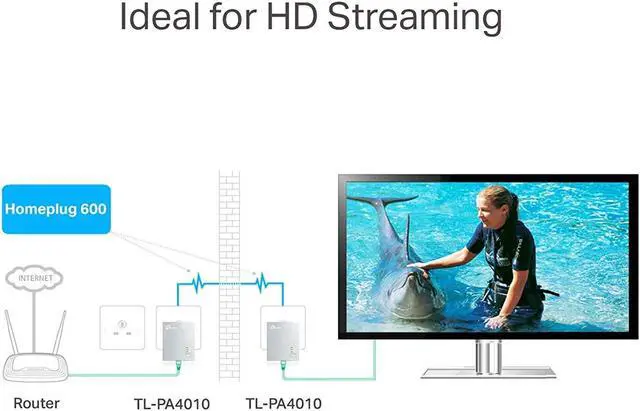
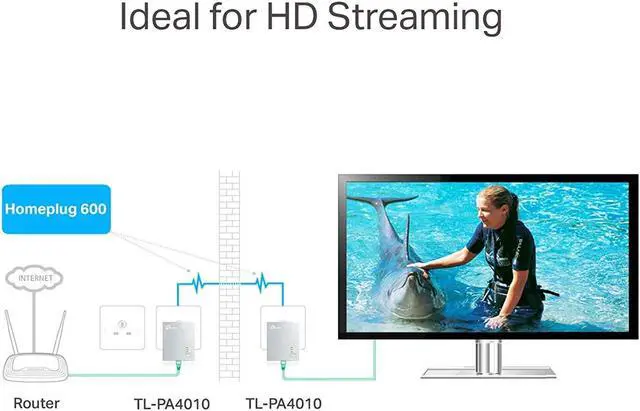
HomePlug AV standard compliant, high-speed data transfer rate of up to 500Mbps, ideal for HD video or 3D video streaming and online gaming

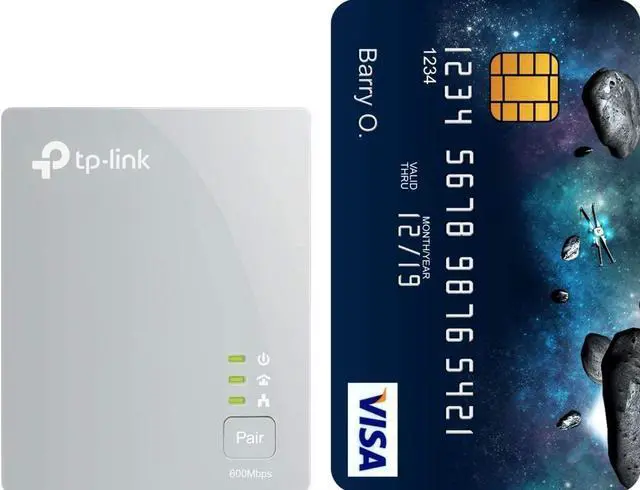
Miniature design, smaller than most powerline adapters at the market, blends indiscreetly in front of any power outlet

Mains Filter for better powerline communication performance

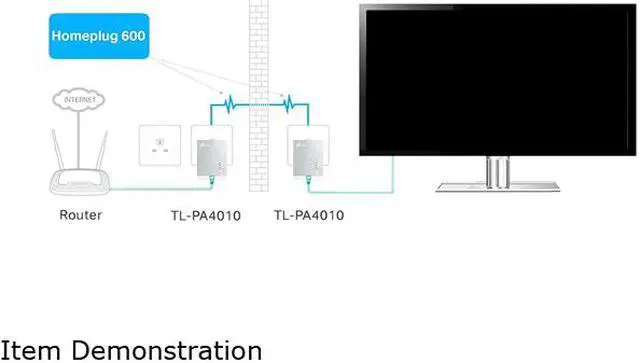
No new wires, use existing electrical wiring

Up to 300 meter range over a home's electrical circuit for better performance through walls or across floors

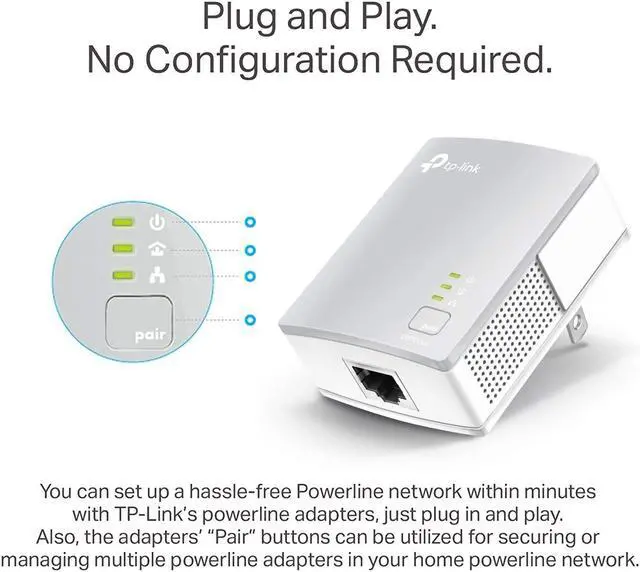
Plug and Play, no new wires or configuration required

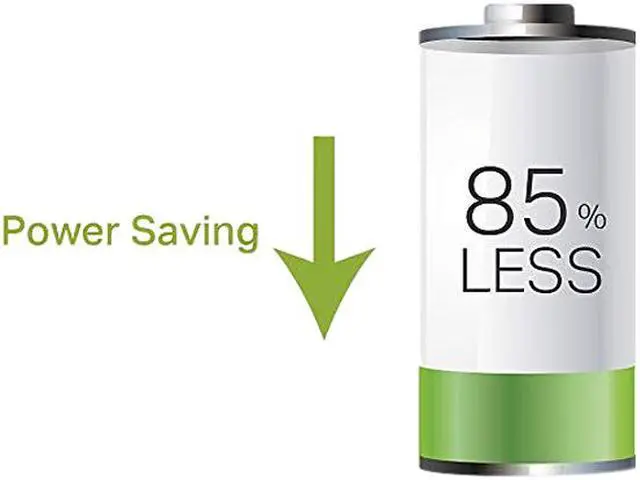
Power-Saving Mode automatically reduces power consumption by up to 85%

128-bit AES encryption ensures that the network is safe simply by pressing a button on paired devices

Built-in QoS assures the quality of bandwidth sensitive applications such as voice, video and online games

Supports IGMP managed multicast IP transmission, optimizes IPTV streaming.

Quick Info

Warranty

  • Limited Warranty period (parts): 2 years
  • Limited Warranty period (labor): 2 years


Customer Reviews of the TP-LINK TL-PA4010KIT

Do you own this product? Write a Review

Filter Results

Go
  • Pat
  • 5/13/2013 6:27:21 AM
  • Tech Level: High
  • Ownership: 1 day to 1 week
  • Verified Owner

5 out of 5 eggsFlawless and inexpensive

Pros: I ordered two sets. I have several places that I needed a hardwired connection, but in our new house, we did not have the needed wired network. Everywhere, I plugged in these adapters, they worked. You plug it in to the wall (not a power strip), attached the network cable and touch the button. They have worked flawlessly.

I have not been able to test speeds yet, but they were able to stream 1080P without a problem.

For the speed the kits are inexpensive as well.

Cons: It would nice to see a pass through socket in the device. The leds could be hidden, so that they are not so obvious.

Other Thoughts: These devices have worked very well to this point. I understand that you can have up to 16 nodes. I am currently running 4 nodes without a hitch.

Did you find this review helpful? Yes No

  • scout113
  • 5/8/2013 11:00:10 AM
  • Tech Level: High
  • Ownership: 1 week to 1 month
  • Verified Owner

4 out of 5 eggsGreat Kit

Pros: Low Cost
Good Construction
Good Packaging
Fast Speeds
Hassle Free Install

Cons: Might not exactly be the fastest out there
Second set didn't require me to sync the new units to ones already being used, possible security concern for those in joint living areas

Other Thoughts: I have owned one set for over a month and have bought a second one. For their intended purpose, routing internet to where cables and wifi might not reach, I have not had a single issue with these units. I use one by my modem which sends signals to my entertainment room and my basement. Unit at my TV routes to my Xbox and streaming HD shows on HBO2GO rarely requires a pause for buffering and even more rarely shows drops in definition. The unit in my basement connects to a router connecting two desktops that are powered 24/7, no issues with those.

These units say they require you to sync them if you already have existing units, however I only had to plug my 3rd unit into the wall and instantly had network access. This isn't an issue for me, however it might be for someone that uses shared wiring i.e. dorm rooms/apartments.

Speeds will be greatly affected by the existing wiring in your house. My house is older, so that may be affecting my speeds and causing the occasional need to buffer.

Did you find this review helpful? Yes No

  • Wilbar
  • 5/7/2013 12:32:50 PM
  • Tech Level: Somewhat High
  • Ownership: 1 month to 1 year
  • Eggxpert Review

4 out of 5 eggsSmall Compact Wireless over A/C Power

Pros: Perfect for setting up nice access point from another location over a/c power. Transfer speeds up to 500 mbps over 10/100/1000 connection. has blue led activity lights tell if active or not. Power efficient as go into standby when inactive

Cons: Says up to 500mbps but any gigabit lan support still gonna set it up at 10/100, Needs to be on same a/c outlet electrical wire that you connect on other end of adapter. If use any power surge protector can cause problems

Other Thoughts: Ive found its best that it has its own dedicated plug on main outlet i wouldn't recommended using any UPS or power surge protectors. For older houses it may be actually better as some of the electrical wiring goes to different rooms of houses on same electrical wire which is required with this product. Ive been testing it on a ubuntu box for over last few months now and have been running stable with running are network monitor software tool and has been stable this whole time.

Did you find this review helpful? Yes No

  • Child_Healer
  • 5/1/2013 7:07:48 AM
  • Tech Level: Somewhat High
  • Ownership: 1 week to 1 month
  • Verified Owner

4 out of 5 eggsBaby Monitor Buzzes

Pros: Easy setup. Connected modem to adapter #1. Plugged adapter into wall. Plugged adapter #2 into separate outlet in SAME room. Held button . . sync! Unplugged adapter #2 , went to basement 2 floors below. Plugged adapter #2 into wall. 3 blue lights on (2 solid, 1 flashing). Connected wireless router to adapter #2. Connected TV to router. Netflix is good, no skips, pauses. All HD capable streams play as HD. Even when adapter #1 is unplugged from electrical wall socket at night due to causing interference with baby monitor, when plugged back in, network and internet connection is restored without a hitch.

Cons: Can hear periodic low frequency clips play through baby monitor speaker when both adapters are plugged into electrical sockets.

Other Thoughts: Will buy another powerline adapter for another room

Did you find this review helpful? Yes No

  • Panther57
  • 4/27/2013 2:32:50 PM
  • Tech Level: High
  • Ownership: 1 month to 1 year
  • Eggxpert Review

5 out of 5 eggsWorks Perfectly

Pros: Wireless any room powerline connectivity.
Inexpensive.
Quality video transfer.

Cons: I'll say none because it is not a transfer of todays high speeds that are available. But knowing that... no cons.

Other Thoughts: When I first used this I said I would write another review after using it for awhile. My 1st setup success was poor and it ended out being a cable US (up stream) problem that my CATV company just fixed for me.
I reinstalled these and they work perfectly. It is awesome to be able to use an electrical outlet to have connectivity anywhere in the house. I just love the fact that I will not need to run 'LAN' wires through my walls. It just doesn't get better.. that is except speeds. My 60/6mbps cable service is showing in the ranges of 20's/near 6 speeds. So slower DS and the equal US... sweet.
Yes, I would recommend this to a friend or family.

Did you find this review helpful? Yes No

  • N/A
  • 4/27/2013 7:27:53 AM
  • Tech Level: Somewhat High
  • Ownership: 1 day to 1 week
  • Verified Owner

5 out of 5 eggsFlawless

Pros: Works instantly, nice presentation.

Cons: Cant really turn off blue lights.

Did you find this review helpful? Yes No

  • tuney
  • 4/22/2013 11:11:26 AM
  • Tech Level: Somewhat High
  • Ownership: 1 month to 1 year
  • Eggxpert Review

1 out of 5 eggsfollow up review

Pros: none since now one of the units failed.

Cons: one of the units failed.
for the cost of the device it was not worth my time or money to package it up and return it.

Other Thoughts: i have a different brand name (trendnet) of powerline adapters similar to these that have run every day for months now.

Manufacturer Response:

Dear Tuney,
We apologize to any inconvenience caused by the defective adapter. I think this is just a special case.
TP-LINK USA provides 2-year warranty for this adapter.
We would like to provide you a replacement.
Please feel free to contact me:

howard.he@tp-link.com

If you don't want to replace the defective powerline adapter, you still have a working one.
Since both TP-LINK and TRENDnet's powerline adapters follows the same Homeplug AV standard, you may also use the TP-LINK one work with your TRENDnet.

We really hope that you will check out TP-Link products in the future and we encourage you to reach out to us if you are having any further issues.

Best Regards!
TP-LINK Support Team
support@tp-link.com
(866) 225-8139
http://www.tp-link.com/us/support
http://www.facebook.com/TPLINK

Did you find this review helpful? Yes No

  • MrTichy
  • 4/12/2013 6:02:00 PM
  • Tech Level: Somewhat High
  • Ownership: 1 month to 1 year
  • Eggxpert Review

4 out of 5 eggsVery Good

Pros: Very easy set up. Just press pair button on one adapter and do the same on the other adapter within two minutes, and voila, they are connected. The connection between adapters is encrypted with 128 bit AES encryption. With these adapters, there is no need to run separate Ethernet cables. An existing power line is used to transport internet signal. The kit includes 2 power line adapters and 2 Ethernet cables.

Cons: Each adapter will occupy a wall socket. Most have surge protectors, which will filter out data. Therefore connecting these adapters to power strips is not recommended. Connection speeds tend to fall quickly with distance. Advertised 300 meters distance is probably the best case scenario. While the advertised connection speeds between adapters are “up to 500 Mbps” the actual Ethernet ports operate at only 10/100 Mbps (not a Gigabit). You should also avoid placing these adapters on more “exotic” circuits like four-wire-three-phase circuit. LED lights are very bright. They could be annoying in a dark room, especially when they blink.

Other Thoughts: I use these adapters to connect my XBOX to my wired network. My XBOX is located in family room about 55 feet away from the router. My power line adapters are setup on different power lines, which means the connection is routed through the fuse box. In my tests, the connections routed through the fuse box did not have much impact on connection speeds. I conducted several speed tests utilizing LAN Speed Test Lite. For my tests, I transferred 100 MB of data between my laptop and my Home Media Server. Naturally, the adapters placed on two sockets in the same outlet had the highest speeds. I was able to achieve average 62.2 Mbps (Write) and 72.4 (Read) speeds. This probably represents the highest “real life” speeds a “100” Ethernet can achieve. At the distance of 10 feet, the average speed dropped to 48.8 Mbps (Write) and 37.2 Mbps (Read). At 40 feet distance the average speed dropped to 19.6 Mbps (write) and 16.3 (Read). At 55 feet the average speed dropped even more to 9.7 Mbps (Write) and 13.0 Mbps (read). The connection was also pretty reliable. I transferred a large 2 GB MPEG file at average speed of 12.1 Mbps (Write) and 14.7 Mbps (Read).

1 out of 1 people found this review helpful. Did you? Yes No

  • sgrams
  • 4/1/2013 10:02:41 PM
  • Tech Level: Somewhat High
  • Ownership: 1 day to 1 week
  • Verified Owner

5 out of 5 eggsBlowing Me Away

Pros: - Installation is simple, took me 4 seconds.
- Connection is excellent, better than my Wireless AC. Speed tests show I'm getting the max amount I pay my ISP for.
- Online gaming is buttery smooth.
- No issues so far after 23 hours of gaming logged this week.

Cons: - The LED indicators may be too bright if you're putting these in a bedroom. Simple piece of duct tape can cover them up though.

Other Thoughts: - I was really skeptical about this as it is my first time using Powerline Networking. My house was built in 1998, so I think the electrical wiring is up-to-snuff for this type of thing.

1 out of 1 people found this review helpful. Did you? Yes No

  • Caldrumr
  • 3/29/2013 7:50:42 PM
  • Tech Level: High
  • Ownership: less than 1 day
  • Verified Owner

4 out of 5 eggsDoes The Job

Pros: Small

Cons: Slow

Other Thoughts: I picked these up to connect my media players in the living room without running an Ethernet cable across the house. The main selling point of these, for me, was the small size. My primary purpose is to stream Netflix over the Internet.
Being a powerline device, I wasn't expecting crazy speeds. The product states 500 Mbps, but I was obviously not expecting that over a 10/100 port.
I tested this by sending a 10 GB file over my LAN to my media player. The connection capped out at about 22 MbPS. This is certainly not fast for LAN purposes, but it happens to be about the speed of my Internet connection, so it should be perfect for streaming Netflix. Also, the wiring in the building is not great, so that is certainly crippling things.
Overall, it does what I wanted to do, and it did it without any issues. One egg off for advertising 500 Mbps over a 100 Mbps connection.

0 out of 1 people found this review helpful. Did you? Yes No

ICON Loading...
Are you an E-Blast Insider? Subscribe Newegg e-Blast

Buzz

TP-LINK AV500 Nano Poweline Adapter Kit-Amazing

5 out of 5 eggs
Very nicely packaged and presented as is every TP Link product I've ever owned or reviewed. Easily installed and setup. ...
— Bluesky5553 1/29/2013

Very Nice

5 out of 5 eggs
I don't normally make comments about the packaging unless it is awfully bad or awfully good. The packaging of the TL-PA4010 ...
— SnakeMan 1/29/2013


PayPal
Shop without retyping payment details. Secure shopping made faster.
Check out with PayPal.

Financing


Home
Home > 
Computer Hardware > 
Networking > 
Powerline Networking > 
TP-LINK > 
Item#: N82E16833704165
LOADING... LOADING...
Shop by Region: United States | Canada | China
Follow us:   RSS Feeds Youtube
VeriSign Reliability Seal1This site protected by Trustwave's Trusted Commerce program Inc500
Policy & Agreement | Privacy Policy  © 2000-2013 Newegg Inc.  All rights reserved.
If the Adobe Reader does not appear when you click on a link for a PDF file, you can download Adobe Reader from the Adobe web site. nassau