Skip to: |

Newegg.com - A great place to buy computers, computer parts, electronics, software, accessories, and DVDs online. With great prices, fast shipping, and top-rated customer service - once you know, you Newegg.

If you are reading this message, Please click this link to reload this page.(Do not use your browser's "Refresh" button). Please email us if you're running the latest version of your browser and you still see this message.

Newegg.com - Computer Parts, Laptops, Electronics, HDTVs, Digital Cameras and More!

  • | Wish List
  • Help
Home
Home > 
PCs & Laptops > 
Ultrabooks > 
Ultrabooks > 
ASUS > 
Item#: N82E16834230670

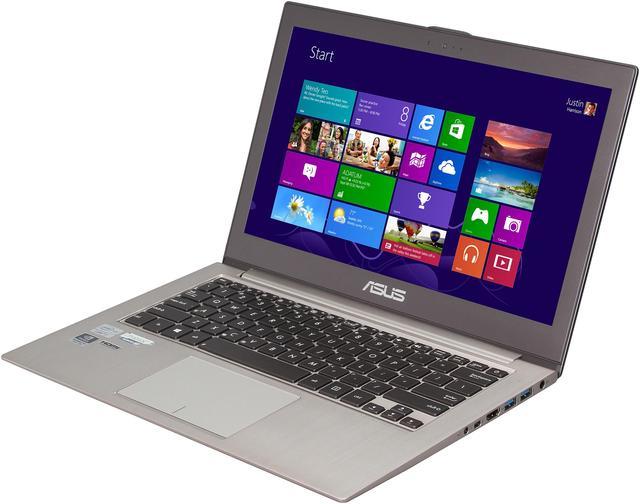
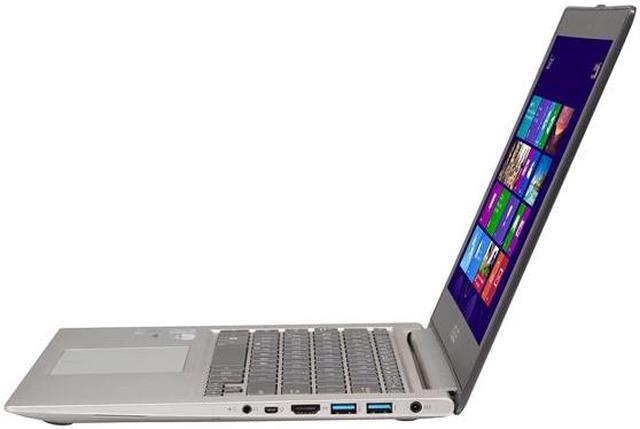
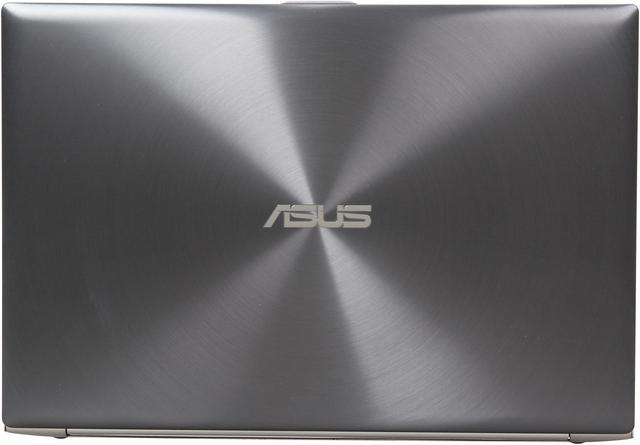
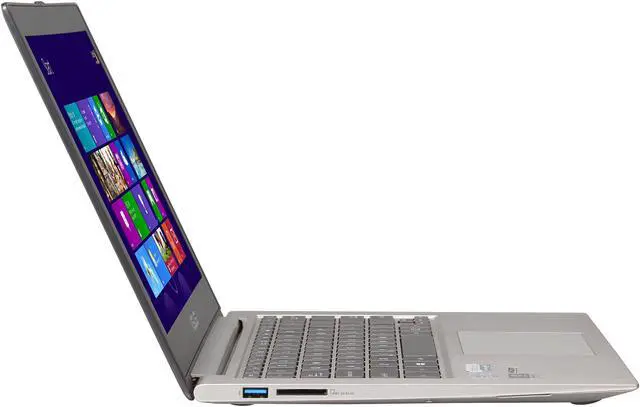
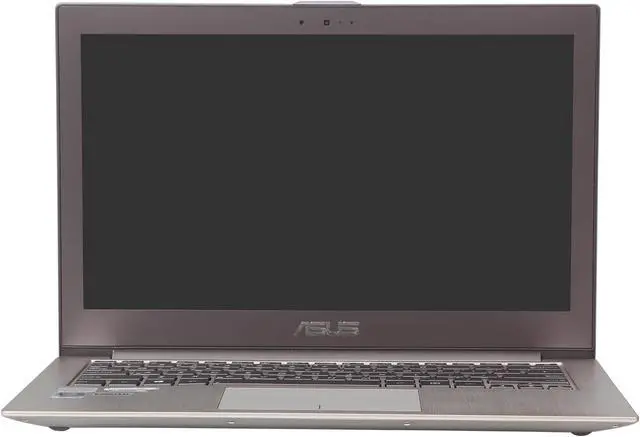
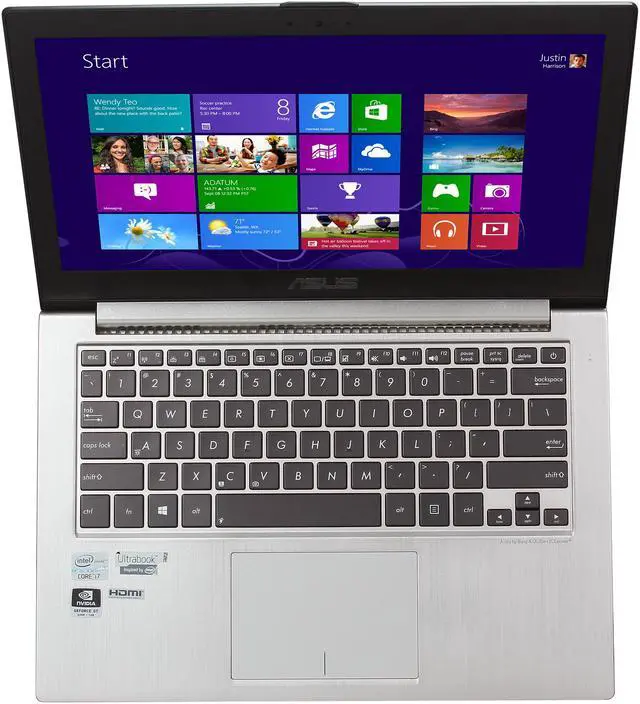
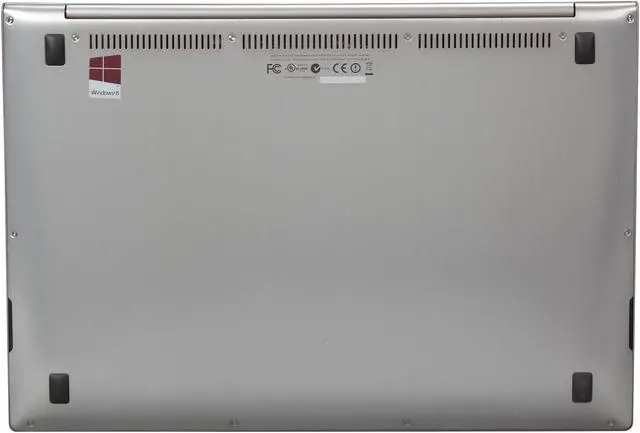
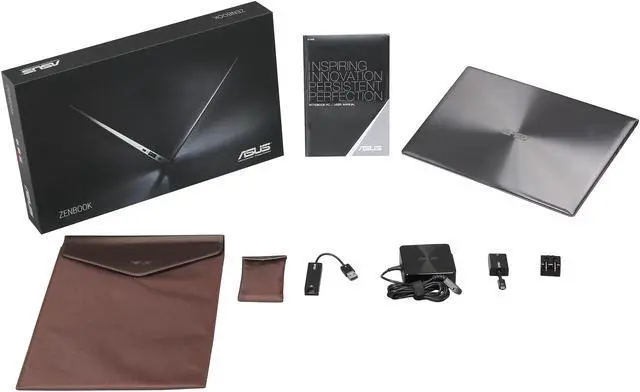
ASUS Zenbook UX32VD-DH71 13.3" Ultrabook Silver Aluminum

  • Intel Core i7-3517U 1.9GHz
  • 4GB DDR3, 520GB HDD + 24GB SSD
  • 1920 x 1080, NVIDIA Geforce GT 620M
  • Pin It
  • Email this page
ICON Loading...


Learn more about the ASUS UX32VD-DH71

Model

Brand
ASUS
Series
Zenbook
Model
UX32VD-DH71

General

Color
Silver Aluminum
Operating System
Windows 8 64-Bit
CPU Type
Intel Core i7-3517U 1.9GHz
Screen
13.3"
Memory Size
4GB DDR3
Hard Disk
500GB HDD + 24GB SSD
Graphics Card
NVIDIA Geforce GT 620M
Video Memory
1GB
Dimensions
12.8" x 8.79" x 0.72"
Weight
3.2 lbs.
Other Features
Intel Wireless Display

CPU

CPU Type
Intel Core i7
CPU Speed
3517U(1.90GHz)
CPU Support
4MB L3 Cache
Max Turbo Frequency 3 GHz

Chipset

Chipset
Intel QS67

Display

Screen Size
13.3"
Wide Screen Support
Yes
Display Type
Full HD
Resolution
1920 x 1080
LCD Features
IPS

Operating Systems

Operating System
Windows 8 64-Bit

Graphics

GPU/VPU
NVIDIA GeForce GT 620M
Video Memory
Dedicated 1GB
Graphic Type
Dedicated Card

Hard Drive

SSD
24GB
HDD
500GB
HDD RPM
5400rpm
HDD Interface
SATA

Memory

Memory
4GB DDR3
Memory Type
204-Pin DDR3 SO-DIMM

Communications

WLAN
802.11a/g/n Wireless LAN
Bluetooth
Bluetooth 4.0

Ports

HDMI
1 x HDMI
Audio Ports
Yes

Audio

Audio
Integrated Sound card
Speaker
Internal Speakers

Input Device

Keyboard
Standard

Supplemental Drive

Webcam
Yes

General

Style
Thin and Light
Type
Mainstream
Usage
Consumer

Power

Battery
4-cell lithium ion

Physical Specifications

Dimensions
12.8" x 8.79" x 0.72"
Weight
3.2 lbs.

Manufacturer Warranty

Accidental Damage Warranty
1 Year Accidental Damage/30-Day Zero Bright Dot

Quick Info

Warranty

  • Limited Warranty period (parts): 1 year
  • Limited Warranty period (labor): 1 year


Customer Reviews of the ASUS UX32VD-DH71

Do you own this product? Write a Review

Filter Results

Go
  • N/A
  • 3/26/2013 10:58:10 AM
  • Tech Level: Somewhat High
  • Ownership: 1 month to 1 year
  • Verified Owner

5 out of 5 eggsWorkhorse laptop

Pros: Lightweight, low profile, super fast, backlit keyboard, useful trackpad gestures, beautiful screen

Design is perfect for my intended use

Cons: Mousepad can get in the way while typing (easily rectified by simply turning off the trackpad, however)

Can get pretty hot under normal use with no viable external cooling solution

Lack of dock support (understandable though, so not really a major con)

Battery drains pretty quickly so I'm running power pretty much constantly

Other Thoughts: I bought this zenbook in lieu of a Macbook Air to do a test run of a mobile desktop replacement. So far, I have to say that I am completely satisfied with this purchase. I've had this model for about 6 months now, and initially hated the slow as molasses drive it shipped with. Popped in a Samsung 830 series SSD and the Zenbook freakin' flies now! Something like 8 seconds from a cold boot to desktop (haven't specifically timed it but it's pretty dang fast). I still want to swap out the RAM, but the 6GB it ships with is plenty for most commonly used applications.

I've used this as a mobile audio workstation as well (using Traktor as a dj tool and a Vestax VCI-100 MIDI controller to interface) and it is near-flawless in the mobile audio rig department. Once I pop in a usb audio card though, power through USB starts to be an issue. Seems the ports can't handle powering up a device or audio throughput, but I've managed to find other analog routing solutions.

Anyway, I'm also a gamer at heart and have finished or successfully played these titles since I purchased the Zenbook:

Call of Duty Blacks Ops 2
Dishonored
Max Payne 3
Diablo 3
Deus Ex: Human Revolution
Dead Island
Alan Wake
Day Z
Bastion
Batman Arkham City
CS: GO
DotA 2
Mirror's Edge
Super Street Fighter 4 AE
Tomb Raider

All games were running at either Low to Mid settings, with some hitting High (older, or less taxing games obviously), and the Zenbook handled them all like a champ. While some were blatantly going to make the Zenbook suffer (I'm looking at you, Max Payne), and there was no way I was going to suffer through 20FPS 1920x1080 out of MOST games, it was still a near flawless consistent 30-60FPS, depending on the configuration (usually 1280x720). While my PC Gamer Master Race pride felt I needed to see 60 the entire time, I dealt with it considering I was playing these games wherever the hell I felt like, whenever I felt like.

I also lug (lol) this lappy to school on a weekly basis, and writing code on the keyboard via VS2010 is pretty nice. Not having to deal with the community shared keyboards is the best thing ever.

All in all, I had to give this 5 out of 5 eggs, I have not been this happy with a purchase in a long time and hope I can get a good long while with this laptop for the forseeable future.

3 out of 3 people found this review helpful. Did you? Yes No

  • N/A
  • 3/24/2013 10:59:40 AM
  • Tech Level: Somewhat High
  • Ownership: 1 week to 1 month
  • Verified Owner

2 out of 5 eggsBuilt in SSD already dead after 1 month

Pros: Lightweight, very sleek, beautiful screen, powerful enough for engineering software and gaming.

Cons: I purchased this computer 1 month ago and the SSD has already crashed and is completely unresponsive. A few days ago I started getting repeated blue screen on boot with the message POWER_DRIVER_STATE_ERROR. Eventually Windows diagnostic and repair managed to recover the cached files needed to boot the operating system so I am now tenuously able to start it off of the HDD. I've checked the BIOS and the information for the SanDisk SSD is now missing. I am very disappointing since these problems started exactly one month after I purchased this computer...

Manufacturer Response:

Dear Valued Customer,

Sorry to hear that you are having a hard drive issue. Did you hear any clicking sound?

Here is a link below to see if this will resolve your issue.

http://support.asus.com/download.aspx?m=UX32VD

Regarding BSOD, this may be the cause of windows. Here is a link below for the work around.

http://withinwindows.com/2012/06/28/workaround-for-windows-8-freezing-issues/

If you are still having issues, the last resort will to do a factory restore. Make sure that you save all your important things as everything will be erased. Go to the charm bar, settings, change pc settings, general, and remove everything.

If you have any questions or comments you can email me again at cl-jeffrey@asus.com which I reside in the U.S

ASUS strives to meet and exceeds our customer expectations within our warranty policy.

Regards,

Jeffrey

0 out of 1 people found this review helpful. Did you? Yes No

  • Rickbuck
  • 3/5/2013 6:46:00 AM
  • Tech Level: Somewhat High
  • Ownership: 1 month to 1 year
  • Verified Owner

5 out of 5 eggsUltimate Ultrabook

Pros: For performance it rocks.. The GPU runs all of my games on medium settings. This of course kills the battery life but anything with a GPU will. I have been planing on swapping out the 5400 HD for a SSD but from what I have seen online. Most SSD's will use more than 2.5W...

Cons: I have had a few weird issues that I think only happened to my system... First the rubber feet on the bottom of mine are not even. The laptop teeters on the top right and bottom left. I fixed this by trimming the foot down. The second issue is that the screen cover over the speaker is busted out and was getting caught on blankets, cloths... So I ended up cutting off the speaker screen as well. I could have had it sent in and fixed by Asus which is why I am not docking off an Egg. I see a few people complaining about not being able to restore the system.... Get with the times... Create your own recovery flash drive or back everything up to cloud storage(Google Drive, Skydrive). I feel this got knocked a few eggs because of uneducated users. Windows 8 is rock solid and works great, the extra 2GB of RAM help a lot for running VMs. The best way to operate windows 8 is with the keyboard short cuts. Since this isn't a tablet people will need to learn... Again not the hardware's fault for people's lack of knowledge.

Other Thoughts: This laptop is not a $1300 Facebook browser.. If you work from home or use programs that require a GPU then this is it. Otherwise go spend the same on a Mac book Air and jump off a cliff.

5 out of 5 people found this review helpful. Did you? Yes No

  • N/A
  • 2/9/2013 4:11:14 PM
  • Tech Level: High
  • Ownership: 1 week to 1 month
  • Verified Owner

4 out of 5 eggsPowerful stylish ultrabook with a few flaws

Pros: This is a really thin, stylish laptop. The i7 and dedicated graphics card have been great for gaming and watching videos. The full HD screen is really sharp, and it actually looks larger than my 15.4" screen laptop. As with other ultrabooks, it's very light and portable.

Some other reviews mention that there's a lot of flex in the keyboard, but I don't see it. I find it really easy to type on, despite the keys being flatter than on a notebook.

Cons: There are only a few notable cons. First the fan is on the bottom. If you sometimes type on your lap, you can block off the vent and make the machine and your lap really warm. That being said, I'm not sure where else they had space to put it. Also, the vent goes across the entire bottom, so you likely won't block off all of it.

The larger issue is the trackpad. It looks nice, but there are 2 problems. First, it's really, really big. Big is good up to a point, but it gets in the way. When you rest your hands on the laptop, they will frequently hit the top corners of the trackpad, and the palm rejection isn't great. This can be especially irritating if you're programmer. You'll be typing on one line, and then 100 lines above.

The second issue is that because the pad is so big, it's really easy to click the wrong button. This isn't helped by the fact that the entire trackpad is smooth, so you can't tell by touch what part you're on. There is a black line down the center of the pad, but, like most people, I don't look at the trackpad while I use it.

To give you an idea how big the trackpad is, the touchable part of my Galaxy Nexus' screen fits inside the it. Approximately 2 of the trackpads on my work Dell Latitude, which is only slightly too small, can fit inside it. It's just needlessly large.

Other Thoughts: The performance is even better when you replace 1 of the 2GB memory modules with 8GB. It's really easy, and for only $50, there's no reason not to.

It's worth noting that the power cord is really thin. In most instances it probably isn't an issue, but it was for me. I have a reclining sofa, and the thin cord slipped between the cushions and got caught in the opening mechanism. This shorted out the cable. None of my other laptops have had cords that thin, so it wasn't an issue.

I really don't like Windows 8, but I won't go into that here. I only use Windows 8 for games. I installed Ubuntu on it, and as expected, I had issues with UEFI. I installed Ubuntu fine, but then couldn't get into Windows. Installing and running Boot-Repair on Ubuntu fixed the issue, but it's still annoying. There are many forum entries on it if you get stuck.

All things considered, it's worth the price. There are a few annoyances, but I think they're things I can get used to in time.

1 out of 1 people found this review helpful. Did you? Yes No

  • LandoSystem
  • 1/21/2013 3:00:58 PM
  • Tech Level: Somewhat High
  • Ownership: 1 month to 1 year
  • Verified Owner

5 out of 5 eggsExcellent system, with upgrades

Pros: * Thin, light, quiet, powerful, and pretty.

This is the best tech purchase that I've made in years. After upgrading the ram and hard drive I can't imagine a better system in this form factor. I can play pretty much any game at reasonably high settings and can do all my development work on this machine.

Cons: There were a few issues with the factory setup that were resolved after I upgraded the hard drive to an SSD and installed a fresh copy of Windows 8.

- Fan control
There were some problems with the fan control and power profiles out of the box. Anyone who does a bit of research about this machine will likely have heard about these issues. The fans would kick into overdrive when the laptop came out of sleep/hibernate for ten seconds or so, and then would occasionally ramp up and down repeatedly even when just browsing the web and not doing anything that would merit an increase in fan speed. Installing BIOS updates and updates to the Intel Dynamic Platform and Thermal Framework software didn't resolve this issue, but a fresh install of Windows on a new hard drive seem to have resolved it.
Another part of this problem was that changes to the Power4Gear power profiles didn't seem to get saved properly initially. The default setting for minimum processor utilization in all the profiles was 100%, which is just silly. Changing this to 5% and saving would not actually save the setting, and the next time I looked at it, it would be back to 100%. This initial problem was fixed by re-installing an updated version of Power4Gear, but its a silly problem to have out of the box.

- Wireless connection
The wireless connection seemed to take an inordinately long time to reconnect after waking up from sleep. I could get to the desktop and have to wait 5-10 seconds before the connection was reestablished before I could use the internet. While this wasn't a huge problem, it was certainly an annoyance. This problem also seems to be resolved after having installed a fresh copy of Windows 8 on a new hard drive.

- Windows scripting problems
I'm not sure what happened here, but after the first month or so I ran into some problems with Active Script (Microsoft's proprietary implementation of javascript). I wasn't able to load the modern ui programs (including Windows Store stupidly enough...). I chalk this one up to Windows 8 growing pains or operator error because after a fresh install of Windows 8 on a new hard drive everything works perfectly. Be warned though, if you have problems with Windows 8, Microsoft will want more money before they provide any support... you may have better luck going through Asus, but I'm not sure I'd count on it.


All things considered, while these problems shouldn't have been there out of the box, none of them were deal breakers for me, and none of them are problems anymore now that I've upgraded the hardware.

Other Thoughts: If you get this system, I highly recommend picking up some extra hardware and upgrading immediately with a fresh install of Windows.

These are the components that I upgraded with:

CORSAIR Vengeance 8GB 204-Pin DDR3 SO-DIMM DDR3 1600 (PC3 12800) Laptop Memory Model CMSX8GX3M1A1600C10

- http://www.newegg.com/Product/Product.aspx?Item=N82E16820233264

OCZ Vertex 3 Low Profile 7mm Series VTX3LP-25SAT3-240G 2.5" MLC Internal Solid State Drive (SSD)

- http://www.newegg.com/Product/Product.aspx?Item=N82E16820227805

* Note: this particular model of SSD is out of stock as of this writing, but there are still models in stock with less capacity, 60GB and 120GB models specifically. Depending on your use case, these might offer enough space. The most important point is to get a "low profile" SSD, the 7mm drives fit perfectly, but any normal SSD will have to modified a bit to fit in the available space.


So after the upgrades my laptop has 10GB RAM (an 8GB chip plus the built-in 2GB) and a 240GB SATA-3 SSD. Coupled with the i7 that comes in this model results in a beast of a system for its size that can handle just about anything I can throw at it.

5 out of 5 people found this review helpful. Did you? Yes No

  • KG
  • 1/8/2013 2:01:10 PM
  • Tech Level: High
  • Ownership: 1 month to 1 year
  • Verified Owner

3 out of 5 eggsKeep on top of things

Pros: The HD Screen and lighted keyboard. Nice shape and color.
Despite other reviewers problems with the touch pad, mine works fine. The problem of things not responding looks like W8 problems to me.
Read the problems below in Other Thoughts.

Cons: I am writing this second review because I could not find how to add to my other one. The machine is still sluggish. I find myself with 3 or 4 of the same thing open because I think the pad did not see my hit. It really reminds me of Vista. I believe this is a W8 problem.
I hope these hints will help some of the other buyers having problems.

Other Thoughts: Do your updates. I am on my 3rd Bios. Update the Touchpad driver.
My system has crashed or locked up about a dozen times in the last month and a half. Most of this from what I was able to discern was when doing Updates. I am set to Download but let me choose when to Install. But all of a sudden my machine freezes or gets really slow and the HD is running continously. When I am able to get into Resouce Monitor it looks like Windows is doing updates. After waiting an hour and nothing working I would power crash it.
So this week I did a SFC scan and filtered the problems out so I could see if there were problems. And Microsoft needs to make the SFC Log easier to read. I had 13 corrupted System files. Luckily SFC was able to fix them all. I ran a second SFC to make sure. This is unacceptable for a new machine.
Does this remind anyone of VISTA ? Microsoft you need to hurry up with SP1.

Manufacturer Response:

Dear Valued Customer,

Sorry to hear that you are having problems with windows 8 suddenly freezing. Here is a link below that will help you get around the freezing problem until MS has an update to this problem.

http://www.withinwindows.com/2012/06/28/workaround-for-windows-8-freezing-issues/

If you have any questions or comments you can email me at cl-jeffrey@asus.com which I reside in the U.S

ASUS strives to meet and exceeds our customer expectations within our warranty policy.

Regards,

Jeffrey
ASUS Customer Loyalty

1 out of 3 people found this review helpful. Did you? Yes No

  • N/A
  • 12/28/2012 10:11:28 PM
  • Tech Level: Average
  • Ownership: 1 week to 1 month

2 out of 5 eggsGood idea, bad product

Pros: Looks good, nice screen, thin and light

Cons: No option to create recovery disks. Despite what the ASUS mouthpiece said earlier, you cannot create a recovery ISO and disks. The manual included in the box is completely irrelevant (it seems to have been done for Windows 7 and simply put inside the Windows 8 machines). In other words, a good piece of hardware with inadequate support and software. Pretty bad leakage on the LCD too -- that's seems to have become an ASUS trademark -- all ASUS ultrabooks I've come across have terrible leakage. ASUS, you customers are paying upwards of $1,200 for this -- can't you get some quality assurance in your manufacturing?

Manufacturer Response:

Dear Valued Customer,

Sorry to hear that you were told you can't create recovery disc. You acturally can. Here is a link below that will help you.

http://arstechnica.com/information-technology/2012/12/using-windows-8s-hidden-backup-to-clone-and-recover-your-whole-pc/

Regarding the light leakage, you can send it in for us to replace the lcd screen.

If you have any questions or comments you can email me at cl-jeffrey@asus.com which I reside in the U.S

ASUS strives to meet and exceeds our customer expectations within our warranty policy.

Regards,

Jeffrey
ASUS Customer Loyalty

0 out of 4 people found this review helpful. Did you? Yes No

  • Max
  • 12/23/2012 2:38:49 AM
  • Tech Level: High
  • Ownership: 1 month to 1 year

3 out of 5 eggsGood on paper, mediocer reality

Pros: sleek design
looks good on paper

Cons: Poor keyboard (poor travel and flex)
Poor battery (about 30% less than $1.2k competing ultras)
Poor Wifi (range issues relative to other dual band Ns)
Poor real world and benchmark speeds (the worst of all i7 ultras)
bottom quarter of track-pad a dead zone
lots of light bleed on screen, poor contrast and color fidelity

Other Thoughts: Firstly my review is based on comparing this to $1.2k machines in the class. I've had it for three weeks through work. It's going back. Was initially impressed by the specs but the actual real world performance at the price is actually pretty poor. classic case of a machine loaded with specs and prettily packaged, but failing to deliver as a integrated system.
Compared to other units in this price class it is actually quite poor.

First off specs state backlit keyboard. Great. But in fact the keyboard is fairly poor with insufficient travel and fair amount of flex. That is the first example of good on paper, bad in reality.

Real world battery is fairly poor and this is confirmed by laptop reviews which show test chars against comparable and the ux32 is at the bottom ranging 20 to 40% less than the competition.

The wifi has some issues. perhaps it is related to the all aluminum casing but range is terrible. Single room apartment probably fine, but both 2.4 and 5 will see serious speed hits one room from router compared to dual bands standard at this price.

Screen: this is the most glaring example of paper specs looking good and real world not. I thought I had a bum screen with the serious amount of light bleed. I checked a few others at retail outlets and the light bleed is pretty bad. I am wondering if they bought IPS quality control fails at a fire sale! In the end 768 panels perform better than this screen!

Performance: It is hard to beleive this is a 3rd gen i7. I think whatever team integrated this system was either drunk or on a bet intentionally a way to create i5 speeds on an i7. Perhaps it is the weird non hybrid small ssd acting as a cache for the conventional hdd. My guess is they did that to save five or ten bucks. Perhaps it is something else. But both bench marks and real world you will not see i7 performance.

If you are spec oriented like me you will be drawn to this. I hit it for about 150 off retail and thought it was a steal. It is not.

Manufacturer Response:

Dear Valued Customer,

Sorry to hear that real world specs are lower than tested specs. The keyboard was not meant to be flexible as this is also how it is design on our older ultrabooks. The battery is suppose to last up to 7 hours. The wifi could be due to the aluminum casing as I have heard this with other laptop company who have a aluminum case design. The back light bleeding of the lcd screen looks like you will have to send the unit in for service for us to replace with one that does not have any back light bleed.

If you have return your unit already, I hope you have found a laptop that suites your needs.

If you have any questions or comments you can email me at cl-jeffrey@asus.com which I reside in the U.S

ASUS strives to meet and exceeds our customer expectations within our warranty policy.

Regards,

Jeffrey
ASUS Customer Loyalty

1 out of 2 people found this review helpful. Did you? Yes No

  • lee
  • 12/14/2012 9:54:33 AM
  • Tech Level: High
  • Ownership: 1 day to 1 week
  • Verified Owner

2 out of 5 eggsCan not Back up Zenbook Error

Pros: fast, light ultrabook, good price with great features.

Cons: can not back it up, can not create a system image:

Error Message: There is not enough disk space to create the volume shadow copy on the storage location. Make sure that, for all volumes to be backup up, the minimum required disk space for shadow copy creation is available. This applies to both the backup storage destination and volumes included in the backup. Minimum reqirement: For volumes less than 500 megabytes, the minimum is 50 megabytes of free space. For volumes more than 500 megabytes, the minimum is 320 megabytes of free space. Recommended: At least 1 gigabyte of free disk space on each volume if volume size is more than 1 gigabyte. (0x80780119)

talked to ASUS support and all they have done so far is tell me to search the web for a solution.

Being that i am using this as a business computer i have to be able to back this computer up so this is a real problem and i may have to return the product which i really do not want to do to the Pros Above.

Other Thoughts: ive used 3 differnet drives 1 external SSD, 1 External HItachi 1 TB, 1 External Samsung 1TB they all get the same error message. i have done this on countless other computers Win 8 and Win 7 and this is the first time this has happened. If i look at the Computer Manager under the drives it shows a 300 MB system partition, 600 MB Recovery partition, 186 OS Boot C Drive partition, 258 GB D Drive Data Partition, 20 GB Recovery Partition. Only the C and D drives have driver letters. All the drives say 100% free space except the C: OS drive. When you go to make an image the 600MB partition only shows 218 MN of free space so i think that is the problem. But they have not been able to help so far with this error so i am left with a brand new Ultrabook and have no way of backing it up. All they said is you need to talk to microsoft

Manufacturer Response:

Dear Valued Customer,

Looks like I may have found a solution to your problem.

Here is a link below. Took me awhile to find this, but I found it for you. Just click on the solution tab to find out how to resolve your issue.

http://www.kuskaya.info/2012/11/06/how-to-troubleshoot-the-backup-failed-error-message-with-error-code-0x80780119-in-windows-8-during-system-image-creation/

If you have any questions or comments you can email me at cl-jeffrey@asus.com which I reside in the U.S

ASUS strives to meet and exceeds our customer expectations within our warranty policy.

Regards,

Jeffrey
ASUS Customer Loyalty

0 out of 1 people found this review helpful. Did you? Yes No

  • Kevin B
  • 12/14/2012 6:49:38 AM
  • Tech Level: High
  • Ownership: 1 day to 1 week
  • Verified Owner

3 out of 5 eggsGreat Ultrabook -- Except for one MAJOR issue

Pros: ALMOST everything an ultrabook should be -- reasonably priced, lightweight, powerful CPU, dedicated video -- but has issues.

Cons: ONE HUGE ONE -- No recovery media included and no way to create it. This is beyond unacceptable. I understand the manufacturers not wanting to include CDs/DVDs in deference to the environment, shipping costs or whatever, but to an end user, it is unacceptable that I have no mechanism to allow me to backup and reload my computer in the event of drive failure, corruption, need to load an alternate OS, etc. Apparently, this is the case with ALL ASUS computers currently shipping with Windows 8.

In my case, I had no choice but to completely wipe the hard drive and reload it with Windows 7 Pro due to major compatibility issues with some of the software I use on a daily basis. NOTE: If you have any applications which require the standalone Adobe Flash installation, forget running them on ANY Windows 8 box. This includes EVERY version of QuickBooks currently supported by Intuit.

It's also funny how there's a giant ASUS logo right at the base of my screen and many of the drivers and utilities downloaded directly from the ASUS support website refused to install, saying they could only be loaded on an ASUS Laptop. Incredible... just incredible.

Other Thoughts: I've been working in I.T. for more than 20 years and this is the very first computer from any manufacturer I have ever come across which has short-changed the end user this badly. It's like ASUS is thumbing their nose at their end-users and saying, "Congrats! Thanks for your purchase. Hope you still like it when you have a drive problem and can't do anything about it. Oh... and by the way, we're sorry the drivers and utilities we provide on our website won't really load on our computers. Have a nice day."

In spite of all these issues, I still think this is hands-down the best ultrabook platform available today, but ASUS could do a MUCH better job supporting it.

Manufacturer Response:

Dear Valued Customer,

Sorry to hear that you did not like how it no longer comes with a recovery disc. I believe one work around for this is to open up the charm bar and type recovery. There you will be able to select to create a recovery disc or back up disc.

Regarding about the software that you noted, you will have to check if they have any update drivers that will be supported with windows 8.

Here is a link below where you can update your latest drivers and bios. Make sure to also do a windows update as well.
http://www.asus.com/Notebooks/Superior_Mobility/ASUS_ZENBOOK_UX32VD/#download

If you have any questions or comments you can email me at cl-jeffrey@asus.com which I reside in the U.S

ASUS strives to meet and exceeds our customer expectations within our warranty policy.

Have a great holiday and happy new year.

Regards,

Jeffrey
ASUS Customer Loyalty

3 out of 6 people found this review helpful. Did you? Yes No

ICON Loading...

Protect Your Investment!

    • (more options) read warranty details
    • (more options) read drive saver details
Are you an E-Blast Insider? Subscribe Newegg e-Blast

Buzz

Great for gaming, travel, and work with just one problem.

4 out of 5 eggs
Size - The most notable feature, that most of you who are reading this are wanting, is that it is very slim and lightweight. ...
— 11/14/2012

Ultimate Ultrabook

5 out of 5 eggs
For performance it rocks.. The GPU runs all of my games on medium settings. This of course kills the battery life but anything ...
— Rickbuck 3/5/2013


PayPal
Shop without retyping payment details. Secure shopping made faster.
Check out with PayPal.

Financing


Home
Home > 
PCs & Laptops > 
Ultrabooks > 
Ultrabooks > 
ASUS > 
Item#: N82E16834230670
LOADING... LOADING...
Shop by Region: United States | Canada | China
Follow us:   RSS Feeds Youtube
VeriSign Reliability Seal1This site protected by Trustwave's Trusted Commerce program Inc500
Policy & Agreement | Privacy Policy  © 2000-2013 Newegg Inc.  All rights reserved.
If the Adobe Reader does not appear when you click on a link for a PDF file, you can download Adobe Reader from the Adobe web site. nassau