-
Deactivated Item
-
-

Similar Items
Not the product you're looking for? We can make some suggestions to help you decide on a product that fits your needs.
view similar products
-
Manufacturer Contact Info
Return Policies
This item is covered by Newegg.com's Standard Return Policy.
- Return for refund within: 30 days
- Return for replacement within: 30 days
- Restocking Fee: Yes
|
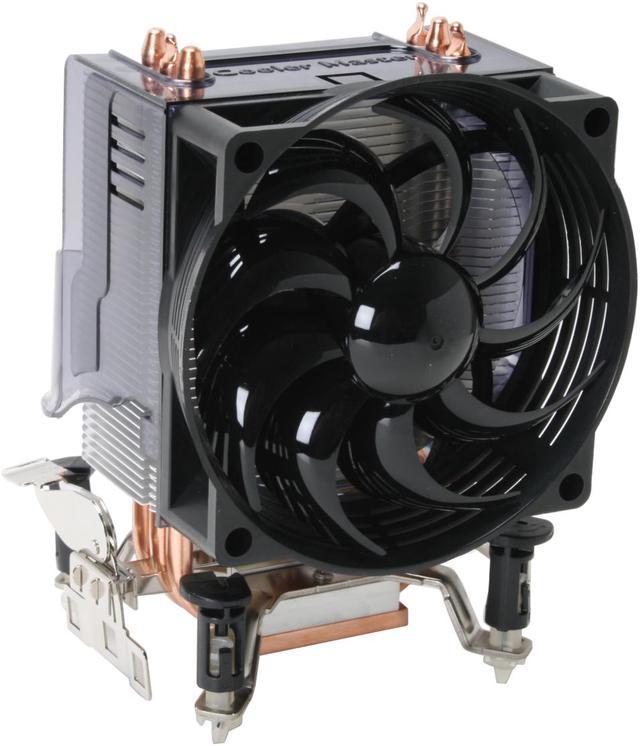
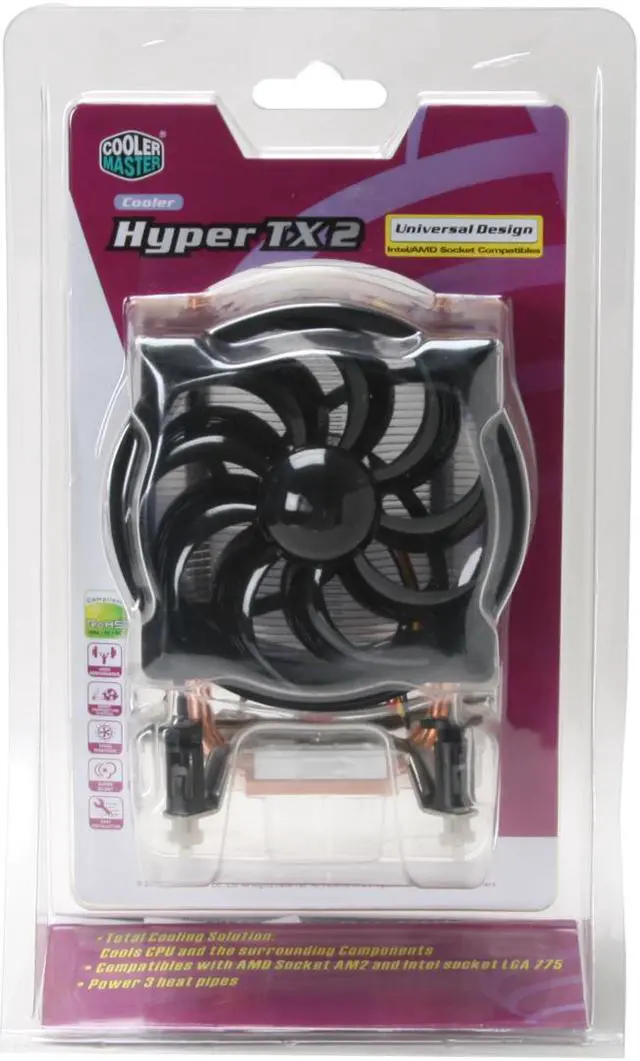
Cooler Master's total cooling solution, the Hyper TX2, cools more than just the CPU. A plastic diverter on the back of the heatsink directs exhaust air downward to blow air across the adjacent chipsets, MOSFETs and other nearby circuitry. Recent motherboard designs have been conducting surplus heat from other chipsets to this area to eliminate noisy chipset fans – making the Hyper TX2 ready for the challenge.
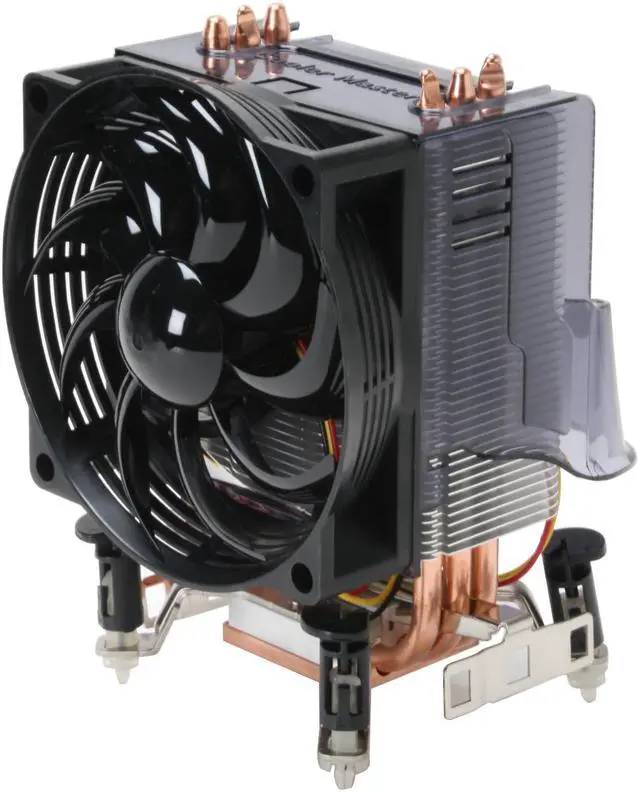
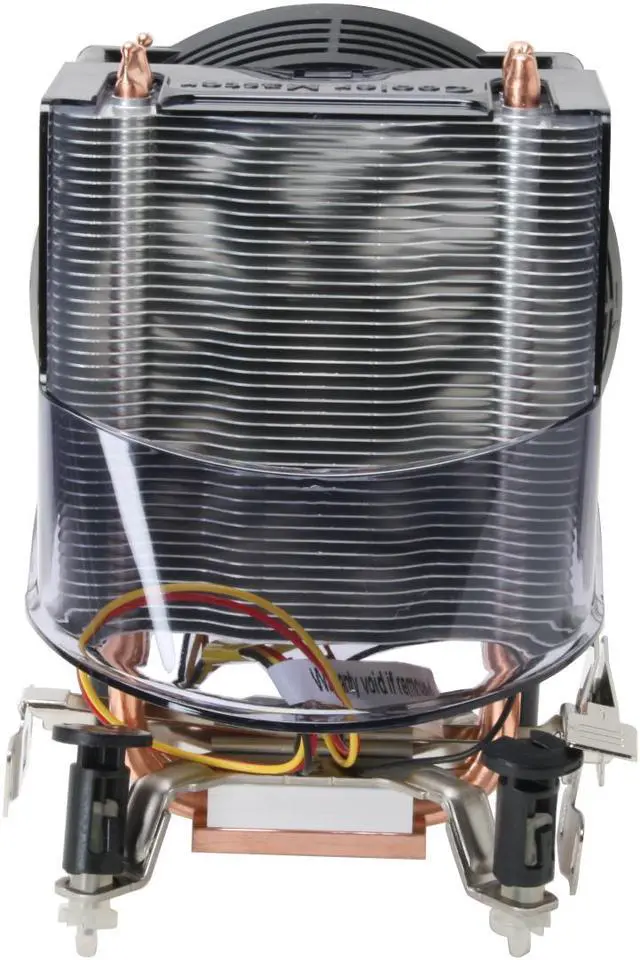
Its compact design stands less than 140mm tall fits into tighter spots and weighing only 482 grams prevents weight stress from affecting the motherboard. A 92mm fan spins at 1800 RPM to deliver over 41 CFM of cooling airflow with a whisper-quiet noise level of only 22 dBA. A trio of U-shaped copper heatpipes rise from the copper base to transfer the potentially damaging heat up to the stack of aluminum convection fins for dispersion.
The TX2 comes configured to attach to the motherboard of systems using the AMD Socket 754, 939, 940, AM2 o Intel LGA 775 processor straight from the box. The user merely needs to remove one of the appropriate, already attached mounting brackets to quickly and painlessly attach the cooler as thermal material is already applied.
-
- 5
-

- 52%
- 4
-

- 25%
- 3
-

- 10%
- 2
-

- 6%
- 1
-

- 7%
| Product Rating: |
   
|
| Total Reviews: |
484 |
Good cooler at a great price
- Pros: This is a good cooler, comparable or superior to many more expensive CPU coolers. It's Easy to install, once you know how. The plastic enclosure helps it cool the motherboard in addition to the CPU.
- Cons: At first, it was a pain in the --- to install this onto a Socket 775. I spent about 20 minutes with no luck. Then, I finally figured out that you can remove the plastic part with the fan from the heatsink and base. After that, it was simple.
- Other Thoughts: The main reason I wrote this review is to help people with installing it. To make it much easier, carefully slide the plastic part up and off of the metal heatsink part. This should make it much easier to put direct pressure on the pins and get them locked onto the motherboard. Once the heasink is locked in place, slide the plastic part back on. You will probably bend a couple of fins, but they are easily bent back.
Good Cooler...But BIG...5mos to get rebate
- Pros: 1. Cools my AMD X2 5600+ with no problem. 36c at 1809mhz idle speed with RMClock stepping. 45C at 2814mhz with Prime95. 53c at 3ghz OC loaded.
2. AM2 Clip is reversable Left or Right for and fan housing is removable. Both=easier mounting. *Clip does require pressure to install but nothing scarey. Just DO IT!
3. Its QUIET!
- Cons: 1. SIZE:
Requires a large case and mobo ram placement is also a consideration. I have a Biostar TForce 550Se mobo in an Antec SonataII Case. I was NOT able to use the Sonata internal CPU/VGA card air box baffle.
2. POWER SUPPLY CHANGES DIFFICULT: (with MY case) Combination of the large HS/Fan and the SonataII case which uses a metal bar as an upper mount point for the internal air baffle means the PSU can not be removed without first removing the HS/FAN Cooler! If you have to change PSUs the HS/FAN has to come out on this case. Other cases should not have this problem. I modified my case so I can change PSU now without removing the cooler. See OTHER THOUGHTS for more on this.
3. 1. REBATE: Took FOREVER! I sent the rebate out immediately and followed when it did not appear online 30 days later as being processed. I called 3x and was finally told to resubmit it nearly 2mos later. Took 5mos but I finally got my rebate.
- Other Thoughts: **1. CHECK your case airflow direction! My case has a 120mm rear exh. fan right in front of the Tx2 Hs/Fan and it was PULLING air away from the HS fan. I reversed the case fan to blow in on the cooler and CPU temps dropped by 5-7c. I reversed entire case flow to intake rear and blow out the front. Also installed custom dust filters.
2. Thermal paste solution. I cleaned the included thermal pad off the Tx-2 HS Base with a plastic card and 91% alcohol using q-tips then an eyeglass cleaning towel so it was lint free. Lint=poor mounting and HEAT! I Applied Arctic silver Ceramique paste. Took about 3wks on/off to cycle the paste to max efficiency (this is normal).
3. Antec SonataII case mod required in the event you want to change out PSUs without removing the Cooler. Remove the upper baffle box mount bar by drilling out rivets. I kept the bar for xtra rigidity and replaced the rivets with screws. EMPTY case b4 drilling or you risk metal getting in your drives or mobo shorting
| Model | RR-CCH-L9U1-GP |
| Type | Fan & Heatsinks |
| Fan Size | 92mm |
| Compatibility | Socket 754 / 939 / 940 / AM2 / LGA 775 |
| RPM | 1600-1999 RPM |
-
- 5
-

- 52%
- 4
-

- 25%
- 3
-

- 10%
- 2
-

- 6%
- 1
-

- 7%
| Product Rating: |
   
|
| Total Reviews: |
484 |
Impressed
- Pros: 3 U shaped copper heat pipes 1 more than others in price range, fit well on am2+/am3 board blows air out the back vent fan, nice and compact for the cooling power. Got this for a 95W AMD PII 945 3.0, more than adequate. With the fan speed pushed down to about 60-70% is a little more quiet, This fan was the loudest in the case.(still not terrible)
- Cons: none really
- Other Thoughts: Got temps around 25c(idle)-35c(load) this is on a 95w processor though. Even so a 125w couldn't have temps higher than 35c-40c at idle and 50c maybe 60c at load, 70c is where you should start to get concerned.
Good for the price
- Pros: With this my P4 HT 3.2 runs at 22c during idle and never goes above 35c during load. Im getting insane frame rates from that old cpu.
- Cons: A little thin. Other similar heat sinks are larger, but for the price I cant really complain.
UPDATE: Just can't hate this heatsink!
- Pros: Great Heatsink setup that will take ANY 92mm fan, PWM, 3-pin or otherwise. Right now cooler master offers a pwm fan (also on newegg) that makes the stock fan wimpy. even in the description it says upgrade for heat-sink. Even purchase this fan! (Delta AFC0912DE-PWM) you come up winning.
- Cons: Four stars for the Macguyver modding, which kills the whole look in the blister pack. Got flubbed on rebate, (yeah I know years ago), showed up on my doorstep expired. waste. the only way the pins work 100% is to have the mother board out of the case and guide them through... (pointless)
- Other Thoughts: Now that this cooler isn't crazy expensive, you can buy it ,get the pwm fan (COOLER MASTER R4-BM9S-28PK-R0) the combo would save a major portion of money over the more pricier setups.
I have several junk fans lying around from 92mm, and the Vantec tornado 92mm edition... after sacrifcing a $.99 3 pin fan (for wire/connection) and buying this evercool SCB-CD2 fan controller, I get a resistor controlled, on board- sensored super beast that keeps my oc'd 3.8 pentium d stable @ 32*c fans spinning @ 2400rpm, with speed maxing out at 4400 rpm. (quietly I must add)
Just cut off the red/black 4-pin connector, the yellow sensor head and splice the three to the $.99 fan wire, since the fan controller takes three pin fans only. I already had these parts so all this cost me nothing vs. plunking down $50-$80 on a new heat sink+fan so... Cheers!
| Model |
| Brand |
COOLER MASTER |
| Model |
RR-CCH-L9U1-GP |
| Spec |
| Type |
Fan & Heatsinks |
| Fan Size |
92mm |
| Compatibility |
Intel LGA 775 AMD 754 / 939 / 940 / AM2 |
| RPM |
1800 RPM |
| Air Flow |
41.76 CFM |
| Noise Level |
22 dBA |
| Color |
Black |
| Heatsink Material |
Aluminum Fin |
| Physical Spec |
| Fan Dimensions |
92 x 92 x 25mm |
| Heatsink Dimensions |
90.0 x 44.0 x 136.5mm |
| Weight |
482 g |
| Package Contents |
| Package Contents |
CPU Cooler User Manual |
Introduction
Cooler Master's total cooling solution, the Hyper TX2, cools more than just the CPU. A plastic diverter on the back of the heatsink directs exhaust air downward to blow air across the adjacent chipsets, MOSFETs and other nearby circuitry. Recent motherboard designs have been conducting surplus heat from other chipsets to this area to eliminate noisy chipset fans – making the Hyper TX2 ready for the challenge.
Its compact design stands less than 140mm tall fits into tighter spots and weighing only 482 grams prevents weight stress from affecting the motherboard. A 92mm fan spins at 1800 RPM to deliver over 41 CFM of cooling airflow with a whisper-quiet noise level of only 22 dBA. A trio of U-shaped copper heatpipes rise from the copper base to transfer the potentially damaging heat up to the stack of aluminum convection fins for dispersion.
The TX2 comes configured to attach to the motherboard of systems using the AMD Socket 754, 939, 940, AM2 o Intel LGA 775 processor straight from the box. The user merely needs to remove one of the appropriate, already attached mounting brackets to quickly and painlessly attach the cooler as thermal material is already applied.
Highlights
 |
Superior Heat Dissipation and Cooling Performance The extra-large copper base, 3 copper heatpipes and high-density aluminum fins maximize heat transfer and dissipation, plus a 92mm, 1800RPM cooling fan providing a complete cooling solution for the CPU and its surrounding components.
|
 |
Easy Installation The Cooler Master RR-CCH-L9U1-GP features tool-less clips for convenient installation without additional tools or the need to remove the motherboard from your case.

|
Quick Specs
| Air Flow | 40-45 CFM |
| Compatibility | Socket 754 / 939 / 940 / AM2 / LGA 775 |
| Fan Size | 92mm |
| Heatsink Material | Aluminum |
| Noise Level | 20-25 dBA |
| RPM | 1600-1999 RPM |
| Weight | More than 450g |
|