Skip to: |

Newegg.com - A great place to buy computers, computer parts, electronics, software, accessories, and DVDs online. With great prices, fast shipping, and top-rated customer service - once you know, you Newegg.

If you are reading this message, Please click this link to reload this page.(Do not use your browser's "Refresh" button). Please email us if you're running the latest version of your browser and you still see this message.

Newegg.com - Computer Parts, Laptops, Electronics, HDTVs, Digital Cameras and More!

  • | Wish List
  • Help
Home
Home > 
Computer Hardware > 
Fans & Heatsinks > 
CPU Fans & Heatsinks > 
Noctua > 
Item#: N82E16835608024

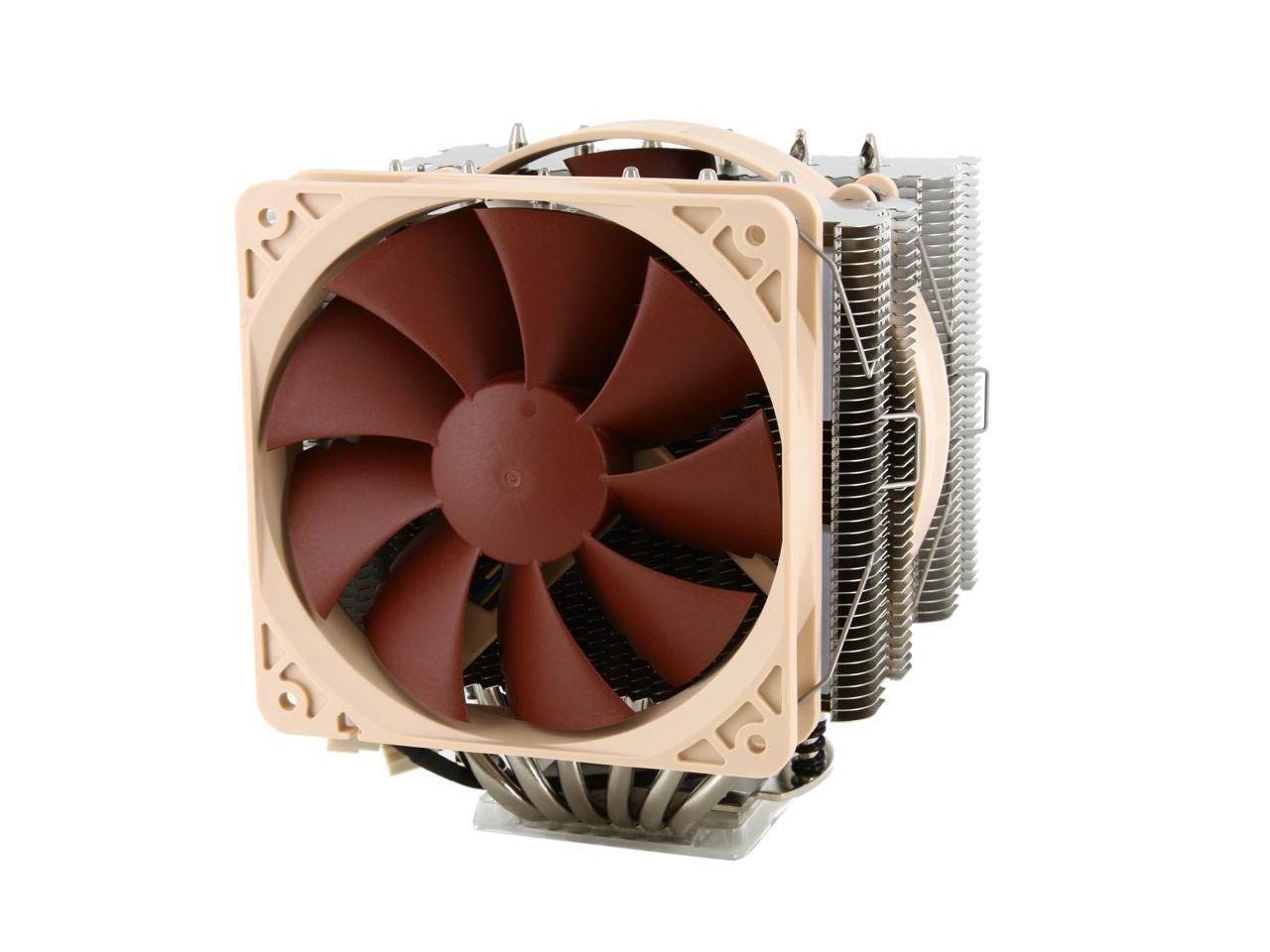
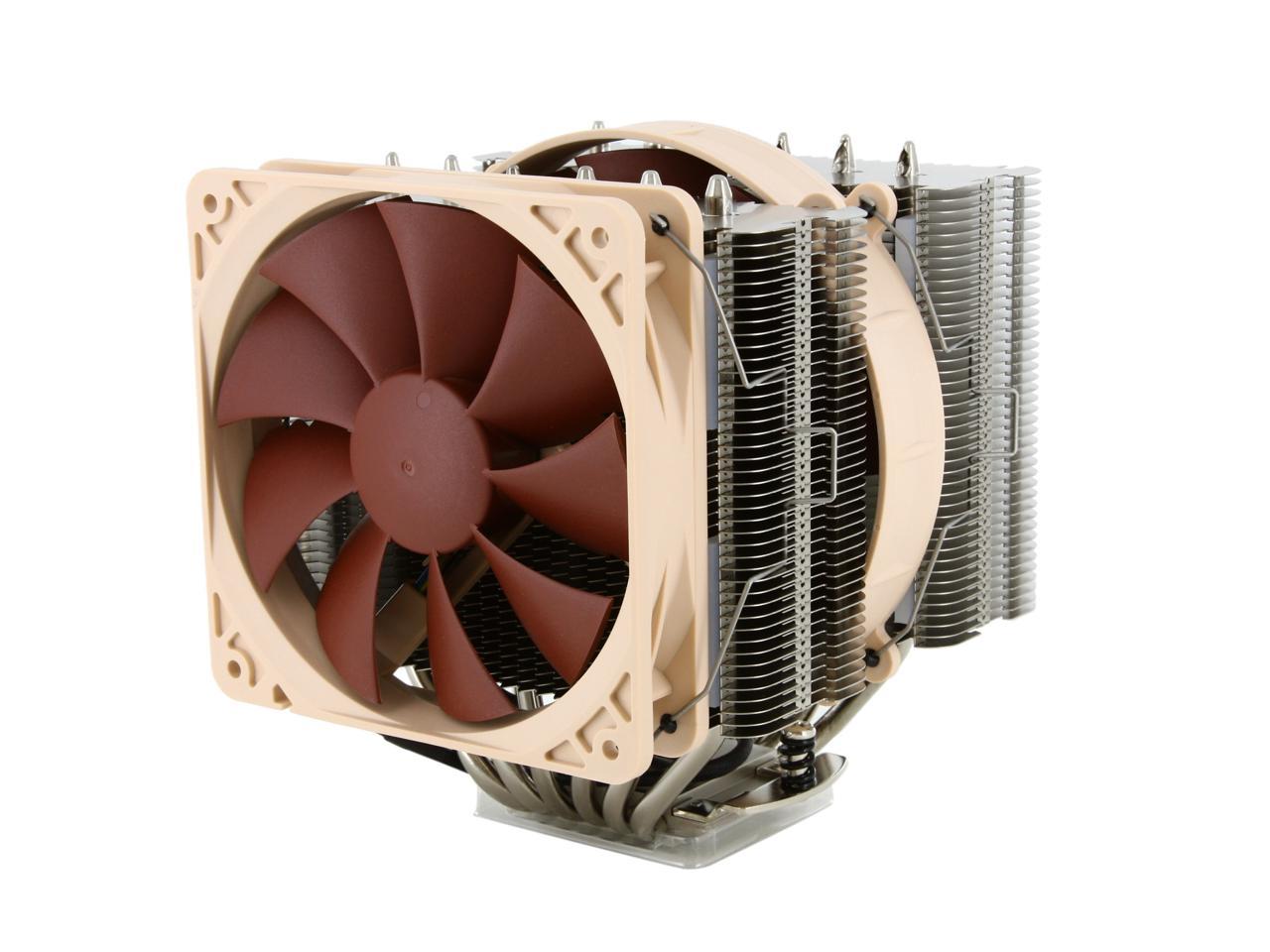
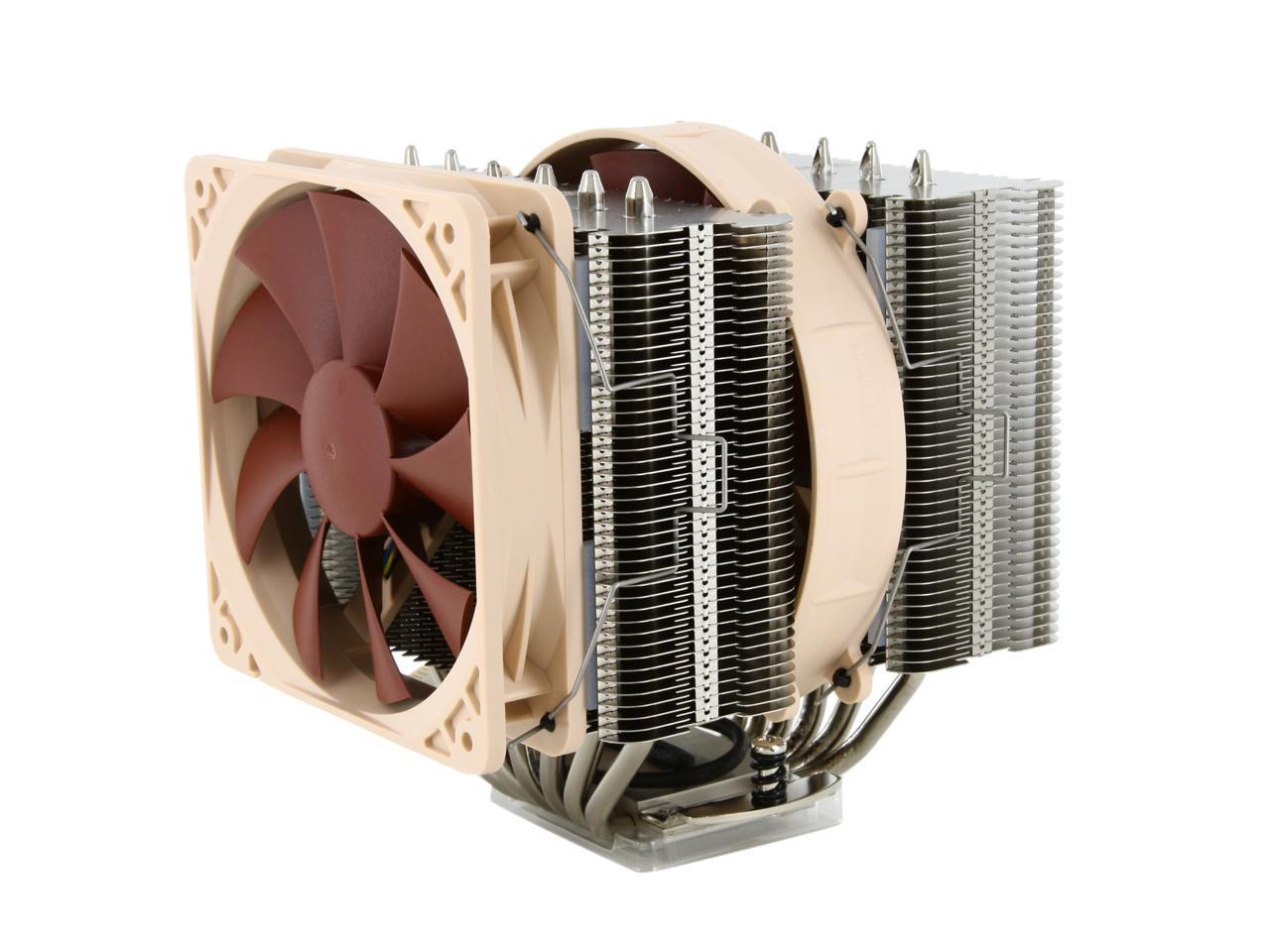
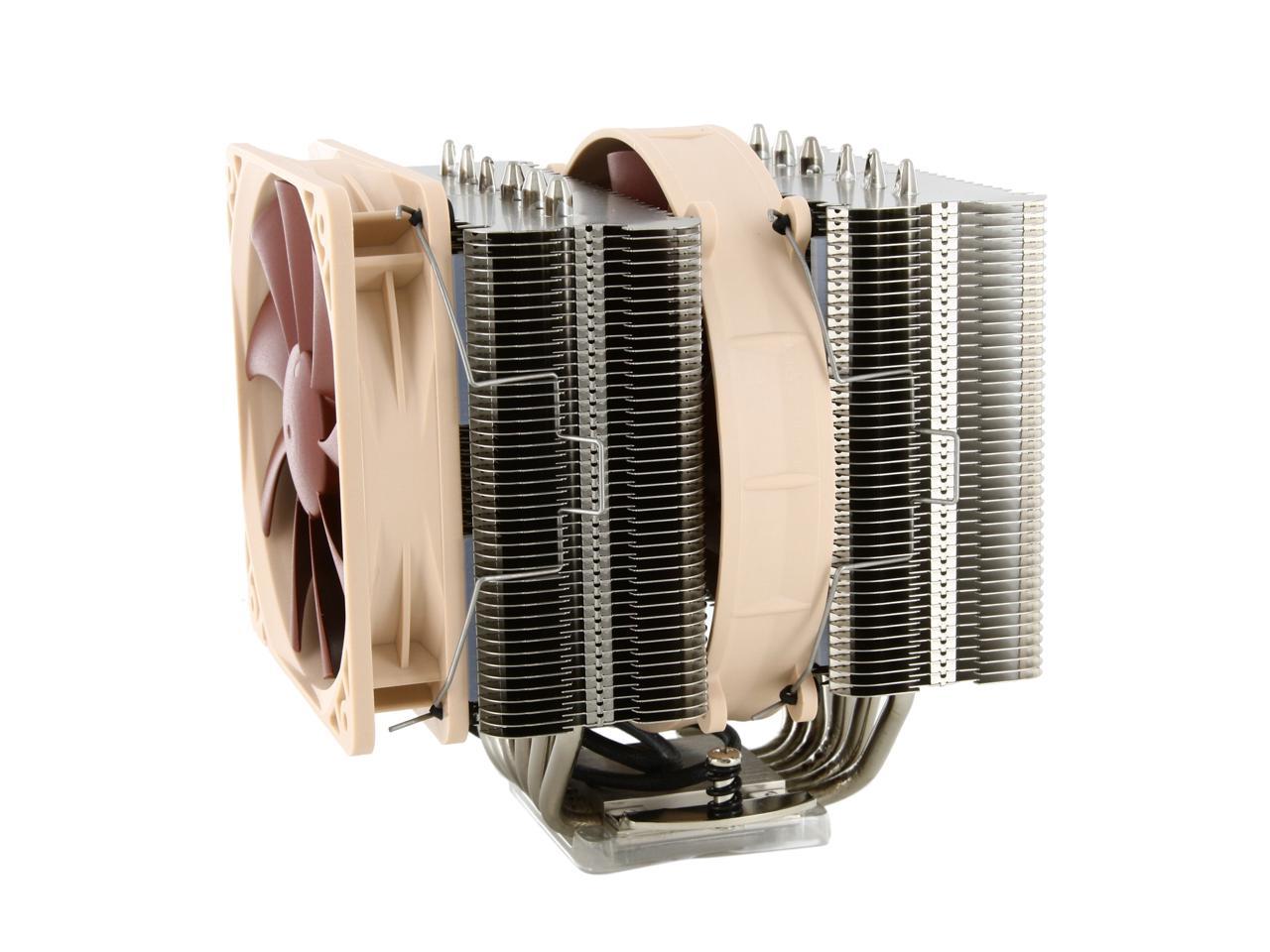
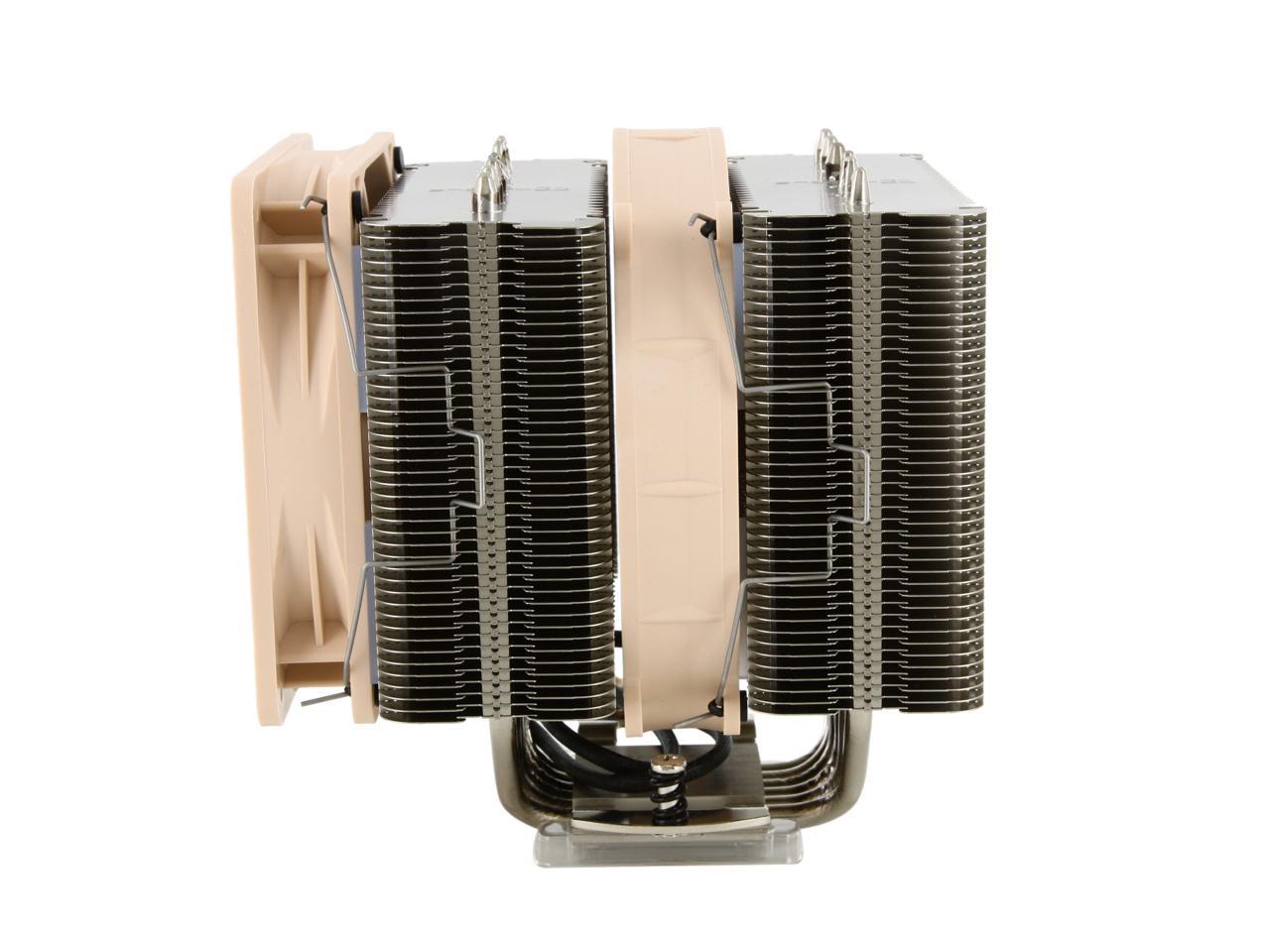
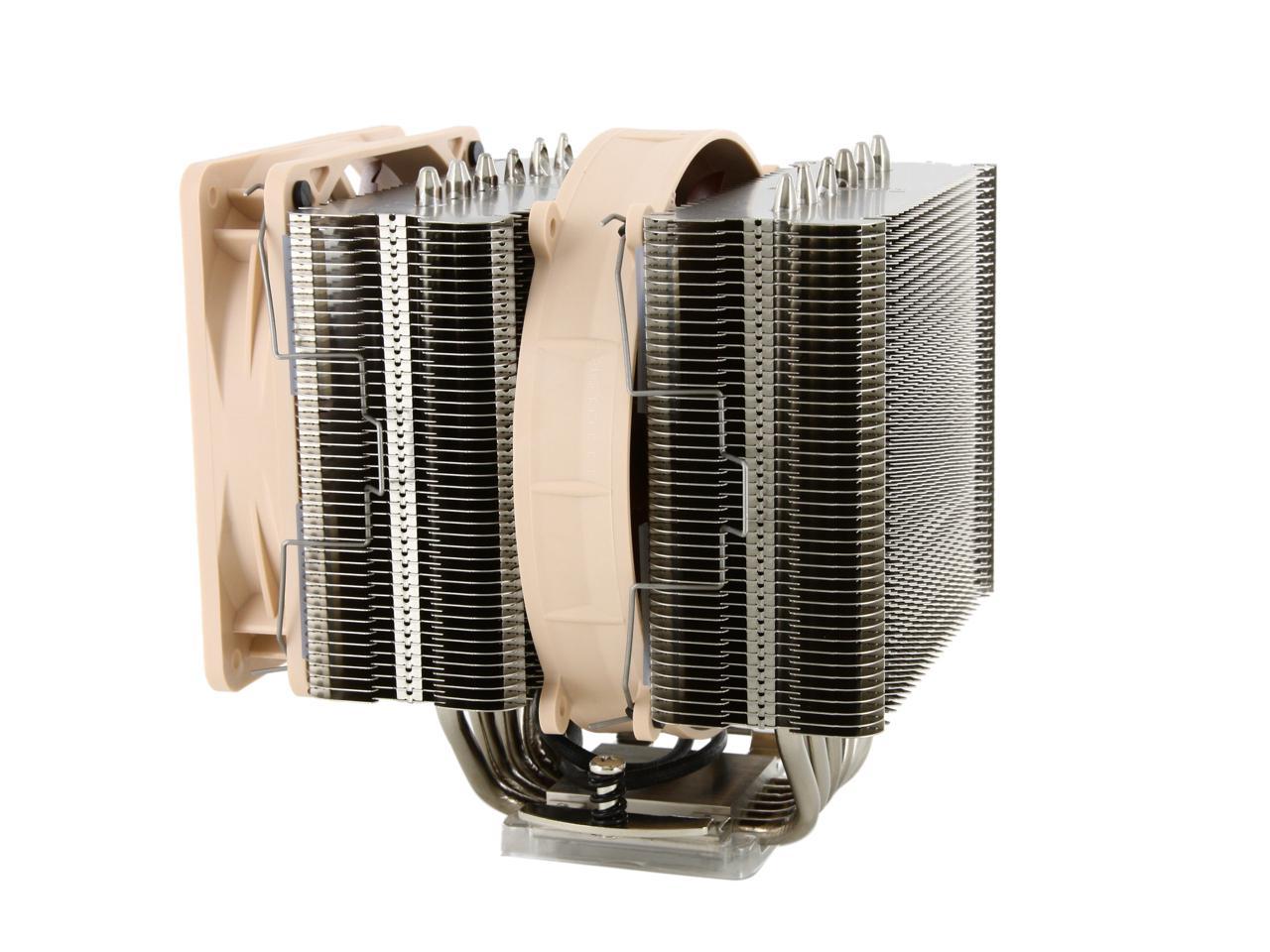
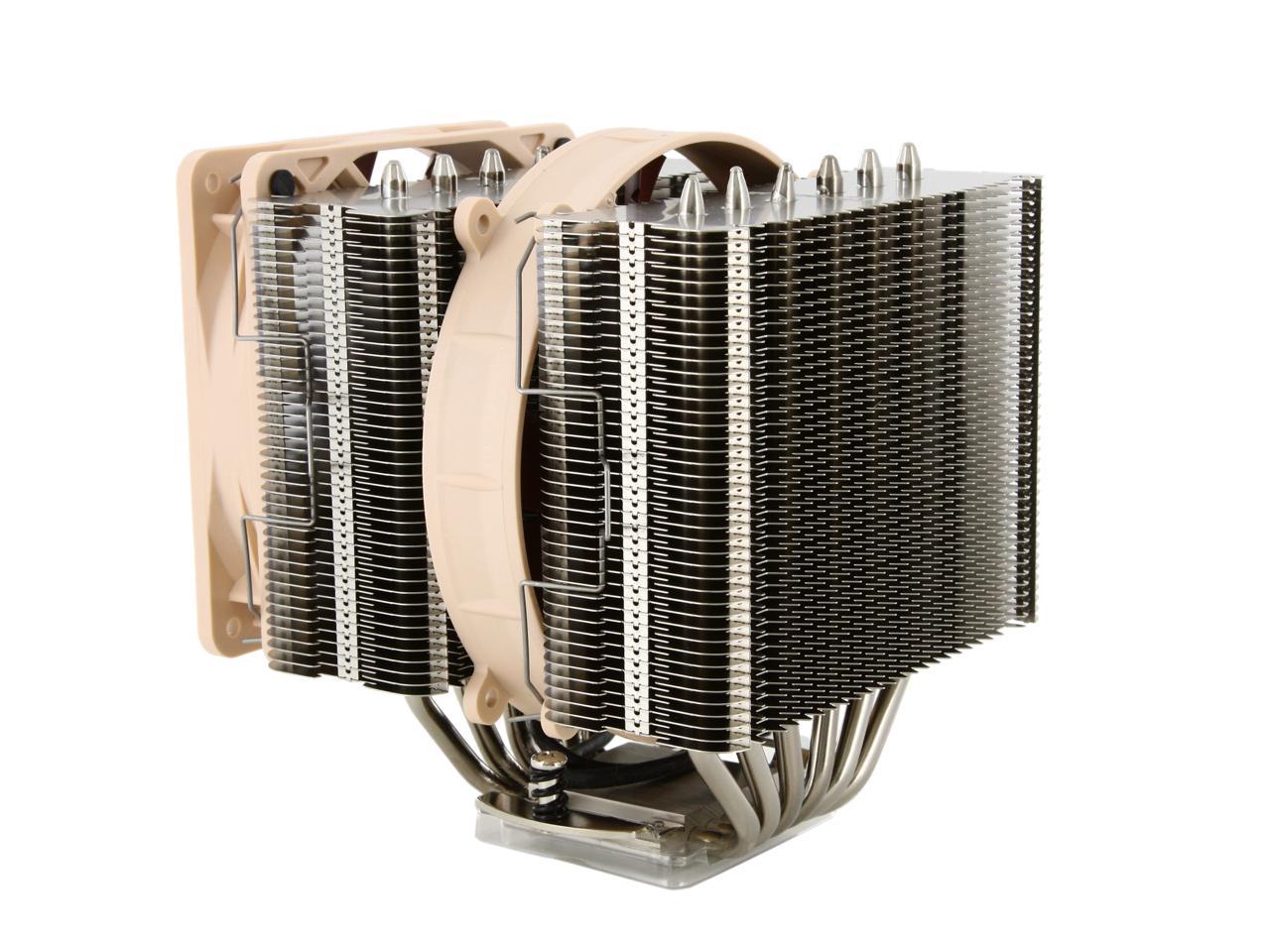
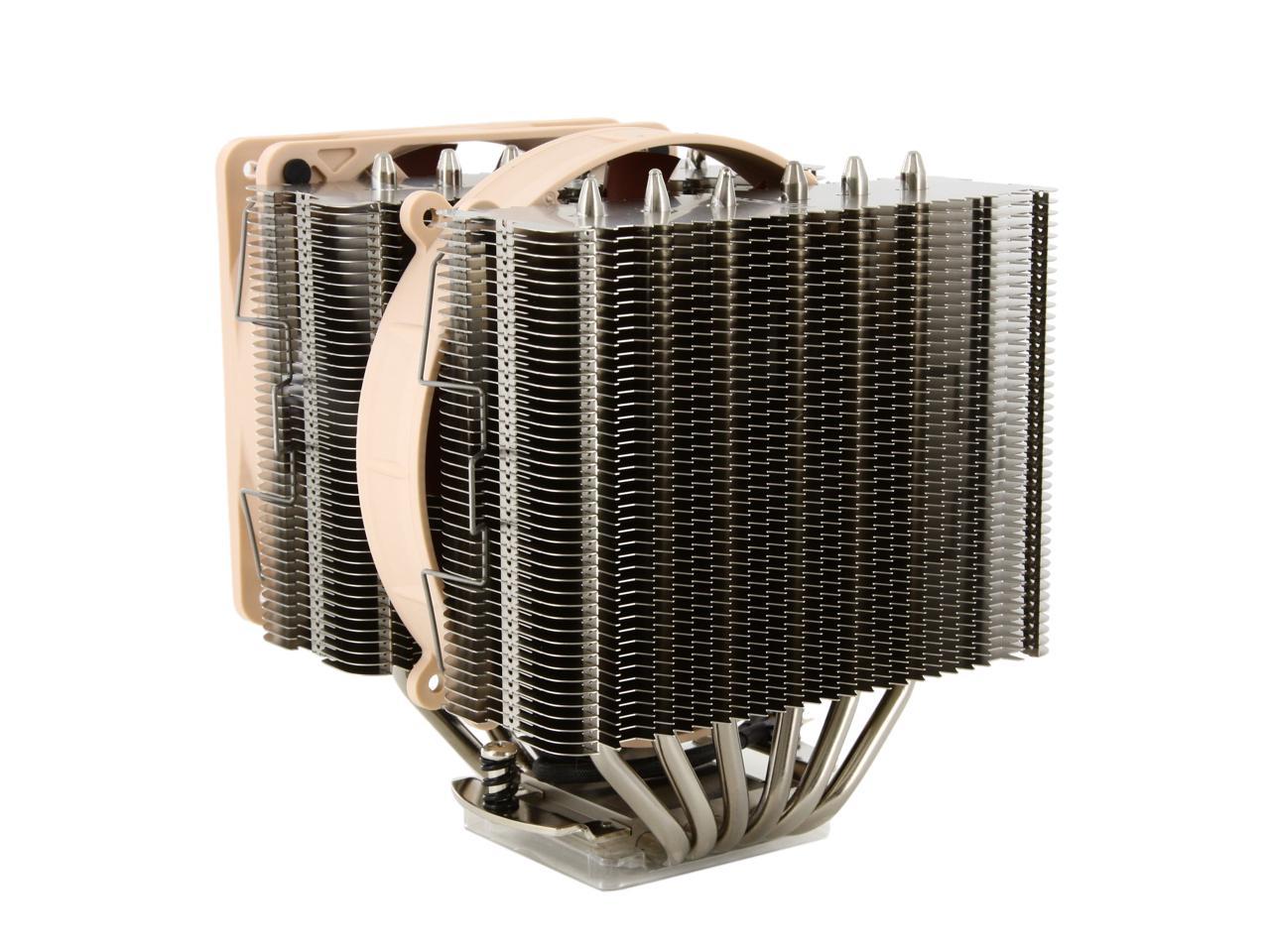
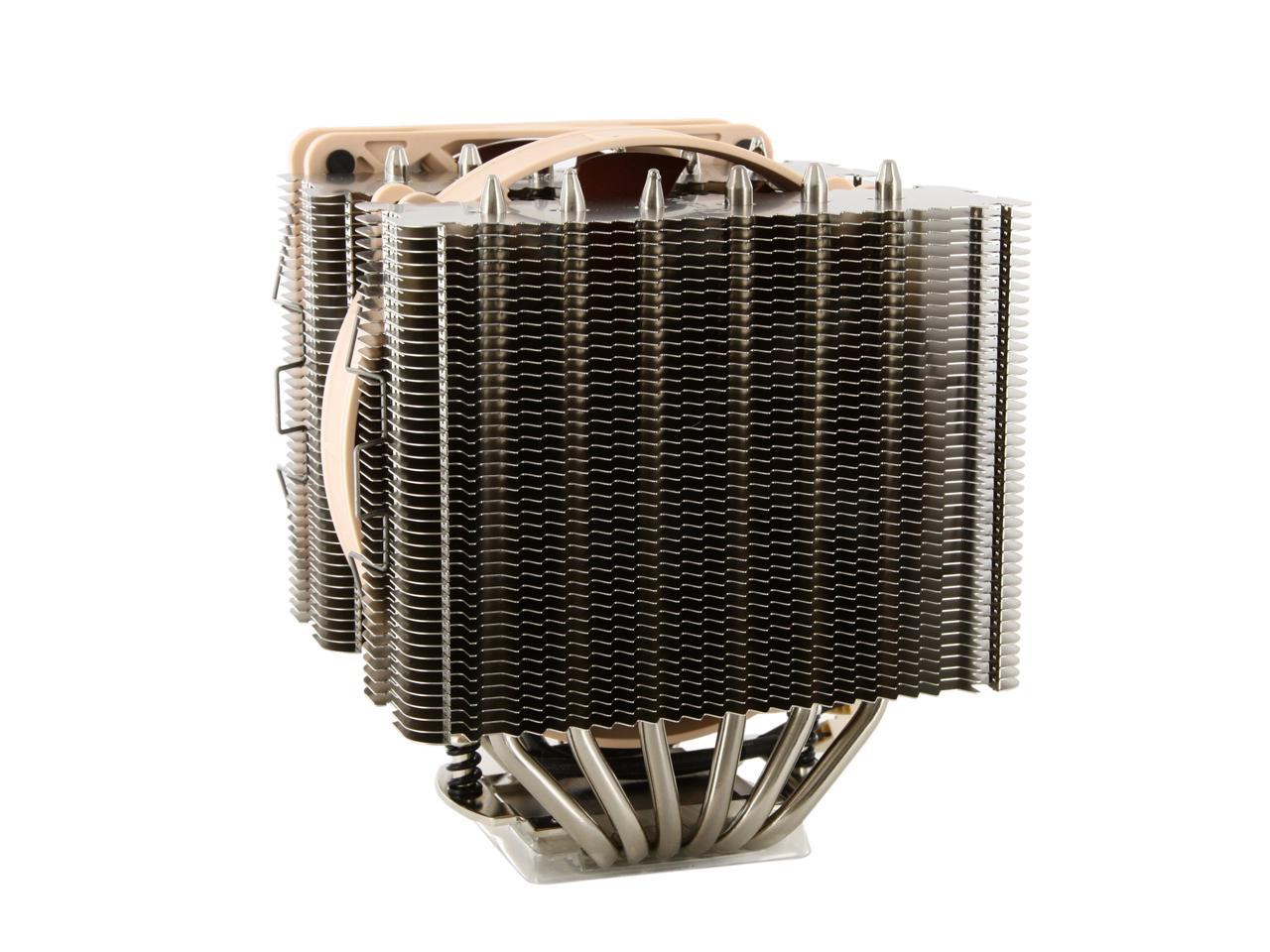
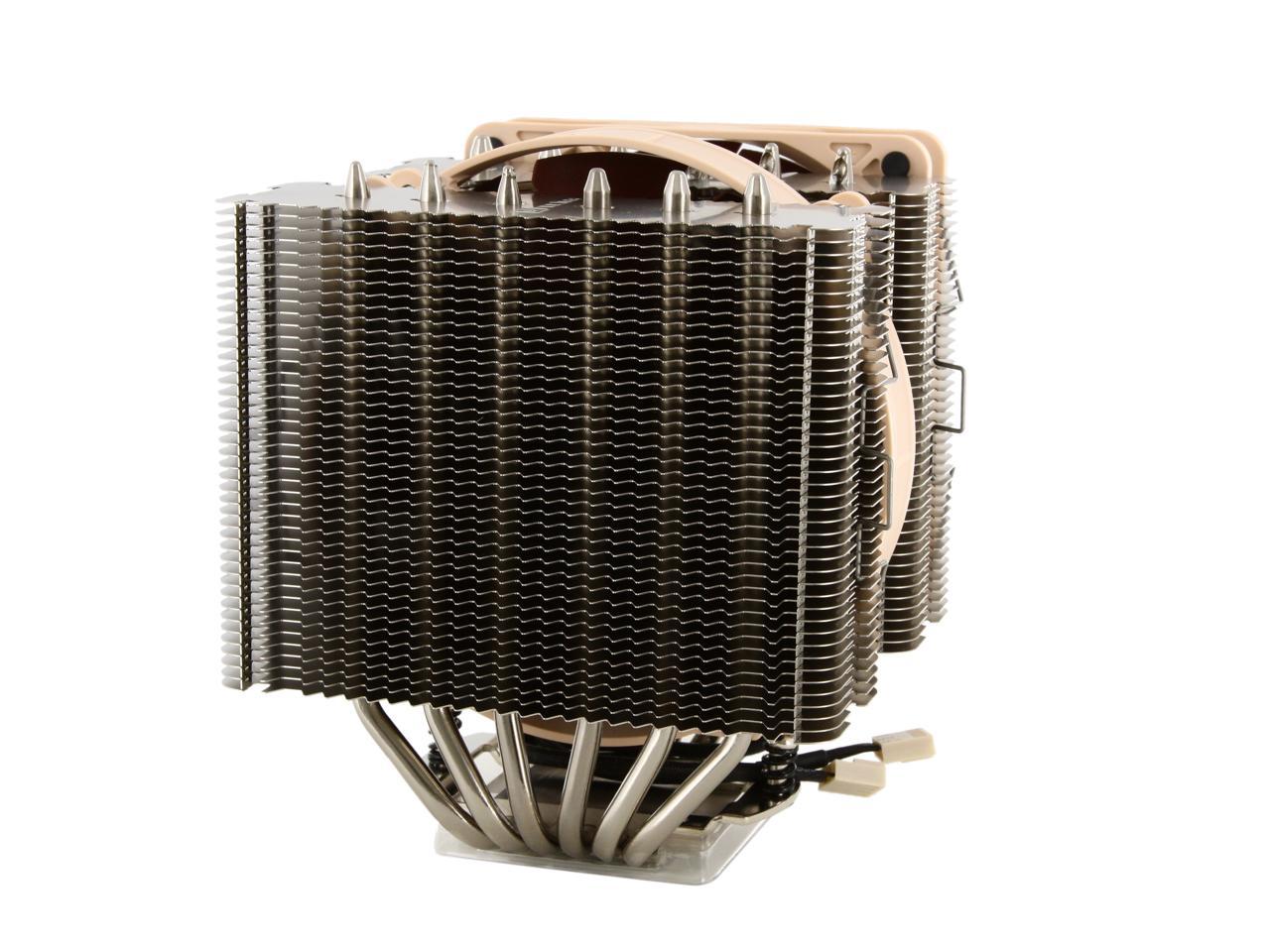
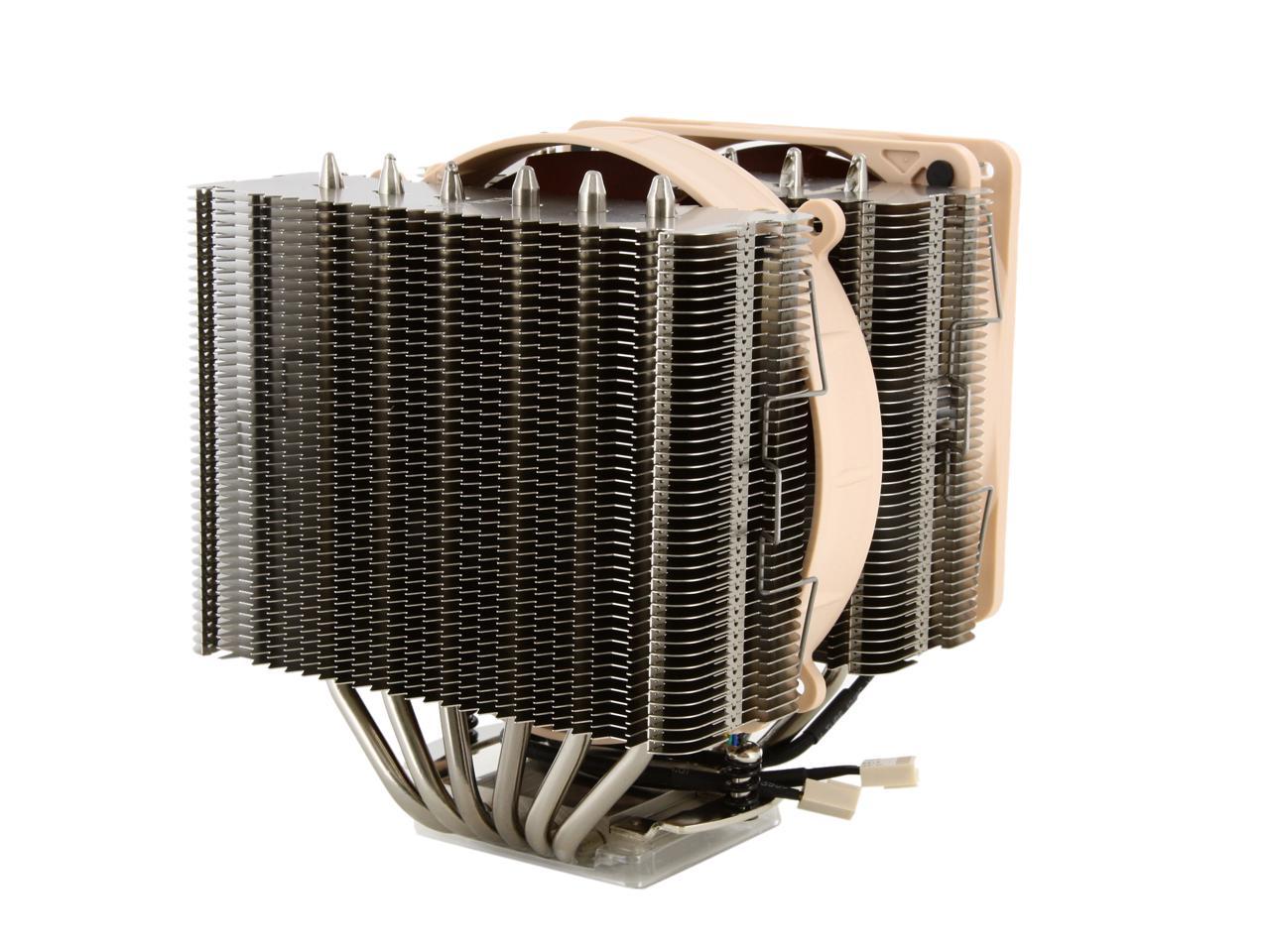
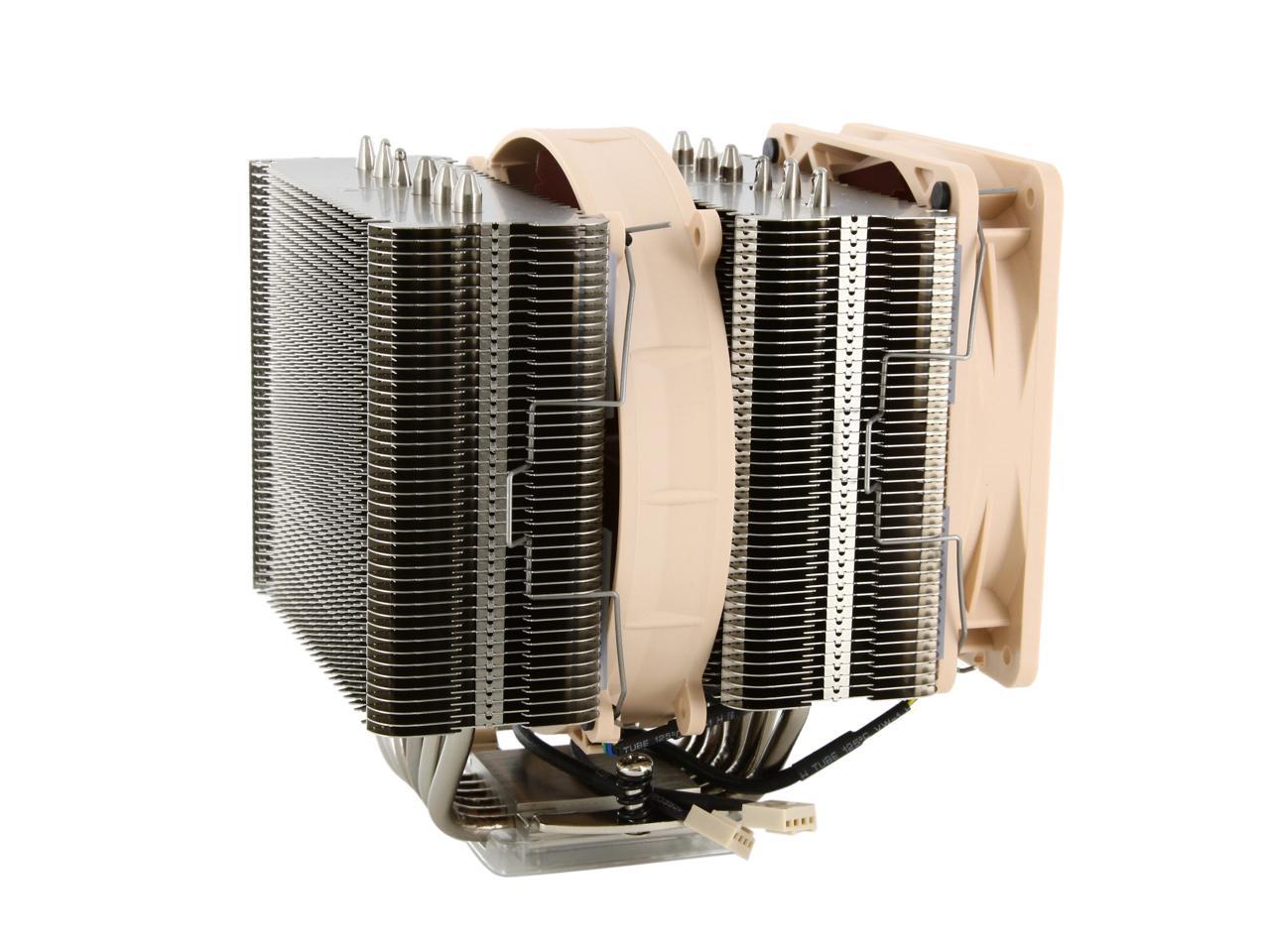
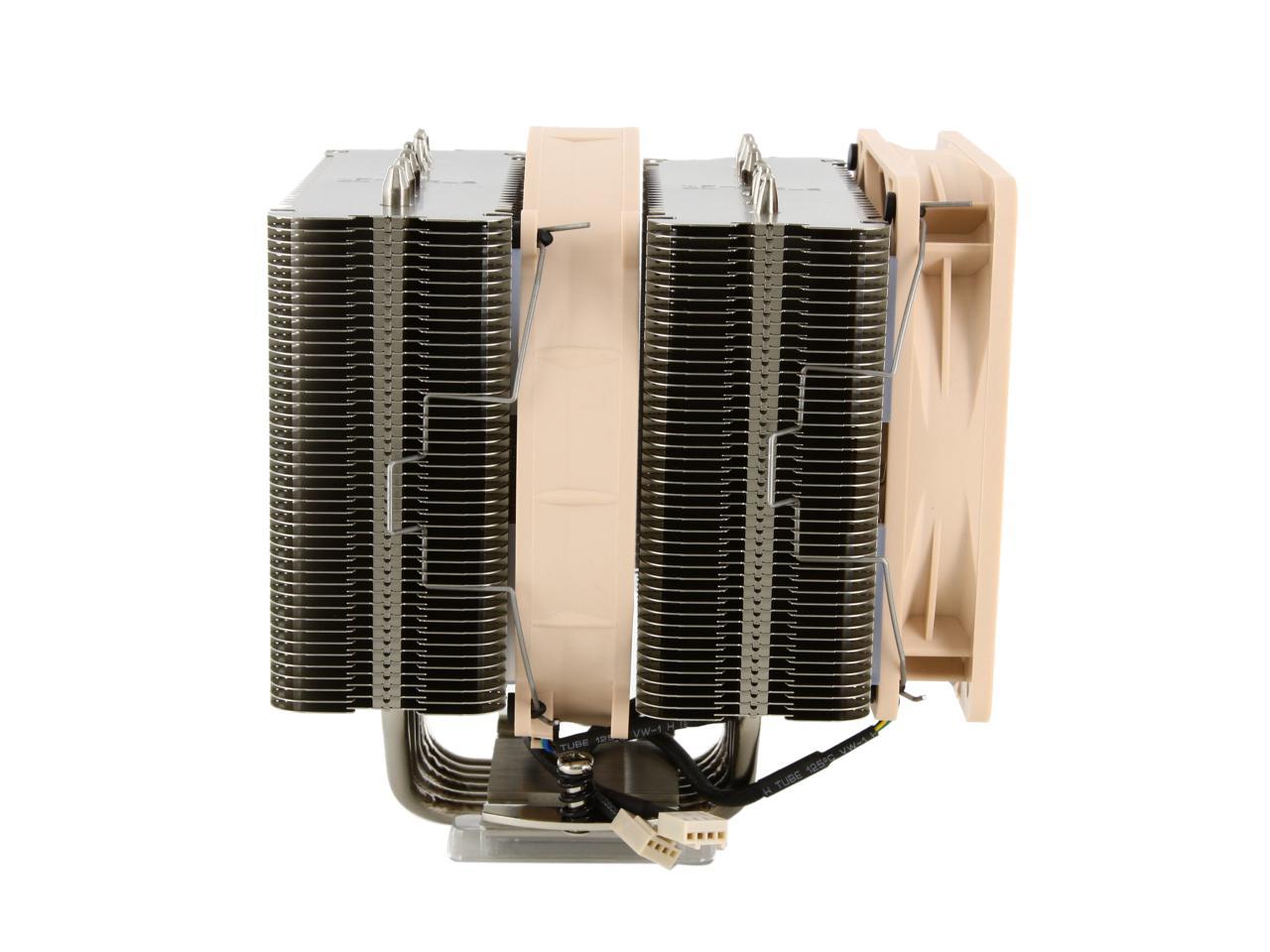
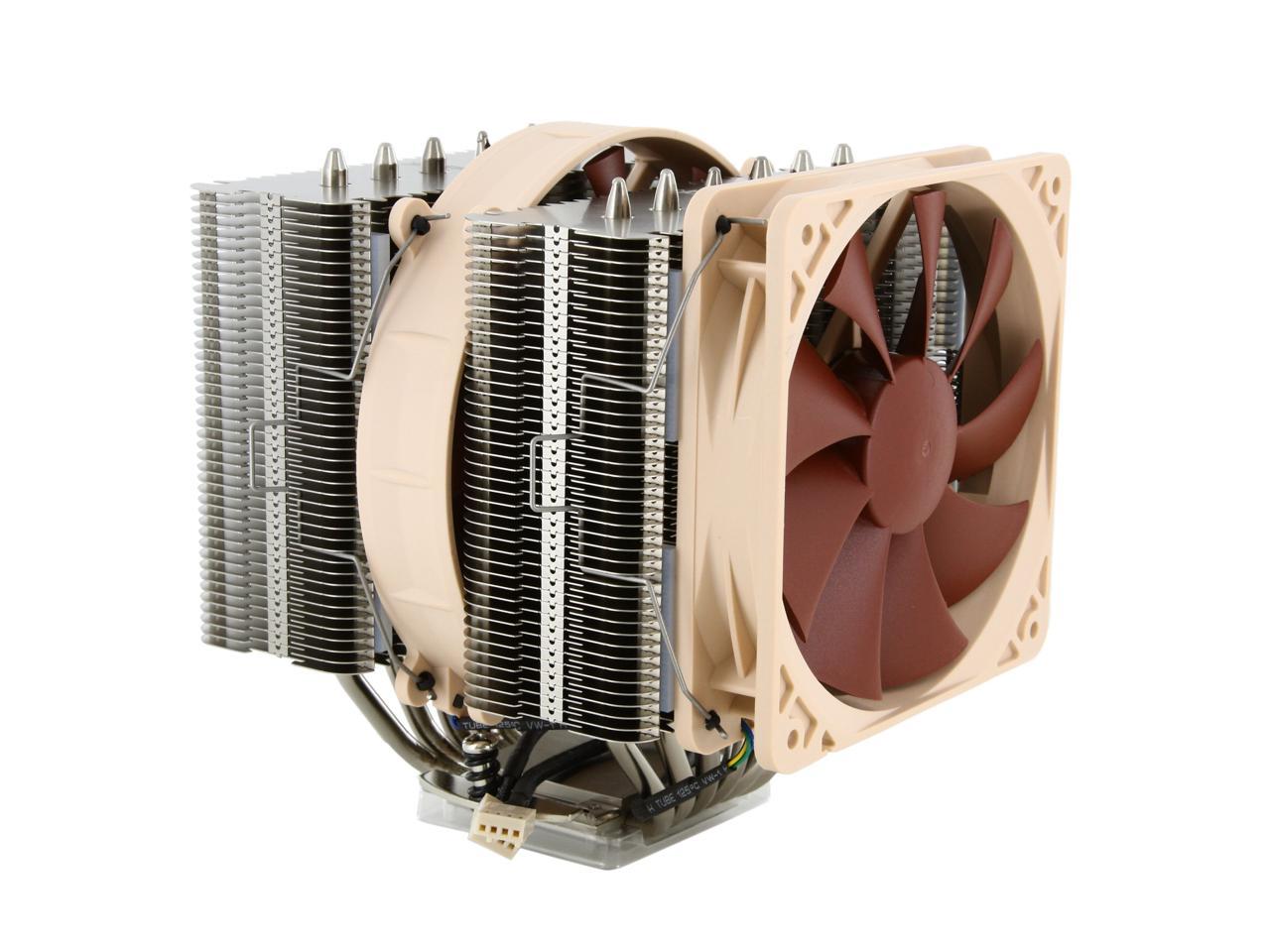
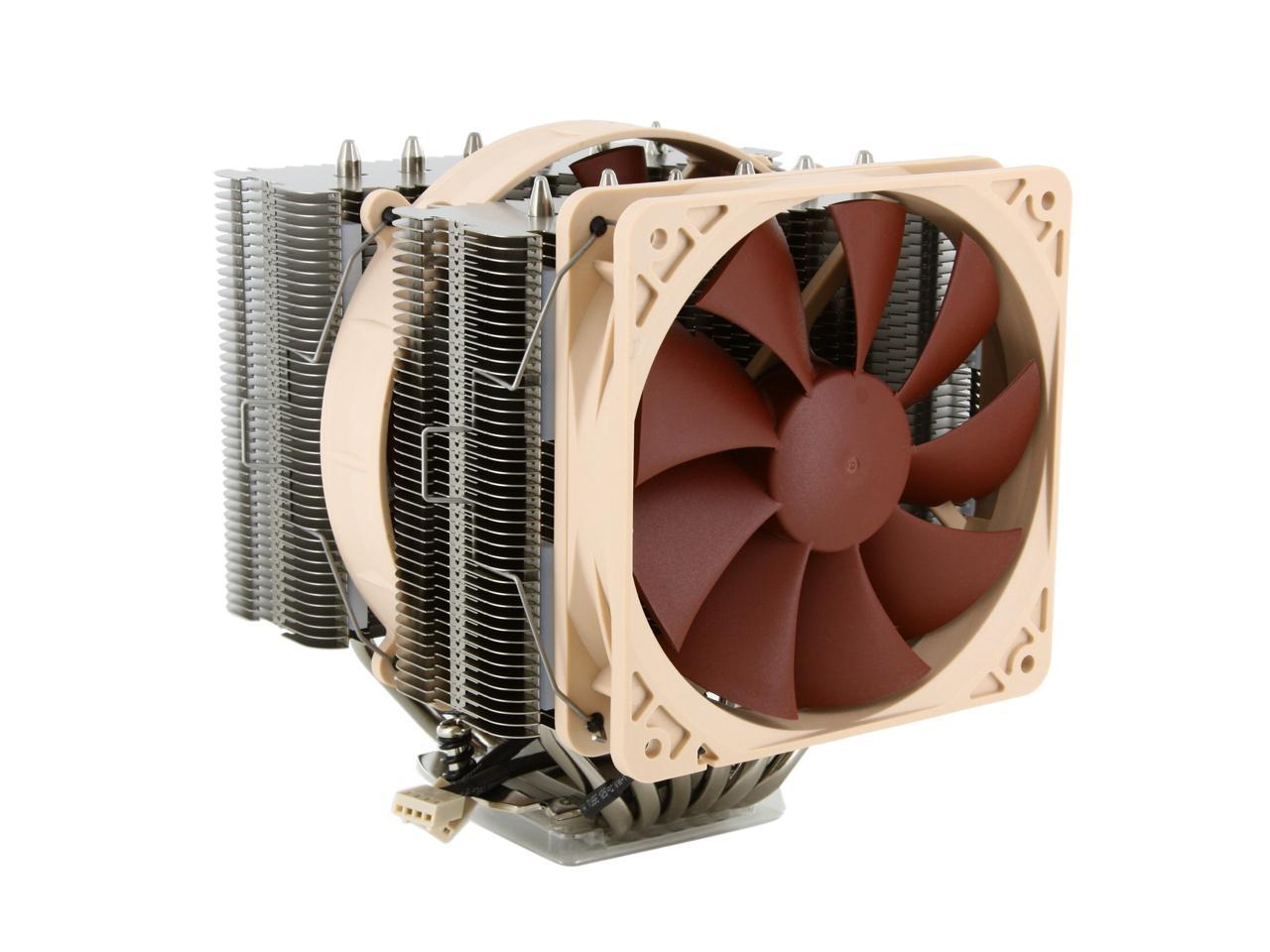
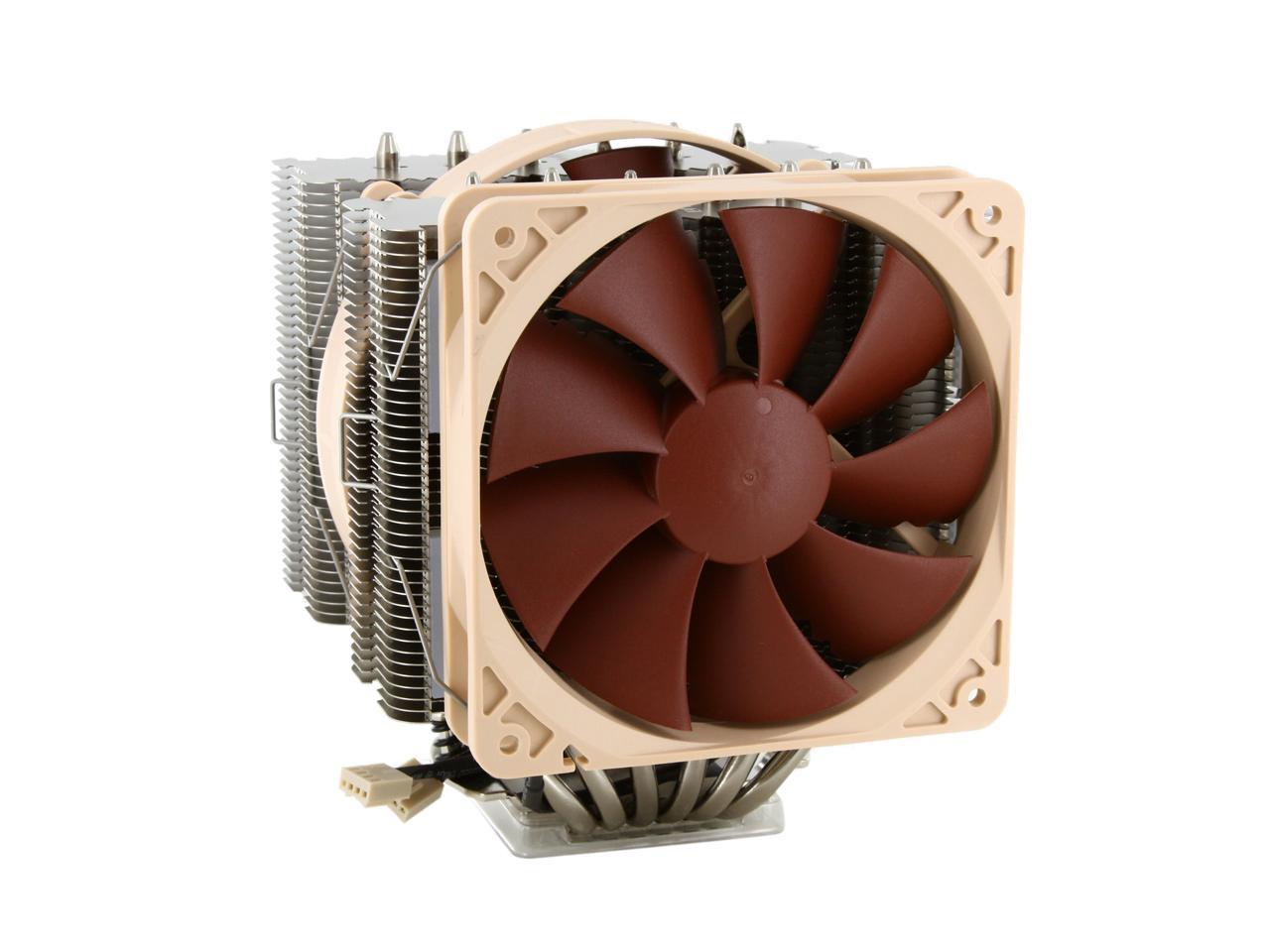
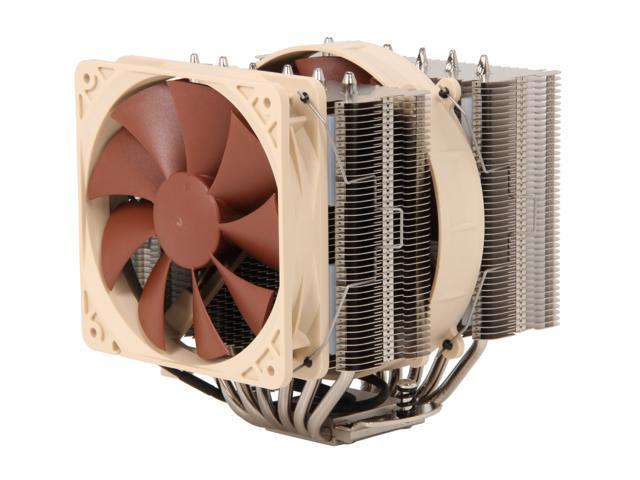
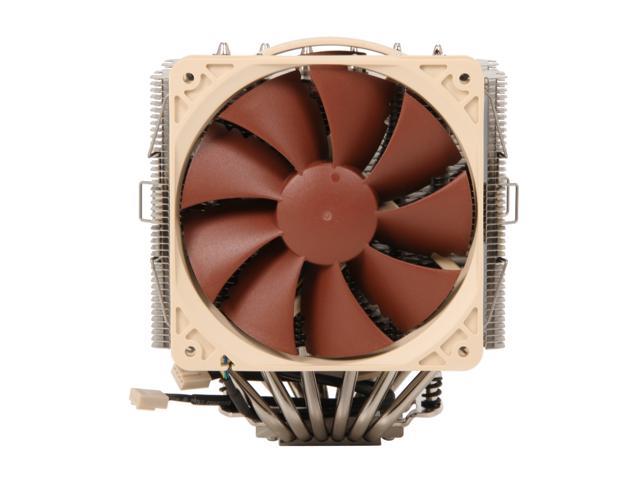
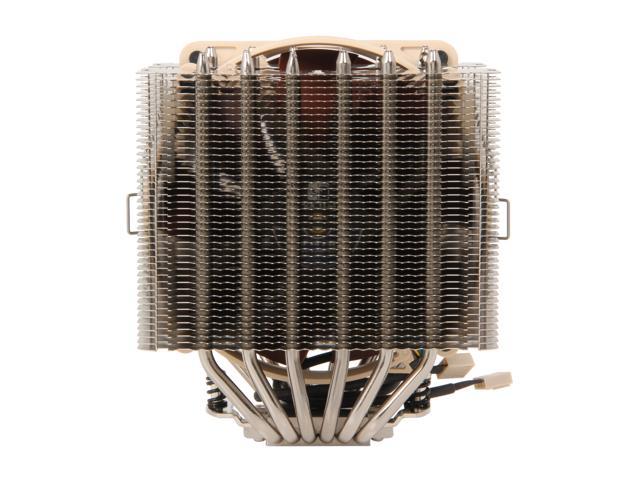
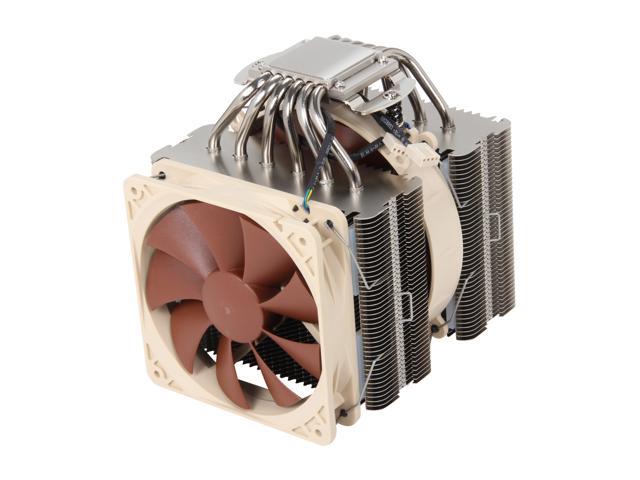
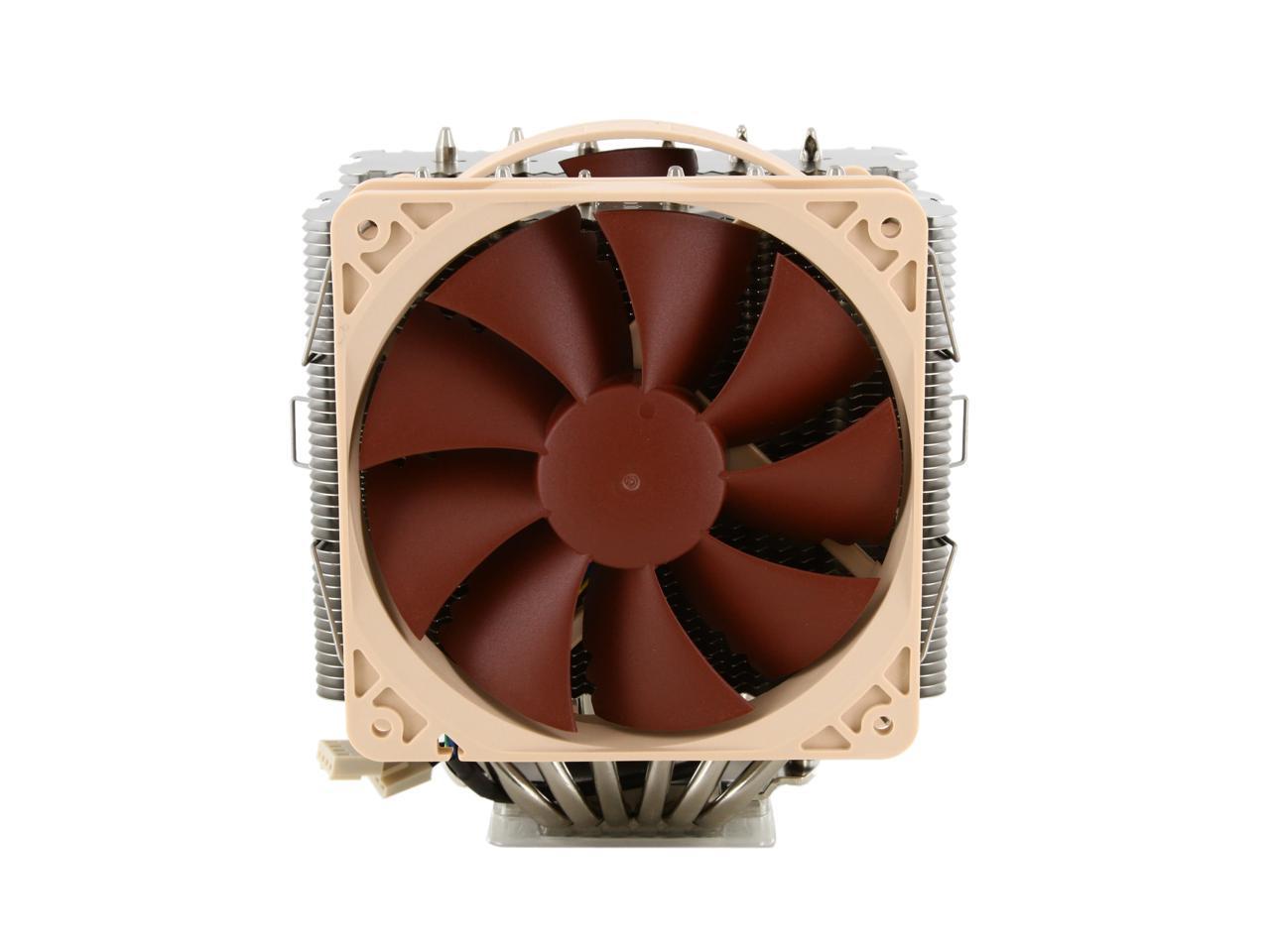
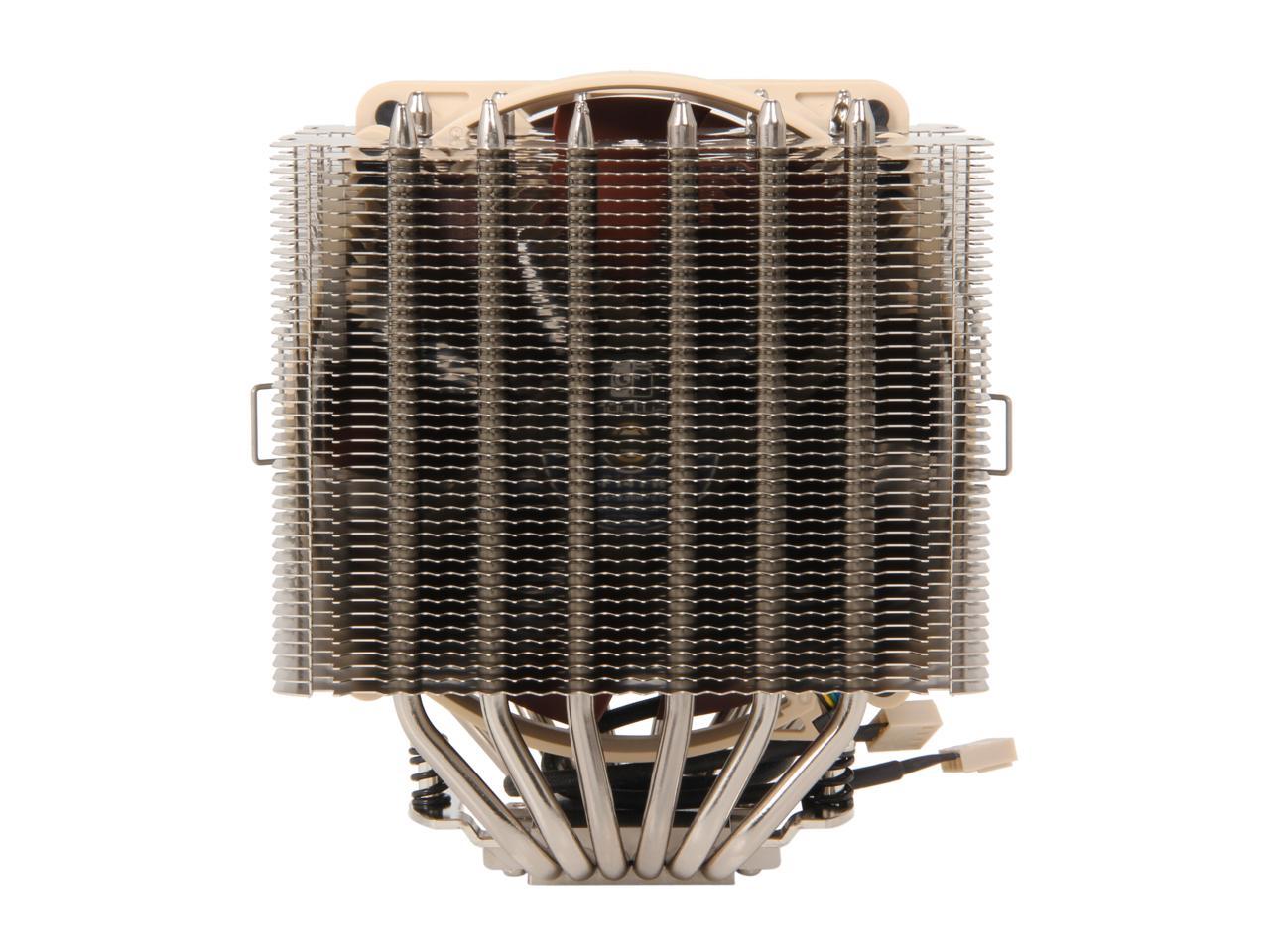
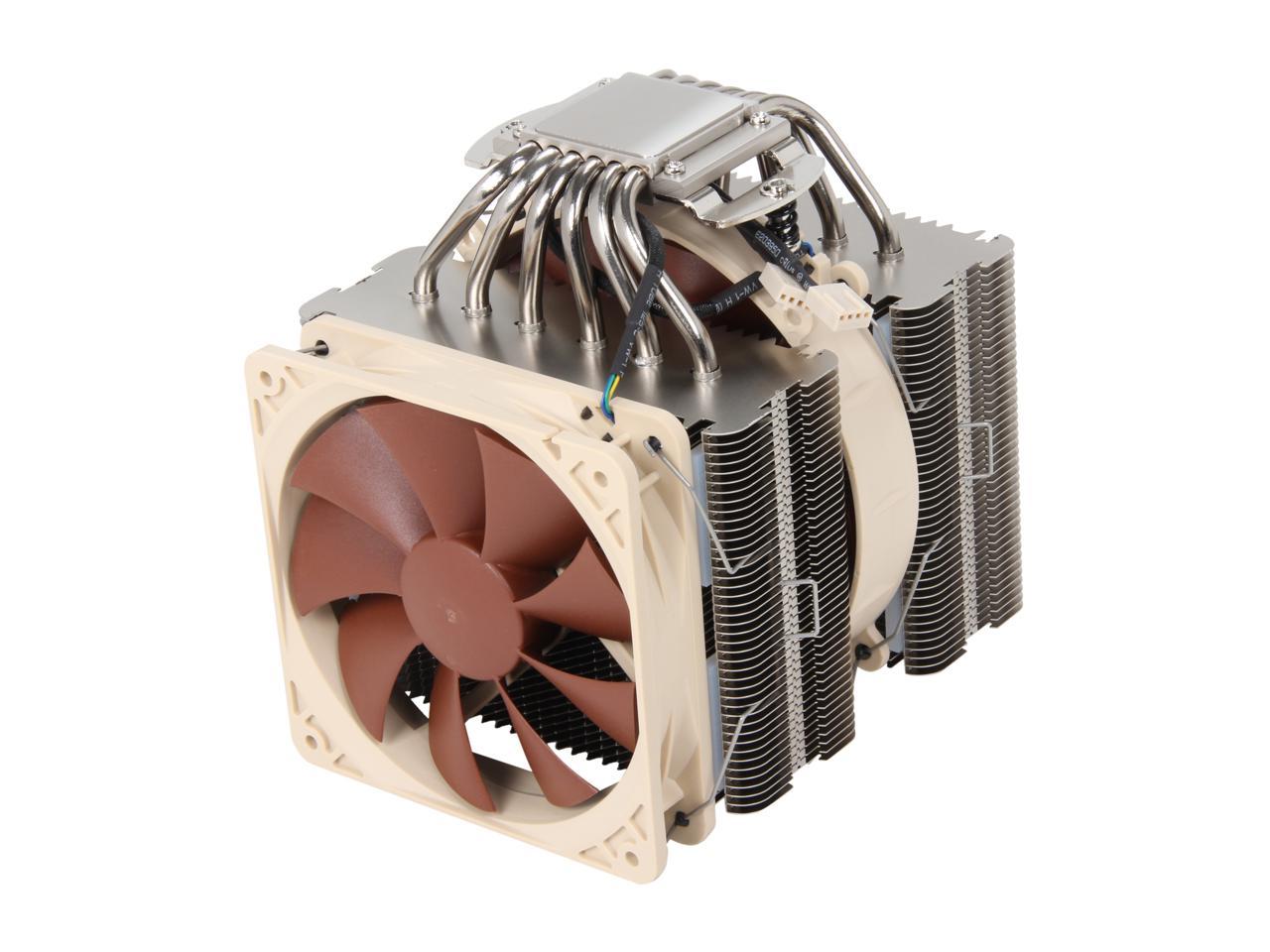
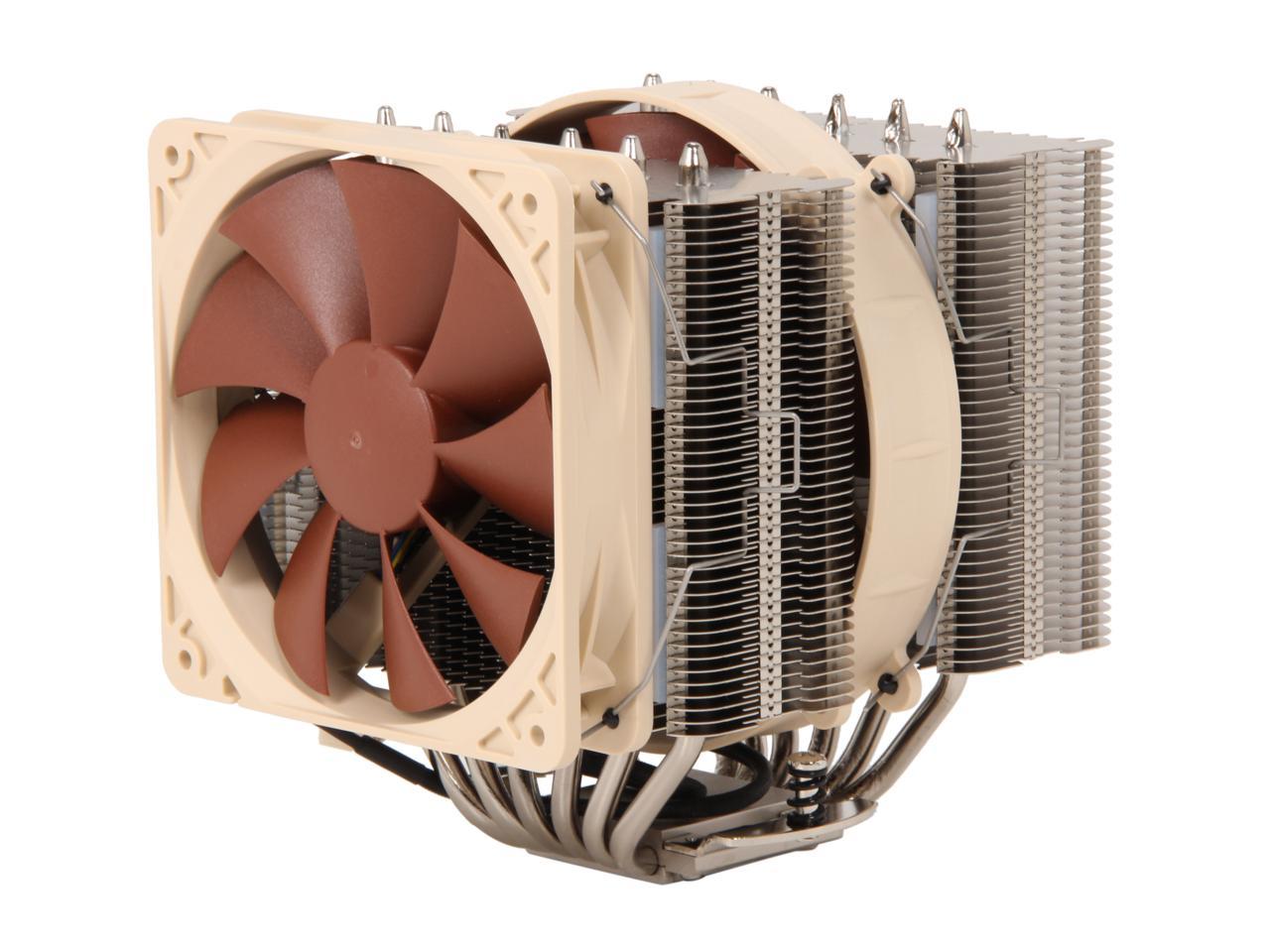
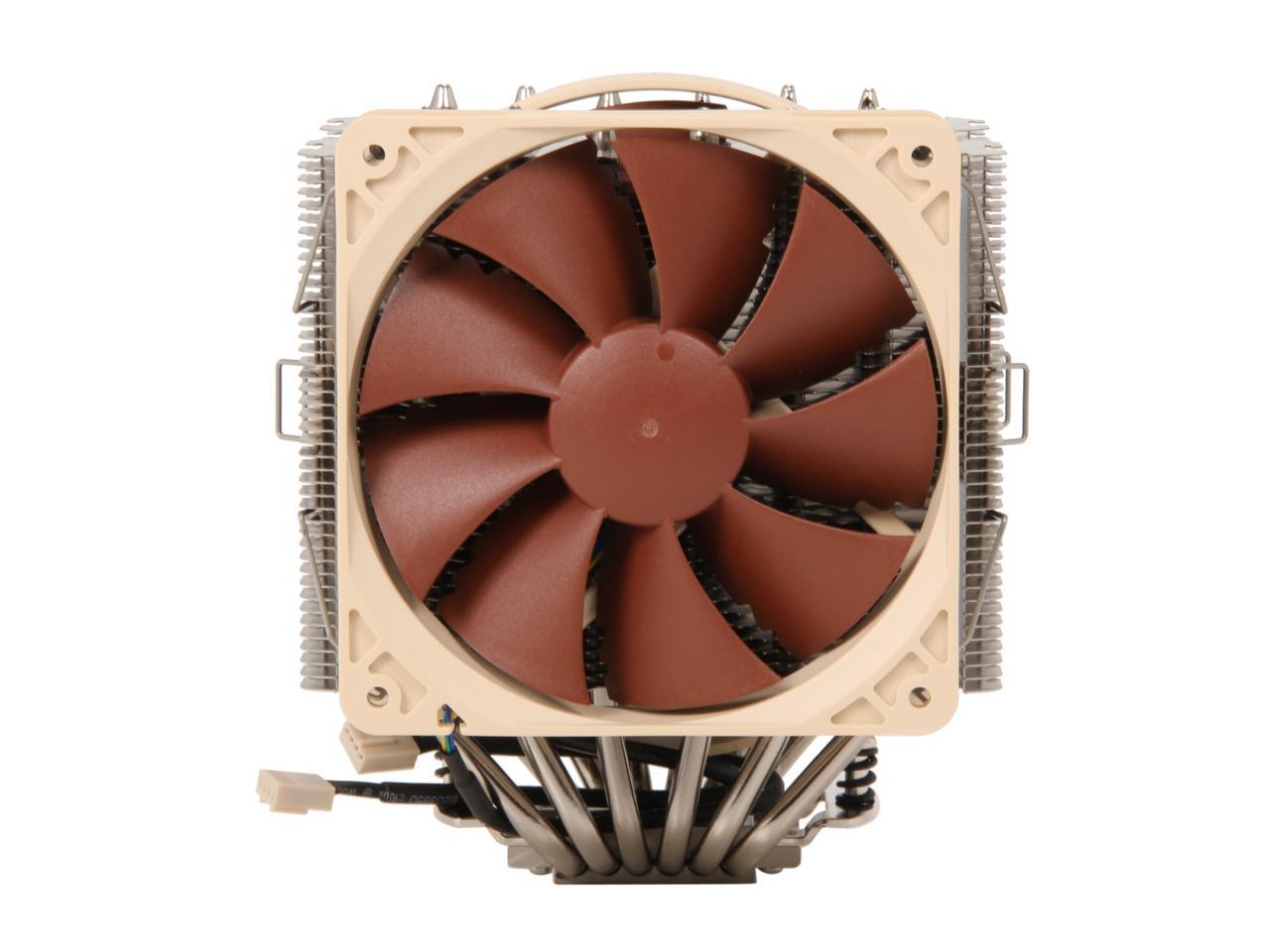
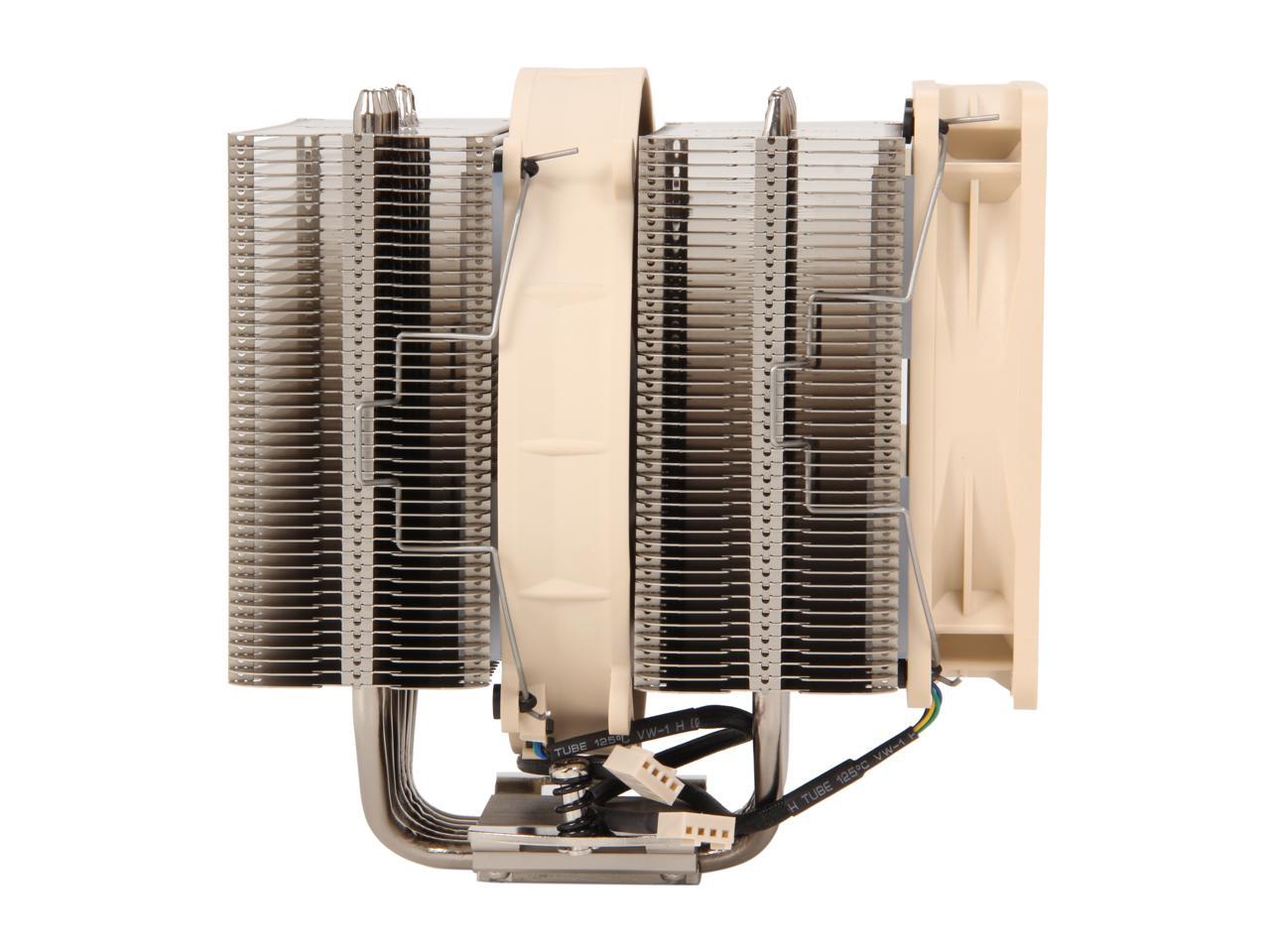
Noctua NH-D14 SE2011 140mm and 120mm SSO CPU Cooler

  • 1200 RPM (NF-P14 PWM), 1300 RPM (NF-P12 PWM) (+/- 10%)
  • 900 RPM (NF-P14 PWM), 900 RPM (NF-P12 PWM) (with Low-Noise Adaptor +/- 10%)
  • 110.3m³/h (NF-P14 PWM), 92.3m³/h (NF-P12 PWM)
  • 83.7m³/h (NF-P14 PW
  • Pin It
  • Email this page
ICON Loading...

Having received more than 250 awards and recommendations from the international press, Noctua's NH-D14 has become a benchmark in premium quality quiet cooling. The SE2011 version is a special edition for Intel's Core i7-39xx/38xx (Sandy Bridge-E) high-end platform and comes equipped with the new SecuFirm2 mounting system for LGA2011. Combined with the exquisite NF-P12/NF-P14 dual PWM fan configuration and topped off with Noctua's renowned NT-H1 thermal compound, the NH-D14 SE2011 is an elite choice for an elite platform.

  • newegg Award-winning NH-D14 cooler Tens of thousands of enthusiast users all over the world swear by the NH-D14’s quality and performance. Recommended by more than 250 international hardware websites and magazines, it is renowned to be one of the best high end coolers on the market.
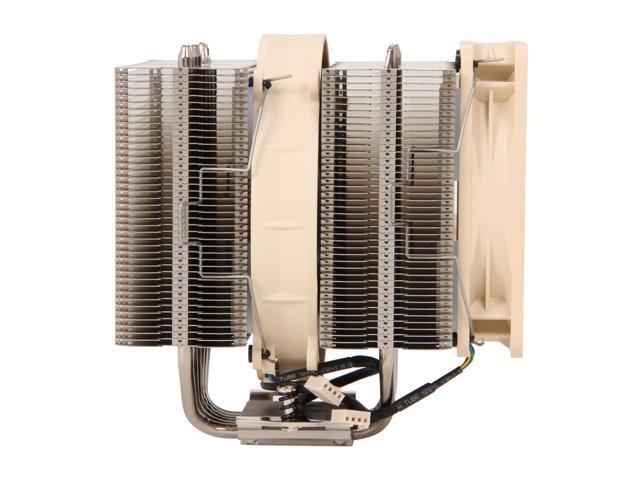
  • newegg 6 heatpipe dual radiator design Providing more surface area, better heat-distribution and superior airflow efficiency than conventional tower style heatsinks, the NH-D14’s six heatpipe dual radiator design was developed to provide ultimate quiet cooling performance in dual fan mode.
  • newegg Dual NF-P14/NF-P12 PWM fan setup The NH-D14 sports a premium quality dual PWM fan setup consisting of Noctua’s award-winning NF-P12 (120mm) and NF-P14 (140mm) fans. Supporting fully automatic PWM speed control, the NH-D14 SE2011’s NF-P12 and NF-P14 fans use Noctua’s novel, custom designed NE-FD1 PWM IC that integrates Smooth Commutation Drive (SCD) technology. By providing smoother torque impulses, SCD suppresses PWM switching noises and thus make the fans quieter at lower speeds.
  • newegg Excellent component cooling Hanging out at the bottom of the fin-stacks, the NF-P14 fan doesn’t only contribute to the NH-D14’s superb CPU cooling capabilities but also provides massive airflow over surrounding motherboard components and heatsinks, thus ensuring excellent component cooling performance.
  • newegg SecuFirm2 mounting system for LGA2011 Noctua’s enthusiast grade SecuFirm2 systems meet the highest demands in safety, contact pressure and ease-of-use. Tailor-made for LGA2011, the new NM-I2011 mounting brings the trusted SecuFirm2 quality to Intel’s new Core i7-39xx/38xx platform.
  • newegg NT-H1 thermal compound Noctua's much-acclaimed NT-H1 is a well proven pro-grade TIM solution that provides minimum thermal resistance, excellent ease-of-use and outstanding reliability.
Learn more about the Noctua NH-D14 SE2011

Model

Brand
Noctua
Model
NH-D14 SE2011

Spec

Type
Fan & Heatsinks
Fan Size
140mm and 120mm
Compatibility
LGA 2011
Bearing Type
SSO
RPM
1200 RPM (NF-P14 PWM), 1300 RPM (NF-P12 PWM) (+/- 10%)
900 RPM (NF-P14 PWM), 900 RPM (NF-P12 PWM) (with Low-Noise Adaptor +/- 10%)
Air Flow
110.3m³/h (NF-P14 PWM), 92.3m³/h (NF-P12 PWM)
83.7m³/h (NF-P14 PWM), 63.4m³/h (NF-P12 PWM) with Low-Noise Adaptor
Noise Level
19.6 dB(A) (NF-P14 PWM), 19.8 dB(A) (NF-P12 PWM)
13.2 dB(A) (NF-P14 PWM), 12.6 dB(A) (NF-P12 PWM) with Low-Noise Adaptor
Heatsink Material
Copper (base and heat-pipes), aluminium (cooling fins), soldered joints & nickel plating

Physical Spec

Fan Dimensions
140 x 140 x 25 mm
120 x 120 x 25 mm
Heatsink Dimensions
158 x 126 x 120 mm(with fan)
Weight
900g (1240g with NF-P12 & NF-P14)

Features

Features
Voltage Range: 12V

Input Power: 0.96W (NF-P14 PWM), 0.6W (NF-P12 PWM)

Award-winning NH-D14 high-end cooler with 6 heatpipe dual radiator design.

Dual NF-P14/NF-P12 PWM premium-grade fan setup for superior quietness and long-term stability.

SecuFirm2 LGA2011 mounting System and High-end Thermal Compound (NT-H1).

Package Contents

Package Contents
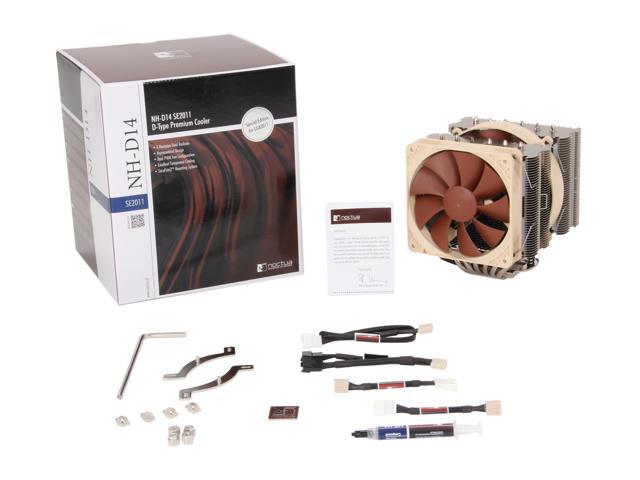
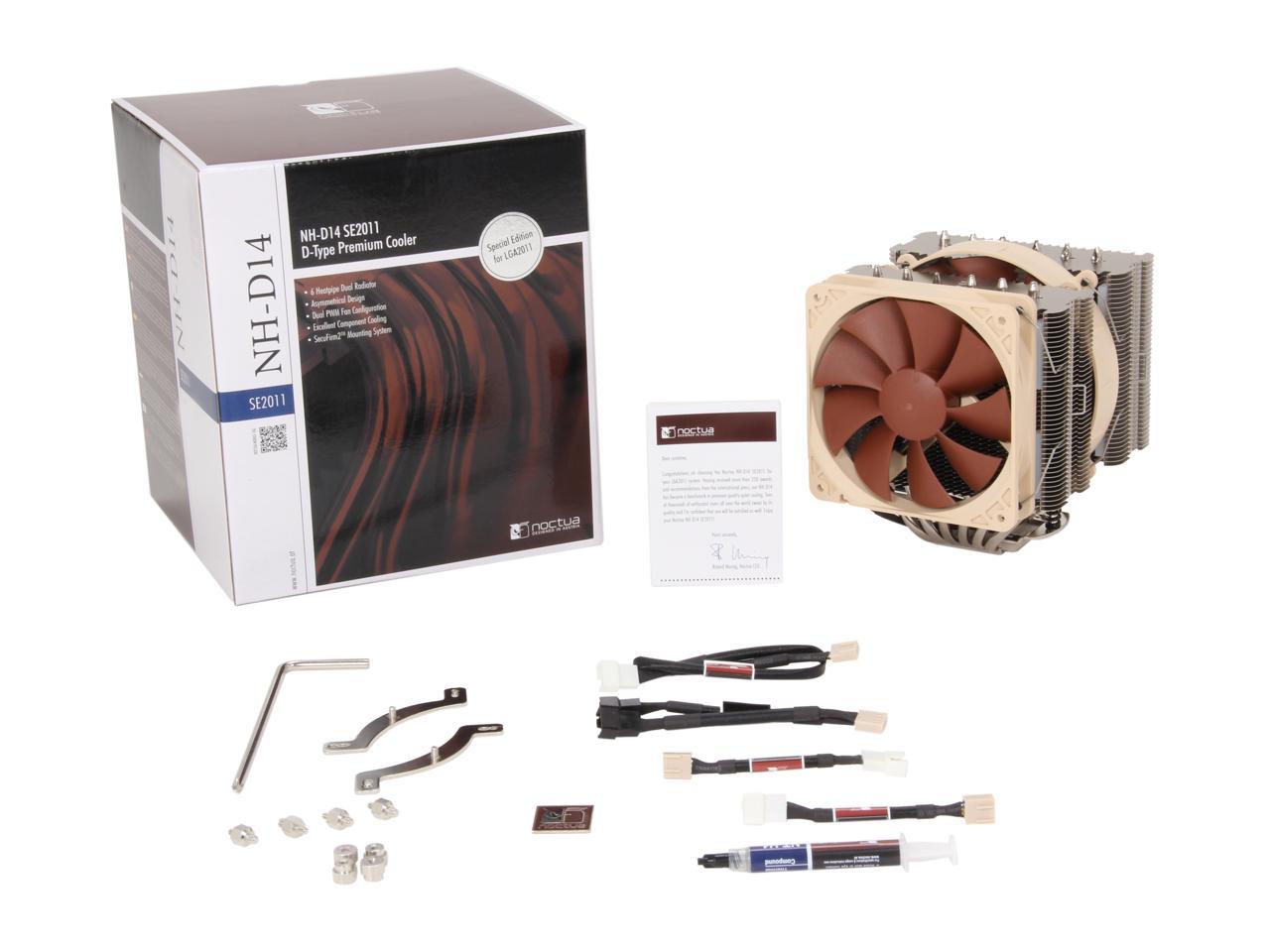
1 x NF-P14 PWM premium fan
1 x NF-P12 PWM premium fan
NT-H1 high-grade thermal compound
SecuFirm2 Mounting Kit for LGA2011

Quick Info

Warranty

  • Limited Warranty period (parts): 6 years
  • Limited Warranty period (labor): 6 years


Customer Reviews of the Noctua NH-D14 SE2011

Do you own this product? Write a Review

Filter Results

Go
  • N/A
  • 5/9/2013 5:15:43 PM
  • Tech Level: High
  • Ownership: 1 week to 1 month
  • Verified Owner

5 out of 5 eggsAlways a good brand

Pros: It does its job well, I am using the latest i7 processor under a heavy load and temps stay around 50c.

Cons: Was a bit difficult to attach using the tools provided.

Did you find this review helpful? Yes No

  • MC42D0
  • 4/18/2013 8:53:38 PM
  • Tech Level: Somewhat High
  • Ownership: 1 day to 1 week

3 out of 5 eggsWorks wells

Pros: Cools well.

Cons: Does not come with PWM fan. I didn't even bother looking at this. My cheap cooler *aster hyper 212+ comes with a PWM fan.

0 out of 2 people found this review helpful. Did you? Yes No

  • Scarcer
  • 4/7/2013 1:24:50 PM
  • Tech Level: Average
  • Ownership: 1 day to 1 week
  • Verified Owner

4 out of 5 eggsWorks Great, Just Overwhelmingly Huge

Pros: Noctua Fans are very quiet.
Moderatly low load, currently running:
[CPU Fan 1: ~ 635 rpm]
[CPU Fan 2: ~ 567 rpm]
[i7-3930k: 36*c @ 5% use, spiking to 43*c @ ~15% use]
I'm running scans in the background and the fan speeds are set to automatic so it's all variable.

Cons: The sheer size and weight of this heatsink makes it cumbersome to have installed. I probably wouldn't want it if I had a normal vertical motherboard tray.

It's easy to install, minus the 2 female screws which are tricky to thread in at first, you might need a 3rd hand to hold down the heat-sink. My thermal paste probably has air bubbles now because of the heat-sink springing up on once side as I tried to thread in the 2nd side.

The heatsink is too wide, and gets in the way of my first PCI-Express slot regardless of orientation. I had to install my GPU into a different position.

Make sure you don't get high profile RAM, I have maybe a 2mm of clearance over my GSkill 'sniper's

Other Thoughts: It's a nice piece of hardware, and very quiet; and does a good job of cooling even at lower rpm. How ever it is massive and get's in the way of things.

It probably would of been wiser instead to get a self contained Corsair CPU water cooler at a cheaper price, though I'm not sure how efficient those little things are.

1 out of 1 people found this review helpful. Did you? Yes No

  • balamt
  • 4/5/2013 9:14:04 AM
  • Tech Level: High
  • Ownership: less than 1 day
  • Verified Owner

4 out of 5 eggsMassive heat Sync

Pros: If it fit I'm sure this would have done a great job cooling the CPU.

Cons: Doesn't fit if your RAM has it's own heat sync, You will need std height or low profile ram to use this heat sync. I had to return the cooler due to my ram.

Other Thoughts: You need a large case for sure. This is massive.

Did you find this review helpful? Yes No

  • Dominar Solon
  • 3/25/2013 11:56:13 AM
  • Tech Level: High
  • Ownership: 1 day to 1 week
  • Verified Owner

4 out of 5 eggsMassive

Pros: This thing is massive. WOW, looking at the specs and picture you get a feel for the size of this thing. But it is so much more when you try holding this in one hand. I say try not because of weight but size. The enormity of this thing makes holding it in one hand unwieldy. Some users claim excellent cooling, I say maybe. I got Thermal Fusion 400 for this install. When leaving my computer to its own stock fan settings it idles around 43 when playing games with fan speeds of 950 rpm on an i7-3820-E. There is no OC on this. It is running in a Cosmos II case stock no WC. On a GA-X79-UP4 LGA 2011 with stock fan settings. On my mobo I needed to set my power levels from low to max lower if I wanted it cooler. 43c while gaming though is not bad. its also Silent.

Install was eah.
Pull the middle fan to install the unit with its screws (and screw driver) which were kind of a pain in the rear but that said I could have put this on with the mobo outside the case to make it easier. Obviously size and weight will make it impossible to put on while the case is standing tall so, don't try you will break something.

Cons: not the easiest unit to install. directions could have been better. That said I could have given it a bit more then a cursory look at the pictures. Again it was just 2 folded pieces of paper with like 12 languages on it.

Other Thoughts: I may pull this out and reapply to check that I have good conduction. I should but my paranoia tends to get the better of me.

Did you find this review helpful? Yes No

  • PornKnight
  • 3/6/2013 9:43:48 AM
  • Tech Level: High
  • Ownership: 1 day to 1 week
  • Verified Owner

3 out of 5 eggsGeez...

Pros: Stuff runs cool under load and fans are quiet

Cons: They call them thumb screws for a reason! Don't use a screwdriver to tighten the heat-sink braces. One of the screws twisted right off... DOH! Luckily these are just big PCB mounts. I was able to fabricate another that worked perfectly. Also, this thing sits so high I had to remove the fans from the side of the case which I wasn't expecting. Lastly, had to set the BIOS to ignore the CPU fan speed as they spin so slowly.

Other Thoughts: Works well but is overpriced. I'm glad I could make a replacement knockoff otherwise I would have been really mad! I wish I had gone with a liquid-cooler instead.

1 out of 1 people found this review helpful. Did you? Yes No

  • MrBob7777
  • 2/21/2013 6:22:18 PM
  • Tech Level: Somewhat High
  • Ownership: 1 day to 1 week
  • Verified Owner

5 out of 5 eggsBest Air Cooler I Have Ever Used

Pros: Keeps my i7 3930k Six Core CPU at around 40 degrees under load and at 32 to 35 degrees the rest of the time.

Install was simple.

The included Noctua NT-H1 Thermal Compound works great.On the same level as Arctic Silver.

Noctua is a good company.Not only is this cooler outstanding but so is their customer service.I requested a couple extra wire fan clips from their site and after i emailed them my NewEgg invoice as proof of purchase they sent the clips to me free of charge.

Cons: None

Other Thoughts: An outstanding air cooler.Worth every penny.

5 out of 5 people found this review helpful. Did you? Yes No

  • Fraser
  • 2/18/2013 3:24:54 PM
  • Tech Level: High
  • Ownership: 1 month to 1 year
  • Verified Owner

5 out of 5 eggsExcellent CPU Cooler

Pros: Excellent air cooling; Amazing technical support; Quiet; Easy to clean

Cons: Absolutely massive and not at all discrete. But that's to be expected in a high-end air cooler. So make sure your case is big enough for it.

Other Thoughts: I have an i7 3770k and it is one hell of a hot processor, Intel changed the thermal interface on the top of their Ivy bridge line so now they heat up far more than the Sandy bridge ever did. This keeps my CPU at a clean 34 degrees when running at max load and at 25 degrees when idle, that is some insane cooling. Also it is quite the jet engine and produces great case airflow, just make sue you have enough coming in s that you dont create too much of a vacum.

Also, my cooling unit was shipped without the Intel mounting kit for installation so I had to make do with the stock cooler: bad idea, it went up to 90 degrees before i hard shutoff the PC and replaced Intel's sub-par thermal gel and still it stayed idle at 45 degrees. I sent an email to Noctua's tech support team and they responded within the same day, and took no longer to respond than a day for any further emails. They sent me the parts free of charge, all I had to do was show them the invoice. No hassle, no hoops to jump through. Just great customer service.

Final Thoughts: I highly recommend this cooler to any enthusiast building a high performance machine, especially for gaming. It is an excellent, well built cooler. Noctua provided great, prompt support and I will be using their coolers in all of my future builds.

My Build:
CPU: Intel i7 3770k @ 3.9GHz Overclocked
CPU Cooler: NH-D14 Noctua
RAM: 16gb Corsair Vengance 1600Mhz DDR3
Motherboard: ASUS P8Z77-V LE Plus (LGA1155)
Graphics Card: Nvidia GTX 680 2048Mb GDDR5
Hard Drives: 750Gb Seagate 5200rpm, 2Tb Seagate 5200rpm, 750Gb Seagate 7200rpm
Optical Drive: HP DVD 24x

Keyboard: Steelseries Merc Stealth
Mouse: Razer Lachesis 3.5g 5600DPI
Monitors: Viewsonic VX2753 27”, HP w2338h 24”

2 out of 2 people found this review helpful. Did you? Yes No

  • N/A
  • 2/17/2013 4:13:43 PM
  • Tech Level: High
  • Ownership: 1 month to 1 year
  • Verified Owner

5 out of 5 eggsNice fit After Modification and keeps cool

Pros: Overclocked i7 3920 to 4.6 ghz using 125 MHz Bus x 37 multiplier voltage around 1.38. Running prime95 stress test for over 5 hours now and peaked temp only reached 65C all 4 cores and all threads under 100% load. This thing is a beast and keeps CPU cool. I ordered a water cooler and I'm going to compare the 2.

Cons: Very Huge, I have 64 GB of ram on my Asus p79 Pro motherboard with high heat sinks. I had to remove the fans and then bend the bottom part of the grills up to make room for clearance. I then reattached the fans and everything worked out fine. I used the thermal grease that was already applied and was able to overclock to 4.67 GHZ with no issues on a partial locked CPU.

Other Thoughts: If you have a big wide case then get it, if you have a normal size case it will not be wide enough. I have a Thermaltake Level 10 GT Snow Edition case and it just barely fits. That's how huge this thing is.

1 out of 1 people found this review helpful. Did you? Yes No

  • Steve
  • 2/12/2013 7:40:05 AM
  • Tech Level: High
  • Ownership: 1 week to 1 month
  • Verified Owner

5 out of 5 eggsGreat heatsink/fan

Pros: About the best cooling you can get before going to water. Clears most ram with modest heat spreaders. Great mounting system. Very high quality. Great fans, nice and quiet.

Cons: None. It's big, but that's just par for the course.

Other Thoughts: Using it on an overclocked i7 and it keeps the CPU nice and cool. I really like that Noctua tries to accommodate the need to clear nearby memory. So many heatsink/fan combos seem to have been designed under the assumption that motherboards are barren for an acre or two around the CPU, which is NEVER the case.

1 out of 1 people found this review helpful. Did you? Yes No

ICON Loading...
Are you an E-Blast Insider? Subscribe Newegg e-Blast

Buzz

Helpful Info

5 out of 5 eggs
It seems as if people are rating this product extremely low, not because of performance, but compatibility issues. Noctua ...
— tightlefty 1/10/2012

Get low profile ram

5 out of 5 eggs
Extremely quiet, keeps the cpu (3930k) relatively cool. No worries about leaky water cooling.
— Colin D. 1/10/2012


PayPal
Shop without retyping payment details. Secure shopping made faster.
Check out with PayPal.

Financing


Home
Home > 
Computer Hardware > 
Fans & Heatsinks > 
CPU Fans & Heatsinks > 
Noctua > 
Item#: N82E16835608024
LOADING... LOADING...
Shop by Region: United States | Canada | China
Follow us:   RSS Feeds Youtube
VeriSign Reliability Seal1This site protected by Trustwave's Trusted Commerce program Inc500
Policy & Agreement | Privacy Policy  © 2000-2013 Newegg Inc.  All rights reserved.
If the Adobe Reader does not appear when you click on a link for a PDF file, you can download Adobe Reader from the Adobe web site. nassau