Skip to: |

Newegg.com - A great place to buy computers, computer parts, electronics, software, accessories, and DVDs online. With great prices, fast shipping, and top-rated customer service - once you know, you Newegg.

If you are reading this message, Please click this link to reload this page.(Do not use your browser's "Refresh" button). Please email us if you're running the latest version of your browser and you still see this message.

Newegg.com - Computer Parts, Laptops, Electronics, HDTVs, Digital Cameras and More!

  • | Wish List
  • Help
Search all
Search

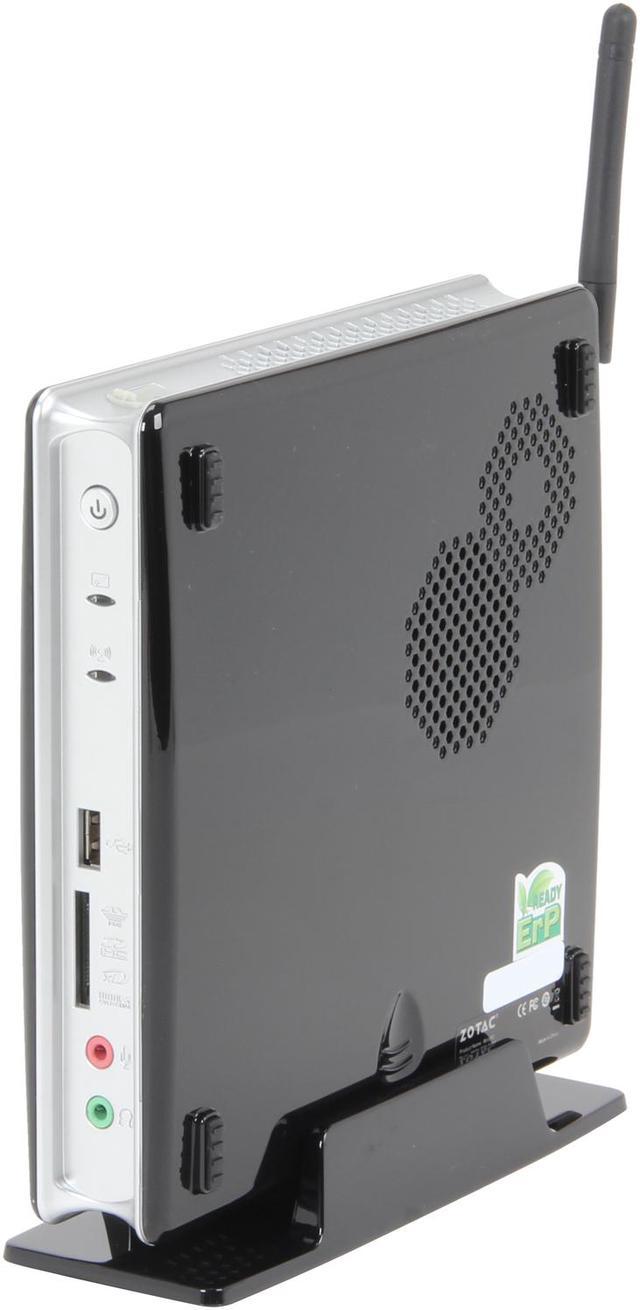
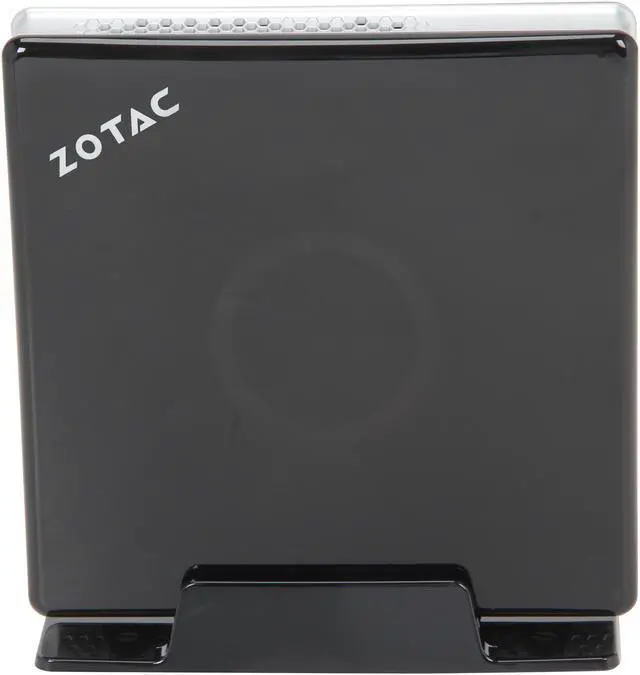
Zotac ZBOX-ID80-U Intel NM10 2 x 204Pin NVIDIA GeForce GT520M Black Mini / Booksize Barebone System

  • Intel NM10
  • Intel Atom D2700 (2.13 GHz, dual-core)
  • NVIDIA GeForce GT520M
  • 2 x 204Pin
  • Pin It
  • Email this page
ICON Loading...

Learn more about the ZOTAC ZBOX-ID80-U

General

Brand
Zotac
Model
ZBOX-ID80-U
Color
Black

CPU Supported

CPU Type
Intel Atom D2700 (2.13 GHz, dual-core)

Chipset

North Bridge
Intel NM10

Memory Supported

Memory slot
2 x 204Pin
Memory Type Supported
DDR3 1066
Max Memory Supported
4GB

Storage

Serial ATA
1 x SATA 3.0Gb/s

Graphics

Onboard Video
NVIDIA GeForce GT520M

Communications

Max LAN Speed
10/100/1000Mbps
Wireless LAN
802.11 b/g/n

Extension Bays

2.5" Internal Bays
1

Front Panel Ports

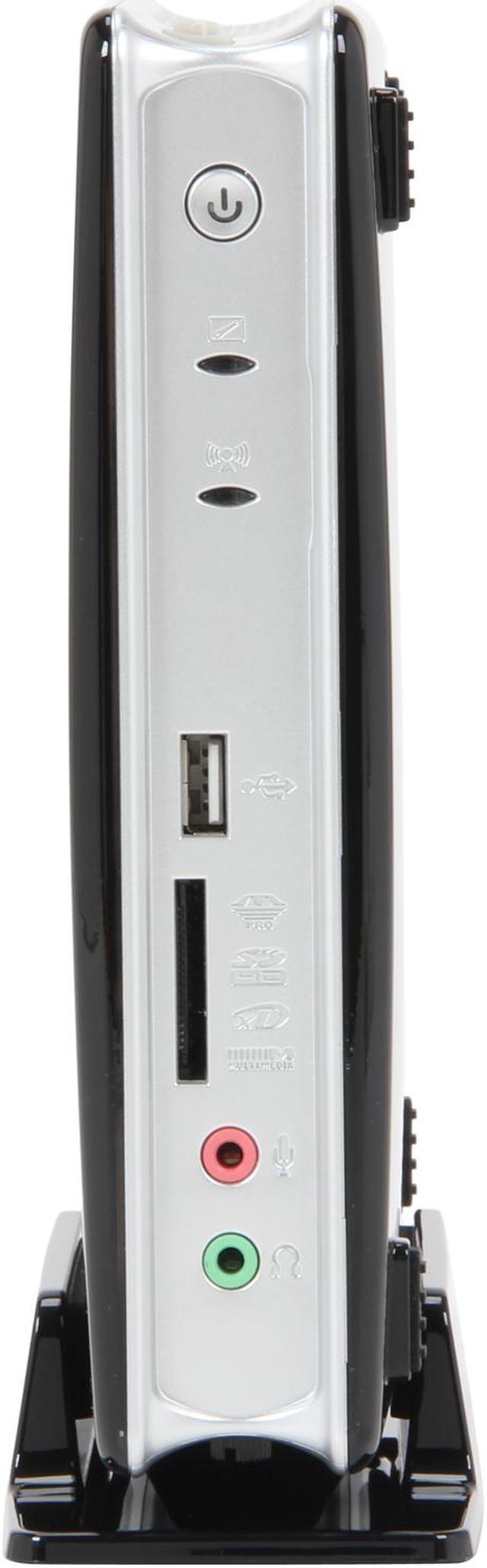
Front USB
2 x USB 2.0 (1 @top, 1 @front)
Front Audio Ports
2 jacks
Card Reader
6-in-1 Memory card reader (MMC/SD/SDHC/MS/MS Pro/xD)

Back Panel Ports

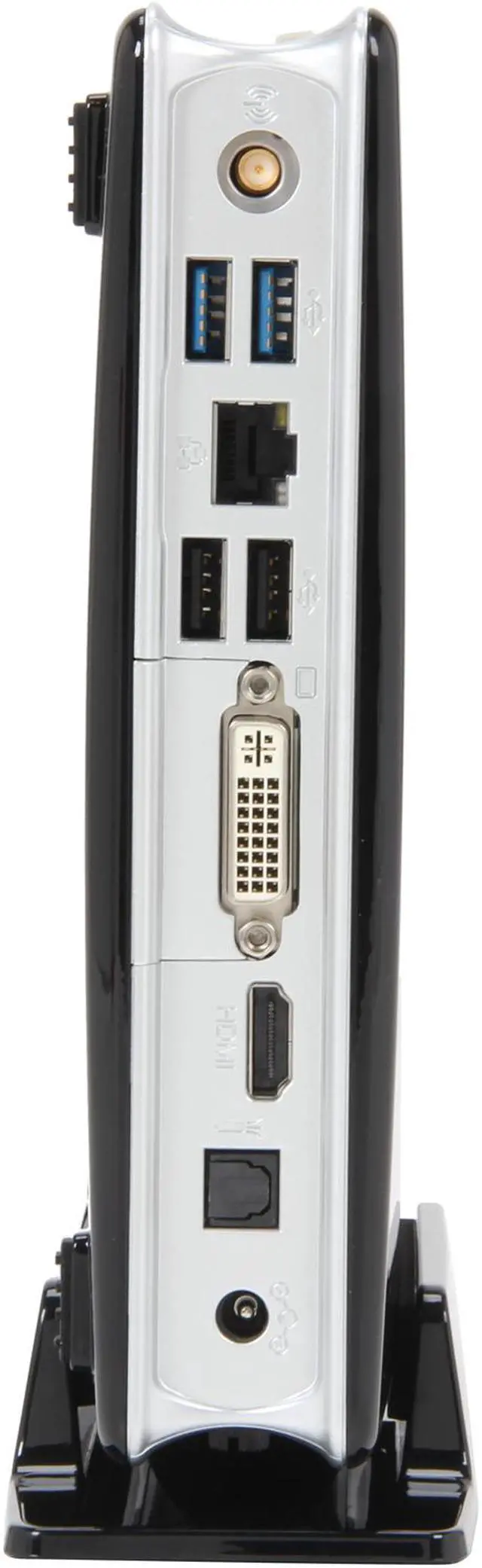
HDMI
1
VGA
1 x DVI
Rear USB
2 x USB 3.0 ports
2 x USB 2.0 ports
RJ45
1
Rear S/PDIF Out
1 x Optical output

Physical SPEC

Dimensions
7.4" x 7.4" x 1.73"

Features

Remote Control
Yes
Features
NVIDIA PureVideo HD technology

NVIDIA CUDA technology

Adobe Flash Player 10.1 acceleration

Microsoft DirectX 11 compatible

Microsoft DirectCompute ready

OpenGL 4.1 compatible

Integrated 802.11n WiFi & Bluetooth 3.0

Packaging

Packaging
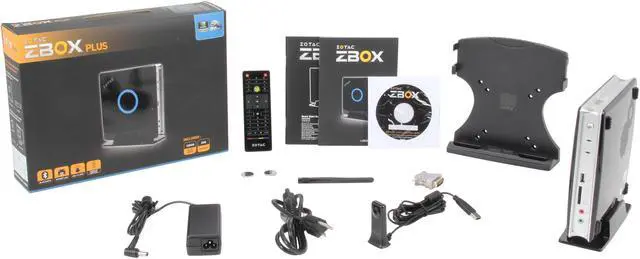
ZOTAC ZBOX ID80
Power brick & cable
VESA monitor mount (w/4 screws)
Stand
WiFI antenna
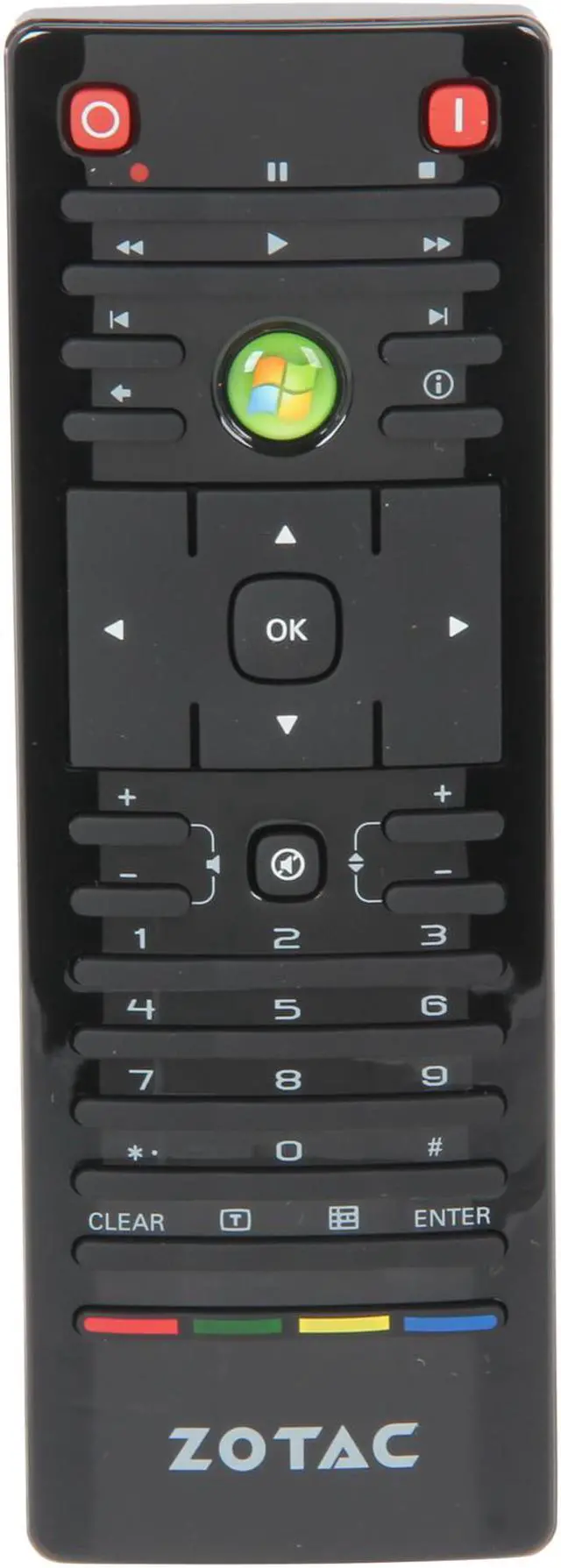
Media Remote w/ USB IR receiver

Quick Info

Warranty

  • Limited Warranty period (parts): 1 year
  • Limited Warranty period (labor): 1 year


Customer Reviews of the ZOTAC ZBOX-ID80-U

Do you own this product? Write a Review

Filter Results

Go
  • MythTV User
  • 4/4/2013 5:52:19 PM
  • Tech Level: High
  • Ownership: 1 day to 1 week
  • Verified Owner

5 out of 5 eggsPerfect MythTV Frontend

Pros: Small, silent, and streams 1080p mkvs on Linux. This was my criteria, and it meets every need perfectly. Running Mint14 / MythTV 0.26 - plays any mkv I can throw at it flawlessly with Nvidia proprietary driver & VDPAU setting in MythTV.

Hardware install was much easier than other mini PCs I have tried (don't have to pry anything open etc.). Not a critical point, just nice.

No problems getting 5.1 sound working through HDMI.

Came with a free SSD at the time.

Cons: It does seem to be getting a little warm, but it isn't as hot as other reviews made me believe it would be. I haven't noticed any problems because of it., but I do have it in an open area in an air-conditioned room

Other Thoughts: Tried a Foxconn mini PC w/ ATI for a previous MythTV frontend, but later learned the woes of ATI video drivers on Linux. It would play about half of my 720p content, and none of my 1080p. Definitely go with an Nvidia card for Linux HTPC -- ATI & linux don't play nice. There is information out there about this, but I didn't even think about this being a problem when I was building the other box.

I can't comment to wifi capabilities, I have it wired.

I wish the IR receiver was built into the case for my purposes, but I can understand they they didn't - it would go against the idea of VESA mounting...

Did you find this review helpful? Yes No

  • N/A
  • 3/28/2013 9:02:57 AM
  • Tech Level: High
  • Ownership: 1 week to 1 month
  • Verified Owner

3 out of 5 eggsRelatively Nice

Pros: Supports Windows 7 Pro 64 bit
Supports 8gb of ram
nVidia card
USB 3.0
Internal BlueTooth
Optical Audio Out & HDMI (for my home theater)
Dual Core Atom with 2 additional threads
Already on latest BIOS

Cons: Product Spec Capacity & Compatibility is incorrect.
Max ram of 1066mhz (PC3 8500) Will downclock higher memory.
Sata II
Poor Antenna Quality. I have replaced with an old Linksys one and 0 issues since.
Proprietary nVidia drivers v296.11 and would not recognize the card using the direct nVidia latest version.

DO NOT USE THE USB3 PORT FOR OS INSTALL.

Other Thoughts: Unpacking and configuring: The BIOS is relatively friendly. I did switch from IDE to AHCI mode to better support the free SSD that came with this kit. You can also disable Hyper Threading if you needed.

During Windows 7 install, the pc would hard power down and reboot. This happened twice during the main OS install which made me start the whole process over. It BSOD & hard rebooted at least 3 or 4 more times after it got successfully to the desktop and all drivers installed. This had me worried.

I went through the bios and found the "Smart Fan" setting was at 30% low and 70% high. I changed to 50% low and 100% high. Since I have adjusted to max fan speed, fingers crossed, this unit has not hard reset on me.

To re-cap: I have Windows 7 64 bit Pro installed with 2x 4gb DDR3 1333ghz (PC3-10600) memory that is automatically limited to 1066mhz recognized full 8gb. All drivers provided from Zotac. Windows Update provided the 311.06 version of nvidia driver. I have been running Prime95 for 3 hours straight with no hard resets and stays ~130-135 degrees F at full load and ~120-125 at idle.

Windows Experience Index Scores:
Processor: 3.8
Memory: 5.1
Graphics: 5.1
Gaming Graphics: 5.8
Primary HD: 7.7

For the price, I am satisfied. I will adjust my rating after another week of heavy use.

Did you find this review helpful? Yes No

  • N/A
  • 10/10/2012 6:26:41 PM
  • Tech Level: High
  • Ownership: 1 week to 1 month
  • Verified Owner

5 out of 5 eggsPleasantly surprised!

Pros: Low Power
Easy Setup
Cost wasn't to bad

Cons: None

Other Thoughts: I bought this for a Ubuntu/XBMC setup. Everything worked fine. Plays 30-35g HD MKV files no problems over wired 10/100/1000 switch. Wireless plays SD videos just fine. I do only have G so not sure if N would play HD wireless. Overall it exceeded my expectations. I could recommend this for a general use computer with Ubuntu or Windows 7 or a similar media server. I paired this with 4gb crucial memory (Item #: N82E16820148191) (over kill for my needs) and an OCZ 60gb SD (Item #: N82E16820227725). Worked perfect for my needs.

1 out of 1 people found this review helpful. Did you? Yes No

  • N/A
  • 9/23/2012 3:41:31 AM
  • Tech Level: High
  • Ownership: 1 day to 1 week
  • Verified Owner

4 out of 5 eggsdecent but hot casing

Pros: - small
- flexible
- easy setup
- works well for my uses

Cons: - hot

Zotac could of, and by all rights, should have used a larger cooler in this unit. the actual chips run @ 41c on the atom and 51 on the gfx chip for web surfing and light use.

Other Thoughts: Even with a 7200 rpm drive in here the cpu still seems slow when installing certain things like updates and such, I had tried disabling hyper threading to run the chip cooler but operation became too laggy. with hyper threading things are much better.

Aside from the case getting a bit hot the actual parts stay within safe temps. zotac could of fit a better cooler in here which is why I took an egg off.

other than the above I can't find anything else wrong with this box, I expect it will fill my needs for a while to come.

Did you find this review helpful? Yes No

  • N/A
  • 8/17/2012 1:13:44 PM
  • Tech Level: Somewhat High
  • Ownership: 1 week to 1 month
  • Verified Owner

2 out of 5 eggszbox

Pros: - small, low power consumption, cheap$
- XBMC streaming 1080p mkv wirelessly without issue.
- comes with VESA mount and a USB IR receiver that works with my harmony remote as MCE keyboard.
- quick boot with SSD installed.

Cons: - this box runs very hot! it even makes my SSD hot after 15min of watching video.
- case and remote feel kinda cheap, plus the case attract fingerprints
- AHCI mode didn't work for my Intel SSD, only IDE mode worked
- i hate LED light on HTPC. You can turn off the Blue circle in BIOS, but the red light on the power button is always ON. There is also a blue wifi signal light, and a white harddrive light.
- remote can put device into "sleep", but "wake up" only works half of the time. If it doesn't wake from sleep, you have to unplug and reset it.

Other Thoughts: Everything was working when I first got it, but after updating the BIOS and reinstalling windows7, it won't boot.
Returned for refund.

Did you find this review helpful? Yes No

  • GAiDENgt
  • 7/23/2012 9:12:55 PM
  • Tech Level: High
  • Ownership: 1 week to 1 month
  • Verified Owner

4 out of 5 eggsAwesome box once I tweaked it

Pros: Very compact (smaller than a Wii), silent on default settings, lots of new tech built in (802.11n, USB 3.0, card reader, GeForce520M, UEFI motherboard), super easy to open and install hardware, VESA mount for a very clean installation on the back of a LCD. Paired with a wireless keyboard and mouse it made a brilliant kiosk system.

Cons: Random hardware hangs and crashes for the first few days. My add-on components were tested separately and were fine (GSkill 4GB SO-DIMM and OCZ Vertex3 SSD), so I started to question the mobo. Even though the temps looked fine for the system, CPU, and GPU, the initial smart fan settings were 30% min and 80% max and I never heard the fan kick in at all (see pros). Raised the min to 60% and the max to 100% and the hangs stopped completely. Even ran Prime95 torture test to verify with no problems -- a huge step up from just the BIOS setup screen overheating the computer (actually happened). Zotac forums were filled with complaints about similiar issues, especially hanging on S3 sleep mode, but Zotac has issued a BIOS update that seems to have fixed these as well. I didn't bother installing since my fan speed changes worked for me (my philosophy has always been don't update the BIOS unless you REALLY have to....) but it's good to know there's a confirmed BIOS fix waiting as well.

Other Thoughts: 3.8 Windows Experience Index due to the Intel Atom. Everything else was a 5.8 or above (SSD rates 7.8 on disk throughput!). While normal, everyday tasks are super responsive and breezy (web browsing, e-mail, full screen video, netflix, etc.), this is not the core of a gaming machine or any other high performance build. But if you're looking to build a super slick kiosk type system, this is perfect and seemed to be the best option among all the miniPC boxes I researched. It would have been nice to have the mobo working a bit better out of the box, but overall I'm really happy and will be looking at Zotac products again.

Did you find this review helpful? Yes No

  • N/A
  • 7/11/2012 6:50:47 PM
  • Tech Level: Somewhat High
  • Ownership: 1 month to 1 year
  • Verified Owner

5 out of 5 eggsGood Little PC

Pros: Small - About the size of an average router.

Stable - No crashes or errors (w/ BIOS update, see below)

Decent GPU - Can handle light gaming such as WoW on modest settings and HD video (if player supports GPU acceleration)

Many updated drivers are available through the manufacturer's site as well as through individual H/W component sites.

In general, I feel that this is a good system and worth it far as cost/performance/size. It is not the ultimate media machine but does a good job while keeping a low profile.

I'm rating it 5 because I feel it is exactly what was represented in the descriptions and it is what I expected. People who buy this should be willing to tweak the BIOS and get updates. An external DVD drive will likely be required for software installation. Don't buy this expecting more than what is promised.

Cons: Hot, but it can be helped at the expense of noise. I'm one to lean towards the cautious side so I set the fan control to run at max speed. IMO, it is not noticeable over music/video playback. Pending on room temps, my system is idle at 38-42C and max at ~60C.

HD video playback (1080p specifically) without GPU acceleration is brutal. Atom processor just can't handle it.

I'm not too sure about the video drivers. I've yet to see an update through Zotac and they are not available on the GPU manufacturer's site. There are no issues that I've noticed, but it is still nice to know that if an issue should arrive, it will be supported.

Other Thoughts: First thing! Check for BIOS updates! It will fix several issues that people have complained about in their reviews.

To the people that complain about the blue illuminated ring: It CAN be disabled in the BIOS.

The sleep/hibernate issue has been fixed in the latest firmware update.

There also was an issue with Java crashing. Programs like Intel's SSD Toolbox would crash during install due to using a Java based installer. This issue has also been fixed in the latest firmware update.

About the complaint of the fan being always on, my system does not have this issue and I'd assume it is either a defective unit or needs to be updated.

Tips for mounting with the VESA mount:

Make sure your TV/monitor has a flat surface about 3 inches around mounting location. I've found many screens out there that will have gradual curves throwing off alignment. This clearance tip also goes for cable connections. Make sure it will not overlap.

1 out of 1 people found this review helpful. Did you? Yes No

  • shadowfamicom
  • 5/30/2012 12:57:11 PM
  • Tech Level: High
  • Ownership: 1 month to 1 year
  • Verified Owner

5 out of 5 eggsFreakin Awesome

Pros: Very small, works great as a small computer with a tiny energy footprint for a media server and file server that I leave on 24/7. Popped in 2x2gb Mushkin ram sticks, used external DVD drive to install windows 7 64 Ultimate. Installed everything I need with USB mouse and keyboard. Owned for a month and not a single BSOD or crash. Sits at 43C and maxs at 57C. Easy to open up and install 7200 RPM HDD. It's attached by the DVI port to a Dell 27 inch monitor at 1920x1200 and seems to have no problem playing the 1080p videos I tested using VLC media player. Remote works with lots of other programs as well as Windows Media Player/Center. Hooked up USB 3.0 external Drive with two 3tb drives in it. Gigabit speeds are great for the network. Boots really fast even without an SSD.

Cons: Blue light ring.
Remote uses CR2032 batteries, though they are included.
Remote buttons and overall size is tiny.

Other Thoughts: When I installed first thing I did was set CPU fan speed to 100% in BIOS, sure it makes it more noisy (no more noisy then a graphics card fan at 70% speed) but it keeps it better cooled. Then ran Memtest and tested all the RAM for hours. USB 3.0 ports will not work until you install drivers. Saw no real difference in temps if vertical or horizontal. Probably would be even cooler if I used a smaller drive, external or even SD card for the OS (as it would give better airflow to the inside). Put the CPU through Orthos CPU and RAM tests.

Not sure why people are having so much trouble setting this comp up. Has to be one of the most simple bare bone PC setups I have ever done. Zotac Has a costumer for life.

1 out of 1 people found this review helpful. Did you? Yes No

  • TJMaxxx
  • 5/24/2012 6:35:50 AM
  • Tech Level: High
  • Ownership: 1 week to 1 month
  • Verified Owner

2 out of 5 eggsBIOS problems!

Pros: 1. Small form factor
2. Silent
3. Higher video performance compared to other Atom processor systems
4. It can be mounted onto the backside of wall-mounted TV (I used some double sided tape and string to fasten it to the TV, so it's hidden from view)

Cons: 1. BIOS problems
- Sleep/suspend does not work well (it works intermittently)
- Fan stays on after shutting down the computer, so I need to manually pull out the power cord
- System does not turn right back on after shutting down. I need to wait 1-3 mins before the system cools down to power it on again.
2. Heat
3. Bright blue light, but since it's mounted behind the TV, I can't see the blue light unless all the lights are turned off

Other Thoughts: Do your research on BIOS problems. I wish I would have done it before getting this device. You will see that a lot of people are having the same issues I mentioned above. Apparently, there was a BIOS update, but it didn't fix any problems so they dropped the BIOS update and a lot of people are left hanging. Other than BIOS and heat issue, it's a solid device in my opinion. I would wait to see if Zotac will release a new BIOS for this device that will actually fix the problems that are mentioned above.

0 out of 2 people found this review helpful. Did you? Yes No

  • N/A
  • 5/23/2012 12:04:50 AM
  • Tech Level: High
  • Ownership: 1 week to 1 month
  • Verified Owner

1 out of 5 eggsYet another exercise in beta testing

Pros: * Compact
* Low power
* Low cost
* Decent XBMC streamer when it actually powers/wakes up

Cons: * Runs HOT
* IR remote will not wake from Hibernate
* IR remote only wakes from Sleep about half of the time
* When it doesn't wake from Sleep, it is completely frozen and can only be reset by holding the power button to turn it off and pressing the power button again to turn it on.

Other Thoughts: I am returning this because the included IR remote will not wake it up from Standby or Hibernate, and will only successfully wake it from Sleep about half of the time. This is apparently a known issue with the BIOS that could be heat related. Search for it on the internet using the following terms:
zotac id80 does not boot
I'm really tired of being a beta tester for companies. The truly frustrating part is that the only other similarly priced alternatives are either similar hardware from companies with somewhat questionable reputations depending on who you ask (Xtreamer Ultra 2), or boxes that use older versions of the CPU (Atom D525) and GPU (ION). The next step up to prebuilt Core i3 based HTPC boxes like the Asrock Vision 3D require a HUGE $600-$700 jump in price. I was really hoping this would be the best blend of technology and price, but it doesn't do any good if you can't get it to turn back on.

0 out of 1 people found this review helpful. Did you? Yes No

ICON Loading...
Are you an E-Blast Insider? Subscribe Newegg e-Blast

Buzz

Pleasantly surprised!

5 out of 5 eggs
Low Power
Easy Setup
Cost wasn't to bad
— 10/10/2012

Good Little PC

5 out of 5 eggs
Small - About the size of an average router.

Stable - No crashes or errors (w/ BIOS update, see below)

Decent ...
— 7/11/2012


PayPal
Shop without retyping payment details. Secure shopping made faster.
Check out with PayPal.

Financing


LOADING... LOADING...
Shop by Region: United States | Canada | China
VeriSign Click for the BBB Business Review of this Computers - Supplies & Parts in Whittier CAThis site protected by Trustwave's Trusted Commerce program Inc500
Policy & Agreement | Privacy Policy  © 2000-2013 Newegg Inc.  All rights reserved.
If the Adobe Reader does not appear when you click on a link for a PDF file, you can download Adobe Reader from the Adobe web site. nassau