-
Deactivated Item
-
-

-
Manufacturer Contact Info
Return Policies
This item is covered by Newegg.com's Standard Return Policy.
- Return for refund within: 30 days
- Return for replacement within: 30 days
- Restocking Fee: Yes
|
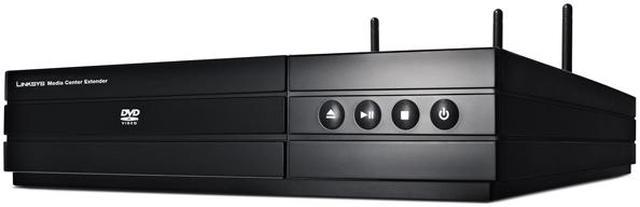
Your Windows Vista Media Center (Home Premium or Ultimate edition) has it all: photos, movies, music built-in DVD player; with an optional TV tuner, you can even watch your favorite show on it. But your tv and easy chair are in the livingroom, and the computer is down the hall, or upstairs. Enter LinkSys's Media Center Extender.
You've already got a local network, so hooking it up is a cinch: connect your Vista computer to the LAN, hook in a cable from your router or use your wireless router to connect the Extender, and hook the other end of the Extender to your TV. Now you can do pretty much anything you could do with the Vista Media Center, but on the screen or in the room of your choice.
Going wireless means you don't even have to route new cables, and it is compatible with both the 802.11b/g standard and the 802.11n standard for maximum compatibility with older routers or the newest. Take a look and decide for yourself; we'll be ready when you are.
-
- 5
-

- 35%
- 4
-

- 28%
- 3
-

- 10%
- 2
-

- 14%
- 1
-

- 13%
| Product Rating: |
   
|
| Total Reviews: |
69 |
So close
- Pros: -Pretty good build quality on the unit itself (no sharp metal poking out, good wireless performance, etc.)
-Dead silent -Builtin DVD player -Its a Media Center Extender
- Cons: -Codec support? May be just me but MP4 with AAC is pretty much the only high quality good compression codec that wants to play on this thing. WMV might work but does that really qualify?
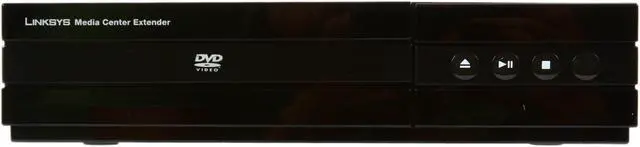
-Silk Screened buttons are wearing off on my unit. Eject is gone now. Maybe Linksys could recess some of the button shape and silkscreen that in so that it would last longer. This is one month of usage. Fairly heavy though as its in the kids play room and they watch lots of DVDs. -Occasionally Locks up while playing DVD's. -Occasionally hangs while in the Media Center based menus. 20 maybe 30 seconds then it will roll through all the buttons you have pressed in the meantime trying to get it sorted out. -MSNVideo doesn't seem to want to play on it. I get an error about a missing codec and am asked to restart the extender and/or the Media Center host.
- Other Thoughts: This is my first experience with Vista Home Premium and a Media Center setup, let alone one with a Media Center Extender, but with all of the negatives so far I think I am still overall very satisfied with the unit and the Extender concept in general. I don't have any of the other specific lockup problems mentioned here and elsewhere on the net (thegreenbutton), but the ones that I do have are making me lean towards building an HTPC to get rid of any slowness issues in the main viewing area of my house. Also menu responsiveness wasn't BAD over a .11n network, but it did get much smoother and predictable when I went to a wired setup.
- Pros: Newegg & UPS outdid themselves this time - at my door within 24 hours of ordering. The DMA 2200 is compact, nearly half that of conventional DVD player. Easy setup: Plug in power, HDMI and ethernet cables and follow on screen menus. Quiet and does not overheat (unlike a certain gaming machine). Does what I wanted: primarily view recorded HD from media PC at a remote TV. Works as advertised with Vista MC. Remote music and most internet media functions behave as on the media PC.
- Cons: Menu performance is slow - I guess to be expected from a network. The wife says the media center operation is a bit complicated for the non-techy. I suppose a rental DVR from the cable company makes more sense, but I hate paying them more every month. Remote is cheap looking with tiny buttons. Could have used larger back lit buttons more suited to the over 50 crowd. Comes with more cables than needed - except no HDMI cable(so get one at low cost from Newegg).
- Other Thoughts: Can't comment to Wireless operation, as I felt running a cable cheaper than buying an "N" router. When writers strike is over, I may look to add a 2nd tuner card. Connecting to PC: Vista-64 Ult, AMD x2 6400+, M2N-SLI Del, 8800GT, 2x 500gb WD SATA Raid 0, 1x Aver PCI-e tuner(with beta drivers for clear QAM channels in WMC).
| Model | DMA2200 |
| Wireless Standard | IEEE 802.11b/g/n |
-
- 5
-

- 35%
- 4
-

- 28%
- 3
-

- 10%
- 2
-

- 14%
- 1
-

- 13%
| Product Rating: |
   
|
| Total Reviews: |
69 |
Mediocre
- Pros: Watch Live TV, recorded TV, pictures, videos, and DVDs. HDMI, Composite HD, RCA standard, and s-video outputs.
Upgrading firmware is very easy, however the firmware updates have yet to address the many minor flaws of the devices.
Technical support is OK, but hard to reach.
- Cons: So many minor flaws:
- Remote SUCKS; it has very little range - DVD playback will sometimes stutter because the device is reconnecting to the computer, even though a computer connection shouldn't even be required - The DVD player doesn't do the volume correctly. You have to turn you volume WAY up when watching a DVD, but then when it goes back to a DVD menu it's blaring loud. Firmware updates do not fix this - Bandwidth sensitive; the less wireless bandwidth you have the more issues you'll have with stuttering video and sluggish menus - Does not always play with wireless good. It didn't want to work with my routers security alpha-phrase. Tech support told me to use a hexadecimal code instead and that did clear up the issue - LOOOOOONG boot times. Want to insert a DVD? Well if the device is off it takes 1-2 minutes for it to boot up and open the DVD tray so you can insert a DVD.
- Other Thoughts: This device is neat and I've had it for almost a year. However, with all the issues I had I wish I just would have rented a DVR from the cable company.
What's the point ?
- Pros: Does what it's supposed to do.
- Cons: Why not just buy an Xbox360 instead ? It has the Windows Media Center built in just like this device, but it also has the gaming, Netflix, and other features that this lacks.
Not so good
- Pros: Great when and if it works.
- Cons: I got mine and matched it to a Linksys wireless N router and for about 2 weeks it worked great. After that it stopped playing movies and music. It would connect to the PC but just wouldn't play. I trouble shot this with Linksys tech support and they RMA'd it. I got the new unit and it didn't work out of the box. I trouble shot it again and they RMA'd it yet again. I got my third unit in and it was even worse. The others worked when wired to the network but this one wouldn't work at all.
- Other Thoughts: For those that would say a little understanding of networking would help or anything to that extent, I am a network engineer. I went through Linksys trouble shooting and they even agree it's not the network. I'm just glad I only payed $120 for this thing. I ended up taking an old PC, added a wireless N card (not Linksys!) and a Firefly remote. Put it on my home network and mapped the media computers drives and this works a lot better than the DMA 2200 ever will! For a bit more money I can even add a Blu Ray player to it too.
| Model |
| Brand |
LINKSYS |
| Model |
DMA2200 |
| Spec |
| Supported Formats |
Audio from Disc: CD-Audio / LPCM - WAV Audio from Vista PC: PCM Audio,MP3,WMA,WMA-Pro,AC-3,MPEG Audio,AAC-LC Stereo via Vista Media Center extension Video from Disc: DVD/MPEG2 Video from Vista PC: MPEG-1,MPEG-2,WMV9 (Standard and High Definition),VC-1 Advanced Profile 4.0 Pictures from Vista PC: JPG, PNG, BMP, GIF |
| Network Interface |
Ethernet, USB for Service purpose only |
| Wireless Standard |
IEEE 802.11b/g/n |
| Ports |
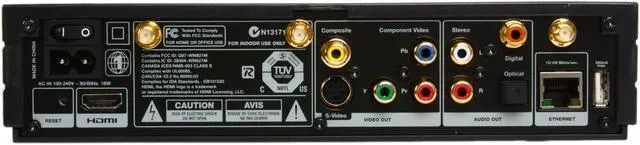
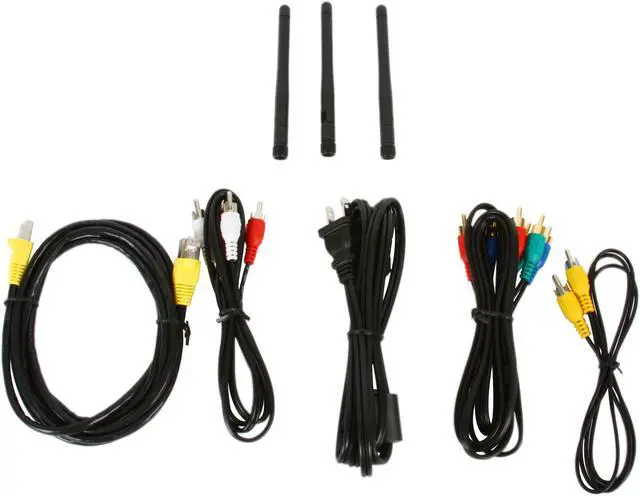
Ethernet, HDMI 1,2 w.HDCP, Component, Composite, Stereo RCA, S-Video, SPDIF RCA+Toslink, 2-pin IEC Mains Power connector. 3. Antennas, USB port is for Service purpose only, not for file playback. |
| Power |
100-240V, 18W Build in universial SMPS with low standby consumption <1W |
| Dimensions |
12.9" x 9.1" x 4.9" |
| Weight |
4.85 lbs. |
| Features |
| Features |
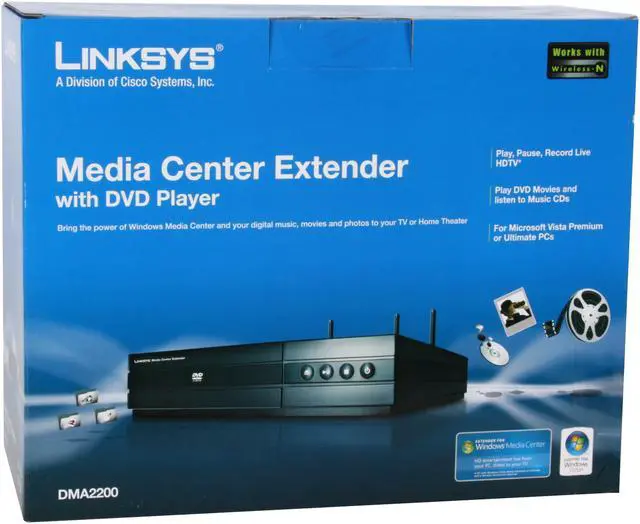
The Linksys DMA2200 integrates the latest in 1080i upscale DVD players with Windows Media Center and your digital music, movies and photos to any TV in your home without running wires. Integrated high bandwidth, dual-band 802.11n wireless. |
Introduction
Your Windows Vista Media Center (Home Premium or Ultimate edition) has it all: photos, movies, music built-in DVD player; with an optional TV tuner, you can even watch your favorite show on it. But your tv and easy chair are in the livingroom, and the computer is down the hall, or upstairs. Enter LinkSys's Media Center Extender.
You've already got a local network, so hooking it up is a cinch: connect your Vista computer to the LAN, hook in a cable from your router or use your wireless router to connect the Extender, and hook the other end of the Extender to your TV. Now you can do pretty much anything you could do with the Vista Media Center, but on the screen or in the room of your choice.
Going wireless means you don't even have to route new cables, and it is compatible with both the 802.11b/g standard and the 802.11n standard for maximum compatibility with older routers or the newest. Take a look and decide for yourself; we'll be ready when you are.
Highlights
 |
Complete Home Entertainment Solution With the LINKSYS DMA2200, stream your digital media collection from your Windows Vista Media Center-based PC to your living room TV or HDTV, watch, pause, rewind and record live TV programming (PC-embedded or optional TV tuner required), or access a broad set of Internet Radio stations and online services from all over the world.
|
 |
Upscaling DVD Player The Linksys DMA2200's built-in DVD player upscales video content up to 1080p resolution for watching DVD videos in high definition on your HDTV.
|
 |
Dual-band Wireless-N Support With support for dual-band Wireless-N, the Linksys DMA2200 smoothly streams HD content from virtually anywhere in your home without running wires.
|
 |
Expanded Connectivity The Linksys DMA2200 supports comprehensive video and audio outputs including HDMI 1.2, Component, Composite, S-Video, S/PDIF RCA and Stereo RCA, and features a 10/100 Ethernet port for wired network connection and a USB port for firmware upgrades.
|
 |
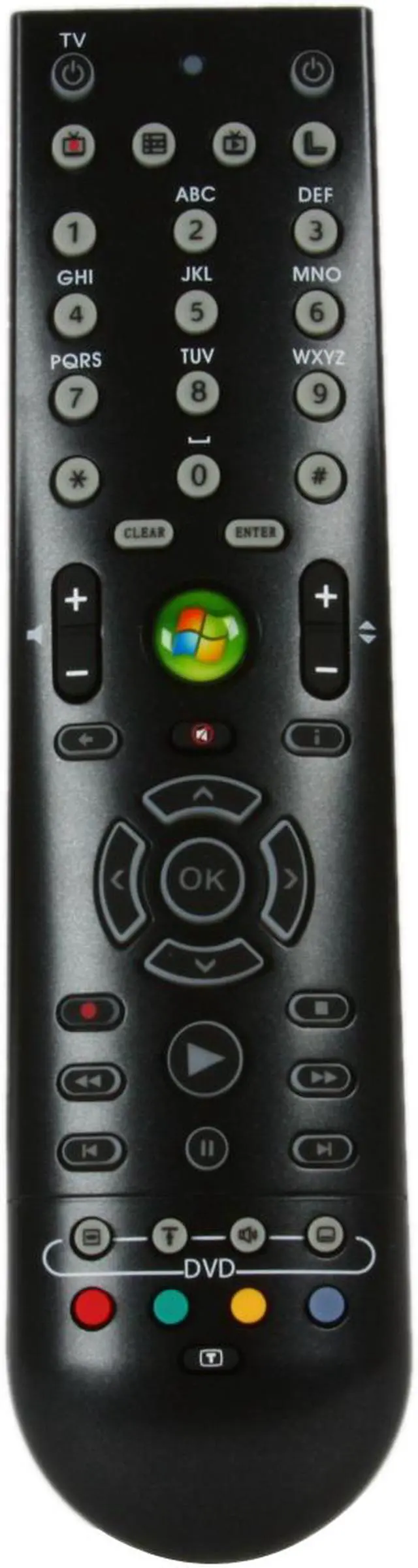
Learning Remote Control The included remote control with learning capabilities puts all TV and AV controls in your hand, so you can easily navigate through the on-screen menus, and take command of all playback functions in the comfort of your chair.
|
Quick Specs
| Brand | LINKSYS |
| Wireless Standard | IEEE 802.11b/g/n |
|