
Your Browsing History
 Holiday Shipping Details & Extended Holiday Returns Holiday Shipping Details & Extended Holiday Returns

Joined on 01/07/05
not that fast but good enough for what i am doing
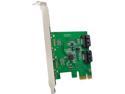
Pros: -installs easily and is recognized in Win 7 without any drivers. -Inexpensive
Cons: This card has a PCI-e X1 interface. the maximum throughput on this interface is 500MB/s for rev 2 and 250MB for rev 1. On my I7 with PCI-e X1 rev 2 I ended up getting 250MB/s as the interface speed so that isn't even SATA2 speed. Bottom line is you will not get SATA3 interface speeds with this card. To get SATA3 interface speeds you need a PCI-e X2 or greater interface. In my case, I am using it in a home server, that best case can transfer data at 100MB/s on the 1Gb Ethernet so it doesn't really slow down things in my application. It was also dirt cheap so I bought two and am happy
No Link Speed Indication
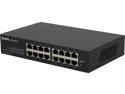
Pros: -16 ports in a small form factor -runs off 120V, no wall wart -actual on/off switch -rack mountable if wanted
Cons: -No link speed indication. The LED's are only green if connected, but no indication of connection speed. This is a big miss. Link speed is a quick way to tell if you have cabling or connection issues. I have had many cases, where my link speed dropped down, and I was able to identify and fix the issue quickly because of the link speed indicator.
Overall Review: -I cant believe it, this is so basic, and I just assumed this switch had it. Usually with the single LED indicator style the LED indicates speed by either being green or amber, but not on this switch. This is going back to new egg.
Works great
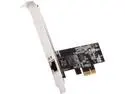
Pros: Fast Works with UNRAID, Windows 10, WHS 2011
Cons: Does not work with TrueNAS, FreeNAS, Open Media Vault, XigmaNAS, XPenology. Tested with latest revisions available on 4/15/2021. Realtek has no technical data on this chip so drivers are not available for the above NAS products. Waiting on the intel chip to hit market which will likely be better supported.
Overall Review: More than doubled the speed between my computer and file server running WHS 2011 (Window Server 2008 R2). Driver loaded automatically and I was up and running in 15 minutes. Using with a Qnap 5 port 2.5Gbe switch. M computer motherboard has an integrated Realtek 2.5Gbe. I can now transfer data between my PC and server as fast as the hard drive will output it at. Tests show I am getting 2.5Gbs sustained. WOW!
runs cool
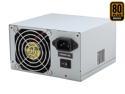
Pros: one of the most efficient ATX 300w supplies made, runs very cool, inexpensive. 10/16/2021 update, has been running 24/7 in my server for about 5 years now with no issues at all. This is the reason I only buy SeaSonic power supplies. My 380W SeaSonic PS mentioned below is also still running with no issues. It is in a PC that sees on/off cycles almost every day.
Cons: slightly noisy, will most likely replace the fan with a quieter one (voiding the warranty)
Overall Review: is noisier than my 380W SeaSonic with a 120mm fan, but I specifically needed this design with 80mm fan for airflow through the end. rather than the large face as with the 120mm fan. I wish the total power was a little lower, my whole system only draws 70w under full load.
Worked great for me after updating BIOS
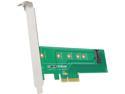
Overall Review: These will not work as a boot drive unless you have a newer BIOS that supports booting. With older bios it will see the drive once booted but will not be seen as a bootable device. I was able to successfully modify my BIOS to allow booting but it was scary flashing the modified BIOS since you can brick your PC if you don't do it correctly. The attachment screws worked fine for me. They are small and you need a small Philips screw driver.
Works as it should
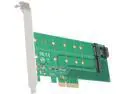
Cons: Not compatible with all motherboards.
Overall Review: This has two mounting positions the top one is for an SATA only m.2 for it to work it needs a SATA cable to your motherboard. The card only provides power for this m.2. The bottom connector is a NVMe m.2 and that communicates through the PCIe x4 interface. this card works great if you want to clone a SATA to a NVMe m.2. Things to be aware of are that 1) you have an available PCIe x4 slot on your MB and 2) you are using Win 10, and 3) your BIOS supports booting if you want to be able to boot the NVMe SSD. On this last item I found that I was able to modify my BIOS to allow booting on my old motherboard.