
Your Browsing History


EDWARD D.
Joined on 02/01/12
0
0
product reviews
- 10
40 PCI lanes, respectable overclocking, wallet emptying goodness.

Intel Core i7-5960X - Core i7 4th Gen Haswell-E 8-Core 3.0 GHz LGA 2011-v3 140W Desktop Processor - BX80648I75960X
Pros: 40 PCI Lanes 8/16 Cores/Threads Decent overclocking DDR4 support
Cons: Heat* Doesnt make breakfast
Overall Review: * I would recommend an AIO or custom water loop for one of these, someone who buys an intel X CPU is going to overclock it. I mainly bought this for the 40 PCI lanes, but the extra threads have also come in useful. if the price of this chip is "too high" keep in mind that it is the top of the line Enthusiast chip, its price is for the most part earned. That being said I did in fact pick mine up at a B&M shop in my town for a lesser price than I see Online.
10/23/2015See more detail
Good video quality. causes all my USB devices to periodically disconnect/reconnect
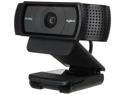
Logitech C920 USB 2.0 certified (USB 3.0 ready) HD Pro Webcam
Pros: Video quality is great.
Cons: -All my USB devices (Mouse, Keyboard, USB microphone, phone (if connected)) disconnect and reconnect periodically WHILE I AM USING THE CAMERA (as in in a skype call or while streaming using OBS) -My PC takes A VERY long time to POST while this is plugged into ANY USB port (2.0 or 3.0). once I unplug it it posts almost instantly.
Overall Review: I am running Windows 10 Pro V1607 Build 14393.222. Asus X99 Deluxe is the Mobo. I have asked a friend who recently purchased one of these and is experiencing THE SAME ISSUE; His pc has completely different specs than mine
10/2/2016See more detail
Stunning product. some compatibility issues
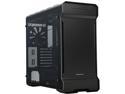
Phanteks ENTHOO EVOLV PH-ES515ETG_BK Satin Black 3mm Aluminum Exterior/Steel Chassis/Tempered Glass Panels (left and right) Mid Tower ATX Case
Pros: Tempered glass Panels are gorgeous. Super clean front panel has some RGB strip compatibility built in (if you have phantek RGB strips) comes equipped with 140MM fans out of the box (probably useful if you dont have any already)
Cons: Does not actually seem to support E-ATX (ASUS ROG Rampage V Edition 10 does not sit in the case correctly, this requires some modification, it works you just have to be really careful not to damage your $500+ motherboard The useful in theory removable bracket for top mounted fans/rads does not allow fans to be screw-ed** on top of it due to some unfortunately placed supports across the top. so if you have tall memory or a big head sink on your VRMs you HAVE to use a slim rad and small fans or else it does not fit. I could not fit my Corsair GT110i with fans in the top of the case for this exact reason, it collided with my corsair dominator memory (if I had low profile this would have solved the problem)
Overall Review: just be sure to test fit parts in your system before building. asus x99 deluxe and 8 dimms of corsair dominator platinum allowed for my 280 rad but change the x99 deluxe to the rampage v edition 10 and it NO LONGER FITS due to the board being arranged differently just be carful with your build **Thank you Newegg for letting me know that I was using inappropriate language, In the future please make sure whatever is screening reviews knows what context is, so that when people try to use a word properly they can. Thank you
2/18/2017See more detail
some cool features, Ultimately it just hogs system resources.

AVG PC TuneUp 2014 - 3 PCs - Download
Pros: some cool utilities to help laptops with poor graphics adapters function better (recommends turning off certain windows features like aero for better performance). automates the process of cleaning out old system files, registry errors, disk defragmentation.
Cons: windows is actually quite good at doing all of the above (besides optimizing pcs with low end adapters). and most of its functions can be done by either FREE alternatives, Windows, OR THE USER.
Overall Review: Once Tuneup was bought by AVG it went downhill. or maybe that was just around the time I began learning much more about the windows operating system than I had before.
10/4/2015See more detail
Did its job while it lasted
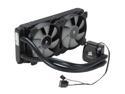
CORSAIR Hydro Series H100i Extreme Performance Water/Liquid CPU Cooler. 240mm
Pros: -Makes liquid cooling easy -Can technically be used on a GPU as well (might be better since they actually benefit from liquid cooling more) -Configurable LEDs (can be turned off too) -pretty easy to mount in a compatible case (240mm rad)
Cons: the radiator is THIN, so there is not as much surface area as really required for beefy CPUs (IE FX 8 cores or any 2011-3 CPU)
Overall Review: something went wrong with mine, and Corsair Link was unable to find it anymore. which means, I cannot monitor the pump, I cannot change my LEDs (they are forever stuck on what profile I had last loaded), and I can no longer be sure it is 100% working. so it is running in a system I built for my brother that is NOT overclocked. may still be worth buying, however the GTX version came out and it LOOKS much nicer. I have a H110i GT and the new look is fantastic.
10/4/2015See more detail
Not suggested
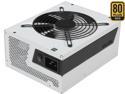
NZXT HALE90 V2 NP-1GM-1200A 1200 W ATX12V / EPS12V SLI Ready CrossFire Ready 80 PLUS GOLD Certified Full Modular Active@0.99(Typically) PFC Power Supply
Pros: -1200W -Fully modular -White
Cons: -Fan does not turn on as soon as it seems it should.
Overall Review: I have had to RMA this unit TWICE since I bought it. once a few months after I bought it. and again just this week. COMPLETELY different systems. (amd 8 core/Intel 5960x). I bought this so that in the future I would have a high wattage PSU that I could use for multiple GPUs. I recently acquired a second GTX 780 Ti. if I go up to about 95-106% power usage on both cards the PSU overheats and shuts off after about 35 minutes. THE FAN DOES NOT SPIN UP. I think this entire series of GPUs is defective NZXT should probably buy from a different OEM in the future.
10/4/2015See more detail