
Your Browsing History
 Holiday Shipping Details & Extended Holiday Returns Holiday Shipping Details & Extended Holiday Returns

Joined on 11/28/06

What More Do You Want ??
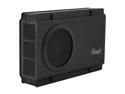
Pros: The unit is well constructed and very easy to install and get operating. Just remember that to format the harddrive that you install you'll have to connect it using the USB connection the first time. After formatting the drive and making it active you can then switch to the eSata connection. I installed a new 1 terabyte Western Digital drive to hold some movies and it worked like a charm. What more can you ask of a unit like this? It's not a NAS and you're not getting charged NAS prices. It's an external enclosure and as such it does a good job while not looking like some cheap after thought.
Cons: None.
Overall Review: Typical Newegg service that I've grown accustomed to over the past 5-6 + years. They've got the bricks and mortor people beat hands down.
Junk = ZERO stars if I could
Pros: None
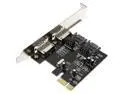
Cons: Arrived in a plastic mailer with NO drivers & NO instructions or manual. I bought two as I always have a use for widgets like this and neither one worked from day one. I tried every possible jumper setting and internal/external connection and it would not recognize either a SATA hard drive or a SATA DVD/CD burner. The website has no actual support such as pin settings or other info that might have been of some help and although at least one of the cards appeared to have been recognized by the O/S (Windows 7 Premium) neither one would recognize the connected drive
Overall Review: Just because I got them doesn't rate 1 star and even though the shipping was free I'm still out almost 2 weeks and almost $25 and still need to order and wait for a replacement that will do the job.
Not plastic, exterior build quality and layout, and a solution to possible weak signals.
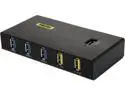
Pros: First, it works as advertised and was recognized by by Win 10 system in seconds after proper install steps per instruction./ Second, it is a sturdy aluminum box with plenty of connections available. It also has a robust power supply of 12V and 4 amp output. I run a WiFi mouse and keyboard as well as an external desktop harddrive that stores my system image and data backup. In the minimal manual/start-up sheet it does spend some time mentioning the known problems with wi-fi connected devices like mice and keyboards and the probability of signal loss or degradation from other sources. I've found this to be true over the years with a variety of equipment. The solution, if you have this problem ( a mouse that's jumpy or a keyboard that is slow or appears to buffer) is to move this unit away from the other electronics and even raise it above the rest so that your keyboard and/or mouse has a clear shot to it.
Cons: NONE
Overall Review: This is a couple of dollars more than the others out there but the sturdy construction and features make it a better buy without spending silly money.
Great printer with bells & whistles
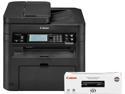
Pros: This multi-function laser printer scans, prints, copies, & faxes with equal speed and can be linked both wirelessly or with Ethernet. It's output is selectable from 300 dpi to 1200 dpi and is clear and sharp. Warm-up time is virtually a non-issue and is measured in seconds even if it hasn't been printing for hours. It's UI is a tad complicated but you can figure it out pretty easily in a few minutes if you're patient. Once you get stuff input and it has at least 24 hours for the internal battery to get fully charged and stuff safely in memory you shouldn't have to worry about it. There's a computer based UI as well so you can reset things from your computer if needed.
Cons: My only gripe is that almost every time I had to reconfigure my home network (we're installing new laminate wood flooring everywhere and having to move furniture here and there) I have had to re-install the software for some reason. Probably just something I'm missing in the set-up even though I've reserved a specific IP address in my router for the printer it still wants to get lost if I reconnect the various Ethernet cables leading to my various unmanaged routers differently then before. My system gets complicated sometimes<G>
As advertised
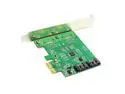
Pros: You can't ask for more than the seller advertised. Yes it takes time to get her from China, and yes it cost more than the much cheaper alternatives on the site. The difference is that it worked and the others I tried were so I lost both time and money on those.
Cons: Slow delivery from China but you know that going in.
Overall Review: The new boards that support the AMD low power APU's seem to be built to a budget and they sacrifice extra SATA ports. If you need more than 2 drives or a combination of drive and DVD then you'll need one of these.
Same card I bought - JUNK
Pros: NONE !!!
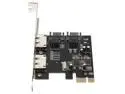
Cons: I bought the duplicate to this expansion card. In fact I bought two of them from the marketplace and did NOT receive the advertised driver CD or any sort of manual or instruction sheet for jumper settings. On top of that I was unable to get either expansion card to work regardless of how I set the jumpers (easy enough to figure out) or what hard drive or DVD player burner I connected either as an internal or external device. Because of the time and distance to return them as well as the shipping expense I'm basically out $25 even if they did credit me the cost of the original purchase.
As advertsied but delivery was pretty slow.
If you're no no hurry to get whatever you bought it's fine. It's well packaged and described, but if time is important to your project than think twice.
A neat little piece.
I was surprised that the unit is capable of recognizing when one of the 5 inputs is active and switches itself to that input without any need for me to use the remote. I suspect that if 2 or more inputs are live that's where the remote becomes necessary but that's not an issue where I use it. Compact and unobtrusive, it won't take a lot of space and can be powered by the same USB ports that also recharge batteries so you may not need the wall wart that comes with it. I used it in any case.
Not even good paper weights
I bought 2 of these and neither one works. They came shipped in a plastic mailer pouch with NO driver CD or jumper settings manual (I figured those out) Regardless of jumper settings or the type of SATA drive connected I was unable to get either the internal or external connectors to recognize any drive. Only one of the cards was able to be seen by my O/S (Win7 Prem 64bit) and after many failed attempts by both cards I gave up. The seller, has no support online so you can't download any drivers from them and they have no instructions or manuals online either. Their return policy requires that you pay for the return shipping AND you must return them in the original shipping material ( plastic bag that must be torn open) along with all accessories. Since they advertise a driver CD which they DO NOT ship you can't return what you never got so they'd probably use that as an excuse as well. There are at least FIVE sellers pushing the exact same part from $12 to over $30 so beware.