
Your Browsing History


glenn c.
Joined on 03/25/04
0
0
product reviews
- 16
Gift for Mom
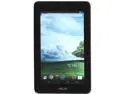
ASUS MeMO Pad ME172V-A1-WH VIA WM8950 1.00GHz 7" 1GB DDR3 Memory 16GB Flash Android 4.1 (Jelly Bean) Tablet White
Pros: looks great. from google play, installed chromecast, youtube, skype, and facebook for my mom. play angrybird and other light games (where is my water) no problem. decent speakers to play music and listen to radio too.
Cons: no bluetooth. camera is only on one side.
Overall Review: surprised this is a fairly solid built tablet under $100 dollars. screen is very sharp, swiping feels smooth, keyboard is responsive. gotta charge it for about 4hrs for the first use, and then it pops up system upgrade. (to 4.1.1) upgrade and restart, no problem. nice gift for parents/children and decent gift for your friends. don't feel cheap at all. bought two of MeMos a week before thanksgiving and arrived within 2 days.
11/27/2013See more detail
Don't buy
Enermax Notebook Cooling Pad CP005
Pros: on sale
Cons: 1. DOA 2.they give you hard time on the rebate
7/30/2014See more detail
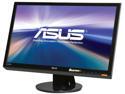
Asus VH238H Black 23" Full HD HDMI LED Backlight LCD Monitor w/Speakers 250 cd/m2 ASCR 50,000,000:1
Pros: shap and gentle to my eyes.
Cons: none?
12/16/2013See more detail
great buy
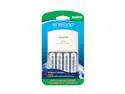
Eneloop SEC-MQN064N 4-Position Charger With 4 AA eneloop Batteries
Pros: The batteries are really really good qualities.
Cons: The charger is not really good. It can only charge 2 or charge 4 batteries at once. i.e. charge in pairs (this is not ideal) You can make those great batteries run even longer/better if your charger can refill the juice individually. So for serious users who want make the most out of the great 4 batteries included, please buy your own charger. :)
Overall Review: .
12/15/2012See more detail
This Tablet Rocks!
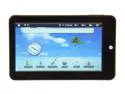
Curtis KLU LT7028 128MB RAM Memory 7.0" 800 x 480 Android Tablet Android 2.1 (Eclair)
Pros: Do you want to save $500 on a tablet? Get this tablet. This tablet serves you well. It increase your productivity and you can play games too. Watch YouTube, check email and install hundreds of apps from the Android Market. If that's all you need then this device is perfect. It's not slow but very reponsive as well. Remeber to install the new firmware! (how-to below)
Cons: You gotta install the firmware upgrade yourself. This is important because this device does not come with the Andorid Market app before the upgrade. Imagine you buy a new laptop and you cannot install software nor games... enough said.
Overall Review: First go there to download the firmware (zip file) http://www.curtisint.com/web/browser.asp?productID=LT7028&catName= Firmware upgrade steps: 1. Disable all the antivirus software before upgrading firmware. 2. Turn off the MID unit( this means, power off your tablet), hold the ESC button and inserting into PC with a cable at the same time. 3. Release the ESC button and then the pop up window to ask for stalling USB driver. 4. Open the set up file rk281x in folder RK281x USB Driver for USB driver installation.( choose the file in different operation system: XP/ Vista/Win 7) 5. Open RKAndroidBatchUpgrade.exe in folder MD703_2818 v1.24. 6. Open the file MD703_2818 V1.23\Image\update.img under setting and then press Upgrade. 7. It will be processing a few minute for firmware upgrading.
10/19/2012See more detail
works for am3
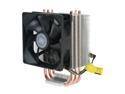
Cooler Master Hyper TX3 - CPU Cooler with 3 Direct Contact Heatpipes
Pros: serious cooling solution. 3gb dual core amd around 40 C. idle around 30 C
Cons: fit nice and tight in am3 mini atx tower. it works. confirmed. just that get ready to spend 20+ minutes because you will not have much spece left.
1/12/2012See more detail