
Your Browsing History


Sam S.
Joined on 12/18/03
0
0
product reviews
- 6
Much Better Than I Expected
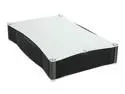
Mapower KC31U2 Aluminum 3.5" IDE USB 2.0 External Enclosure
Pros: inexpensive, quiet (no fan), metal case that conducts heat well (only gets warm, not hot to the touch), front panel is a grill to ensure air circulation
Cons: none
4/16/2006See more detail
Defective
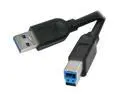
Rosewill 6.56ft. USB3.0 A Male to B Male Cable, Black, Model RC-6-USB3-AM-BM-BK
Pros: 4 out of the five cables I purchased did not work.
Cons: 4 out of the five cables I purchased did not work.
Overall Review: I purchased 5 of these cables. One worked fine. For the other four cables, I could only get a slower USB 2.0 connection, I got the dreaded Windows message "This device can perform faster if you connect it to a Super-Speed USB 3.0 Port". I confirmed it that it wasn't USB 3.0 when I tried to transfer files - they were copied at around 25 MB/sec. I confirmed the cables were faulty by swapping it out for a known good cable, and also connecting a different external hard drive to a different computer. I would strongly suggest avoiding this cable.
12/19/2012See more detail
Updated Firmware
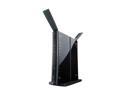
BUFFALO AirStation HighPower N300 Gigabit Wireless Router - WZR-HP-G300NH
Pros: N/A
Cons: N/A
Overall Review: The updated firmware (v1.65) is now available on the Buffalo Technology website. My router is running it, and so far I have not seen any issues.
10/29/2009See more detail
Review Update - Bug in Firmware
BUFFALO AirStation HighPower N300 Gigabit Wireless Router - WZR-HP-G300NH
Pros: ...
Cons: ...
Overall Review: This is an update to my previous review...There is a known bug in the current version of firmware. It drops wireless connections on occasion. For me it seems to happen every 1 to 2 weeks. Cycling power on the router fixes it. Buffalo Technology is aware of the bug. It's been a minor inconvenience. The tremendously improved range of this router compared to anything else I have seen (again, my house seems to be an wi-fi black hole) makes it worthwhile, even with this bug. I talked to tech support and they assured me that it will be fixed when they release a firmware update.
9/1/2009See more detail
Excellent Range, Lots of Features
BUFFALO AirStation HighPower N300 Gigabit Wireless Router - WZR-HP-G300NH
Pros: Excellent Range - even with existing Wireless G clients Gigabit ethernet ports Network Attached Storage VPN Endpoint Excellent web interface with help along the right column
Cons: User manual is not very detailed, with incorrect screen shots (from an earlier version of the firmware)
Overall Review: Our house is like a wireless black hole. We have tried multiple Wireless G routers and cannot get a strong signal throughout the house. If the router is in the center of the house, we usually get a 11 mbps connection from our Wireless G clients. If we put the router at one end of the house, we do not get a signal at the other corner. We don't live in a huge house by the way. With this router, we get a full strength signal through the house, regardless of whether it is placed in the center or in one corner. I assume it's due to high gain antennas plus the built-in power amplifier. The range of our Wireless-G network has been extended greatly without even having to upgrade our computers to Wireless-N adapters. Most Wireless-N routers transmit in the 100 mW range (e.g. Linksys WRT610N, D-Link DIR-825). This router transmits above 800 mW, close to the legal limit of 1000 mW. You can look up the transmit power of all routers on the FCC web site. Excellent product!
6/7/2009See more detail
did not work
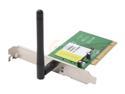
Airnet AWD108 108Mbps Wireless Adapter IEEE 802.11b/g PCI Up to 108Mbps Wireless Data Rates
Pros: inexpensive
Cons: i installed this into an older computer (AMD Duron 950 MHz) with Via KT133A chipset running Windows XP SP2. The computer became usuable. With the driver installed, the CPU utilization went from the low single digits to 100% all the time. I thought maybe I did something wrong so I reformatted and reinstalled Windows XP. As soon as I installed the driver, the computer became too slow to use. When I disabled the driver, the CPU utilization dropped down to a normal levels. So I am certain there are issues with the driver (I used both the drivers on the CD and on the web).
4/16/2006See more detail