
Your Browsing History


Kyle M.
Joined on 12/12/05
0
0
product reviews
- 5
Best with a tunable mouse
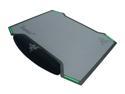
RAZER Vespula Dual-Sided Gaming Mouse Mat
Pros: Clean design, appealing and multi-sided.
Cons: It's too big. No one needs 1 square foot of mouse pad, it's bumpers on the side make it difficult to slide under things, so it ends up taking up a lot of space on your desk. The wrist pad isn't big or tall enough to make it ergonomically efficient. It's about half the height of a mouse, making you strain to use it.
12/6/2015See more detail
Don't Buy This Monitor
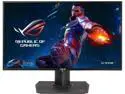
ASUS ROG Swift 27" 1440P Gaming Monitor (PG279Q) - QHD (2560 x 1440), IPS, 165Hz (Supports 144Hz), G-SYNC, Eye Care, DisplayPort, Adjustable Ergonomic
Pros: Sleek design, Intuitive OSD, Quality Surround Plastics.
Cons: My wife and I purchased 2 of these monitors. We received them the same day. You'll read countless reviews expressing a lack of quality control and back-light bleed. This is no joke. We have tested each monitor and taken pictures - the back-light bleed is so bad that you can't even visually see the image coming though the corners of the monitor. Each corner (particular the right top, bottom and left bottom) are radiating orange / yellow. For a $800 monitor (or $1600 in our case) this is absolutely unacceptable. We waited quite some time for the PG279q to become available and we're awfully unhappy with our purchase. There are a lot of monitor options on the market - get one that you can be confidant about. This isn't it.
Overall Review: Of the 2 monitors, one is better than the other. For us, we need to RMA both of them - but that means we'll be without any monitor for (what I read on other forums is...) 5-6 weeks of RMA. I've also read of complaints that people are having the same monitor sent back to them with no better results - verifiable by serial number. ASUS - our family gave you $1600, which isn't chump change. All we have right now are 2 radiating orange monitors and a migraine.
12/6/2015See more detail
Good Gaming Mouse

LOGITECH G502 Proteus Core Tunable Gaming Mouse #910-004074
Pros: Ergonomic Design, fast reacting and very configurable.
Cons: It takes some time to get used to and the thumb button isn't really ideal for someone without giant hands as it's carefully placed just out of reach of your thumb. Switching profiles can be confusing with the display on the actual mouse. Takes some getting used to. It's not as smooth or ergonomically as some prior Logitech mice, but it's good for the money.
12/6/2015See more detail
Good Keyboard
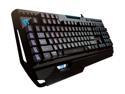
Logitech G910 Orion Spark RGB Mechanical Gaming Keyboard
Pros: It's pretty - it's fast. It's heavy and is made of quality plastics.
Cons: It's great as a gaming keyboard, but the convex top of the keys make it nearly impossible to actually type a sentence. It's almost like you need two different keyboards to play games vs. send an email. Wrist support only on one side of the keyboard (WASD side) - ergonomically this isn't remotely comfortable for typing. It's bulky and will take up a lot of real estate on your desk.
Overall Review: The ARX Dock is just a blue piece of cheap plastic that holds your phone in place. It doesn't connect to anything - it's just a prop for your phone which is useless because most of the time it puts your phone in front of your monitor - negating the purpose.
12/6/2015See more detail
Comfortable Headphones

Astro Gaming A50 Wireless Dolby 7.1 Surround Sound Gaming Headset for Xbox One - White
Pros: Sleek design, comfortable and breathable.
Cons: For wireless headphones, be ready to run about 4 wires across your desk. I'm using these for my PC and I had to run an optical cable, power cable, and 2 USB cables to the "cheaply" put together stand. It's pretty messy and negates the simplicity of wireless headphones. The numerous controls on the headphones (particularly the 2 different volume nobs - one on the headset and the other on the actual ear piece) feel over complicated and uncomfortable to get to. It would be nice if the ear cushion was made of better material vs the synthetic cloth - it feels and looks cheap for an expense headset (see Beats by Dre)
12/6/2015See more detail