
Your Browsing History


Rita H.
Joined on 02/27/08
0
0
product reviews
- 3
Very pleased with quiet tool-less mid tower case with door
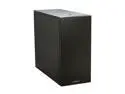
LIAN LI PC-B10 Black Aluminum ATX Mid Tower Computer Case
Pros: Looks very nice. I hear the fans but the sound is so uniform and quiet it doesn't bother me. (Case sits on the desk next to me). USB ports on top are separated by about 3/4 inches. A bulky Kingston thumb drive and another larger USB device can sit easily side by side in the USB slots. A USB3 to USB2 adapter for the top USB3 port is provided in case your motherboard only supports USB2. I put a Plextor PX-880SA DVD drive in the uppermost 5-1/4" external drive bay. The USB enclosure jutting down from the top of the case did not interfere. Zalman CNPS9900ALED CPU Cooler fit easily. I did not need to use right-angled cables on the HDDs. Enough room inside that you don't need to be neat with cables and psu cords. Seems roomier than my old case which had about the same dimensions, I guess because psu mounts on floor of case.
Cons: It was a bit scary clamping my Seasonic 550 W psu into place - it seemed too tall, but all ended well. Not clear to me from instructions how to get HDD tray out of the HDD rack - I had to first raise it slightly, then slide it out. Using the three lower external 5-1/4" bays requires the removal of a front fan. Only the three highest external bays have a "quick release." None of these are really cons, just conments.
Overall Review: The fans on my old case made too much noise. Rather than just get quieter fans, I wanted to try a silent PC case, and one with a door like my old Xion case. Searches turned up only 3 or 4 other possibilities. I decided on this pricey but appealing Lian-Li PC-B10, and am very glad I did. The tool-less feature of the Lian-Li case is a bonus. It was a pleasure to assemble but probably not a big time saver (unless you've misplaced your tools and screws).
12/15/2011See more detail
Compatible with NEC P232W-BK monitor and MSI laptop
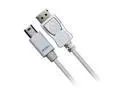
Accell Model B119B-007J Mini DisplayPort to DisplayPort Cable
Pros: No problems connecting MSI GS260 laptop with mini DisplayPort to NEC P232W-BK monitor with DisplayPort (- video only). My monitor does not have speakers and did not come with a DP to mDP cable.
Cons: None that I know of.
Overall Review: NEC's website warned that not all DP cables were compatible with NEC monitors. After looking at newegg offerings and reviews, I decided this expensive cable was most likely to work, and it does. I've connected this laptop and monitor both ways, with similar or perhaps indistinguishable results. (The NEC monitor has an input button to quickly switch laptops so I have reserved HDMI for another laptop).
3/29/2015See more detail
Good charger for ASUS TF101
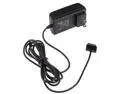
AC Power Adapter Wall Charger Adapter for Asus EeePad Transformer TF101, Prime TF201, Slider SL101
Pros: My Asus Transformer TF101 works as usual while charging, longer cord is useful, quality seems similar to original charger.
Cons: Does not include the USB part of the original charger, but this will usually not be a con.
Overall Review: After about a year of use my original charger had difficulty charging, and eventually one leg of the electric plug broke off. The tablet to USB part of my old charger still works. This charger seems to work well - same amount of time to charge and it connects securely to tablet.
11/16/2012See more detail