
Your Browsing History


ROBERT C.
Joined on 05/27/04
0
0
product reviews
- 14
Really Very Good!
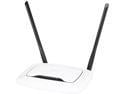
TP-Link N300 Wireless Extender, Wi-Fi Router (TL-WR841N) - 2 x 5dBi High Power Antennas, Supports Access Point, WISP, Up to 300Mbps
Pros: Fast setup, good signal, good throughput, easy menus, no need to install third party software, UPnP works flawlessly, if it lasts a couple of years it'll be about the best $20 I've ever spent.
Cons: None so far.
Overall Review: I had an ASUS RT-N12 that I really liked. I had DD-WRT on it and it was rock solid for months and years without requiring a reboot. But then one day the ASUS just bricked. With DD-WRT, or at least my implementation of it, I had to manually do the port forwarding for XBox, torrents, etc. But the new TP-LINK router - you turn UPnP on, and it just works. It sees the XBox and torrent clients and opens up the right ports when the clients are active and closes them again when the clients are inactive. I suppose all UPnP routers are supposed to work this way, but this is my first experience with it.
3/18/2014See more detail
Failed very quickly, never RMA'ed
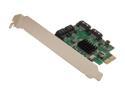
SYBA SI-PEX40057 PCI-Express 2.0 x2 Low Profile SATA III (6.0 Gb/s) 4-port RAID Card
Pros: It seemed like a dream come true. But it was too good to be true.
Cons: RAIDs were unstable and failed after only a few hours or minutes. Eventually became unusable. I was sick of messing with it so I didn't want a replacement and it was too late to get a refund.
1/27/2015See more detail
Pretty good
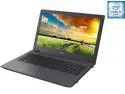
Acer Laptop Aspire E 15 Intel Core i5-6200U 8GB Memory 1TB HDD NVIDIA GeForce 940M 15.6" Windows 10 Home 64-Bit E5-574G-54Y2
Pros: Good processor (latest generation i5), enough RAM, nice display, nice track pad, scratch-resistant finish, light weight, rigid chassis, open DIMM slot, decent keyboard, numeric keypad.
Cons: Soft plastic chassis, weak speakers, wifi reception could be better, tons of bloatware, 5400 rpm drive, no light for capslock or numlock.
Overall Review: This is a bargain basement i5 laptop with pretty decent specs. I created a Win10 bootable USB flash drive, swapped out the HDD for a SSD, and did a fresh install. There are about 19 screws that hold the bottom on the case. Use a guitar pick or some similar piece of plastic to separate the chassis shell and avoid scratching the soft plastic. Be careful not to over-extend the tiny connector for the SD card reader when you separate the halves. Removal of the HDD and replacement with an SSD was straight-forward. At some point, I will either install an optical drive in the open bay, or maybe just install the original 5400rpm HDD for file storage. Win10 boots to the login screen in less than 6 seconds. I'm not exaggerating. Like 5.5 seconds. This is my first experience with Win10 and so far I like it OK. I really like Win7, and though Win10 looks very different, much of the functionality of Win7 is still there. And with the search function, it's not too hard to find. I have yet to find any compatibility problems with my legacy applications. I like the trackpad and all of its gestures. The display is gorgeous. The speakers suck. For the price, I would recommend this to anyone. Put in an SSD and a fresh OS install, and you're really cookin'. I bought this to replace a tired 5 year old Toshiba i3 that I had continually done performance upgrades to, like adding RAM and going to SSD. My wife tried Macbook for 5 years but thinks she's ready to come back to Windows, so maybe I'll buy another one of these for her. I've had this laptop for a few months now and want to follow up: IT's still running strong. Boot times are amazing. But - there's another model that you might consider over this one. Acer Aspire E 15 E5-575G-53VG It's sold by a big mail-order outfit named after a river in South America. I got this to replace my wife's old Macbook Pro. It comes with an SSD on the bus, so there's room to add a SATA drive for more data. It comes with an optical drive. The display is way better. And the keyboard is backlit. All it needed was a fresh Win10 install and it was good to go. And it's $20 cheaper today!
11/5/2016See more detail
Description/specification is deceptive
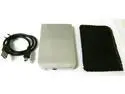
2.5" IDE Hard Drive Disk External Silver Case Enclosure Box USB 2.0 Laptop PC
Pros: It's a nice looking little thing
Cons: I bought this specifically because the number of bays in the description/specifications is 2. I took this to mean that it had 2 bays for 2 hard drives. But this is NOT the case. It only accepts 1 drive. There is only 1 bay.
Overall Review: It's cheap and looks nice. I'll give it a try for function and report back later.
2/4/2016See more detail
Bought 2, both work great
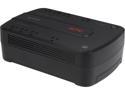
APC BE550G Back-UPS ES 550VA, 120V, 8 NEMA outlets (4 surge) - Tower - 1 Day Recharge - 3.30 Minute Stand-by - 120 V Input - 120 V AC Output - Stepped Approximated Sine Wave - USB - 4 x NEMA 5-15R
Pros: We live out in the country and our power flickers of goes off a few times a month. These UPCs do their job and have never failed.
Cons: None so far after 6-7 months of use.
1/27/2015See more detail
Plugged in, works, never goes down
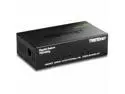
TRENDnet 5-Port Unmanaged Gigabit GREENnet Desktop Metal Switch, Ethernet-Network Switch, 5 x Gigabit Ports, Fanless, 10 Gbps Switching Fabric, Lifetime Protection, Black, TEG-S50g
Pros: It's seamless and utterly reliable. It's never gone down, and never requires a reboot.
Cons: none
1/27/2015See more detail