
Your Browsing History
 Holiday Shipping Details & Extended Holiday Returns Holiday Shipping Details & Extended Holiday Returns

Joined on 01/13/10
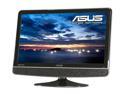
Pros: Awesome Price, 1080p, 2 HDMI ports, cool little remote. Makes a great office TV display if you have another tuner such as networked cable box, satellite, etc. worked when arrived.
Cons: Seems to have some blurring at the edges on HD video. 1 dead pixel near center of screen but it took me days to even notice. 1 pixel is really nothing.
Overall Review: Good buy overall, saw this in an e-mail advert. and had to have it. Newegg always has a great deal.
Fuji Finepix AX200 is garbage
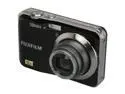
Pros: Cheap and took decent pictures for about 1 month.
Cons: Don't know where to start. The batteries die fast. The cord that connects to the computer is the shortest cord in the world at about 2'. Also the jack in the camera is real touchy and sometimes will not go into USB mode properly to upoad pictures. I have 2 Fuji's of similar model and one CANNOT load photos at all. I have to put the memory card in the other camera to retreive photos at all. But the REAL kicker is the lens jammed after 1 month and the camera is now a paper weight! I have recently pulled it from the drawer to use it as a memory card reader for the other garbage Fuji and felt a review needed to be done.
Overall Review: Basically these cameras are disposable. Buy one at a discount for no more than $50 to take to the beach or on a hiking trip where you are afraid to use your real camera. All I needed was basic photos of houses as an appraiser and this cannot even handle that. P.S. I am very aware of how fragile ALL lens are in these point and shoot cameras. This one went out for no reason. The one I got for my daughter ALSO jammed and she has only used it about a dozen times. I got that one unstuck after an hour of messing with it, but like I said THAT one has a faulty USB jack so I have to keep the first one as a card reader. What a load of horse dung. I would not recommend this camera to ANYONE.
The way to get RAID 5 working
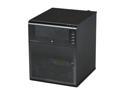
Pros: Seems to be a well built little machine. Very small and quiet. I hope someone in my position reads my solution. I went in circles not being able to get more than two drives to go RAID 5 (you need 3 minimum) since one had the OS on it and Windows decided to put 100mb of system files on another drive making them odd sized and therefore NOT RAID5 capable.
Cons: HP tech support has no idea what they are talking about. They told me that RAID 5 even in software RAID 5 was not possible. They also said that there are no RAID cards available but I hear that some people have put them in.
Overall Review: I am a total newbie and I am sure this stuff is obvious to some people but I had to do a lot of reading and make a few assumptions to find out what to do to use all 4 of my 2TB drives. I installed a DVD rom drive and the one 250gb drive that comes with the system in a HD bay. Then installed Server2008 R2 onto that drive. Powered down and removed the DVD rom drive then put the little 250gb drive in the DVD drive space as the boot drive. Then installed ALL 4 of my 2TB drives making this a 5 bay server. Once I rebooted and deleted the drives created when I tried to install my OS on one of the 2TB drives I was able to simply click one and select RAID 5, then add the other 3 and away it went building the dynamic drive. Other people seem to be limiting the space by only adding 3 big drives and using/wasting IMO one bay with the 250gb as the OS boot drive. I wanted to use all FOUR as storage drives for the biggest RAID 5 array I could get. It is now building 5.6TB from my 8TB of drives.
Pros: Great little enclosure. I basically got it free with rebate.
Cons: No cons, nice even if it were not free.
Mini Helicopter
Great service and fast shipping. I would buy from this seller again.