
Your Browsing History
 Holiday Shipping Details & Extended Holiday Returns Holiday Shipping Details & Extended Holiday Returns

Joined on 07/02/02
great laptop with few weakness
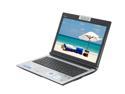
Pros: fast and sturdy.
Cons: Fn key in place of ctrl, very annoying, I keep looking at the keyboard which I almost never do with other PC/Laptop. screen is good but has somewhat limited view angle. keyboard doesn't have enough reflex. Hcontrol utility which controls multimedia key (including volume adj) sucks. if you don't care about the hotkeys next to the indicator lights, get rid of it then.
Overall Review: overall, very nice for $900, little annoyances here and there but nothing deal breaking.
Great notebook for the price
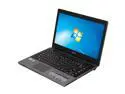
Pros: Excellent performance for the money, sturdy construction (better than expected from the reviews I read before purchase), thin and light enough to be carried around comfortably for long period of time, above average battery life, and lastly, very quiet and doesn't run hot when CPU intensifies.
Cons: Flimsy and shallow USB ports! This is my biggest grip with this machine, the ports are so shallow that 1/3 of the plug is extended outward, slight touch will cause the connector to fall out. This brings to my second complaint, 3 USB ports out of 4 are aligned on the right side, exactly where the right hand/wrist movement will cause the connectors to become loose. LCD is good for watching movies due to slight warm red hue tint, but bad for photo editing. I calibrated it and it's better now but it still has warmer hue than my other laptops.
Overall Review: I didn't buy this laptop from newegg since I have $100 coupon to use with another merchant. Overall, it is a very good notebook for the price, I only paid $500 for it so for that price it is a 5-star machine. i3 packs enough power for daily business use and is decent enough when some entertainment is required. I don't play games, so no thoughts on that aspect. And it is a slim build for a 14-inch, probably the best looking one in its price range.
Almost perfect
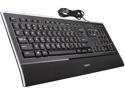
Pros: excellent typing feedback and build quality. makes you want to type more, I find myself writing longer emails after getting this KB.
Cons: contextual key needs to be activated via FN key because it is shared with print screen function next to the insert key. I prefer the normal layout of this key because I'm a KB guru in MS Excel so not having direct access is a quite a deal breaker.
Overall Review: a real pleasure to use. the multimedia keys are pretty useless since logitech's setpoint software is pretty limited in customization. would be perfect if contextual key was placed where it should be (next to the right alt key).
Nice overall, be patient with color adjustments
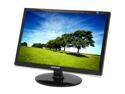
Pros: Excellent monitor for the price range after color calibration. superb text clarity and pictures looks almost as good as high-end models (note: you must do calibration to get the gamma level right, see the cons section). Overall design looks more expensive than the price suggests.
Cons: Extremely hard to get the color right, horrible out of box color presents. Everything is tinted with blue and redish hues after I plugged it in. I have it setup next to a high-end Sony model, so I almost packed it back in the box and returned it. Screen looked completely washed out, and worst still, mid-tone was non-exist, so whenever there are highlights on the skin, it looked like old 8-bit color palette. Magictune software (latest from Samsung website, not the version bundled with the LCD) is good to free you from fiddle your fingers under the plastic bar, but useless in terms of calibration. I ended up spending a day to adjust the color to where I want them to be. Setting the correct gamma level is absolutely essential for this model, I suggest using an independent gamma loader if you are serious about get the colors right.