
Your Browsing History
 Holiday Shipping Details & Extended Holiday Returns Holiday Shipping Details & Extended Holiday Returns

Joined on 11/02/09
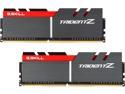
Pros: Works perfectly with Maximus VIII Hero.
Cons: None.
Overall Review: Others seem to report the memory doesn't run at rated speed even with XMP active. Those same users keep talking about motherboards. Motherboards only control the settings. The memory controller is on the CPU fellas. Your memory can only run as fast and stable as your particular CPU allows. Intel specifies DDR4-2133 on Skylake - anything over that is OC and your CPU IMC might not be capable.
Simple, stable, nice upgrade over original Maximus VIII Hero
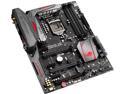
Pros: Simple to setup and use, no bugs. The sound "snap" that was present on the Maximus VIII Hero is gone in the Maximus VIII Hero Alpha update. The board adds several new features, hence the price increase over the original M8H. This board has U.2 ports and a M.2. It also uses a Intel USB 3.1 controller instead of 3rd party ASMedia and has wifi and bluetooth built-in. The board also has an updated driver package over the original M8H. It looks to me that ASUS fixed some bugs in the M8H, added some features, and released this new product.
Cons: Price tag is a bit stiff. The board is advertised as having 2x U.2 ports, which it does. However, one of those U.2 ports is shared with Intel SATA ports, meaning if you use BOTH U.2 ports, you lose those 4 SATA ports. If you use just one U.2 you can use the SATA ports and the single U.2 I think of it as having just one U.2.
Overall Review: ASUS still includes a DVD full of bloatware - mostly unnecessary and confuses inexperienced users. I prefer my own AIDA64 monitoring software. The DVD does include a utility you can use to inject current USB 3.0 into an old Windows 7 ISO to make installation easier. I personally use Windows 10 but did use Windows 7 for some stability testing. It also includes a full version of Kaspersky Security 2015 which isn't too bad.
Working Great!
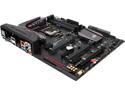
Pros: Easy setup, reliable performance.
Cons: Why does it still say "Update Succesfully" after updating? ASUS has used that message following a BIOS update for years. It is either "Updated Successfully" or "Update successful". ASUS needs to do a better job maintaining the downloads. The Intel Graphics driver is STILL a beta version for Windows 10 (beta status in release notes and installer). Some "signature" boards have updated Management Engine and Rapid Storage drivers.
Overall Review: Windows 10 worries me. Windows 7 and Windows 8.1 actually seem more stable. I don't understand why Windows 10 insists on progress bars that aren't related to actual progress. Why does Windows 10 update say "preparing installation" when it is actually installing updates? Why is activation so messed up? My current install says "Connect to internet to activate" in the activation menu but I am obviously online right now. Horrid programming skills.