
Your Browsing History


Parker S.
Joined on 04/06/04
0
0
product reviews
- 3
Great little controller
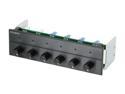
Black 6 Channel Multi Fan Controller
Pros: Sleek brushed aluminum finish, indicator light for active fans, does what it's supposed to and best of all it's inexpensive.
Cons: Died after powering a pair of Deltas and four Yate Loons nonstop for two and a half years. Visible charring on one of the ICs attached to the heatsink from where it blew. Received a proper burial in the electronic recycling bin at work along with a 21 capacitor salute. It lived a good life, it will be missed.
Overall Review: I didn't think it to last this long (cheap fan controllers generally have shoddy components) but it exceeded my expectations. I don't have 5.25" bays in my current PCs but I might buy another to part out for another internal install. I wish there were PCI-slotted multi-channel fan controllers so I wouldn't have to mod my cases to mount them internally.
10/20/2013See more detail
Great for the first few months.
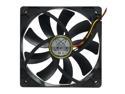
Scythe SY1225SL12SH "Slipstream" Case Fan
Pros: Great when they function. Good airflow, relatively low noise, relatively inexpensive.
Cons: I bought three of these six months ago. For the past few months I've noted higher case temperatures, opened up my case today to clean the intake filters and fan blades and noticed that all three scythes were clean while the three generic fans that came with my case were dusty like usual. Turned the computer back on to find out that the scythes were all dead.
Overall Review: These fans are relatively cheap and push air fairly well, but die after a few months. Conversely, my fileserver's fans have been running 24/7 for the last eight years at max rpm. Go figure.
6/15/2012See more detail
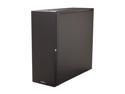
LIAN LI PC-A71F USB3.0 Black Aluminum ATX Full Tower Computer Case
Pros: Sleek and sexy, extremely lightweight yet sturdy, massive interior volume. Great airflow though case once fans are upgraded, 10x hard drives remain relatively cool despite constant read/write cycles. Cables can almost entirely be hidden with some planning (inserting drives into the case plug-first) and zip tie usage.
Cons: Attracts fingerprints. Stock fans are underwhelming. Front fans and filters are difficult to access/replace. Drives vibrate case despite rubber insulators. Bottom of case has -very- sharp edges. Case took it's blood toll as I was moving it post-installation.
Overall Review: If you're having difficulty removing the front panel drive blanks, use a screwdriver through the side on the 'tabs' that hold them in while pushing from behind out the front. They should pop out one side at a time. Only 7 of the 10 internal 3.5" bays are dedicated, the last 3 share a space with the upper PSU slot. If you plan on using the upper space for your PSU or a radiator etc you won't be able to utilize them without some modding. This case is so massive that there was enough room for me to rivet an additional HDD rack adjacent to the 7 bay, this works due to the tool-less front loading of the drives once I removed the bottom thumbscrew. Case now can handle 16 drives. ^^ Also my motherboard doesn't have a 20 pin USB 3.0 connector, just individual 3.0 connectors. Will have to find a solution to this.
2/9/2012See more detail