
Your Browsing History


Kevin O.
Joined on 08/31/03
0
0
product reviews
- 5
Nice remote for WMC
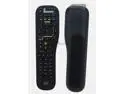
New For HP D4000 Media Center Universal Remote Control MCE WIN7 P/N: 5189-3685
Pros: * Programmable to control WMC with remote code 5018 or 5020. * 4 programmable devices, in addition to the HP MediaSmart Connect, any of which can be configured for WMC. * Buttons cover most WMC functions. * Good button design and layout. * Buttons require only a light touch. * Audio controls can be programmed to control an A/V receiver. * Plug 'n' play - no 3rd-party drivers required. * Backlit when buttons are pressed. * Sturdy, substantial design.
Cons: * Missing WMC buttons for Pictures, Videos, Music, Radio, Zoom, Angle, Audio, and Subtitle functions. * Non-functional buttons for WMC: Source, CC, Aspect, SAP, Sleep, Search, Media, Favorites. * No IR receiver included.
Overall Review: The remote works well with the RC6-compatible "eHome" IR receiver included with the Rosewill RRC-126 remote. The remote is programmable for 4 devices in addition to the HP MediaSmart Connect device (which cannot be reprogrammed). While programmed for a video device, the audio controls can be programmed to control an A/V receiver, so you don't have to switch devices to control video and audio. To program the remote for use with WMC, select any of the 4 available devices, hold the Device button for 5 secs, enter code 5018 or 5020. Both codes seem to offer the same functions. Even though the color-coded buttons at the top of the remote are colored and labeled similarly to the WMC functions, the CC, Aspect, SAP, and Sleep buttons don't work for the Subtitles, Angle, Audio, and Zoom functions.
5/18/2014See more detail
Small, flimsy, difficult buttons
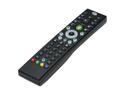
Rosewill RRC-126 - Windows Vista / 7 / 8 MCE Infrared Remote Control with Netflix Function
Pros: * Buttons for basically all WMC functions. * Plug 'n' play - no 3rd-party drivers, no config required.
Cons: * Small, flimsy buttons are difficult to press and hard on the fingers. * Buttons wear out quickly, requiring harder and harder presses. * The playback controls are at the top of the remote, but the contour of the bottom of the remote fits best in the hand. The playback controls should be in the middle of the remote.
5/18/2014See more detail
Won't allow a LAN; worthless support
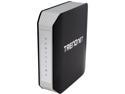
TRENDnet TEW-812DRU V1 AC1750 Dual Band Wireless Router
Pros: + 1300 AC + 2.4GHz + 5GHz support with multiple SSIDs for each + Guest network support + DD-WRT support (if you want to void your warranty)
Cons: - Does not allow more than ping between wired LAN clients (no HTTP, no SMB/CIFS, no AFP). Only wifi LAN clients can connect to wired LAN clients. You must use a separate switch for wired LAN connections. - Throughput is better with 802.11n on 2.4GHz than either 11n or 11ac on 5GHz, even when using TRENDnet's own TEW-805UB AC1200 USB 3.0 network adapter. This renders useless the whole 5GHz band (which was supposed to be faster and less crowded). - Limited number of firewall ports can be opened, and TCP and UDP must be opened separately (there's no BOTH option, requiring 2 rules to open both TCP and UDP).
Overall Review: When using a network switch plugged into one port on the router, all wired clients on my LAN can communicate over any protocol. When I remove the switch and use the switched LAN ports on the back of the router, none of the Ethernet clients can communicate with each other using common protocols. The most they can do is ping each other. If you're going to run a web server over HTTP, use Windows file sharing over SMB/CIFS, or Apple file sharing over AFP, then the only way you can get to those services is from wifi clients over the WLAN to the wired LAN clients. None of the wired LAN ports allow connections between each other. This renders the router useless as a switch for running a LAN, which completely defeats the purpose as a home/office router. When I called tech support to troubleshoot, I was informed that TREDNnet company policy is that they can only help connecting clients to the Internet (LAN to WAN connections). They would not help in any way to support communication over the LAN, including file sharing or web servers. The product does not work as advertised, and the support is worthless if it won't help you get the product to work as advertised.
2/15/2015See more detail
Nice feature set - if one could use it
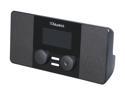
Aluratek Internet Radio Alarm Clock with Built-in WiFi AIRMM02F
Pros: - WiFi Protected Setup (WPS). The radio has a versatile set of WPS configurations that are undocumented in the user manual. I pushed the WPS button on my router, then the WPS button on the radio, and within 10 secs I was connected to my network using WPA2 (AES). The downside, as noted below, is that it doesn't work with my router to actually communicate with the network. The radio supports WPS PBC (push-button), PIN code as Enrollee, and PIN code as Registrar. I also tested PIN code with Registrar, which is where the router (the registrar) determines the PIN code. I entered the PIN code from my router's setup page, and connected to the network without a hitch. - Internet radio streaming with vTuner. - FM radio tuner. - Media server streaming. - MP3 playback from USB stick.
Cons: - Doesn't work with a variety of WiFi networks, making this radio essentially useless if it doesn't work with your network. - No one-button resume. If you stop the stream or turn the radio off, there's no way to resume what you were listening to. You can pause an MP3 track, but that's it. I want something that behaves like a radio, that just starts playing the last station when I turn it on. - 2 x 2W speakers are good enough for an alarm clock next to a bed, but aren't loud enough for much else.
Overall Review: Though WPS worked great to get an IP and connect to the network, I couldn't actually connect to the Internet via WiFi. It worked great connected to Ethernet. When connected with WiFi, attempting to download the Internet radio station list produces a "Failed to lookup DNS" error. Browsing the Internet for this error, it seems to be a common issue, and Aluratek's solution is to weaken your network security to a ridiculously insecure level by using WEP, or to replace your router. My router is not the problem --- the radio is --- so it seems either you have equipment that works with this radio, or you don't.
7/24/2011See more detail
Works with TiVo HD
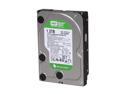
Western Digital WD Green WD15EARS 1.5TB 7200 RPM 64MB Cache SATA 3.0Gb/s 3.5" Internal Hard Drive Bare Drive
Pros: Works with Tivo HD, quiet, large capacity, cheap
Cons: None so far
Overall Review: Not necessarily made for DVRs like the WDxxEVDS, but this drive installed easily to give my TiVo HD 1.26TB of space. Used the WD utility to disable the IntelliPark feature (wdidle3), and works great with the TiVo.
11/4/2010See more detail